Page 298 of 594

Features and controls
3-213
3
Vehicles equipped with rain sensorThe windshield wipers can be operated with the ignition switch
in the “ON” or “ACC” position.
If the blades are frozen to the windshield or rear window, do
not operate the wipers until the ice has melted and the blades
are freed, otherwise the wiper motor may be damaged.Rain sensor (if so equipped)
Can only be used when the ignition switch is “ON” position.
If the lever is put in the “AUTO” position, the rain sensor (B)
will detect the extent of rain (or snow, other moisture, dust,
etc.) and the wipers will operate automatically.
Keep the lever in the “OFF” position if the windshield is dirty
and the weather is dry.
Wiper operation under these conditions can scratch the wind-
shield and damage the wipers.MIST- Misting function
The wipers will operate once.
OFF- Off
AUTO- Auto-wiper control
Rain sensor
The wipers will automatically operate depending on the
amount of moisture on the windshield.
LO- Slow
HI- Fast
BK0105501US.book 213 ページ 2009年8月10日 月曜日 午前10時32分
Page 304 of 594

Features and controls
3-219
3 Electric rear window defogger switch
N00523700360
The rear window defogger can be used when the engine is run-
ning.
The indicator light (A) will come on when you press the elec-
tric rear window defogger switch. Electric current will flow
through the heating wires on the rear window to help clear
away moisture or frost.
After about 20 minutes of operation, the system will shut off
automatically.
To switch the defogger OFF before 20 minutes have passed,
press the switch again. The indicator light will go out and the
defogger will turn off.
If you need the defogger for more than 20 minutes, press the
switch again. This will add 20 more minutes.
NOTE�
If your vehicle is equipped with heated mirrors, mist can
also be removed from the outside rearview mirrors when
the rear window defogger switch is pressed. (Refer to
“Heated mirror” on page 3-80.)
CAUTION
!�
The rear window defogger is not designed to melt
snow. Remove any snow manually before using the
rear window defogger.
�
Use the rear window defogger only after the engine
has started and is running. Be sure to turn the
defogger switch off immediately after the window is
clear to save on battery power.
�
Do not place stickers, tape, or other items that are
attached with adhesive over the grid wires on the
rear window.
�
When cleaning the inside rear window, use a soft
cloth and wipe lightly over the grid wires.
BK0105501US.book 219 ページ 2009年8月10日 月曜日 午前10時32分
Page 308 of 594

Features and controls
3-223
3
Voice recognition function
N00506600120
The Hands-free Bluetooth
® cellular phone interface system
with voice recognition is equipped with a voice recognition
function. Your voice will be recognized by a microphone in the
dome light (front), allowing you to make hands-free calls with
voice commands.
Voice recognition is possible in US English, North American
Spanish and Canadian French. The factory setting is US
English.
Some of the voice commands indicated below have a number
of alternative commands. For a table showing the voice com-
mands in each language and the corresponding alternative
commands, refer to “Commands and Alternatives” on page 3-
244.
NOTE�
If the voice command that you say differs from the pre-
defined command or cannot be recognized due to ambient
noise or some other reason, the Hands-free Bluetooth
®
cellular phone interface system with voice recognition
will ask you for the voice command again up to 3 times.
�
For best performance and further reduction of ambient
noise, the vehicle windows should be closed while engag-
ing the voice recognition function.
Selecting the LanguageThere are two ways to change the language. NOTE�
The more entries that are registered in the phonebook, the
longer it will take to change the language.Change the language using the “Language” command
1. Press the SPEECH button.
2. Say “Setup.”
3. Say “Language.”
4. The voice guide will say “Select a language: English,
Spanish or French.” Say the desired language. (Example:
Say “English.”)
5. The voice guide will say “English (Spanish or French)
selected. Is this correct?” Say “Yes” to start the language
change process. Say “No” to return to Step 4.
6. When the voice guide says “English (Spanish or French)
selected,” the language change process will be completed
and the system will return to the main menu.
System recognizes the command that you said and changes
the language
From the main menu, say ( or ) and
the Hands-free Bluetooth
® cellular phone interface system
with voice recognition will recognize the 1 word spoken com-
mand in the native language, and ask you if you want to change
to that language.
1. The voice guide will say “Would you like to change the
language to English (Spanish or French)?”
2. If you say “Yes,” the voice guide will say “Please Wait,
Switching to English (Spanish or French) Phonebook”
and it will start the language change process.
If you do not want to change the language, say “No.”
3. When the voice guide says “English (Spanish or French)
selected,” the language change process will be completed
and the system will return to the main menu.
BK0105501US.book 223 ページ 2009年8月10日 月曜日 午前10時32分
Page 309 of 594

3-224 Features and controls
3
Speaker enrollment function
N00528900123
The Hands-free Bluetooth
® cellular phone interface system
with voice recognition can use the speaker enrollment function
to create a voice model for one person per language.
Your voice characteristics and pronunciations are registered in
this voice model. This makes it easier for the Hands-free Blue-
tooth
® cellular phone interface system with voice recognition
to recognize voice commands said by you.
You can turn a voice model registered with the speaker enroll-
ment function on and off whenever you want.
NOTE�
Phone calls received during the speaker enrollment pro-
cess cannot be answered and operations initiated by the
steering wheel control switch or voice recognition will not
work.
Speaker enrollmentIt takes about 10 to 15 minutes to complete the speaker enrol-
ment process.
To ensure the best results, run through the process while in the
driver’s seat, in an environment that is as quiet as possible
(when there is no rain or strong winds and the vehicle windows
are closed).
Use the following procedure for speaker enrollment.
1. Stop your vehicle in a safe area, put the gearshift lever in
the “N” (Neutral) position (manual transaxle), or the gear-
shift lever in the “P” (PARK) position (Twin Clutch SST)
and pull the parking brake lever.NOTE�
Speaker enrollment is not possible unless the vehicle is
parked. Make sure you park the vehicle in a safe area
before attempting speaker enrollment.
�
Please turn off your phone while in speaker enrollment to
prevent interruption of the process.
2. Press the SPEECH button.
3. Say “Voice training”.
4. The voice guide will say “This operation must be per-
formed in a quiet environment while the vehicle is
stopped. See the owner’s manual for the list of required
training phrases. Press and release the SPEECH button
when you are ready to start. Press and hold the HANG-UP
button to cancel at any time”. Press the SPEECH button to
start the speaker enrollment process.
BK0105501US.book 224 ページ 2009年8月10日 月曜日 午前10時32分
Page 374 of 594
Comfort controls
5-5
5
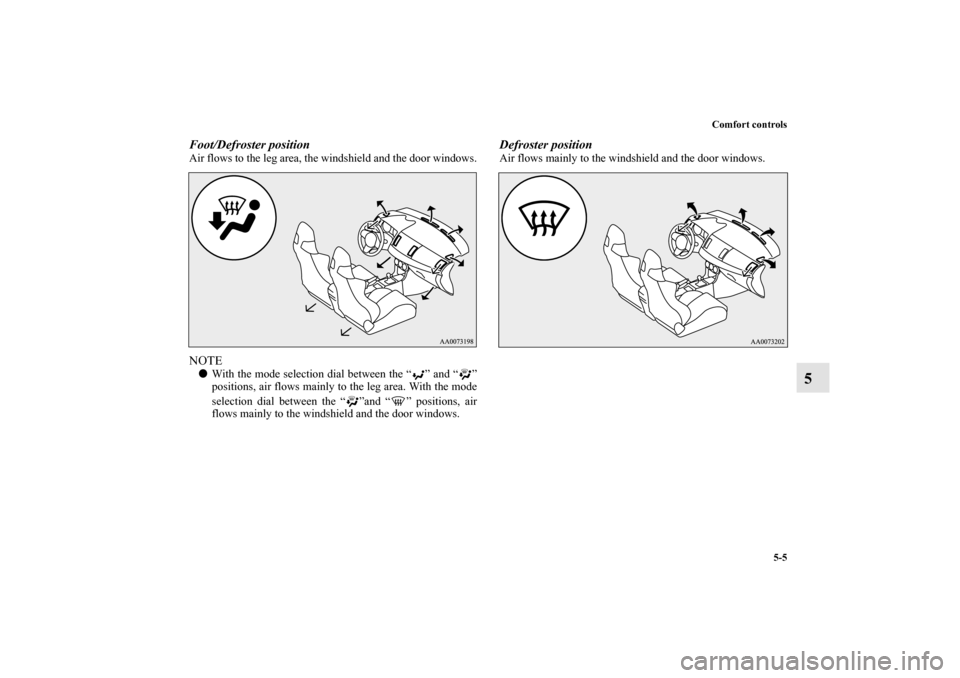
Foot/Defroster positionAir flows to the leg area, the windshield and the door windows.NOTE�
With the mode selection dial between the “ ” and “ ”
positions, air flows mainly to the leg area. With the mode
selection dial between the “ ”and “ ” positions, air
flows mainly to the windshield and the door windows.
Defroster positionAir flows mainly to the windshield and the door windows.
BK0105501US.book 5 ページ 2009年8月10日 月曜日 午前10時32分
Page 375 of 594
5-6 Comfort controls
5Heater without air conditioning function
(if
so equipped)
N00737700031
The heater can only be used while the engine is running.Control panel
N00737800029
NOTE�
Button (A) is not available for use. The indicator below
the button doesn’t come on even if it is pushed.
Blower speed selection dial
N00737900020
When the ignition switch is in the “ON” position, select the
blower speed by turning the blower speed selection dial.
Turning the dial clockwise will increase the blower speed;
turning the dial counterclockwise will decrease it. When the
dial is set to the “OFF” position, all fan-driven airflow will
stop.
1- Temperature control dial
2- Air selection switch
3- Blower speed selection dial
4- Mode selection dial
5- Electric rear window defogger switch → P. 3 - 2 1 9
BK0105501US.book 6 ページ 2009年8月10日 月曜日 午前10時32分
Page 377 of 594
5-8 Comfort controls
5
Air selection switch
N00738200033
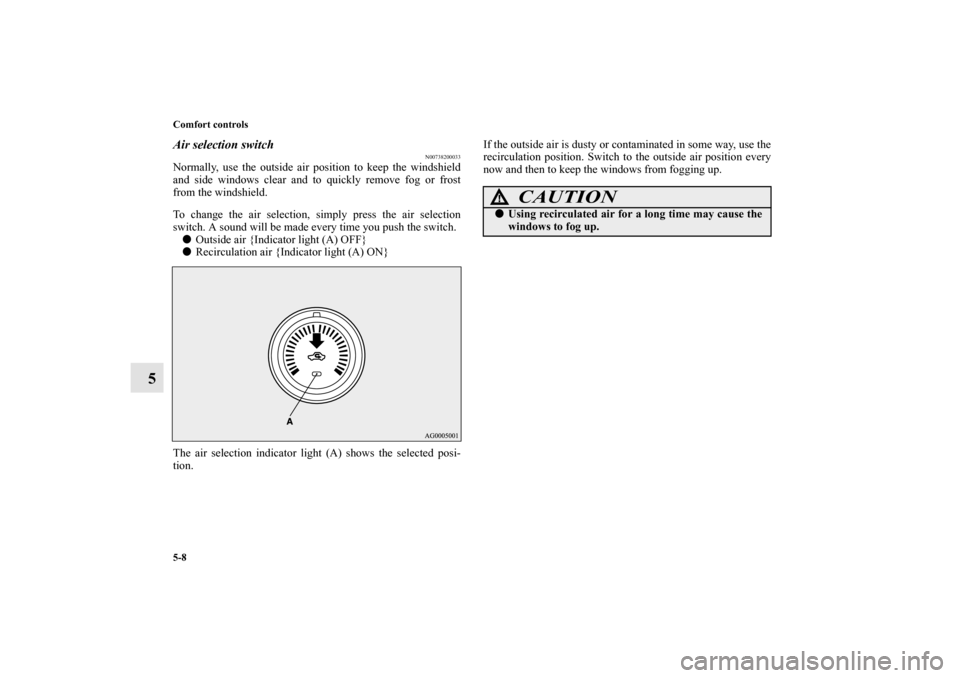
Normally, use the outside air position to keep the windshield
and side windows clear and to quickly remove fog or frost
from the windshield.
To change the air selection, simply press the air selection
switch. A sound will be made every time you push the switch.�
Outside air {Indicator light (A) OFF}
�
Recirculation air {Indicator light (A) ON}
The air selection indicator light (A) shows the selected posi-
tion.If the outside air is dusty or contaminated in some way, use the
recirculation position. Switch to the outside air position every
now and then to keep the windows from fogging up.
CAUTION
!�
Using recirculated air for a long time may cause the
windows to fog up.
BK0105501US.book 8 ページ 2009年8月10日 月曜日 午前10時32分
Page 379 of 594
5-10 Comfort controls
5
Combination of unheated air and heated air
N00738400022
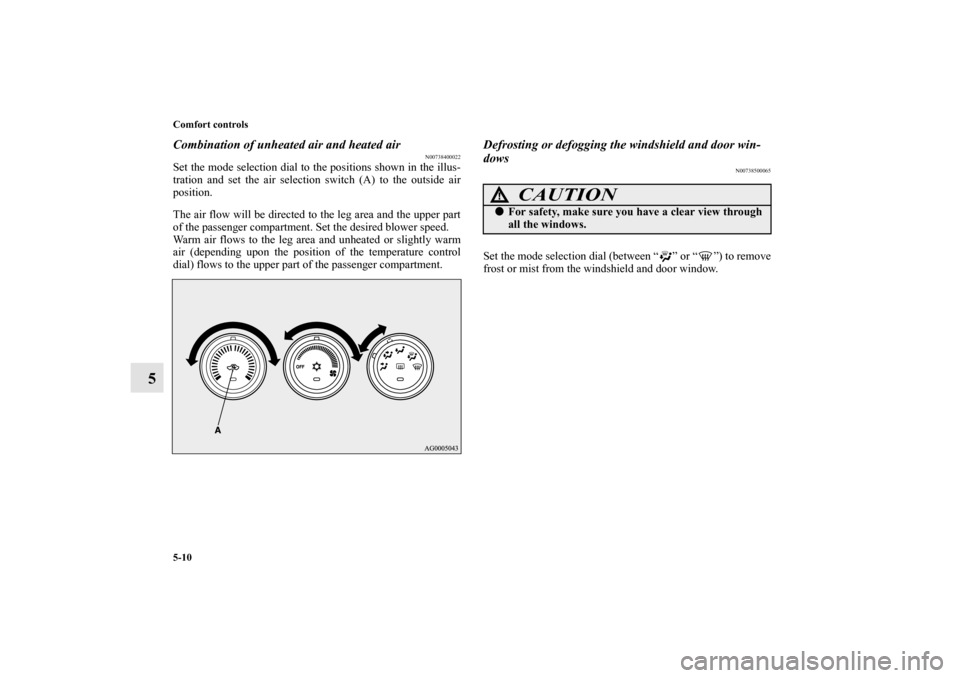
Set the mode selection dial to the positions shown in the illus-
tration and set the air selection switch (A) to the outside air
position.
The air flow will be directed to the leg area and the upper part
of the passenger compartment. Set the desired blower speed.
Warm air flows to the leg area and unheated or slightly warm
air (depending upon the position of the temperature control
dial) flows to the upper part of the passenger compartment.
Defrosting or defogging the windshield and door win-
dows
N00738500065
Set the mode selection dial (between “ ” or “ ”) to remove
frost or mist from the windshield and door window.
CAUTION
!�
For safety, make sure you have a clear view through
all the windows.
BK0105501US.book 10 ページ 2009年8月10日 月曜日 午前10時32分