2010 MERCEDES-BENZ GLK350 4MATIC remote start
[x] Cancel search: remote startPage 9 of 344
Resume function ............................ 170
Setting current speed ....................169
Cup holders ........................................ 195
Curb weight ....................................... 239
Customer Assistance Center (CAC) ... 22
Customer Relations Department ....... 22
D
Dashboard see Instrument cluster
Data recording ..................................... 23
Date, Setting ...................................... 121
Daytime running lamp mode .............. 88
Switching on or off ......................... 122
Deep water
see Standing water
Defogging (windshield) ..................... 182
Defroster
Front (Climate control system) ......182
Rear window .................................. 184
Delayed shut-off
Exterior lamps ................................ 122
Interior lighting .............................. 123
Department of Transportation
see DOT
Difficulties
While driving .................................. 101
With starting .................................... 99
Dimensions (vehicle)
see Vehicle specification
Direction of rotation (tires) .............. 231
Displays
Maintenance service indicator .......250
Messages in the multifunction
display ........................................... 262
Multifunction display .....................112
Symbol messages ..........................270
Text messages ............................... 264
Trip computer ................................ 113
Vehicle status message memory ...118
Vehicle system settings .................119
Door control panel .............................. 33
Door handles ........................................ 33
Doors
Child safety locks ............................ 58
Locking/unlocking (KEYLESS-GO) ...67
Locking/unlocking (SmartKey) ........66
Messages in the multifunction
display ........................................... 277
Opening from inside ......................... 70
Remote door lock (Tele Aid) ........... 205
Remote door unlock (Tele Aid) .......204
Unlocking (Mechanical key) ...........299
DOT (Department of
Transportation) .................................. 239
Drinking and driving ......................... 243
Driving
Abroad ........................................... 249
Hydroplaning ................................. 246
Instructions ............................. 98, 243
In winter ........................................ 243
Problems ....................................... 101
Safety systems ................................ 59
Systems ......................................... 168
Through standing water .................246
Driving and parking
Safety notes ..................................... 98
Driving off .................................. 100, 245
Driving safety systems ....................... 59
BAS .................................................. 60
EBP .................................................. 60
ESP ®
................................................ 61
ETS/4-ETS ....................................... 62
Driving systems
All-wheel drive (4MATIC) ................ 171
Cruise control ................................ 168
Hill-start assist system ..................171
Parktronic system ..........................172
Rear view camera .......................... 174
Driving tips, automatic
transmission ...................................... 105
E
Easy-entry/exit feature .............. 83, 124
EBP (Electronic Brake
Proportioning) ...................................... 60
Electrical system
Improper work on or
modifications ................................... 22
Power outlets ................................. 197
Electrical system (Technical data)
see Vehicle specification
Electronic Stability Program
see ESP ®
Index7X204_AKB; 3; 23, en-USd2ureepe,Version: 2.11.8.12009-07-16T19:16:58+02:00 - Seite 7
Page 10 of 344
Electronic Traction Systemsee ETS/4-ETS
Emergency, in case of
First aid kit ..................................... 260
Flat tire .......................................... 312
Hazard warning flasher ....................90
Roadside Assistance ................ 20, 203
Towing the vehicle .........................321
Emergency calls
Tele Aid .......................................... 201
Telephone ...................................... 161
Emergency operations
Remote door lock (Tele Aid) ........... 205
Remote door unlock (Tele Aid) .......204
Emergency Tensioning Device
see ETD
Emission control ............................... 249
Information label ............................ 329
System warranties ...........................19
Engine
Break-in recommendations ............212
Cleaning ......................................... 253
Compartment ................................ 214
Malfunction indicator lamp ............295
Messages in the multifunction
display ........................................... 279
Number .......................................... 329
Starting ............................................ 98
Turning off ..................................... 102
Engine (Technical data)
see Vehicle specification
Engine coolant
see Coolant
Engine oil
Adding ........................................... 216
Additives ........................................ 336
Checking level ............................... 215
Consumption ................................. 215
Messages in the multifunction
display ........................................... 282
Oil dipstick ..................................... 215
Recommended engine oils and oil
filter ............................................... 335
ESP ®
(Electronic Stability
Program) .............................................. 61
ETS/4-ETS ....................................... 62Messages in the multifunction
display ........................... 271, 272, 274
Trailer stabilization ........................... 63
Warning lamp ................................. 293
ETD (Emergency Tensioning
Device) ................................................. 51
Safety guidelines ............................. 39
ETS/4-ETS (Electronic Traction
System) ................................................ 62
Express operation
Panorama roof ............................... 185
Power windows ................................ 95
Exterior lamp switch ........................... 87
Exterior rear view mirrors .................. 84
Fold-in function ................................ 86
Parking position ............................... 85
Power-folding ................................... 85
Switching fold-in function on or
off .................................................. 124
Exterior view of vehicle ...................... 26
F
Fastening the seat belts ..................... 49
First aid kit ......................................... 260
Flat tire ............................................... 312
Lowering the vehicle ......................317
Mounting the spare wheel .............312
Preparing the vehicle .....................312
Spare wheel ........................... 312, 333
Floormats ........................................... 209
Fluids
Automatic transmission fluid .........334
Brake fluid ..................................... 334
Capacities ...................................... 334
Engine coolant ............................... 334
Engine oil ....................................... 334
Power steering fluid .......................334
Washer and headlamp cleaning
system ........................................... 335
Fog lamps ............................................. 89
Messages in the multifunction
display ................................... 283, 285
Fold-in function for exterior rear
view mirrors ........................................ 86
Four-wheel drive see All-wheel drive (4MATIC)
8IndexX204_AKB; 3; 23, en-USd2ureepe,Version: 2.11.8.12009-07-16T19:16:58+02:00 - Seite 8
Page 12 of 344
NECK-PRO active front head
restraints ......................................... 51
Rear seat head restraints ................. 80
Height adjustment
Seat belt outlet ................................ 50
Seats ............................................... 78
High-beam flasher ............................... 90
High-beam headlamps ................ 90, 304
Replacing bulbs ............................. 304
Hill-start assist system ..................... 171
Hood ................................................... 214
Messages in the multifunction
display ........................................... 277
Hooks ................................................. 189
Horn ...................................................... 27
Hydroplaning ..................................... 246
I
Identification labels .......................... 328
Identification number, vehicle
(VIN) ................................................... 329
Ignition ........................................... 76, 99
Immobilizer .......................................... 63
Infant and child restraint systems see Children in the vehicle
Inflation pressure
see Tires, Inflation pressure
Inside door handle .............................. 70
Instrument cluster ...................... 28, 108
Illumination .................................... 109
Lamps ............................................ 288
Multifunction display .....................112
Instrument lighting
see Instrument cluster, Illumination
Instrument panel
see Instrument cluster
Instruments and controls
see Cockpit
Interior lighting
Delayed shut-off ............................ 123
Emergency lighting ..........................92
Front ................................................ 92
Front reading lamps .........................92
Rear ................................................. 92
Rear reading lamps ..........................92
Interior rear view mirror ..................... 84
Auto-dimming rear view mirrors ....... 84
Interior storage spaces see Storage compartments
Intermittent wiping ............................. 93
Rain sensor ...................................... 93
ISOFIX (Child seat anchors –
LATCH-type) see Children in the vehicle
J
Jack ..................................................... 261
Jump starting ..................................... 319
K
Key, Mechanical
Loss of ............................................. 69
Replacing ......................................... 70
Unlocking/locking manually ..........299
Key, SmartKey
Battery check lamp ..........................69
Checking batteries ...........................69
Factory setting ........................... 67, 69
Global locking (KEYLESS-
GO) .................................................. 69
Global locking (SmartKey) ................ 67
Global unlocking (KEYLESS-
GO) .................................................. 69
Global unlocking
(SmartKey) ....................................... 67
Important notes on KEYLESS-GO .....68
Locking/unlocking ........................... 66
Loss of ............................................. 69
Messages in the multifunction
display ........................................... 277
Opening and closing the
panorama roof ................................. 97
Opening and closing the windows .... 97
Remote control ................................ 66
Replacing ......................................... 70
Replacing batteries ........................302
Restoring to factory setting .......67, 69
Selective setting ........................67, 69
Starter switch positions ...................76
KEYLESS-GO
Starter switch positions ...................76
Kickdown ........................................... 105
Kilopascal (air pressure unit) ........... 240
10IndexX204_AKB; 3; 23, en-USd2ureepe,Version: 2.11.8.12009-07-16T19:16:58+02:00 - Seite 10
Page 75 of 344
RNo SmartKey is inserted in the starter
switch.
RKEYLESS-GO: The vehicle’s on-board
electronics must have status 0
(Y page 76).
Opening the tailgate from the outside
You can unlock and open the tailgate
simultaneously from the outside when the
vehicle is stationary.
XPress and hold button F on the
SmartKey until the tailgate unlocks and
begins to open.
An acoustic warning sounds when the
tailgate begins to open.
or
XVehicles with KEYLESS-GO: Pull on the
handle (Y page 72).
Closing the tailgate from the outside
GObserve Safety notes, see page 53.GWarning!
Monitor the closing procedure carefully to
make sure no one is in danger of being
injured. To prevent possible personal injury,
always keep hands and fingers away from the
cargo compartment opening when closing the
tailgate. Be especially careful when small
children are around. To stop the closing
procedure, do one of the following:
RPress or pull the remote tailgate opening/
closing switch on the driver’s door.
RPress the tailgate closing switch.
RPress the KEYLESS-GO locking/closing
switch.
RPull outside handle on the tailgate.
RWhen no SmartKey is inserted in the starter
switch (vehicles with KEYLESS-GO: Make
sure the vehicle’s on-board electronics
have status 0): Press button F on the
SmartKey.
Do not leave the SmartKey in the vehicle. You
may lock yourself out.
If the vehicle was previously centrally locked
with the SmartKey or KEYLESS-GO, the
tailgate will lock automatically when it is
closed. The turn signal lamps flash three
times to confirm locking.
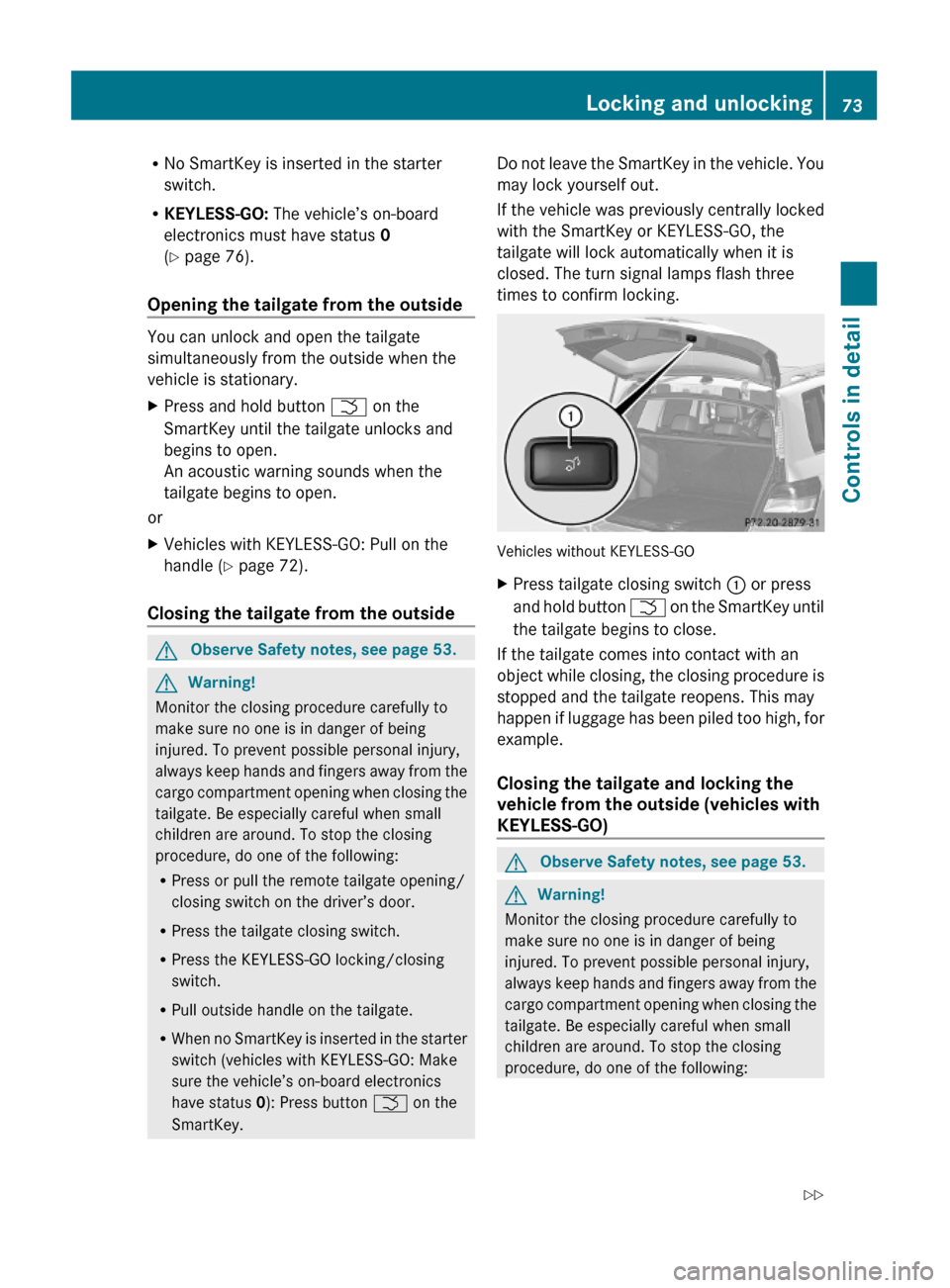
Vehicles without KEYLESS-GO
XPress tailgate closing switch : or press
and hold button F on the SmartKey until
the tailgate begins to close.
If the tailgate comes into contact with an
object while closing, the closing procedure is
stopped and the tailgate reopens. This may
happen if luggage has been piled too high, for
example.
Closing the tailgate and locking the
vehicle from the outside (vehicles with
KEYLESS-GO)
GObserve Safety notes, see page 53.GWarning!
Monitor the closing procedure carefully to
make sure no one is in danger of being
injured. To prevent possible personal injury,
always keep hands and fingers away from the
cargo compartment opening when closing the
tailgate. Be especially careful when small
children are around. To stop the closing
procedure, do one of the following:
Locking and unlocking73Controls in detailX204_AKB; 3; 23, en-USd2ureepe,Version: 2.11.8.12009-07-16T19:16:58+02:00 - Seite 73Z
Page 76 of 344
RPress or pull the remote tailgate opening/
closing switch on the driver’s door.
RPress the tailgate closing switch.
RPress the KEYLESS-GO locking/closing
switch.
RPull outside handle on the tailgate.
RWhen no SmartKey is inserted in the starter
switch (vehicles with KEYLESS-GO: Make
sure the vehicle’s on-board electronics
have status 0): Press button F on the
SmartKey.
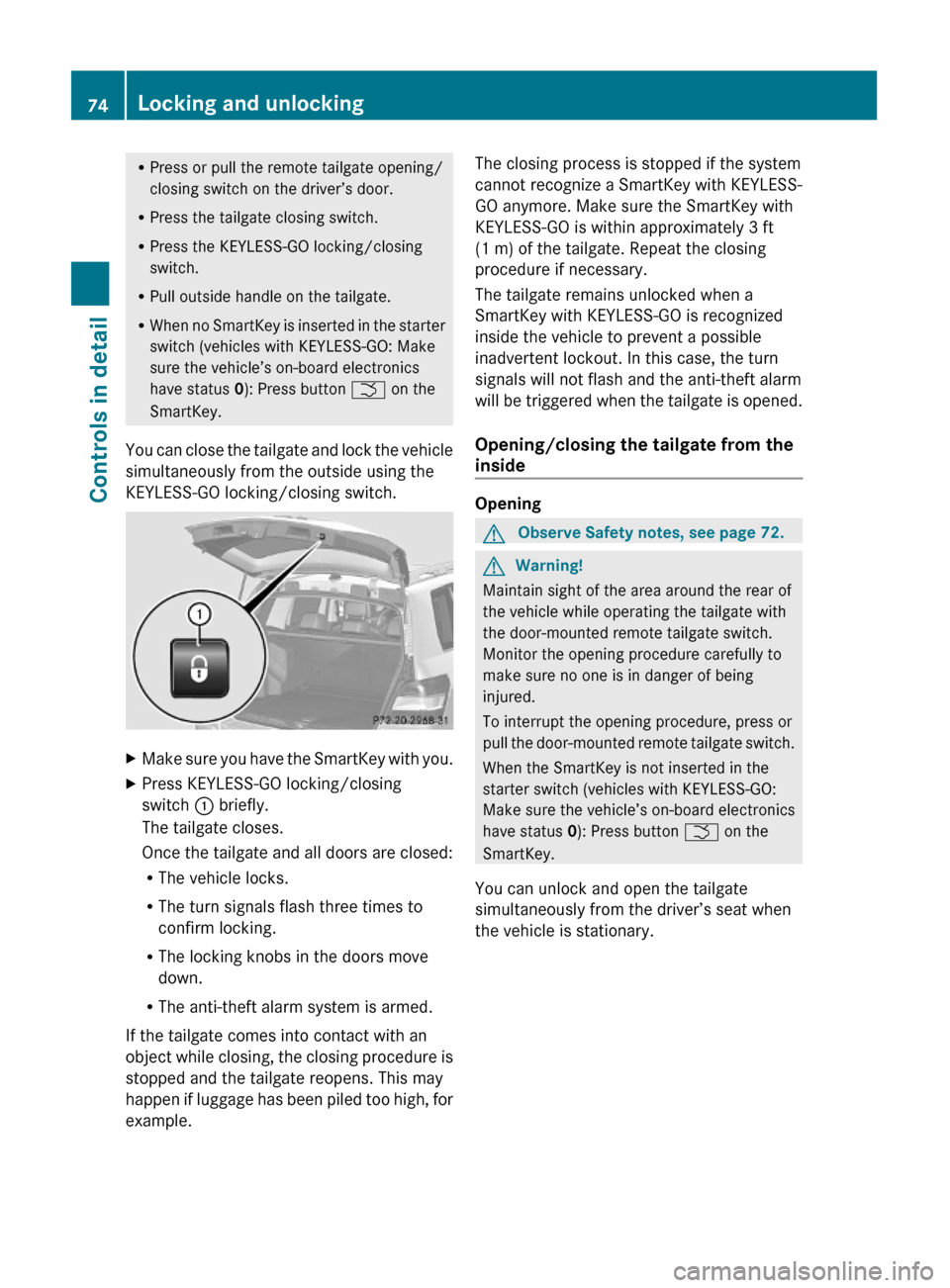
You can close the tailgate and lock the vehicle
simultaneously from the outside using the
KEYLESS-GO locking/closing switch.
XMake sure you have the SmartKey with you.XPress KEYLESS-GO locking/closing
switch : briefly.
The tailgate closes.
Once the tailgate and all doors are closed:
RThe vehicle locks.
RThe turn signals flash three times to
confirm locking.
RThe locking knobs in the doors move
down.
RThe anti-theft alarm system is armed.
If the tailgate comes into contact with an
object while closing, the closing procedure is
stopped and the tailgate reopens. This may
happen if luggage has been piled too high, for
example.
The closing process is stopped if the system
cannot recognize a SmartKey with KEYLESS-
GO anymore. Make sure the SmartKey with
KEYLESS-GO is within approximately 3 ft
(1 m) of the tailgate. Repeat the closing
procedure if necessary.
The tailgate remains unlocked when a
SmartKey with KEYLESS-GO is recognized
inside the vehicle to prevent a possible
inadvertent lockout. In this case, the turn
signals will not flash and the anti-theft alarm
will be triggered when the tailgate is opened.
Opening/closing the tailgate from the
inside
Opening
GObserve Safety notes, see page 72.GWarning!
Maintain sight of the area around the rear of
the vehicle while operating the tailgate with
the door-mounted remote tailgate switch.
Monitor the opening procedure carefully to
make sure no one is in danger of being
injured.
To interrupt the opening procedure, press or
pull the door-mounted remote tailgate switch.
When the SmartKey is not inserted in the
starter switch (vehicles with KEYLESS-GO:
Make sure the vehicle’s on-board electronics
have status 0): Press button F on the
SmartKey.
You can unlock and open the tailgate
simultaneously from the driver’s seat when
the vehicle is stationary.
74Locking and unlockingControls in detail
X204_AKB; 3; 23, en-USd2ureepe,Version: 2.11.8.12009-07-16T19:16:58+02:00 - Seite 74
Page 77 of 344
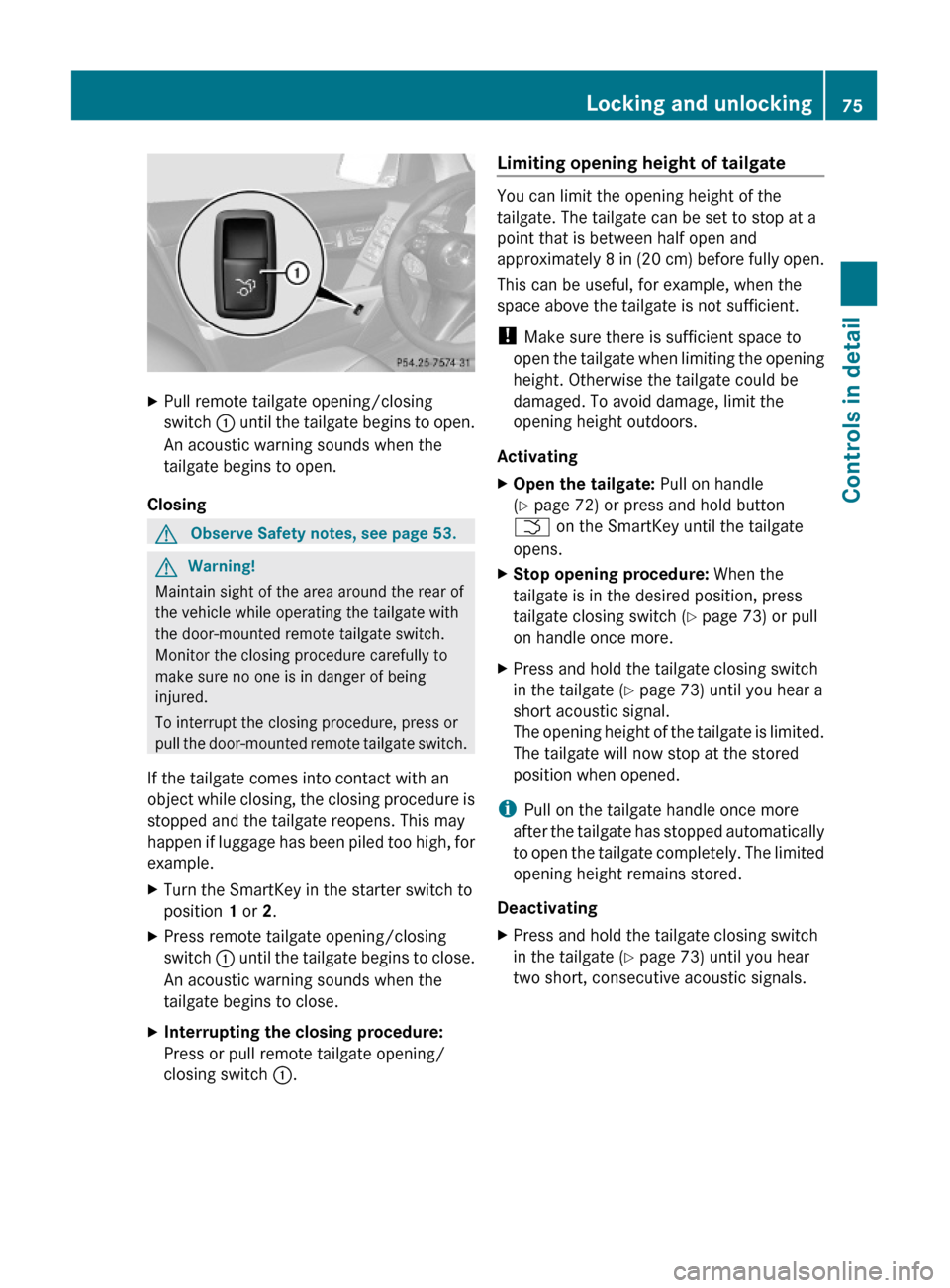
XPull remote tailgate opening/closing
switch : until the tailgate begins to open.
An acoustic warning sounds when the
tailgate begins to open.
Closing
GObserve Safety notes, see page 53.GWarning!
Maintain sight of the area around the rear of
the vehicle while operating the tailgate with
the door-mounted remote tailgate switch.
Monitor the closing procedure carefully to
make sure no one is in danger of being
injured.
To interrupt the closing procedure, press or
pull the door-mounted remote tailgate switch.
If the tailgate comes into contact with an
object while closing, the closing procedure is
stopped and the tailgate reopens. This may
happen if luggage has been piled too high, for
example.
XTurn the SmartKey in the starter switch to
position 1 or 2.
XPress remote tailgate opening/closing
switch : until the tailgate begins to close.
An acoustic warning sounds when the
tailgate begins to close.
XInterrupting the closing procedure:
Press or pull remote tailgate opening/
closing switch :.
Limiting opening height of tailgate
You can limit the opening height of the
tailgate. The tailgate can be set to stop at a
point that is between half open and
approximately 8 in (20 cm) before fully open.
This can be useful, for example, when the
space above the tailgate is not sufficient.
! Make sure there is sufficient space to
open the tailgate when limiting the opening
height. Otherwise the tailgate could be
damaged. To avoid damage, limit the
opening height outdoors.
Activating
XOpen the tailgate: Pull on handle
(Y page 72) or press and hold button
F on the SmartKey until the tailgate
opens.
XStop opening procedure: When the
tailgate is in the desired position, press
tailgate closing switch (Y page 73) or pull
on handle once more.
XPress and hold the tailgate closing switch
in the tailgate (Y page 73) until you hear a
short acoustic signal.
The opening height of the tailgate is limited.
The tailgate will now stop at the stored
position when opened.
iPull on the tailgate handle once more
after the tailgate has stopped automatically
to open the tailgate completely. The limited
opening height remains stored.
Deactivating
XPress and hold the tailgate closing switch
in the tailgate (Y page 73) until you hear
two short, consecutive acoustic signals.
Locking and unlocking75Controls in detailX204_AKB; 3; 23, en-USd2ureepe,Version: 2.11.8.12009-07-16T19:16:58+02:00 - Seite 75Z
Page 170 of 344
Sending DTMF tones
iThis function is not possible with all
mobile phones.
Answering machines or other devices can be
controlled via DTMF tones, e.g. for remote
query functions.
XTransmitting individual characters:
During a call select the required
characters.
or
XPress the corresponding button on the
audio control unit.
Every selected character is transmitted
immediately.
XTransmitting a phone number of a
phone book entry as a sequence of
characters: Select Name.
XSelect the desired phone book entry.
The entry is transmitted immediately as a
sequence of characters.
XSwitching back to call display: Select
Back.
Driving systems
Introduction
This section describes the following driving
systems of your vehicle:
RCruise control
RHill-start assist system
RAll-wheel drive (4MATIC)
RParktronic system
RRear view camera
The driving safety systems ABS, Adaptive
Brake, BAS, EBP and ESP® are described in
the “Safety and security” section
(Y page 59).
Cruise control
The cruise control maintains the speed you
set for your vehicle automatically.
The use of the cruise control is recommended
for driving at a constant speed for extended
periods of time.
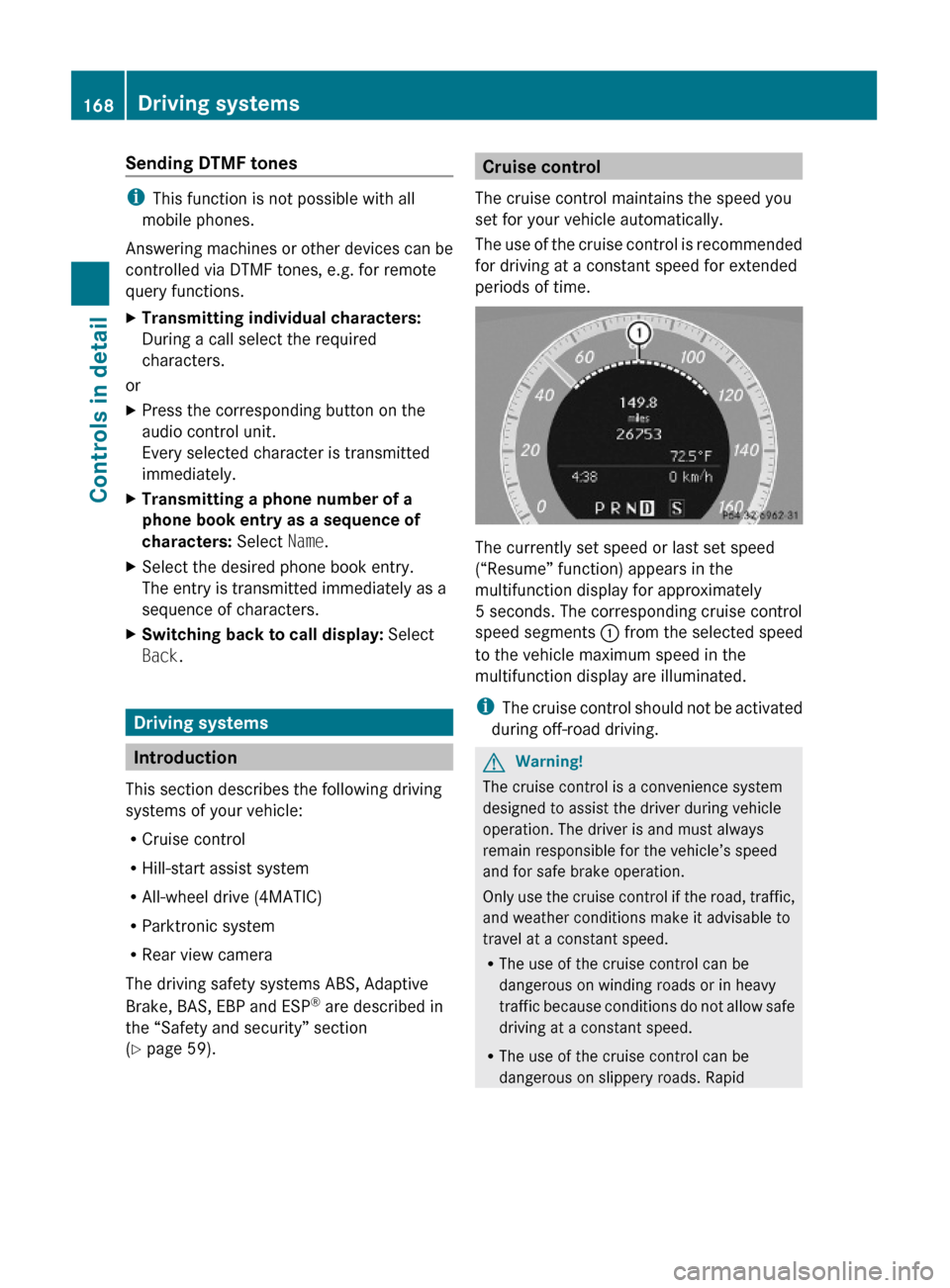
The currently set speed or last set speed
(“Resume” function) appears in the
multifunction display for approximately
5 seconds. The corresponding cruise control
speed segments : from the selected speed
to the vehicle maximum speed in the
multifunction display are illuminated.
iThe cruise control should not be activated
during off-road driving.
GWarning!
The cruise control is a convenience system
designed to assist the driver during vehicle
operation. The driver is and must always
remain responsible for the vehicle’s speed
and for safe brake operation.
Only use the cruise control if the road, traffic,
and weather conditions make it advisable to
travel at a constant speed.
RThe use of the cruise control can be
dangerous on winding roads or in heavy
traffic because conditions do not allow safe
driving at a constant speed.
RThe use of the cruise control can be
dangerous on slippery roads. Rapid
168Driving systemsControls in detail
X204_AKB; 3; 23, en-USd2ureepe,Version: 2.11.8.12009-07-16T19:16:58+02:00 - Seite 168
Page 202 of 344
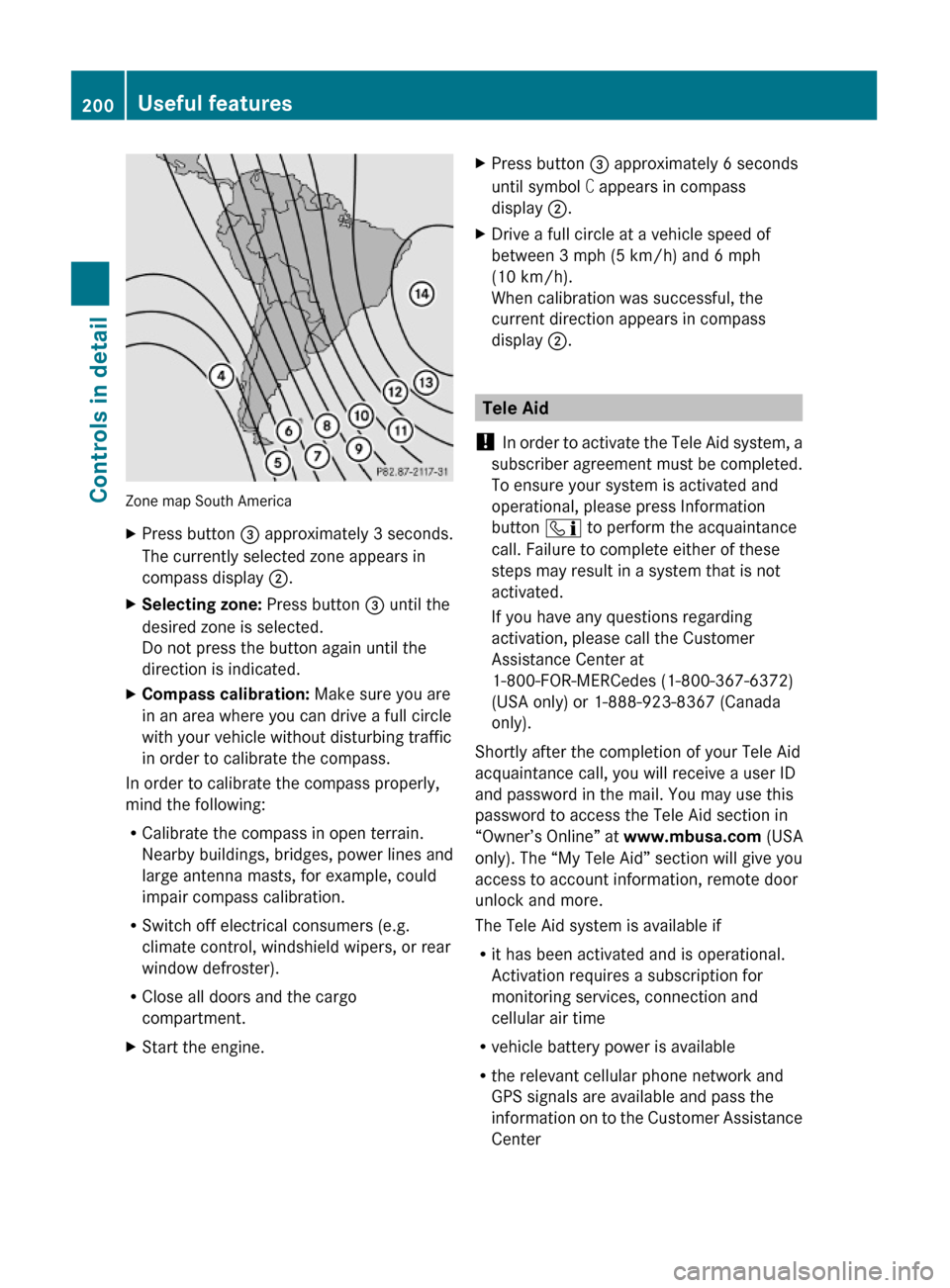
Zone map South America
XPress button = approximately 3 seconds.
The currently selected zone appears in
compass display ;.
XSelecting zone: Press button = until the
desired zone is selected.
Do not press the button again until the
direction is indicated.
XCompass calibration: Make sure you are
in an area where you can drive a full circle
with your vehicle without disturbing traffic
in order to calibrate the compass.
In order to calibrate the compass properly,
mind the following:
RCalibrate the compass in open terrain.
Nearby buildings, bridges, power lines and
large antenna masts, for example, could
impair compass calibration.
RSwitch off electrical consumers (e.g.
climate control, windshield wipers, or rear
window defroster).
RClose all doors and the cargo
compartment.
XStart the engine.XPress button = approximately 6 seconds
until symbol C appears in compass
display ;.
XDrive a full circle at a vehicle speed of
between 3 mph (5 km/h) and 6 mph
(10 km/h).
When calibration was successful, the
current direction appears in compass
display ;.
Tele Aid
! In order to activate the Tele Aid system, a
subscriber agreement must be completed.
To ensure your system is activated and
operational, please press Information
button ï to perform the acquaintance
call. Failure to complete either of these
steps may result in a system that is not
activated.
If you have any questions regarding
activation, please call the Customer
Assistance Center at
1-800-FOR-MERCedes (1-800-367-6372)
(USA only) or 1-888-923-8367 (Canada
only).
Shortly after the completion of your Tele Aid
acquaintance call, you will receive a user ID
and password in the mail. You may use this
password to access the Tele Aid section in
“Owner’s Online” at www.mbusa.com (USA
only). The “My Tele Aid” section will give you
access to account information, remote door
unlock and more.
The Tele Aid system is available if
Rit has been activated and is operational.
Activation requires a subscription for
monitoring services, connection and
cellular air time
Rvehicle battery power is available
Rthe relevant cellular phone network and
GPS signals are available and pass the
information on to the Customer Assistance
Center
200Useful featuresControls in detail
X204_AKB; 3; 23, en-USd2ureepe,Version: 2.11.8.12009-07-16T19:16:58+02:00 - Seite 200