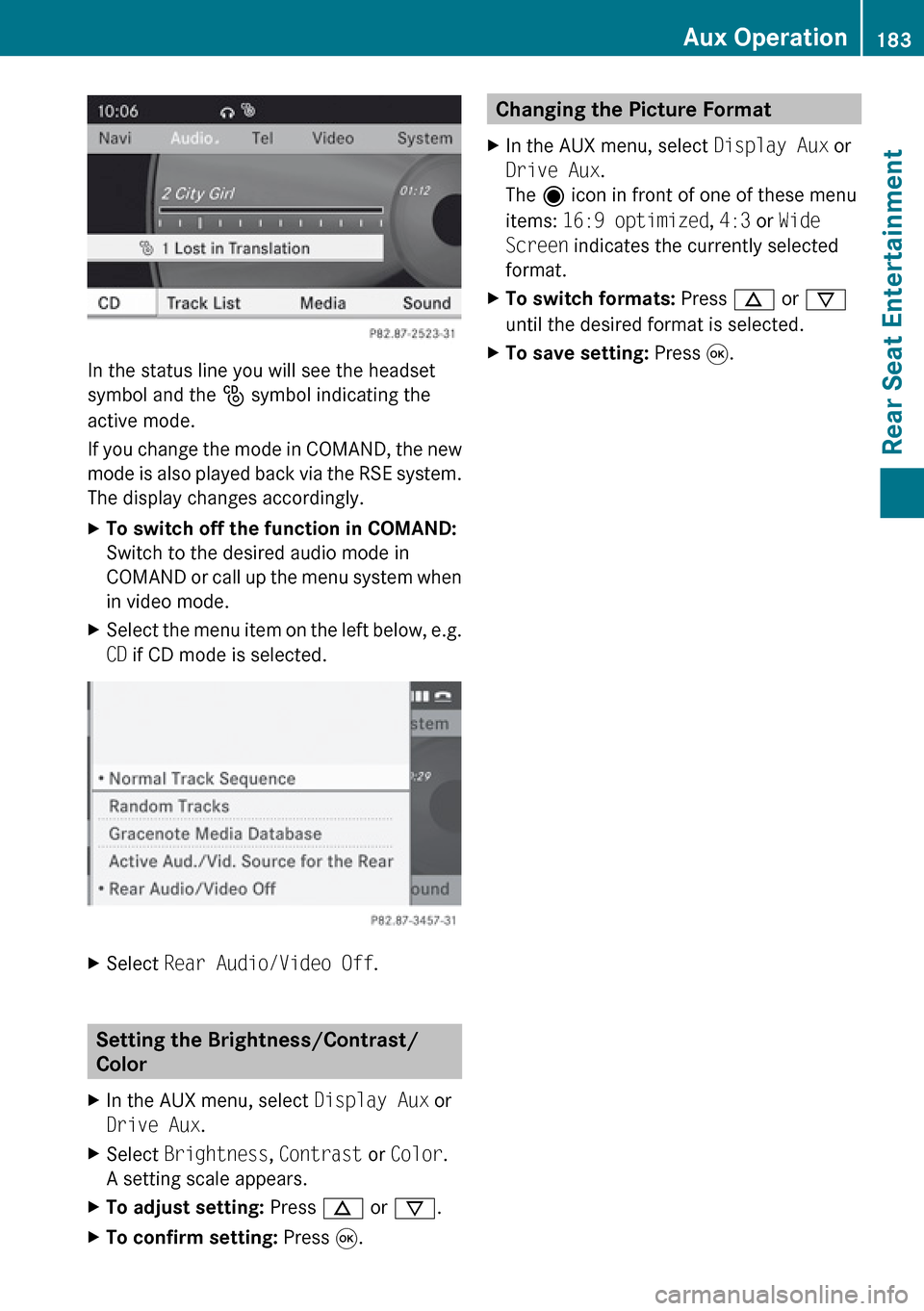
In the status line you will see the headset
symbol and the _ symbol indicating the
active mode.
If you change the mode in COMAND, the new
mode is also played back via the RSE system.
The display changes accordingly.
XTo switch off the function in COMAND:
Switch to the desired audio mode in
COMAND or call up the menu system when
in video mode.XSelect the menu item on the left below, e.g.
CD if CD mode is selected.XSelect Rear Audio/Video Off .
Setting the Brightness/Contrast/
Color
XIn the AUX menu, select Display Aux or
Drive Aux .XSelect Brightness , Contrast or Color .
A setting scale appears.XTo adjust setting: Press n or ý .XTo confirm setting: Press 9.Changing the Picture Format XIn the AUX menu, select Display Aux or
Drive Aux .
The ä icon in front of one of these menu
items: 16:9 optimized , 4:3 or Wide
Screen indicates the currently selected
format.XTo switch formats: Press n or ý
until the desired format is selected.XTo save setting: Press 9.Aux Operation183Rear Seat EntertainmentZ