Page 251 of 543
249
3-2. Using the audio system
3
Interior features
ES350_U
NOTICE
■To prevent damage to USB memory
●Do not leave USB memory in the vehicle. The temperature inside the vehicle may
become high, resulting in damage to the player.
●Do not push down on or apply unnecessary pressure to the USB memory while it
is connected as this may damage the USB memory or its terminal.
●Do not insert foreign objects into the port as this may damage the USB memory
or its terminal.
Page 255 of 543
253
3-2. Using the audio system
3
Interior features
ES350_U
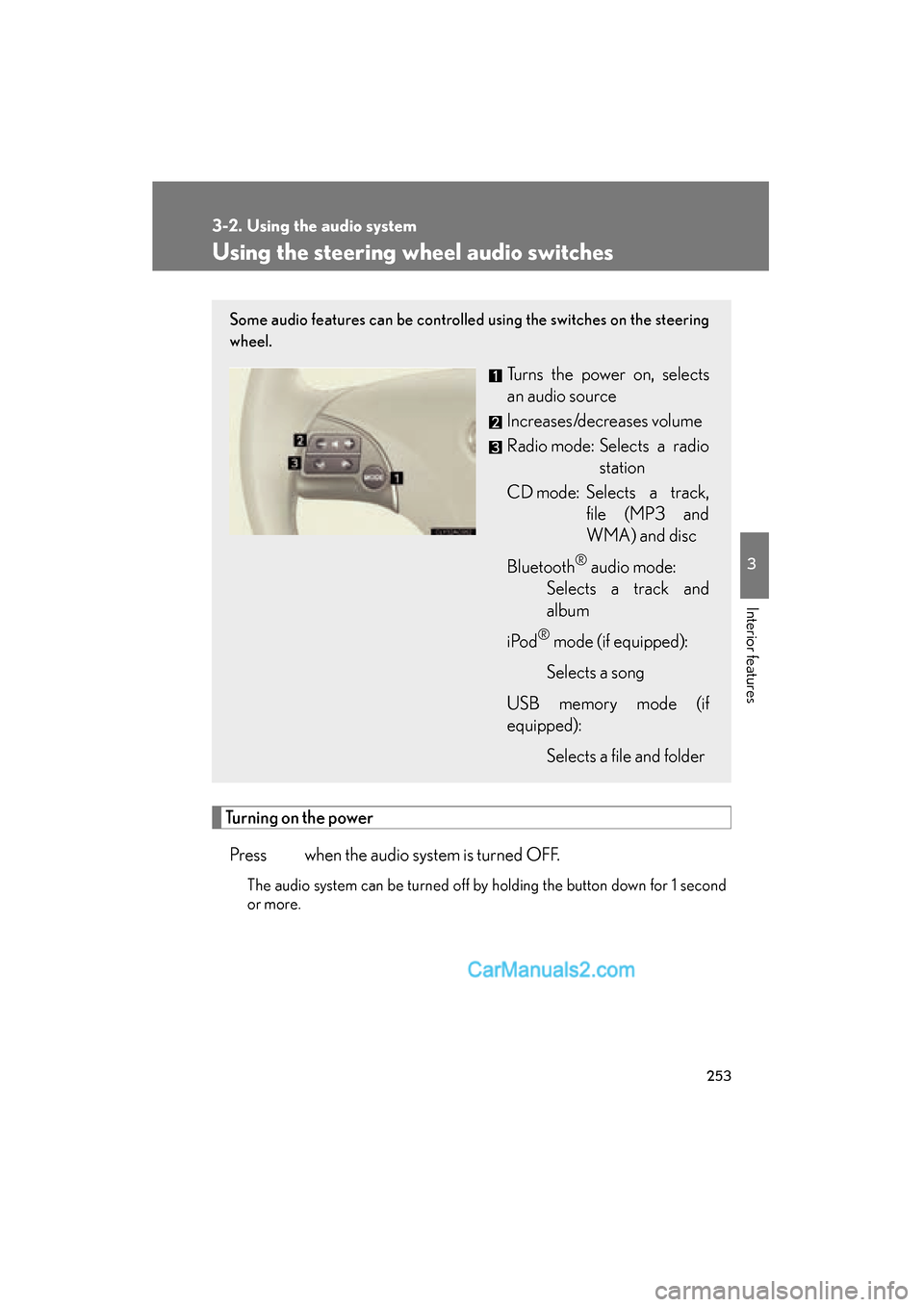
Using the steering wheel audio switches
Turning on the powerPress when the audio system is turned OFF.
The audio system can be turned off by holding the button down for 1 second
or more.
Some audio features can be controlled using the switches on the steering
wheel.
Turns the power on, selects
an audio source
Increases/decreases volume
Radio mode: Selects a radio station
CD mode: Selects a track, file (MP3 and
WMA) and disc
Bluetooth
® audio mode:
Selects a track and
album
i Po d
® mode (if equipped):
Selects a song
USB memory mode (if
equipped): Selects a file and folder
Page 256 of 543
254
3-2. Using the audio system
ES350_U
Changing the audio sourcePress when the audio system is turned ON. The audio source
changes as follows each time the switch is pressed. If no discs are inserted
in the player, that mode will be skipped.
FM1 oFM2 oSAT1
∗oS AT 2∗oS AT 3∗oCD player o
Bluetooth® audio oAUX oiPod®∗ or
USB memory∗o AM oFM1
∗
: If equipped
Adjusting the volume
Press “+” on to increase the volume and “-” to decrease the vol-
ume.
Hold down the switch to continue increasing or decreasing the volume.
Selecting a radio station
Press to select the radio mode.
Press “