2010 KIA Rio transaxle
[x] Cancel search: transaxlePage 119 of 236
47
Driving your vehicle
(Continued)
• Do not shift from N (Neutral) or P(Park) into D (Drive), or R (Reverse)
when the engine is above idle speed.
Transaxle ranges
P (Park)
This position locks the transaxle and pre-
vents the front wheels from rotating.
Always come to a complete stop before
shifting into this position.
✽ ✽ NOTICE
The transaxle may be damaged if you
shift into P (Park) while the vehicle is in
motion.
R (Reverse)
Use this position to drive the vehicle
backward.
✽ ✽NOTICE
Always come to a complete stop before
shifting into or out of R (Reverse); you
may damage the transaxle if you shift
into R while the vehicle is in motion.
N (Neutral)
With the gearshift in the N position, the
wheels and transaxle are not locked. The
vehicle will roll freely even on the slight-
est incline unless the parking brake or
service brakes are applied.
D (Drive)
This is the normal forward driving posi-
tion. The transaxle will automatically shift
through a 4-gear sequence, providing the
best fuel economy and power.
For extra power when passing another
vehicle or climbing grades, depress the
accelerator fully, at which time the
transaxle will automatically downshift to
the next lower gear.
✽ ✽NOTICE
Always come to a complete stop before
shifting into D (Drive).
(Continued)
Before leaving the driver’s seat,
always make sure the shift lever
is in the P (Park) position. Set the
parking brake fully, shut the
engine off and take the key with
you. Unexpected and sudden
vehicle movement can occur if
you do not follow these precau-
tions in the order specified.
Never leave a child unattended in a vehicle.
WARNING
Shifting into P (Park) while thevehicle is in motion will cause the
drive wheels to lock which will
cause you to lose control of the
vehicle.
Do not use the P (Park) position in place of the parking brake.
Always make sure the shift lever
is latched in the P (Park) position
so that it cannot be moved unless
the lock release button is pushed
in, AND set the parking brake fully.
(Continued)
Page 120 of 236
Driving your vehicle
84
2 (Second Gear)
Use 2 (Second Gear) for more power
when climbing hills and for increased
braking when going down hills. This posi-
tion also helps reduce wheel spin on slip-
pery surfaces. When the shift lever is
placed in 2 (Second Gear), the transaxle
will automatically shift from first to sec-
ond gear.
L (Low)
Move the shift lever to this position in
hard pulling situations and for climbing
steep grades.
O/D (Over Drive) system
(if equipped)
Pressing the O/D system button cancels
and engages the overdrive system.
When the O/D system is cancelled, the
O/D OFF indicator illuminates and the
transaxle gear range is limited to 1st
through 3rd. The transaxle will not shift to
4th gear until the O/D system button is
pressed again to release the switch.
When driving down a sloping road with
the transaxle in O/D (4th), you can
decrease the vehicle speed without using
the brakes by pressing the O/D button.
When the ignition is switched OFF, O/D
OFF mode is automatically cancelled.
O/D OFF Indicator ( )
This indicator light illuminates in the
instrument panel when the O/D mode is
cancelled.
Moving up a steep grade from a
standing start
To move up a steep grade from a stand-
ing start, depress the brake pedal, shift
the shift lever to D (Drive). Select the
appropriate gear depending on load
weight and steepness of the grade, and
release the parking brake. Depress the
accelerator gradually while releasing the
service brakes.
O/D
OFF
CAUTION
Do not exceed the recommended
maximum speeds in 2 (Second Gear) or L (Low). Operating thevehicle at speeds above the maxi-mum recommended, for 2 (SecondGear) or L (Low) may cause exces-sive heat to develop which couldresult in damage to or failure of theautomatic transaxle.
OJB030404
Page 121 of 236

49
Driving your vehicle
Shift lock system
For your safety, the Automatic Transaxle
has a shift lock system which prevents
shifting the transaxle out of P (Park)
unless the brake pedal is depressed.
To shift the transaxle out of P (Park):
1. Depress and hold the brake pedal.
2. Start the engine or turn the ignition tothe ON position.
3. Depress the lock release button and move the shift lever.
If the brake pedal is repeatedly
depressed and released with the shift
lever in the P (Park) position, a chattering
sound near the shift lever may be heard.
This is a normal condition.
Ignition key interlock system
The ignition key cannot be removed
unless the shift lever is in the P (Park)
position. If the ignition switch is in any
other position, the key cannot be
removed.
BRAKE SYSTEM
Power brakes
Your vehicle has power-assisted brakes
that adjust automatically through normal
usage.
In the event that the power-assisted
brakes lose power because of a stalled
engine or some other reason, you can
still stop your vehicle by applying greater
force to the brake pedal than you nor-
mally would. The stopping distance, how-
ever, will be longer.
When the engine is not running, the
reserve brake power is partially depleted
each time the brake pedal is applied. Do
not pump the brake pedal when the
power assist has been interrupted.
Pump the brake pedal only when neces-
sary to maintain steering control on slip-
pery surfaces.
In the event of brake failure
If service brakes fail to operate while the
vehicle is in motion, you can make an
emergency stop with the parking brake.
The stopping distance, however, will be
much greater than normal.
WARNING- Parking brake
Pulling the parking brake while the
vehicle is moving at normal speeds
can cause a sudden loss of control
of the vehicle. If you must use the
parking brake to stop the vehicle,
use great caution in applying the
brake.
WARNING - Brakes
Do not drive with your foot rest- ing on the brake pedal. This will
create abnormal high brake tem-
peratures, excessive brake lining
and pad wear, and increased
stopping distances.
When descending a long or steep hill, shift to a lower gear and
avoid continuous application of
the brakes. Continuous brake
application will cause the brakes
to overheat and could result in a
temporary loss of braking per-
formance.
(Continued)
Page 122 of 236
Driving your vehicle
10
4
Disc brakes wear indicator
Your vehicle has disc brakes.
When your brake pads are worn and it's
time for new pads, you will hear a high-
pitched warning sound from your front
brakes or rear brakes (if equipped). You
may hear this sound come and go or it
may occur whenever you depress the
brake pedal.
Please remember that some driving
conditions or climates may cause a
brake squeal when you first apply (or
lightly apply) the brakes. This is nor-
mal and does not indicate a problem
with your brakes.
✽ ✽
NOTICE
To avoid costly brake repairs, do not
continue to drive with worn brake pads.
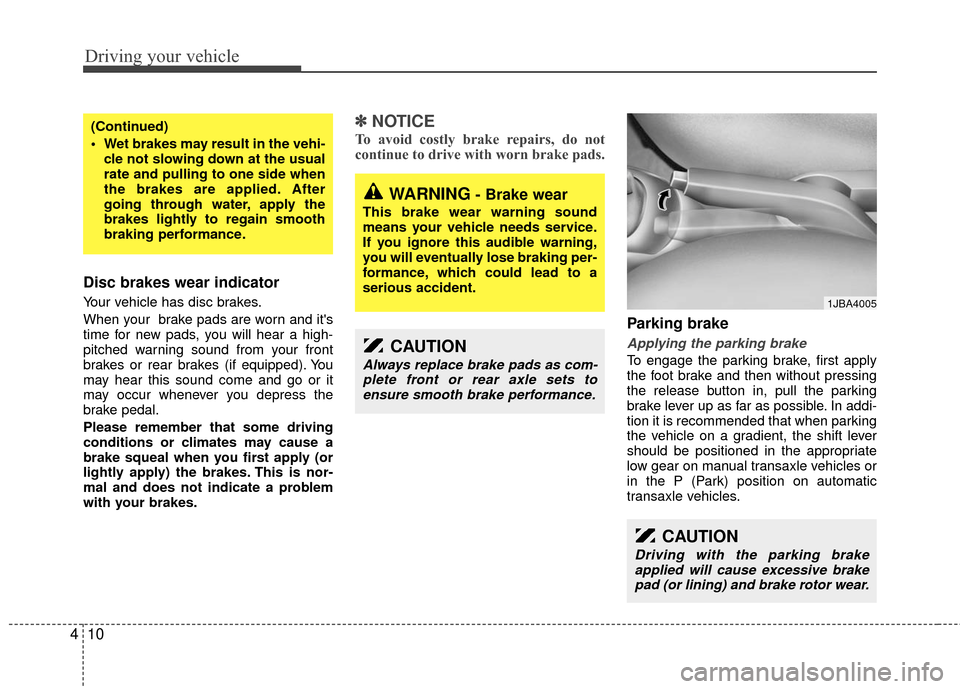
Parking brake
Applying the parking brake
To engage the parking brake, first apply
the foot brake and then without pressing
the release button in, pull the parking
brake lever up as far as possible. In addi-
tion it is recommended that when parking
the vehicle on a gradient, the shift lever
should be positioned in the appropriate
low gear on manual transaxle vehicles or
in the P (Park) position on automatic
transaxle vehicles.
(Continued)
Wet brakes may result in the vehi-
cle not slowing down at the usual
rate and pulling to one side when
the brakes are applied. After
going through water, apply the
brakes lightly to regain smooth
braking performance.
WARNING- Brake wear
This brake wear warning sound
means your vehicle needs service.
If you ignore this audible warning,
you will eventually lose braking per-
formance, which could lead to a
serious accident.
CAUTION
Always replace brake pads as com-plete front or rear axle sets toensure smooth brake performance.
CAUTION
Driving with the parking brake applied will cause excessive brakepad (or lining) and brake rotor wear.
1JBA4005
Page 123 of 236

411
Driving your vehicle
Releasing the parking brake
To release the parking brake, first apply
the foot brake and pull up the parking
brake lever slightly. Secondly, depress
the release button and lower the parking
brake lever while holding the button.Check the brake warning light by turning
the ignition switch ON (do not start the
engine). This light will be illuminated
when the parking brake is applied with
the ignition switch in the START or ON
position.
Before driving, be sure the parking brake
is fully released and the brake warning
light is off.
If the brake warning light remains on
after the parking brake is released, there
may be a malfunction in the brake sys-
tem. Immediate attention is necessary.
If at all possible, cease driving the vehi-
cle immediately. If that is not possible,
use extreme caution while operating the
vehicle and only continue to drive the
vehicle until you can reach a safe loca-
tion or repair shop.
WARNING- Parking brake
To prevent unintentional move-
ment when stopped and leaving
the vehicle, do not use the
gearshift lever in place of the
parking brake. Set the parking
brake AND make sure the
gearshift lever is securely posi-
tioned in 1st (First) gear or R
(Reverse) for manual transaxle
equipped vehicles and in P (Park)
for automatic transaxle equipped
vehicles.
Never allow a person who is unfa- miliar with the vehicle or children
to touch the parking brake. If the
parking brake is released unin-
tentionally, serious injury may
occur.
W-751JBA4006
Page 126 of 236
Driving your vehicle
14
4
The cruise control system allows you to
program the vehicle to maintain a con-
stant speed without resting your foot on
the accelerator pedal.
This system is designed to function
above approximately 40 km/h (25 mph).
✽ ✽
NOTICE
During normal cruise control operation,
when the SET- switch is activated or
reactivated after applying the brakes,
the cruise control will energize after
approximately 3 seconds. This delay is
normal.
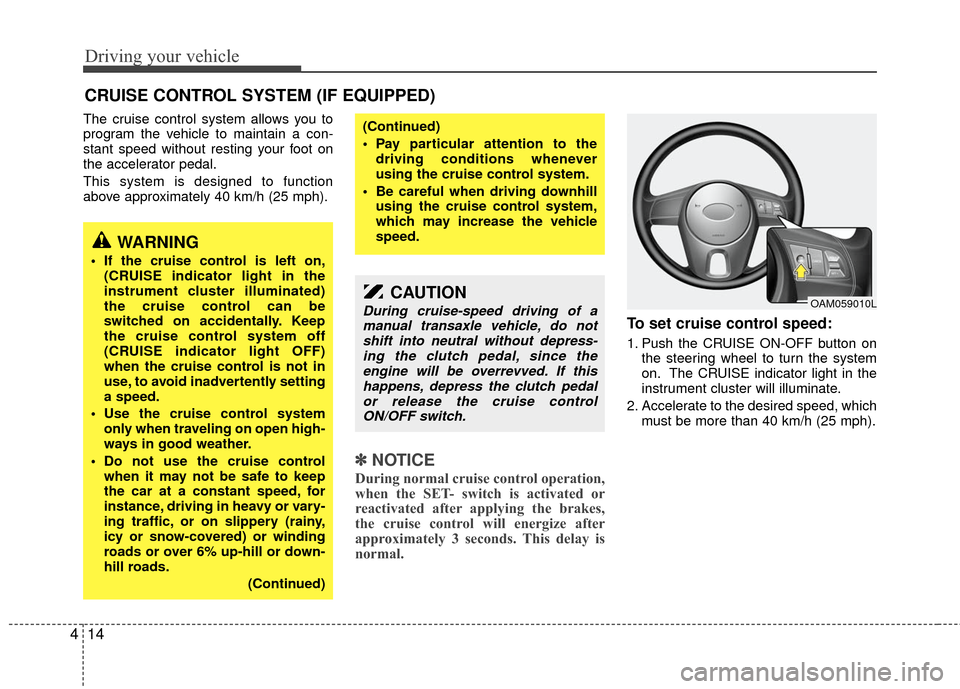
To set cruise control speed:
1. Push the CRUISE ON-OFF button on
the steering wheel to turn the system
on. The CRUISE indicator light in the
instrument cluster will illuminate.
2. Accelerate to the desired speed, which must be more than 40 km/h (25 mph).
CRUISE CONTROL SYSTEM (IF EQUIPPED)
WARNING
If the cruise control is left on,(CRUISE indicator light in the
instrument cluster illuminated)
the cruise control can be
switched on accidentally. Keep
the cruise control system off
(CRUISE indicator light OFF)
when the cruise control is not in
use, to avoid inadvertently setting
a speed.
Use the cruise control system only when traveling on open high-
ways in good weather.
Do not use the cruise control when it may not be safe to keep
the car at a constant speed, for
instance, driving in heavy or vary-
ing traffic, or on slippery (rainy,
icy or snow-covered) or winding
roads or over 6% up-hill or down-
hill roads.
(Continued)
(Continued)
Pay particular attention to thedriving conditions whenever
using the cruise control system.
Be careful when driving downhill using the cruise control system,
which may increase the vehicle
speed.
CAUTION
During cruise-speed driving of amanual transaxle vehicle, do notshift into neutral without depress- ing the clutch pedal, since theengine will be overrevved. If this happens, depress the clutch pedalor release the cruise control ON/OFF switch.OAM059010L
Page 127 of 236
415
Driving your vehicle
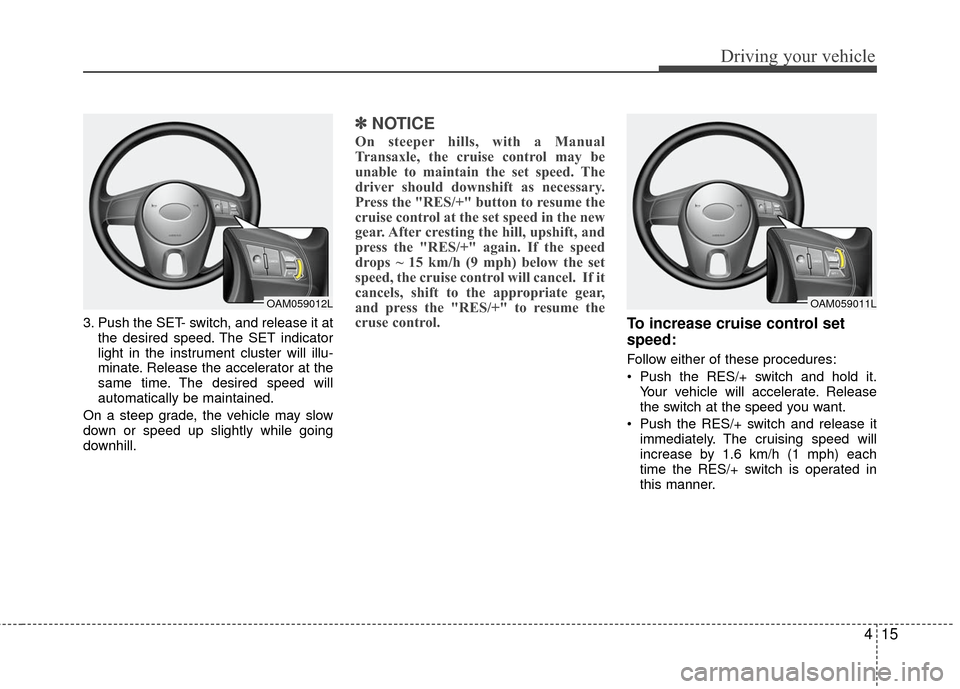
3. Push the SET- switch, and release it atthe desired speed. The SET indicator
light in the instrument cluster will illu-
minate. Release the accelerator at the
same time. The desired speed will
automatically be maintained.
On a steep grade, the vehicle may slow
down or speed up slightly while going
downhill.
✽ ✽ NOTICE
On steeper hills, with a Manual
Transaxle, the cruise control may be
unable to maintain the set speed. The
driver should downshift as necessary.
Press the "RES/+" button to resume the
cruise control at the set speed in the new
gear. After cresting the hill, upshift, and
press the "RES/+" again. If the speed
drops ~ 15 km/h (9 mph) below the set
speed, the cruise control will cancel. If it
cancels, shift to the appropriate gear,
and press the "RES/+" to resume the
cruse control.
To increase cruise control set
speed:
Follow either of these procedures:
Push the RES/+ switch and hold it.
Your vehicle will accelerate. Release
the switch at the speed you want.
Push the RES/+ switch and release it immediately. The cruising speed will
increase by 1.6 km/h (1 mph) each
time the RES/+ switch is operated in
this manner.
OAM059012LOAM059011L
Page 128 of 236
Driving your vehicle
16
4
To decrease the cruising speed:
Follow either of these procedures:
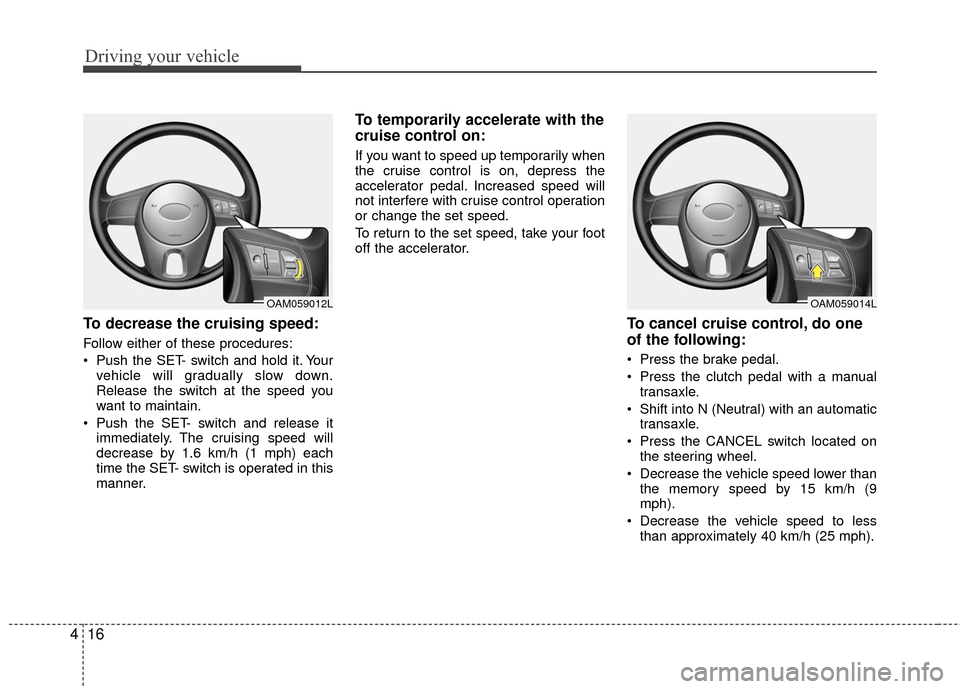
Push the SET- switch and hold it. Your
vehicle will gradually slow down.
Release the switch at the speed you
want to maintain.
Push the SET- switch and release it immediately. The cruising speed will
decrease by 1.6 km/h (1 mph) each
time the SET- switch is operated in this
manner.
To temporarily accelerate with the
cruise control on:
If you want to speed up temporarily when
the cruise control is on, depress the
accelerator pedal. Increased speed will
not interfere with cruise control operation
or change the set speed.
To return to the set speed, take your foot
off the accelerator.
To cancel cruise control, do one
of the following:
Press the brake pedal.
Press the clutch pedal with a manualtransaxle.
Shift into N (Neutral) with an automatic transaxle.
Press the CANCEL switch located on the steering wheel.
Decrease the vehicle speed lower than the memory speed by 15 km/h (9
mph).
Decrease the vehicle speed to less than approximately 40 km/h (25 mph).
OAM059012LOAM059014L