Page 183 of 522
Pinch Protect Override
If a known obstruction (ice, debris, etc.) prevents closing
and moves the sunroof in the opposite direction, press
the switch forward and hold. This allows the sunroof to
move towards the closed position.
NOTE:Pinch protection is disabled while the switch is
pressed.
Venting Sunroof — Express
Press and release the �Vent�button within one-half sec-
ond and the sunroof will open to the vent position. This
is called “Express Vent”, and it will occur regardless of
sunroof position. During Express Vent operation, any
movement of the switch will stop the sunroof.
Sunshade Operation
The sunshade can be opened manually. However, the
sunshade will open automatically as the sunroof opens. NOTE:
The sunshade cannot be closed if the sunroof is
open.
Wind Buffeting
Wind buffeting can be described as the perception of
pressure on the ears or a helicopter-type sound in the
ears. Your vehicle may exhibit wind buffeting with the
windows down, or the sunroof (if equipped) in certain
open or partially open positions. This is a normal occur-
rence and can be minimized. If the buffeting occurs with
the rear windows open, then open the front and rear
windows together to minimize the buffeting. If the
buffeting occurs with the sunroof open, adjust the sun-
roof opening to minimize the buffeting or open any
window.
Sunroof Maintenance
Use only a non-abrasive cleaner and a soft cloth to clean
the glass panel.
182 UNDERSTANDING THE FEATURES OF YOUR VEHICLE
Page 184 of 522
Ignition Off Operation
For vehicles not equipped with the Electronic Vehicle
Information Center (EVIC), the power sunroof switch
will remain active for 45 seconds after the ignition switch
is turned to the LOCK position. Opening either front
door will cancel this feature.
For vehicles equipped with the EVIC, the power sunroof
switch will remain active for up to approximately ten
minutes after the ignition switch is turned to the LOCK
position. Opening either front door will cancel this
feature. The time is programmable. For details, refer to
“Delay Power Off to Accessories Until Exit,” under
“Personal Settings (Customer-Programmable Features)”
under “Electronic Vehicle Information Center (EVIC)” in
Section 4 of this manual.
SKY SLIDER™ FULL LENGTH OPEN ROOF — IF
EQUIPPED
The Sky Slider™ is a full-length, soft-top, power roof that
opens front to rear or rear to front.
Sky Slider™ Usage Precautions
NOTE:
•The system will not operate when ambient tempera-
ture is at –4°F (–20°C) or lower.
•The system will not operate at vehicle speeds of
86 mph (138 km/h) or above.
•Opening and closing the Sky Slider™ repeatedly with-
out the engine running may run the battery down.
3
UNDERSTANDING THE FEATURES OF YOUR VEHICLE 183
Page 186 of 522
WARNING! (Continued)
•Before operating the Sky Slider™ make sure that
no moving parts of the Sky Slider™ can injure a
person or animal.
•Never place any extremities (hands, feet, etc.) near
the Sky Slider™ components or the roof area
while operating the Sky Slider™.
•If potential danger exists while opening or closing
the Sky Slider™ in Automatic Mode, press and
release the switch immediately to interrupt the
operation.
•If potential danger exists while opening or closing
the Sky Slider™ in Operator Mode, release the
switch immediately to interrupt the operation.
•Do not allow small children to operate the Sky
Slider™.(Continued)
WARNING! (Continued)
•Never leave children in a vehicle, with the key in
the ignition switch. Occupants, particularly unat-
tended children, can become entrapped by the Sky
Slider™ while operating the Sky Slider™ switch.
Such entrapment may result in serious injury or
death.
3
UNDERSTANDING THE FEATURES OF YOUR VEHICLE 185
Page 187 of 522
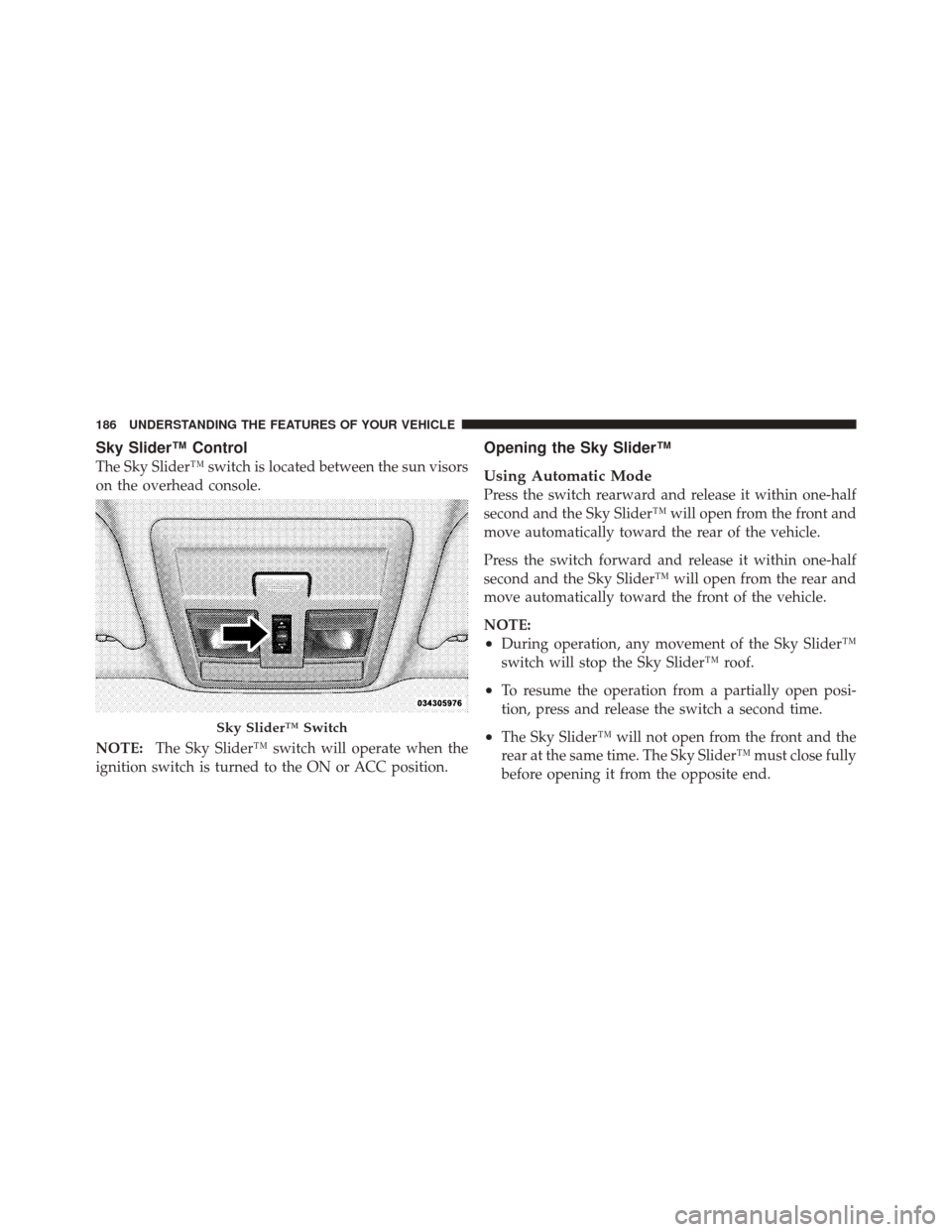
Sky Slider™ Control
The Sky Slider™ switch is located between the sun visors
on the overhead console.
NOTE:The Sky Slider™ switch will operate when the
ignition switch is turned to the ON or ACC position.
Opening the Sky Slider™
Using Automatic Mode
Press the switch rearward and release it within one-half
second and the Sky Slider™ will open from the front and
move automatically toward the rear of the vehicle.
Press the switch forward and release it within one-half
second and the Sky Slider™ will open from the rear and
move automatically toward the front of the vehicle.
NOTE:
•During operation, any movement of the Sky Slider™
switch will stop the Sky Slider™ roof.
•To resume the operation from a partially open posi-
tion, press and release the switch a second time.
•The Sky Slider™ will not open from the front and the
rear at the same time. The Sky Slider™ must close fully
before opening it from the opposite end.Sky Slider™ Switch
186 UNDERSTANDING THE FEATURES OF YOUR VEHICLE
Page 188 of 522

Using Operator Mode
Press the switch rearward and hold it, the Sky Slider™
will open from the front and move toward the rear of the
vehicle.
Press the switch forward and hold it, the Sky Slider™
will open from the rear and move toward the front of the
vehicle.
NOTE:During operation, any movement of the Sky
Slider™ switch will stop the Sky Slider™ roof.
Closing the Sky Slider™
Using Automatic Mode
Press and release the button in the center of the switch
and the Sky Slider™ will close automatically from any
position.
Using Operator Mode
If the Sky Slider™ is open from the front, press the switch
forward and hold it, the Sky Slider™ will move forward.
Release the switch to stop the Sky Slider™ travel at any
point.
If the Sky Slider™ is open from the rear, press the switch
rearward and hold it and the Sky Slider™ will move
rearward. Release the switch to stop the Sky Slider™
travel at any point.
Manual Override
The Sky Slider™ drive motors are mounted to the roof
above the cargo lamp. In the event that your vehicle
losses battery power, you can close the Sky Slider™ by
turning the drive gears in the appropriate motor with a
6 mm Allen wrench. To do so, you must first remove the
cargo lamp from the headliner. Then, insert the wrench
into the “Allen” shaped hole in the appropriate motor
and turn the wrench clockwise until the top closes
3
UNDERSTANDING THE FEATURES OF YOUR VEHICLE 187
Page 202 of 522
ROOF LUGGAGE RACK — IF EQUIPPED
NOTE:Roof rack and crossbars cannot be used on
vehicles equipped with Skyslider�.
The load carried on the roof, when equipped with a
luggage rack, must not exceed 150 lbs (68 kg), and it
should be uniformly distributed over the cargo area.
Crossbars should always be used whenever cargo is
placed on the roof rack. Check the straps frequently to be
sure that the load remains securely attached.
NOTE: Crossbars are offered by MOPAR� accessories.
External racks do not increase the total load carrying
capacity of the vehicle. Be sure that the total occupant
and luggage load inside the vehicle, plus the load on the
luggage rack, do not exceed the maximum vehicle load
capacity.
CAUTION!
•To avoid damage to the roof rack and vehicle, do
not exceed the maximum roof rack load capacity.
Always distribute heavy loads as evenly as pos-
sible and secure the load appropriately.
•Long loads, which extend over the windshield,
such as wood panels or surfboards, should be
secured to both the front and rear of the vehicle.
•Place a blanket or other protection between the
surface of the roof and the load.
•Travel at reduced speeds and turn corners care-
fully when carrying large or heavy loads on the
roof rack. Wind forces, due to natural causes or
nearby truck traffic, can add sudden upward loads.
This is especially true on large flat loads and may
result in damage to the cargo or your vehicle.
3
UNDERSTANDING THE FEATURES OF YOUR VEHICLE 201
Page 203 of 522
WARNING!
Cargo must be securely tied down before driving
your vehicle. Improperly secured loads can fly off the
vehicle, particularly at high speeds, resulting in per-
sonal injury or property damage. Follow the roof rack
cautions when carrying cargo on your roof rack.
202 UNDERSTANDING THE FEATURES OF YOUR VEHICLE
Page 235 of 522
Delay Turning Headlights Off
When this feature is selected, the driver can choose to
have the headlights remain on for 0, 30, 60, or 90 seconds
when exiting the vehicle. To make your selection, press
and release the FUNCTION SELECT button until “0,”
“30,” “60,” or “90” appears.
Turn Headlights On with Remote Key Unlock
When this feature is selected, the headlights will activate
and remain on for up to 90 seconds when the doors are
unlocked with the RKE transmitter. To make your selec-
tion, press and release the FUNCTION SELECT button
until “Off,” “30 sec.,” “60 sec.,” or “90 sec.” appears.
Delay Power Off to Accessories Until Exit
When this feature is selected, the power window
switches, radio, hands–free system (if equipped), DVD
video system (if equipped), power sunroof (if equipped),
and power outlets will remain active for up to 10 minutes
after the ignition switch is turned to the LOCK position.Opening a vehicle door will cancel this feature. To make
your selection, press and release the FUNCTION SE-
LECT button until “Off,” “45 sec.,” “5 min.,” or “10 min.”
appears.
Illumination Approach
When this feature is selected, the headlights will activate
and remain on for up to 90 seconds when the doors are
unlocked with the RKE transmitter. To make your selec-
tion, press and hold the RESET button until “Off,”
“30 sec,” “60 sec,” or “90 sec” appears.
Enable/Disable the Rear Park Assist System
The Rear Park Assist system will scan for objects behind
the vehicle when the transmission is in the REVERSE and
the vehicle speed is less than 11 mph (18 km/h). The
system can be enabled with Sound Only, Sound and
Display, or turned OFF through the EVIC, to make your
selection, press and release the FUNCTION SELECT
234 UNDERSTANDING YOUR INSTRUMENT PANEL