Page 73 of 522
Enhanced Accident Response System
In the event of an impact causing airbag deployment, if
the communication network remains intact, and the
power remains intact, depending on the nature of the
event the ORC will determine whether to have the
Enhanced Accident Response System to perform the
following functions:
•Cut off fuel to the engine.
•Flash hazard lights as long as the battery has power or
until the ignition key is turned off.
•Turn on the interior lights, which remain on as long as
the battery has power or until the ignition key is
removed.
•Unlock the doors automatically.
Maintaining Your Airbag System
WARNING!
•Modifications to any part of the airbag system
could cause it to fail when you need it. You could
be injured if the airbag system is not there to
protect you. Do not modify the components or
wiring, including adding any kind of badges or
stickers to the steering wheel hub trim cover or the
upper passenger side of the instrument panel. Do
not modify the front bumper or vehicle body
structure.(Continued)
72 THINGS TO KNOW BEFORE STARTING YOUR VEHICLE
Page 89 of 522
Periodic Safety Checks You Should Make Outside
the Vehicle
Tires
Examine tires for excessive tread wear and uneven wear
patterns. Check for stones, nails, glass, or other objects
lodged in the tread. Inspect the tread and sidewall for
cuts and cracks. Check the wheel nuts for tightness.
Check the tires (including spare) for proper pressure.
Lights
Have someone observe the operation of exterior lights
while you work the controls. Check turn signal and high
beam indicator lights on the instrument panel.
Door Latches
Check for positive closing, latching, and locking.
Fluid Leaks
Check area under vehicle after overnight parking for fuel,
engine coolant, oil, or other fluid leaks. Also, if gasoline
fumes are detected or if fuel, power steering fluid, or
brake fluid leaks are suspected, the cause should be
located and corrected immediately.
88 THINGS TO KNOW BEFORE STARTING YOUR VEHICLE
Page 92 of 522
▫Headlights With Wipers (Available With
Automatic Headlights Only) ............ 150
▫ Headlight Time Delay — If Equipped ...... 150
▫ Daytime Running Lights — If Equipped .... 151
▫ Lights-On Reminder .................. 151
▫ Fog Lights — If Equipped .............. 152
▫ Turn Signals ........................ 152
▫ Lane Change Assist ................... 153
▫ High/Low Beam Switch ............... 153
▫ Flash-To-Pass ....................... 153
▫ Instrument Panel Dimmer .............. 153
▫ Map/Reading Lights .................. 154
▫ Cargo Light ........................ 154 ▫
Battery Saver Feature ................. 154
� Windshield Wipers And Washers .......... 155
▫ Windshield Wiper Operation ............ 155
▫ Intermittent Wiper System .............. 156
▫ Windshield Washers .................. 157
▫ Mist Feature ........................ 158
▫ Headlights With Wipers (Available With
Automatic Headlights Only) ............ 159
� Tilt Steering Column ................... 159
� Electronic Speed Control — If Equipped ..... 160
▫ To Activate ......................... 161
▫ To Set a Desired Speed ................ 161
▫ To Deactivate ....................... 162
3
UNDERSTANDING THE FEATURES OF YOUR VEHICLE 91
Page 97 of 522
Power Mirrors
The power mirror switch is located on the driver’s door
trim panel.
Models with Express Window Feature
Press and release the mirror select button marked L (left)
or R (right) and then press one of the four arrow buttons
to move the mirror in the direction the arrow is pointing.
The selection will time out after 30 seconds of inactivity
to guard against accidentally moving a mirror position
following an adjustment.
NOTE:For vehicles equipped with Driver Memory
Seat, you can use your Remote Keyless Entry (RKE)
transmitter or the memory switch on the instrument
panel to return the power mirrors to pre-programmed
positions. Refer to “Driver Memory Seat” in this section
for details.
Models without Express Window Feature
Press the mirror select button marked L (left) or R (right)
and then press one of the four arrow buttons to move the
mirror in the direction the arrow is pointing.Power Mirror Switch
1 — Mirror Direction Control
2 — Left and Right Mirror Select
96 UNDERSTANDING THE FEATURES OF YOUR VEHICLE
Page 116 of 522

•Press thebutton to begin.
•After the�Ready�prompt and the following beep, say
�Setup Confirmations.� The uconnect™ phone will
play the current confirmation prompt status and you
will be given the choice to change it.
Phone and Network Status Indicators
If available on the radio and/or on a premium display
such as the instrument panel cluster, and supported by
your cellular phone, the uconnect™ phone will provide
notification to inform you of your phone and network
status when you are attempting to make a phone call
using uconnect™ phone. The status is given for roaming,
network signal strength, phone battery strength, etc.
Dialing Using the Cellular Phone Keypad
You can dial a phone number with your cellular phone
keypad and still use the uconnect™ phone (while dialing
via the cellular phone keypad, the user must exercise
caution and take precautionary safety measures). By dialing a number with your paired Bluetooth
�cellular
phone, the audio will be played through your vehicle’s
audio system. The uconnect™ phone will work the same
as if you dial the number using voice recognition.
NOTE: Certain brands of cellular phones do not send
the dial ring to the uconnect™ phone to play it on the
vehicle audio system, so you will not hear it. Under this
situation, after successfully dialing a number the user
may feel that the call did not go through even though the
call is in progress. Once your call is answered, you will
hear the audio.
Mute/Un-Mute (Mute OFF)
When you mute the uconnect™ phone, you will still be
able to hear the conversation coming from the other
party, but the other party will not be able to hear you. In
order to mute the uconnect™ phone:
•Press thebutton.
3
UNDERSTANDING THE FEATURES OF YOUR VEHICLE 115
Page 139 of 522
•In the event of deployment of an Active Head Re-
straint, refer to “Resetting Active Head Restraints
(AHR)” under “Occupant Restraints” in Section 2.
WARNING!
•Driving a vehicle with the head restraints removed
or improperly adjusted could cause serious injury
or death in the event of a collision. The head
restraints should always be checked prior to oper-
ating the vehicle and never adjusted while the
vehicle is in motion. Always adjust the head
restraints when the vehicle is in PARK.
•Do not place items over the top of the Active Head
Restraint, such as coats or seat covers. These items
may interfere with the operation of the Active
Head Restraint in the event of an accident and
could result in serious injury or death.
Heated Seats — If Equipped
This feature heats both the front driver and passenger
seats. The controls for the front heated seats are located
on the instrument panel below the climate controls. After
turning the ignition ON, you can choose from High, Low
or Off heat settings. Amber indicator lights in each switch
indicate the level of heat in use. Two indicator lights will
illuminate for High, one for Low and none for Off.Press the switch once to select High-level heat-
ing. Press the switch a second time to select
Low-level heating. Press the switch a third time
to shut the heating elements Off.
When High-level heating is selected, the heaters provide
a boosted heat level during the first four minutes of
operation after heating is activated. The heat output then
drops to the normal High-level heating. If High-level
heating is selected, the system will automatically switch
to Low-level heating after approximately 30 minutes of
138 UNDERSTANDING THE FEATURES OF YOUR VEHICLE
Page 143 of 522
WARNING!
Do not ride with the seatback reclined so that the
shoulder belt is no longer resting against your chest.
In a collision you could slide under the seat belt and
be seriously or even fatally injured. Use the recliner
only when the vehicle is parked.
DRIVER MEMORY SEAT — IF EQUIPPED
This feature allows the driver to store up to two different
memory profiles, for easy recall through a memory
switch. Each memory profile contains desired position
settings for the driver seat and side mirrors and a set of
desired radio station presets.
The memory switch is located on the instrument panel to
the left of the steering column. The switch contains a S
(SET) button to activate the memory save function. It also
contains a rocker switch labeled with the number (1) and
the number (2). The rocker switch allows the driver torecall either of the two pre-programmed memory profiles
by pressing the appropriate side of the switch.
Programming the Memory Feature
To create a new memory profile, perform the following:
NOTE:
Saving a new memory profile will erase an
existing profile from memory.
Driver Memory Switch
142 UNDERSTANDING THE FEATURES OF YOUR VEHICLE
Page 147 of 522
•The Easy Entry/Easy Exit feature is disabled when the
driver’s seat position is less than 0.9 in (23 mm)
forward of the rear stop. At this position, there is no
benefit to the driver by moving the seat for Easy Exit
or Easy Entry.
Each stored memory setting will have an associated Easy
Entry and Easy Exit position.
NOTE: The Easy Entry/Easy Exit feature can be turned
on or off through the programmable features in the EVIC.
For details, refer to “Automatically Move Seat Back on
Exit,” under “Personal Settings (Customer-
Programmable Features)” under “Electronic Vehicle In-
formation Center (EVIC)” in Section 4 of this manual.
TO OPEN AND CLOSE THE HOOD
Two latches must be released to open the hood.
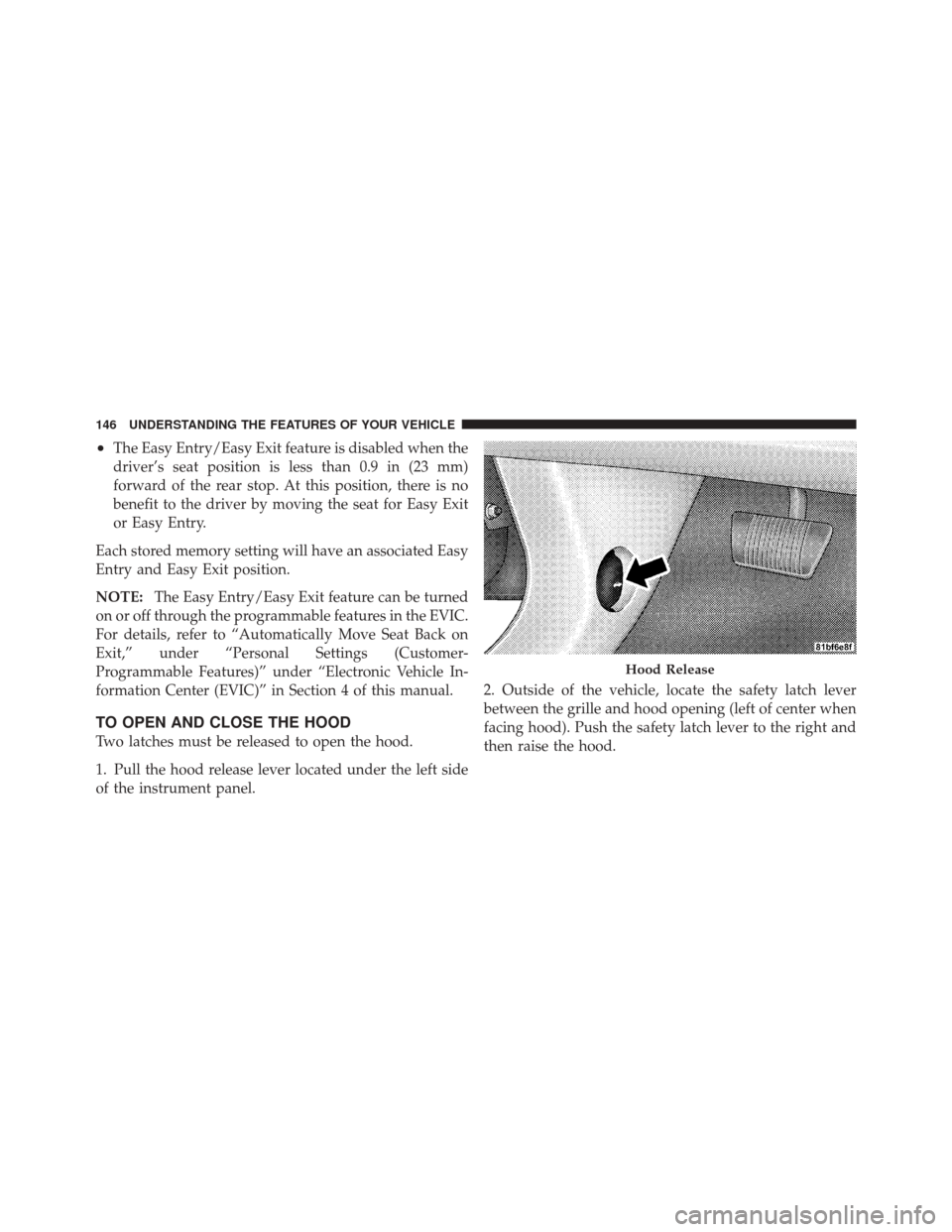
1. Pull the hood release lever located under the left side
of the instrument panel. 2. Outside of the vehicle, locate the safety latch lever
between the grille and hood opening (left of center when
facing hood). Push the safety latch lever to the right and
then raise the hood.
Hood Release
146 UNDERSTANDING THE FEATURES OF YOUR VEHICLE