Page 17 of 466

NOTE:
•If you try to remove the Key Fob before you place the
shift lever in PARK, it may become trapped tempo-
rarily in the ignition switch. If this occurs, rotate the
key to the right slightly, then remove the Key Fob as
described. If a malfunction occurs, the system will trap
the key in the ignition switch to warn you that this
safety feature is inoperable. The engine can be started
and stopped, but the Key Fob cannot be removed until
you obtain service.
•For vehicles equipped with the Electronic Vehicle
Information Center (EVIC), the power window
switches, radio, power sunroof (if equipped), and
power outlets will remain active for up to 10 minutes
after the ignition switch is turned to the LOCK posi-
tion. Opening either front door will cancel this feature.
The time for this feature is programmable. Refer to
“Electronic Vehicle Information Center (EVIC) — IfEquipped/Personal Settings (Customer-
Programmable Features)” in “Understanding Your In-
strument Panel” for further information.
WARNING!
Never leave children alone in a vehicle. Leaving
unattended children in a vehicle is dangerous for a
number of reasons. A child or others could be seri-
ously or fatally injured. Do not leave the Key Fob in
the ignition. A child could operate power windows,
other controls, or move the vehicle.
CAUTION!
An unlocked car is an invitation to thieves. Always
remove Key Fob from the ignition and lock all doors
when leaving the vehicle unattended.
16 THINGS TO KNOW BEFORE STARTING YOUR VEHICLE
Page 156 of 466

▫Electronic Serial Number/Sirius
Identification Number (ESN/SID) ......... 215
▫ Selecting Uconnect™ Multimedia (Satellite)
Mode ............................. 215
▫ Satellite Antenna ..................... 215
▫ Reception Quality .................... 216
▫ Operating Instructions - Uconnect™
Multimedia (Satellite) Mode ............. 216
▫ Operating Instructions - Uconnect™ phone
(If Equipped) ....................... 218
� Remote Sound System Controls —
If Equipped .......................... 219 ▫
Radio Operation ..................... 219
▫ CD Player ......................... 220
� CD/DVD Disc Maintenance .............. 220
� Radio Operation And Cellular Phones ....... 221
� Climate Controls ...................... 221
▫ Manual Air Conditioning And Heating
System — If Equipped ................. 221
▫ Automatic Temperature Control —
If Equipped ........................ 224
▫ Operating Tips ...................... 231
▫ Operating Tips Chart ................. 233
4
UNDERSTANDING YOUR INSTRUMENT PANEL 155
Page 157 of 466
INSTRUMENT PANEL FEATURES
1 — Air Outlet5 — Upper Switch Bank9 — Lower Switch Bank
2 — Instrument Cluster 6 — Power Outlet/Cigar Lighter10 — Climate Controls
3 — Radio 7 — Storage Bin11 — Ignition Switch
4 — Glove Compartment 8 — Power Outlet12 — Storage Bin
156 UNDERSTANDING YOUR INSTRUMENT PANEL
Page 220 of 466

REMOTE SOUND SYSTEM CONTROLS — IF
EQUIPPED
The remote sound system controls are located on the rear
surface of the steering wheel. Reach behind the wheel to
access the switches.The right-hand control is a rocker-type switch with a
pushbutton in the center and controls the volume and
mode of the sound system. Pressing the top of the rocker
switch will increase the volume, and pressing the bottom
of the rocker switch will decrease the volume.
Pressing the center button will make the radio switch
between the various modes available (AM/FM/TAPE/
CD, etc.).
The left-hand control is a rocker-type switch with a
pushbutton in the center. The function of the left-hand
control is different depending on which mode you are in.
The following describes the left-hand control operation in
each mode.
Radio Operation
Pressing the top of the switch will “Seek” up for the next
listenable station and pressing the bottom of the switch
will “Seek” down for the next listenable station.
Remote Sound System Controls (Back View Of Steering
Wheel)
4
UNDERSTANDING YOUR INSTRUMENT PANEL 219
Page 222 of 466

NOTE:If you experience difficulty in playing a particu-
lar disc, it may be damaged (i.e., scratched, reflective
coating removed, a hair, moisture or dew on the disc)
oversized, or have protection encoding. Try a known
good disc before considering disc player service.
RADIO OPERATION AND CELLULAR PHONES
Under certain conditions, the cellular phone being on in
your vehicle can cause erratic or noisy performance from
your radio. This condition may be lessened or eliminated
by relocating the cellular phone antenna. This condition
is not harmful to the radio. If your radio performance
does not satisfactorily “clear” by the repositioning of the
antenna, it is recommended that the radio volume be
turned down or off during cellular phone operation.
CLIMATE CONTROLS
Manual Air Conditioning And Heating System —
If Equipped
The controls for the heating/air conditioning and venti-
lation system in this vehicle consist of a series of rotary
knobs. These comfort controls can be set to obtain desired
interior conditions.
Manual Air Conditioning And Heating Controls
4
UNDERSTANDING YOUR INSTRUMENT PANEL 221
Page 460 of 466
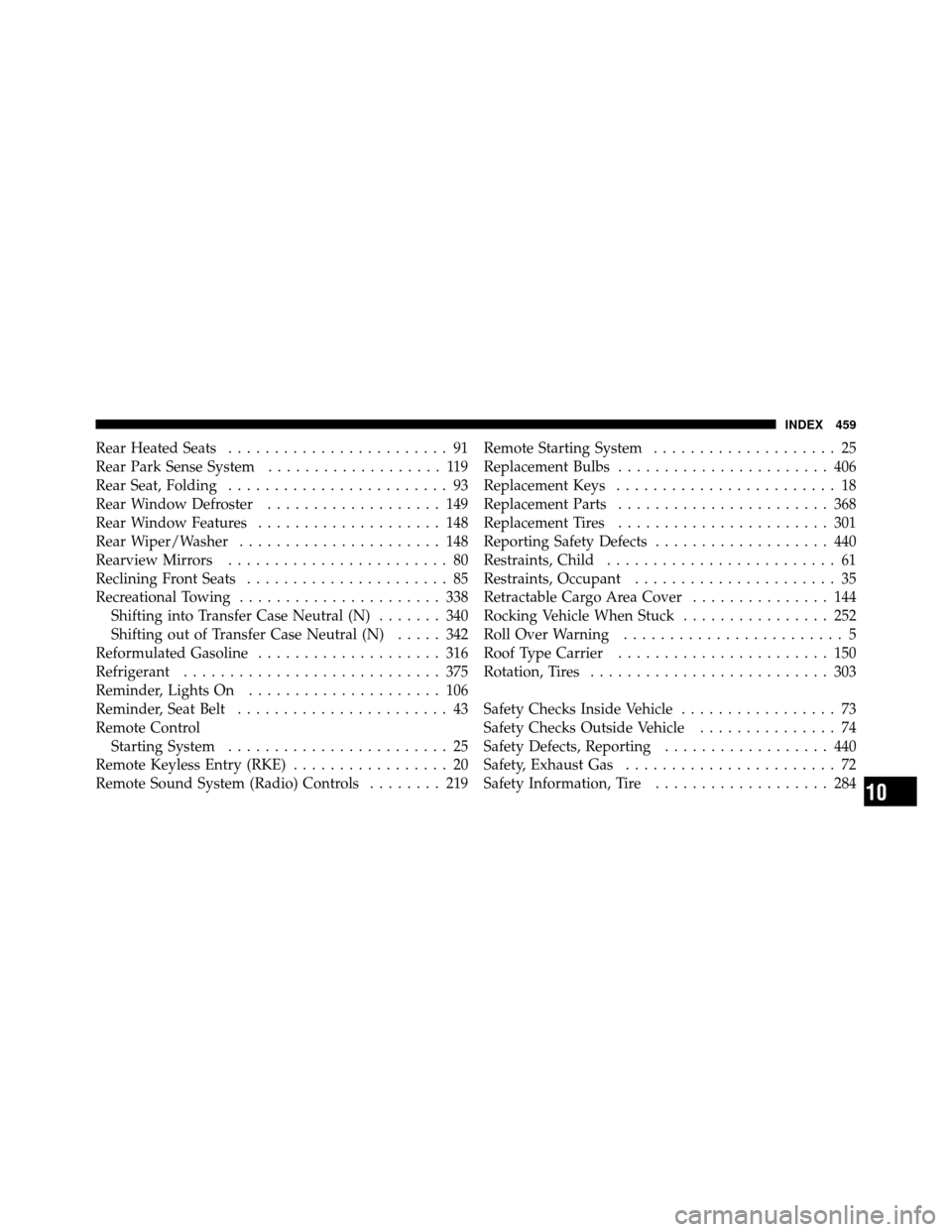
Rear Heated Seats........................ 91
Rear Park Sense System ................... 119
Rear Seat, Folding ........................ 93
Rear Window Defroster ................... 149
Rear Window Features .................... 148
Rear Wiper/Washer ...................... 148
Rearview Mirrors ........................ 80
Reclining Front Seats ...................... 85
Recreational Towing ...................... 338
Shifting into Transfer Case Neutral (N) ....... 340
Shifting out of Transfer Case Neutral (N) ..... 342
Reformulated Gasoline .................... 316
Refrigerant ............................ 375
Reminder, Lights On ..................... 106
Reminder, Seat Belt ....................... 43
Remote Control Starting System ........................ 25
Remote Keyless Entry (RKE) ................. 20
Remote Sound System (Radio) Controls ........ 219Remote Starting System
.................... 25
Replacement Bulbs ....................... 406
Replacement Keys ........................ 18
Replacement Parts ....................... 368
Replacement Tires ....................... 301
Reporting Safety Defects ................... 440
Restraints, Child ......................... 61
Restraints, Occupant ...................... 35
Retractable Cargo Area Cover ............... 144
Rocking Vehicle When Stuck ................ 252
Roll Over Warning ........................ 5
Roof Type Carrier ....................... 150
Rotation, Tires .......................... 303
Safety Checks Inside Vehicle ................. 73
Safety Checks Outside Vehicle ............... 74
Safety Defects, Reporting .................. 440
Safety, Exhaust Gas ....................... 72
Safety Information, Tire ................... 284
10
INDEX 459
