Page 43 of 207
1FEATURES OF YOUR HYUNDAI
42
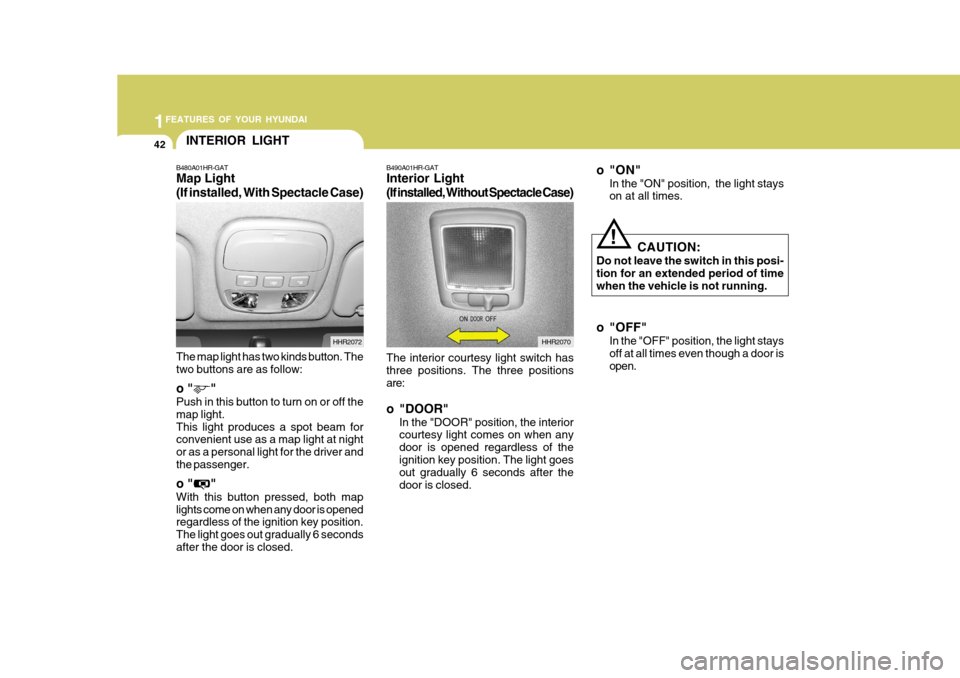
The interior courtesy light switch has three positions. The three positions are: o "DOOR"
In the "DOOR" position, the interior courtesy light comes on when any door is opened regardless of theignition key position. The light goes out gradually 6 seconds after the door is closed.
B490A01HR-GAT Interior Light
(If installed, Without Spectacle Case)
HHR2070
o"ON"
In the "ON" position, the light stays on at all times.
CAUTION:
Do not leave the switch in this posi- tion for an extended period of timewhen the vehicle is not running.
o "OFF" In the "OFF" position, the light stays off at all times even though a door isopen.
!
INTERIOR LIGHT
B480A01HR-GAT Map Light (If installed, With Spectacle Case) The map light has two kinds button. The two buttons are as follow: o " " Push in this button to turn on or off the map light.This light produces a spot beam for convenient use as a map light at night or as a personal light for the driver andthe passenger. o " " With this button pressed, both map lights come on when any door is opened regardless of the ignition key position. The light goes out gradually 6 secondsafter the door is closed. HHR2072
Page 67 of 207
1FEATURES OF YOUR HYUNDAI
66AUDIO SYSTEM
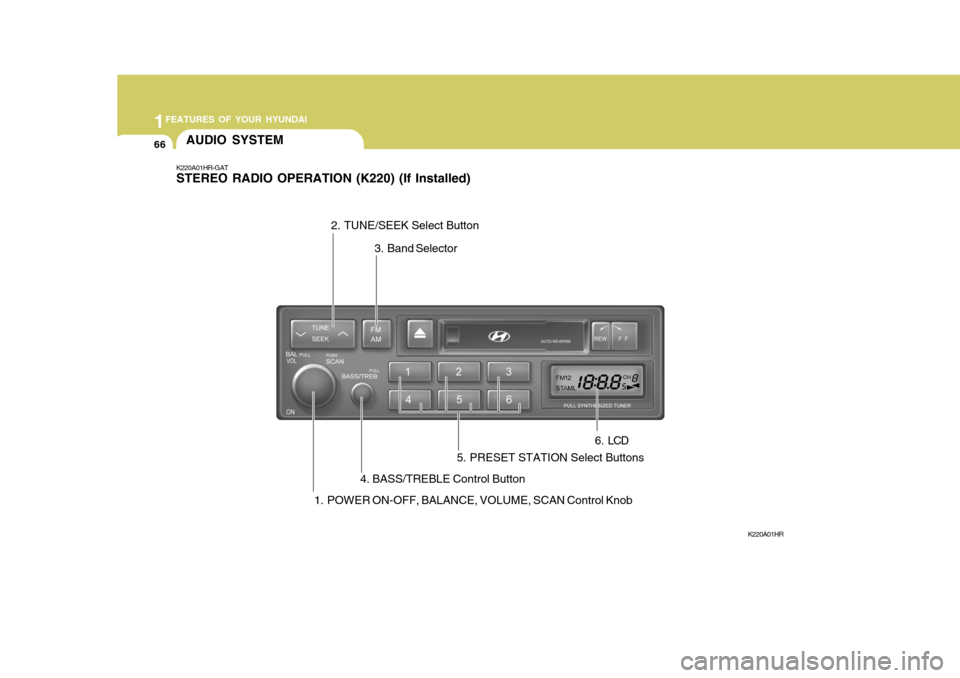
K220A01HR-GAT STEREO RADIO OPERATION (K220) (If Installed)
K220A01HR
1. POWER ON-OFF, BALANCE, VOLUME, SCAN Control Knob 3. Band Selector
4. BASS/TREBLE Control Button
2. TUNE/SEEK Select Button
5. PRESET STATION Select Buttons 6 . LCD
Page 69 of 207
1FEATURES OF YOUR HYUNDAI
68
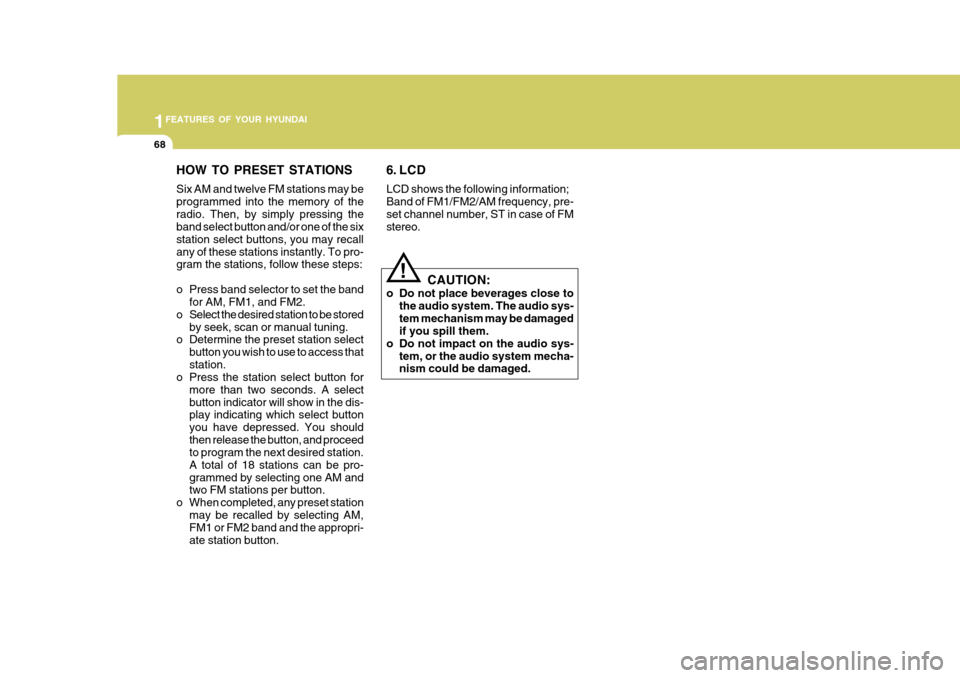
HOW TO PRESET STATIONS Six AM and twelve FM stations may be programmed into the memory of theradio. Then, by simply pressing the band select button and/or one of the six station select buttons, you may recallany of these stations instantly. To pro- gram the stations, follow these steps:
o Press band selector to set the bandfor AM, FM1, and FM2.
o Select the desired station to be stored by seek, scan or manual tuning.
o Determine the preset station select
button you wish to use to access that station.
o Press the station select button for
more than two seconds. A selectbutton indicator will show in the dis- play indicating which select button you have depressed. You shouldthen release the button, and proceed to program the next desired station. A total of 18 stations can be pro-grammed by selecting one AM and two FM stations per button.
o When completed, any preset station may be recalled by selecting AM,FM1 or FM2 band and the appropri- ate station button.
!
6. LCD LCD shows the following information; Band of FM1/FM2/AM frequency, pre-set channel number, ST in case of FM stereo.
CAUTION:
o Do not place beverages close to the audio system. The audio sys- tem mechanism may be damaged if you spill them.
o Do not impact on the audio sys- tem, or the audio system mecha-nism could be damaged.
Page 71 of 207
1FEATURES OF YOUR HYUNDAI
70
K220D01HR-GAT
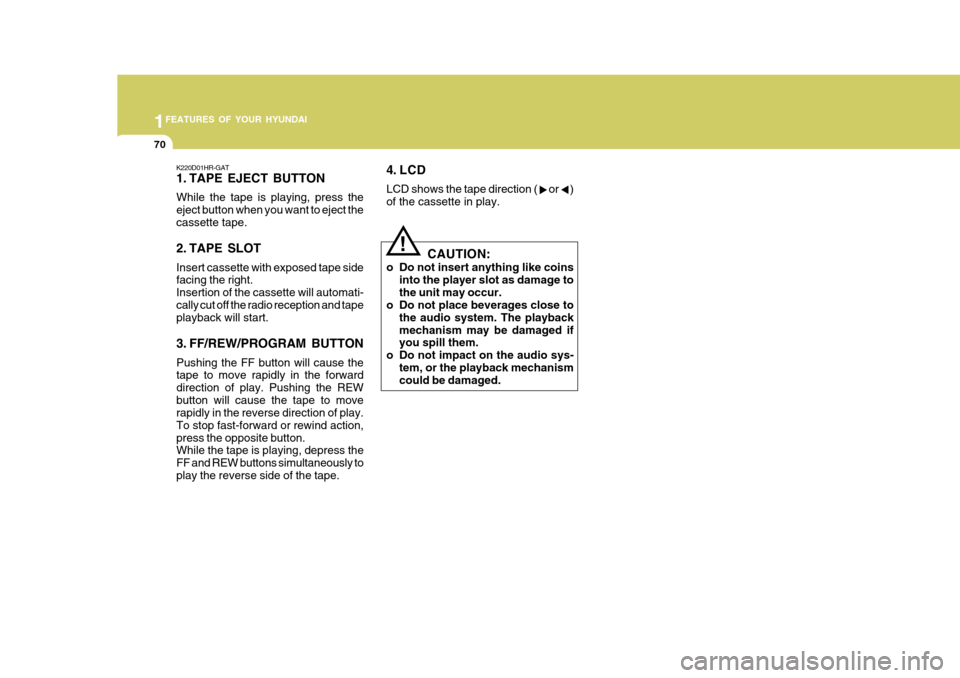
1. TAPE EJECT BUTTON While the tape is playing, press the eject button when you want to eject thecassette tape.
2. TAPE SLOT Insert cassette with exposed tape side facing the right. Insertion of the cassette will automati-cally cut off the radio reception and tape playback will start.
3. FF/REW/PROGRAM BUTTON Pushing the FF button will cause the tape to move rapidly in the forward direction of play. Pushing the REWbutton will cause the tape to move rapidly in the reverse direction of play. To stop fast-forward or rewind action,press the opposite button. While the tape is playing, depress the FF and REW buttons simultaneously toplay the reverse side of the tape.
!
4. LCD LCD shows the tape direction ( or ) of the cassette in play.CAUTION:
o Do not insert anything like coins into the player slot as damage to the unit may occur.
o Do not place beverages close to
the audio system. The playbackmechanism may be damaged if you spill them.
o Do not impact on the audio sys-
tem, or the playback mechanismcould be damaged.
Page 72 of 207
1
FEATURES OF YOUR HYUNDAI
71
3 . LCD
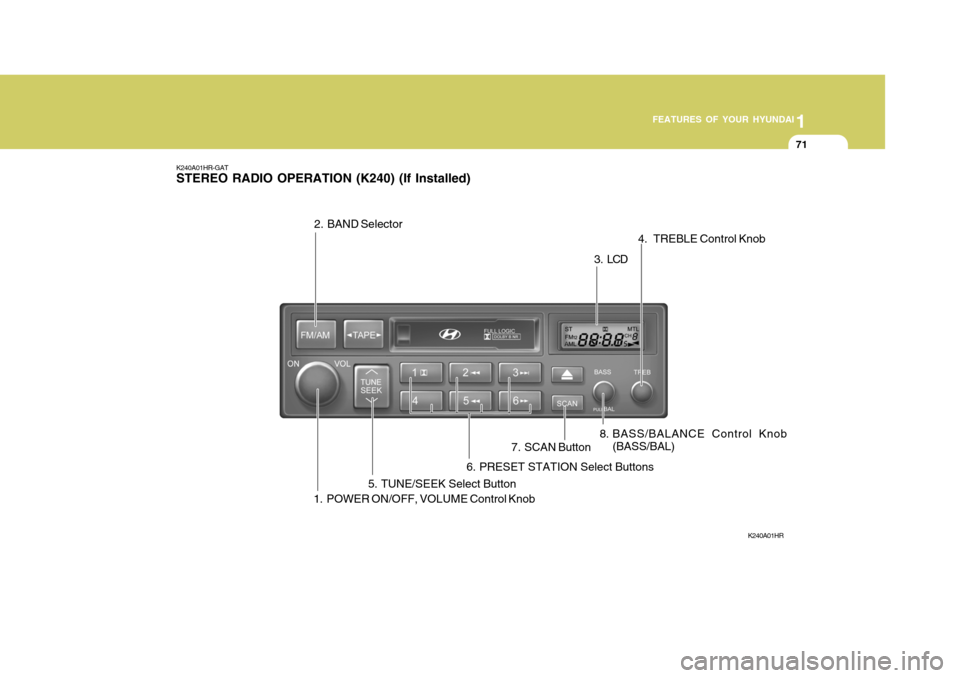
K240A01HR-GAT STEREO RADIO OPERATION (K240) (If Installed)
K240A01HR
1. POWER ON/OFF, VOLUME Control Knob 8. BASS/BALANCE Control Knob
(BASS/BAL) 4. TREBLE Control Knob
5. TUNE/SEEK Select Button
2. BAND Selector
6. PRESET STATION Select Buttons7. SCAN Button
Page 73 of 207
1FEATURES OF YOUR HYUNDAI
72
FM/AM
K240B01HR-GAT
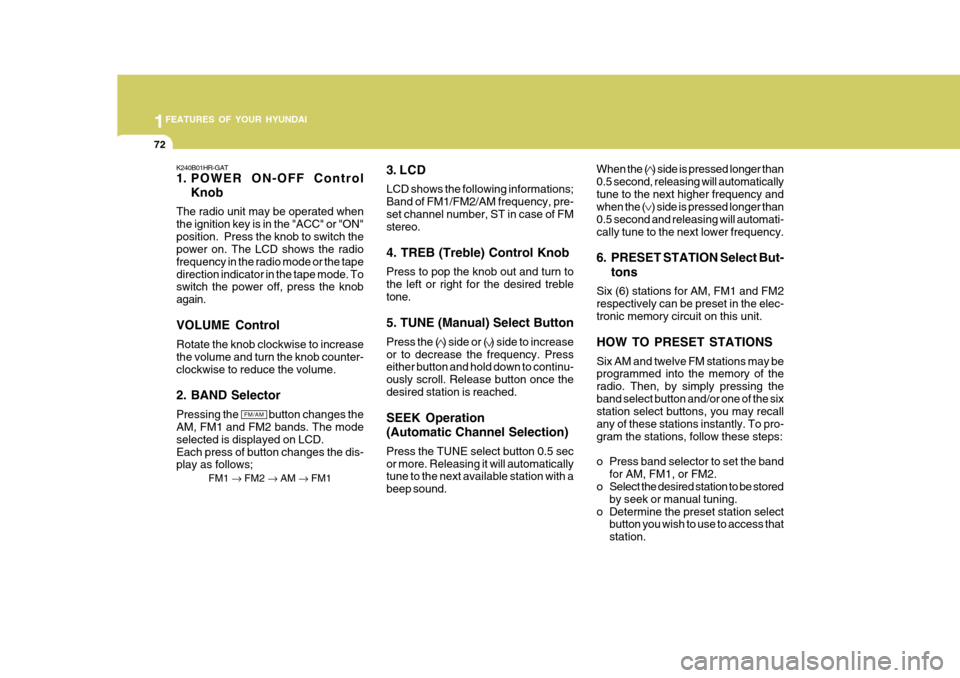
1. POWER ON-OFF Control
Knob
The radio unit may be operated when the ignition key is in the "ACC" or "ON"position. Press the knob to switch the power on. The LCD shows the radio frequency in the radio mode or the tapedirection indicator in the tape mode. To switch the power off, press the knob again. VOLUME Control Rotate the knob clockwise to increase the volume and turn the knob counter-clockwise to reduce the volume. 2. BAND Selector Pressing the button changes the AM, FM1 and FM2 bands. The mode selected is displayed on LCD.Each press of button changes the dis- play as follows; FM1 FM2 AM FM1 3. LCD LCD shows the following informations; Band of FM1/FM2/AM frequency, pre-set channel number, ST in case of FM stereo. 4. TREB (Treble) Control Knob Press to pop the knob out and turn to the left or right for the desired trebletone. 5. TUNE (Manual) Select Button Press the ( ) side or ( ) side to increase or to decrease the frequency. Press either button and hold down to continu- ously scroll. Release button once thedesired station is reached. SEEK Operation (Automatic Channel Selection) Press the TUNE select button 0.5 sec or more. Releasing it will automatically tune to the next available station with a beep sound. When the ( ) side is pressed longer than0.5 second, releasing will automaticallytune to the next higher frequency and when the ( ) side is pressed longer than 0.5 second and releasing will automati-cally tune to the next lower frequency.
6. PRESET STATION Select But-
tons
Six (6) stations for AM, FM1 and FM2 respectively can be preset in the elec- tronic memory circuit on this unit. HOW TO PRESET STATIONS Six AM and twelve FM stations may be programmed into the memory of the radio. Then, by simply pressing theband select button and/or one of the six station select buttons, you may recall any of these stations instantly. To pro-gram the stations, follow these steps:
o Press band selector to set the band for AM, FM1, or FM2.
o Select the desired station to be stored
by seek or manual tuning.
o Determine the preset station select button you wish to use to access that station.
Page 92 of 207
1FEATURES OF YOUR HYUNDAI
66AUDIO SYSTEM
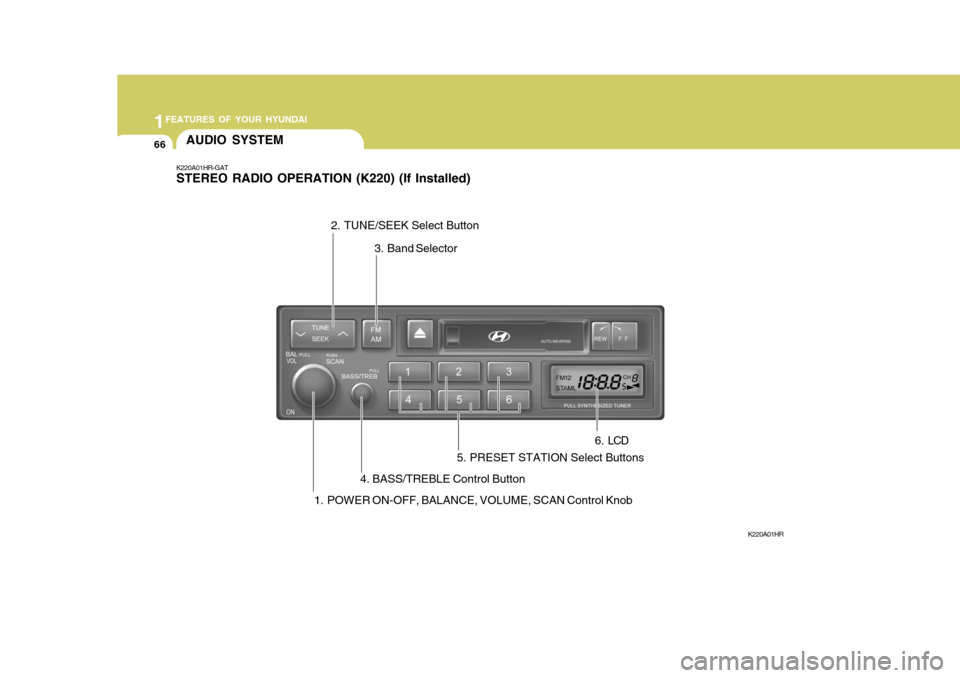
K220A01HR-GAT STEREO RADIO OPERATION (K220) (If Installed)
K220A01HR
1. POWER ON-OFF, BALANCE, VOLUME, SCAN Control Knob 3. Band Selector
4. BASS/TREBLE Control Button
2. TUNE/SEEK Select Button
5. PRESET STATION Select Buttons 6 . LCD
Page 94 of 207

1FEATURES OF YOUR HYUNDAI
68
HOW TO PRESET STATIONS Six AM and twelve FM stations may be programmed into the memory of theradio. Then, by simply pressing the band select button and/or one of the six station select buttons, you may recallany of these stations instantly. To pro- gram the stations, follow these steps:
o Press band selector to set the bandfor AM, FM1, and FM2.
o Select the desired station to be stored by seek, scan or manual tuning.
o Determine the preset station select
button you wish to use to access that station.
o Press the station select button for
more than two seconds. A selectbutton indicator will show in the dis- play indicating which select button you have depressed. You shouldthen release the button, and proceed to program the next desired station. A total of 18 stations can be pro-grammed by selecting one AM and two FM stations per button.
o When completed, any preset station may be recalled by selecting AM,FM1 or FM2 band and the appropri- ate station button.
!
6. LCD LCD shows the following information; Band of FM1/FM2/AM frequency, pre-set channel number, ST in case of FM stereo.
CAUTION:
o Do not place beverages close to the audio system. The audio sys- tem mechanism may be damaged if you spill them.
o Do not impact on the audio sys- tem, or the audio system mecha-nism could be damaged.