2010 Hyundai Accent Battery
[x] Cancel search: BatteryPage 127 of 284

1
FEATURES OF YOUR HYUNDAI115115115B970C01NF-GAT
Automatic Operation
The FATC (Full Automatic Tempera-
ture Control) system automatically con-
trols heating and cooling by doing as follows:
1
.P ush the "AUTO" switch. The indi-
cator light will illuminate confirming
that the Face, Floor and/or Bi-Level modes as well as the blower speedand air conditioner will be controlledautomatically. 2
.T urn the "TEMP" knob to set the
desired temperature.
The temperature will increase to the
maximum 32°C(90°F) by turning the
knob clockwise.The temperature will decrease to the minimum 17°C(62°F) by turning the
knob counterclockwise.
NOTE:
If the battery has been discharged or
disconnected, the temperature mode will reset to Centigrade degrees.
This is a normal condition and you
can change the temperature mode
from Centigrade to Fahrenheit as
follows; Press the "OFF" and "AUTO " switch
simultaneously for 3 seconds.The display shows that the unit of
temperature is adjusted to Centigrade
or Fahrenheit (°C
°F or °F
°C).
B970C01MC B970C02MC
1JBA4067
Photo Sensor
NOTE:
Never place anything over the sen- sor which is located on the instru-
ment panel to ensure better control
of the heating and cooling system.
Page 149 of 284

1
FEATURES OF YOUR HYUNDAI
137137137137
!
CAUTION:
o Do not insert warped or poor qual- ity discs into the CD player as damage to the unit may occur.
o Do not insert anything like coins
into the player slot as damage tothe unit may occur.
o Do not place beverages close to
the audio system. The playbackmechanism may be damaged if you spill them.
10. CD SCAN Button
o To playback the first 10 seconds of
each track, press the CD SCAN button more than 1 second.
o To playback the first 10 seconds of
each track in the selected folder,press the CD SCAN button within 1 second (MP3 CD only).
o Press the CD SCAN button again within 10 sec. when you have reachedthe desired track.
11. FILE SEARCH Knob (TUNE Select Knob)
o You can skip the track by turning the FILE SEARCH knob clockwise or counterclockwise.After selecting the desired track, press the FILE SEARCH knob to playback the track.If you do not press the FILE SEARCH knob within five seconds, the search will stop. 12. DIRECTORY SEARCH
Button
o You can move through the folder by pushing the DIR button to up ( ) anddown ( ). After moving the desired folder, press the FILE SEARCH knob to playbackthe selected folder. If you do not press the FILE SEARCH knob within five seconds, the searchwill stop.
NOTE :
o To assure proper operation of the unit, keep the vehicle interior tem- perature within a normal range by using the vehicle's air condition- ing or heating system.
o When replacing the fuse, replace it with a fuse having the correctcapacity.
o All stored bookmarks are all erased when the car battery is discon-nected or power to the vehicle islost. If this occurs, the bookmarks will have to be reset.
o This equipment is designed to be used only in a 12 volt DC batterysystem with negative ground.
o This unit is made of precisionparts. Do not attempt to disas- semble or adjust any parts.
o When driving your vehicle, be sure
to keep the volume of the unit setlow enough to allow you to hear sounds coming from the outside.
o Do not expose this equipment (in- cluding the speakers and tape) towater or excessive moisture.
Page 156 of 284

1FEATURES OF YOUR HYUNDAI
144
11. FOLDER Button Folder up/down operation.
o Folder is moved up or down fromcurrently playing and folder name becomes displayed.
o Press TUNE/ENTER button to play
the selected folder.
o If the TUNE/ENTER button is not pressed within 5 seconds, then theprevious folder name will be dis-played again.
! CAUTION:
o Do not insert warped or poor qual- ity discs into the CD player as damage to the unit may occur.
o Do not insert anything like coins
into the player slot as damage tothe unit may occur.
o Do not place beverages close to
the audio system. The playbackmechanism may be damaged if you spill them.
o Do not strike or allow anything to impact the audio system, damageto the system mechanisms could occur.
o Off-road or rough surface driving may cause the compact disc toskip. Do not use the compact discwhen driving in such conditions as damage to the compact disc face could occur.
o Do not attempt to grab or pull the compact disc out while the disc isbeing pulled into the audio unit bythe self-loading mechanism. Dam- age to the audio unit and compact disc could occur.
NOTE:
o To assure proper operation of the
unit, keep the vehicle interior tem- perature within a normal range byusing the vehicle's air condition- ing or heating system.
o When replacing the fuse, replace it with a fuse having the correctcapacity.
o All stored bookmarks are all erased when the car battery is discon-nected or power to the vehicle is lost. If this occurs, the bookmarkswill have to be reset.
o This equipment is designed to be
used only in a 12 volt DC batterysystem with negative ground.
o This unit is made of precision
parts. Do not attempt to disas-semble or adjust any parts.
o When driving your vehicle, be sure
to keep the volume of the unit setlow enough to allow you to hear sounds coming from the outside.
o Do not expose this equipment (in- cluding the speakers and CD) towater or excessive moisture.
Page 162 of 284

1FEATURES OF YOUR HYUNDAI
150
NOTE:
o To assure proper operation of theunit, keep the vehicle interior tem- perature within a normal range byusing the vehicle's air condition- ing or heating system.
o When replacing the fuse, replace it with a fuse having the correctcapacity.
o All stored bookmarks are all erased when the car battery is discon-nected or power to the vehicle is lost. If this occurs, the bookmarkswill have to be reset.
o This equipment is designed to be
used only in a 12 volt DC batterysystem with negative ground.
o This unit is made of precision
parts. Do not attempt to disas-semble or adjust any parts.
o When driving your vehicle, be sure
to keep the volume of the unit setlow enough to allow you to hear sounds coming from the outside.
o Do not expose this equipment (in- cluding the speakers and CD) towater or excessive moisture.
! CAUTION:
o Do not insert warped or poor qual- ity discs into the CD player as damage to the unit may occur.
o Do not insert anything like coins into the player slot as damage tothe unit may occur.
o Do not place beverages close to the audio system. The playbackmechanism may be damaged ifyou spill them.
o Do not strike or allow anything to
impact the audio system, damageto the system mechanisms could occur.
o Off-road or rough surface driving may cause the compact disc toskip. Do not use the compact disc when driving in such conditionsas damage to the compact disc face could occur.
o Do not attempt to grab or pull the compact disc out while the disc isbeing pulled into the audio unit by the self-loading mechanism. Dam-age to the audio unit and compact disc could occur.
9. REPEAT Button Repeats current song when the button is pressed for less than 0.8 second. Repeats current folder when the buttonis pressed for 0.8 second or longer. (If there is no folder, entire disc will be repeated.) 10. SCAN Play Button Plays first 10 seconds of each song in the DISC.To cancel the mode, press the key once again. 11. FOLDER Button Folder up/down operation.
o Folder is moved up or down from
currently playing and folder name becomes displayed.
o Press TUNE/ENTER button to play
the selected folder.
o If the TUNE/ENTER button is not
pressed within 5 seconds, then the previous folder name will be dis- played again.
Page 166 of 284
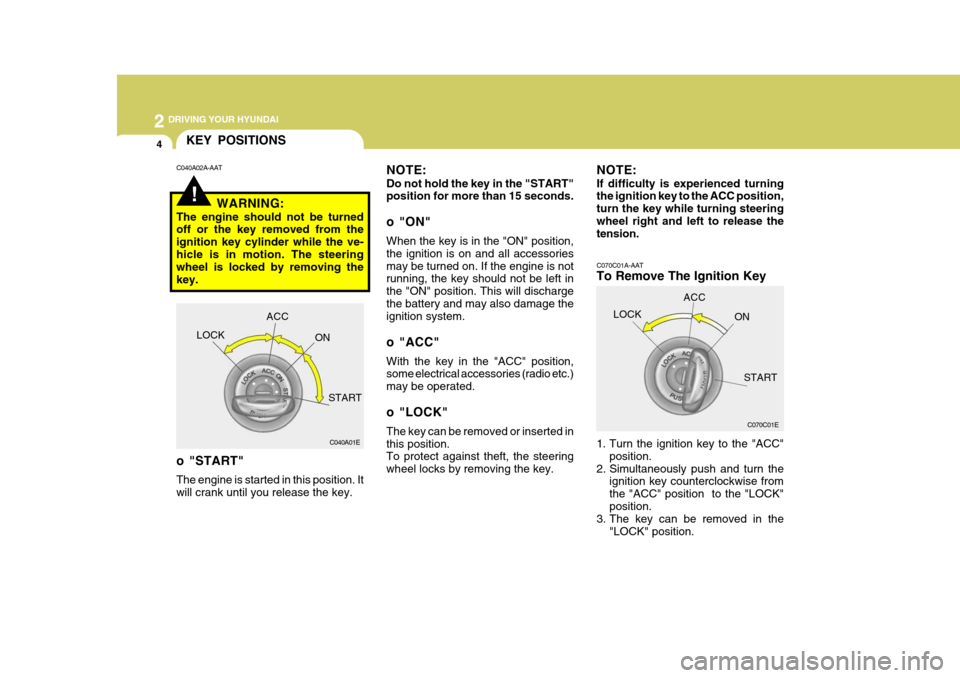
2 DRIVING YOUR HYUNDAI
4
C070C01A-AAT
To Remove The Ignition Key
1. Turn the ignition key to the "ACC"position.
2. Simultaneously push and turn the ignition key counterclockwise from the "ACC" position to the "LOCK"position.
3. The key can be removed in the
"LOCK" position.
C070C01E
LOCK
ACC
ON
START
!
KEY POSITIONS
C040A01E
LOCK
ACC
ON
START
o "START" The engine is started in this position. It will crank until you release the key.
C040A02A-AAT
NOTE: Do not hold the key in the "START" position for more than 15 seconds.
o "ON" When the key is in the "ON" position, the ignition is on and all accessoriesmay be turned on. If the engine is not running, the key should not be left in the "ON" position. This will dischargethe battery and may also damage the ignition system.
o "ACC" With the key in the "ACC" position, some electrical accessories (radio etc.) may be operated.
o "LOCK" The key can be removed or inserted in this position. To protect against theft, the steering wheel locks by removing the key.
WARNING:
The engine should not be turned off or the key removed from the ignition key cylinder while the ve-hicle is in motion. The steering wheel is locked by removing the key. NOTE: If difficulty is experienced turning the ignition key to the ACC position, turn the key while turning steeringwheel right and left to release the tension.
Page 184 of 284

2 DRIVING YOUR HYUNDAI
22
C160H01A-AAT Use Approved Anti-Freeze in Window Washer System To keep the water in the window washer system from freezing, add an approvedanti-freeze solution in accordance with instructions on the container. Window washer anti-freeze is available fromHyundai dealers and most auto parts outlets. Do not use engine coolant or other types of anti-freeze as thesemay damage the finish. C160I01A-AAT Don't Let Your Parking Brake Freeze Under some conditions your parking brake can freeze in the engaged posi- tion. This is most likely to happen when there is an accumulation of snowor ice around or near the rear brakes or if the brakes are wet. If there is a risk the parking brake may freeze, apply itonly temporarily while you put the gear selector lever in "P" (automatic) or in first or reverse gear (manual transaxle)and block the rear wheels so the car cannot roll. Then release the parking brake.
C160G01A-GAT To Keep Locks from Freezing To keep the locks from freezing, squirt an approved de-icer fluid or glycerine into the key opening. If a lock is cov- ered with ice, squirt it with an approved de-icing fluid to remove the ice. If thelock is frozen internally, you may be able to thaw it out by using a heated key. Handle the heated key with careto avoid injury. NOTE: The proper temperature for using the immobilizer key is from -40°C(-40°F) to 80°C(176°F). If you heat the immobilizer key over 80°C (176°F) to open the frozen lock, itmay cause damage to the transpon- der in its head.
C160F02A-AAT Check Spark Plugs and Ignition System Inspect your spark plugs and replace them if necessary. Also check allignition wiring and components to be sure they are not cracked, worn or damaged in any way.
C160D01A-AAT Check Battery and Cables Winter puts additional burdens on the battery system. Visually inspect thebattery and cables as described in Section 6. The level of charge in your battery can be checked by your Hyun-dai dealer or a service station. C160E01A-AAT Change to "Winter Weight" Oil if Necessary In some climates it is recommended that a lower viscosity "winter weight"oil be used during cold weather. See Section 9 for recommendations. If you aren't sure what weight oil you shoulduse, consult your Hyundai dealer.
Page 192 of 284

3 WHAT TO DO IN AN EMERGENCY
2
!
D010B02A-AAT If Engine Doesn't Turn Over or Turns Over Slowly
1. If your car has an automatic transaxle,
be sure the gear selector lever is in "N" or "P" and the emergency brake is set. D010C02A-AAT If Engine Turns Over Normally but Does Not Start 1. Check fuel level. 2. With the key in the "OFF" position,
check all connectors at ignition coilsand spark plugs(For Gasoline En-gine) or check all connectors at glow plug and glow plug relay(For Diesel Engine). Reconnect any thatmay be disconnected or loose.
3. Check fuel line in the engine room.4. If engine still refuses to start, call a
Hyundai dealer or seek other quali- fied assistance. D010D01A-AAT If the Engine Stalls While Driv- ing
1. Reduce your speed gradually, keep-
ing a straight line. Move cautiously off the road to a safe place.
2. Turn on your emergency flashers.
3. Try to start the engine again. If your
vehicle will not start, contact a Hyundai dealer or seek other quali- fied assistance.
D010A01A-AAT
IF THE ENGINE WILL NOT START
WARNING:
If the engine will not start, do not push or pull the car to start it. This could result in a collision or cause other damage. In addition, push orpull starting may cause the cata- lytic converter to be overloaded and create a fire hazard.
OMC055018 2. Check the battery connections to be
sure they are clean and tight.
3. Turn on the interior light. If the light dims or goes out when you operate the starter, the battery is discharged.
4. Check the starter connections to be sure they are securely tightened.
5. Do not push or pull the vehicle to start it. See instructions for "Jump Starting on the following pages".
F020100AUN If the Engine Stalls at a Cross- road or Crossing
o If the engine stalls at a crossroad orcrossing, set the shift lever in the N(Neutral) position and then push the vehicle to a safe place.
o If your vehicle has a manual transaxle not equipped with the ignition lockswitch, the vehicle can move for-ward by shifting to the 2 (second) or 3 (third) gear and then turning the starter without depressing the clutchpedal.
Page 193 of 284

3
WHAT TO DO IN AN EMERGENCY
3
!
JUMP STARTING
WARNING:
The gas produced by the battery during the jump-start operation ishighly explosive. If these instruc- tions are not followed exactly, seri- ous personal injury and damage tothe vehicle may occur! If you are not sure how to follow this proce- dure, seek qualified assistance.Automobile batteries contain sul- furic acid. This is poisonous and highly corrosive. When jump start-ing, wear protective glasses and be careful not to get acid on yourself, your clothing or on the car. 1. If the booster battery is installed in
another vehicle, be sure the twovehicles are not touching.
2. Turn off all unnecessary lights and
accessories in both vehicles.
3. Attach the clamps of the jumper cable in the exact order shown in theillustration. That is, first, attach oneclamp of the jumper cable to the positive (+) post or cable of the discharged battery. Then attach theother end of the same cable to the positive (+) post or cable of the booster battery. Next, using theother cable, attach one clamp to the negative (-) post or cable of the booster battery. Then attach theother end of that cable to a solid metal part of the engine away from the battery. Do not connect the cableto any moving part.
4. Start the engine in the car with the
booster battery and let it run for afew minutes. This will help to as- sure that the booster battery is fully charged. During the jumping opera-tion, run the engine in this vehicle at about 2,000 rpm.
D020A02A-AAT
o If you should accidentally get acid on
your skin or in your eyes, immedi- ately remove any contaminated cloth- ing and flush the area with clear water for at least 15 minutes. Thenpromptly obtain medical attention. If you must be transported to an emer- gency facility, continue to apply waterto the affected area with a sponge or cloth.
o The gas produced by the battery during the jump-start operation ishighly explosive. Do not smoke or allow a spark or open flame in thevicinity.
o The battery being used to provide
the jump start must be 12-volts. Ifyou cannot determine that it is a 12- volt battery, do not attempt to use it for the jump start.
o To jump start a car with a discharged battery, follow this procedure ex-actly:
Booster battery
D020A02MC
Discharged battery