2010 HONDA ODYSSEY change
[x] Cancel search: changePage 82 of 155

82Navigation System
System Setup
Edit Address
When you say or select Edit Address,
the display changes to:
Current Position - Allows you to use
your current position as the address.
Address - Requires you to enter the city
and address you wish to store. The
operation is the same as selecting
Address from the Enter destination
by screen (see page 24). Places -
Allows you to select one of the
Point of Interest (POI) locations already
stored in the system as one of your
personal addresses. This operation is the
same as selecting Places from the
Enter destination by screen (see
page 33).
Previous Destinations - Allows you to
choose one of the locations in the
Previous Destinations list for your
Address Book list. This operation is the
same as selecting Previous
Destinations from the Enter
destination by screen (see page 43).
After you have used one of these four
options to enter the address, the initial
screen for entering the personal address
is redisplayed, with the address shown
in the “Address” field. If you have
entered the address using Places, the
phone number corresponding to the
address also appears in the “Phone
Number” field. Edit Phone Number
You can enter the telephone number of
the address. If the
address was chosen
with Places , and it has a telephone
number, that number is entered
automatically.
Say or select Edit Phone Number to
display the Enter phone number
screen. Enter the telephone number,
including the area code, by using the
voice control system (say the entire
phone number one digit at a time) or by
using the on-screen keyboard. Say or
select Done when finished.
2010 Odyssey
Page 83 of 155

Navigation System83
System Setup
Edit Category
If desired, you can specify the category
of the address. Say or select Edit
Category to display the Select a
category screen.
Scroll the screen and select a category
by saying the number next to your
choice, or by touching the item.
If you wish to set, add, or edit a new
category, select Edit Category in the
upper right corner on the screen. The
system will show the Select a
category to edit screen. Follow the on-
screen prompts to add, change, or delete
a category. If you delete a category that was used to
categorize addresses, the category for
those addresses becomes “UNFILED.”
NOTE:
You may have up to 100 categories.
These are shared between User 1 and
User 2.
The system will then display everything
that you have entered. If all the
information is correct, say or select
Done
. This will return you to the
Address Book list.
If you want to enter another address,
select New Address in the upper right
corner on the screen, then repeat the
procedures above. If not, press the
CANCEL button.Edit/Delete an Address
This feature allows you to select an
address to edit or delete. Once an
address is selected, choose the
appropriate function.
2010 Odyssey
Page 84 of 155
84Navigation System
System Setup
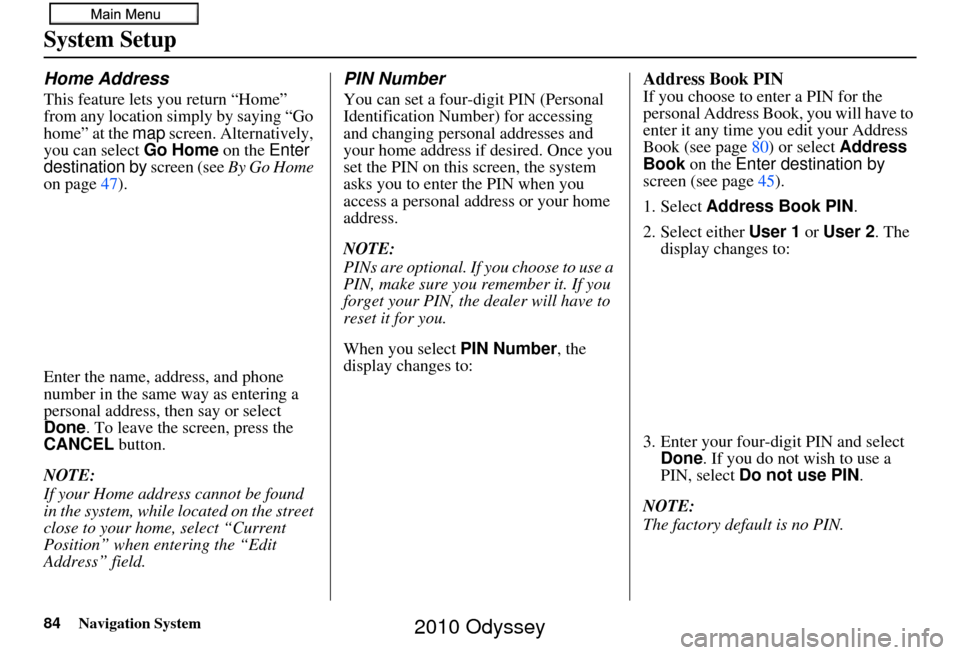
Home Address
This feature lets you return “Home”
from any location simply by saying “Go
home” at the map screen. Alternatively,
you can select Go Home on the Enter
destination by screen (see By Go Home
on page 47).
Enter the name, address, and phone
number in the same way as entering a
personal address, then say or select
Done . To leave the screen, press the
CANCEL button.
NOTE:
If your Home address cannot be found
in the system, while lo cated on the street
close to your home, select “Current
Position” when entering the “Edit
Address” field.
PIN Number
You can set a four-digit PIN (Personal
Identification Number) for accessing
and changing personal addresses and
your home address if desired. Once you
set the PIN on this screen, the system
asks you to enter the PIN when you
access a personal address or your home
address.
NOTE:
PINs are optional. If you choose to use a
PIN, make sure you remember it. If you
forget your PIN, the dealer will have to
reset it for you.
When you select PIN Number, the
display changes to:
Address Book PIN
If you choose to enter a PIN for the
personal Address Book, you will have to
enter it any time you edit your Address
Book (see page 80) or select Address
Book on the Enter destination by
screen (see page 45).
1. Select Address Book PIN .
2. Select either User 1 or User 2 . The
display changes to:
3. Enter your four-digit PIN and select Done . If you do not wish to use a
PIN, select Do not use PIN .
NOTE:
The factory default is no PIN.
2010 Odyssey
Page 85 of 155

Navigation System85
System Setup
4. If you have entered the PIN correctly,
the display changes to the Please re-
enter new PIN screen. Enter the
same number, then touch Done to
validate the number you have
selected.
5. If you have entered the same number both times, the display returns to the
Edit personal information screen. If
not, “incorrect PIN” appears in the
upper right corner of the screen. Enter
your PIN again.
NOTE:
If you wish to remove your PIN, return
to the same screen and, after entering
your PIN, touch the Do not use PIN
button.Go Home PIN
1. Select Go Home PIN , and the
system displays the Enter your new
PIN screen.
2. Enter your PIN in the same way as entering the Address Book PIN.
NOTE:
The factory default is no PIN. If you
choose to use a PIN, you will have to
enter it whenever you say “Go Home”
at the map screen or select Go Home
on the Enter destination by screen.
User Name
You can change User 1 and User 2 to
a desired name. Choose either User 1 or
User 2 on the Select the user name to
edit screen. Enter the name, and say or
select Done to leave the screen.
Previous Destinations
Allows you to delete some or all of your
previous destinations.
1. Select this option, and the display
changes to:
2. Scroll through the list and find the address you want to delete.
3. Select the address to delete by saying the line number, using the joystick, or
touching it on the screen.
NOTE:
To cancel the deletion of Previous
Destinations, press the CANCEL
button before performing step 4.
2010 Odyssey
Page 94 of 155
94Navigation System
System Setup
Guidance Mode
Allows you to select the guidance
display mode: Single Screen or Split
Screen .
To get to Guidance Mode from the
Setup screen, select in sequence,
“More,” “Routing & Guidance,” and
“Guidance Mode.”
The factory default is Single Screen.
NOTE:
The Guidance Mode can also be
selected on the Icon Selection screen.
See Showing Icons on the Map on
page 61.
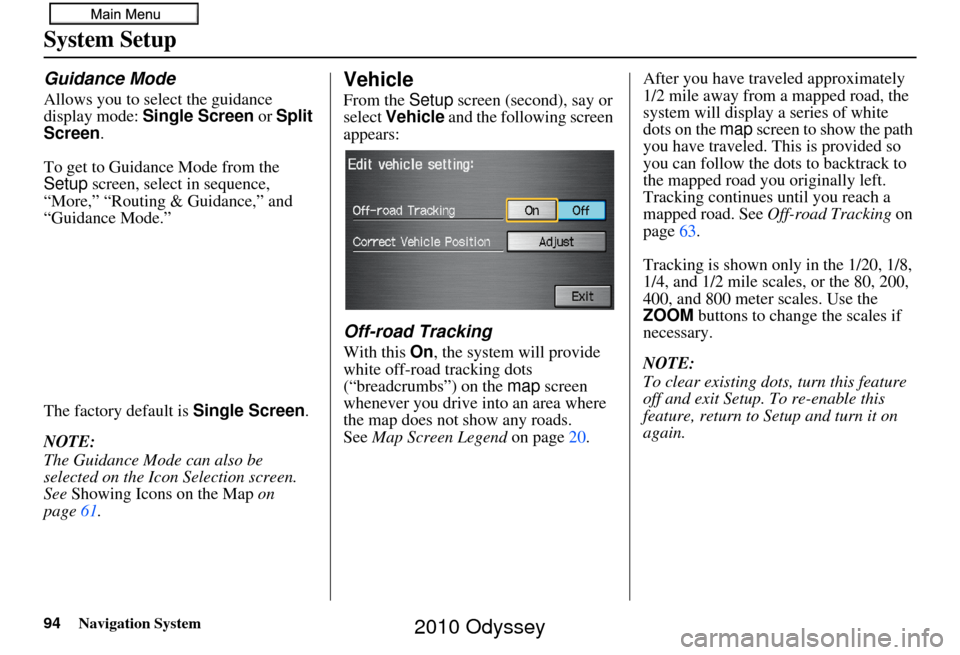
Vehicle
From the Setup screen (second), say or
select Vehicle and the following screen
appears:
Off-road Tracking
With this On, the system will provide
white off-road tracking dots
(“breadcrumbs”) on the map screen
whenever you drive into an area where
the map does not show any roads.
See Map Screen Legend on page20. After you have traveled approximately
1/2 mile away from a mapped road, the
system will display a series of white
dots on the
map screen to show the path
you have traveled. This is provided so
you can follow the dots to backtrack to
the mapped road you originally left.
Tracking continues until you reach a
mapped road. See Off-road Tracking on
page 63.
Tracking is shown only in the 1/20, 1/8,
1/4, and 1/2 mile scales, or the 80, 200,
400, and 800 meter scales. Use the
ZOOM buttons to change the scales if
necessary.
NOTE:
To clear existing dots, turn this feature
off and exit Setup. To re-enable this
feature, return to Setup and turn it on
again.
2010 Odyssey
Page 97 of 155

Navigation System97
System Setup
Clock Adjustment
From the Setup screen (second), say or
select Clock Adjustment and the
following screen appears:
This screen allows you to set or adjust
the following:
• Auto Daylight Saving Time (Default = On)
• Auto Time Zone by GPS (Default = On)
• DST (Daylight Saving Time) Selection
(change DST schedule)
• Time Adjustment (adjust your clock)
• Reset button (resets this screen’s
settings to factory defaults)
Auto Daylight Saving Time
Sets automatic daylight saving time On
or Off . If set to On, the clock will
automatically “spring ahead” or “fall
back” by one hour when a daylight
saving time change occurs. If you reside
in a state or area where daylight saving
time is not used, then you may want to
turn this feature off.
NOTE:
If you set Auto Day light Saving Time to
On , the daylight saving time function is
activated even in an area that does not
use daylight saving time.
The federal government mandated that
starting in 2007, daylight saving time
begins in March and ends in November
instead of the old schedule from April to
October. The schedule is subject to
review and possible cancellation in
2009-2010. The schedules for the time changes are
stored in the software and can be
selected in the
DST schedule
selection screen. Therefore, your clock
will change based on the daylight saving
time schedule.
NOTE:
The automatic clock setting feature
relies on a satellite signal. It will not
work in Hawaii and Alaska.
2010 Odyssey
Page 98 of 155

98Navigation System
System Setup
Auto Time Zone by GPS
Sets automatic time zone selection by
GPS to On or Off . If you are driving
across the country and passing through
time zones, then this feature will
automatically set the time to the time
zone you are traveling through.
However, if you live and work in two
different time zones, you may want to
turn this feature off.
NOTE:
When driving near a time zone
boundary, the displayed time zone may
fluctuate between the two zone times.
Daylight Saving Time (DST)
Selection (Change DST
Schedule)
This option lets you select the schedule
(April-October or March-
November ) when daylight saving time
will automatically occur in your
navigation system. The system default is
the March-November schedule as
mandated by the U.S. government.
During 2009-2010, it is possible that
this new change will be canceled by the
government and return ed back to the
previous “April-October” schedule. If
so, simply change the schedule in this
setting back to the “April-October”
schedule.
Time Adjustment
Adjusts the current time in hours and
minutes. You can reset the adjustment
by selecting Reset. Selecting Done
returns you to the previous screen.
NOTE:
Selecting Reset also clears any
changes you made to “Auto Daylight
Saving Time,” “Auto Time Zone by
GPS,” or “DST Selection” settings.
Depending on your location, you may
need to adjust these settings.
2010 Odyssey
Page 101 of 155

Navigation System101
System Initialization
System Initialization
If for any reason you lose power to the
navigation system (e.g., the battery was
disconnected), the navigation system
will require initialization. Once
completed, your system will be ready to
use.
This initialization requires the
following:
• Entry of the 4-digit anti-theft security code.
• GPS initialization (may not be needed depending on the length of time the
system was without power).
• Map matching to align the GPS coordinates to a place on the map
(displays current street at the bottom
of the map).
Entering the Security Code
If the battery goes dead or is
disconnected for any reason, you will
have to enter a secur ity code for both the
audio system and the navigation system
before you can use it again.
When you purchased the vehicle, you
should have received two cards
containing the audio and navigation
system’s security codes and serial
numbers. Keep these cards in a safe
place in case you need the codes. If you
lose the cards, you must obtain the
security codes from your dealer. Enter the four-digit security code, then
select
Done. If you make a mistake, the
system will display “incorrect PIN.” Re-
enter your 4-digit security code. If you
have entered it corr ectly, the display
changes to the Disclaimer screen. You
have 10 chances to enter the correct
code. If all 10 are incorrect, turn the
ignition to OFF, then back to ON (II) to
have 10 more chances to enter the
correct code.
NOTE:
The anti-theft security code is unrelated
to your optional navigation system PIN
(for Personal Address Book or Home
Address).
2010 Odyssey