Page 197 of 368

�Î
�Î
You can also select an icon by
moving the joystick. Move it to lef t,
right, up, or down to change the
highlighting and scroll through lists,
then press ENT on the top of the
joystick to set your selection. The audio system reads and plays
the audio f iles on the USB f lash
memory device in MP3, WMA or
AAC f ormats. Depending on the
f ormat, the display shows MP3,
WMA or AAC when a USB flash
memory device is playing. The USB
f lash memory device limit is up to
700 f olders or up to 65535 f iles. To select the USB mode without
using the icon, press the CD/XM
button repeatedly. The status bar
appears on the bottom of the screen.
Only AAC f ormat f iles recorded
with iTunes are playable on this
audio unit.
This audio system can select and
play the audio f iles f rom a USB f lash
memory device with the same
controls used f or the in-dash disc
player. To play a USB f lash memory
device, connect it to the USB adapter
cable in the console compartment.
The ignition switch must be in the
ACCESSORY (I) or ON (II) position.
Press the AUDIO button beside the
screen to show the audio display and
touch the AUX icon.
The recommended USB f lash
memory devices are 256 MB or
higher, and f ormatted with the FAT
f ile system. Some digital audio
players may be compatible as well.
Some USB f lash memory devices
(such as devices with security lock-
out f eatures, etc.) will not work in
this audio unit.
:
Playing a USB Flash Memory Device (Models with navigation system)
To Play a USB Flash Memory
Device
194
09/07/15 10:55:16 31SNC640_199
2010 Civic Hybrid
Page 216 of 368
The security system helps to protect
your vehicle and valuables f rom thef t.
The horn sounds and a combination
of headlights (low beam), parking
lights, side marker lights, and
taillights f lash if someone attempts
to break into your vehicle or remove
the radio. This alarm continues f or 2
minutes, then it stops. To reset an
activated system before the 2
minutes have elapsed, unlock the
driver’s door with the key or the
remote transmitter.
The security system automatically
sets 15 seconds after you lock the
doors, hood, and trunk. For the
system to activate, you must lock the
doors f rom the outside with the key,
driver’s lock tab, door lock master
switch, or remote transmitter. The
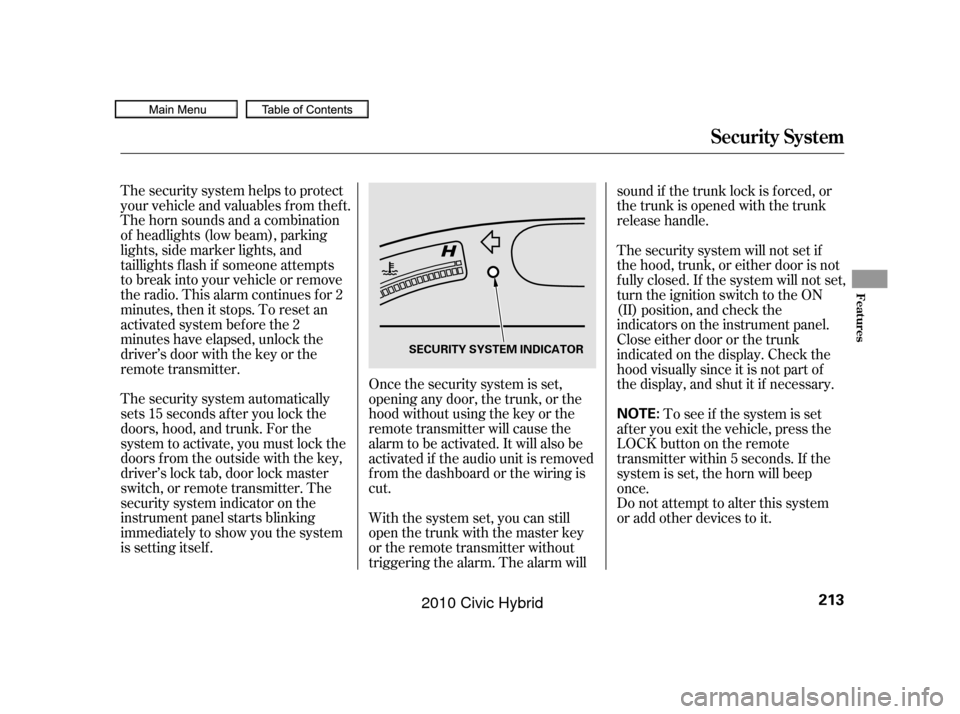
security system indicator on the
instrument panel starts blinking
immediately to show you the system
is setting itself .Once the security system is set,
opening any door, the trunk, or the
hood without using the key or the
remote transmitter will cause the
alarm to be activated. It will also be
activated if the audio unit is removed
f rom the dashboard or the wiring is
cut.
With the system set, you can still
open the trunk with the master key
or the remote transmitter without
triggering the alarm. The alarm willsound if the trunk lock is f orced, or
the trunk is opened with the trunk
release handle.
The security system will not set if
the hood, trunk, or either door is not
f ully closed. If the system will not set,
turn the ignition switch to the ON
(II) position, and check the
indicators on the instrument panel.
Close either door or the trunk
indicatedonthedisplay.Checkthe
hood visually since it is not part of
the display, and shut it if necessary.
To see if the system is set
af ter you exit the vehicle, press the
LOCK button on the remote
transmitter within 5 seconds. If the
system is set, the horn will beep
once.
Do not attempt to alter this system
or add other devices to it.
Security System
Features
213
NOTE:
SECURITY SYSTEM INDICATOR
09/07/15 10:57:49 31SNC640_218
2010 Civic Hybrid
Page 223 of 368
�Ì�Ì�Ì�Ì
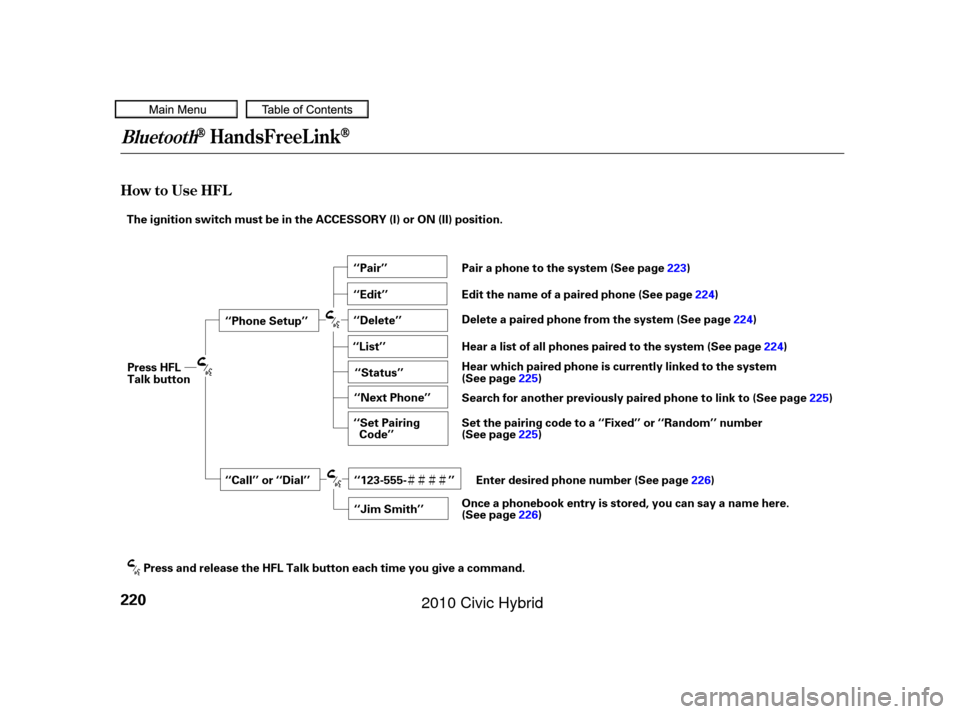
How to Use HFL
BluetoothHandsFreeL ink
220
‘‘Phone Setup’’
‘‘Call’’ or ‘‘Dial’’‘‘Pair’’
‘‘Edit’’
‘‘Delete’’
‘‘Jim Smith’’
‘‘Set Pairing
Code’’
The ignition switch must be in the ACCESSORY (I) or ON (II) position.
‘‘List’’‘‘Status’’
‘‘Next Phone’’
‘‘123-555- ’’
Press HFL
Talk button
Press and release the HFL Talk button each time you give a command. Pair a phone to the system (See page
223)
Edit the name of a paired phone (See page 224)
Delete a paired phone from the system (See page 224)
Hear a list of all phones paired to the system (See page 224)
Hear which paired phone is currently linked to the system
(See page 225)
Search for another previously paired phone to link to (See page 225)
Set the pairing code to a ‘‘Fixed’’ or ‘‘Random’’ number
(See page 225)
Enter desired phone number (See page 226)
Once a phonebook entry is stored, you can say a name here.
(See page 226)
09/07/15 10:58:44 31SNC640_225
2010 Civic Hybrid
Page 229 of 368

You can make calls using any phone
number or a name in the HFL
phonebook. You can also redial the
last number called.Press and release the HFL Talk
button bef ore a command.
Say ‘‘ ’’ or ‘‘ .’’
Follow the HFL prompts and say
the phone number you want to dial.
Follow the HFL prompts to
conf irm the number and say
‘‘ ’’ or ‘‘ .’’
Once connected, you will hear the
person you called through the audio
speakers. Press and release the HFL Talk
button bef ore a command.
Follow the HFL prompts to
conf irm the name and make the
call. Follow the HFL prompts and say
thenamestoredintheHFL
phonebook that you want to call. Say ‘‘ ’’ or ‘‘ .’’
Bluetooth is the wireless technology
that links your phone to HFL. HFL
uses a Class 2 Bluetooth, which
means the maximum range between
yourphoneandvehicleis30feet(10
meters).
During a call, HFL allows you to talk
up to 30 minutes af ter you remove
the key from the ignition switch.
However, this may weaken the
vehicle’s battery. 1.
2.
3.
1.
2.
3.
Making a Call
Call Dial
Call Dial Call Dial
T o make a call using a phone
number: Tomakeacallusinganameinthe
HFL phonebook:
BluetoothHandsFreeL ink
226
09/07/15 10:59:42 31SNC640_231
2010 Civic Hybrid
Page 241 of 368

�Î
�ÎIf you get into the vehicle while you
are on the phone, the call can be
automatically transferred to HFL
with the ignition switch in the
ACCESSORY (I) position.
Press and release the HFL Talk
button bef ore a command.
Say ‘‘ .’’
Press and release the HFL Talk
button bef ore a command.
Say ‘‘ .’’Press and release the HFL Talk
button bef ore a command.
Say ‘‘ .’’
Follow the HFL prompts to
conf irm the number. Follow the HFL prompts and say
the new 4-digit passcode. Say ‘‘ ’’ af ter the
prompts.
The def ault setting is a ring tone.
Follow the HFL prompts and say
‘‘ ’’ or ‘‘ .’’ You
can also say ‘‘ ’’ f or no audible
incoming call notif ication. Say ‘‘
’’ af ter the
prompts.
HFL will let you know if auto
transf er is on or of f , depending on
the previous setting. Follow the
HFL prompts to change the
setting. Say ‘‘’’ af ter the
prompts.
2.
3.
4. 1.
2.
3.
1.
2.
3.
1.
: System setup
System setup
System setup
Change passcode
Ring tone PromptOf f
Call notif ication
Auto transf er
BluetoothHandsFreeL ink
T o change your securit y passcode: T o select eit her a ring t one or a prompt as t he incoming callnotification : To activate or deactivate the auto
transfer function:
238
09/07/15 11:01:50 31SNC640_243
2010 Civic Hybrid
Page 262 of 368
Apply the parking brake.
In cold weather, turn of f all
electrical accessories to reduce
the drain on the battery.In cold weather, the conventional
starter is used instead of the IMA
system starter. This is normal.
Make sure the shif t lever is in
Park. Press on the brake pedal.
Without touching the accelerator
pedal, turn the ignition key to the
START (III) position. Do not hold
the key in the START (III)
position f or more than 15 seconds
at a time. If the engine does not
start right away, pause for at least
10 seconds bef ore trying again.
1.
2.
3.
4.
Starting the Engine
Starting in Cold Weather
Driving
259
The engine is harder to start in cold
weather. Also, the thinner air f ound at
altitudes above 8,000 f eet (2,400
meters) adds to this problem.
T he immobilizer system protects your
vehicle f rom thef t. If an improperly
coded key (or other device) is used, the
engine’s f uel system is disabled. For
more inf ormation, see page .
79
09/07/15 11:04:46 31SNC640_264
2010 Civic Hybrid
Page 263 of 368
Honda’s Continuously Variable
Transmission’s unique design
provides a smooth, constant f low of
power. It is electronically controlled
f or more precise operation and
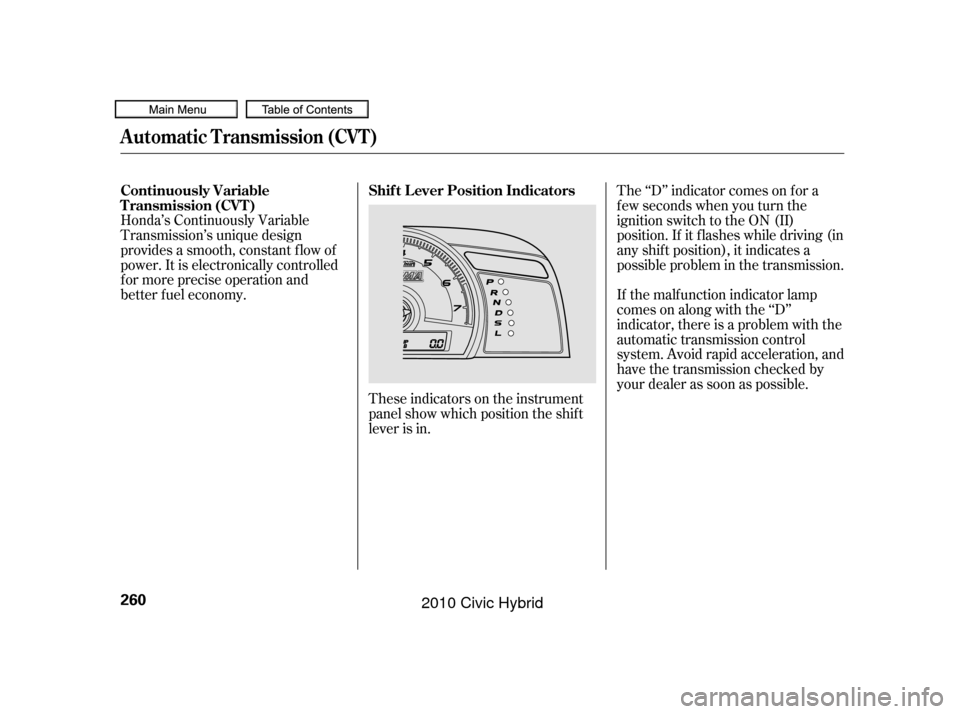
better f uel economy.These indicators on the instrument
panel show which position the shif t
lever is in.The ‘‘D’’ indicator comes on f or a
f ew seconds when you turn the
ignition switch to the ON (II)
position. If it f lashes while driving (in
any shif t position), it indicates a
possible problem in the transmission.
If the malf unction indicator lamp
comes on along with the ‘‘D’’
indicator, there is a problem with the
automatic transmission control
system. Avoid rapid acceleration, and
have the transmission checked by
your dealer as soon as possible.
Continuously Variable
Transmission (CVT)
Shif t L ever Position Indicators
Automatic Transmission (CVT)
260
09/07/15 11:04:51 31SNC640_265
2010 Civic Hybrid
Page 264 of 368
�µ
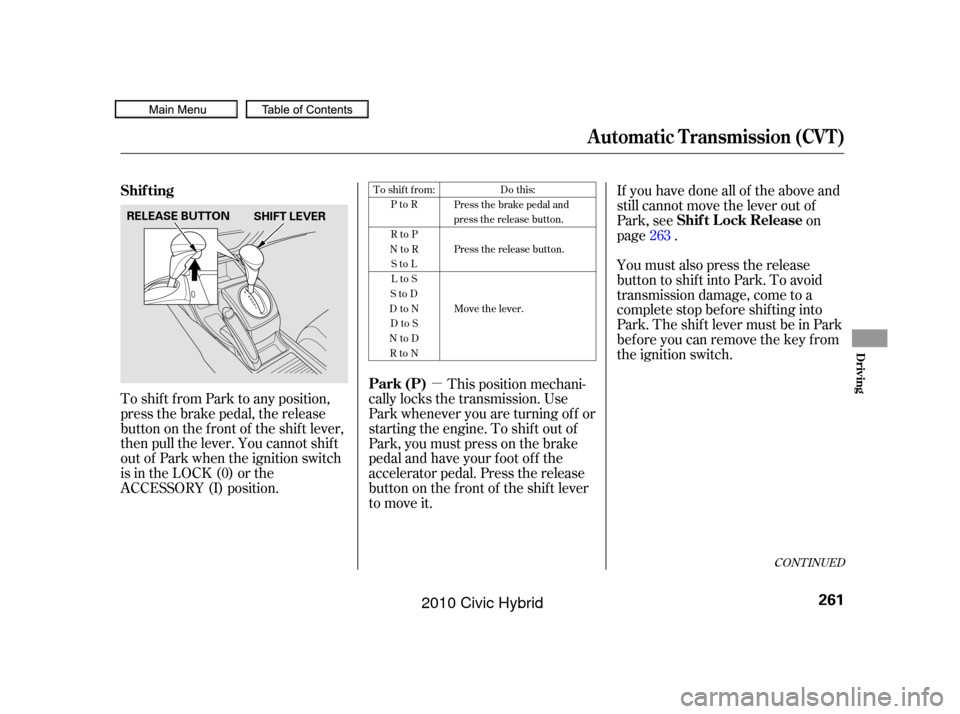
To shif t f rom Park to any position,
press the brake pedal, the release
button on the f ront of the shif t lever,
then pull the lever. You cannot shif t
out of Park when the ignition switch
is in the LOCK (0) or the
ACCESSORY (I) position. This position mechani-
cally locks the transmission. Use
Park whenever you are turning of f or
starting the engine. To shif t out of
Park, you must press on the brake
pedal and have your f oot of f the
accelerator pedal. Press the release
buttononthefrontof theshiftlever
to move it. If you have done all of the above and
still cannot move the lever out of
Park, see
on
page .
You must also press the release
button to shift into Park. To avoid
transmission damage, come to a
complete stop bef ore shif ting into
Park. The shif t lever must be in Park
bef ore you can remove the key f rom
the ignition switch. 263
To shift from:
PtoR
RtoP
NtoR StoL
LtoS
StoD
DtoN DtoS
NtoD RtoN Do this:
Press the brake pedal and
press the release button.
Press the release button.
Move the lever.
CONT INUED
Park (P) Shif t L ock Release
Shif ting
Automatic Transmission (CVT)
Driving
261
SHIFT LEVER
RELEASE BUTTON
09/07/15 11:04:59 31SNC640_266
2010 Civic Hybrid