2010 FORD TRANSIT CONNECT fuel
[x] Cancel search: fuelPage 18 of 258

Engine coolant temperature
gauge:Indicates engine coolant
temperature. At normal operating
temperature, the needle will be in
the normal range.If it enters the
red section, the engine is
overheating. Stop the vehicle as
soon as safely possible, switch
off the engine and let the engine cool.If it enters the red section
and the service engine soon indicator light illuminates, refer toHow fail
safe cooling worksin theMaintenance and Specificationschapter.
WARNING:Never remove the coolant reservoir cap while the
engine is running or hot.
Fuel gauge:Indicates
approximately how much fuel is left
in the fuel tank (when the ignition
is in the on position). The fuel
gauge may vary slightly when the
vehicle is in motion or on a grade.
The symbol of the fuel pump with
the arrow points to the side of the
vehicle that the fuel filler inlet is located.
Refer toFilling the tankin theMaintenance and Specifications
chapter for more information.
Instrument Cluster
18
2010 Transit Connect(tst)
Owners Guide, 3rd Printing
USA(fus)
Page 19 of 258
Information display
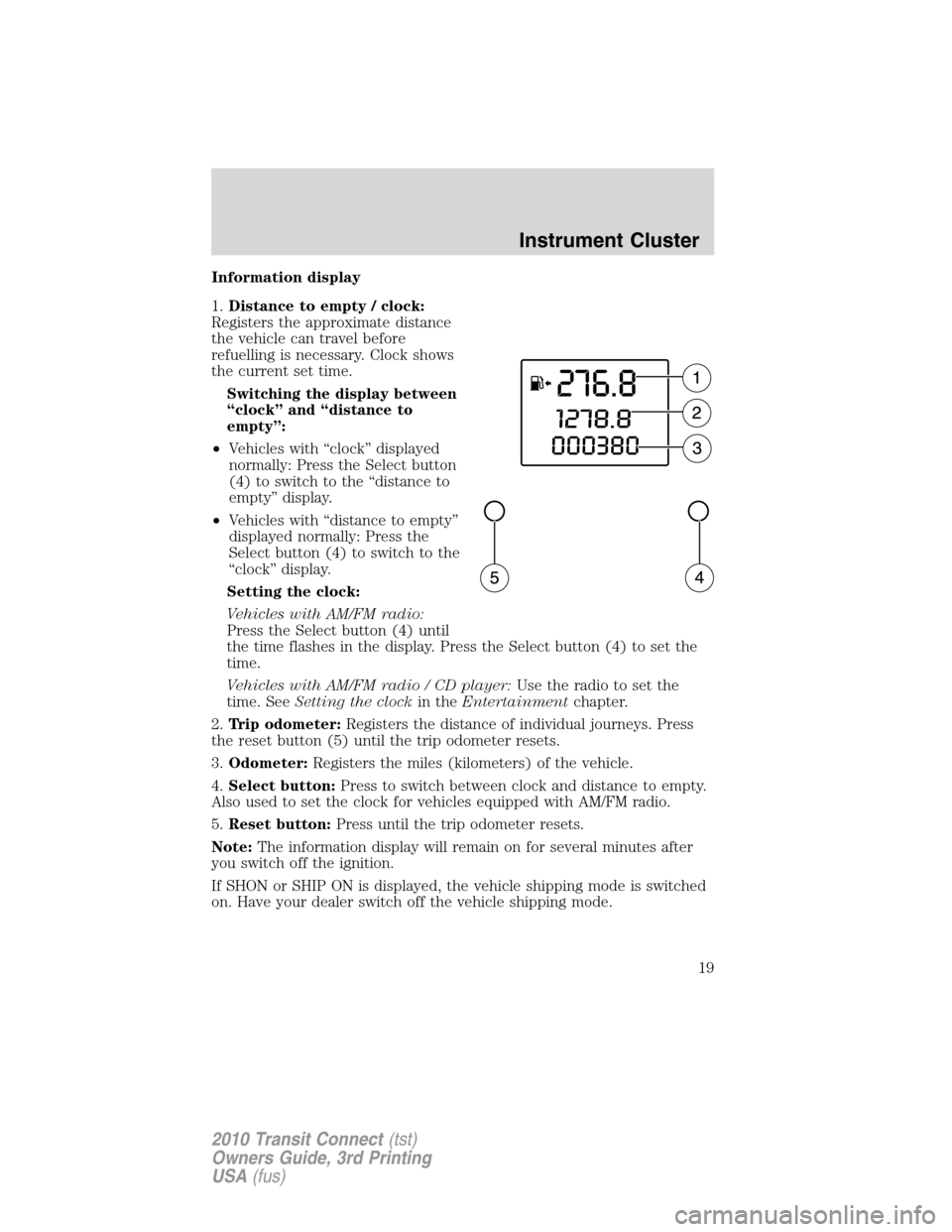
1.Distance to empty / clock:
Registers the approximate distance
the vehicle can travel before
refuelling is necessary. Clock shows
the current set time.
Switching the display between
“clock” and “distance to
empty”:
•Vehicles with “clock” displayed
normally: Press the Select button
(4) to switch to the “distance to
empty” display.
•Vehicles with “distance to empty”
displayed normally: Press the
Select button (4) to switch to the
“clock” display.
Setting the clock:
Vehicles with AM/FM radio:
Press the Select button (4) until
the time flashes in the display. Press the Select button (4) to set the
time.
Vehicles with AM/FM radio / CD player:Use the radio to set the
time. SeeSetting the clockin theEntertainmentchapter.
2.Trip odometer:Registers the distance of individual journeys. Press
the reset button (5) until the trip odometer resets.
3.Odometer:Registers the miles (kilometers) of the vehicle.
4.Select button:Press to switch between clock and distance to empty.
Also used to set the clock for vehicles equipped with AM/FM radio.
5.Reset button:Press until the trip odometer resets.
Note:The information display will remain on for several minutes after
you switch off the ignition.
If SHON or SHIP ON is displayed, the vehicle shipping mode is switched
on. Have your dealer switch off the vehicle shipping mode.
Instrument Cluster
19
2010 Transit Connect(tst)
Owners Guide, 3rd Printing
USA(fus)
Page 63 of 258
OPENING THE SLIDING DOOR
Note: the right-hand sliding door is inhibited from opening fully
when the fuel filler flap is unlocked and open.
REMOTE ENTRY SYSTEM (IF EQUIPPED)
This device complies with part 15 of the FCC rules and with RSS-210 of
Industry Canada. Operation is subject to the following two conditions:
(1) This device may not cause harmful interference, and (2) This device
must accept any interference received, including interference that may
cause undesired operation.
Remote entry receiver certification numbersCountry Part Label/Type Approval Canada SIEMENSVDO 5WK4 7899
IC: 267T - 5WK47899
USA SIEMENSVDO 5WK4 7899
FCC ID: KR55WK47899
Changes or modifications not expressly approved by the party
responsible for compliance could void the user’s authority to
operate the equipment.
The typical operating range for your remote entry transmitter is
approximately 33 feet (10 meters). A decrease in operating range could
be caused by:
• weather conditions,
• nearby radio towers,
• structures around the vehicle, or
• other vehicles parked next to
your vehicle.
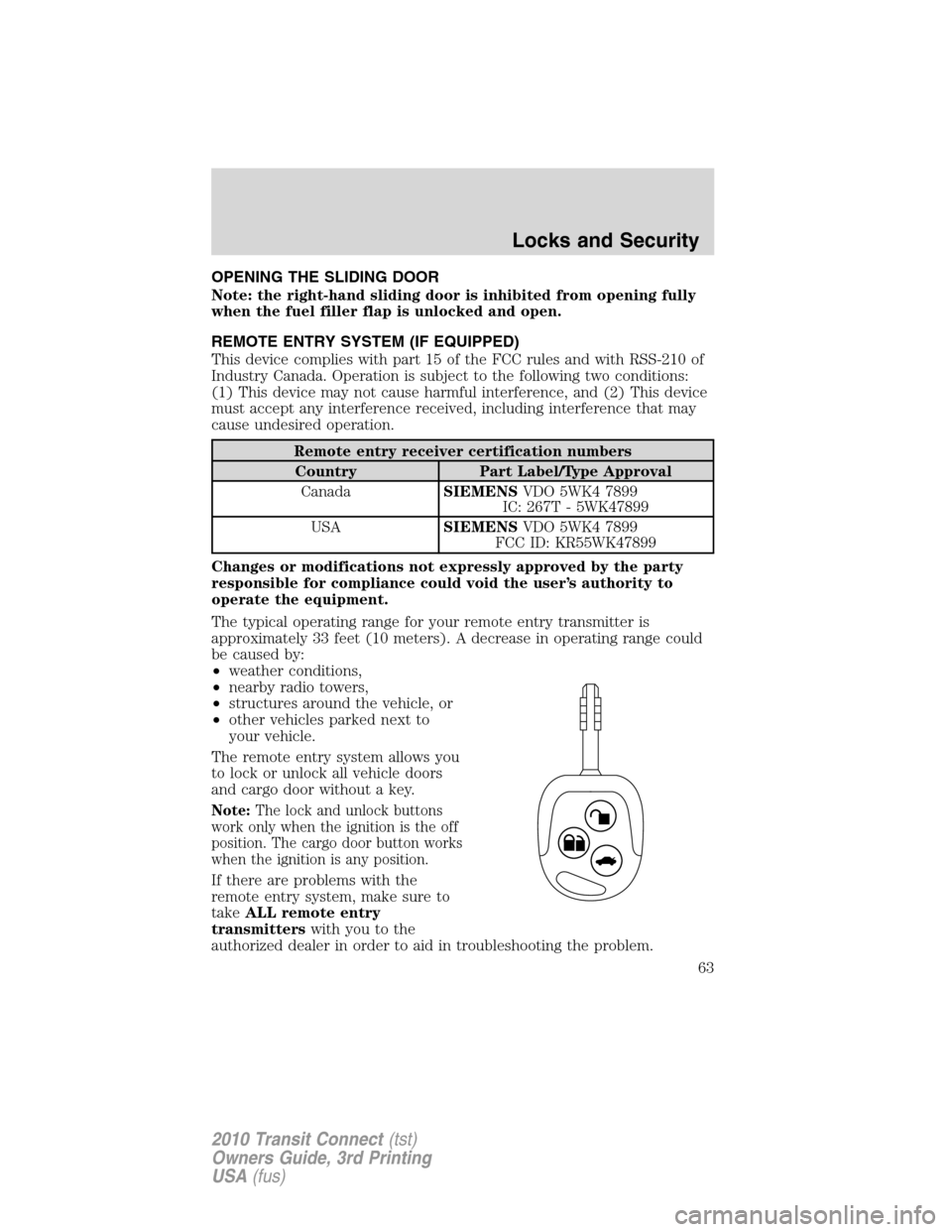
The remote entry system allows you
to lock or unlock all vehicle doors
and cargo door without a key.
Note: The lock and unlock buttons
work only when the ignition is the off
position. The cargo door button works
when the ignition is any position.
If there are problems with the
remote entry system, make sure to
take ALL remote entry
transmitters with you to the
authorized dealer in order to aid in troubleshooting the problem.
Locks and Security
63
2010 Transit Connect (tst)
Owners Guide, 3rd Printing
USA (fus)
Page 141 of 258

vehicle placard or tire inflation pressure label. (If your vehicle has tires
of a different size than the size indicated on the vehicle placard or tire
inflation pressure label, you should determine the proper tire inflation
pressure for those tires.)
As an added safety feature, your vehicle has been equipped with a tire
pressure monitoring system (TPMS) that illuminates a low tire pressure
telltale when one or more of your tires is significantly under-inflated.
Accordingly, when the low tire pressure telltale illuminates, you should
stop and check your tires as soon as possible, and inflate them to the
proper pressure. Driving on a significantly under-inflated tire causes the
tire to overheat and can lead to tire failure. Under-inflation also reduces
fuel efficiency and tire tread life, and may affect the vehicle’s handling
and stopping ability.
Please note that the TPMS is not a substitute for proper tire
maintenance, and it is the driver’s responsibility to maintain correct tire
pressure, even if under-inflation has not reached the level to trigger
illumination of the TPMS low tire pressure telltale.
Your vehicle has also been equipped with a TPMS malfunction indicator
to indicate when the system is not operating properly. The TPMS
malfunction indicator is combined with the low tire pressure telltale.
When the system detects a malfunction, the telltale will flash for
approximately one minute and then remain continuously illuminated.
This sequence will continue upon subsequent vehicle start-ups as long as
the malfunction exists.
When the malfunction indicator is illuminated, the system may not be
able to detect or signal low tire pressure as intended. TPMS malfunctions
may occur for a variety of reasons, including the installation of
replacement or alternate tires or wheels on the vehicle that prevent the
TPMS from functioning properly. Always check the TPMS malfunction
telltale after replacing one or more tires or wheels on your vehicle to
ensure that the replacement or alternate tires and wheels allow the
TPMS to continue to function properly.
The Tire Pressure Monitoring System complies with part 15 of the FCC
rules and with RSS-210 of Industry Canada. Operation is subject to the
following two conditions: (1) This device may not cause harmful
interference, and (2) This device must accept any interference received,
including interference that may cause undesired operation.
Tires, Wheels and Loading
141
2010 Transit Connect(tst)
Owners Guide, 3rd Printing
USA(fus)
Page 148 of 258
VEHICLE LOADING
This section will guide you in the proper loading of your vehicle to keep
your loaded vehicle weight within its design rating capability. Properly
loading your vehicle will provide maximum return of vehicle design
performance. Before loading your vehicle, familiarize yourself with the
following terms for determining your vehicle’s weight ratings from the
vehicle’s Tire Label or Safety Compliance Certification Label:
Base Curb Weight– is the weight of the vehicle including a full tank of
fuel and all standard equipment. It does not include passengers, cargo, or
optional equipment.
Vehicle Curb Weight– is the weight of your new vehicle when you
picked it up from your authorized dealer plus any aftermarket
equipment.
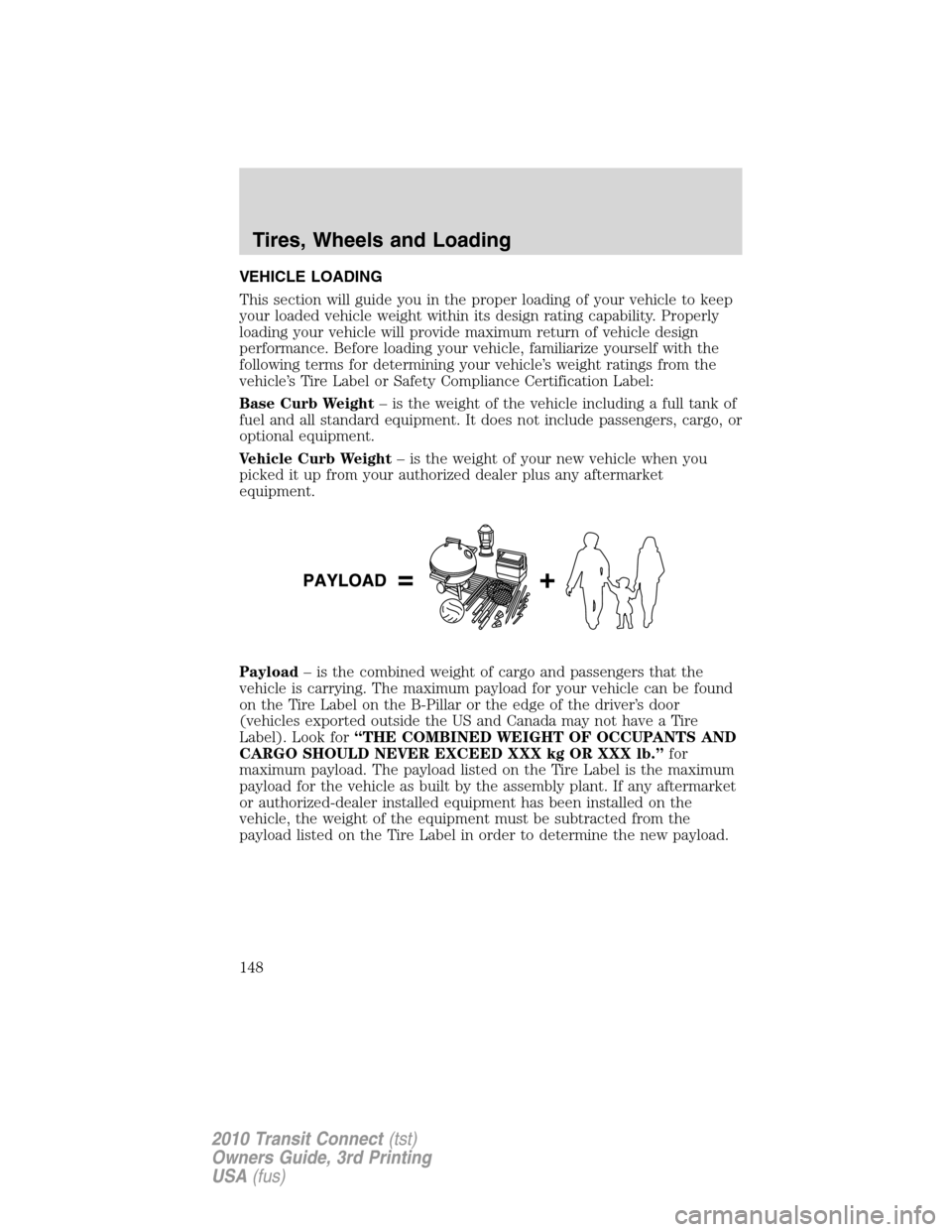
Payload– is the combined weight of cargo and passengers that the
vehicle is carrying. The maximum payload for your vehicle can be found
on the Tire Label on the B-Pillar or the edge of the driver’s door
(vehicles exported outside the US and Canada may not have a Tire
Label). Look for“THE COMBINED WEIGHT OF OCCUPANTS AND
CARGO SHOULD NEVER EXCEED XXX kg OR XXX lb.”for
maximum payload. The payload listed on the Tire Label is the maximum
payload for the vehicle as built by the assembly plant. If any aftermarket
or authorized-dealer installed equipment has been installed on the
vehicle, the weight of the equipment must be subtracted from the
payload listed on the Tire Label in order to determine the new payload.
Tires, Wheels and Loading
148
2010 Transit Connect(tst)
Owners Guide, 3rd Printing
USA(fus)
Page 155 of 258

STARTING
Positions of the ignition
1. 0 (off) — locks the steering
wheel, automatic transmission
gearshift lever and allows key
removal. This position also shuts the
engine and all electrical accessories
off.
2. I (accessory) — allows the
electrical accessories such as the
radio to operate while the engine is not running.
3. II (on) — all electrical circuits operational. Warning lights illuminated.
Key position when driving.
4. III (start) — cranks the engine. Release the key as soon as the engine
starts.
Preparing to start your vehicle
Engine starting is controlled by the powertrain control system.
This system meets all Canadian interference-causing equipment standard
requirements regulating the impulse electrical field strength of radio
noise.
When starting a fuel-injected engine, don’t press the accelerator before
or during starting. Only use the accelerator when you have difficulty
starting the engine. For more information on starting the vehicle, refer to
Starting the enginein this chapter.
WARNING:Extended idling at high engine speeds can produce
very high temperatures in the engine and exhaust system,
creating the risk of fire or other damage.
WARNING:Do not park, idle, or drive your vehicle in dry grass
or other dry ground cover. The emission system heats up the
engine compartment and exhaust system, which can start a fire.
WARNING:Do not start your vehicle in a closed garage or in
other enclosed areas. Exhaust fumes can be toxic. Always open
the garage door before you start the engine. SeeGuarding against
exhaust fumesin this chapter for more instructions.
Driving
155
2010 Transit Connect(tst)
Owners Guide, 3rd Printing
USA(fus)
Page 157 of 258

3. Turn the key to II (on) without
turning the key to III (start).
Some warning lights will briefly illuminate. SeeWarning lights and
chimesin theInstrument Clusterchapter for more information
regarding the warning lights.
Starting the engine
1. Turn the key to II (on) without
turning the key to III (start).
2. Turn the key to III (start), then
release the key as soon as the
engine begins cranking. Your vehicle
has a computer assisted cranking
system that assists in starting the
engine. After releasing the key from
the III (start) position, the engine may continue cranking for up to
10 seconds or until the vehicle starts.
Note:Cranking may be stopped at any time by turning the key to the off
position.
3. After idling for a few seconds, release the parking brake, apply the
brake, shift into gear and drive.
Note:If the engine does not start on the first try, turn the key to the O
(off) position, wait 10 seconds and try Step 2 again. If the engine still
fails to start, press the accelerator to the floor and try Step 2 again,
keeping the accelerator on the floor until the engine begins to accelerate
above cranking speeds; this will allow the engine to crank with the fuel
shut off in case the engine is flooded with fuel.
Driving
157
2010 Transit Connect(tst)
Owners Guide, 3rd Printing
USA(fus)
Page 170 of 258

R (Reverse)
With the gearshift lever in R (Reverse), the vehicle will move backward.
Always come to a complete stop before shifting into and out of R
(Reverse).
N (Neutral)
With the gearshift lever in N (Neutral), the vehicle can be started and is
free to roll. Hold the brake pedal down while in this position.
D (Drive) with Overdrive
The normal driving position for the best fuel economy. Transmission
operates in gears one through four.
D (Drive) without Overdrive
Overdrive can be deactivated by
pressing the transmission control
switch on the side of the gearshift
lever.
•This position allows for all
forward gears (1–3) except
overdrive.
•Provides engine braking.
•Use when driving conditions
cause excessive shifting from O/D
to other gears. Examples: heavy city traffic where continuous shifting
in and out of overdrive occurs, hilly terrain, heavy loads, and when
engine braking is required.
•O/D OFF lamp in the instrument
cluster is illuminated.
•To return to O/D (overdrive
mode), press the transmission
control switch. The O/D OFF lamp in the instrument cluster will not
be illuminated.
•O/D (overdrive) is automatically returned each time the key is turned
off.
2 (Second)
This position allows for second gear only.
•Provides engine braking.
•Use to start-up on slippery roads.
O/D
OFF
Driving
170
2010 Transit Connect(tst)
Owners Guide, 3rd Printing
USA(fus)