2010 FORD SUPER DUTY warning
[x] Cancel search: warningPage 25 of 407
Altering the severity of the operating conditions is recommended to
lower the transmission temperature into the normal range.
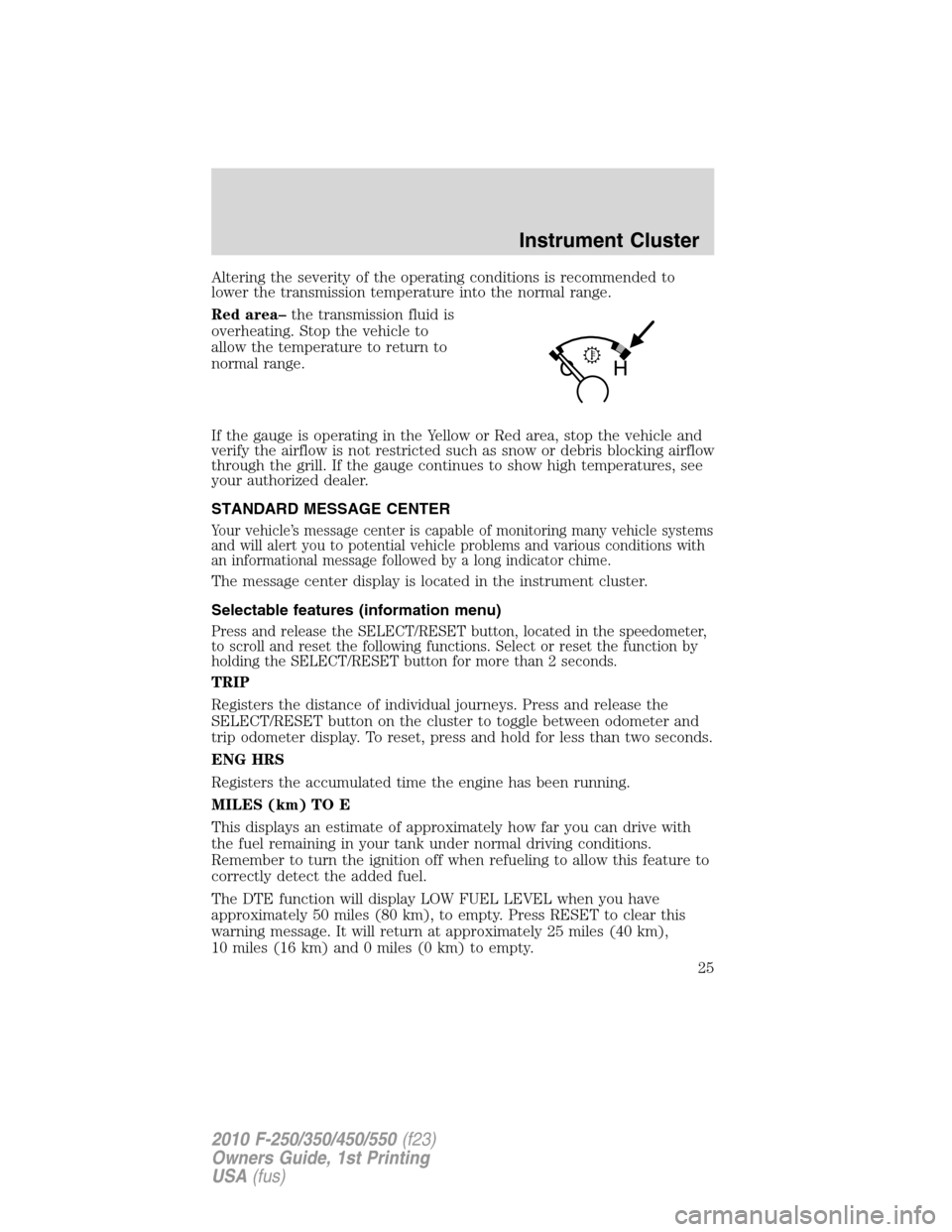
Red area–the transmission fluid is
overheating. Stop the vehicle to
allow the temperature to return to
normal range.
If the gauge is operating in the Yellow or Red area, stop the vehicle and
verify the airflow is not restricted such as snow or debris blocking airflow
through the grill. If the gauge continues to show high temperatures, see
your authorized dealer.
STANDARD MESSAGE CENTER
Your vehicle’s message center is capable of monitoring many vehicle systems
and will alert you to potential vehicle problems and various conditions with
an informational message followed by a long indicator chime.
The message center display is located in the instrument cluster.
Selectable features (information menu)
Press and release the SELECT/RESET button, located in the speedometer,
to scroll and reset the following functions. Select or reset the function by
holding the SELECT/RESET button for more than 2 seconds.
TRIP
Registers the distance of individual journeys. Press and release the
SELECT/RESET button on the cluster to toggle between odometer and
trip odometer display. To reset, press and hold for less than two seconds.
ENG HRS
Registers the accumulated time the engine has been running.
MILES (km) TO E
This displays an estimate of approximately how far you can drive with
the fuel remaining in your tank under normal driving conditions.
Remember to turn the ignition off when refueling to allow this feature to
correctly detect the added fuel.
The DTE function will display LOW FUEL LEVEL when you have
approximately 50 miles (80 km), to empty. Press RESET to clear this
warning message. It will return at approximately 25 miles (40 km),
10 miles (16 km) and 0 miles (0 km) to empty.
Instrument Cluster
25
2010 F-250/350/450/550(f23)
Owners Guide, 1st Printing
USA(fus)
Page 28 of 407
HOLD RESET FOR SYSTEM CHECK
Press and hold the SELECT/RESET button to select SYSTEM CHECK
when HOLD RESET FOR SYSTEM CHECK is displayed in the message
center. For each of the monitored systems, the message center will
indicate either an OK message or a warning message for two seconds.
Pressing the SELECT/RESET button cycles the message center through
each of the systems being monitored.
The sequence of the system check report and how it appears in the
message center is as follows:
1. XXX% OIL LIFE
2. ENGINE HOURS
3. ENGINE IDLE HOURS (Diesel engine only)
4. CHARGING SYSTEM
5. DOOR AJAR
6. BRAKE SYSTEM
7. TBC GAIN = XX.X
NO TRAILER (if equipped and no trailer connected)
8. TBC GAIN = XX.X
OUTPUT = ////// (if equipped and trailer connected)
9. XX MILES TO E FUEL LEVEL XXX
System warnings
System warnings alert you to possible problems or malfunctions in your
vehicle’s operating systems.
In the event of a multiple warning situation, the message center will
cycle the display to show all warnings by displaying each one for four
seconds.
The message center will display the last selected feature if there are no
more warning messages.
Types of messages and warnings:
•Some messages will appear briefly to inform you of something you
may need to take action on or be informed of.
•Some messages will appear once and then again when the vehicle is
restarted.
Instrument Cluster
28
2010 F-250/350/450/550(f23)
Owners Guide, 1st Printing
USA(fus)
Page 30 of 407
LOW TIRE PRESSURE (if equipped)— Displayed when one or more
tires on your vehicle have low tire pressure. Refer toInflating your
tiresin theTires, Wheels and Loadingchapter.
TIRE PRESSURE MONITOR FAULT (if equipped)— Displayed
when the Tire Pressure Monitoring System is malfunctioning. If the
warning stays on or continues to come on, contact your authorized
dealer as soon as possible.
TIRE PRESSURE SENSOR FAULT (if equipped)— Displayed when
a tire pressure sensor is malfunctioning, or your spare tire is in use. For
more information on how the system operates under these conditions,
refer toUnderstanding Your Tire Pressure Monitoring System
(TPMS)in theTires, Wheels and Loadingchapter. If the warning stays
on or continues to come on, contact your authorized dealer as soon as
possible.
ENGINE WARMING PLEASE WAIT XX (Diesel engine only)—
Displayed in extremely cold weather, typically below –15°F (–26°C), if
the engine block heater is not utilized. The engine will not respond to
accelerator pedal movement for 30 seconds; this is done so the engine oil
can be properly circulated to avoid engine damage from lack of
lubrication. A timer will begin a countdown from 30 seconds. Once the
counter has reached 0 (Zero) seconds, OK TO DRIVE will be displayed
and the engine will respond to accelerator pedal movement. Refer to
yourPower Stroke 6.0 and 6.4 Liter Direct Injection Turbo Diesel
Owner’s Guide Supplementfor more information.
OK TO DRIVE (Diesel engine only)— Displayed when the time
counter has reached 0 (zero) and the engine is sufficiently warm enough
to drive in extremely cold weather (refer to the engine warming please
wait message description mentioned previously). Refer to yourPower
Stroke 6.0 and 6.4 Liter Direct Injection Turbo Diesel Owner’s Guide
Supplementfor more information.
DRAIN WATER SEPARATOR (Diesel engine only)— Displayed
when the water separator has reached a predetermined capacity and
needs to be drained. Refer to yourPower Stroke 6.0 and 6.4 Liter
Direct Injection Turbo Diesel Owner’s Guide Supplementfor more
information.
Instrument Cluster
30
2010 F-250/350/450/550(f23)
Owners Guide, 1st Printing
USA(fus)
Page 32 of 407
CLEANING EXHAUST FILTER (Diesel engine only)— Displayed
when the vehicle has entered the cleaning mode. Various engine actions
will raise the exhaust temperature in the Diesel Particulate Filter (DPF)
system to burn off the particles (exhaust soot). After the particles are
burned off, the exhaust temperature will fall back to normal levels. This
message is NORMAL. Refer to yourPower Stroke 6.0 and 6.4 Liter
Direct Injection Turbo Diesel Owner’s Guide Supplementfor more
information.
WARNING:When the CLEANING EXHAUST FILTER message
appears in the message center, do not park near flammable
materials, vapors or structures until filter cleaning is complete.
EXHAUST FILTER DRIVE COMPLETE (Diesel engine only)—
Displayed when the Diesel Particulate Filter (DPF) has been adequately
cleaned after the DRIVE TO CLEAN EXHAUST FILTER followed by
CLEANING EXHAUST FILTER messages have been displayed. This
message is NORMAL. Refer to yourPower Stroke 6.0 and 6.4 Liter
Direct Injection Turbo Diesel Owner’s Guide Supplementfor more
information.
STOP SAFELY NOW (Diesel engine only)— Displayed and a chime
sounds when the vehicle exhaust system temperature exceeds intended
operating range. If this warning occurs, engine power is reduced and the
engine will shut down when the vehicle speed is below 3 mph (5 km/h).
Stop the vehicle as soon as safely possibleand contact your
authorized dealer. Depending on the severity of the over-temperature
condition, the vehicle may not restart after cycling the ignition off. If the
vehicle restarts, there may be limited power. If the exhaust
over-temperature condition reoccurs, the message center will display
STOP SAFELY NOW, the chime will sound, and engine power will be
reduced again and shut down below 3 mph (5km/h). Refer to your
Power Stroke 6.0 and 6.4 Liter Direct Injection Turbo Diesel Owner’s
Guide Supplementfor more information.
OIL LIFE CHANGE SOON (Gas engine only)— Displayed when the
engine oil life remaining is 5% or less.
OIL CHANGE REQUIRED (Gas engine only)— Displayed when the
oil life left reaches 0%. OIL LIFE OK displays after you have changed the
oil.
Instrument Cluster
32
2010 F-250/350/450/550(f23)
Owners Guide, 1st Printing
USA(fus)
Page 33 of 407
OPTIONAL MESSAGE CENTER (IF EQUIPPED)
Your vehicle’s message center is capable of monitoring many vehicle
systems and will alert you to potential vehicle problems and various
conditions with an informational message followed by a long indicator
chime.
The message center display is located in the instrument cluster.
Selectable features
Info (information menu)
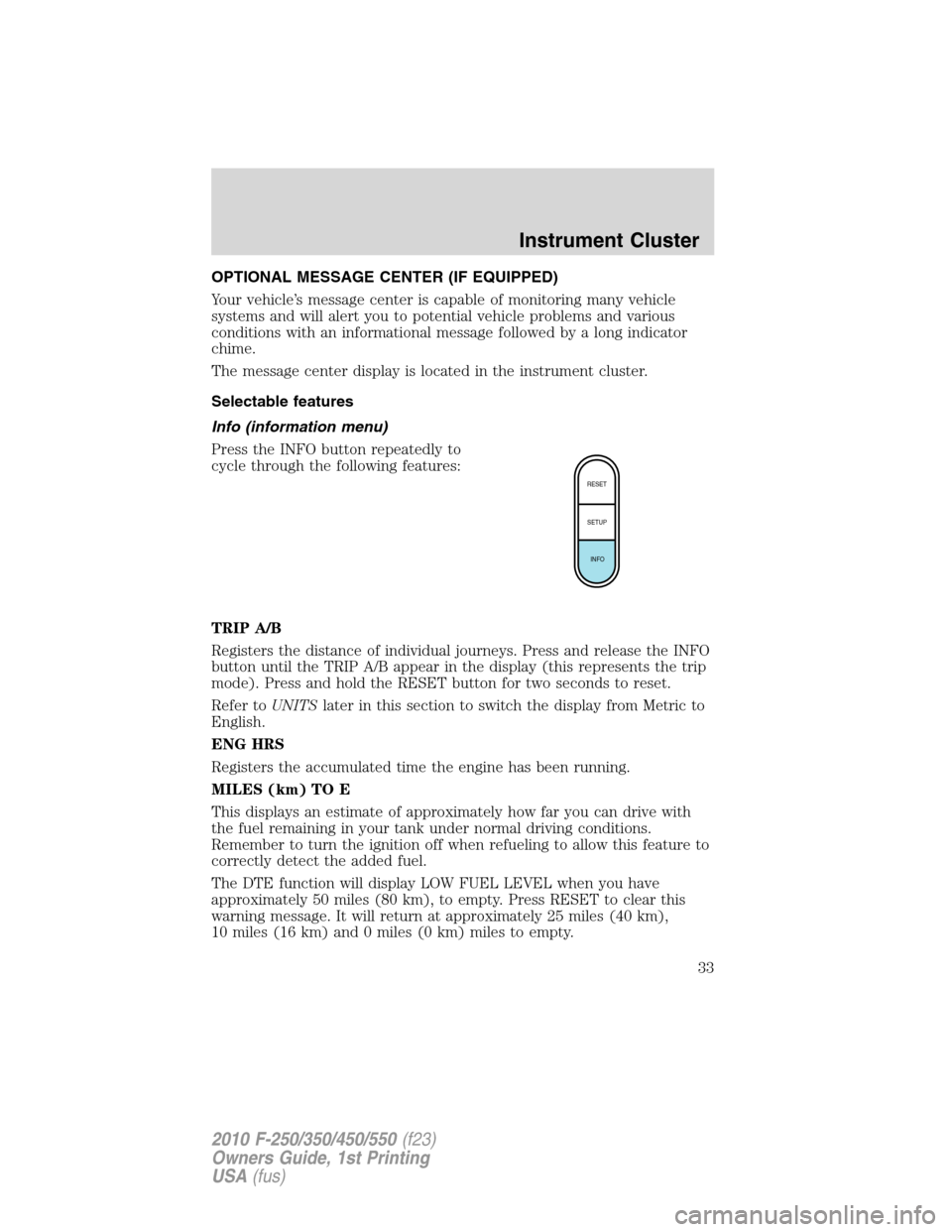
Press the INFO button repeatedly to
cycle through the following features:
TRIP A/B
Registers the distance of individual journeys. Press and release the INFO
button until the TRIP A/B appear in the display (this represents the trip
mode). Press and hold the RESET button for two seconds to reset.
Refer toUNITSlater in this section to switch the display from Metric to
English.
ENG HRS
Registers the accumulated time the engine has been running.
MILES (km) TO E
This displays an estimate of approximately how far you can drive with
the fuel remaining in your tank under normal driving conditions.
Remember to turn the ignition off when refueling to allow this feature to
correctly detect the added fuel.
The DTE function will display LOW FUEL LEVEL when you have
approximately 50 miles (80 km), to empty. Press RESET to clear this
warning message. It will return at approximately 25 miles (40 km),
10 miles (16 km) and 0 miles (0 km) miles to empty.
RESET
SETUP
INFO
Instrument Cluster
33
2010 F-250/350/450/550(f23)
Owners Guide, 1st Printing
USA(fus)
Page 38 of 407
![FORD SUPER DUTY 2010 2.G Owners Manual 8. Slowly drive the vehicle in a circle (less than 3 mph [5 km/h]) until
the CIRCLE SLOWLY TO CALIBRATE display changes to CALIBRATION
COMPLETED. It will take up to five circles to complete calibratio](/manual-img/11/5288/w960_5288-37.png "FORD SUPER DUTY 2010 2.G Owners Manual 8. Slowly drive the vehicle in a circle (less than 3 mph [5 km/h]) until
the CIRCLE SLOWLY TO CALIBRATE display changes to CALIBRATION
COMPLETED. It will take up to five circles to complete calibratio")
8. Slowly drive the vehicle in a circle (less than 3 mph [5 km/h]) until
the CIRCLE SLOWLY TO CALIBRATE display changes to CALIBRATION
COMPLETED. It will take up to five circles to complete calibration.
9. The compass is now calibrated.
Note:If the RESET button is pressed or three minutes has expired, the
display will go back to the INFO menu and will show CAL instead of the
compass heading until the compass is calibrated.
LANGUAGE = ENGLISH / SPANISH / FRENCH
Allows you to choose which language the message center will display in.
Selectable languages are English, Spanish, or French.
Waiting four seconds or pressing the RESET button cycles the message
center through each of the language choices.
Press and hold the RESET button for two seconds to set the language
choice.
System warnings
System warnings alert you to possible problems or malfunctions in your
vehicle’s operating systems.
In the event of a multiple warning situation, the message center will
cycle the display to show all warnings by displaying each one for four
seconds.
The message center will display the last selected feature if there are no
more warning messages.
Types of messages and warnings:
•Some messages will appear briefly to inform you of something you
may need to take action on or be informed of.
•Some messages will appear once and then again when the vehicle is
restarted.
•Some messages will reappear after clearing or being reset if a problem
or condition is still present and needs your attention.
•Some messages can be acknowledged and reset by pressing RESET.
This allows you to use the full message center functionality by clearing
the message.
PARK BRAKE ENGAGED— Displayed when the parking brake is
applied (or not fully released).
CHECK BRAKE SYSTEM— Displayed when a fault has been detected
by the ABS module.
Instrument Cluster
38
2010 F-250/350/450/550(f23)
Owners Guide, 1st Printing
USA(fus)
Page 39 of 407
DRIVER DOOR AJAR— Displayed when the driver’s door is not
completely closed.
PASSENGER DOOR AJAR— Displayed when the passenger’s door is
not completely closed.
REAR LEFT DOOR AJAR— Displayed when the rear left door is not
completely closed.
REAR RIGHT DOOR AJAR— Displayed when the rear right door is
not completely closed.
FUEL LEVEL LOW— Displayed as an early reminder of a low fuel
condition.
WIRING FAULT ON TRAILER (if equipped)— Displayed and
accompanied by a single chime if there are certain faults in the vehicle
wiring and trailer wiring/brake system. Refer toTrailer towingin the
Tires, Wheels and Loadingchapter for more information.
TRAILER BRAKE MODULE FAULT (if equipped)— Displayed and
accompanied by a single chime in response to faults sensed by the TBC.
Refer toTrailer towingin theTires, Wheels and Loadingchapter for
more information.
TRAILER CONNECTED (if equipped)— Displayed when a correct
trailer connection (a trailer with electric trailer brakes) is sensed during
a given ignition cycle. Refer toTrailer towingin theTires, Wheels and
Loadingchapter for more information.
TRAILER DISCONNECTED (if equipped)— Displayed and
accompanied by a single chime when a trailer connection becomes
disconnected, either intentionally or unintentionally, and has been sensed
during a given ignition cycle. Refer toTrailer towingin theTires,
Wheels and Loadingchapter for more information.
BRAKE FLUID LEVEL LOW— Indicates the brake fluid level is low
and the brake system should be inspected immediately. Refer toBrake
fluidin theMaintenance and Specificationschapter.
LOW TIRE PRESSURE (if equipped)— Displayed when one or more
tires on your vehicle have low tire pressure. Refer toInflating your
tiresin theTires, Wheels and Loadingchapter.
TIRE PRESSURE MONITOR FAULT (if equipped)— Displayed
when the Tire Pressure Monitoring System is malfunctioning. If the
warning stays on or continues to come on, contact your authorized
dealer as soon as possible.
Instrument Cluster
39
2010 F-250/350/450/550(f23)
Owners Guide, 1st Printing
USA(fus)
Page 40 of 407
TIRE PRESSURE SENSOR FAULT (if equipped)— Displayed when
a tire pressure sensor is malfunctioning, or your spare tire is in use. For
more information on how the system operates under these conditions,
refer toUnderstanding Your Tire Pressure Monitoring System
(TPMS)in theTires, Wheels and Loadingchapter. If the warning stays
on or continues to come on, contact your authorized dealer as soon as
possible.
ENGINE WARMING PLEASE WAIT XX (Diesel engine only)—
Displayed in extremely cold weather, typically below –15°F (–26°C), if
the engine block heater is not utilized. The engine will not respond to
accelerator pedal movement for 30 seconds; this is done so the engine oil
can be properly circulated to avoid engine damage from lack of
lubrication. A timer will begin a countdown from 30 seconds. Once the
counter has reached 0 (Zero) seconds, OK TO DRIVE will be displayed
and the engine will respond to accelerator pedal movement. Refer to
yourPower Stroke 6.0 and 6.4 Liter Direct Injection Turbo Diesel
Owner’s Guide Supplementfor more information.
OK TO DRIVE (Diesel engine only)— Displayed when the time
counter has reached 0 (zero) and the engine is sufficiently warm enough
to drive in extremely cold weather (refer to the engine warming please
wait message description mentioned previously). Refer to yourPower
Stroke 6.0 and 6.4 Liter Direct Injection Turbo Diesel Owner’s Guide
Supplementfor more information.
DRAIN WATER SEPARATOR (Diesel engine only)— Displayed
when the water separator has reached a predetermined capacity and
needs to be drained. Refer to yourPower Stroke 6.0 and 6.4 Liter
Direct Injection Turbo Diesel Owner’s Guide Supplementfor more
information.
ENGINE TURNS OFF IN XX (Diesel engine only)— Displayed
when the vehicle is in the final 30 seconds of a countdown to where the
engine will intentionally be turned off by the PCM. The diesel engine
shutdown is a (regulatory) requirement which may be required of a
particular diesel vehicle for sale in states requiring this feature. Refer to
yourPower Stroke 6.0 and 6.4 Liter Direct Injection Turbo Diesel
Owner’s Guide Supplementfor more information.
ENGINE TURNED OFF (Diesel engine only)— Displayed after the
30 second countdown. Refer to yourPower Stroke 6.0 and 6.4 Liter
Direct Injection Turbo Diesel Owner’s Guide Supplementfor more
information.
Instrument Cluster
40
2010 F-250/350/450/550(f23)
Owners Guide, 1st Printing
USA(fus)