Page 4 of 16
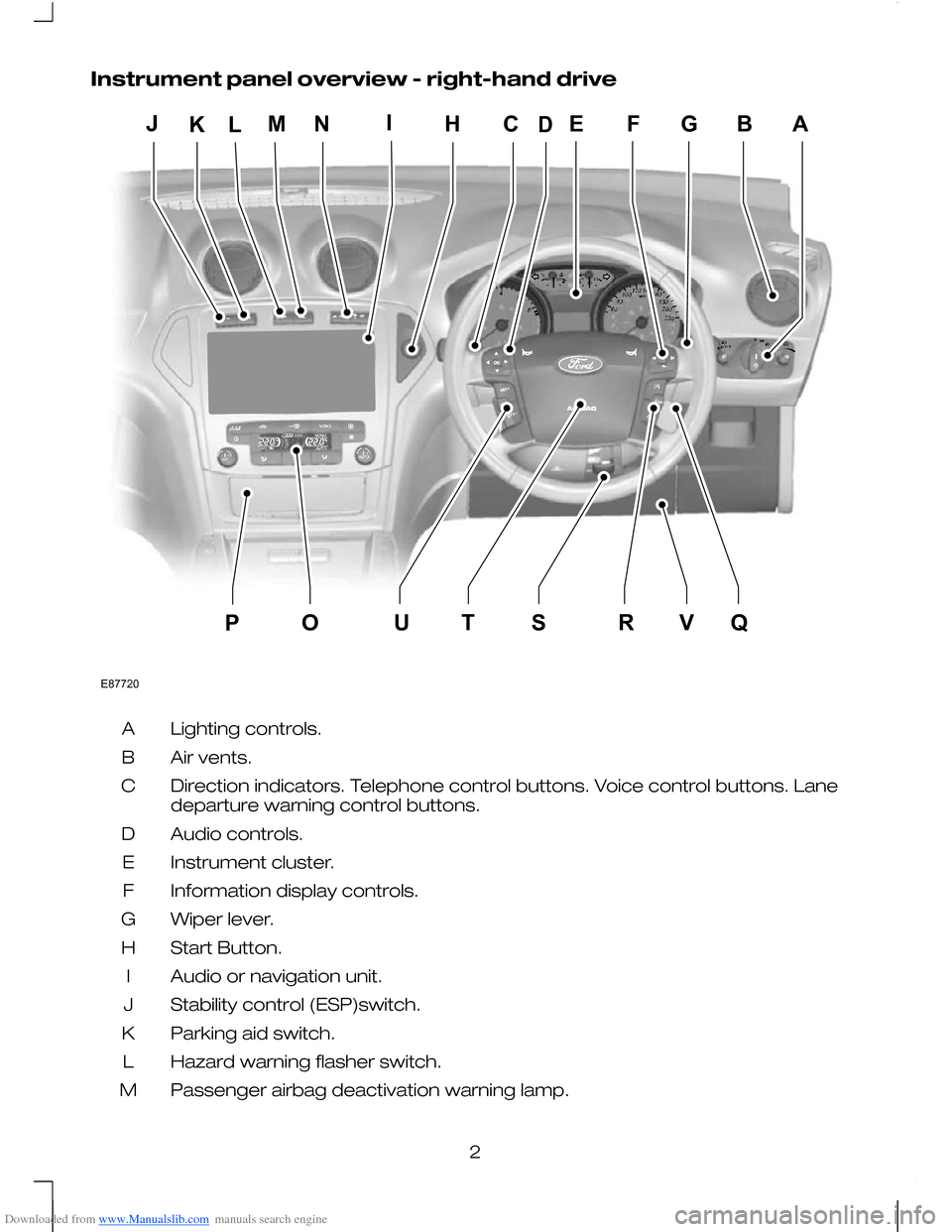
Downloaded from www.Manualslib.com manuals search engine Instrument panel overview - right-hand drive
Lighting controls.
A
Air vents.
B
Direction indicators. Telephone control buttons. Voice control buttons. Lane
departure warning control buttons.
C
Audio controls.
D
Instrument cluster.
E
Information display controls.
F
Wiper lever.
G
Start Button.
H
Audio or navigation unit.
I
Stability control (ESP)switch.
J
Parking aid switch.
K
Hazard warning flasher switch.
L
Passenger airbag deactivation warning lamp.
M
2E87720EFGBAMLHCIOQUTSRVPJKND
Page 5 of 16
Downloaded from www.Manualslib.com manuals search engine Heated windscreen and heated rear window switches.
N
Climate controls.
O
Cigar lighter.
P
Ignition switch.
Q
Cruise control and speed limiter switches. Adaptive cruise control switches.
Speed limiter switches.
R
Steering wheel adjustment lever.
S
Horn.
T
Cruise control and speed limiter switches. Adaptive cruise control switches.
Speed limiter switches.
U
Driver Knee airbag.
V
KEYLESS ENTRY WARNINGS
For all warnings and cautions, refer
to your Owner's handbook.
The keyless entry system may not
function if the key is close to metal
objects or electronic devices such
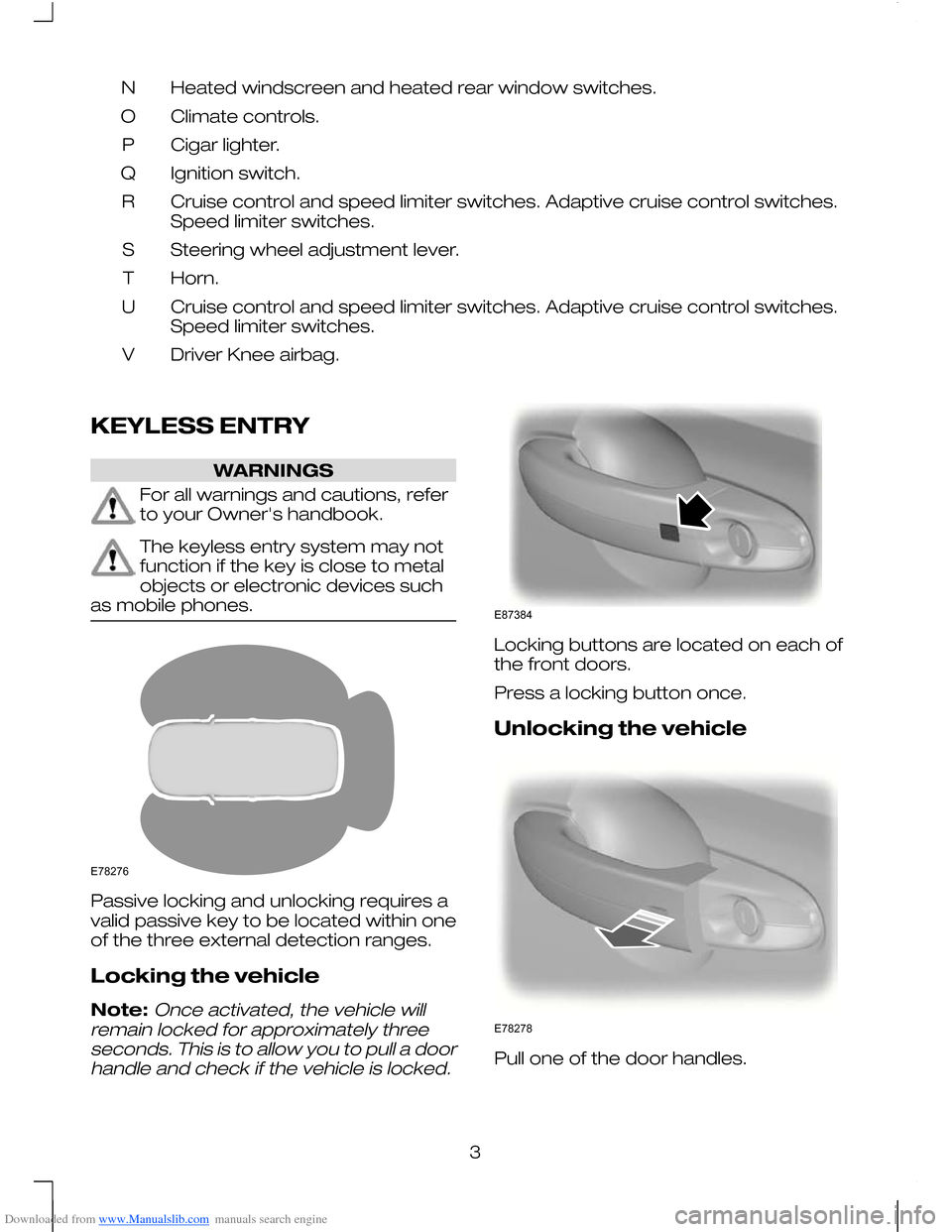
as mobile phones. Passive locking and unlocking requires a
valid passive key to be located within one
of the three external detection ranges.
Locking the vehicle
Note:Once activated, the vehicle will
remain locked for approximately three seconds. This is to allow you to pull a doorhandle and check if the vehicle is locked. Locking buttons are located on each of
the front doors.
Press a locking button once.
Unlocking the vehicle
Pull one of the door handles.
3E78276 E87384 E78278
Page 12 of 16
Downloaded from www.Manualslib.com manuals search engine 2. Adjust the seat and exterior mirrors to
the desired position.
3. Press and hold the desired pre-set button Buntil a single chime sounds
to confirm.
Recalling a stored seat position
Note:To stop seat movement during a
recall, press any driver seat adjustment control, any of the memory buttons or anymirror control switch. Seat movement willalso stop if you move the vehicle.
Passive recall
Note:
If more than one passive key is in
range, the memory function will move to the settings of the first key stored.
When you unlock the vehicle with the
remote control or pull the driver door
handle with a passive key in range, the
seat and mirrors will move to the position
stored on that remote control or passive
key.
Active recall
Press the pre-set button associated with
the desired driving position. The seat and
mirrors will move to the position stored on
that pre-set.
Resetting the memory
If any seat position travel is interrupted (e.g.
an obstacle in the way or loss of power
supply), you will need to reset the memory.
Note:
Make sure all electrical accessories
are switched off.
1. Turn the ignition to position II.
2. Operate the seat adjustment control to move the seat in the required
direction until it stops. A click will be
heard.
3. Release the seat adjustment control and immediately press and hold the
switch in the same direction for at least
3 seconds. Keep it held until the seat
stops at the mechanical end of its
travel and a click is heard.
4. Release the seat adjustment control. 5. Operate the same seat adjustment
control in the opposite direction for at
least 3 seconds. Keep it held until the
seat stops at the mechanical end of its
travel and a click is heard.
KEYLESS STARTING WARNINGS
For all warnings and cautions, refer
to your Owner's handbook.
The keyless starting system may not
function if the key is close to metal
objects or electronic devices such
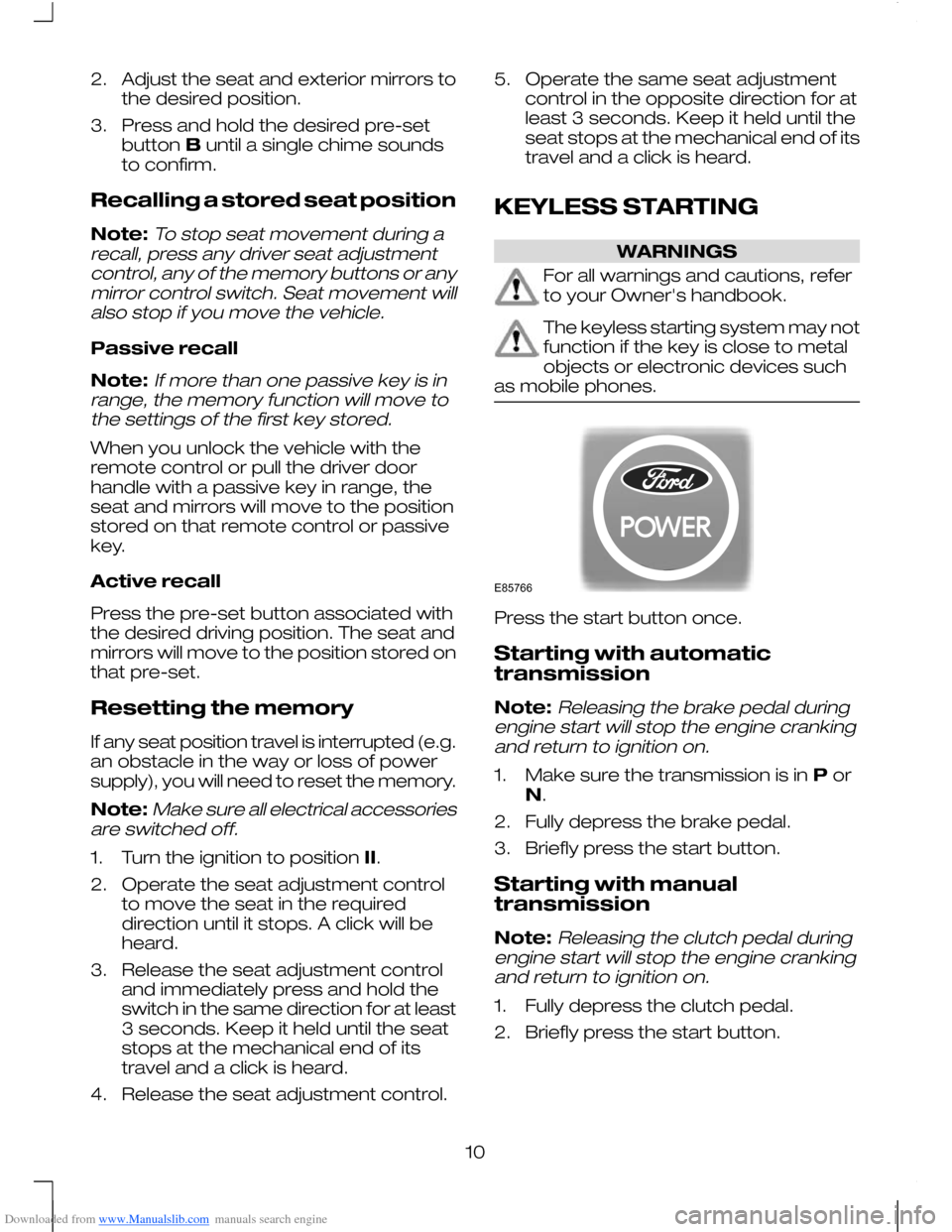
as mobile phones. Press the start button once.
Starting with automatic
transmission
Note:
Releasing the brake pedal during
engine start will stop the engine cranking and return to ignition on.
1. Make sure the transmission is in Por
N.
2. Fully depress the brake pedal.
3. Briefly press the start button.
Starting with manual
transmission
Note:
Releasing the clutch pedal during
engine start will stop the engine cranking and return to ignition on.
1. Fully depress the clutch pedal.
2. Briefly press the start button.
10E85766
Page 16 of 16
Downloaded from www.Manualslib.com manuals search engine •
Green - The system is ready to warn
you if an unintentional lane departure
may occur.
• Red - The vehicle is approaching or is
too close to the detected lane
boundary.
• Grey - Right or left-hand lane boundary
is suppressed.
Instances where a lane boundary may be
suppressed:
• Lane markings on the road may not be
detected by the camera sensor.
• The direction indicator for that side of
the vehicle is on.
• During hard acceleration and braking,
or if direct steering is applied.
• If ABS or Stability Control (ESP) is
active.
• Narrow lane width.
If the dots turn red or a vibration is felt
through the steering wheel you must take
immediate and safe action to align the
vehicle and correct any unintended lane
drift.
BLUETOOTH SETUP
The Bluetooth mobile phone part of the
system provides interaction with the audio
system and your mobile phone. It allows
you to use the audio system to make and
receive calls without having to hold your
mobile phone.
During bonding, if your mobile phone asks
you to authorize the automatic connection,
select YES.
Refer to your Owner's handbook and also
www.ford-mobile-connectivity.com for
details.
14