2010 FORD MONDEO fuel
[x] Cancel search: fuelPage 10 of 16
Downloaded from www.Manualslib.com manuals search engine Close the centre air vents and open the
side air vents.
Direct the side air vents toward the side
windows.
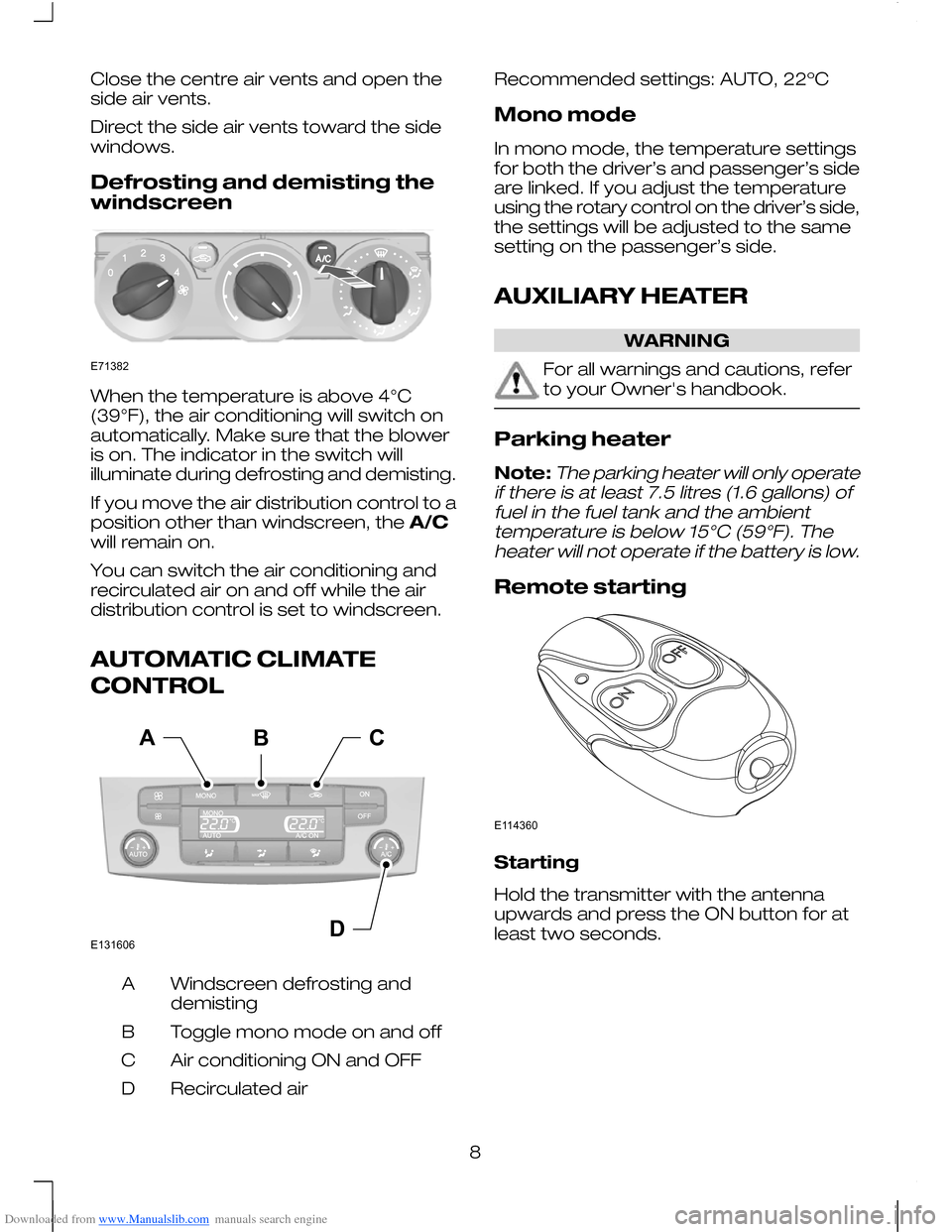
Defrosting and demisting the
windscreen
When the temperature is above 4°C
(39°F), the air conditioning will switch on
automatically. Make sure that the blower
is on. The indicator in the switch will
illuminate during defrosting and demisting.
If you move the air distribution control to a
position other than windscreen, the
A/C
will remain on.
You can switch the air conditioning and
recirculated air on and off while the air
distribution control is set to windscreen.
AUTOMATIC CLIMATE
CONTROL Windscreen defrosting and
demisting
A
Toggle mono mode on and off
B
Air conditioning ON and OFF
C
Recirculated air
D Recommended settings: AUTO, 22ºC
Mono mode
In mono mode, the temperature settings
for both the driver’s and passenger’s side
are linked. If you adjust the temperature
using the rotary control on the driver’s side,
the settings will be adjusted to the same
setting on the passenger’s side.
AUXILIARY HEATER
WARNING
For all warnings and cautions, refer
to your Owner's handbook.
Parking heater
Note:The parking heater will only operate
if there is at least 7.5 litres (1.6 gallons) of fuel in the fuel tank and the ambienttemperature is below 15°C (59°F). Theheater will not operate if the battery is low.
Remote starting Starting
Hold the transmitter with the antenna
upwards and press the ON button for at
least two seconds.
8E71382 E131606DACB E114360
Page 11 of 16
Downloaded from www.Manualslib.com manuals search engine Fuel operated heater
(depending on country)
The fuel operated heater aids in warming
the engine and the vehicle interior on
vehicles with a diesel engine. It is switched
on or off automatically depending on the
outside air temperature and the coolant
temperature, unless you have deactivated
it.
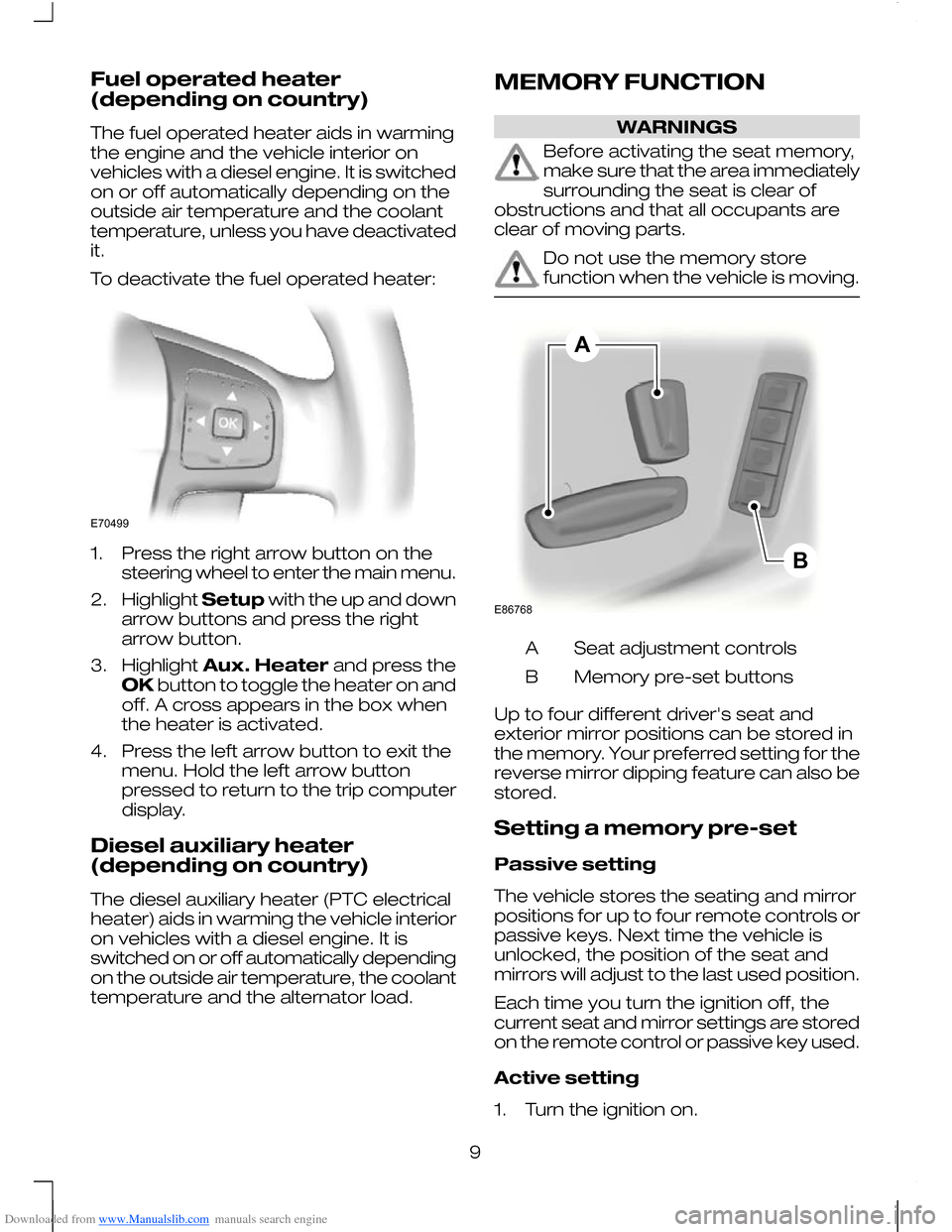
To deactivate the fuel operated heater:
1. Press the right arrow button on the
steering wheel to enter the main menu.
2. Highlight Setupwith the up and down
arrow buttons and press the right
arrow button.
3. Highlight Aux. Heater and press the
OK button to toggle the heater on and
off. A cross appears in the box when
the heater is activated.
4. Press the left arrow button to exit the menu. Hold the left arrow button
pressed to return to the trip computer
display.
Diesel auxiliary heater
(depending on country)
The diesel auxiliary heater (PTC electrical
heater) aids in warming the vehicle interior
on vehicles with a diesel engine. It is
switched on or off automatically depending
on the outside air temperature, the coolant
temperature and the alternator load. MEMORY FUNCTION WARNINGS
Before activating the seat memory,
make sure that the area immediately
surrounding the seat is clear of
obstructions and that all occupants are
clear of moving parts. Do not use the memory store
function when the vehicle is moving.
Seat adjustment controls
A
Memory pre-set buttons
B
Up to four different driver's seat and
exterior mirror positions can be stored in
the memory. Your preferred setting for the
reverse mirror dipping feature can also be
stored.
Setting a memory pre-set
Passive setting
The vehicle stores the seating and mirror
positions for up to four remote controls or
passive keys. Next time the vehicle is
unlocked, the position of the seat and
mirrors will adjust to the last used position.
Each time you turn the ignition off, the
current seat and mirror settings are stored
on the remote control or passive key used.
Active setting
1. Turn the ignition on.
9E70499 ABE86768
Page 13 of 16
Downloaded from www.Manualslib.com manuals search engine Stopping the engine when the
vehicle is moving
WARNING
Switching off the engine when the
vehicle is still moving will result in a
loss of brake and steering
assistance. The steering will not be locked,
but higher effort will be required. When the
ignition is switched off some electrical
circuits, warning lamps and indicators may
also be OFF. Press and hold the start button for two
seconds, or press three times within three
seconds.
ECO MODE
The system assists the driver to drive more
efficiently by constantly monitoring
characteristics of gear changing,
anticipation of traffic conditions and
speeds on motorways and open roads.
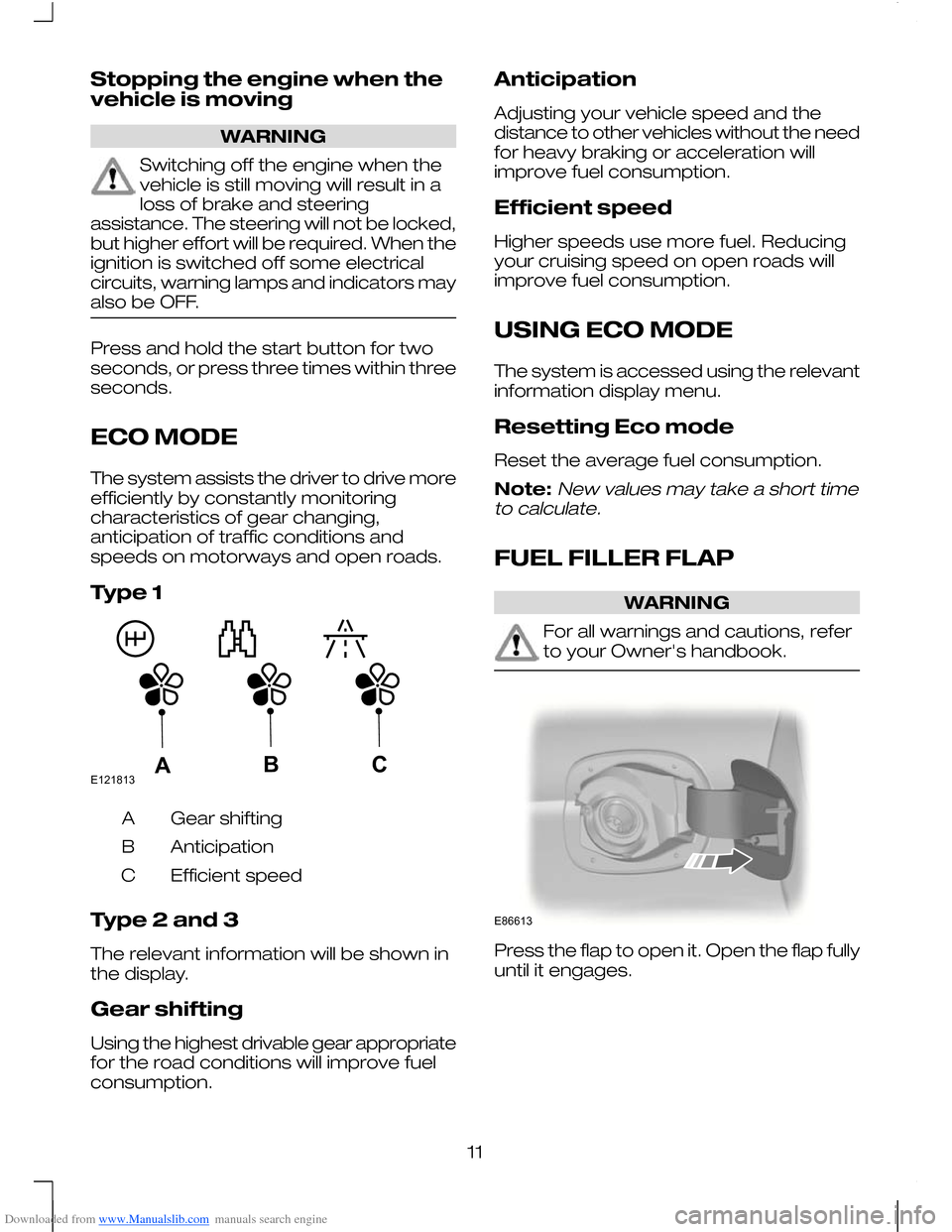
Type 1
Gear shifting
A
Anticipation
B
Efficient speed
C
Type 2 and 3
The relevant information will be shown in
the display.
Gear shifting
Using the highest drivable gear appropriate
for the road conditions will improve fuel
consumption. Anticipation
Adjusting your vehicle speed and the
distance to other vehicles without the need
for heavy braking or acceleration will
improve fuel consumption.
Efficient speed
Higher speeds use more fuel. Reducing
your cruising speed on open roads will
improve fuel consumption.
USING ECO MODE
The system is accessed using the relevant
information display menu.
Resetting Eco mode
Reset the average fuel consumption.
Note:New values may take a short time
to calculate.
FUEL FILLER FLAP WARNING
For all warnings and cautions, refer
to your Owner's handbook.
Press the flap to open it. Open the flap fully
until it engages.
11E121813ABC E86613
Page 14 of 16
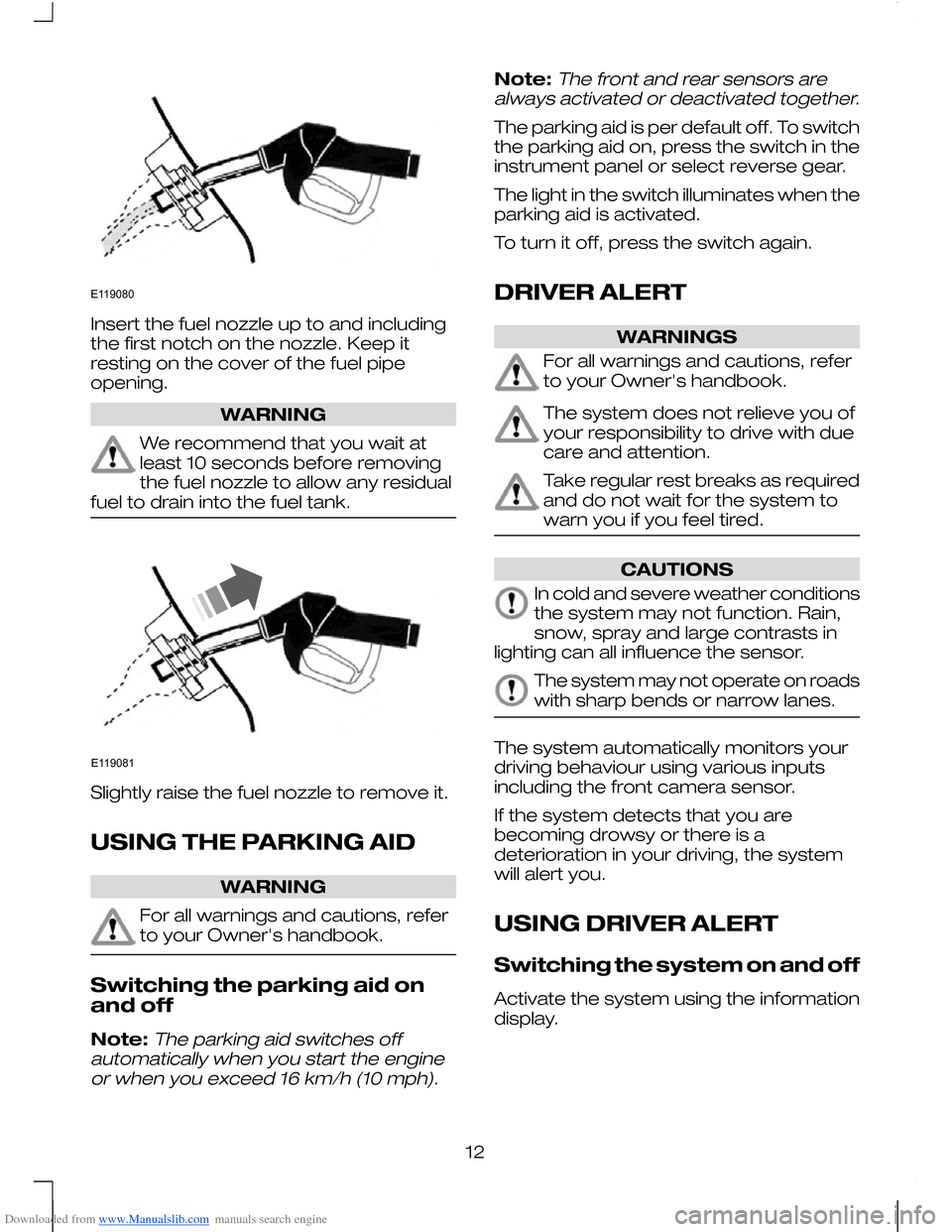
Downloaded from www.Manualslib.com manuals search engine Insert the fuel nozzle up to and including
the first notch on the nozzle. Keep it
resting on the cover of the fuel pipe
opening.
WARNING
We recommend that you wait at
least 10 seconds before removing
the fuel nozzle to allow any residual
fuel to drain into the fuel tank. Slightly raise the fuel nozzle to remove it.
USING THE PARKING AID
WARNING
For all warnings and cautions, refer
to your Owner's handbook.
Switching the parking aid on
and off
Note:The parking aid switches off
automatically when you start the engine or when you exceed 16 km/h (10 mph).
Note:The front and rear sensors are
always activated or deactivated together.
The parking aid is per default off. To switch
the parking aid on, press the switch in the
instrument panel or select reverse gear.
The light in the switch illuminates when the
parking aid is activated.
To turn it off, press the switch again.
DRIVER ALERT WARNINGS
For all warnings and cautions, refer
to your Owner's handbook.
The system does not relieve you of
your responsibility to drive with due
care and attention.
Take regular rest breaks as required
and do not wait for the system to
warn you if you feel tired.
CAUTIONS
In cold and severe weather conditions
the system may not function. Rain,
snow, spray and large contrasts in
lighting can all influence the sensor. The system may not operate on roads
with sharp bends or narrow lanes.
The system automatically monitors your
driving behaviour using various inputs
including the front camera sensor.
If the system detects that you are
becoming drowsy or there is a
deterioration in your driving, the system
will alert you.
USING DRIVER ALERT
Switching the system on and off
Activate the system using the information
display.
12E119080 E119081