Page 108 of 419
For questions or comments, contact HomeLink�atwww.homelink.com
or1–800–355–3515.
Car2U�Home Automation System (if equipped)
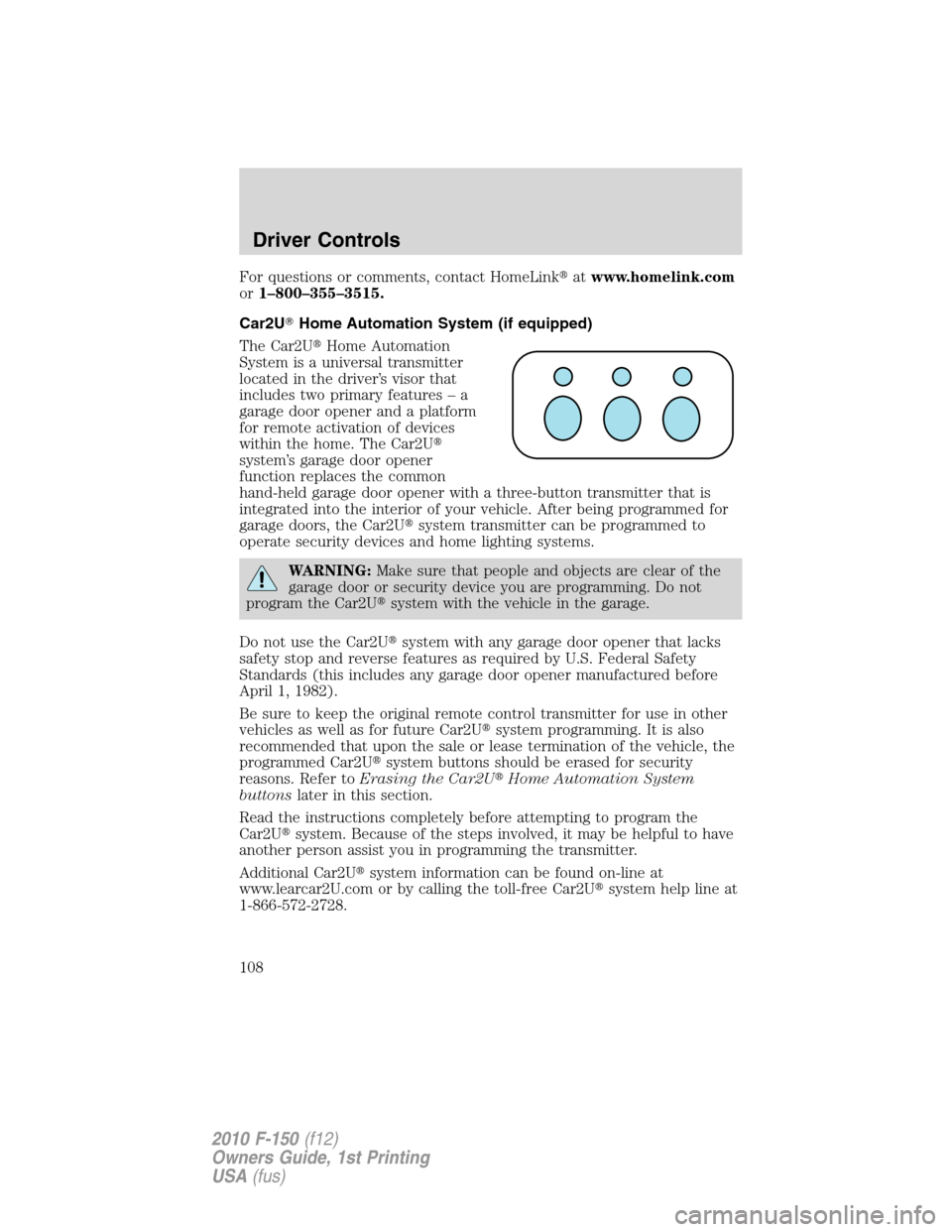
The Car2U�Home Automation
System is a universal transmitter
located in the driver’s visor that
includes two primary features – a
garage door opener and a platform
for remote activation of devices
within the home. The Car2U�
system’s garage door opener
function replaces the common
hand-held garage door opener with a three-button transmitter that is
integrated into the interior of your vehicle. After being programmed for
garage doors, the Car2U�system transmitter can be programmed to
operate security devices and home lighting systems.
WARNING:Make sure that people and objects are clear of the
garage door or security device you are programming. Do not
program the Car2U�system with the vehicle in the garage.
Do not use the Car2U�system with any garage door opener that lacks
safety stop and reverse features as required by U.S. Federal Safety
Standards (this includes any garage door opener manufactured before
April 1, 1982).
Be sure to keep the original remote control transmitter for use in other
vehicles as well as for future Car2U�system programming. It is also
recommended that upon the sale or lease termination of the vehicle, the
programmed Car2U�system buttons should be erased for security
reasons. Refer toErasing the Car2U�Home Automation System
buttonslater in this section.
Read the instructions completely before attempting to program the
Car2U�system. Because of the steps involved, it may be helpful to have
another person assist you in programming the transmitter.
Additional Car2U�system information can be found on-line at
www.learcar2U.com or by calling the toll-free Car2U�system help line at
1-866-572-2728.
Driver Controls
108
2010 F-150(f12)
Owners Guide, 1st Printing
USA(fus)
Page 110 of 419
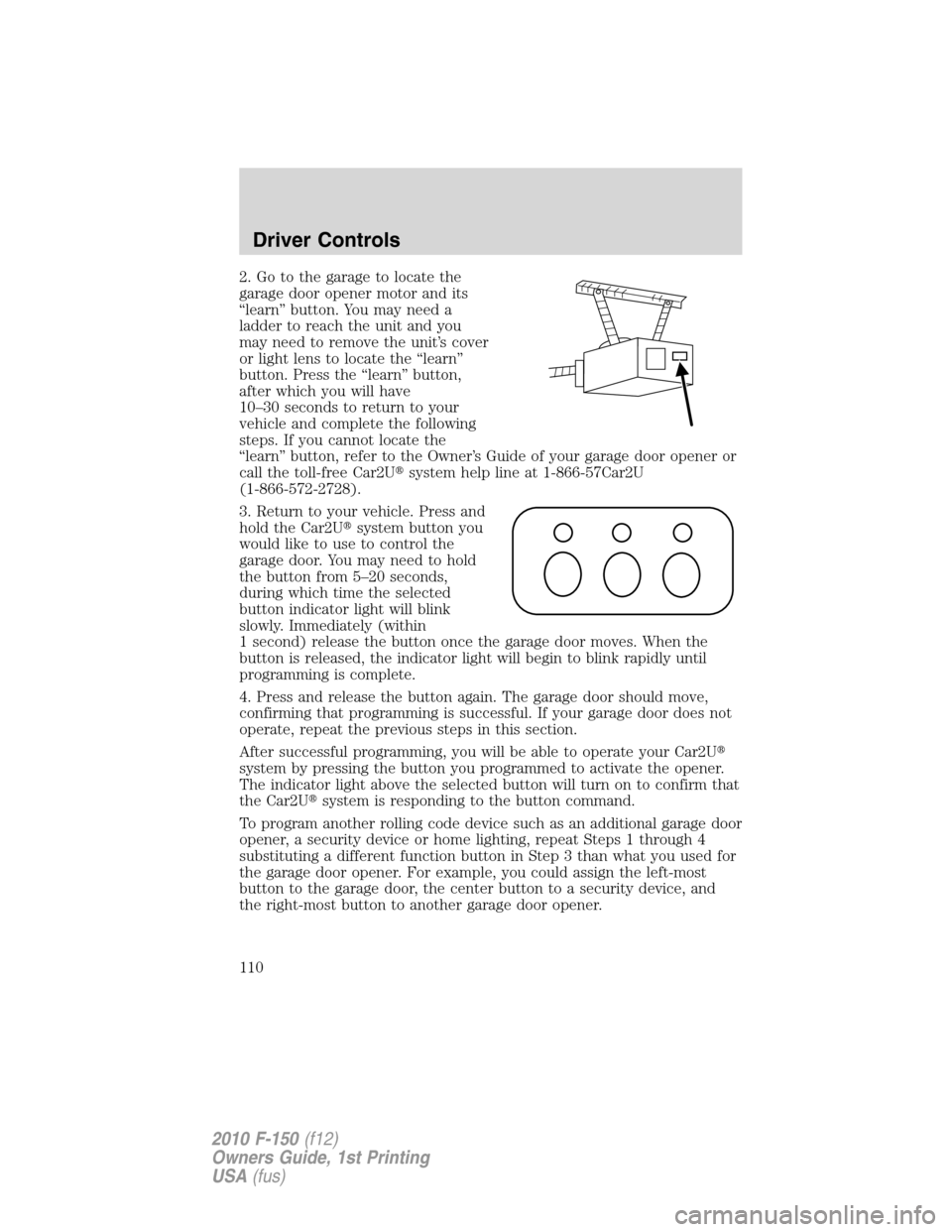
2. Go to the garage to locate the
garage door opener motor and its
“learn” button. You may need a
ladder to reach the unit and you
may need to remove the unit’s cover
or light lens to locate the “learn”
button. Press the “learn” button,
after which you will have
10–30 seconds to return to your
vehicle and complete the following
steps. If you cannot locate the
“learn” button, refer to the Owner’s Guide of your garage door opener or
call the toll-free Car2U�system help line at 1-866-57Car2U
(1-866-572-2728).
3. Return to your vehicle. Press and
hold the Car2U�system button you
would like to use to control the
garage door. You may need to hold
the button from 5–20 seconds,
during which time the selected
button indicator light will blink
slowly. Immediately (within
1 second) release the button once the garage door moves. When the
button is released, the indicator light will begin to blink rapidly until
programming is complete.
4. Press and release the button again. The garage door should move,
confirming that programming is successful. If your garage door does not
operate, repeat the previous steps in this section.
After successful programming, you will be able to operate your Car2U�
system by pressing the button you programmed to activate the opener.
The indicator light above the selected button will turn on to confirm that
the Car2U�system is responding to the button command.
To program another rolling code device such as an additional garage door
opener, a security device or home lighting, repeat Steps 1 through 4
substituting a different function button in Step 3 than what you used for
the garage door opener. For example, you could assign the left-most
button to the garage door, the center button to a security device, and
the right-most button to another garage door opener.
Driver Controls
110
2010 F-150(f12)
Owners Guide, 1st Printing
USA(fus)
Page 113 of 419
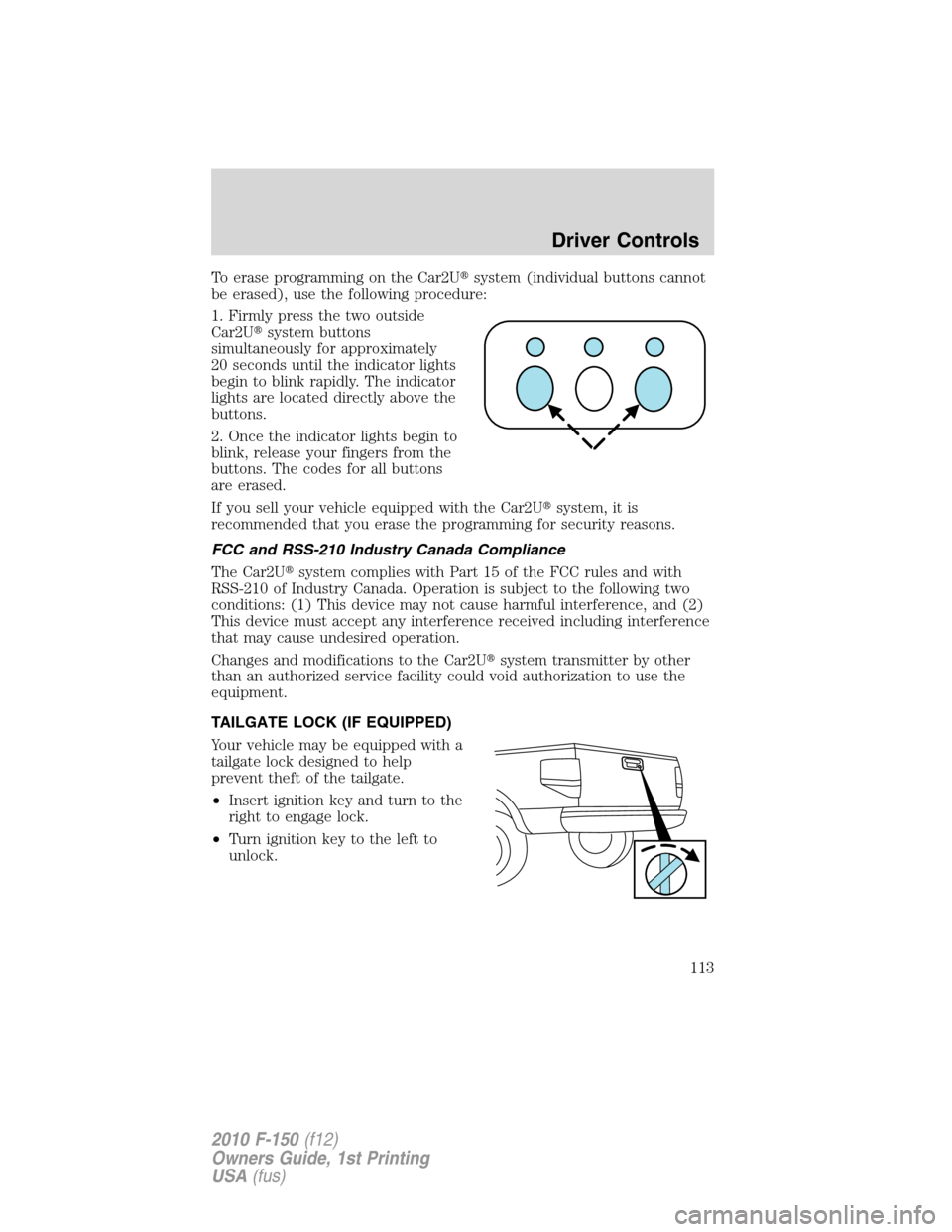
To erase programming on the Car2U�system (individual buttons cannot
be erased), use the following procedure:
1. Firmly press the two outside
Car2U�system buttons
simultaneously for approximately
20 seconds until the indicator lights
begin to blink rapidly. The indicator
lights are located directly above the
buttons.
2. Once the indicator lights begin to
blink, release your fingers from the
buttons. The codes for all buttons
are erased.
If you sell your vehicle equipped with the Car2U�system, it is
recommended that you erase the programming for security reasons.
FCC and RSS-210 Industry Canada Compliance
The Car2U�system complies with Part 15 of the FCC rules and with
RSS-210 of Industry Canada. Operation is subject to the following two
conditions: (1) This device may not cause harmful interference, and (2)
This device must accept any interference received including interference
that may cause undesired operation.
Changes and modifications to the Car2U�system transmitter by other
than an authorized service facility could void authorization to use the
equipment.
TAILGATE LOCK (IF EQUIPPED)
Your vehicle may be equipped with a
tailgate lock designed to help
prevent theft of the tailgate.
•Insert ignition key and turn to the
right to engage lock.
•Turn ignition key to the left to
unlock.
Driver Controls
113
2010 F-150(f12)
Owners Guide, 1st Printing
USA(fus)
Page 114 of 419
Tailgate removal
Your tailgate is removable to allow more room for loading.
WARNING:Always properly secure cargo to prevent shifting
cargo or cargo falling from vehicle, which could result in
compromised vehicle stability and serious personal injury to vehicle
occupants or others.
Note:If equipped with a rearview camera system (RCS), do Steps 1
through 3 before removing the tailgate.
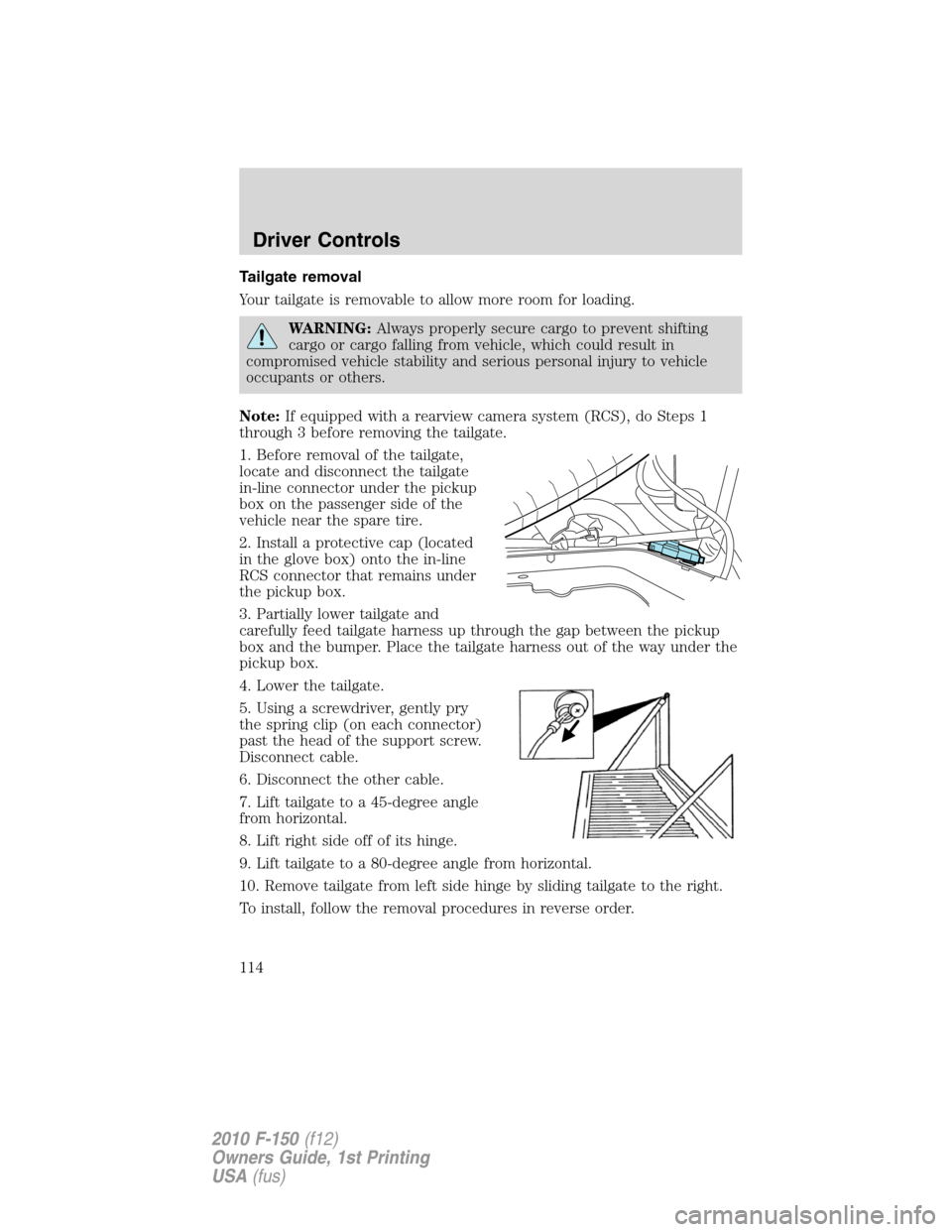
1. Before removal of the tailgate,
locate and disconnect the tailgate
in-line connector under the pickup
box on the passenger side of the
vehicle near the spare tire.
2. Install a protective cap (located
in the glove box) onto the in-line
RCS connector that remains under
the pickup box.
3. Partially lower tailgate and
carefully feed tailgate harness up through the gap between the pickup
box and the bumper. Place the tailgate harness out of the way under the
pickup box.
4. Lower the tailgate.
5. Using a screwdriver, gently pry
the spring clip (on each connector)
past the head of the support screw.
Disconnect cable.
6. Disconnect the other cable.
7. Lift tailgate to a 45-degree angle
from horizontal.
8. Lift right side off of its hinge.
9. Lift tailgate to a 80-degree angle from horizontal.
10. Remove tailgate from left side hinge by sliding tailgate to the right.
To install, follow the removal procedures in reverse order.
Driver Controls
114
2010 F-150(f12)
Owners Guide, 1st Printing
USA(fus)
Page 118 of 419
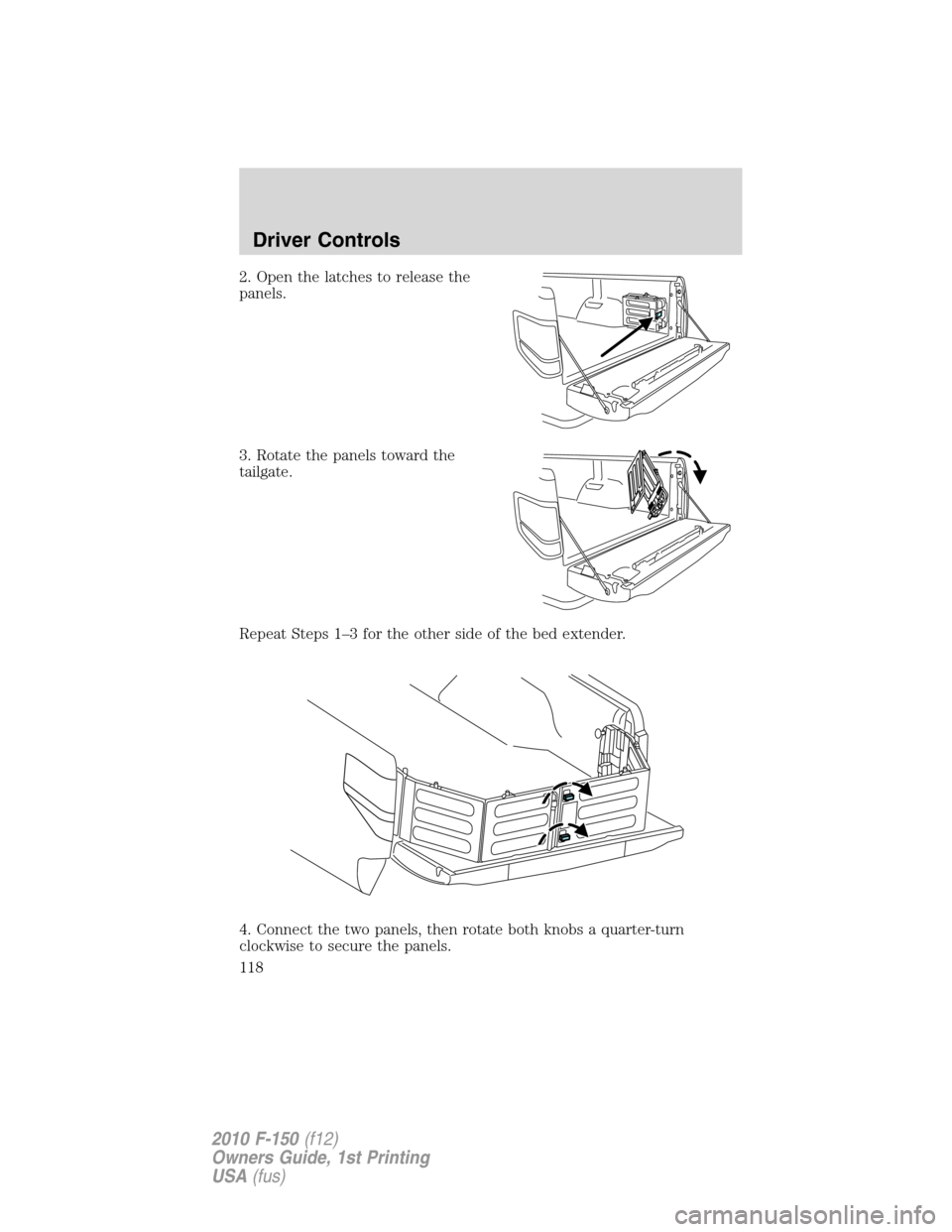
2. Open the latches to release the
panels.
3. Rotate the panels toward the
tailgate.
Repeat Steps 1–3 for the other side of the bed extender.
4. Connect the two panels, then rotate both knobs a quarter-turn
clockwise to secure the panels.
Driver Controls
118
2010 F-150(f12)
Owners Guide, 1st Printing
USA(fus)
Page 119 of 419
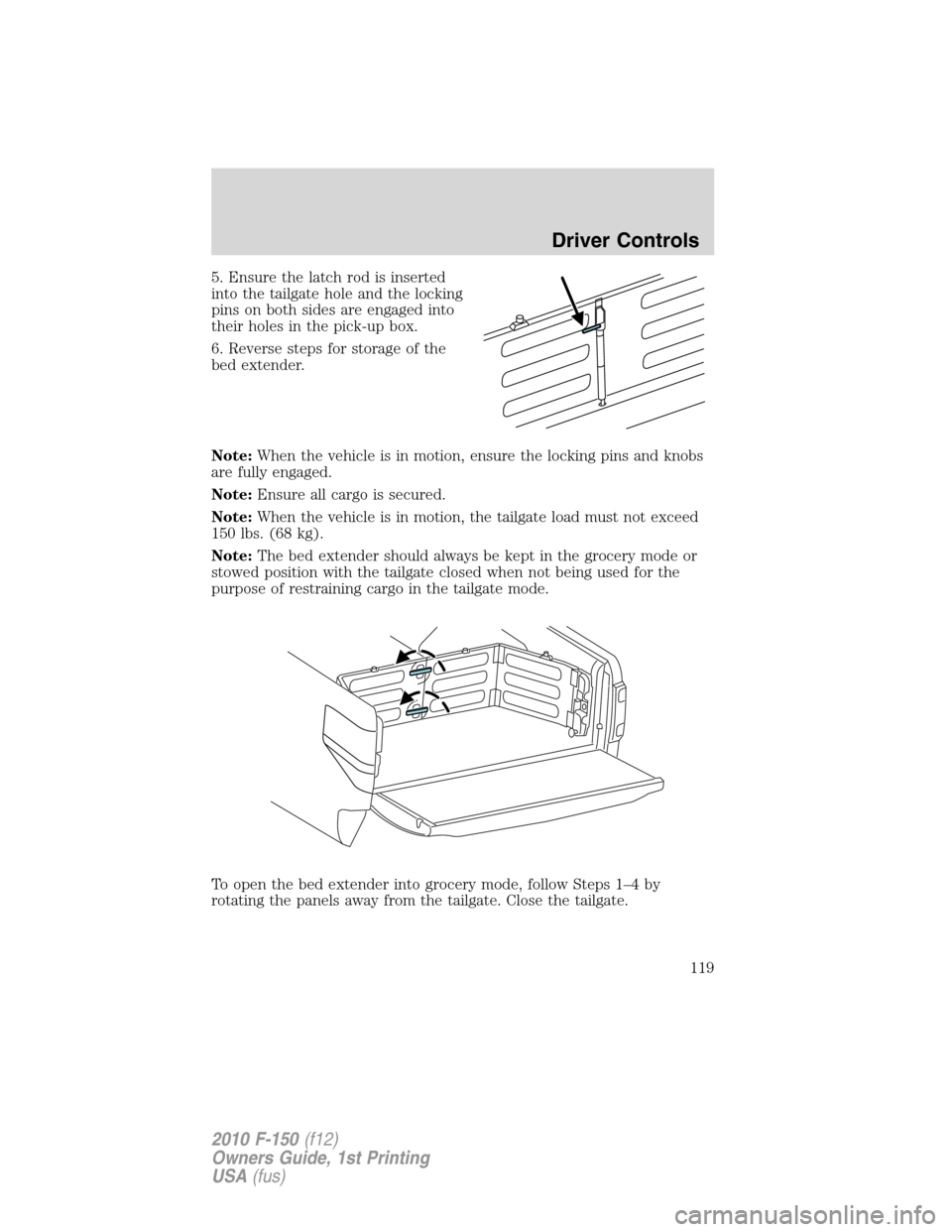
5. Ensure the latch rod is inserted
into the tailgate hole and the locking
pins on both sides are engaged into
their holes in the pick-up box.
6. Reverse steps for storage of the
bed extender.
Note:When the vehicle is in motion, ensure the locking pins and knobs
are fully engaged.
Note:Ensure all cargo is secured.
Note:When the vehicle is in motion, the tailgate load must not exceed
150 lbs. (68 kg).
Note:The bed extender should always be kept in the grocery mode or
stowed position with the tailgate closed when not being used for the
purpose of restraining cargo in the tailgate mode.
To open the bed extender into grocery mode, follow Steps 1–4 by
rotating the panels away from the tailgate. Close the tailgate.
Driver Controls
119
2010 F-150(f12)
Owners Guide, 1st Printing
USA(fus)
Page 121 of 419
Note:When replacing a cleat into the rail, make sure the oval embossed
on the knob is not upside down. This will ensure that the cleat is
properly oriented to accept accessory attachments.
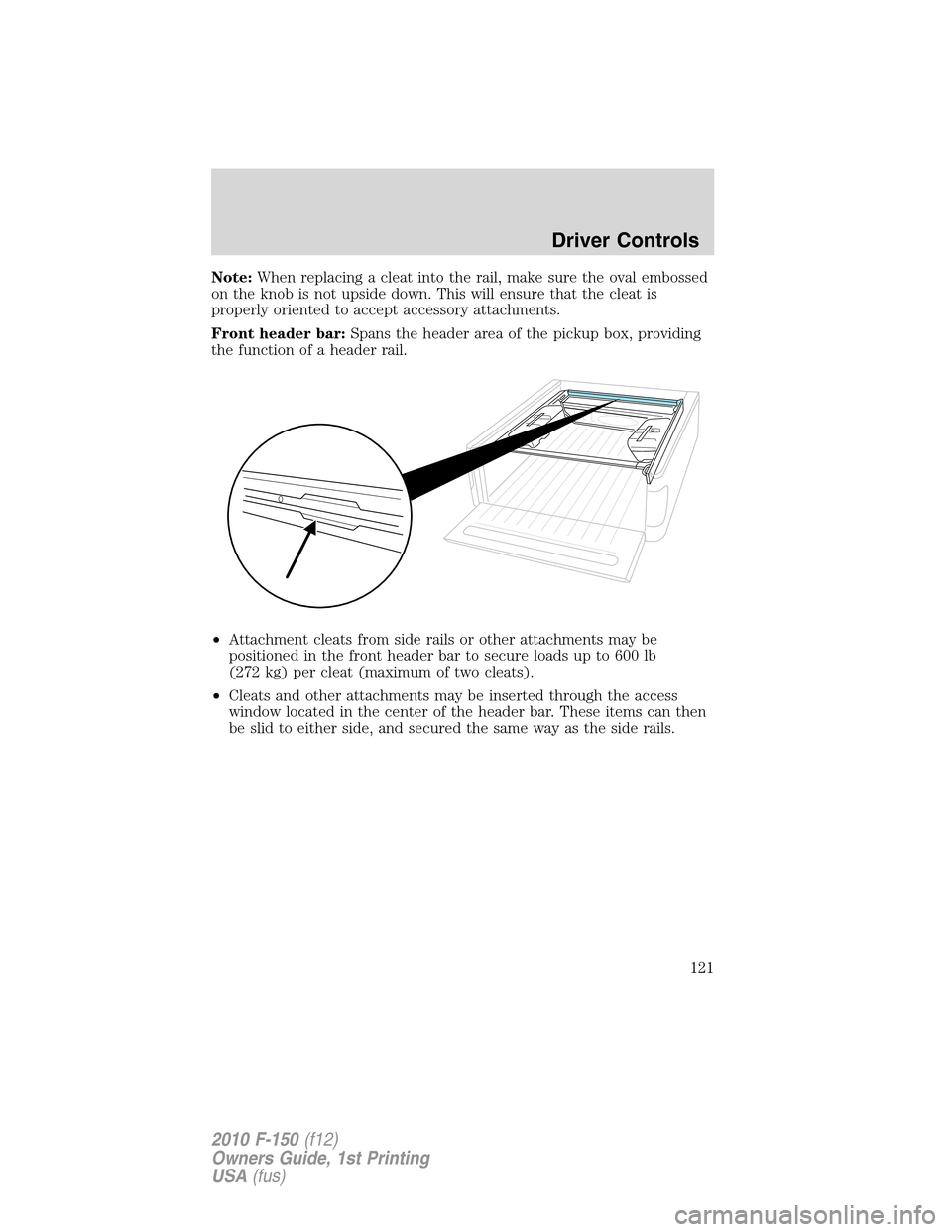
Front header bar:Spans the header area of the pickup box, providing
the function of a header rail.
•Attachment cleats from side rails or other attachments may be
positioned in the front header bar to secure loads up to 600 lb
(272 kg) per cleat (maximum of two cleats).
•Cleats and other attachments may be inserted through the access
window located in the center of the header bar. These items can then
be slid to either side, and secured the same way as the side rails.
Driver Controls
121
2010 F-150(f12)
Owners Guide, 1st Printing
USA(fus)
Page 122 of 419
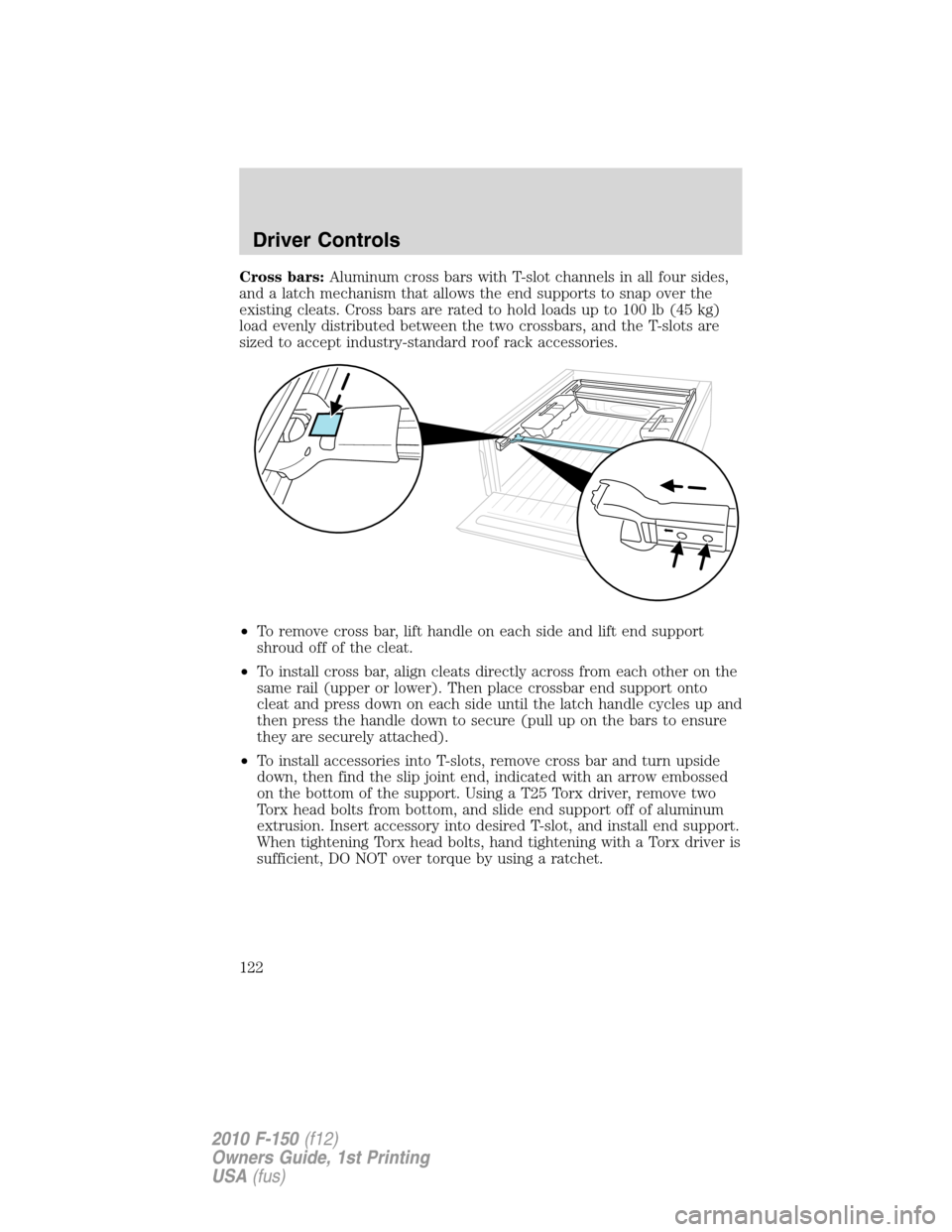
Cross bars:Aluminum cross bars with T-slot channels in all four sides,
and a latch mechanism that allows the end supports to snap over the
existing cleats. Cross bars are rated to hold loads up to 100 lb (45 kg)
load evenly distributed between the two crossbars, and the T-slots are
sized to accept industry-standard roof rack accessories.
•To remove cross bar, lift handle on each side and lift end support
shroud off of the cleat.
•To install cross bar, align cleats directly across from each other on the
same rail (upper or lower). Then place crossbar end support onto
cleat and press down on each side until the latch handle cycles up and
then press the handle down to secure (pull up on the bars to ensure
they are securely attached).
•To install accessories into T-slots, remove cross bar and turn upside
down, then find the slip joint end, indicated with an arrow embossed
on the bottom of the support. Using a T25 Torx driver, remove two
Torx head bolts from bottom, and slide end support off of aluminum
extrusion. Insert accessory into desired T-slot, and install end support.
When tightening Torx head bolts, hand tightening with a Torx driver is
sufficient, DO NOT over torque by using a ratchet.
Driver Controls
122
2010 F-150(f12)
Owners Guide, 1st Printing
USA(fus)