Page 2 of 404
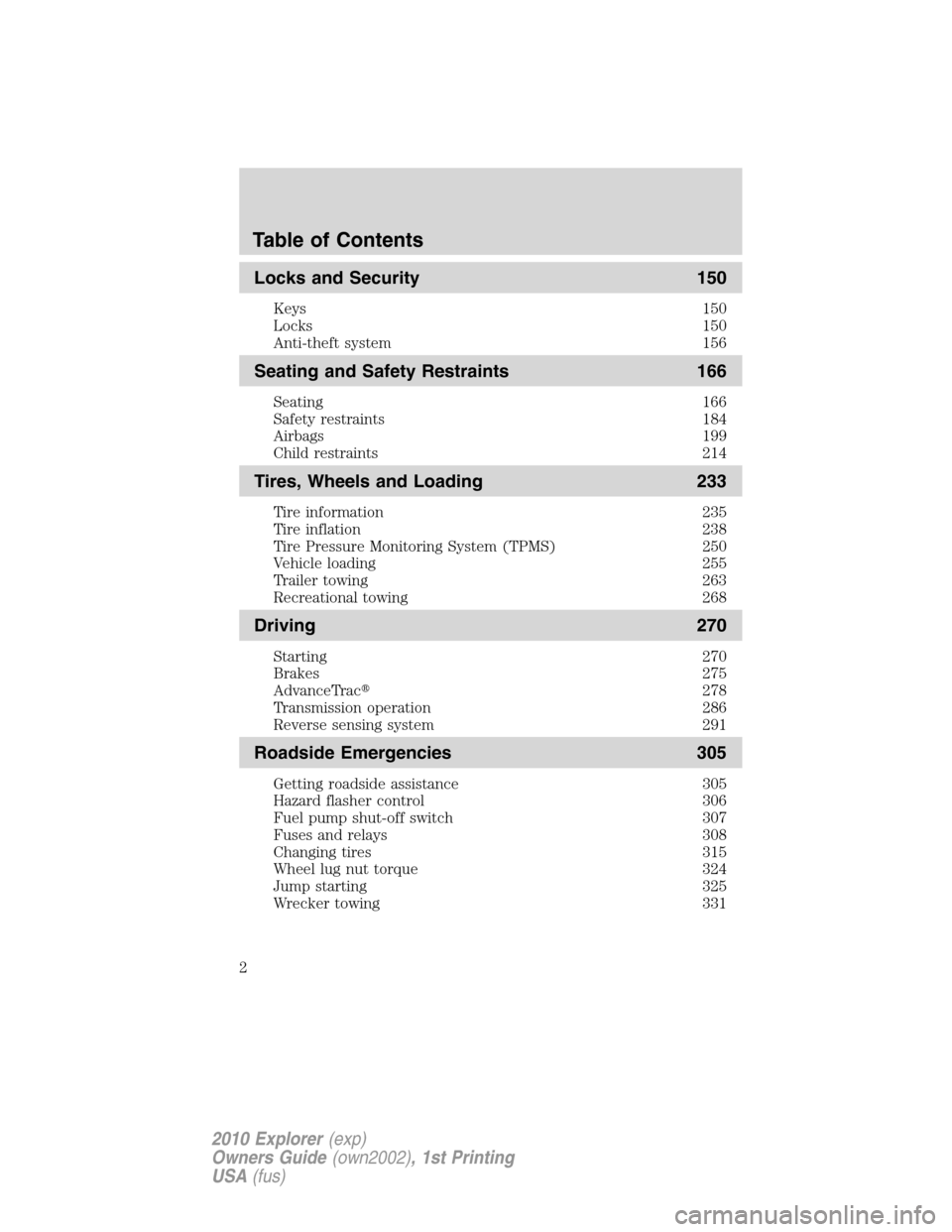
Locks and Security 150
Keys 150
Locks 150
Anti-theft system 156
Seating and Safety Restraints 166
Seating 166
Safety restraints 184
Airbags 199
Child restraints 214
Tires, Wheels and Loading 233
Tire information 235
Tire inflation 238
Tire Pressure Monitoring System (TPMS) 250
Vehicle loading 255
Trailer towing 263
Recreational towing 268
Driving 270
Starting 270
Brakes 275
AdvanceTrac�278
Transmission operation 286
Reverse sensing system 291
Roadside Emergencies 305
Getting roadside assistance 305
Hazard flasher control 306
Fuel pump shut-off switch 307
Fuses and relays 308
Changing tires 315
Wheel lug nut torque 324
Jump starting 325
Wrecker towing 331
Table of Contents
2
2010 Explorer(exp)
Owners Guide(own2002), 1st Printing
USA(fus)
Page 18 of 404
High beams:Illuminates when the
high beam headlamps are turned on.
Key-in-ignition warning chime:Sounds when the key is left in the
ignition in the off or accessory position and the driver’s door is opened.
Headlamps on warning chime:Sounds when the headlamps or parking
lamps are on, the ignition is off (the key is not in the ignition) and the
driver’s door is opened.
Turn signal warning chime:Sounds when the turn signal lever has
been activated to signal a turn and not turned off after the vehicle is
driven more than 2 miles (3.2 km).
Parking brake on warning chime:Sounds when the parking brake is
set, the engine is running and the vehicle is driven more than 3 mph
(5 km/h).
Message center activation chime:Sounds when the following
warnings DOOR AJAR, LOW FUEL LEVEL or LOW TIRE PRESSURE
appear in the message center display for the first time.
GAUGES
Instrument Cluster
18
2010 Explorer(exp)
Owners Guide(own2002), 1st Printing
USA(fus)
Page 65 of 404
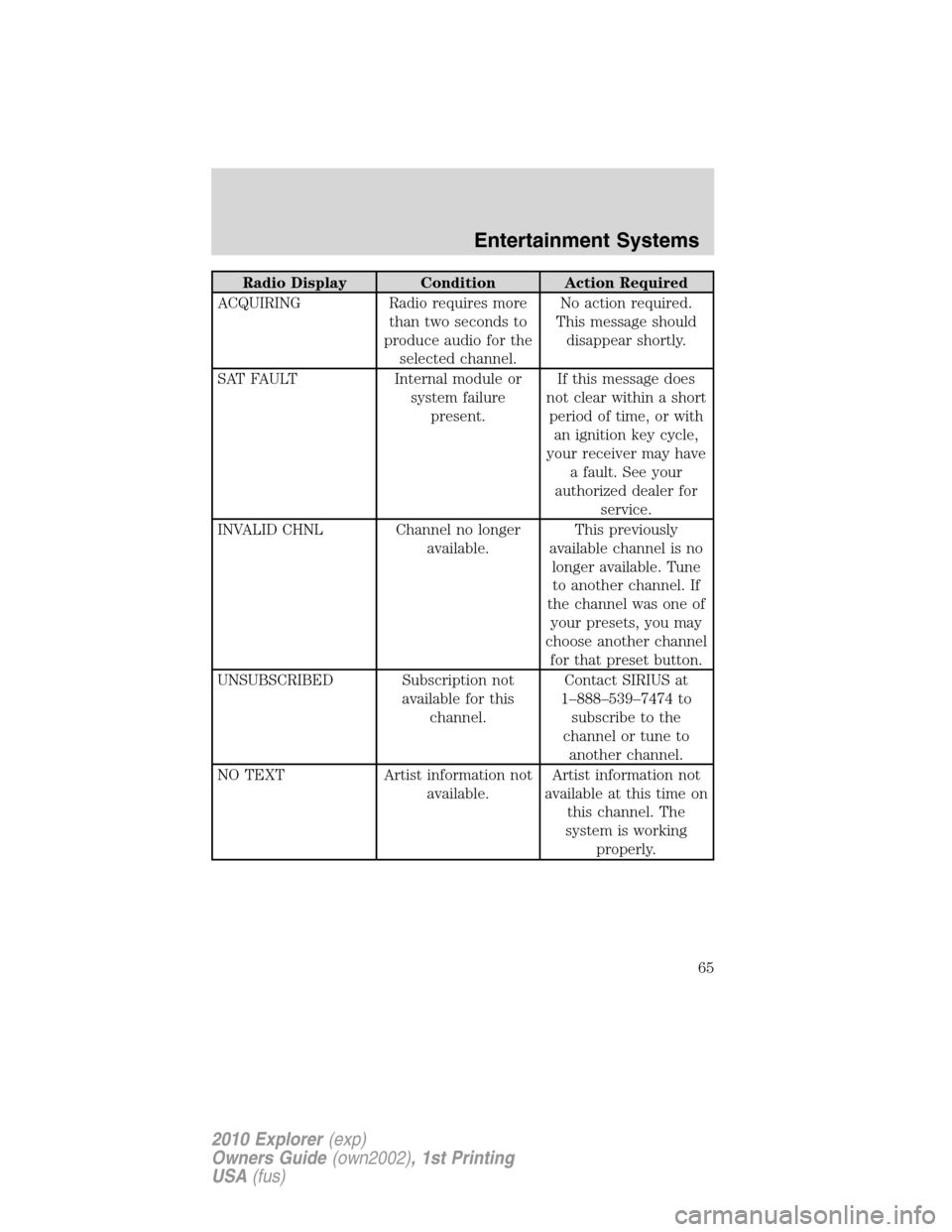
Radio Display Condition Action Required
ACQUIRING Radio requires more
than two seconds to
produce audio for the
selected channel.No action required.
This message should
disappear shortly.
SAT FAULT Internal module or
system failure
present.If this message does
not clear within a short
period of time, or with
an ignition key cycle,
your receiver may have
a fault. See your
authorized dealer for
service.
INVALID CHNL Channel no longer
available.This previously
available channel is no
longer available. Tune
to another channel. If
the channel was one of
your presets, you may
choose another channel
for that preset button.
UNSUBSCRIBED Subscription not
available for this
channel.Contact SIRIUS at
1–888–539–7474 to
subscribe to the
channel or tune to
another channel.
NO TEXT Artist information not
available.Artist information not
available at this time on
this channel. The
system is working
properly.
Entertainment Systems
65
2010 Explorer(exp)
Owners Guide(own2002), 1st Printing
USA(fus)
Page 77 of 404
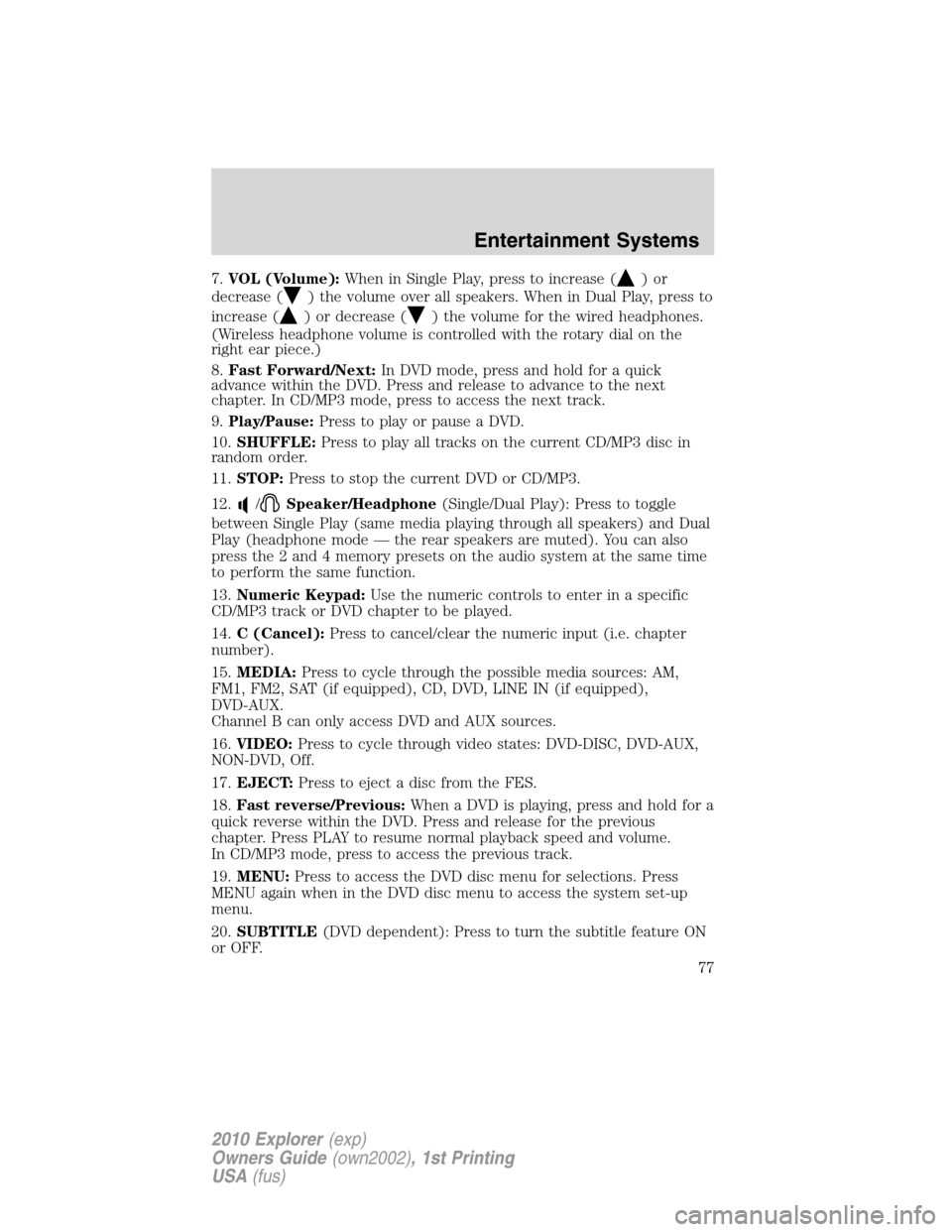
7.VOL (Volume):When in Single Play, press to increase ()or
decrease (
) the volume over all speakers. When in Dual Play, press to
increase (
) or decrease () the volume for the wired headphones.
(Wireless headphone volume is controlled with the rotary dial on the
right ear piece.)
8.Fast Forward/Next:In DVD mode, press and hold for a quick
advance within the DVD. Press and release to advance to the next
chapter. In CD/MP3 mode, press to access the next track.
9.Play/Pause:Press to play or pause a DVD.
10.SHUFFLE:Press to play all tracks on the current CD/MP3 disc in
random order.
11.STOP:Press to stop the current DVD or CD/MP3.
12.
/Speaker/Headphone(Single/Dual Play): Press to toggle
between Single Play (same media playing through all speakers) and Dual
Play (headphone mode — the rear speakers are muted). You can also
press the 2 and 4 memory presets on the audio system at the same time
to perform the same function.
13.Numeric Keypad:Use the numeric controls to enter in a specific
CD/MP3 track or DVD chapter to be played.
14.C (Cancel):Press to cancel/clear the numeric input (i.e. chapter
number).
15.MEDIA:Press to cycle through the possible media sources: AM,
FM1, FM2, SAT (if equipped), CD, DVD, LINE IN (if equipped),
DVD-AUX.
Channel B can only access DVD and AUX sources.
16.VIDEO:Press to cycle through video states: DVD-DISC, DVD-AUX,
NON-DVD, Off.
17.EJECT:Press to eject a disc from the FES.
18.Fast reverse/Previous:When a DVD is playing, press and hold for a
quick reverse within the DVD. Press and release for the previous
chapter. Press PLAY to resume normal playback speed and volume.
In CD/MP3 mode, press to access the previous track.
19.MENU:Press to access the DVD disc menu for selections. Press
MENU again when in the DVD disc menu to access the system set-up
menu.
20.SUBTITLE(DVD dependent): Press to turn the subtitle feature ON
or OFF.
Entertainment Systems
77
2010 Explorer(exp)
Owners Guide(own2002), 1st Printing
USA(fus)
Page 106 of 404
HEADLAMP CONTROL
Turns the lamps off.
Turns on the parking lamps,
instrument panel lamps, license
plate lamps and tail lamps.
Turns the headlamps on.
Autolamp control
(if equipped)
The autolamp control sets the
headlamps to turn on and off
automatically. The autolamp control,
located on the headlamp control,
may be set to:
•turn on the lamps automatically
at night
•turn off the lamps automatically
during the daylight
•keep the lamps on for up to three minutes after the key is turned to
off.
To turn the autolamps on, rotate the control counterclockwise to
.
Note:With autolamps, your vehicle has awindshield wiper rainlamp
feature. When the headlamp control is in the autolamp position and the
windshield wipers are turned on during daylight, the exterior lamps will
turn on after a brief delay.
AP
Lights
106
2010 Explorer(exp)
Owners Guide(own2002), 1st Printing
USA(fus)
Page 141 of 404
•Fixed code garage door openers were produced prior to 1996. Fixed
code uses the same coded signal every time. It is manually
programmed by setting DIP switches for a unique personal code.
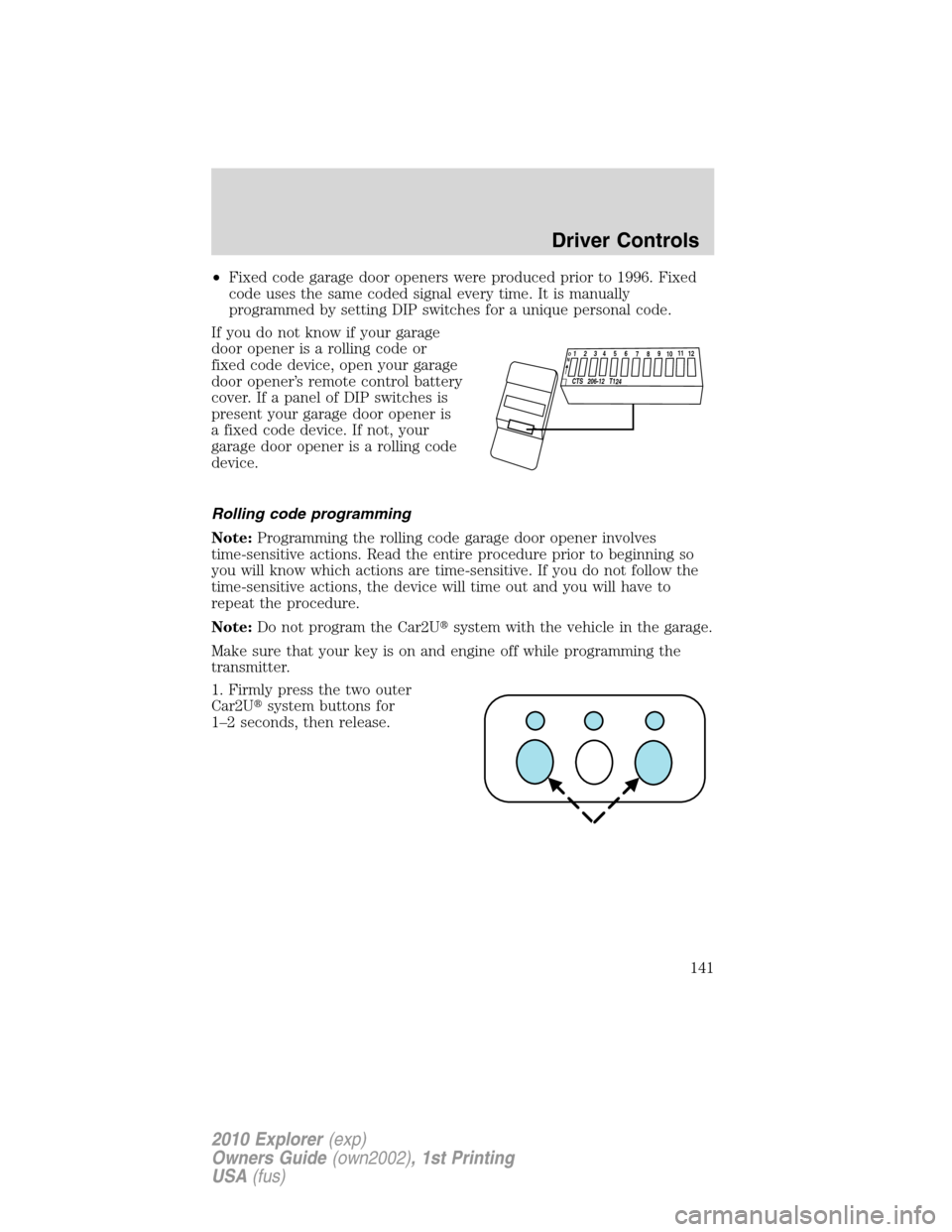
If you do not know if your garage
door opener is a rolling code or
fixed code device, open your garage
door opener’s remote control battery
cover. If a panel of DIP switches is
present your garage door opener is
a fixed code device. If not, your
garage door opener is a rolling code
device.
Rolling code programming
Note:Programming the rolling code garage door opener involves
time-sensitive actions. Read the entire procedure prior to beginning so
you will know which actions are time-sensitive. If you do not follow the
time-sensitive actions, the device will time out and you will have to
repeat the procedure.
Note:Do not program the Car2U�system with the vehicle in the garage.
Make sure that your key is on and engine off while programming the
transmitter.
1. Firmly press the two outer
Car2U�system buttons for
1–2 seconds, then release.
12
34
5
6789
1
01
1
1
2
C
TS
20
6-12 T
124
O
N
Driver Controls
141
2010 Explorer(exp)
Owners Guide(own2002), 1st Printing
USA(fus)
Page 143 of 404
Note:The Car2U�system allows for three devices to be programmed. If
you need to change or replace any of the three devices after it has been
initially programmed, it is necessary to erase the current settings using
theErasing the Car2U�Home Automation System buttonsprocedure
and then programming all of the devices being used.
Fixed code programming
Note:Do not program the Car2U�system with the vehicle in the garage.
Make sure that your key is on and engine off while programming the
transmitter.
1. To program units with fixed code DIP switches, you will need the
garage door hand-held transmitter, paper and a pen or pencil.
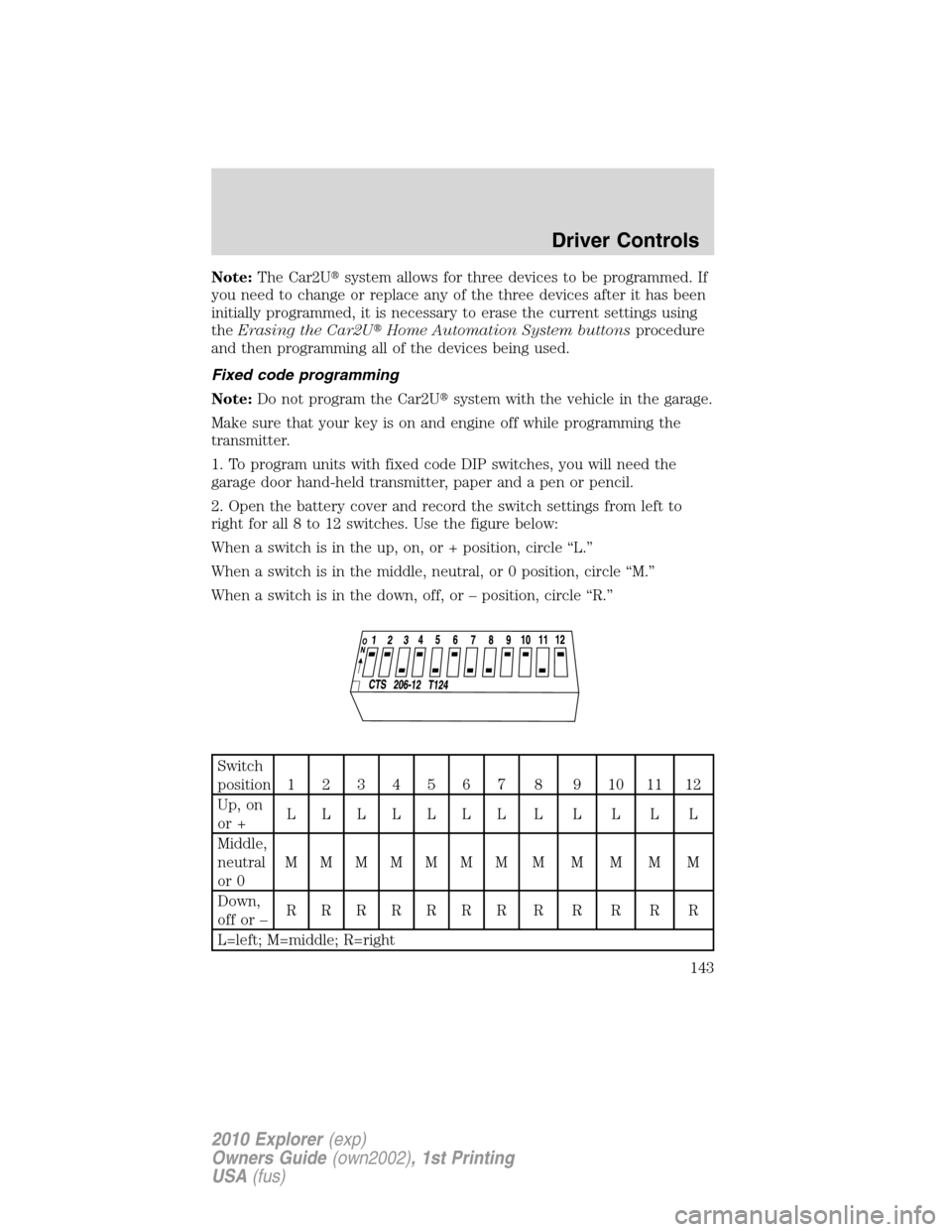
2. Open the battery cover and record the switch settings from left to
right for all 8 to 12 switches. Use the figure below:
When a switch is in the up, on, or + position, circle “L.”
When a switch is in the middle, neutral, or 0 position, circle “M.”
When a switch is in the down, off, or – position, circle “R.”
Switch
position1234567 8 9101112
Up, on
or +LLLLLLLLLLLL
Middle,
neutral
or 0MMMMMMMMMMMM
Down,
offor–RRRRRRRRRRRR
L=left; M=middle; R=right
Driver Controls
143
2010 Explorer(exp)
Owners Guide(own2002), 1st Printing
USA(fus)
Page 147 of 404
REAR LIFTGATE
The liftgate area is only intended for cargo, not passengers. You can open
and close the liftgate from outside the vehicle. It cannot be opened from
inside the cargo area.
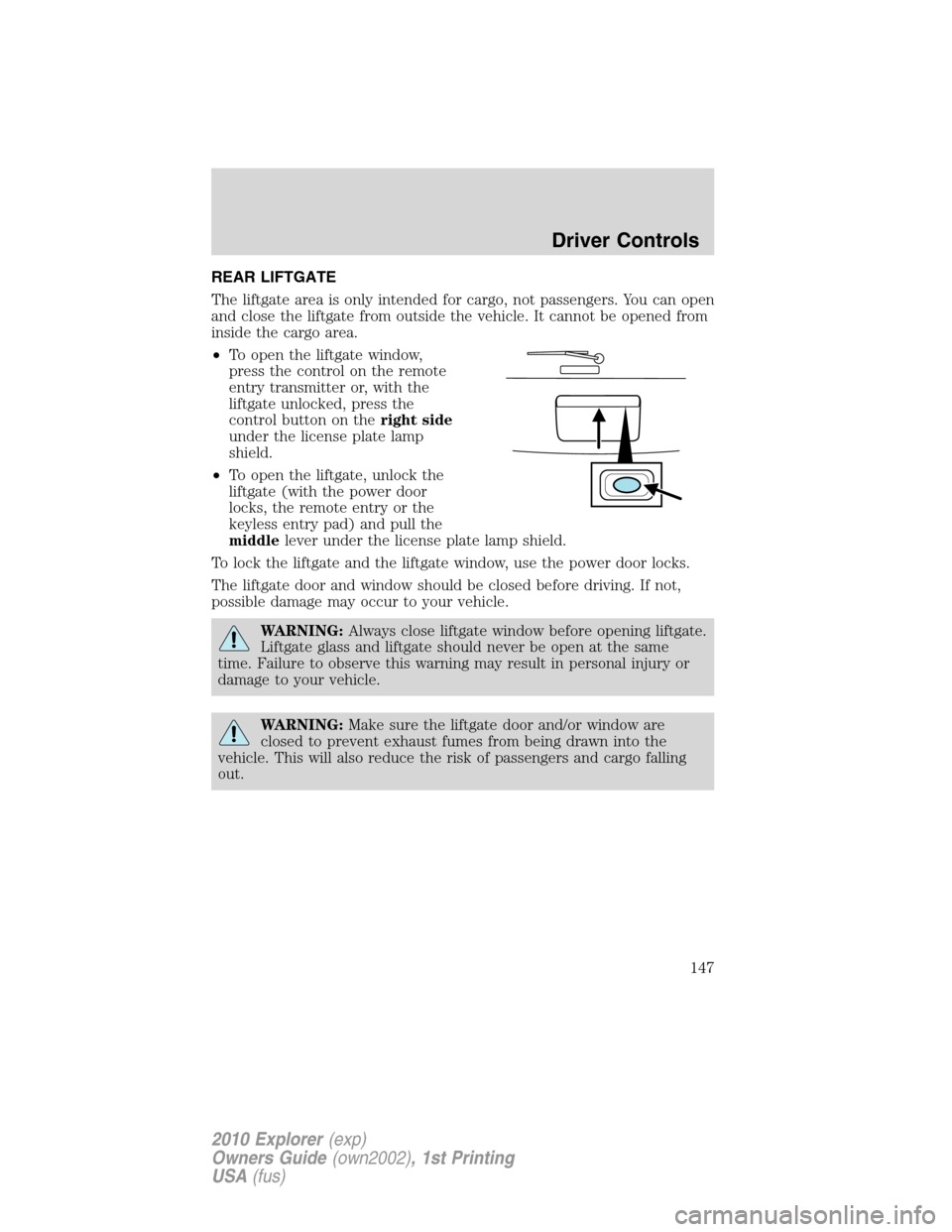
•To open the liftgate window,
press the control on the remote
entry transmitter or, with the
liftgate unlocked, press the
control button on theright side
under the license plate lamp
shield.
•To open the liftgate, unlock the
liftgate (with the power door
locks, the remote entry or the
keyless entry pad) and pull the
middlelever under the license plate lamp shield.
To lock the liftgate and the liftgate window, use the power door locks.
The liftgate door and window should be closed before driving. If not,
possible damage may occur to your vehicle.
WARNING:Always close liftgate window before opening liftgate.
Liftgate glass and liftgate should never be open at the same
time. Failure to observe this warning may result in personal injury or
damage to your vehicle.
WARNING:Make sure the liftgate door and/or window are
closed to prevent exhaust fumes from being drawn into the
vehicle. This will also reduce the risk of passengers and cargo falling
out.
Driver Controls
147
2010 Explorer(exp)
Owners Guide(own2002), 1st Printing
USA(fus)