Page 146 of 404
WARNING:Do not place any objects on the cargo area cover.
They may obstruct your vision or strike occupants of the vehicle
in the case of a sudden stop or collision.
Cargo management system
The cargo management system consists of storage compartments located
in the floor of the rear cargo area.
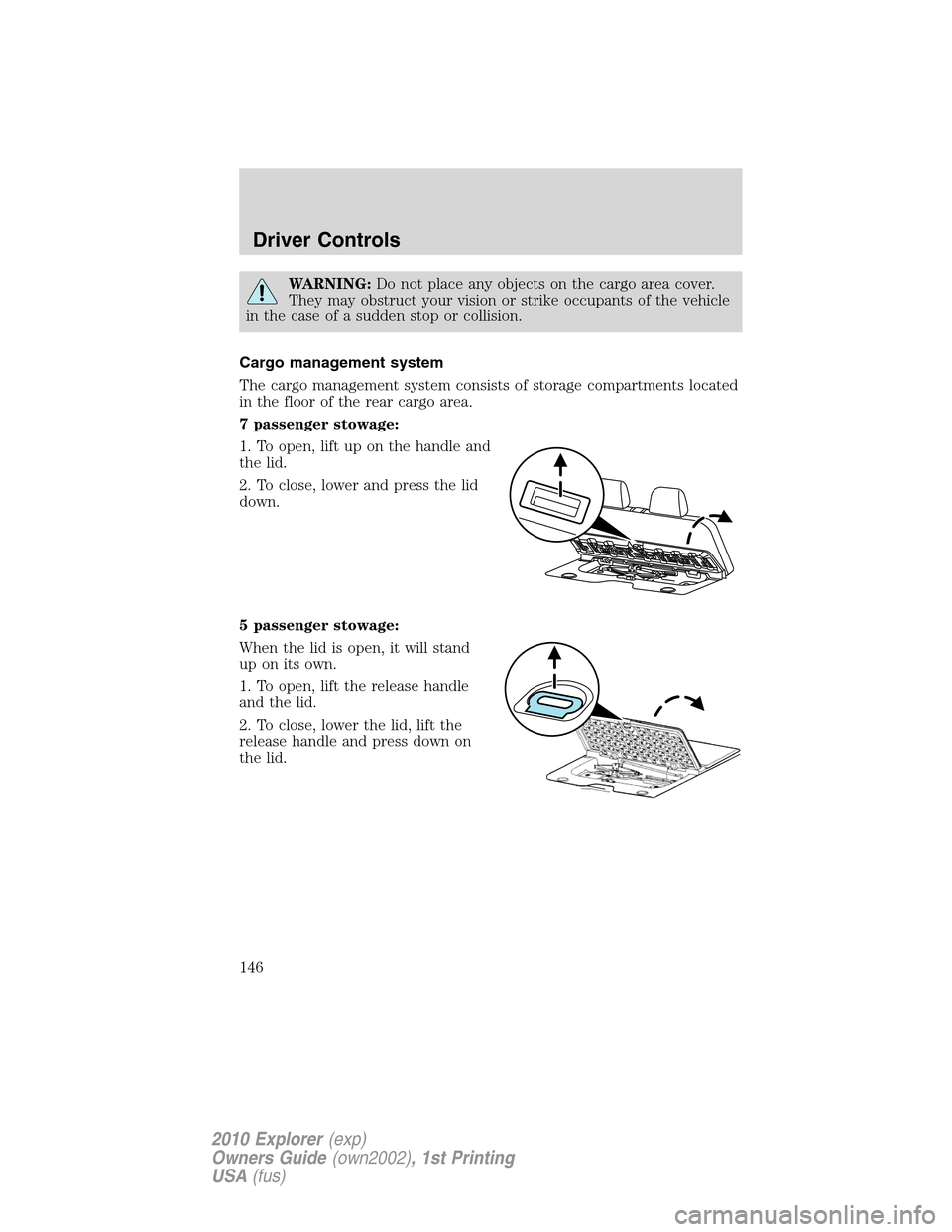
7 passenger stowage:
1. To open, lift up on the handle and
the lid.
2. To close, lower and press the lid
down.
5 passenger stowage:
When the lid is open, it will stand
up on its own.
1. To open, lift the release handle
and the lid.
2. To close, lower the lid, lift the
release handle and press down on
the lid.
Driver Controls
146
2010 Explorer(exp)
Owners Guide(own2002), 1st Printing
USA(fus)
Page 147 of 404
REAR LIFTGATE
The liftgate area is only intended for cargo, not passengers. You can open
and close the liftgate from outside the vehicle. It cannot be opened from
inside the cargo area.
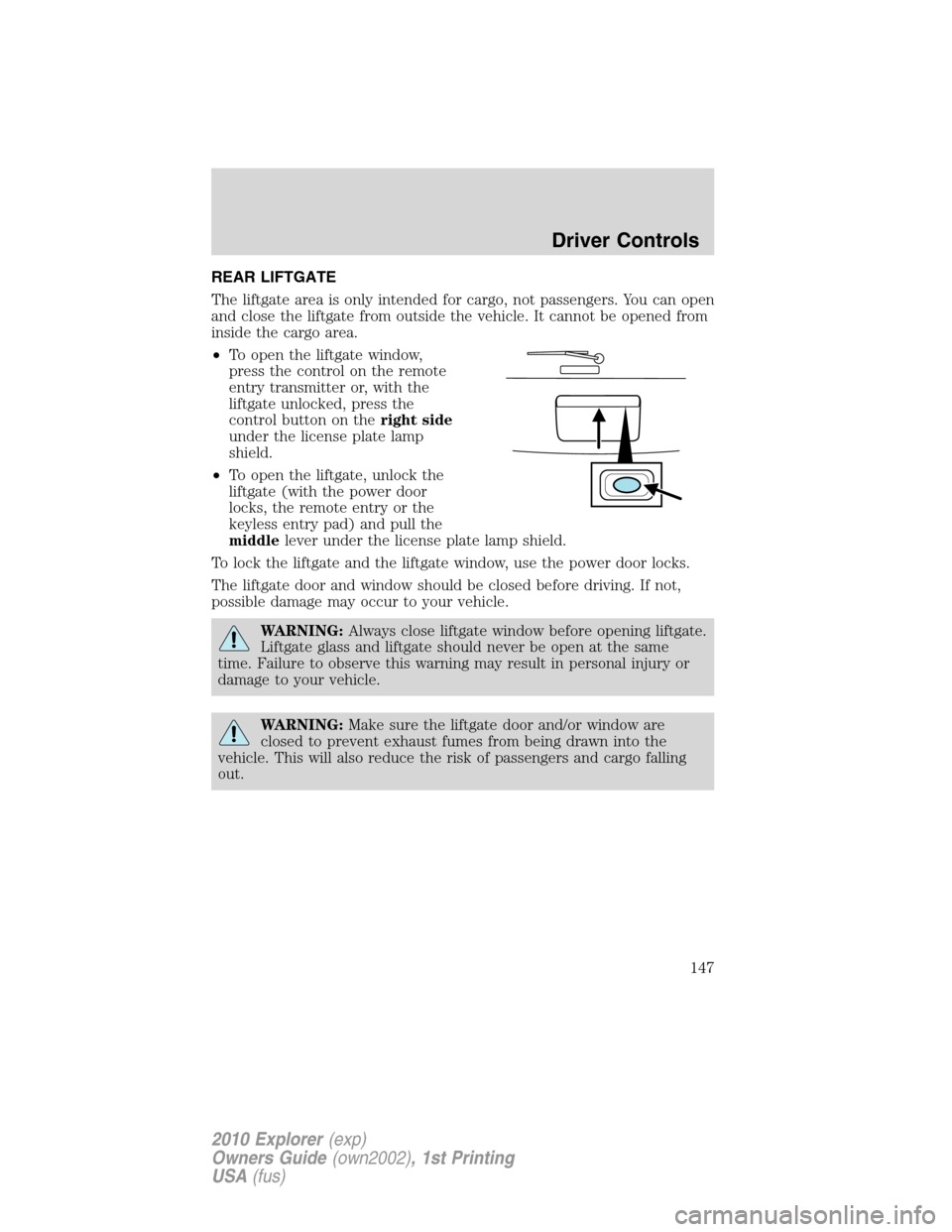
•To open the liftgate window,
press the control on the remote
entry transmitter or, with the
liftgate unlocked, press the
control button on theright side
under the license plate lamp
shield.
•To open the liftgate, unlock the
liftgate (with the power door
locks, the remote entry or the
keyless entry pad) and pull the
middlelever under the license plate lamp shield.
To lock the liftgate and the liftgate window, use the power door locks.
The liftgate door and window should be closed before driving. If not,
possible damage may occur to your vehicle.
WARNING:Always close liftgate window before opening liftgate.
Liftgate glass and liftgate should never be open at the same
time. Failure to observe this warning may result in personal injury or
damage to your vehicle.
WARNING:Make sure the liftgate door and/or window are
closed to prevent exhaust fumes from being drawn into the
vehicle. This will also reduce the risk of passengers and cargo falling
out.
Driver Controls
147
2010 Explorer(exp)
Owners Guide(own2002), 1st Printing
USA(fus)
Page 149 of 404
WARNING:Loaded vehicles, with a higher center of gravity,
may handle differently than unloaded vehicles. Extra
precautions, such as slower speeds and increased stopping distance,
should be taken when driving a heavily loaded vehicle.
WARNING:Vehicles with a higher center of gravity such as
utility and four-wheel drive vehicles handle differently than
vehicles with a lower center of gravity. Utility and four-wheel drive
vehicles are not designed for cornering at speeds as high as passenger
cars any more than low-slung sport cars are designed to perform
satisfactorily under off-road conditions. Avoid sharp turns, excessive
speed and abrupt maneuvers in these vehicles. Failure to drive
cautiously could result in an increase risk of loss of vehicle control,
vehicle rollover, personal injury and death.
Driver Controls
149
2010 Explorer(exp)
Owners Guide(own2002), 1st Printing
USA(fus)
Page 166 of 404
SEATING
WARNING:Reclining the seatback can cause an occupant to
slide under the seat’s safety belt, resulting in severe personal
injuries in the event of a collision.
WARNING:Do not pile cargo higher than the seatbacks to
reduce the risk of injury in a collision or sudden stop.
WARNING:Before returning the seatback to its original
position, make sure that cargo or any objects are not trapped
behind the seatback. After returning the seatback to its original
position, pull on the seatback to ensure that it has fully latched. An
unlatched seat may become dangerous in the event of a sudden stop or
collision.
Adjustable head restraints
Your vehicle is equipped with front row outboard head restraints that are
vertically adjustable.
WARNING:To minimize the risk of neck injury in the event of a
crash, the driver and passenger occupants should not sit in
and/or operate the vehicle, until the head restraint is placed in its
proper position. The driver should never adjust the head restraint
while the vehicle is in motion.
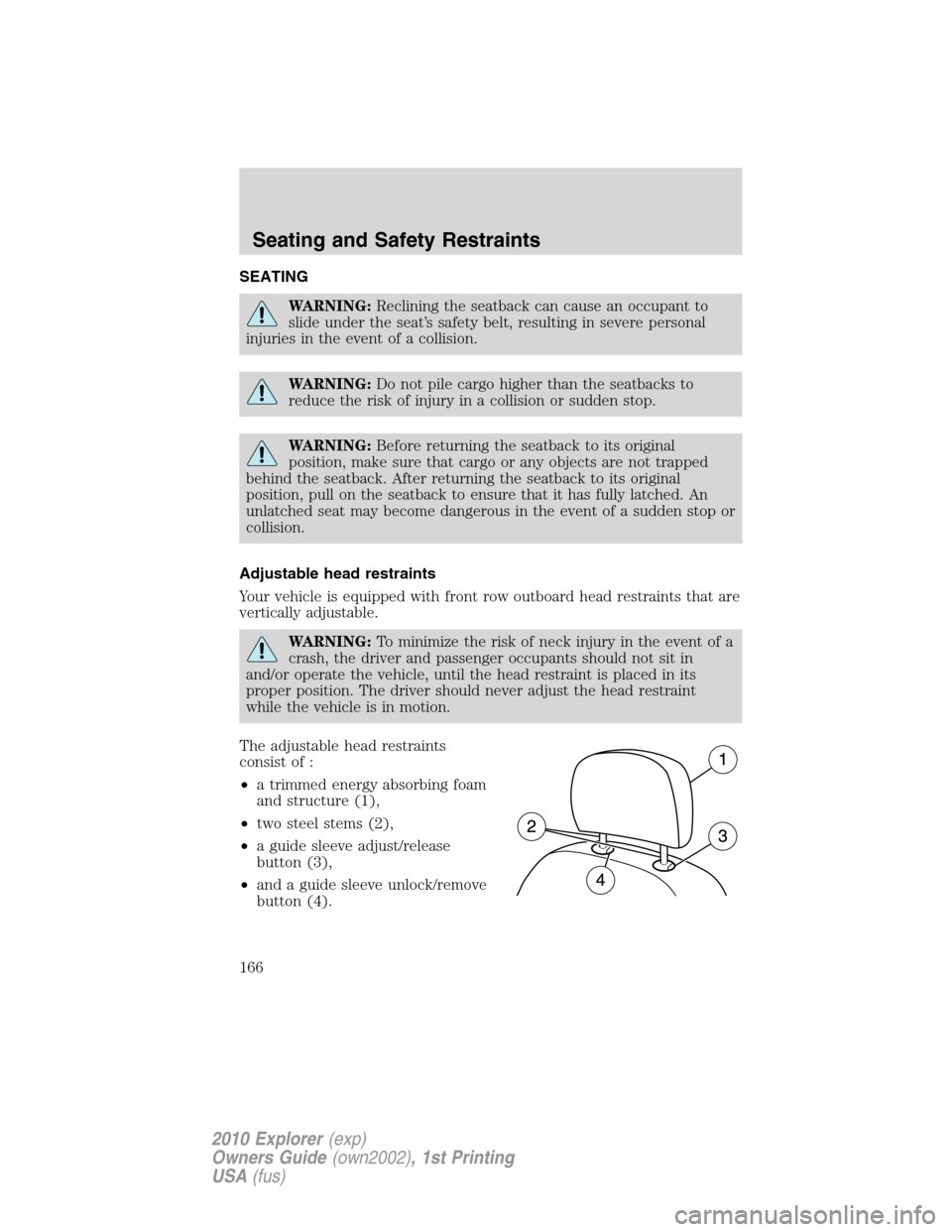
The adjustable head restraints
consist of :
•a trimmed energy absorbing foam
and structure (1),
•two steel stems (2),
•a guide sleeve adjust/release
button (3),
•and a guide sleeve unlock/remove
button (4).
Seating and Safety Restraints
166
2010 Explorer(exp)
Owners Guide(own2002), 1st Printing
USA(fus)
Page 167 of 404
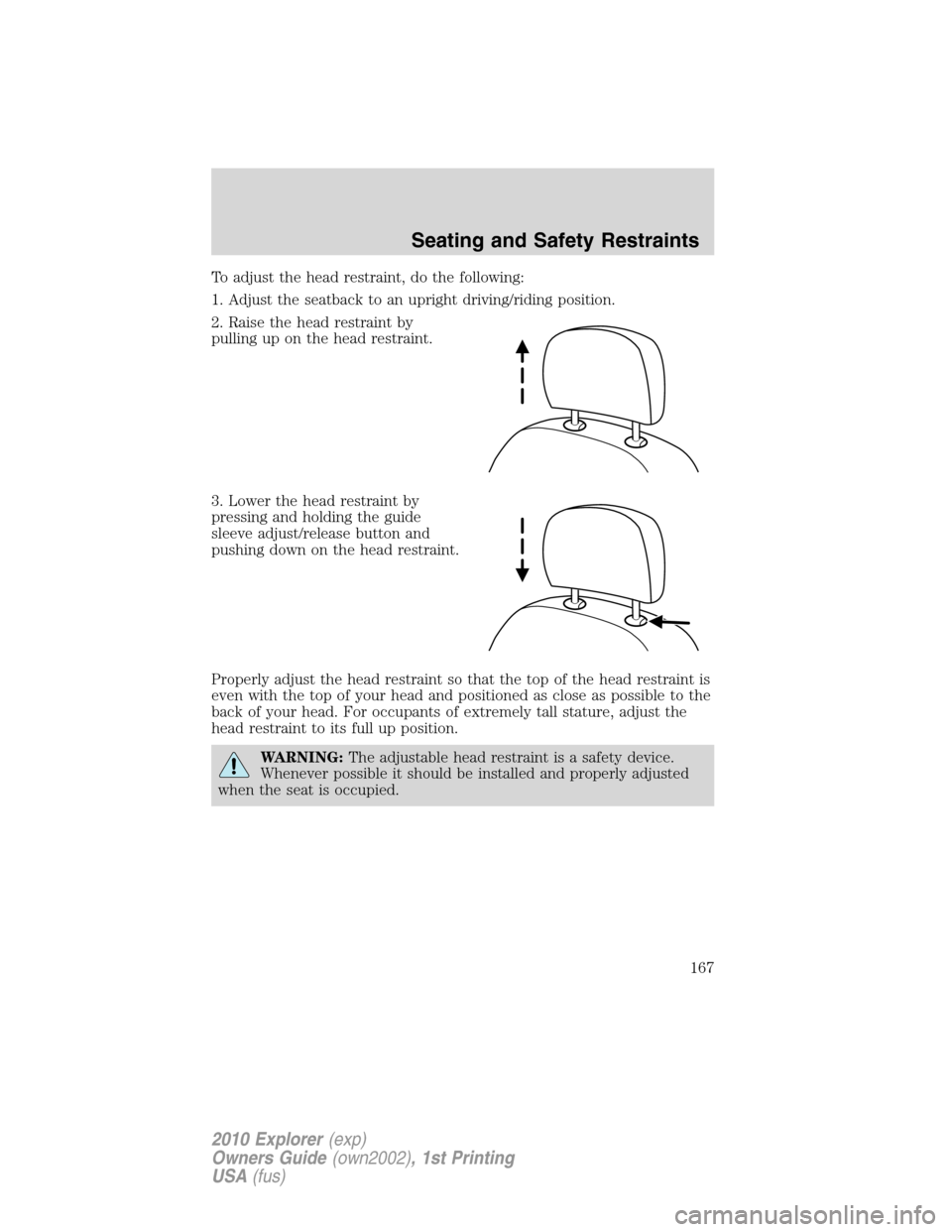
To adjust the head restraint, do the following:
1. Adjust the seatback to an upright driving/riding position.
2. Raise the head restraint by
pulling up on the head restraint.
3. Lower the head restraint by
pressing and holding the guide
sleeve adjust/release button and
pushing down on the head restraint.
Properly adjust the head restraint so that the top of the head restraint is
even with the top of your head and positioned as close as possible to the
back of your head. For occupants of extremely tall stature, adjust the
head restraint to its full up position.
WARNING:The adjustable head restraint is a safety device.
Whenever possible it should be installed and properly adjusted
when the seat is occupied.
Seating and Safety Restraints
167
2010 Explorer(exp)
Owners Guide(own2002), 1st Printing
USA(fus)
Page 169 of 404
WARNING:To minimize the risk of neck injury in the event of a
crash, head restraints must be installed properly.
Adjusting the front manual seat (if equipped)
WARNING:Never adjust the driver’s seat or seatback when the
vehicle is moving.
WARNING:Always drive and ride with your seatback upright
and the lap belt snug and low across the hips.
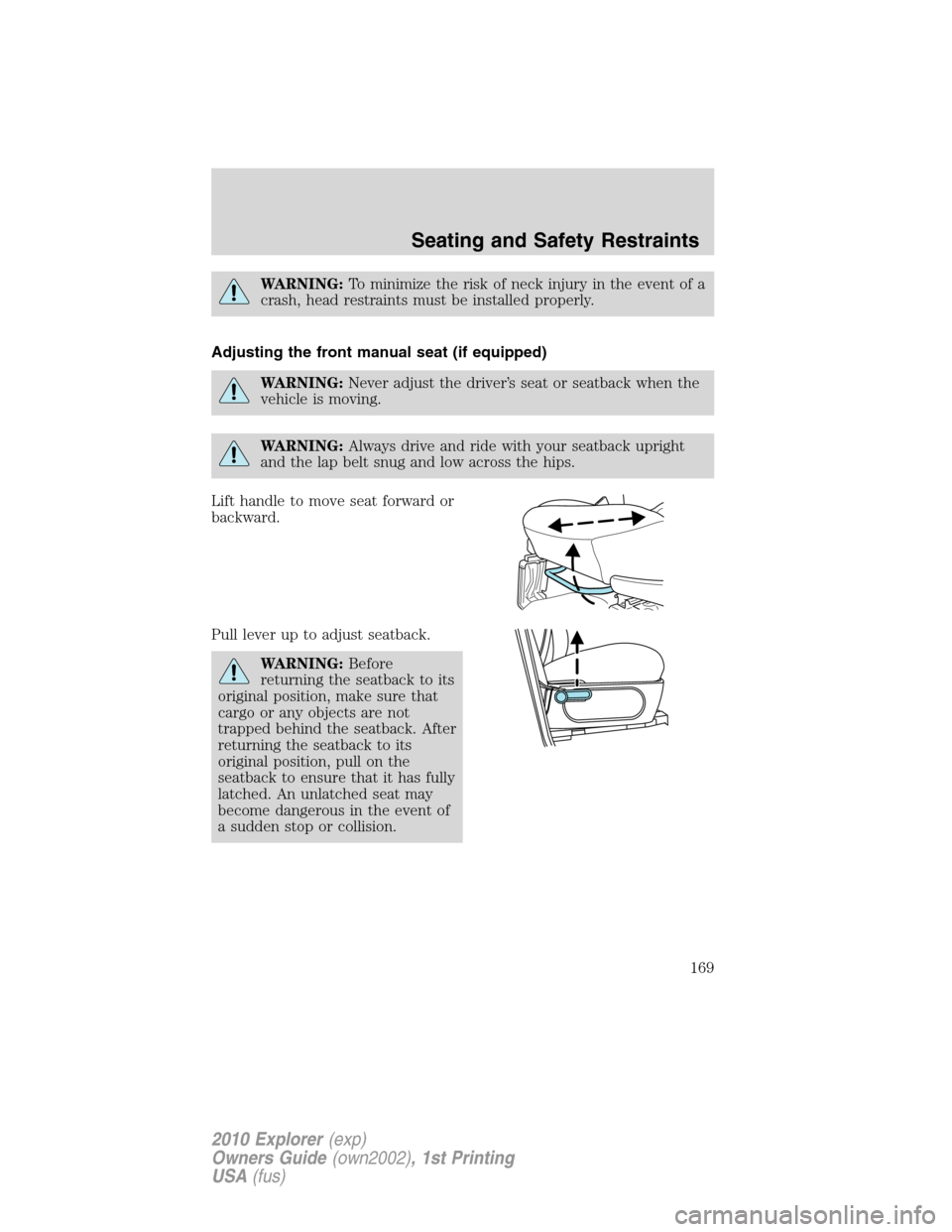
Lift handle to move seat forward or
backward.
Pull lever up to adjust seatback.
WARNING:Before
returning the seatback to its
original position, make sure that
cargo or any objects are not
trapped behind the seatback. After
returning the seatback to its
original position, pull on the
seatback to ensure that it has fully
latched. An unlatched seat may
become dangerous in the event of
a sudden stop or collision.
Seating and Safety Restraints
169
2010 Explorer(exp)
Owners Guide(own2002), 1st Printing
USA(fus)
Page 170 of 404
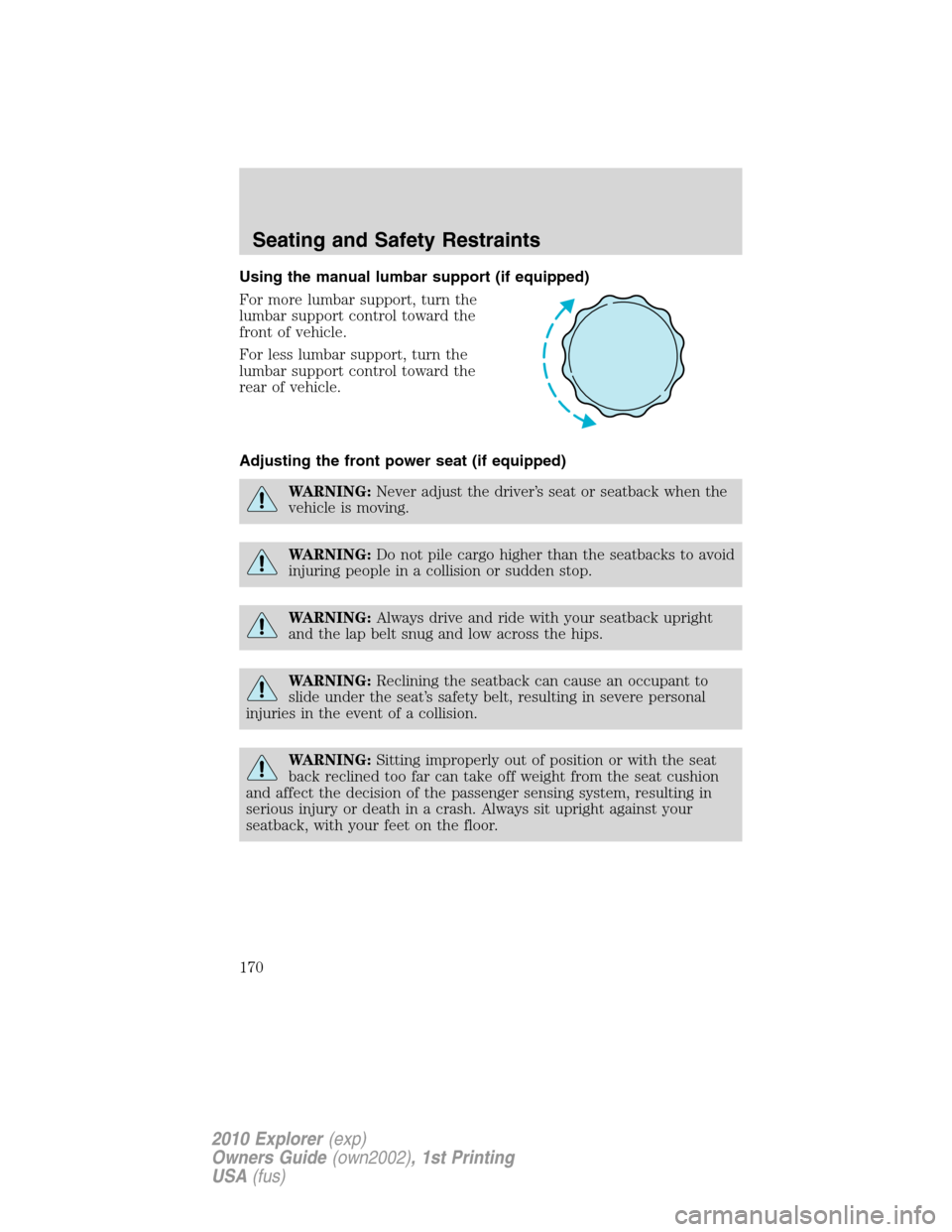
Using the manual lumbar support (if equipped)
For more lumbar support, turn the
lumbar support control toward the
front of vehicle.
For less lumbar support, turn the
lumbar support control toward the
rear of vehicle.
Adjusting the front power seat (if equipped)
WARNING:Never adjust the driver’s seat or seatback when the
vehicle is moving.
WARNING:Do not pile cargo higher than the seatbacks to avoid
injuring people in a collision or sudden stop.
WARNING:Always drive and ride with your seatback upright
and the lap belt snug and low across the hips.
WARNING:Reclining the seatback can cause an occupant to
slide under the seat’s safety belt, resulting in severe personal
injuries in the event of a collision.
WARNING:Sitting improperly out of position or with the seat
back reclined too far can take off weight from the seat cushion
and affect the decision of the passenger sensing system, resulting in
serious injury or death in a crash. Always sit upright against your
seatback, with your feet on the floor.
Seating and Safety Restraints
170
2010 Explorer(exp)
Owners Guide(own2002), 1st Printing
USA(fus)
Page 171 of 404
WARNING:To reduce the risk of possible serious injury: Do not
hang objects off seat back or stow objects in the seatback map
pocket (if equipped) when a child is in the front passenger seat. Do
not place objects underneath the front passenger seat or between the
seat and the center console (if equipped). Check the “passenger airbag
off” or “pass airbag off” indicator lamp for proper airbag status. Refer
toFront passenger sensing systemsection for additional details.
Failure to follow these instructions may interfere with the front
passenger seat sensing system.
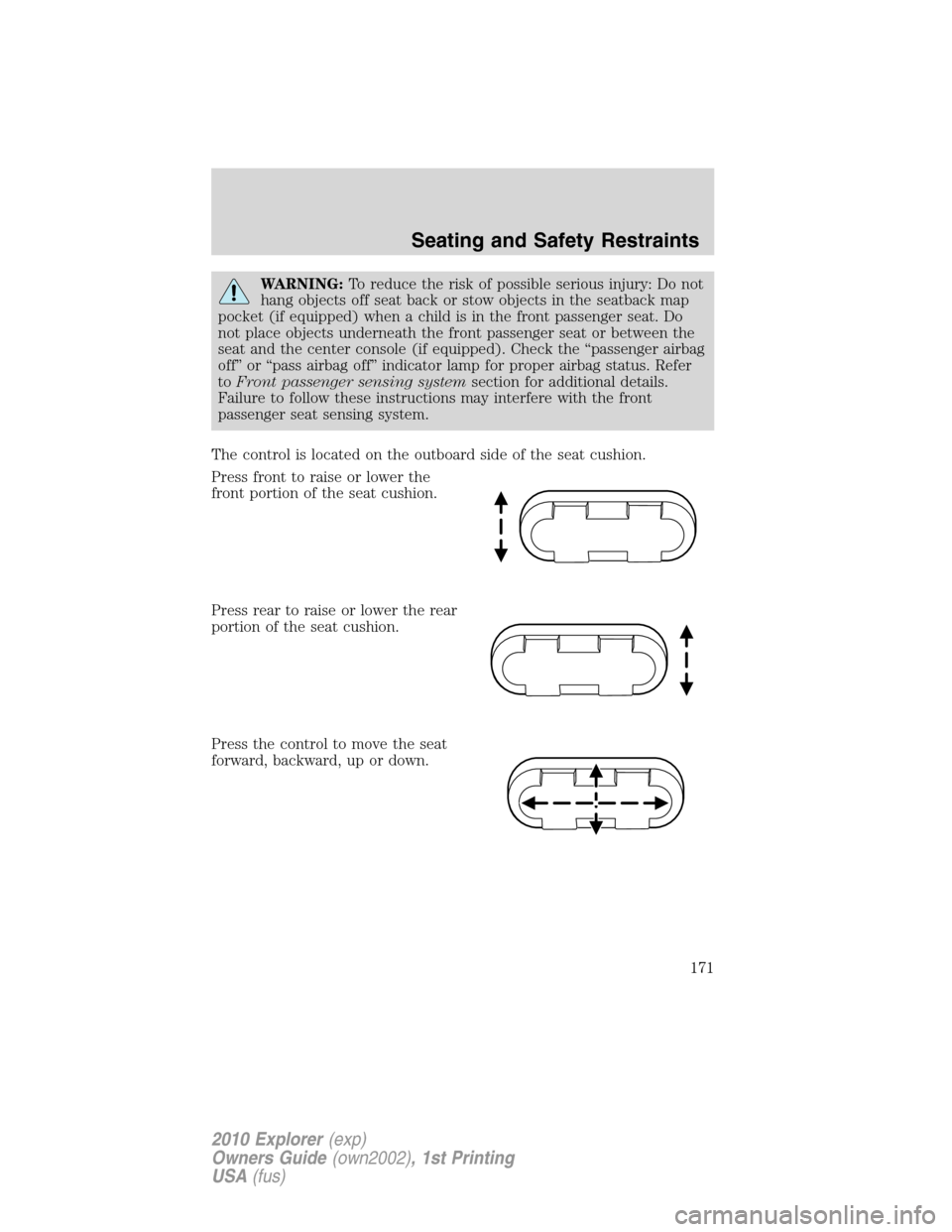
The control is located on the outboard side of the seat cushion.
Press front to raise or lower the
front portion of the seat cushion.
Press rear to raise or lower the rear
portion of the seat cushion.
Press the control to move the seat
forward, backward, up or down.
Seating and Safety Restraints
171
2010 Explorer(exp)
Owners Guide(own2002), 1st Printing
USA(fus)