Page 100 of 450
Call Termination
To end a call in progress, momentarily press the
button. Only the active call(s) will be terminated and if
there is a call on hold, it will become the new active call.
If the active call is terminated by the phone far end, a call
on hold may not become active automatically. This is cell
phone-dependent. To bring the call back from hold, press
and hold the
button until you hear a single beep.
Redial
•
Press thebutton to begin.
•After the�Ready�prompt and the following beep, say
�Redial.�
•The Uconnect™ Phone will call the last number that
was dialed from your cellular phone.
NOTE: This may not be the last number dialed from the
Uconnect™ Phone.
Call Continuation
Call continuation is the progression of a phone call on the
Uconnect™ Phone after the vehicle ignition key has been
switched to OFF. Call continuation functionality avail-
able on the vehicle can be any one of three types:
•After the ignition key is switched to OFF, a call can
continue on the Uconnect™ Phone either until the call
ends, or until the vehicle battery condition dictates
cessation of the call on the Uconnect™ Phone and
transfer of the call to the cellular phone.
•After the ignition key is switched to OFF, a call can
continue on the Uconnect™ Phone for a certain dura-
tion, after which the call is automatically transferred
from the Uconnect™ Phone to the cellular phone.
•An active call is automatically transferred to the
cellular phone after the ignition key is switched to
OFF.
3
UNDERSTANDING THE FEATURES OF YOUR VEHICLE 99
Page 103 of 450
Paging
To learn how to page, refer to�Working with Automated
Systems.� Paging works properly except for pagers of
certain companies, which time out a little too soon to
work properly with the Uconnect™ Phone.
Voice Mail Calling
To learn how to access your voice mail, refer to �Working
with Automated Systems.�
Working with Automated Systems
This method is used in instances where one generally has
to press numbers on the cellular phone keypad while
navigating through an automated telephone system.
You can use your Uconnect™ Phone to access a voice
mail system or an automated service, such as a paging
service or automated customer service line. Some ser-
vices require immediate response selection. In some
instances, that may be too quick for use of the
Uconnect™ Phone. When calling a number with your Uconnect™ Phone that
normally requires you to enter in a touch-tone sequence
on your cellular phone keypad, you can press the
button and say the sequence you wish to enter, followed
by the word
�Send.�For example, if required to enter
your PIN followed with a pound, (3746#),youcan
press the
button and say, �3746#Send.� Saying
a number, or sequence of numbers, followed by �Send,�is
also to be used for navigating through an automated
customer service center menu structure, and to leave a
number on a pager.
You can also send stored Uconnect™ phonebook entries
as tones for fast and easy access to voice mail and pager
entries. To use this feature, dial the number you wish to
call and then press the
button and say, “Send.” The
system will prompt you to enter the name or number and
say the name of the phonebook entry you wish to send.
102 UNDERSTANDING THE FEATURES OF YOUR VEHICLE
Page 105 of 450

Dialing Using the Cellular Phone Keypad
You can dial a phone number with your cellular phone
keypad and still use the Uconnect™ Phone (while dialing
via the cellular phone keypad, the user must exercise
caution and take precautionary safety measures). By
dialing a number with your paired Bluetooth�cellular
phone, the audio will be played through your vehicle’s
audio system. The Uconnect™ Phone will work the same
as if you dial the number using Voice Command.
NOTE: Certain brands of cellular phones do not send
the dial ring to the Uconnect™ Phone to play it on the
vehicle audio system, so you will not hear it. Under this
situation, after successfully dialing a number the user
may feel that the call did not go through even though the
call is in progress. Once your call is answered, you will
hear the audio.
Mute/Un-Mute (Mute OFF)
When you mute the Uconnect™ Phone, you will still be
able to hear the conversation coming from the other
party, but the other party will not be able to hear you. In
order to mute the Uconnect™ Phone:
•Press thebutton.
•Following the beep, say �Mute.�
In order to un-mute the Uconnect™ Phone:
•Press thebutton.
•Following the beep, say �Mute off.�
Advanced Phone Connectivity
Transfer Call to and from Cellular Phone
The Uconnect™ Phone allows ongoing calls to be trans-
ferred from your cellular phone to the Uconnect™ Phone
without terminating the call. To transfer an ongoing call
104 UNDERSTANDING THE FEATURES OF YOUR VEHICLE
Page 110 of 450
•Echo at the phone far end can sometimes be reduced
by lowering the in-vehicle audio volume.
•In a convertible vehicle, system performance may be
compromised with the convertible top down.
Bluetooth�Communication Link
Cellular phones have been found to lose connection to
the Uconnect™ Phone. When this happens, the connec-
tion can generally be reestablished by switching the
phone off/on. Your cellular phone is recommended to
remain in Bluetooth� ON mode.
Power-Up
After switching the ignition key from OFF to either the
ON or ACC position, or after a language change, you
must wait at least five seconds prior to using the system.
3
UNDERSTANDING THE FEATURES OF YOUR VEHICLE 109
Page 130 of 450
LIGHTS
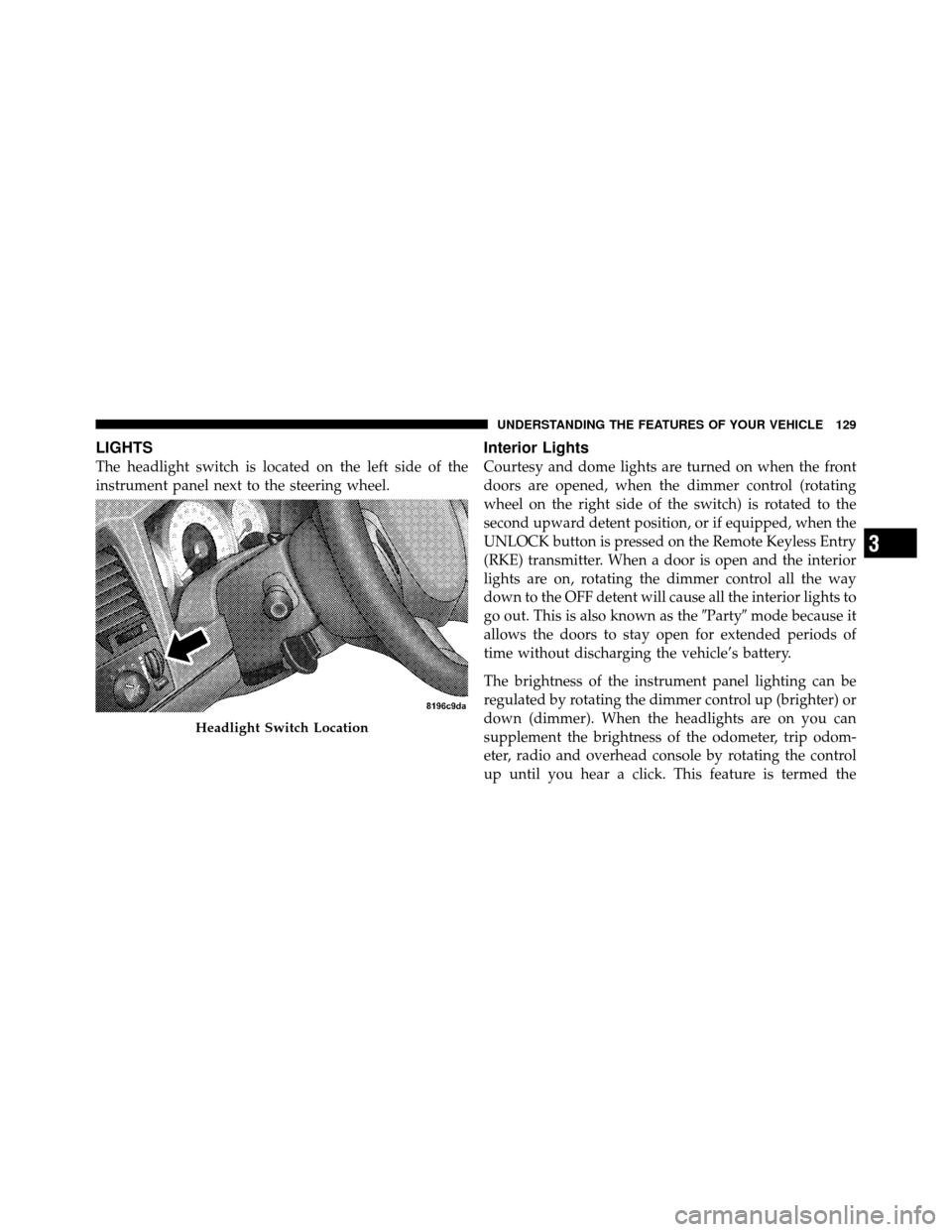
The headlight switch is located on the left side of the
instrument panel next to the steering wheel.
Interior Lights
Courtesy and dome lights are turned on when the front
doors are opened, when the dimmer control (rotating
wheel on the right side of the switch) is rotated to the
second upward detent position, or if equipped, when the
UNLOCK button is pressed on the Remote Keyless Entry
(RKE) transmitter. When a door is open and the interior
lights are on, rotating the dimmer control all the way
down to the OFF detent will cause all the interior lights to
go out. This is also known as the�Party�mode because it
allows the doors to stay open for extended periods of
time without discharging the vehicle’s battery.
The brightness of the instrument panel lighting can be
regulated by rotating the dimmer control up (brighter) or
down (dimmer). When the headlights are on you can
supplement the brightness of the odometer, trip odom-
eter, radio and overhead console by rotating the control
up until you hear a click. This feature is termed the
Headlight Switch Location
3
UNDERSTANDING THE FEATURES OF YOUR VEHICLE 129
Page 134 of 450
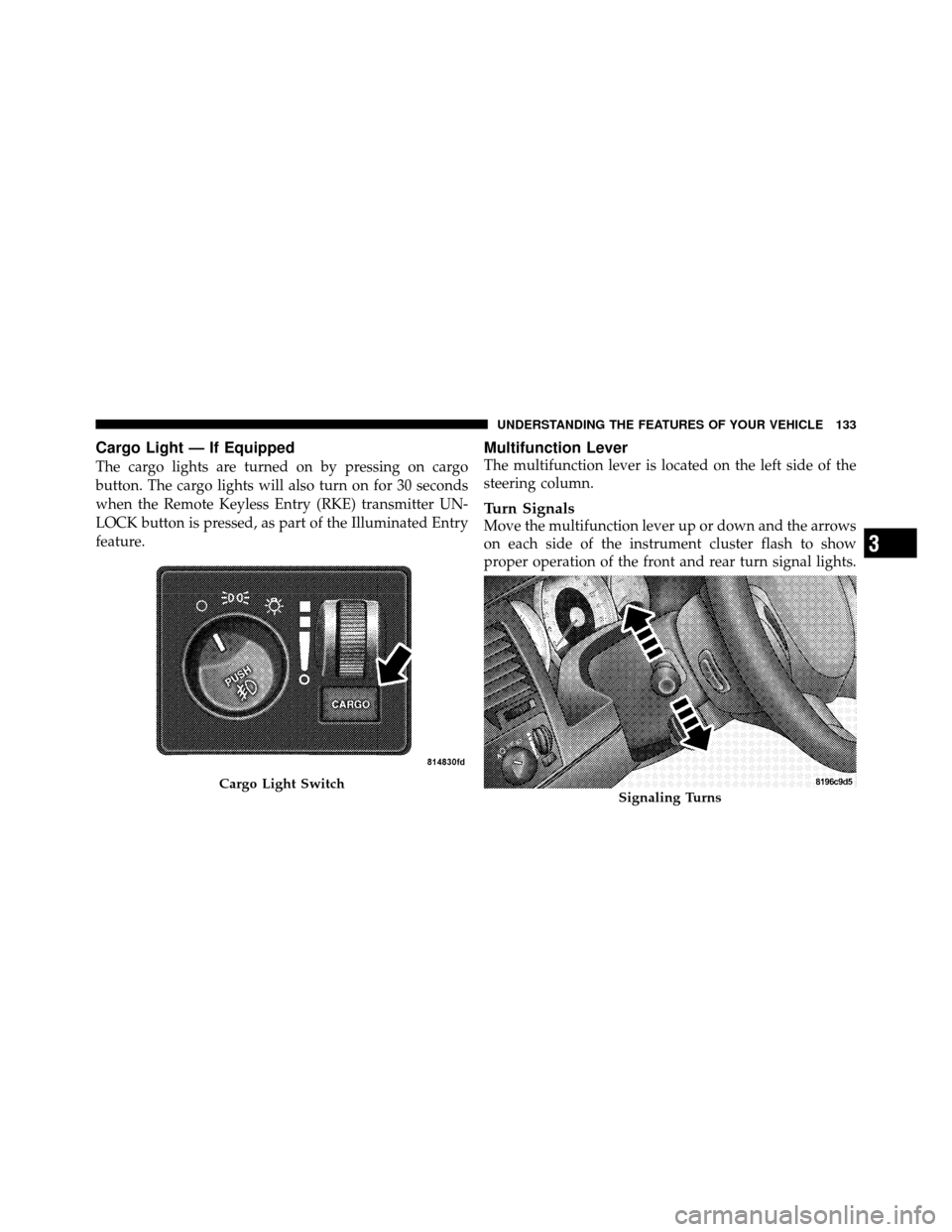
Cargo Light — If Equipped
The cargo lights are turned on by pressing on cargo
button. The cargo lights will also turn on for 30 seconds
when the Remote Keyless Entry (RKE) transmitter UN-
LOCK button is pressed, as part of the Illuminated Entry
feature.
Multifunction Lever
The multifunction lever is located on the left side of the
steering column.
Turn Signals
Move the multifunction lever up or down and the arrows
on each side of the instrument cluster flash to show
proper operation of the front and rear turn signal lights.
Cargo Light SwitchSignaling Turns
3
UNDERSTANDING THE FEATURES OF YOUR VEHICLE 133
Page 143 of 450
Courtesy/Reading Lights
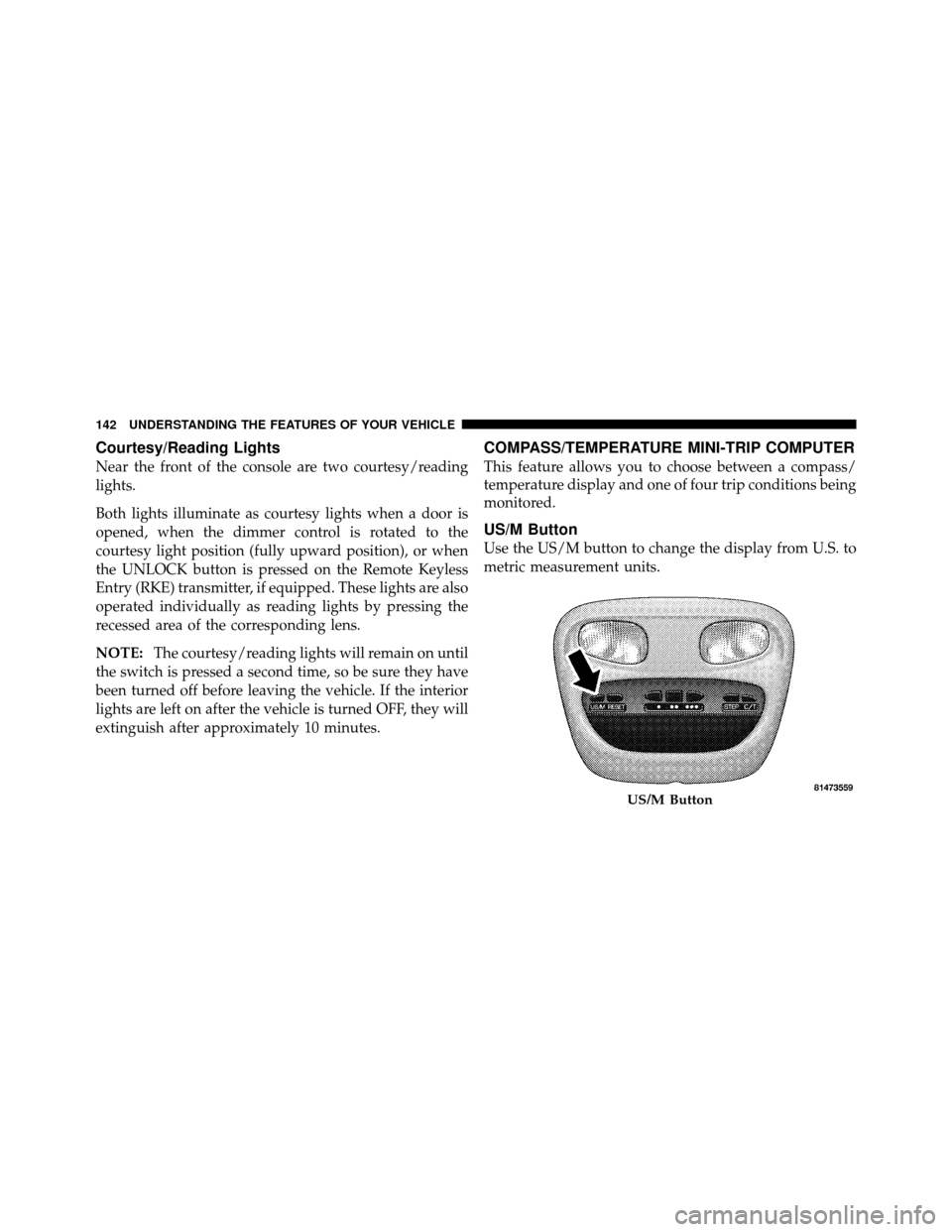
Near the front of the console are two courtesy/reading
lights.
Both lights illuminate as courtesy lights when a door is
opened, when the dimmer control is rotated to the
courtesy light position (fully upward position), or when
the UNLOCK button is pressed on the Remote Keyless
Entry (RKE) transmitter, if equipped. These lights are also
operated individually as reading lights by pressing the
recessed area of the corresponding lens.
NOTE:The courtesy/reading lights will remain on until
the switch is pressed a second time, so be sure they have
been turned off before leaving the vehicle. If the interior
lights are left on after the vehicle is turned OFF, they will
extinguish after approximately 10 minutes.
COMPASS/TEMPERATURE MINI-TRIP COMPUTER
This feature allows you to choose between a compass/
temperature display and one of four trip conditions being
monitored.
US/M Button
Use the US/M button to change the display from U.S. to
metric measurement units.
US/M Button
142 UNDERSTANDING THE FEATURES OF YOUR VEHICLE
Page 187 of 450

23. Airbag Warning LightThe airbag warning light will illuminate and
remain lit for six to eight seconds when the
ignition is first turned ON. If the light does not
illuminate when the ignition is first turned ON,
or the light stays on or comes on while driving, have the
airbag system checked by an authorized dealer. Refer to
“Occupant Restraints” in “Things To Know Before Start-
ing Your Vehicle” for further information.
24. 4WD Indicator This light indicates the vehicle is in four-wheel
drive and 4LOCK. 4WD allows all four wheels
to receive torque from the engine simulta-
neously.
25. SVC (Service) 4WD Indicator
The SVC 4WD illuminates when the ignition key is
turned to the ON position and will stay on for two seconds. If the light stays on or illuminates during
driving, it means that the 4WD system is not functioning
properly and that service is required.
26. Cruise Indicator
The cruise indicator illuminates when the electronic
speed control system is turned on.
27. Cargo Lamp
The Cargo Lamp indicator will illuminate
when the Cargo Lamp is activated by pressing
the CARGO button, located on the headlight
switch.
28. TOW/HAUL
The TOW/HAUL button is located at the end of the gear
shift lever. This light will illuminate when the TOW/
HAUL button has been selected.
186 UNDERSTANDING YOUR INSTRUMENT PANEL