Page 40 of 484
1. Pull the window switch up to close window com-
pletely and continue to hold the switch up for an
additional two seconds after the window is closed.
Wind Buffeting
Wind buffeting can be described as the perception of
pressure on the ears or a helicopter-type sound in the
ears. Your vehicle may exhibit wind buffeting with the
windows down, or the sunroof (if equipped) in certain
open or partially open positions. This is a normal occur-
rence and can be minimized. If the buffeting occurs with
the rear windows open, then open the front and rear
windows together to minimize the buffeting. If the
buffeting occurs with the sunroof open, then adjust the
sunroof opening to minimize the buffeting.
TRUNK LOCK AND RELEASE
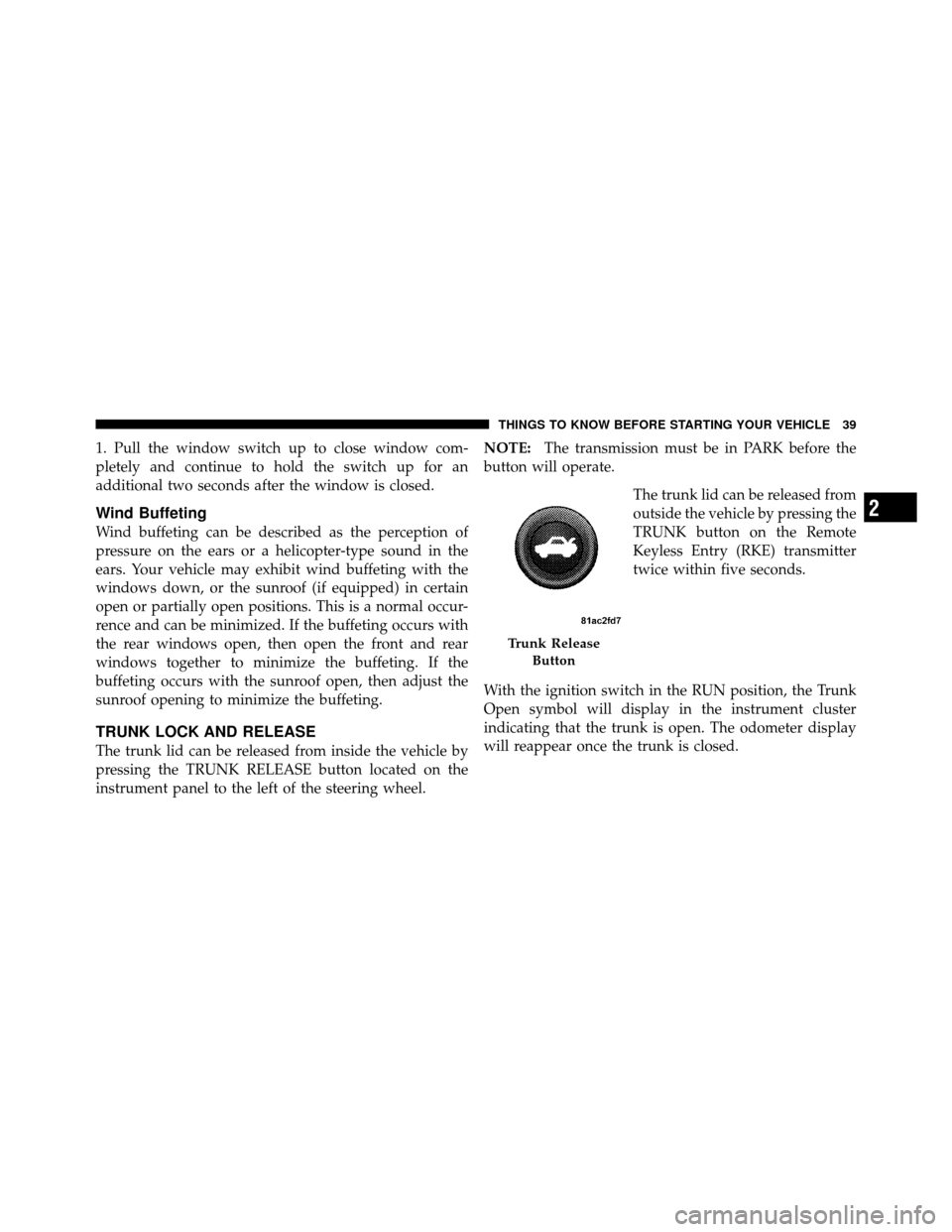
The trunk lid can be released from inside the vehicle by
pressing the TRUNK RELEASE button located on the
instrument panel to the left of the steering wheel.NOTE:
The transmission must be in PARK before the
button will operate.
The trunk lid can be released from
outside the vehicle by pressing the
TRUNK button on the Remote
Keyless Entry (RKE) transmitter
twice within five seconds.
With the ignition switch in the RUN position, the Trunk
Open symbol will display in the instrument cluster
indicating that the trunk is open. The odometer display
will reappear once the trunk is closed.
Trunk Release Button
2
THINGS TO KNOW BEFORE STARTING YOUR VEHICLE 39
Page 190 of 484

•ECO (Fuel Saver Indicator) — if equipped
•SERVICE AWD SYSTEM — All Wheel Drive (AWD)
system is not functioning properly and service is
required.
•Channel # Transmit
•Channel # Training
•Channel # Trained
•Clearing Channels
•Channels Cleared
•Did Not Train
•Insert Key/Turn To Run (refer to “Remote Starting
System” in “Things To Know Before Starting Your
Vehicle”)
•Check Gascap (refer to “Adding Fuel” in “Starting
And Operating”)
•Oil Change Required (with a single chime)
Oil Change Required
Your vehicle is equipped with an engine oil change
indicator system. The “Oil Change Required” message
will flash in the EVIC display for approximately 10 sec-
onds after a single chime has sounded to indicate the next
scheduled oil change interval. The engine oil change
indicator system is duty cycle based, which means the
engine oil change interval may fluctuate dependent upon
your personal driving style.
Unless reset, this message will continue to display each
time you turn the ignition switch to the ON position. To
turn off the message temporarily, press and release the
MENU button. To reset the oil change indicator system
(after performing the scheduled maintenance) perform
the following procedure:
1. Turn the ignition switch to the ON position. (Do not
start the engine).
4
UNDERSTANDING YOUR INSTRUMENT PANEL 189
Page 248 of 484
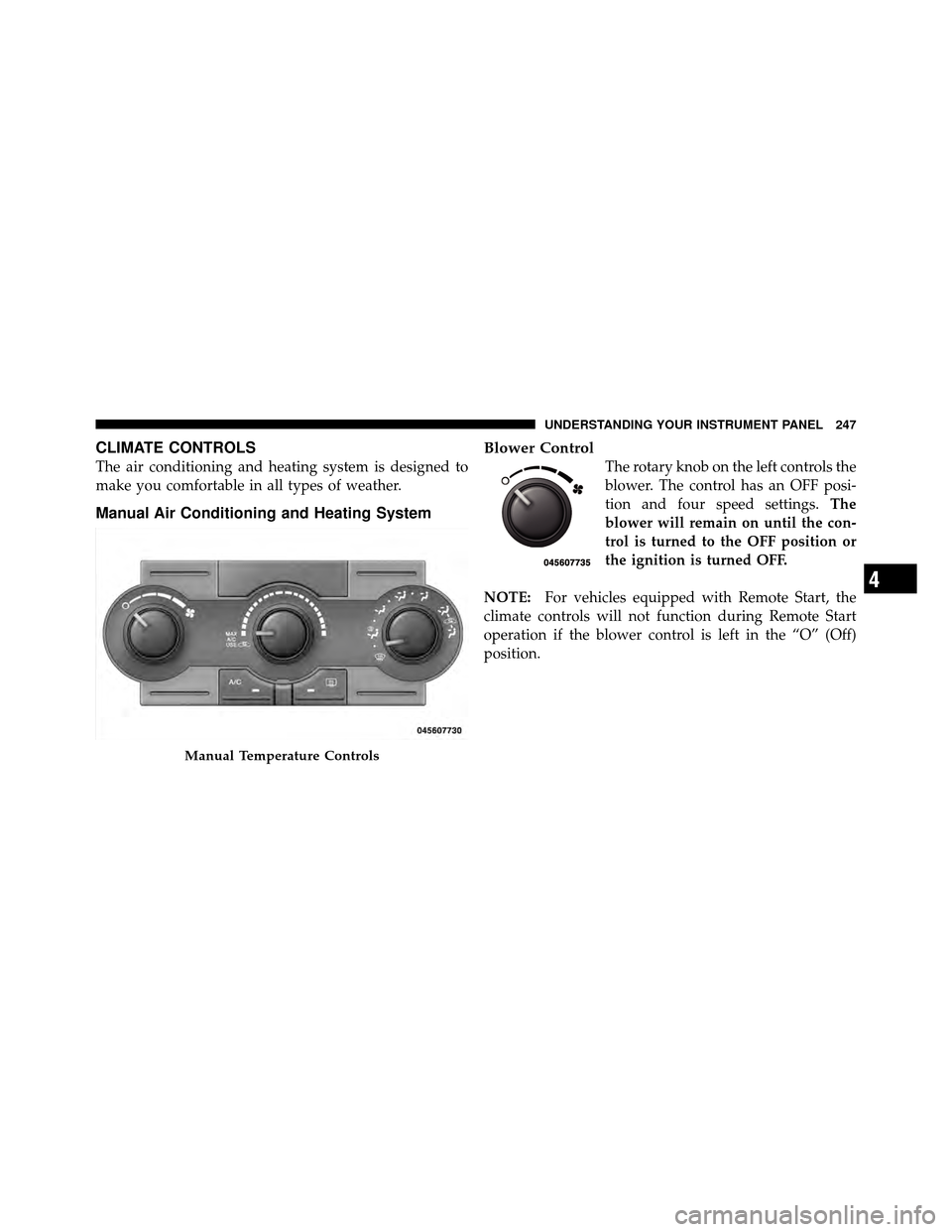
CLIMATE CONTROLS
The air conditioning and heating system is designed to
make you comfortable in all types of weather.
Manual Air Conditioning and Heating SystemBlower Control
The rotary knob on the left controls the
blower. The control has an OFF posi-
tion and four speed settings.
The
blower will remain on until the con-
trol is turned to the OFF position or
the ignition is turned OFF.
NOTE: For vehicles equipped with Remote Start, the
climate controls will not function during Remote Start
operation if the blower control is left in the “O” (Off)
position.
Manual Temperature Controls
4
UNDERSTANDING YOUR INSTRUMENT PANEL 247
Page 364 of 484
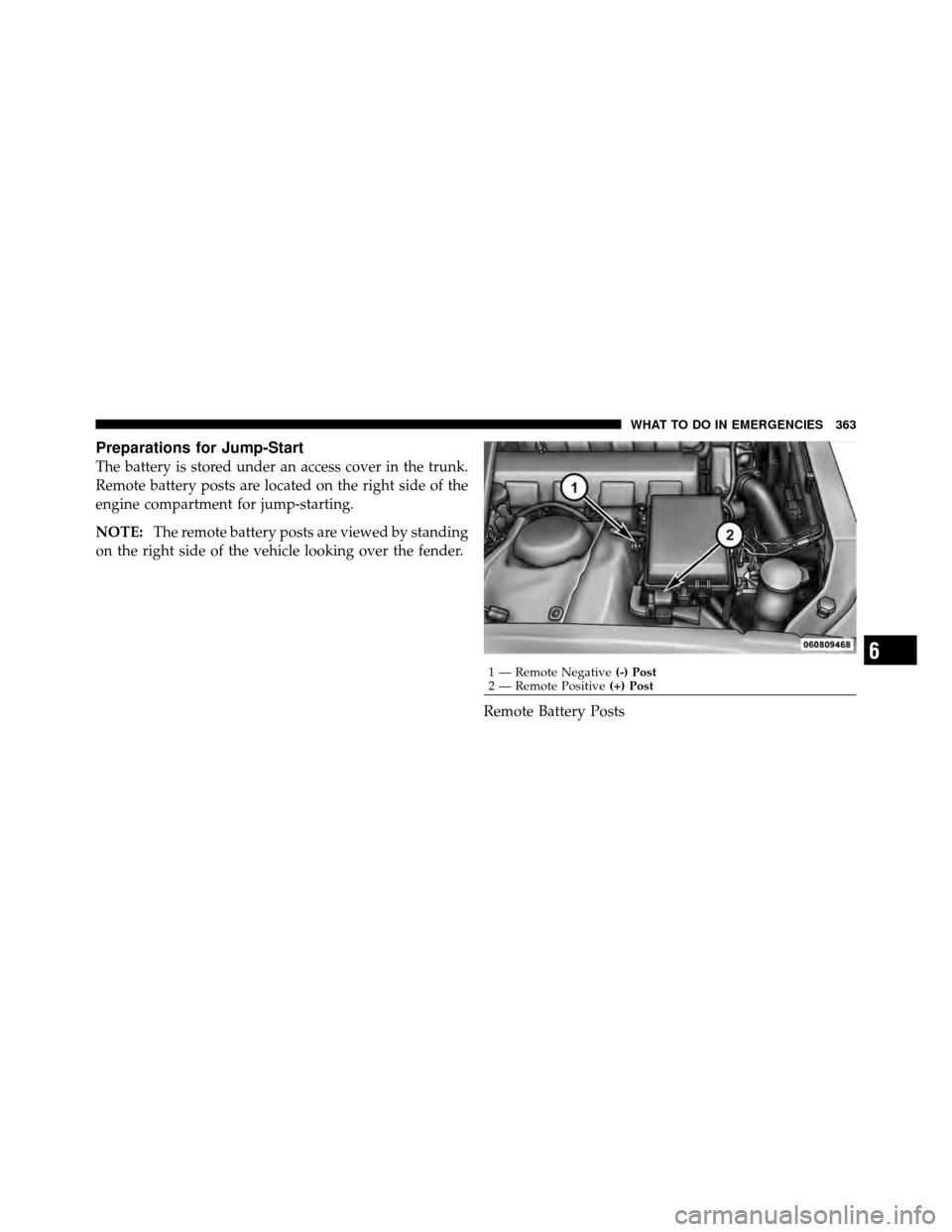
Preparations for Jump-Start
The battery is stored under an access cover in the trunk.
Remote battery posts are located on the right side of the
engine compartment for jump-starting.
NOTE:The remote battery posts are viewed by standing
on the right side of the vehicle looking over the fender.
Remote Battery Posts
1 — Remote Negative(-) Post
2 — Remote Positive (+) Post
6
WHAT TO DO IN EMERGENCIES 363
Page 366 of 484
CAUTION!
Failure to follow these procedures could result in
damage to the charging system of the booster vehicle
or the discharged vehicle.
1. Connect the positive (+)end of the jumper cable to the
remote positive (+)post of the discharged vehicle.
2. Connect the opposite end of the positive (+)jumper
cable to the positive (+)post of the booster battery.
3. Connect the negative end (-)of the jumper cable to the
negative (-)post of the booster battery.
4. Connect the opposite end of the negative (-)jumper
cable to the remote negative (-)post of the vehicle with
the discharged battery.
WARNING!
Do not connect the cable to the negative post (-) of the
discharged battery. The resulting electrical spark
could cause the battery to explode and could result in
personal injury.
5. Start the engine in the vehicle that has the booster
battery, let the engine idle a few minutes, and then start
the engine in the vehicle with the discharged battery.
Once the engine is started, remove the jumper cables in
the reverse sequence:
6. Disconnect the negative (-)jumper cable from the
remote negative (-)post of the vehicle with the dis-
charged battery.
7. Disconnect the negative end (-)of the jumper cable
from the negative (-)post of the booster battery.
6
WHAT TO DO IN EMERGENCIES 365
Page 367 of 484
8. Disconnect the opposite end of the positive(+)jumper
cable from the positive (+)post of the booster battery.
9. Disconnect the positive (+)end of the jumper cable
from the remote positive (+)post of the discharged
vehicle.
If frequent jump-starting is required to start your vehicle
you should have the battery and charging system in-
spected at your authorized dealer.
CAUTION!
Accessories that can be plugged into the vehicle
power outlets draw power from the vehicle’s battery,
even when not in use (i.e., cellular phones, etc.).
Eventually, if plugged in long enough, the vehicle’s
battery will discharge sufficiently to degrade battery
life and/or prevent the engine from starting.
FREEING A STUCK VEHICLE
If your vehicle becomes stuck in mud, sand, or snow, it
can often be moved by a rocking motion. Turn your
steering wheel right and left to clear the area around the
front wheels. Then shift back and forth between RE-
VERSE and DRIVE. Using minimal accelerator pedal
pressure to maintain the rocking motion, without spin-
ning the wheels, is most effective.
NOTE: Turn off the Electronic Stability Program (ESP)
— if equipped, or Traction Control System (TCS) — if
equipped before rocking the vehicle. Refer to “Electronic
Brake Control” in “Starting and Operating” for further
information.
366 WHAT TO DO IN EMERGENCIES
Page 374 of 484
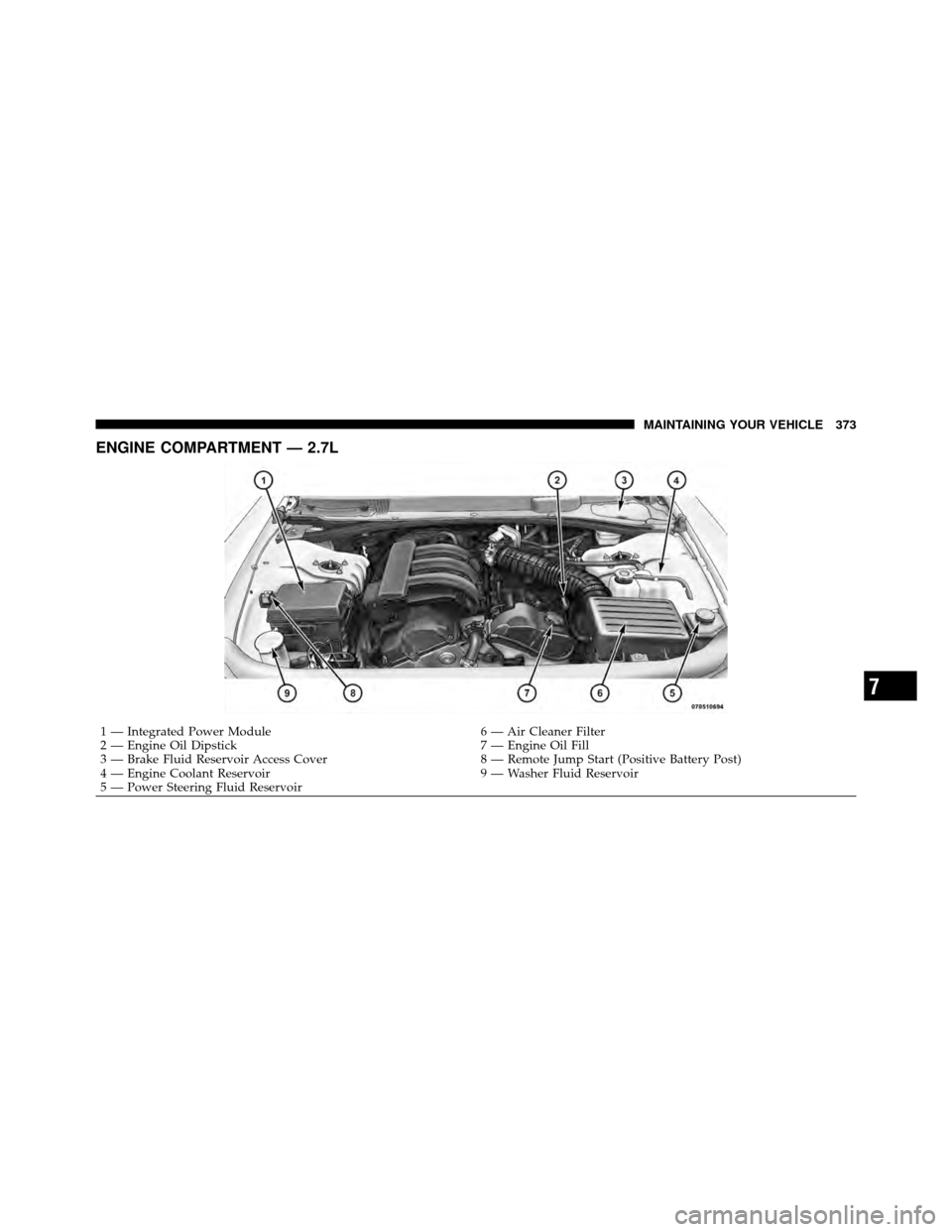
ENGINE COMPARTMENT — 2.7L
1 — Integrated Power Module6 — Air Cleaner Filter
2 — Engine Oil Dipstick 7 — Engine Oil Fill
3 — Brake Fluid Reservoir Access Cover 8 — Remote Jump Start (Positive Battery Post)
4 — Engine Coolant Reservoir 9 — Washer Fluid Reservoir
5 — Power Steering Fluid Reservoir
7
MAINTAINING YOUR VEHICLE 373
Page 375 of 484
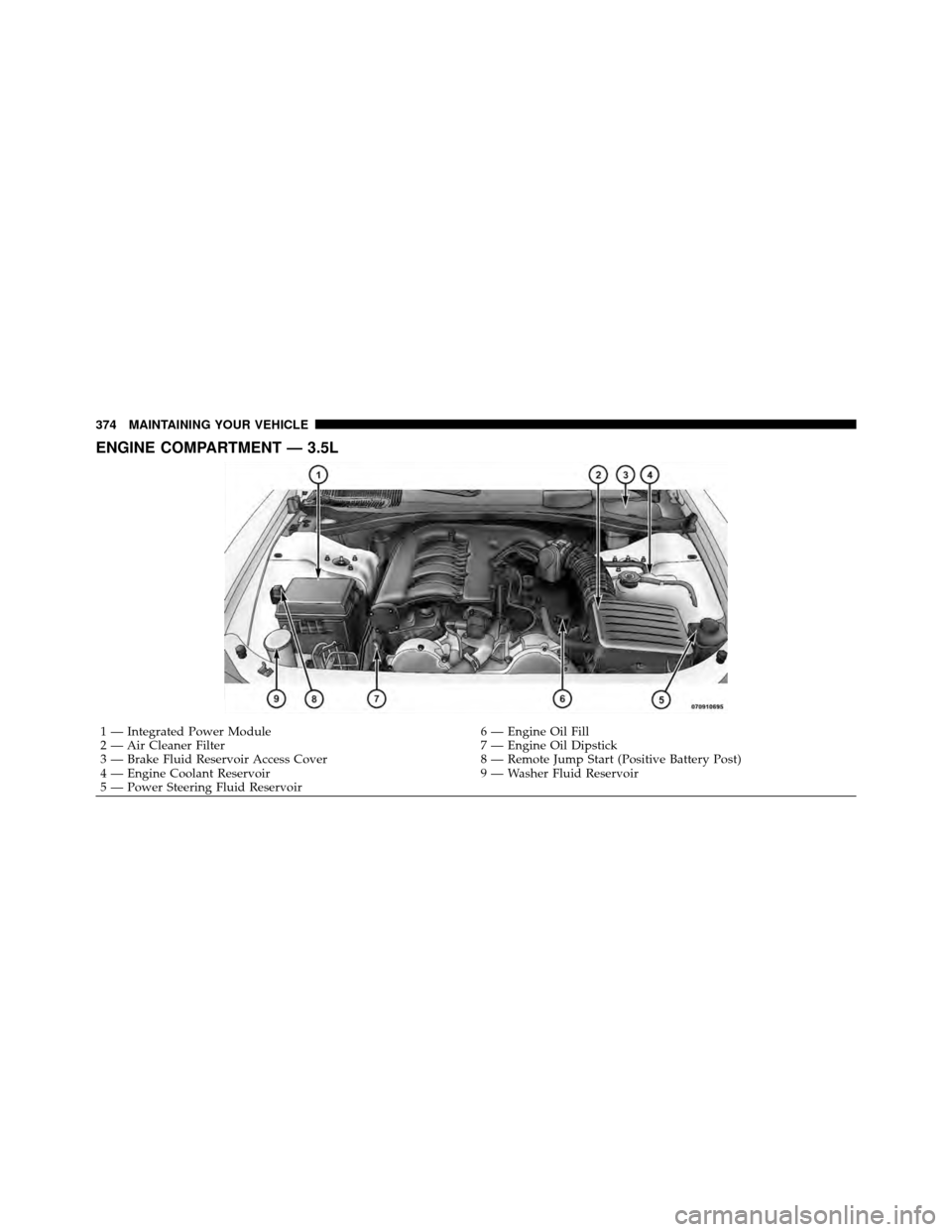
ENGINE COMPARTMENT — 3.5L
1 — Integrated Power Module6 — Engine Oil Fill
2 — Air Cleaner Filter 7 — Engine Oil Dipstick
3 — Brake Fluid Reservoir Access Cover 8 — Remote Jump Start (Positive Battery Post)
4 — Engine Coolant Reservoir 9 — Washer Fluid Reservoir
5 — Power Steering Fluid Reservoir
374 MAINTAINING YOUR VEHICLE