Page 187 of 484
26. Door Ajar IndicatorThis light will turn on to indicate that one or more
door may be ajar.
27. Decklid Ajar Indicator This light will turn on to indicate that the
decklid may be ajar.
28. Windshield Washer Fluid Low Indicator This light will turn on to indicate the windshield
washer fluid is low.
ELECTRONIC VEHICLE INFORMATION CENTER
(EVIC) – IF EQUIPPED
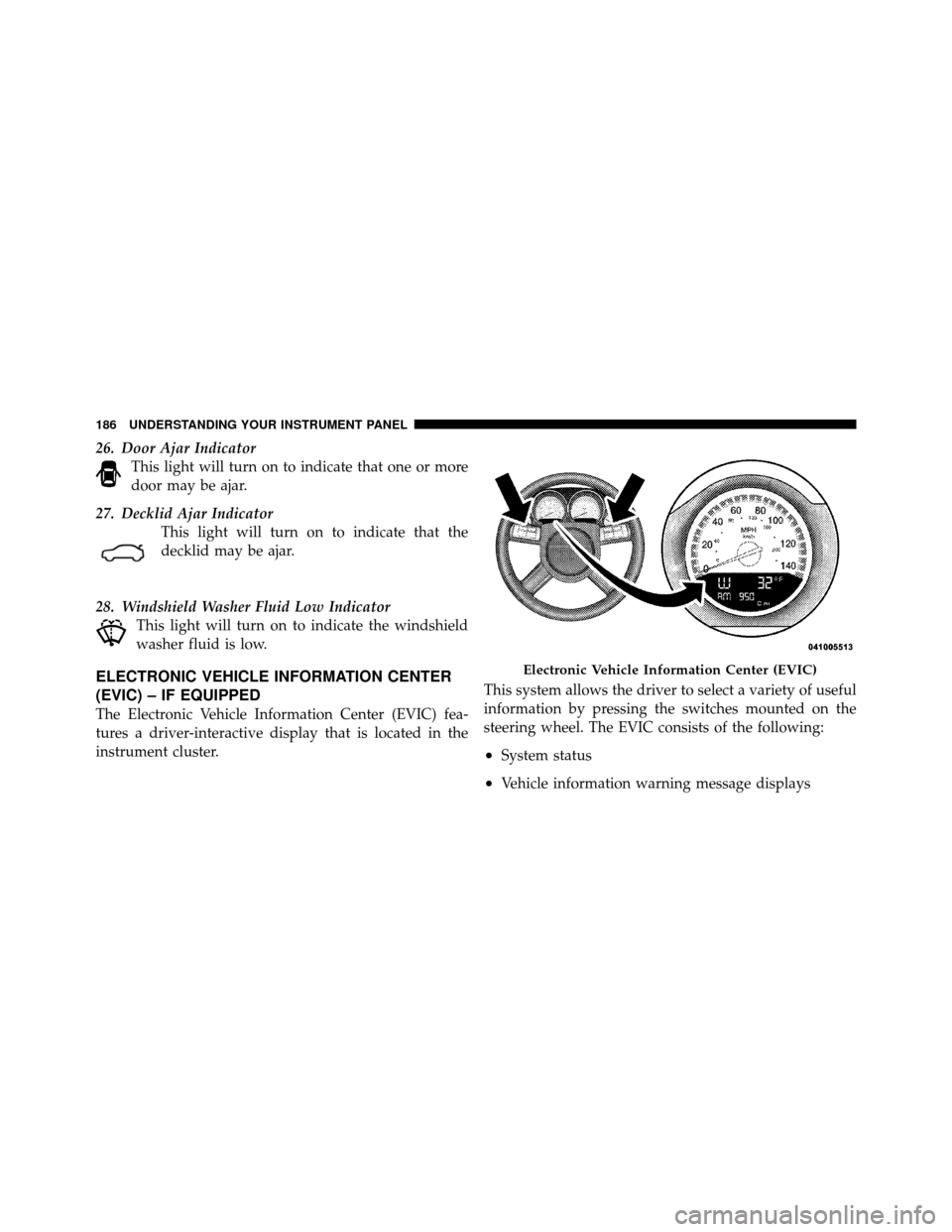
The Electronic Vehicle Information Center (EVIC) fea-
tures a driver-interactive display that is located in the
instrument cluster. This system allows the driver to select a variety of useful
information by pressing the switches mounted on the
steering wheel. The EVIC consists of the following:
•System status
•Vehicle information warning message displays
Electronic Vehicle Information Center (EVIC)
186 UNDERSTANDING YOUR INSTRUMENT PANEL
Page 188 of 484

•Personal Settings (Customer-Programmable Features)
•Compass display
•Outside temperature display
•Trip computer functions
•Uconnect™ hands-free communication system dis-
plays (if equipped)
•Navigation system screens (if equipped)
•Audio mode display
•Surround Sound modes (if equipped with Driver-
Selectable Surround [DSS])
The system allows the driver to select information by
pressing the following buttons mounted on the steering
wheel. Press and release the MENU button and the
mode displayed will change between Trip
Functions, Navigation (if equipped), System
Status, and Personal Settings.
Press the FUNCTION SELECT button to
accept a selection. The FUNCTION SE-
LECT button also functions as a remote
sound system control. Refer to “Remote
Sound System Controls”.
Press the SCROLL button to scroll through Trip
Functions, Navigation (if equipped), System
Status Messages, and Personal Settings
(Customer-Programmable Features). The
SCROLL button also functions as a remote
sound system control. Refer to “Remote Sound
System Controls”.
MENU
Button
FUNCTION SELECTButton
SCROLL Button
4
UNDERSTANDING YOUR INSTRUMENT PANEL 187
Page 189 of 484
Press the AUDIO MODE button to select the
Compass/Temp/Audio screen. Along with
compass reading and outside temperature, this
screen will display radio and media mode
information depending on which radio is in the
vehicle. Refer to “Remote Sound System
Controls”.
Electronic Vehicle Information Center (EVIC)
Displays
When the appropriate conditions exist, the EVIC displays
the following messages:
•Turn Signal On (with a continuous warning chime if
the vehicle is driven more than 1 mile [1.6 km] with
either turn signal on)
•Left Front Turn Signal Light Out (with a single chime)
•Left Rear Turn Signal Light Out (with a single chime)
•Right Front Turn Signal Light Out (with a single
chime)
•Right Rear Turn Signal Light Out (with a single chime)
•RKE Battery Low (with a single chime)
•Personal Settings Not Available – Vehicle Not in PARK
•Left/Right Front Door Ajar (one or more, with a single
chime if speed is above 1 mph [1.6 km/h])
•Left/Right Rear Door Ajar (one or more, with a single
chime if speed is above 1 mph [1.6 km/h])
•Door(s) Ajar (with a single chime if vehicle is in
motion)
•Trunk Ajar (with a single chime)
•Low Washer Fluid (with a single chime)
•Low Tire Pressure
AUDIOMODEButton
188 UNDERSTANDING YOUR INSTRUMENT PANEL
Page 190 of 484

•ECO (Fuel Saver Indicator) — if equipped
•SERVICE AWD SYSTEM — All Wheel Drive (AWD)
system is not functioning properly and service is
required.
•Channel # Transmit
•Channel # Training
•Channel # Trained
•Clearing Channels
•Channels Cleared
•Did Not Train
•Insert Key/Turn To Run (refer to “Remote Starting
System” in “Things To Know Before Starting Your
Vehicle”)
•Check Gascap (refer to “Adding Fuel” in “Starting
And Operating”)
•Oil Change Required (with a single chime)
Oil Change Required
Your vehicle is equipped with an engine oil change
indicator system. The “Oil Change Required” message
will flash in the EVIC display for approximately 10 sec-
onds after a single chime has sounded to indicate the next
scheduled oil change interval. The engine oil change
indicator system is duty cycle based, which means the
engine oil change interval may fluctuate dependent upon
your personal driving style.
Unless reset, this message will continue to display each
time you turn the ignition switch to the ON position. To
turn off the message temporarily, press and release the
MENU button. To reset the oil change indicator system
(after performing the scheduled maintenance) perform
the following procedure:
1. Turn the ignition switch to the ON position. (Do not
start the engine).
4
UNDERSTANDING YOUR INSTRUMENT PANEL 189
Page 191 of 484
2. Fully depress the accelerator pedal slowly three times
within 10 seconds.
3. Turn the ignition switch to the LOCK position.
NOTE:If the indicator message illuminates when you
start the vehicle, the oil change indicator system did not
reset. If necessary, repeat this procedure.
Trip Functions
Press and release the MENU button until one of the
following Trip Functions displays in the EVIC:
•Average Fuel Economy/Fuel Saver Mode
•Distance To Empty
•Trip A
•Trip B
•Elapsed Time
•Display Units of Measure in Press the SCROLL button to cycle through all the Trip
Computer functions.
The Trip Functions mode displays the following.
•Average Fuel Economy / Fuel Saver Mode — If
Equipped
Shows the average fuel economy since the last reset.
When the fuel economy is reset, the display will read
“RESET” or show dashes for two seconds. Then, the
history information will be erased, and the averaging will
continue from the last fuel average reading before the
reset.
The FUEL SAVER MODE message will display above the
average fuel economy in the EVIC display. This message
will appear whenever MDS (if equipped) allows the
engine to operate on four cylinders, or if you are driving
in a fuel efficient manner.
190 UNDERSTANDING YOUR INSTRUMENT PANEL
Page 193 of 484
and average fuel economy, according to the current fuel
tank level. DTE cannot be reset through the FUNCTION
SELECT button.
NOTE:Significant changes in driving style or vehicle
loading will greatly affect the actual drivable distance of
the vehicle, regardless of the DTE displayed value.
When the DTE value is less than 30 miles (48 km)
estimated driving distance, the DTE display will change
to a text display of �LOW FUEL.�This display will
continue until the vehicle runs out of fuel. Adding a
significant amount of fuel to the vehicle will turn off the
�LOW FUEL� text and a new DTE value will display.
•Trip A
Shows the total distance traveled for Trip A since the last
reset.
•Trip B
Shows the total distance traveled for Trip B since the last
reset.
•Elapsed Time
Shows the total elapsed time of travel since the last reset
when the ignition switch is in the ACC position. Elapsed
time will increment when the ignition switch is in the ON
or START position.
•Display Units of Measure in
To make your selection, press and release the FUNC-
TION SELECT button until “ENGLISH” or “METRIC”
appears.
192 UNDERSTANDING YOUR INSTRUMENT PANEL
Page 194 of 484
To Reset The Display
Reset will only occur while a resettable function is being
displayed. Press and release the FUNCTION SELECT
button once to clear the resettable function being dis-
played. To reset all resettable functions, press and release
the FUNCTION SELECT button a second time within
three seconds of resetting the currently-displayed func-
tion. (>Reset ALL will display during this three-second
window.)
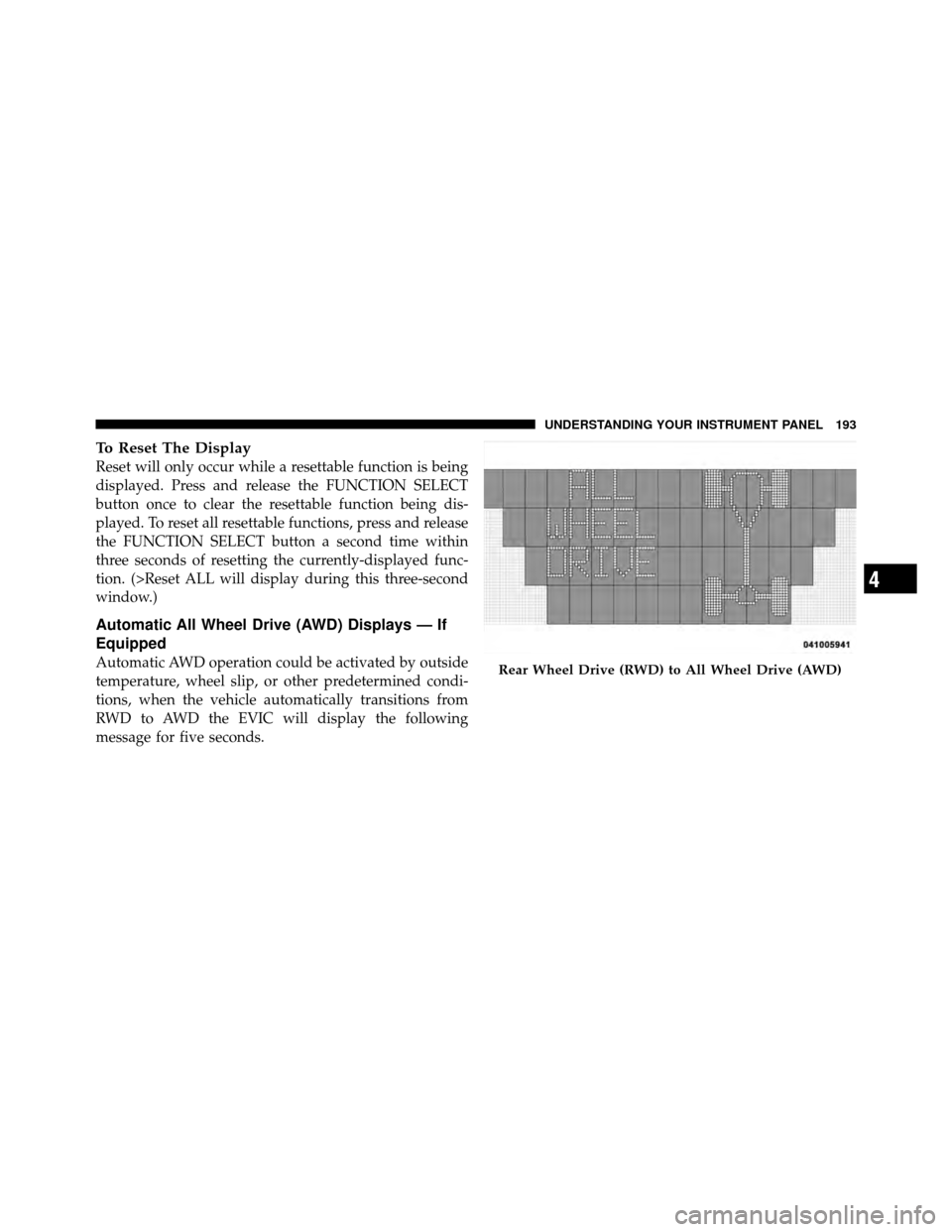
Automatic All Wheel Drive (AWD) Displays — If
Equipped
Automatic AWD operation could be activated by outside
temperature, wheel slip, or other predetermined condi-
tions, when the vehicle automatically transitions from
RWD to AWD the EVIC will display the following
message for five seconds.Rear Wheel Drive (RWD) to All Wheel Drive (AWD)
4
UNDERSTANDING YOUR INSTRUMENT PANEL 193
Page 195 of 484
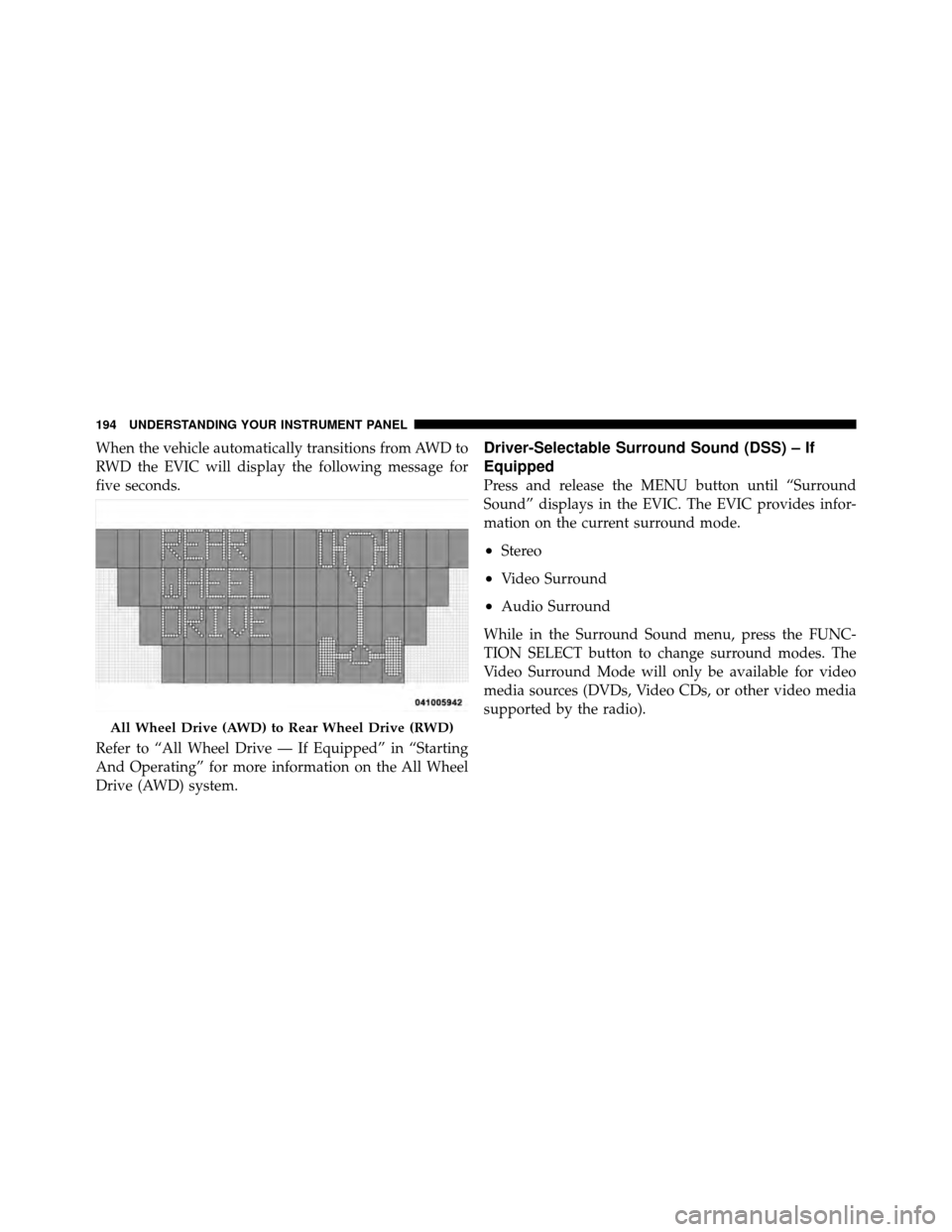
When the vehicle automatically transitions from AWD to
RWD the EVIC will display the following message for
five seconds.
Refer to “All Wheel Drive — If Equipped” in “Starting
And Operating” for more information on the All Wheel
Drive (AWD) system.Driver-Selectable Surround Sound (DSS) – If
Equipped
Press and release the MENU button until “Surround
Sound” displays in the EVIC. The EVIC provides infor-
mation on the current surround mode.
•Stereo
•Video Surround
•Audio Surround
While in the Surround Sound menu, press the FUNC-
TION SELECT button to change surround modes. The
Video Surround Mode will only be available for video
media sources (DVDs, Video CDs, or other video media
supported by the radio).
All Wheel Drive (AWD) to Rear Wheel Drive (RWD)
194 UNDERSTANDING YOUR INSTRUMENT PANEL