Page 94 of 484
▫Intermittent Wiper System .............. 152
▫ Windshield Washers .................. 152
▫ Mist Feature ........................ 153
� Tilt Steering Column ................... 154
� Electronic Speed Control — If Equipped ..... 155
▫ To Activate ......................... 155
▫ To Set a Desired Speed ................ 156
▫ To Deactivate ....................... 156
▫ To Resume Speed .................... 156
▫ To Vary The Speed Setting .............. 156
▫ Manual Transaxle .................... 157
▫ To Accelerate For Passing .............. 158
� Garage Door Opener — If Equipped ........ 158
▫ Programming HomeLink� .............. 160 ▫
Gate Operator/Canadian Programming .... 162
▫ Using HomeLink� ................... 163
▫ Reprogramming A Single
HomeLink� Button................... 163
▫ Security ........................... 163
▫ Troubleshooting Tips .................. 164
▫ General Information .................. 164
� Power Sunroof — If Equipped ............ 165
▫ Opening The Sunroof ................. 166
▫ Closing The Sunroof .................. 166
▫ Pinch Protect Feature ................. 166
▫ Pinch Protect Override ................ 167
▫ Venting Sunroof — Express ............. 167
▫ Sunshade Operation .................. 167
3
UNDERSTANDING THE FEATURES OF YOUR VEHICLE 93
Page 101 of 484

system. Only one linked (or paired) cellular phone can be
used with the system at a time. The system is available in
English, Spanish, or French languages.
WARNING!
Any voice commanded system should be used only
in safe driving conditions following local laws and
phone use. All attention should be kept on the
roadway ahead. Failure to do so may result in an
accident causing serious injury or death.
Uconnect™ Phone Button Depending on the vehicle options, either the
radio or the mirror will contain the two control
buttons
(Uconnect™ Phone button) and
(Voice Command button) that will en-
able you to access the system. Voice Command Button
Actual button location may vary with the ra-
dio. The individual buttons are described in the
“Operation” section.
The Uconnect™ Phone can be used with any Hands-Free
Profile certified Bluetooth� cellular phone. See the
Uconnect™ website for supported phones. If your cellu-
lar phone supports a different profile (e.g., Headset
Profile) you may not be able to use any Uconnect™
Phone features. Refer to your cellular service provider or
the phone manufacturer for details.
The Uconnect™ Phone is fully integrated with the vehi-
cle’s audio system. The volume of the Uconnect™ Phone
can be adjusted either from the radio volume control
knob or from the steering wheel radio control (right
switch), if so equipped.
100 UNDERSTANDING THE FEATURES OF YOUR VEHICLE
Page 147 of 484
LIGHTS
Multifunction Lever
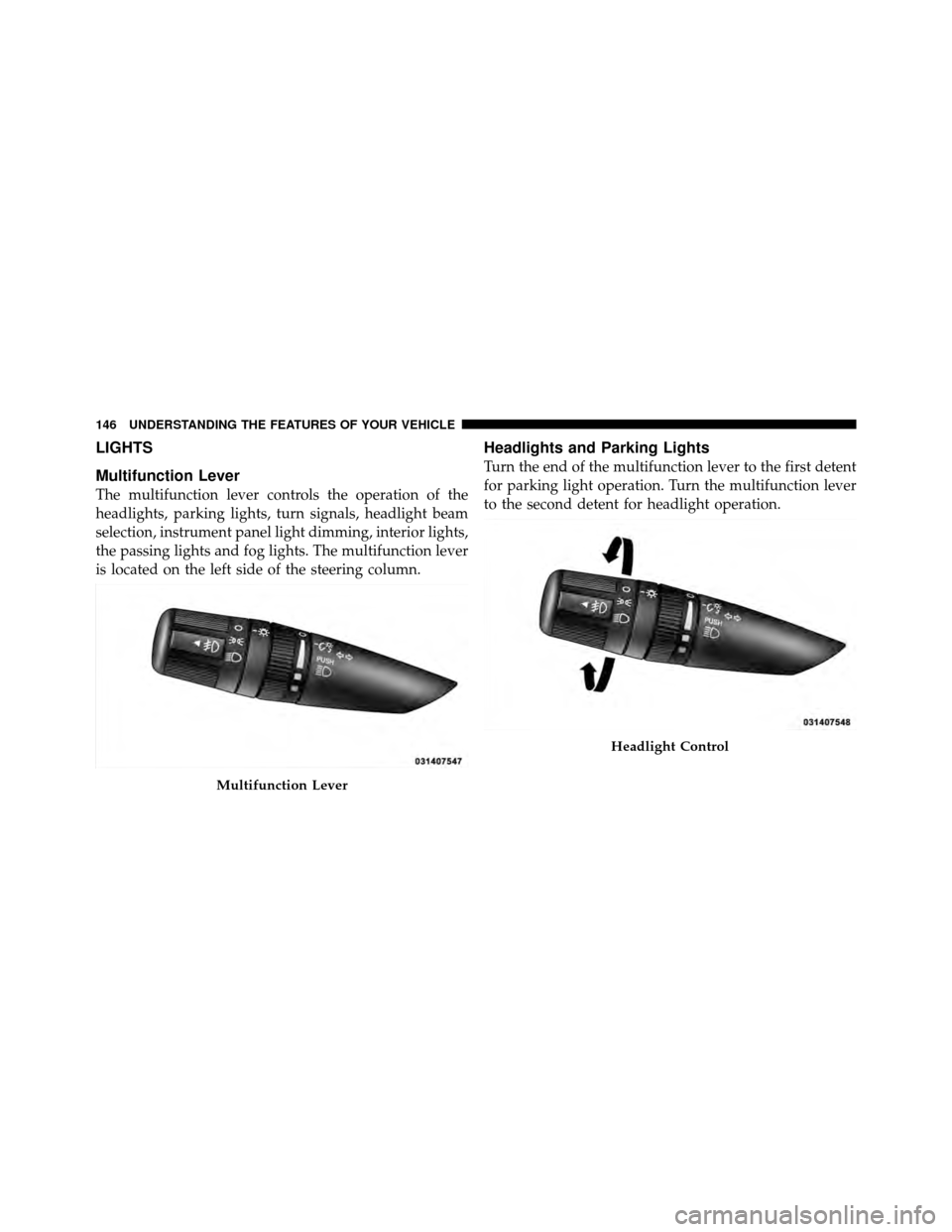
The multifunction lever controls the operation of the
headlights, parking lights, turn signals, headlight beam
selection, instrument panel light dimming, interior lights,
the passing lights and fog lights. The multifunction lever
is located on the left side of the steering column.
Headlights and Parking Lights
Turn the end of the multifunction lever to the first detent
for parking light operation. Turn the multifunction lever
to the second detent for headlight operation.
Multifunction Lever
Headlight Control
146 UNDERSTANDING THE FEATURES OF YOUR VEHICLE
Page 152 of 484
WINDSHIELD WIPERS AND WASHERS
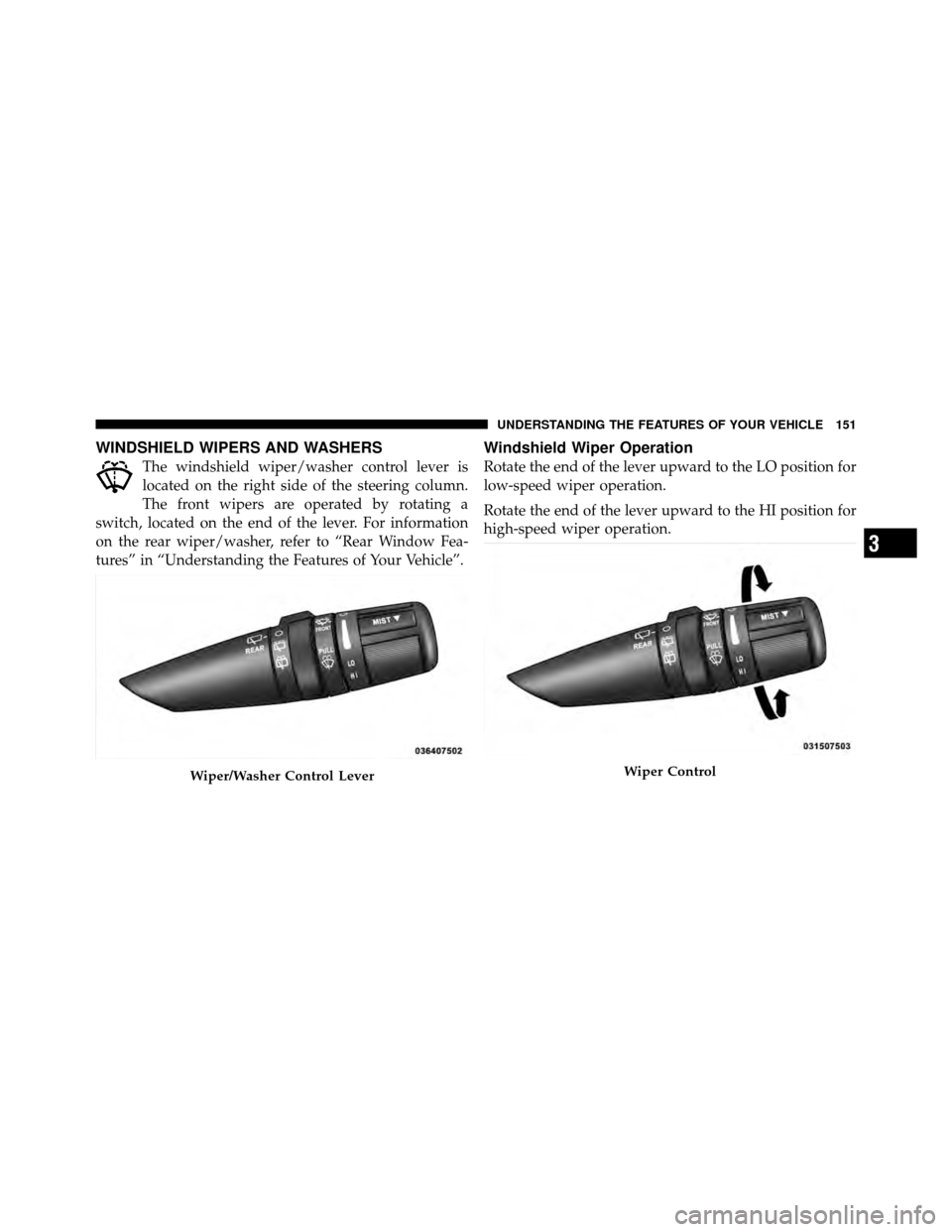
The windshield wiper/washer control lever is
located on the right side of the steering column.
The front wipers are operated by rotating a
switch, located on the end of the lever. For information
on the rear wiper/washer, refer to “Rear Window Fea-
tures” in “Understanding the Features of Your Vehicle”.
Windshield Wiper Operation
Rotate the end of the lever upward to the LO position for
low-speed wiper operation.
Rotate the end of the lever upward to the HI position for
high-speed wiper operation.
Wiper/Washer Control LeverWiper Control
3
UNDERSTANDING THE FEATURES OF YOUR VEHICLE 151
Page 155 of 484
TILT STEERING COLUMN
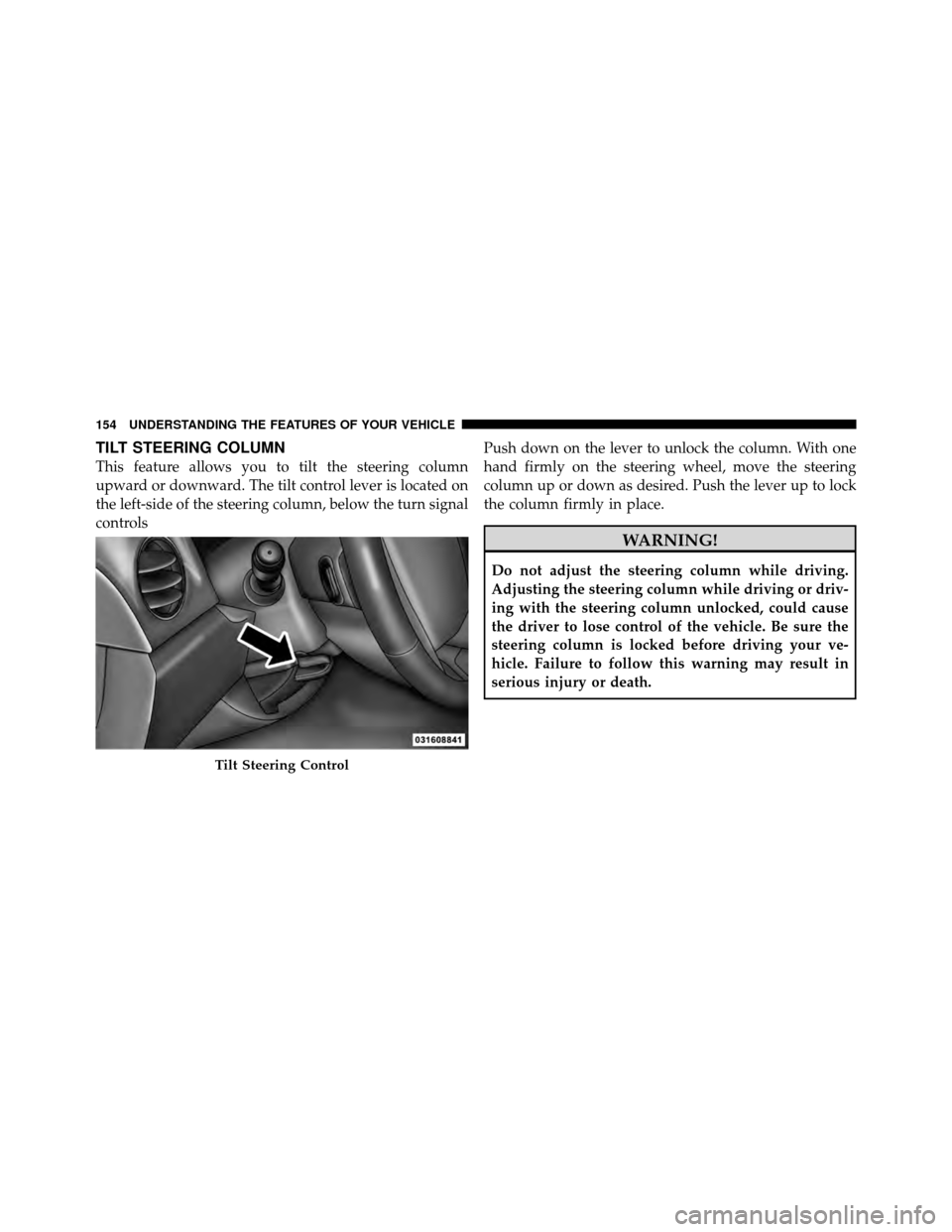
This feature allows you to tilt the steering column
upward or downward. The tilt control lever is located on
the left-side of the steering column, below the turn signal
controlsPush down on the lever to unlock the column. With one
hand firmly on the steering wheel, move the steering
column up or down as desired. Push the lever up to lock
the column firmly in place.
WARNING!
Do not adjust the steering column while driving.
Adjusting the steering column while driving or driv-
ing with the steering column unlocked, could cause
the driver to lose control of the vehicle. Be sure the
steering column is locked before driving your ve-
hicle. Failure to follow this warning may result in
serious injury or death.
Tilt Steering Control
154 UNDERSTANDING THE FEATURES OF YOUR VEHICLE
Page 156 of 484
ELECTRONIC SPEED CONTROL — IF EQUIPPED
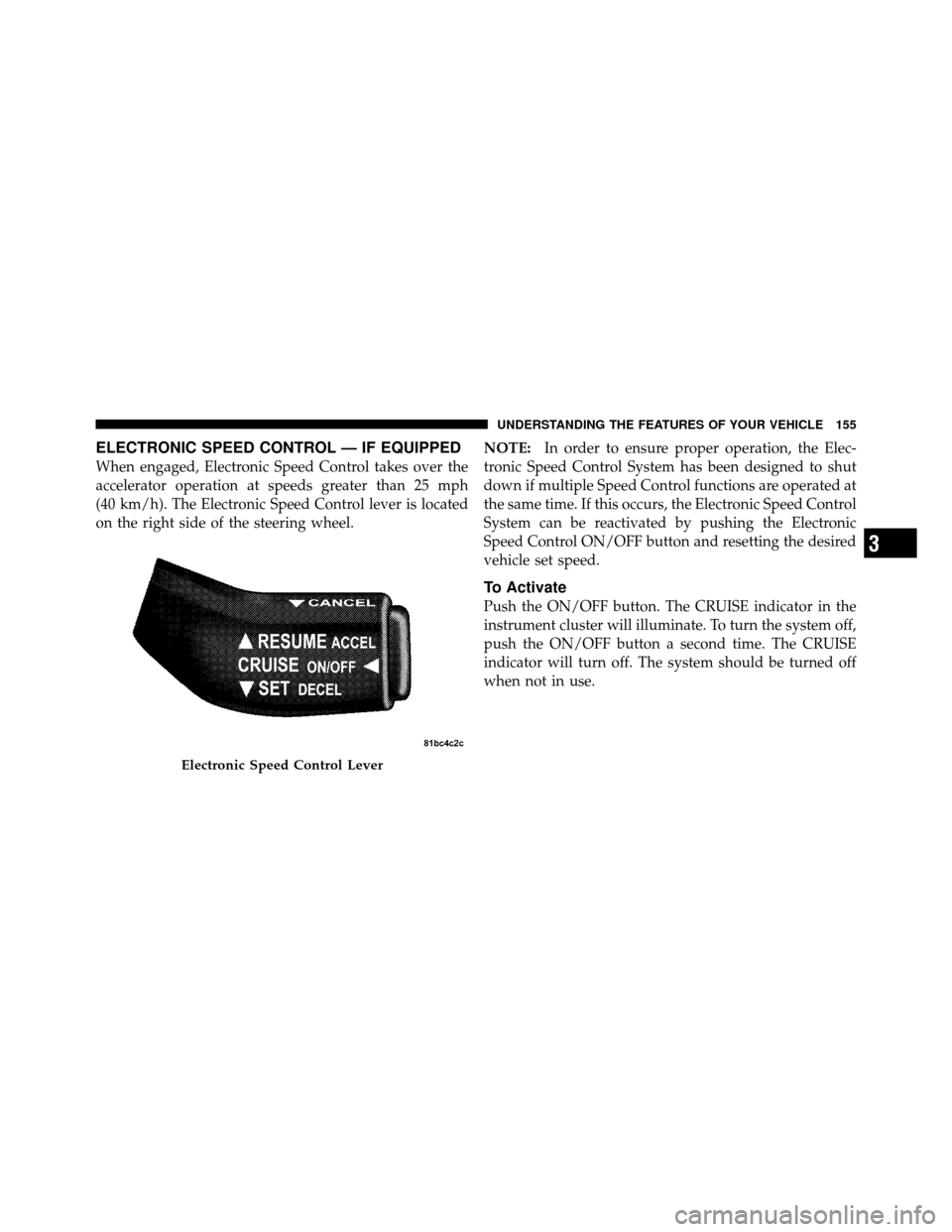
When engaged, Electronic Speed Control takes over the
accelerator operation at speeds greater than 25 mph
(40 km/h). The Electronic Speed Control lever is located
on the right side of the steering wheel.NOTE:
In order to ensure proper operation, the Elec-
tronic Speed Control System has been designed to shut
down if multiple Speed Control functions are operated at
the same time. If this occurs, the Electronic Speed Control
System can be reactivated by pushing the Electronic
Speed Control ON/OFF button and resetting the desired
vehicle set speed.
To Activate
Push the ON/OFF button. The CRUISE indicator in the
instrument cluster will illuminate. To turn the system off,
push the ON/OFF button a second time. The CRUISE
indicator will turn off. The system should be turned off
when not in use.
Electronic Speed Control Lever
3
UNDERSTANDING THE FEATURES OF YOUR VEHICLE 155
Page 184 of 484
REAR WINDOW FEATURES
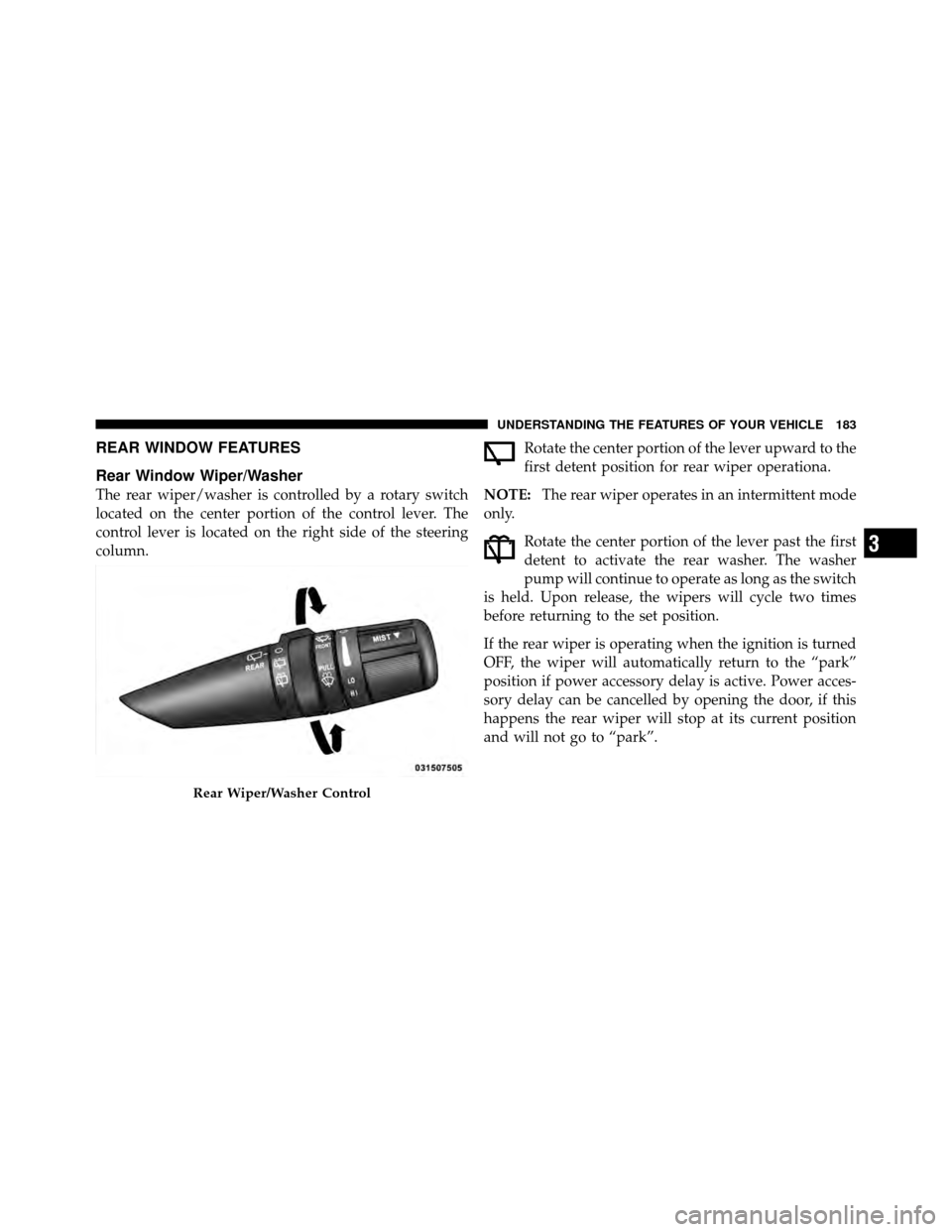
Rear Window Wiper/Washer
The rear wiper/washer is controlled by a rotary switch
located on the center portion of the control lever. The
control lever is located on the right side of the steering
column.Rotate the center portion of the lever upward to the
first detent position for rear wiper operationa.
NOTE: The rear wiper operates in an intermittent mode
only.
Rotate the center portion of the lever past the first
detent to activate the rear washer. The washer
pump will continue to operate as long as the switch
is held. Upon release, the wipers will cycle two times
before returning to the set position.
If the rear wiper is operating when the ignition is turned
OFF, the wiper will automatically return to the “park”
position if power accessory delay is active. Power acces-
sory delay can be cancelled by opening the door, if this
happens the rear wiper will stop at its current position
and will not go to “park”.
Rear Wiper/Washer Control
3
UNDERSTANDING THE FEATURES OF YOUR VEHICLE 183
Page 274 of 484
Operating Instructions — Video Entertainment
System (VES)™ (If Equipped)
Refer to separate “Video Entertainment System (VES)™
Guide.”
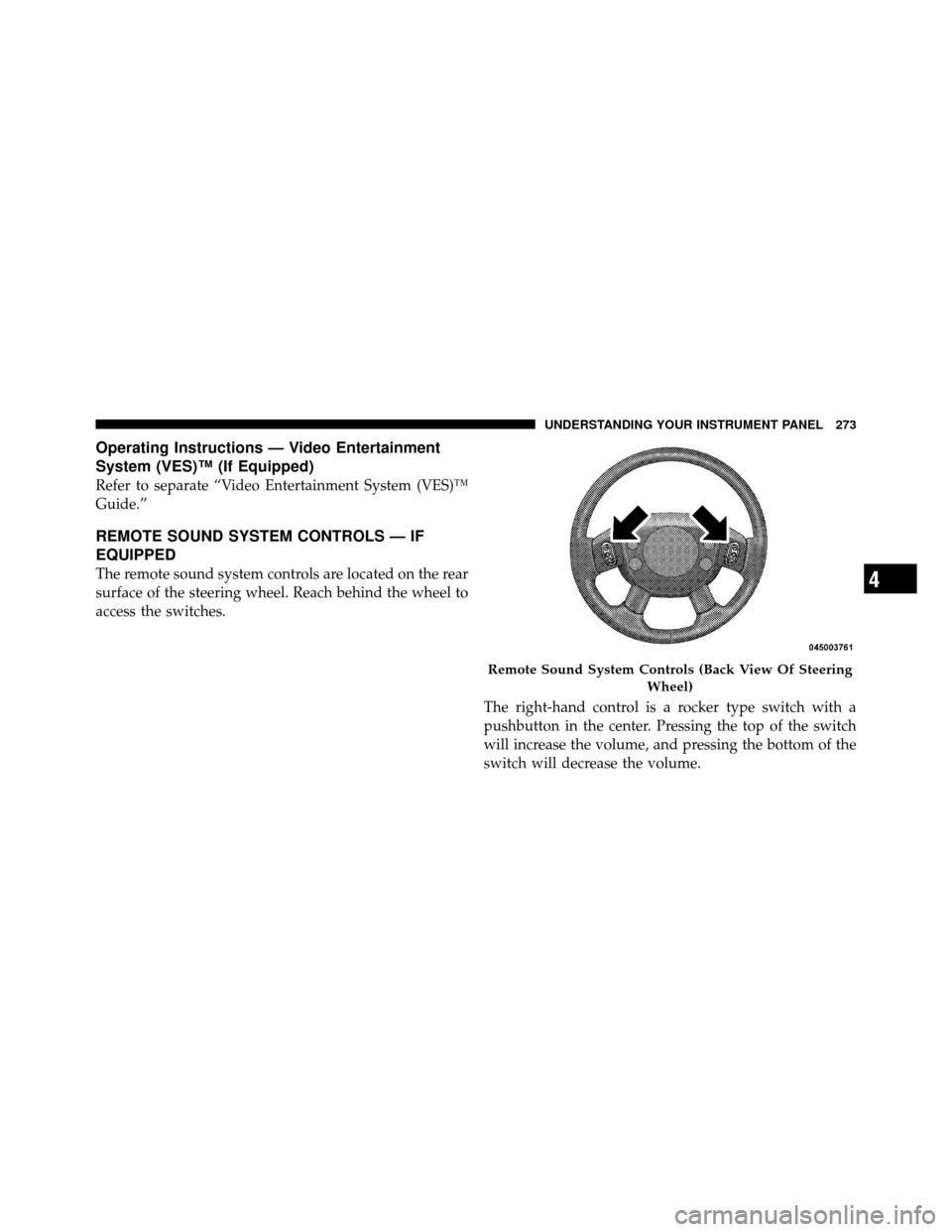
REMOTE SOUND SYSTEM CONTROLS — IF
EQUIPPED
The remote sound system controls are located on the rear
surface of the steering wheel. Reach behind the wheel to
access the switches.The right-hand control is a rocker type switch with a
pushbutton in the center. Pressing the top of the switch
will increase the volume, and pressing the bottom of the
switch will decrease the volume.
Remote Sound System Controls (Back View Of SteeringWheel)
4
UNDERSTANDING YOUR INSTRUMENT PANEL 273