Page 206 of 444

CAUTION!
•This CD player will accept 4–3/4 in (12 cm) discs
only. The use of other sized discs may damage the
CD player mechanism.
•Do not use adhesive labels. These labels can peel
away and jam the player mechanism.
•RES is a single CD player. Do not attempt to insert
a second CD if one is already loaded.
•Dual-media disc types (one side is a DVD, the
other side is a CD) should not be used, and they
can cause damage to the player.
EJECT Button - Ejecting a CD
Press the EJECT button to eject the CD.If you have ejected a disc and have not removed it within
10 seconds, it will be reloaded. If the CD is not removed,
the radio will reinsert the CD but will not play it.
A disc can be ejected with the radio and ignition OFF.
NOTE:
Ejecting with the ignition OFF is not allowed on
convertible or soft-top models (if equipped).
SEEK Button
Press the right SEEK button for the next selection on the
CD. Press the left SEEK button to return to the beginning
of the current selection, or return to the beginning of the
previous selection if the CD is within the first second of
the current selection. Pressing and holding the SEEK
button will allow faster scrolling through the tracks in
CD and MP3 modes.
TIME Button
Press this button to change the display from a large CD
playing time display to a small CD playing time display.
4
UNDERSTANDING YOUR INSTRUMENT PANEL 205
Page 211 of 444

TIME Button (Auxiliary Mode)
Press this button to change the display to time of day. The
time of day will display for five seconds (when the
ignition is OFF).
Operating Instructions - Uconnect™ Phone
(If Equipped)
Refer to “Uconnect™ Phone” in the Uconnect™ User
Manual located on the DVD for further details.
Operating Instructions - Uconnect™ Multimedia
(Satellite Radio) (If Equipped)
Refer to “Uconnect™ Multimedia (Satellite Radio)” in the
Uconnect™ User Manual located on the DVD for further
details.
Operating Instructions - Uconnect™ Phone
(If Equipped)
Refer to “Uconnect™ Phone” in the Uconnect™ User
Manual located on the DVD for further details.
Uconnect™ Multimedia (SATELLITE RADIO) —
IF EQUIPPED
(REN/REQ/RER/RBZ/RES RADIOS ONLY)
Satellite radio uses direct satellite-to-receiver broadcast-
ing technology to provide clear digital sound, coast to
coast. The subscription service provider is Sirius Satellite
Radio. This service offers over 130 channels of music,
sports, news, entertainment, and programming for chil-
dren, directly from its satellites and broadcasting studios.
NOTE:Sirius service is not available in Hawaii and has
limited coverage in Alaska.
210 UNDERSTANDING YOUR INSTRUMENT PANEL
Page 212 of 444
System Activation
Sirius Satellite Radio service is pre-activated, and you
may begin listening immediately to the one year of audio
service that is included with the factory-installed satellite
radio system in your vehicle. Sirius will supply a wel-
come kit that contains general information, including
how to setup your on-line listening account. For further
information, call the toll-free number 888-539-7474, or
visit the Sirius web site at www.sirius.com, or at www-
.siriuscanada.ca for Canadian residents.
Electronic Serial Number/Sirius Identification
Number (ESN/SID)
Please have the following information available when
calling:
1. The Electronic Serial Number/Sirius Identification
Number (ESN/SID).
2. Your Vehicle Identification Number.To access the ESN/SID, refer to the following steps:
ESN/SID Access With REQ/RES Radios
With the ignition switch in the ON/RUN or ACC posi-
tion and the radio on, press the SETUP button and scroll
using the TUNE/SCROLL control knob until Sirius ID is
selected. Press the TUNE/SCROLL control knob and the
Sirius ID number will display. The Sirius ID number
display will time out in two minutes. Press any button on
the radio to exit this screen.
ESN/SID Access With REN/RER/RBZ Radios
While in SAT mode, press the MENU button on the radio
faceplate.
Next, touch the SUBSCRIPTION tab on the touch screen.
All the ESNs that apply to your vehicle will display.
Selecting Uconnect™ Multimedia (Satellite) Mode
Press the SAT button until
�SAT�appears in the display. A
CD may remain in the radio while in the Satellite radio
mode.
4
UNDERSTANDING YOUR INSTRUMENT PANEL 211
Page 213 of 444

Satellite Antenna
To ensure optimum reception, do not place items on the
roof around the rooftop antenna location. Metal objects
placed within the line of sight of the antenna will cause
decreased performance. Larger luggage items such as
bikes should be placed as far rearward as possible, within
the loading design of the rack. Do not place items directly
on or above the antenna.
Reception Quality
Satellite reception may be interrupted due to one of the
following reasons:
•The vehicle is parked in an underground parking
structure or under a physical obstacle.
•Dense tree coverage may interrupt reception in the
form of short audio mutes.
•Driving under wide bridges or along tall buildings can
cause intermittent reception.
•Placing objects over or too close to the antenna can
cause signal blockage.
Operating Instructions - Uconnect™ Multimedia
(Satellite) Mode
NOTE:The ignition switch must be in the ON or ACC
position to operate the radio.
SEEK Buttons
Press and release the SEEK buttons to search for the next
channel in Satellite mode. Press the right switch to seek
up and the left switch to seek down. The radio will
remain tuned to the new channel until you make another
selection. Holding either button will bypass channels
without stopping until you release it.
SCAN Button
Pressing the SCAN button causes the tuner to search for
the next channel, pausing for eight seconds before con-
tinuing to the next. To stop the search, press the SCAN
button a second time.
212 UNDERSTANDING YOUR INSTRUMENT PANEL
Page 223 of 444
Recirculation ControlPressing the Recirculation Control button will
temporarily put the system in recirculation
mode (10 minutes). This can be used when
outside conditions such as smoke, odors, dust,
or high humidity are present. Activating recirculation
will cause the LED in the control button to illuminate.
After ten minutes, the system will return to normal mode
function and the LED will turn off.
NOTE:
•Continuous use of the recirculation mode may make
the inside air stuffy and window fogging may occur.
Extended use of this mode is not recommended.
•The use of the recirculation mode in cold or damp
weather will cause windows to fog on the inside,
because of moisture buildup inside the vehicle. Select
the Outside Air position for maximum defogging.
•The A/C will engage automatically to prevent fogging
when the recirculation button is pressed and the mode
control is set to panel or Bi-Level.
•Recirculated air is not allowed in Floor, Mix or Defrost
modes. If the Recirculation button is depressed while
in any of these modes, the LED indicator will flash
several times then go out. Recirculation will be dis-
abled automatically is these modes are selected.
•The A/C can be deselected manually without disturb-
ing the mode control selection.
•When the ignition switch is turned to the LOCK
position, the recirculation feature will be cancelled.
222 UNDERSTANDING YOUR INSTRUMENT PANEL
Page 229 of 444
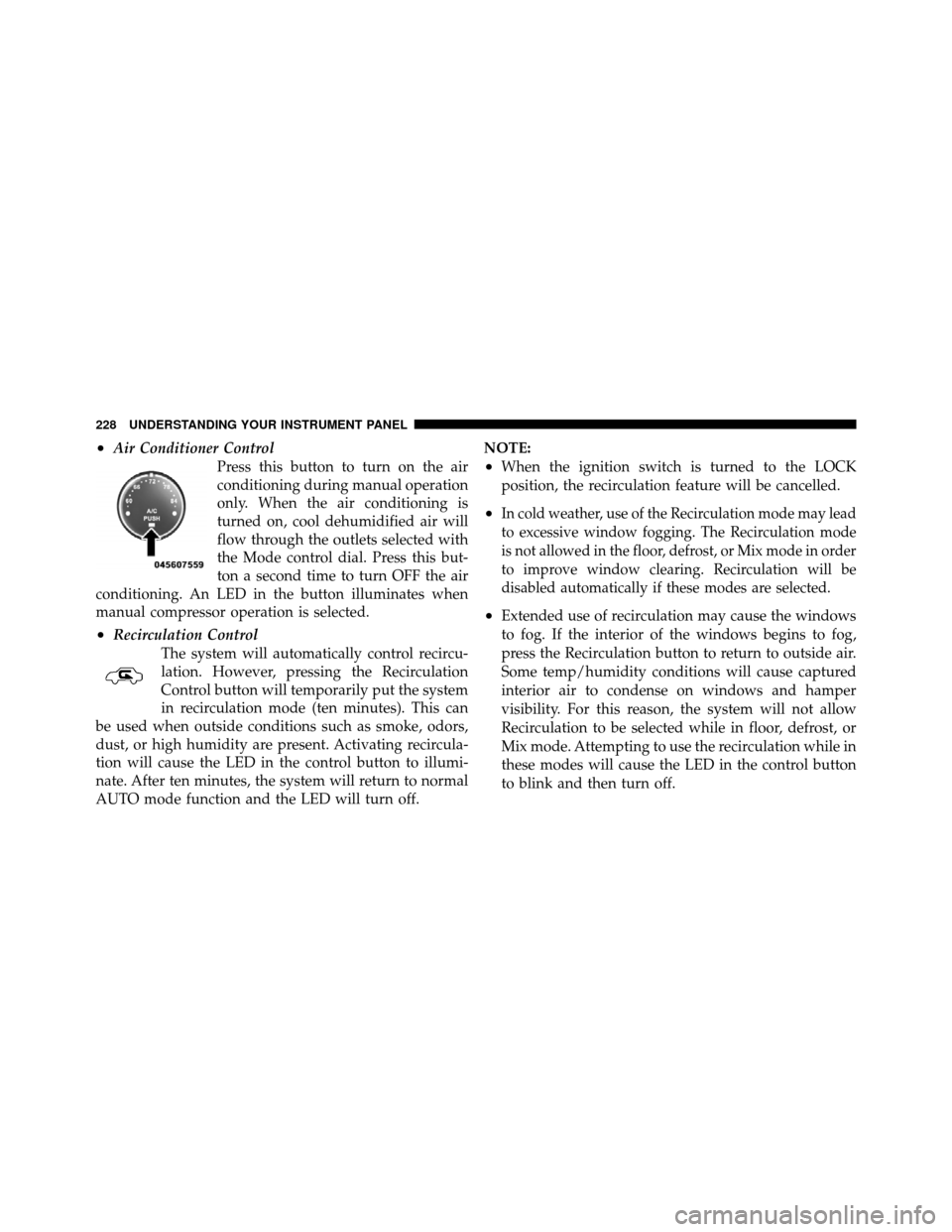
•Air Conditioner ControlPress this button to turn on the air
conditioning during manual operation
only. When the air conditioning is
turned on, cool dehumidified air will
flow through the outlets selected with
the Mode control dial. Press this but-
ton a second time to turn OFF the air
conditioning. An LED in the button illuminates when
manual compressor operation is selected.
•Recirculation Control
The system will automatically control recircu-
lation. However, pressing the Recirculation
Control button will temporarily put the system
in recirculation mode (ten minutes). This can
be used when outside conditions such as smoke, odors,
dust, or high humidity are present. Activating recircula-
tion will cause the LED in the control button to illumi-
nate. After ten minutes, the system will return to normal
AUTO mode function and the LED will turn off. NOTE:
•When the ignition switch is turned to the LOCK
position, the recirculation feature will be cancelled.
•In cold weather, use of the Recirculation mode may lead
to excessive window fogging. The Recirculation mode
is not allowed in the floor, defrost, or Mix mode in order
to improve window clearing. Recirculation will be
disabled automatically if these modes are selected.
•Extended use of recirculation may cause the windows
to fog. If the interior of the windows begins to fog,
press the Recirculation button to return to outside air.
Some temp/humidity conditions will cause captured
interior air to condense on windows and hamper
visibility. For this reason, the system will not allow
Recirculation to be selected while in floor, defrost, or
Mix mode. Attempting to use the recirculation while in
these modes will cause the LED in the control button
to blink and then turn off.
228 UNDERSTANDING YOUR INSTRUMENT PANEL
Page 234 of 444
STARTING AND OPERATING
CONTENTS
�Starting Procedures .................... 238
▫ Automatic Transmission ............... 238
▫ Normal Starting ..................... 238
▫ Extreme Cold Weather
(Below �20°F Or �29°C)............... 239
▫ If Engine Fails To Start ................ 239
▫ After Starting ....................... 240
� Engine Block Heater — If Equipped ........ 241�
Automatic Transmission ................. 241
▫ Key Ignition Park Interlock ............. 243
▫ Brake/Transmission Interlock System ...... 243
▫ Automatic Transmission Ignition Interlock
System ............................ 244
▫ Four-Speed/Six-Speed Automatic
Transmission ....................... 244
▫ Gear Ranges ........................ 244
5
Page 239 of 444
STARTING PROCEDURES
Before starting your vehicle, adjust your seat, adjust the
inside and outside mirrors, fasten your seat belt, and if
present, instruct all other occupants to buckle their seat
belts.
WARNING!
Never leave children alone in a vehicle. Leaving
children in a vehicle unattended is dangerous for a
number of reasons. A child or others could be seri-
ously or fatally injured. Do not leave the keys in the
ignition. A child could operate power windows,
other controls, or move the vehicle.
Automatic Transmission
The shift lever must be in the PARK or NEUTRAL
position before you can start the engine. Apply the brakes
before shifting to any driving gear.NOTE:
The ignition switch must be in the ON position,
and you must press the brake pedal before shifting out of
PARK.
Normal Starting
NOTE: Normal starting of either a cold or a warm
engine is obtained without pumping or pressing the
accelerator pedal.
For vehicles not equipped with Tip Start (Four-Speed
Transmission), turn the ignition switch to the START
position and release it when the engine starts. If the
engine fails to start within 10 seconds, turn the ignition
switch to the LOCK position, wait 10 to 15 seconds, then
repeat the “Normal Starting” procedure.
For vehicles equipped with Tip Start (Six-Speed Trans-
mission), turn the ignition switch to the START position
and release it as soon as the starter engages. The starter
238 STARTING AND OPERATING
