Page 213 of 368

You also may experience the following when the brake
system goes into anti-lock:
•The ABS motor running (it may continue to run for a
short time after the stop),
•A clicking sound of solenoid valves,
•Brake pedal pulsations,
•A slight drop or fall away of the brake pedal at the end
of the stop.
These are all normal characteristics of ABS.
WARNING!
The ABS contains sophisticated electronic equip-
ment that may be susceptible to interference caused
by improperly-installed or high-output radio trans-
mitting equipment. This interference can cause pos-
sible loss of anti-lock braking capability. Installation
of such equipment should be performed by qualified
dealership professionals.
All vehicle wheels and tires must be the same size and
type and tires must be properly inflated to produce
accurate signals for the computer.
TRACTION CONTROL SYSTEM — IF EQUIPPED
The Traction Control System (TCS) will improve accel-
eration and steering on slippery surfaces by reducing tire
spin. The system reduces wheel slip and maintains
traction at the driving (front) wheels by engaging the
brake on the wheel that is losing traction. When this
212 STARTING AND OPERATING
Page 214 of 368

occurs the “TCS Indicator Light” located above the
instrument cluster odometer will flash. The system oper-
ates at speeds below 35 mph (56 km/h).
A pushbutton at the center of the instrument panel,
below the radio, turns the Traction Control System ON or
OFF.
The system is always in the “ON” mode unless:
•The TCS OFF switch has been used to turn the system
off;
•There is a Anti-Lock Brake System malfunction;
•There is a Traction Control System malfunction;
•The system has been automatically deactivated to
prevent damage to the brake system due to overheated
brake temperatures.
NOTE: Extended heavy use of Traction Control may
cause the system to deactivate and turn on the “TCS
Indicator Light” located in the instrument cluster.
This is to prevent overheating of the brake system and is
a normal condition. The system will remain disabled for
about four minutes until the brakes have cooled. The
system will automatically reactivate and turn off the
“TCS Indicator Light.”
If your vehicle becomes stuck in mud, ice, or snow, turn
the Traction Control System off before attempting to
“rock” the vehicle free.
TCS OFF Switch5
STARTING AND OPERATING 213
Page 237 of 368

will turn off when the fault condition no longer exists. A
system fault can occur due to any of the following:
1. Signal interference due to electronic devices or driving
next to facilities emitting the same radio frequencies (RF)
as the TPMS sensors.
2. Installing aftermarket window tinting that contains
materials that may block radio wave signals.
3. Excessive accumulation of snow or ice around the
wheels or wheel housings.
4. Using tire chains on the vehicle.
5. Using wheels/tires not equipped with TPMS Sensors.
NOTE:
1. The compact spare tire (if equipped) does not have a
TPMS Sensor. Therefore, the TPMS will not monitor the
pressure in the compact spare tire.2. If you install the compact spare tire in place of a road
tire that has a pressure below the low-pressure warning
limit, upon the next ignition key cycle, a chime will
sound and the TPMS Telltale Light will turn ON due to
the low tire.
3. After driving the vehicle for up to 20 minutes above
15 mph (25 km/h), the TPMS Telltale Light will flash on
and off for 75 seconds and then remain on solid.
4. For each subsequent ignition key cycle, a chime will
sound and the TPMS Telltale Light will flash on and off
for 75 seconds and then remain on solid.
5. Once you repair or replace the original road tire, and
reinstall it on the vehicle in place of the compact spare,
the TPMS will update automatically and the TPMS
Telltale Light will turn OFF, as long no tire pressure is
below the low-pressure warning limit in any of the four
236 STARTING AND OPERATING
Page 254 of 368

frame or hook retainers of the vehicle hitch. Cross the
chains under the trailer tongue and allow enough
slack for turning corners.
•Vehicles with trailers should not be parked on a grade.
When parking, apply the parking brake on the tow
vehicle. Put the tow vehicle automatic transmission in
PARK. Always, block or�chock�the trailer wheels.
•GCWR must not be exceeded.
•Total weight must be distributed between the tow
vehicle and the trailer such that the following four
ratings are not exceeded:
1. GVWR
2. GTW
3. GAWR
4. TW (Trailer Tongue Weight rating for the trailer
hitch utilized. This requirement may limit the ability to always achieve the 10% to 15% range of trailer tongue
weight as a percentage of total trailer weight.)
Towing Requirements – Tires
•
Do not attempt to tow a trailer while using a compact
spare tire.
•Proper tire inflation pressures are essential to the safe
and satisfactory operation of your vehicle. Refer to
“Tires-General Information” in “Starting and Operat-
ing” for proper tire inflation procedures.
•Check the trailer tires for proper tire inflation pres-
sures before trailer usage.
•Check for signs of tire wear or visible tire damage
before towing a trailer. Refer to “Tires-General Infor-
mation” in “Starting and Operating” for the proper
inspection procedure.
5
STARTING AND OPERATING 253
Page 261 of 368

HAZARD WARNING FLASHERS
The Hazard Warning flasher switch is located on the
instrument panel, below the radio.Press the switch to turn on the Hazard Warning
flasher. When the switch is activated, all directional
turn signals will flash on and off to warn oncoming
traffic of an emergency. Press the switch a second time to
turn off the Hazard Warning flasher.
Do not use this emergency warning system when the
vehicle is in motion. Use it when your vehicle is disabled
and is creating a safety hazard for other motorists.
If it is necessary to leave the vehicle to go for service, the
Hazard Warning flasher will continue to operate with the
ignition key removed and the vehicle locked.
NOTE: With extended use, the Hazard Warning flasher
may wear down your battery.
IF YOUR ENGINE OVERHEATS
In any of the following situations, you can reduce the
potential for overheating by taking the appropriate ac-
tion.
•On the highways — Slow down.
•In city traffic — While stopped, put transaxle in
NEUTRAL, but do not increase engine idle speed.
260 WHAT TO DO IN EMERGENCIES
Page 265 of 368
Preparations For Jacking
1. Park the vehicle on a firm, level surface. Avoid ice or
slippery areas.
WARNING!
Do not attempt to change a tire on the side of the
vehicle close to moving traffic. Pull far enough off
the road to avoid the danger of being hit when
operating the jack or changing the wheel.
2. Set the parking brake.
3. Place the shift lever in PARK (automatic transaxle) or
REVERSE (manual transaxle).
4. Turn OFF the ignition.
5. Turn on the Hazard Warning flasher. 6. Block both the front and rear of the
wheel diagonally opposite the jacking
position. For example, if changing the
right front tire, block the left rear
wheel.
NOTE: Passengers should not remain in the vehicle
while the vehicle is being jacked.
264 WHAT TO DO IN EMERGENCIES
Page 266 of 368
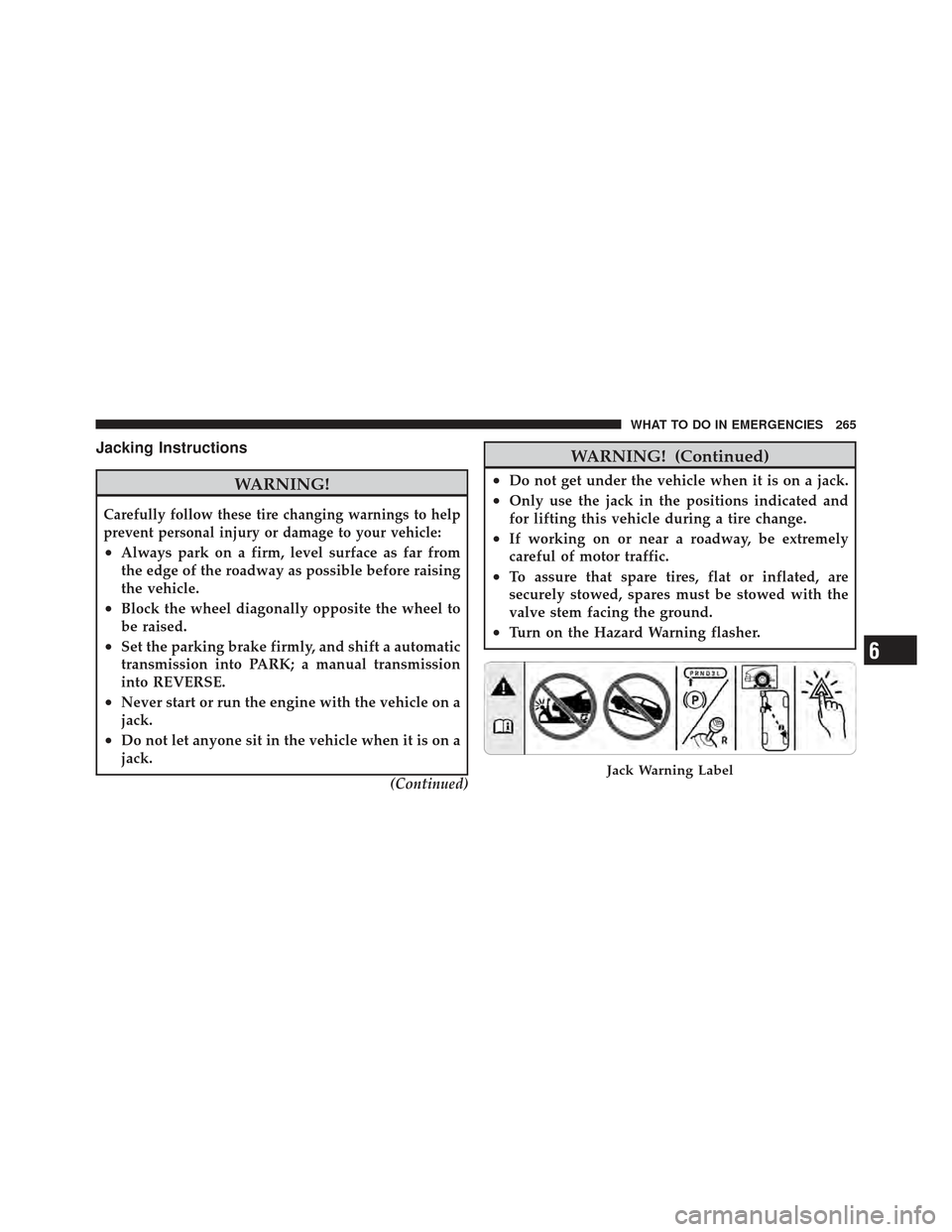
Jacking Instructions
WARNING!
Carefully follow these tire changing warnings to help
prevent personal injury or damage to your vehicle:
•Always park on a firm, level surface as far from
the edge of the roadway as possible before raising
the vehicle.
•Block the wheel diagonally opposite the wheel to
be raised.
•Set the parking brake firmly, and shift a automatic
transmission into PARK; a manual transmission
into REVERSE.
•Never start or run the engine with the vehicle on a
jack.
•Do not let anyone sit in the vehicle when it is on a
jack.(Continued)
WARNING! (Continued)
•Do not get under the vehicle when it is on a jack.
•Only use the jack in the positions indicated and
for lifting this vehicle during a tire change.
•If working on or near a roadway, be extremely
careful of motor traffic.
•To assure that spare tires, flat or inflated, are
securely stowed, spares must be stowed with the
valve stem facing the ground.
•Turn on the Hazard Warning flasher.
Jack Warning Label
6
WHAT TO DO IN EMERGENCIES 265
Page 269 of 368

WARNING!
To avoid possible personal injury, handle the wheel
covers with care to avoid contact with any sharp
edges.
NOTE: The wheel cover is held on the wheel by the
wheel nuts. When reinstalling original wheel, properly
align the wheel cover to the valve stem, place the wheel
cover onto the wheel, then install the wheel nuts.
5. Lower the vehicle by turning the jack screw to the left.
6. Finish tightening the nuts. Push down on the wrench
while tightening the wheel nuts. Alternate nuts until each
nut has been tightened twice. The correct wheel nut
torque is 100 ft lbs (135 N m). If you doubt that you have
tightened the nuts correctly, have them checked with a
torque wrench by your authorized dealer or at a qualified
service station. 7. Remove the wheel blocks and lower the jack until it is
free. Stow the lug wrench, and jack in their designated
location. Secure all parts using the means provided.
WARNING!
A loose tire or jack thrown forward in a collision or
hard stop could endanger the occupants of the ve-
hicle. Always stow the jack parts and the spare tire in
the places provided. Have the deflated (flat) tire
repaired or replaced immediately.
8. Place the deflated (flat) tire in the cargo area, have the
tire repaired or replaced as soon as possible.
9. Check the tire pressure as soon as possible. The correct
pressure as required.
JUMP-STARTING
If your vehicle has a discharged battery it can be jump-
started using a set of jumper cables and a battery in
268 WHAT TO DO IN EMERGENCIES
