Page 96 of 465

WARNING!
Any voice commanded system should be used only
in safe driving conditions following local laws and
phone use. All attention should be kept on the
roadway ahead. Failure to do so may result in an
accident causing serious injury or death.
Uconnect™ Phone Button Depending on the vehicle options, either the
radio or the mirror will contain the two control
buttons
(Uconnect™ Phone button) and
(Voice Command button) that will en-
able you to access the system.
Voice Command Button Actual button location may vary with the ra-
dio. The individual buttons are described in the
“Operation” section. The Uconnect™ Phone can be used with any Hands-Free
Profile certified Bluetooth�
cellular phone. See the
Uconnect™ website for supported phones. If your cellu-
lar phone supports a different profile (e.g., Headset
Profile) you may not be able to use any Uconnect™
Phone features. Refer to your cellular service provider or
the phone manufacturer for details.
The Uconnect™ Phone is fully integrated with the vehi-
cle’s audio system. The volume of the Uconnect™ Phone
can be adjusted either from the radio volume control
knob or from the steering wheel radio control (right
switch), if so equipped.
The radio display will be used for visual prompts from
the Uconnect™ Phone such as �CELL�or caller ID on
certain radios.
3
UNDERSTANDING THE FEATURES OF YOUR VEHICLE 95
Page 154 of 465
WARNING!
Do not adjust the steering column while driving.
Adjusting the steering column while driving or driv-
ing with the steering column unlocked, could cause
the driver to lose control of the vehicle. Be sure the
steering column is locked before driving your ve-
hicle. Failure to follow this warning may result in
serious injury or death.
ADJUSTABLE PEDALS
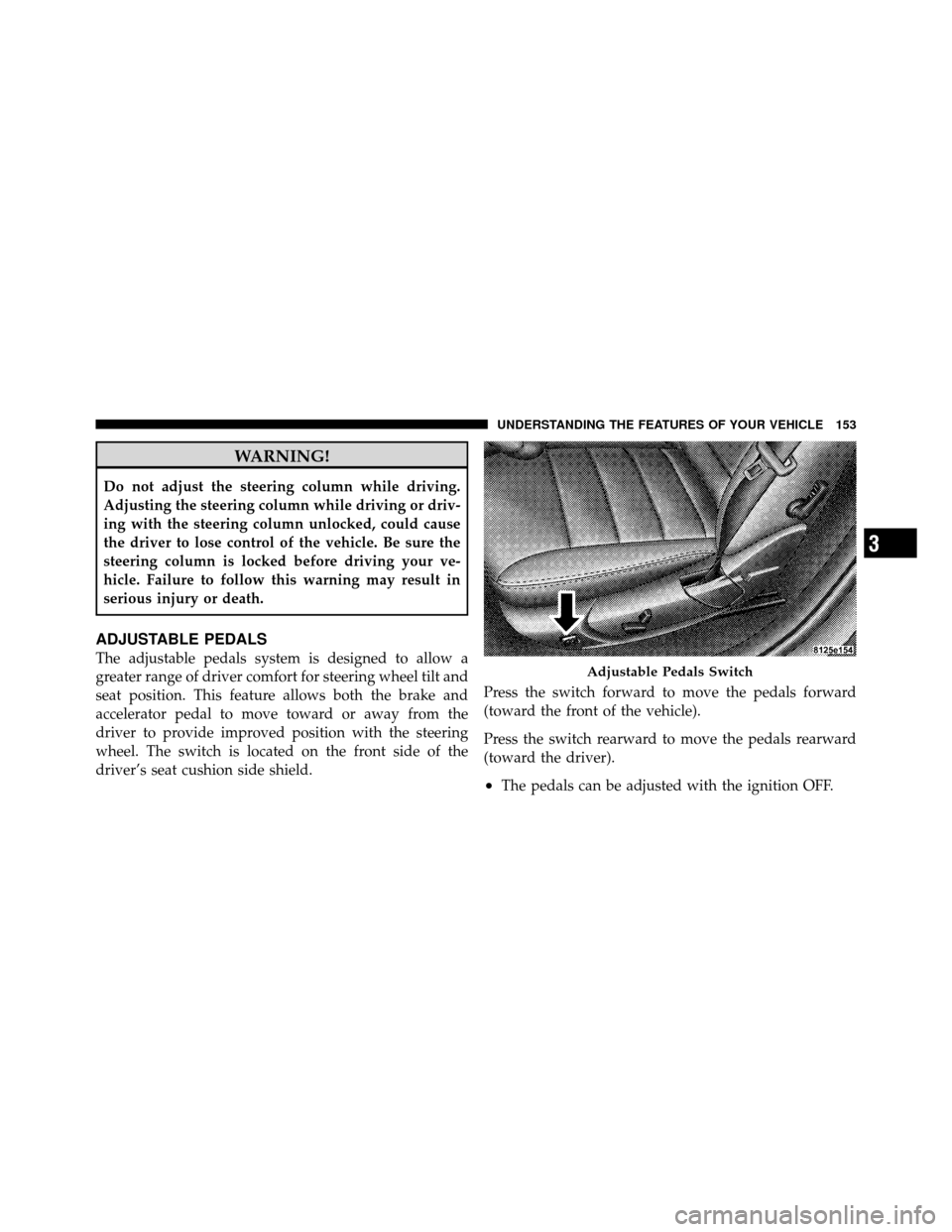
The adjustable pedals system is designed to allow a
greater range of driver comfort for steering wheel tilt and
seat position. This feature allows both the brake and
accelerator pedal to move toward or away from the
driver to provide improved position with the steering
wheel. The switch is located on the front side of the
driver’s seat cushion side shield.Press the switch forward to move the pedals forward
(toward the front of the vehicle).
Press the switch rearward to move the pedals rearward
(toward the driver).
•The pedals can be adjusted with the ignition OFF.
Adjustable Pedals Switch
3
UNDERSTANDING THE FEATURES OF YOUR VEHICLE 153
Page 156 of 465
ELECTRONIC SPEED CONTROL
When engaged, Electronic Speed Control takes over the
accelerator operation at speeds greater than 25 mph
(40 km/h).
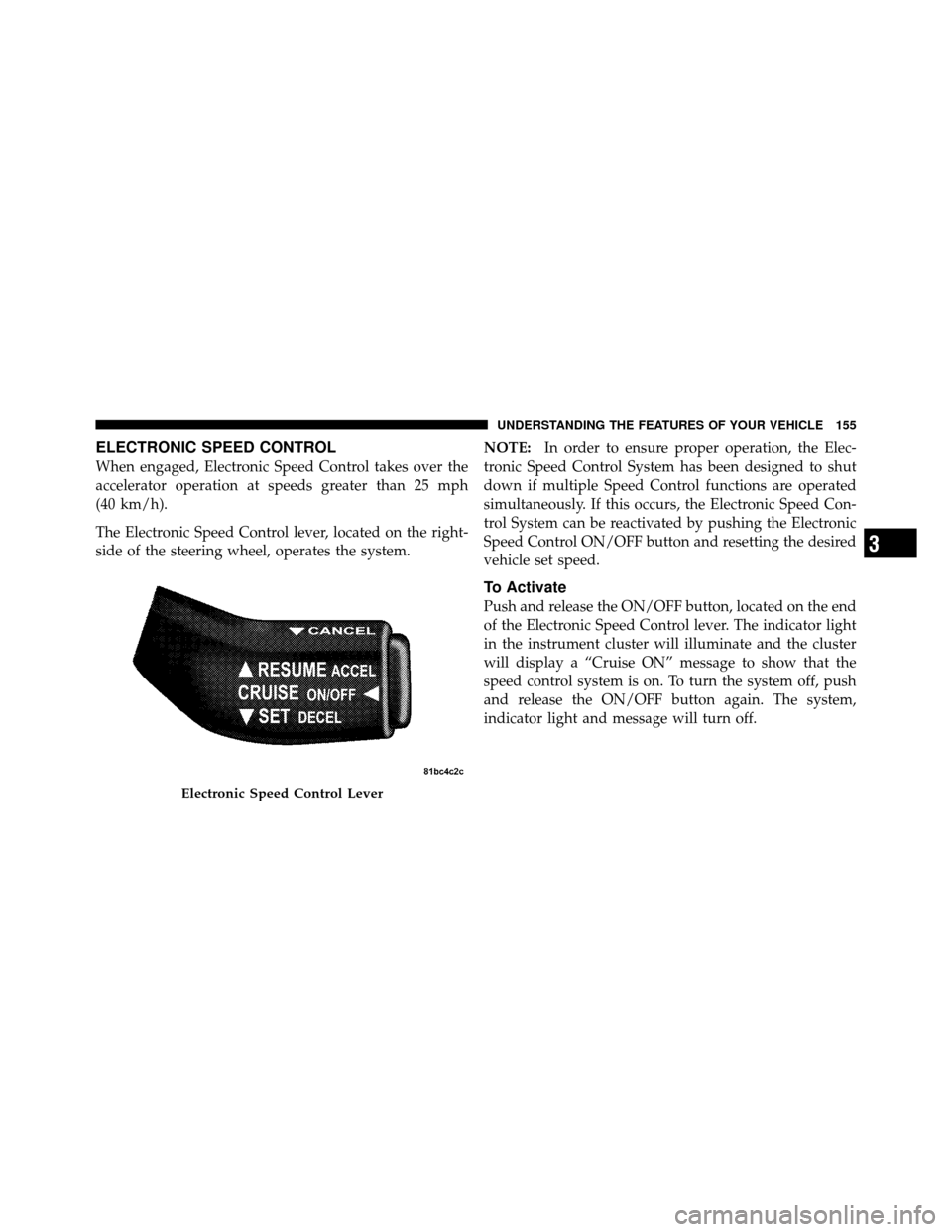
The Electronic Speed Control lever, located on the right-
side of the steering wheel, operates the system.NOTE:
In order to ensure proper operation, the Elec-
tronic Speed Control System has been designed to shut
down if multiple Speed Control functions are operated
simultaneously. If this occurs, the Electronic Speed Con-
trol System can be reactivated by pushing the Electronic
Speed Control ON/OFF button and resetting the desired
vehicle set speed.
To Activate
Push and release the ON/OFF button, located on the end
of the Electronic Speed Control lever. The indicator light
in the instrument cluster will illuminate and the cluster
will display a “Cruise ON” message to show that the
speed control system is on. To turn the system off, push
and release the ON/OFF button again. The system,
indicator light and message will turn off.
Electronic Speed Control Lever
3
UNDERSTANDING THE FEATURES OF YOUR VEHICLE 155
Page 157 of 465
WARNING!
Leaving the Electronic Speed Control system on
when not in use is dangerous. You could accidentally
set the system or cause it to go faster than you want.
You could lose control and have an accident. Always
leave the Electronic Speed Control system off when
you are not using it.
To Set At A Desired Speed
When the vehicle reaches the speed desired, push the
lever downward to SET DECEL and release, the cluster
will display the “Cruise Set” message. Remove your foot
from the accelerator pedal and the vehicle will operate at
the selected speed.
NOTE:
•Electronic Speed Control will only function in 3rd, 4th,
or 5th gear when in the Autostick�mode (if
equipped).
•The Electronic Speed Control may not engage if a
different size tire is installed on one wheel, such as the
compact spare tire.
To Deactivate
The system will disable Electronic Speed Control without
erasing the memory if you:
•Softly tap the brake pedal.
•Press the brake pedal.
•Pull the Electronic Speed Control lever toward you
(CANCEL).
Pushing and releasing the ON/OFF button or turning the
ignition OFF erases the set speed from memory.
156 UNDERSTANDING THE FEATURES OF YOUR VEHICLE
Page 196 of 465

16. High Beam LightThis light will turn on when the high beam
headlights are ON. Push the multifunction lever
away from the steering wheel to switch the headlights to
high beam.
17. Shift Lever Indicator
The Shift Lever Indicator is self-contained within the
instrument cluster. It displays the gear position of the
automatic transmission.
18. Seat Belt Reminder Light This light will turn on for five to eight seconds as
a bulb check when the ignition switch is first
placed in the RUN position. A chime will sound if
the driver’s seat belt is unbuckled during the bulb check.
The Seat Belt Warning Light will flash, or remain on
continuously, if the driver’s seat belt remains unbuckled
after the bulb check or when driving. Refer to “Occupant
Restraints” in “Things To Know Before Starting Your
Vehicle” for further information. 19. Vehicle Security Light — If Equipped
This light will flash at a fast rate for approxi-
mately 15 seconds, when the vehicle security
alarm is arming, and then will flash slowly
until the vehicle is disarmed.
20. Fuel Gauge
The pointer shows the level of fuel in the fuel tank when
the ignition switch is placed in the RUN position.
21. Electronic Throttle Control (ETC) Light This light will turn on briefly as a bulb check
when the ignition switch is placed in the RUN
position. This light will also turn on while the
engine is running if there is a problem with the
Electronic Throttle Control (ETC) system.
If the light comes on while the engine is running, safely
bring the vehicle to a complete stop as soon as possible,
place the shift lever in PARK, and cycle the ignition
through the ACC and RUN positions. The light should
4
UNDERSTANDING YOUR INSTRUMENT PANEL 195
Page 198 of 465
Your vehicle has also been equipped with a TPMS
malfunction indicator to indicate when the system is not
operating properly. The TPMS malfunction indicator is
combined with the low tire pressure telltale. When the
system detects a malfunction, the telltale will flash for
approximately one minute and then remain continuously
illuminated. This sequence will continue upon subse-
quent vehicle start-ups as long as the malfunction exists.
When the malfunction indicator is illuminated, the sys-
tem may not be able to detect or signal low tire pressure
as intended. TPMS malfunctions may occur for a variety
of reasons, including the installation of replacement or
alternate tires or wheels on the vehicle that prevent the
TPMS from functioning properly. Always check the
TPMS malfunction telltale after replacing one or more
tires or wheels on your vehicle, to ensure that the
replacement or alternate tires and wheels allow the TPMS
to continue to function properly.CAUTION!
The TPMS has been optimized for the original
equipment tires and wheels. TPMS pressures and
warning have been established for the tire size
equipped on your vehicle. Undesirable system opera-
tion or sensor damage may result when using re-
placement equipment that is not of the same size,
type, and/or style. Aftermarket wheels can cause
sensor damage. Do not use tire sealant from a can, or
balance beads if your vehicle is equipped with a
TPMS, as damage to the sensors may result.
23. Charging System Light This light shows the status of the electrical charg-
ing system. The light should come on when the
ignition switch is first placed in the RUN position and
remain on briefly as a bulb check. If the light stays on or
comes on while driving, turn off some of the vehicle’s
4
UNDERSTANDING YOUR INSTRUMENT PANEL 197
Page 201 of 465
This system conveniently allows the driver to select a
variety of useful information by pressing the switches
mounted on the steering wheel. The EVIC consists of the
following:
•System status
•Vehicle information warning message displays
•Tire Pressure Monitor System (if equipped)
•Personal Settings (Customer-Programmable Features)
•Compass display
•Outside temperature display
•Trip computer functions
•Uconnect™ Phone displays (if equipped)
•Uconnect™ gps screens (if equipped)
•Audio mode display
•Surround Sound modes (if equipped with Driver-
Selectable Surround [DSS])
•Performance Pages (if equipped)
Electronic Vehicle Information Center (EVIC)
200 UNDERSTANDING YOUR INSTRUMENT PANEL
Page 202 of 465
The system allows the driver to select information by
pressing the following buttons mounted on the steering
wheel.Press and release the MENU button and the
mode displayed will change between Trip
Functions, Performance Pages (if equipped),
Uconnect™ gps (if equipped), System Warn-
ings, System Status, and Personal Settings.
Press the FUNCTION SELECT button to accept
a selection. The FUNCTION SELECT button
also functions as a remote sound system con-
trol. Refer to “Remote Sound System Controls”. Press the SCROLL button to scroll through Trip
Functions, Performance Pages (if equipped),
Uconnect™ gps (if equipped), System Status
Messages, and Personal Settings (Customer-
Programmable Features). The SCROLL button
also functions as a remote sound system con-
trol. Refer to “Remote Sound System Controls”.
Press the AUDIO MODE button to select the
Compass/Temp/Audio screen. Along with
compass reading and outside temperature, this
screen will display radio and media mode
information depending on which radio is in the
vehicle. Refer to “Remote Sound System
Controls”.
MENUButton
FUNCTION SELECTButton
SCROLL
Button
AUDIOMODEButton
4
UNDERSTANDING YOUR INSTRUMENT PANEL 201