Page 231 of 626
If the vehicle is started in a dark garage, the automatic
headlamp system comes on immediately. Once the
vehicle leaves the garage, it takes approximately
one minute for the automatic headlamp system to
change to DRL if it is bright enough outside. During that
delay, the instrument panel cluster may not be as bright
as usual. Make sure the instrument panel brightness
control is in the full bright position. SeeInstrument
Panel Brightness on page 4‑14.
To idle the vehicle with the automatic headlamp system
off, turn the control to the off position.
The headlamps will also stay on after you exit the
vehicle. This feature can be programmed using the
Driver Information Center (DIC), if equipped. See DIC
Vehicle Customization (With DIC Buttons)
on
page 4‑73.
If the vehicle is not equipped with DIC buttons, exit
lighting is automatic. When it is dark enough outside,
the exterior lamps remain on for 30 seconds after the
ignition is moved from ON/RUN to LOCK/OFF.
For vehicles without a radio, the instrument panel light
remains on for 30 seconds with the driver's door closed.
For vehicles with a radio, the instrument panel light
remains on for 10 minutes with the driver's door closed.
See Retained Accessory Power (RAP) on page 3‑23.
The regular headlamp system can be turned on when
needed.
Fog Lamps
For vehicles with fog lamps, the control is located next
to the exterior lamps control on the instrument panel, to
the left of the steering column.
The ignition must be in the ON/RUN position for the fog
lamps to come on.
#(Fog Lamps): Press to turn the fog lamps on or off.
A light will come on in the instrument panel cluster.
When the fog lamps are turned on, the parking lamps
automatically turn on.
When the headlamps are changed to high-beam, the
fog lamps also go off. When the high-beam headlamps
are turned off, the fog lamps will come on again.
Some localities have laws that require the headlamps to
be on along with the fog lamps.
4-13
Page 254 of 626
Charging System Light
This light comes on briefly
when the ignition key is
turned to START, but the
engine is not running, as
a check to show it is
working.
If it does not, have the vehicle serviced by your dealer.
The light should go out once the engine starts. If it stays
on, or comes on while driving, there could be a problem
with the charging system. A charging system message
in the Driver Information Center (DIC) can also appear.
See DIC Warnings and Messages
on page 4‑63for
more information. This light could indicate that there are
problems with a generator drive belt, or that there is an
electrical problem. Have it checked right away. If the
vehicle must be driven a short distance with the light on,
turn off accessories, such as the radio and air
conditioner.
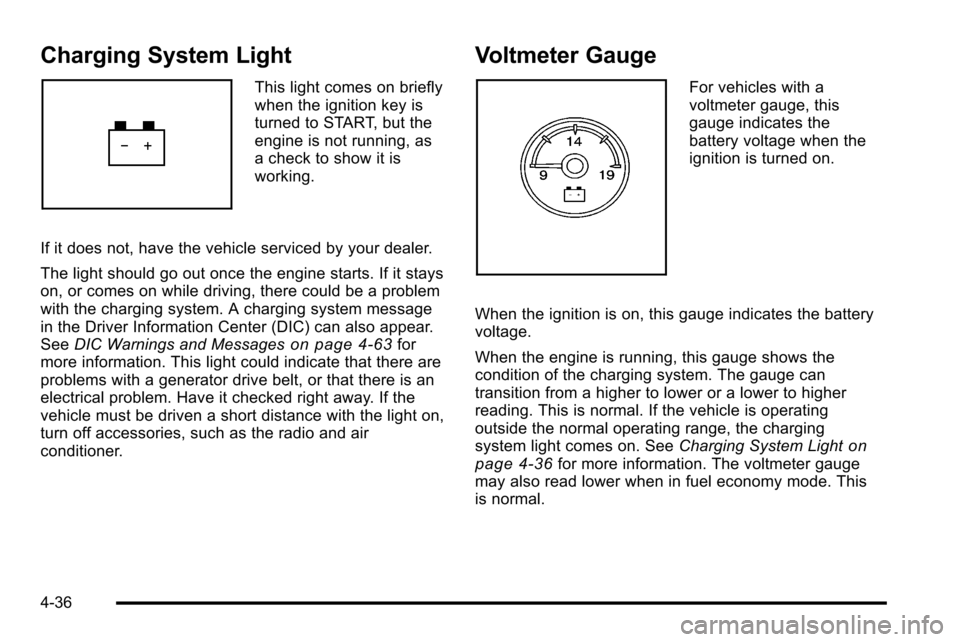
Voltmeter Gauge
For vehicles with a
voltmeter gauge, this
gauge indicates the
battery voltage when the
ignition is turned on.
When the ignition is on, this gauge indicates the battery
voltage.
When the engine is running, this gauge shows the
condition of the charging system. The gauge can
transition from a higher to lower or a lower to higher
reading. This is normal. If the vehicle is operating
outside the normal operating range, the charging
system light comes on. See Charging System Light
on
page 4‑36for more information. The voltmeter gauge
may also read lower when in fuel economy mode. This
is normal.
4-36
Page 255 of 626
Readings outside the normal operating range can also
occur when a large number of electrical accessories are
operating in the vehicle and the engine is left idling for
an extended period. This condition is normal since the
charging system is not able to provide full power at
engine idle. As engine speeds are increased, this
condition should correct itself as higher engine speeds
allow the charging system to create maximum power.
The vehicle can only be driven for a short time with the
readings outside the normal operating range. If the
vehicle must be driven, turn off all accessories, such as
the radio and air conditioner.
Readings outside the normal operating range indicate a
possible problem in the electrical system. Have the
vehicle serviced as soon as possible.Brake System Warning Light
With the ignition on, the brake system warning light
comes on when the parking brake is set. If the vehicle
is driven with the parking brake engaged, a chime
sounds when the vehicle speed is greater than
5 mph (8 km/h).
The vehicle's hydraulic brake system is divided into two
parts. If one part is not working, the other part can still
work and stop the vehicle. For good braking, both parts
need to be working well.
If the warning light comes on and a chime sounds there
could be a brake problem. Have the brake system
inspected right away.
This light can also come on due to low brake fluid. See
Brakes
on page 6‑39for more information.
4-37
Page 300 of 626
Audio System(s)
Determine which radio the vehicle has and read the
following pages to become familiar with its features.
{WARNING:
Taking your eyes off the road for extended periods
could cause a crash resulting in injury or death to
you or others. Do not give extended attention to
entertainment tasks while driving.
This system provides access to many audio and non
audio listings.
To minimize taking your eyes off the road while driving,
do the following while the vehicle is parked:
.Become familiar with the operation and controls of
the audio system.
.Set up the tone, speaker adjustments, and preset
radio stations.
For more information, see Defensive Driving
on
page 5‑2. Notice:
Contact your dealer before adding any
equipment.
Adding audio or communication equipment could
interfere with the operation of the vehicle's engine,
radio, or other systems, and could damage them.
Follow federal rules covering mobile radio and
telephone equipment.
The vehicle has Retained Accessory Power (RAP). With
RAP, the audio system can be played even after the
ignition is turned off. See Retained Accessory Power
(RAP)
on page 3‑23for more information.
Setting the Clock
AM-FM Radio
To set the time:
1. Turn the ignition key to ACC/ACCESSORY or ON/ RUN, then press the
Obutton to turn the radio on.
2. Press the
Hbutton until the hour numbers begin to
flash, then turn the
fknob to increase or decrease
the hour.
4-82
Page 301 of 626
3. Press theHbutton until the minute numbers begin
to flash, then turn the
fknob to increase or
decrease the minutes.
4. Press the
Hbutton until the 12HR or 24HR time
format begins to flash, then turn the
fknob to
change the time format.
5. Press the
Hbutton again until the clock display
stops flashing to set the currently displayed time,
or wait until the flashing stops after five seconds
and the current time displayed automatically sets.
MP3 Radios with a Single CD or a
Single CD and DVD Player
To set the time and date:
1. Turn the ignition key to ACC/ACCESSORY or ON/ RUN, then press the
Obutton to turn the radio on.
2. Press the
Hbutton to display HR, MIN, MM, DD,
YYYY (hour, minute, month, day, and year).
3. Press the softkey located under any one of the tabs to change that setting. 4. To increase the time or date, do one of the
following:
.Press the softkey below the selected tab.
.Press the¨SEEK button.
.Press the\FWD button.
.Turn thefknob clockwise.
5. To decrease the time or date, do one of the following:
.Press the©SEEK button.
.Press thesREV button.
.Turn thefknob counterclockwise.
To change the time default setting from 12 hour to
24 hour or to change the date default setting from
month/day/year to day/month/year:
1. Press the
Hbutton and then the softkey located
below the forward arrow tab. 12H, 24H, the date
MM/DD (month and day), and DD/MM (day and
month) displays.
2. Press the softkey located below the desired option.
3. Press the
Hbutton again to apply the desired
option, or let the screen time out.
4-83
Page 302 of 626
MP3 Radio with a Six-Disc CD Player
To set the time and date:1. Turn the ignition key to ACC/ACCESSORY or ON/ RUN, then press the
Obutton to turn the radio on.
2. Press the MENU button.
3. Press the
Hbutton to display HR, MIN, MM, DD,
YYYY (hour, minute, month, day, and year).
4. Press the softkey located under any one of the tabs to change that setting.
5. To increase the time or date, do one of the following:
.Press the softkey below the selected tab.
.Press the¨SEEK button.
.Press the\FWD button.
.Turn thefknob clockwise. 6. To decrease the time or date, do one of the
following:
.Press the©SEEK button.
.Press thesREV button.
.Turn thefknob counterclockwise.
To change the time default setting from 12 hour to
24 hour or to change the date default setting from
month/day to day/month: 1. Press the MENU button and then the softkey under the
Htab.
2. Press the softkey located below the forward arrow tab. 12H, 24H, the date MM/DD (month and day),
and DD/MM/ (day and month) displays.
3. Press the softkey located below the desired option.
4. Press the MENU button again to apply the desired option, or let the screen time out.
4-84
Page 303 of 626
Radio(s)
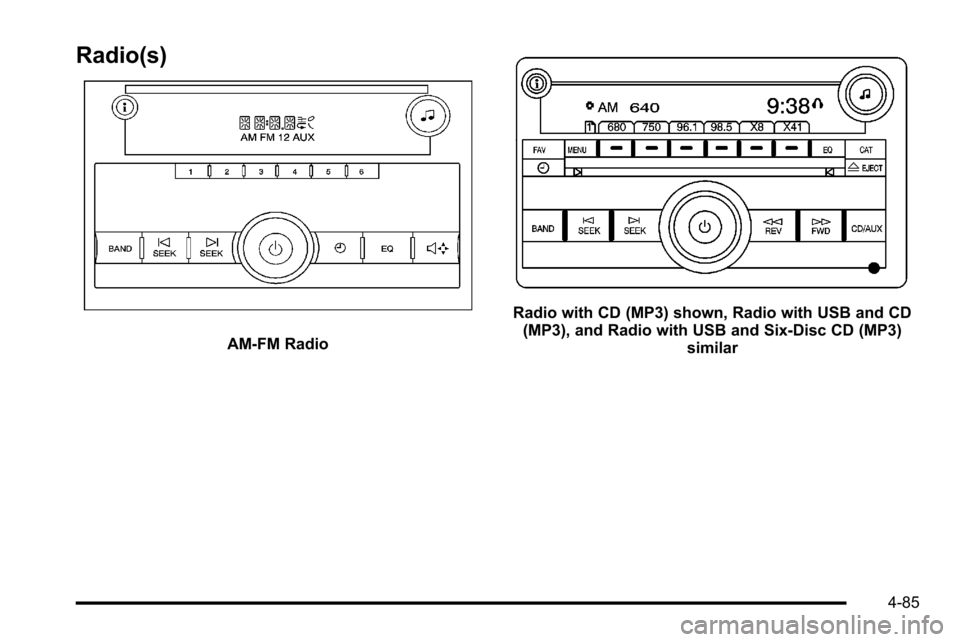
AM-FM Radio
Radio with CD (MP3) shown, Radio with USB and CD(MP3), and Radio with USB and Six-Disc CD (MP3) similar
4-85
Page 304 of 626
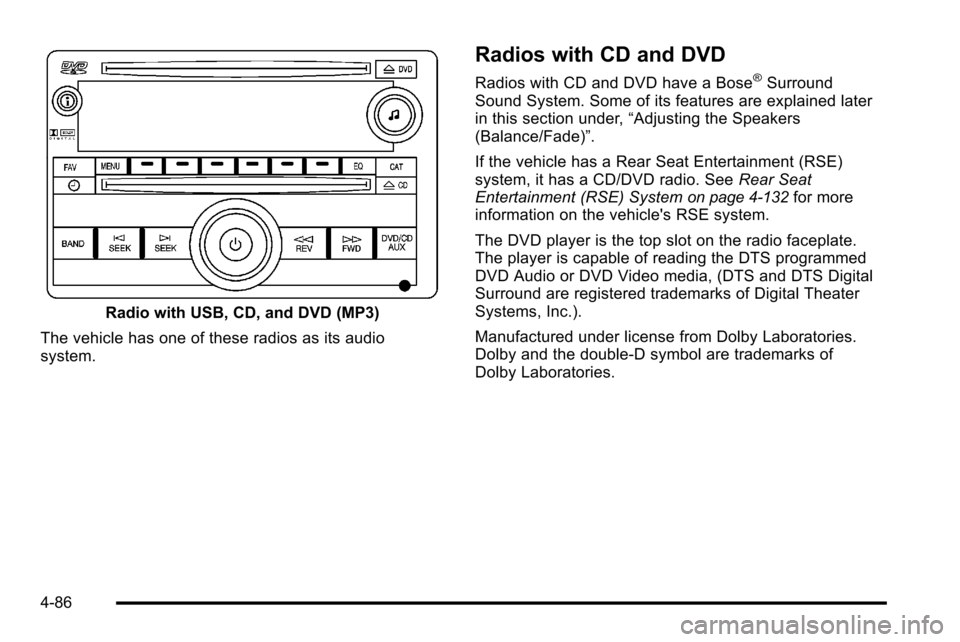
Radio with USB, CD, and DVD (MP3)
The vehicle has one of these radios as its audio
system.
Radios with CD and DVD
Radios with CD and DVD have a Bose®Surround
Sound System. Some of its features are explained later
in this section under, “Adjusting the Speakers
(Balance/Fade)”.
If the vehicle has a Rear Seat Entertainment (RSE)
system, it has a CD/DVD radio. See Rear Seat
Entertainment (RSE) System
on page 4‑132for more
information on the vehicle's RSE system.
The DVD player is the top slot on the radio faceplate.
The player is capable of reading the DTS programmed
DVD Audio or DVD Video media, (DTS and DTS Digital
Surround are registered trademarks of Digital Theater
Systems, Inc.).
Manufactured under license from Dolby Laboratories.
Dolby and the double-D symbol are trademarks of
Dolby Laboratories.
4-86