2010 CHEVROLET IMPALA display
[x] Cancel search: displayPage 21 of 432

Vehicle FeaturesRadio(s)O
:Press to turn the system on and off. Turn to
increase or decrease the volume.
BAND:Press to switch between FM1, FM2 and AM on
the Radio with CD. The selection displays. Press to
switch between FM, AM, and XM™ on the Radio with
CD (MP3).
f
:Select radio stations.
©¨
:Seek or scan stations.
4:Press to display additional text information related to
the current FM-RDS or XM station; or CD, MP3 or
WMA song. If information is available during XM, CD,
MP3 or WMA playback, the song title information
displays on the top line of the display and artist
information displays on the bottom line. When
information is not available, “No Info” displays.
For more information about these and other radio
features, seeAudio System(s) on page 4-57.Storing a Favorite StationDepending on which radio the vehicle has, radio
stations are stored as either favorites or presets.
For radios with a FAV button, a maximum of 36 stations
can be stored as favorites using the six softkeys located
below the radio station frequency tabs and by using the
radio FAV button. Press FAV to go through up to six
pages of favorites, each having six favorite stations
available per page. Each page of favorites can contain
any combination of AM, FM, or XM stations.
For radios without a FAV button, up to 18 stations
(six FM1, six FM2, and six AM), can be programmed
on the six numbered buttons.
SeeRadio(s) on page 4-59. Radio with CD (MP3)
1-15
Page 22 of 432

Setting the ClockTo set the time and date for the Radio with CD (MP3):
1. Turn the radio on.
2. Press
H
and the HR, MIN, MM, DD, YYYY
(hour, minute, month, day, and year) displays.
3. Press the pushbutton located below any one of the
tabs that you want to change.
4. Increase or decrease the time or date by
turningf
clockwise or counterclockwise.
For detailed instructions on setting the clock for your
specific audio system, seeSetting the Clock on
page 4-58.
Satellite RadioXM is a satellite radio service that is based in the
48 contiguous United States and 10 Canadian
provinces. XM satellite radio has a wide variety
of programming and commercial-free music,
coast-to-coast, and in digital-quality sound.
A fee is required to receive the XM service.
For more information, refer to:•
www.xmradio.com or call 1-800-929-2100 (U.S.)
•
www.xmradio.ca or call 1-877-438-9677 (Canada)
See “XM Satellite Radio Service” underRadio(s)
on page 4-59.
Portable Audio DevicesThis vehicle may have an auxiliary input jack, located
on the audio faceplate. External devices such as iPod
®,
MP3 players, etc. can be connected to the auxiliary
input jack using a 3.5 mm (1/8 in) input jack cable.
See “Using the Auxiliary Input Jack” underRadio(s) on
page 4-59.
1-16
Page 25 of 432
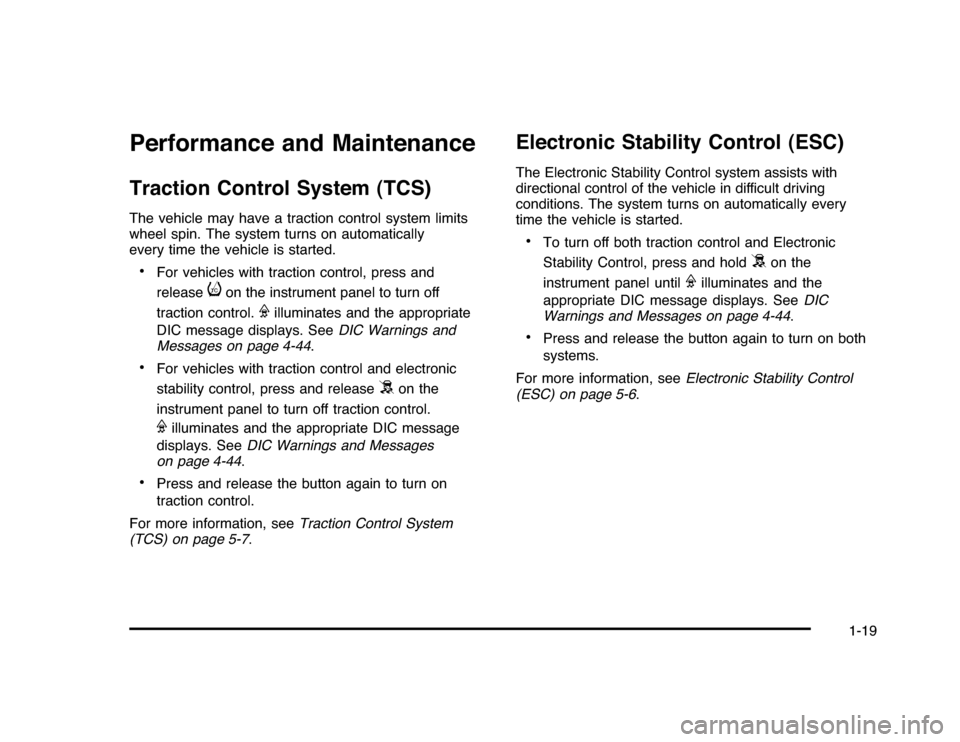
Performance and MaintenanceTraction Control System (TCS)The vehicle may have a traction control system limits
wheel spin. The system turns on automatically
every time the vehicle is started.•
For vehicles with traction control, press and
release
i
on the instrument panel to turn off
traction control.
F
illuminates and the appropriate
DIC message displays. SeeDIC Warnings and
Messages on page 4-44.
•
For vehicles with traction control and electronic
stability control, press and release
5
on the
instrument panel to turn off traction control.
F
illuminates and the appropriate DIC message
displays. SeeDIC Warnings and Messages
on page 4-44.
•
Press and release the button again to turn on
traction control.
For more information, seeTraction Control System
(TCS) on page 5-7.
Electronic Stability Control (ESC)The Electronic Stability Control system assists with
directional control of the vehicle in difficult driving
conditions. The system turns on automatically every
time the vehicle is started.•
To turn off both traction control and Electronic
Stability Control, press and hold
5
on the
instrument panel until
F
illuminates and the
appropriate DIC message displays. SeeDIC
Warnings and Messages on page 4-44.
•
Press and release the button again to turn on both
systems.
For more information, seeElectronic Stability Control
(ESC) on page 5-6.
1-19
Page 26 of 432

Tire Pressure MonitorThis vehicle may have a Tire Pressure Monitor
System (TPMS).
The Tire Pressure Monitor
alerts you when a
significant reduction in
pressure occurs in one or
more of the vehicle’s tires
by illuminating the low tire
pressure warning light on
the instrument cluster.
The warning light will remain on until the tire pressure
is corrected. The proper tire pressures for your
vehicle are listed on the Tire and Loading Information
label located on the driver side center pillar (B pillar).
SeeLoading the Vehicle on page 5-20.
You may notice during cooler conditions that the low tire
pressure warning light will appear when the vehicle is first
started and then turn off as you drive. This may be an
early indicator that your tire pressures are getting low
and the tires need to be inflated to the proper pressure.
Note:The Tire Pressure Monitor can alert you about low
tire pressure, but it does not replace normal monthly
tire maintenance. It is the driver’s responsibility to
maintain correct tire pressures.
SeeTire Pressure Monitor System on page 6-60and
Tire Pressure Monitor Operation on page 6-62.
Engine Oil Life SystemThe engine oil life system calculates engine oil life
based on vehicle use and displays a DIC message
when it is necessary to change the engine oil and filter.
The oil life system should be reset to 100% only
following an oil change.Resetting the Oil Life System1. Display the OIL LIFE REMAINING on the DIC.
2. Press and hold the SET/RESET button on the DIC
for more than five seconds. The oil life will change
to 100%.
SeeEngine Oil Life System on page 6-18.Fuel E85 (85% Ethanol)If the vehicle has the 3.5L V6 engine (VIN Code K)
or the 3.9L V6 engine (VIN Code M), you can use either
unleaded gasoline or ethanol fuel containing up to
85% ethanol (E85). SeeFuel on page 6-5. In all other
engines, use only the unleaded gasoline described
underGasoline Octane on page 6-6.
Vehicles that have the 3.5L V6 engine (VIN Code K) or
the 3.9L V6 engine (VIN Code M) have a yellow fuel
cap and can use 85% ethanol fuel (E85). SeeFuel E85
(85% Ethanol) on page 6-8.
1-20
Page 111 of 432
Q
(Lock):Press to lock all the doors. If enabled through
the Driver Information Center (DIC), the parking lamps
flash once to indicate locking has occurred. If enabled
through the DIC, the horn chirps when
Q
is pressed again
within five seconds. SeeDIC Vehicle Customization on
page 4-51for additional information.
Pressing
Q
may arm the content theft-deterrent system.
SeeContent Theft-Deterrent on page 3-17.
"
(Unlock):Press once to unlock the driver door. If
"
is
pressed again within five seconds, all remaining doors
unlock. The interior lamps come on and stay on for
20 seconds or until the ignition is turned on. If enabled
through the DIC, the parking lamps flash twice to indicate
unlocking has occurred. SeeDIC Vehicle Customization
on page 4-51.
Pressing
"
on the RKE transmitter disarms the content
theft-deterrent system. SeeContent Theft-Deterrent on
page 3-17.
V
(Remote Trunk Release):Press and hold for
about one second to unlock the trunk. The transmission
must be in P (Park).
L
(Vehicle Locator/Panic Alarm):Press and release
to locate the vehicle. The turn signal lamps flash and the
horn sounds three times. Press and hold
L
for more
than two seconds to activate the panic alarm. The turn
signal lamps flash and the horn sounds repeatedly for
30 seconds. The alarm turns off when the ignition is
turned to ON/RUN or
L
is pressed again. The ignition
must be in LOCK/OFF for the panic alarm to work.
Programming Transmitters to the
VehicleOnly RKE transmitters programmed to the vehicle will
work. If a transmitter is lost or stolen, a replacement
can be purchased and programmed through your
dealer/retailer. When the replacement transmitter is
programmed to the vehicle, all remaining transmitters
must also be programmed. Any lost or stolen transmitters
no longer work once the new transmitter is programmed.
Each vehicle can have up to eight transmitters
programmed to it. See “Remote Key” underDIC
Operation and Displays on page 4-37.
3-5
Page 112 of 432
Battery ReplacementReplace the battery if the REPLACE BATTERY IN
REMOTE KEY message displays in the DIC. See
“REPLACE BATTERY IN REMOTE KEY” underDIC
Warnings and Messages on page 4-44for additional
information.
Notice:When replacing the battery, do not touch
any of the circuitry on the transmitter. Static
from your body could damage the transmitter.
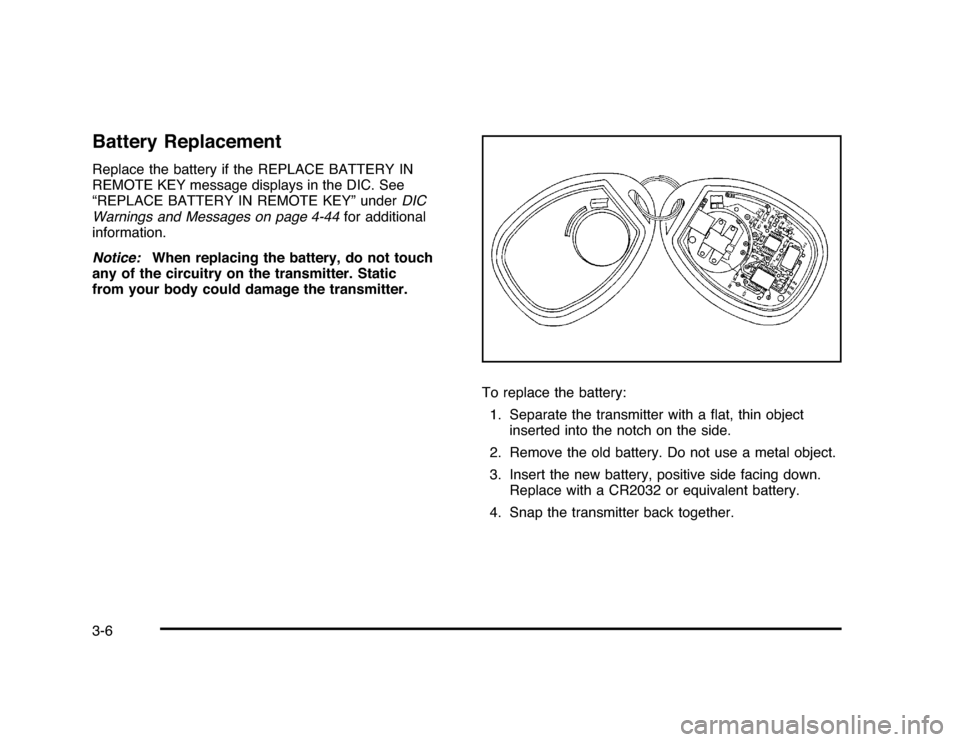
To replace the battery:
1. Separate the transmitter with a flat, thin object
inserted into the notch on the side.
2. Remove the old battery. Do not use a metal object.
3. Insert the new battery, positive side facing down.
Replace with a CR2032 or equivalent battery.
4. Snap the transmitter back together.3-6
Page 117 of 432
Programmable Automatic Door
UnlockThe vehicle is programmed so that when the shift lever
is moved into P (Park) all doors will unlock.
With the vehicle stopped and the engine running, door
unlocking can be programmed through prompts displayed
on the Driver Information Center (DIC). These prompts
allow the driver to choose various unlock settings. For
programming information, seeDIC Vehicle Customization
on page 4-51.Rear Door Security LocksRear door security locks prevent passengers from
opening the rear doors from the inside.
The rear door security locks are located on the inside
edge of each rear door. The rear doors must be opened
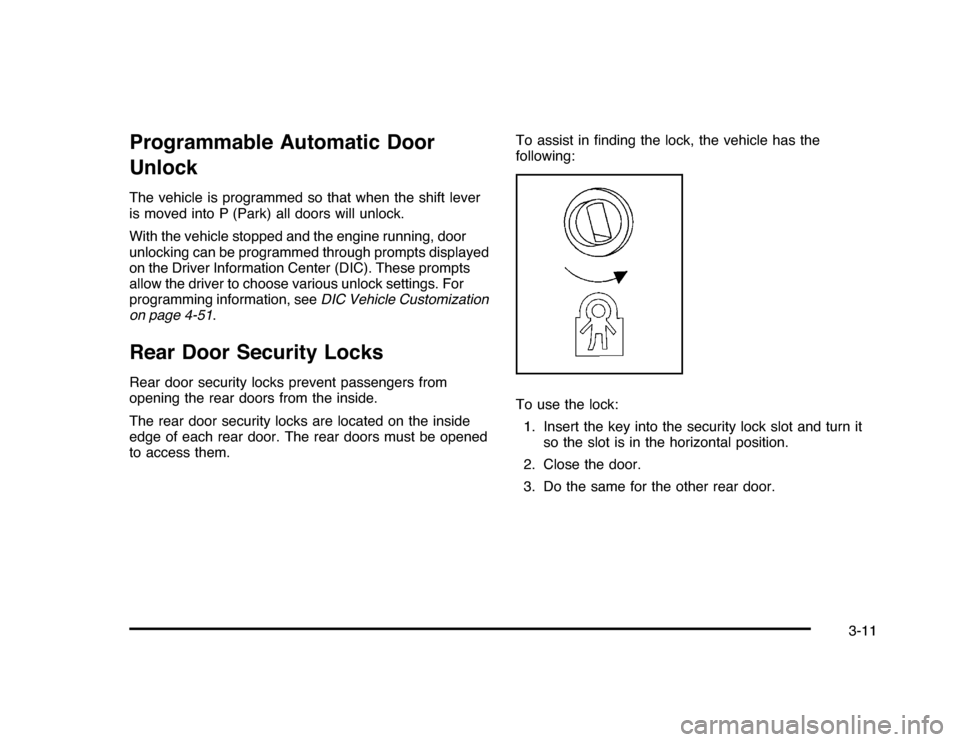
to access them.To assist in finding the lock, the vehicle has the
following:
To use the lock:
1. Insert the key into the security lock slot and turn it
so the slot is in the horizontal position.
2. Close the door.
3. Do the same for the other rear door.
3-11
Page 126 of 432
Ignition Positions
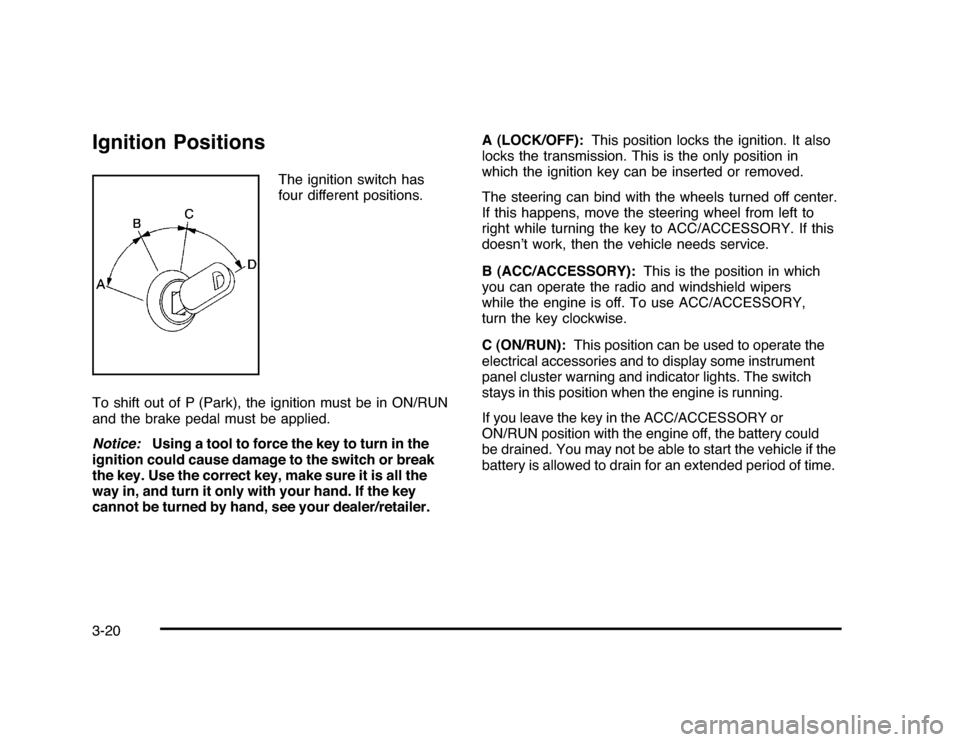
The ignition switch has
four different positions.
To shift out of P (Park), the ignition must be in ON/RUN
and the brake pedal must be applied.
Notice:Using a tool to force the key to turn in the
ignition could cause damage to the switch or break
the key. Use the correct key, make sure it is all the
way in, and turn it only with your hand. If the key
cannot be turned by hand, see your dealer/retailer.A (LOCK/OFF):This position locks the ignition. It also
locks the transmission. This is the only position in
which the ignition key can be inserted or removed.
The steering can bind with the wheels turned off center.
If this happens, move the steering wheel from left to
right while turning the key to ACC/ACCESSORY. If this
doesn’t work, then the vehicle needs service.
B (ACC/ACCESSORY):This is the position in which
you can operate the radio and windshield wipers
while the engine is off. To use ACC/ACCESSORY,
turn the key clockwise.
C (ON/RUN):This position can be used to operate the
electrical accessories and to display some instrument
panel cluster warning and indicator lights. The switch
stays in this position when the engine is running.
If you leave the key in the ACC/ACCESSORY or
ON/RUN position with the engine off, the battery could
be drained. You may not be able to start the vehicle if the
battery is allowed to drain for an extended period of time.
3-20