2010 CHEVROLET IMPALA service
[x] Cancel search: servicePage 215 of 432
XM™ Satellite Radio ServiceXM is a satellite radio service that is based in the
48 contiguous United States and 10 Canadian provinces.
XM Satellite Radio has a wide variety of programming
and commercial-free music, coast-to-coast, and in
digital-quality sound. A service fee is required to receive
the XM service. For more information, contact XM at
www.xmradio.com or call 1-800-929-2100 in the U.S.
and www.xmradio.ca or call 1-877-438-9677 in Canada.Radio Messages for XM™ OnlySeeXM Radio Messages on page 4-72later in this
section for further detail.Playing a CDInsert a CD partway into the slot, label side up.
The player pulls it in and the CD should begin playing.
If the ignition or radio is turned off while a CD in the
player it stays in the player. When the ignition or radio
is turned on, the CD starts to play where it stopped,
if it was the last selected audio source.
When the CD is inserted, the CD symbol displays. As
each new track starts to play, the track number displays.
The CD player can play the smaller 3 inch (8 cm)
single CDs with an adapter ring. Full-size CDs and
the smaller CDs are loaded in the same manner.If the ignition or radio is turned off, while a CD is in
the player, it stays in the player. When the ignition
or radio is turned on, the CD starts playing where it
stopped, if it was the last selected audio source.
Z
EJECT:Press to eject the CD. If the CD is not
removed, after several seconds, the CD automatically
pulls back into the player.
f
(Tune):Turn to select tracks on the CD currently
playing.
©
SEEK
¨
:Press the left arrow to go to the start of
the current track, if more than ten seconds have played.
Press the right arrow to go to the next track. If either
arrow is held, or pressed multiple times, the player
continues moving backward or forward through
the tracks on the CD.
s
REV (Fast Reverse):Press and hold to reverse
playback quickly within a track. Sound is heard at
a reduced volume. Release to resume playing the
track. The elapsed time of the track displays.
\
FWD (Fast Forward):Press and hold to advance
playback quickly within a track. Sound is heard at a
reduced volume. Release to resume playing the track.
The elapsed time of the track displays.
4-65
Page 222 of 432

Once the disc has scanned, the player defaults to playing
MP3 files in order by artist. The current artist playing is
shown on the second line of the display between the
arrows. Once all songs by that artist are played, the
player moves to the next artist in alphabetical order on
the CD and begins playing MP3 files by that artist. If you
want to listen to MP3 files by another artist, press the
softkey below either arrow button. The CD goes to the
next or previous artist in alphabetical order. Continue
pressing either button until the desired artist displays.
To change from playback by artist to playback by album,
press the softkey below the Sort By tab. From the sort
screen, push one of the softkeys below the album button.
Press the softkey below the back tab to return to the main
music navigator screen. Now the album name displays on
the second line between the arrows and songs from the
current album begins to play. Once all songs from that
album have played, the player moves to the next album
in alphabetical order on the CD and begins playing MP3
files from that album.
To exit music navigator mode, press the softkey below
the Back tab to return to normal MP3 playback.
XM Radio MessagesXL (Explicit Language Channels):These channels,
or any others, can be blocked at a customer’s request,
by calling 1-800-852-XMXM (9696).
XM Updating:The encryption code in the receiver is
being updated, and no action is required. This process
should take no longer than 30 seconds.
No XM Signal:The system is functioning correctly,
but the vehicle is in a location that is blocking the XM™
signal. When the vehicle is moved into an open area,
the signal should return.
Loading XM:The audio system is acquiring and
processing audio and text data. No action is needed.
This message should disappear shortly.
Channel Off Air:This channel is not currently in
service. Tune in to another channel.
Channel Unauth:This channel is blocked or cannot be
received with your XM Subscription package.
4-72
Page 223 of 432

Channel Unavail:This previously assigned channel is
no longer assigned. Tune to another station. If this station
was one of the presets, choose another station for that
preset button.
No Artist Info:No artist information is available at this
time on this channel. The system is working properly.
No Title Info:No song title information is available
at this time on this channel. The system is working
properly.
No CAT Info:No category information is available
at this time on this channel. The system is working
properly.
No Information:No text or informational messages are
available at this time on this channel. The system is
working properly.
CAT Not Found:There are no channels available for
the selected category. The system is working properly.XM Theftlocked:The XM receiver in the vehicle
could have previously been in another vehicle.
For security purposes, XM receivers cannot be
swapped between vehicles. If this message is
received after having the vehicle serviced, check
with your dealer/retailer.
XM Radio ID:If tuned to channel 0, this message
alternates with the XM™ Radio 8 digit radio ID label.
This label is needed to activate the service.
Unknown:If this message is received when tuned
to channel 0, there could be a receiver fault. Consult
with your dealer/retailer.
Check Antenna:If this message does not clear within
a short period of time, the receiver or antenna could
have a fault. Consult with your dealer/retailer.
Check XM Receivr:If this message does not clear
within a short period of time, the receiver could have a
fault. Consult with your dealer/retailer.
XM Not Available:If this message does not clear
within a short period of time, the receiver could have a
fault. Consult with your dealer/retailer.
4-73
Page 231 of 432
Receiving a CallWhen an incoming call is received, the audio system
mutes and a ring tone is heard in the vehicle.•
Press
bg
and begin speaking to answer the call.
•
Press
cx
to ignore a call.
Call WaitingCall waiting must be supported on the Bluetooth phone
and enabled by the wireless service carrier to work.•
Press
bg
to answer an incoming call when
another call is active. The original call is placed
on hold.
•
Press
bg
again to return to the original call.
•
To ignore the incoming call, continue with the
original call with no action.
•
Press
cx
to disconnect the current call and
switch to the call on hold.
Three-Way CallingThree-Way Calling must be supported on the Bluetooth
phone and enabled by the wireless service carrier
to work.
1. While on a call press
bg
. The system responds
with “Ready” followed by a tone.
2. Say “Three-way call”. The system responds with
“Three-way call, please say dial or call”.
3. Use the dial or call command to dial the number of
the third party to be called.
4. Once the call is connected, press
bg
to link all
the callers together.
Ending a CallPress
cx
to end a call.
Muting a CallDuring a call, all sounds from inside the vehicle can
be muted so that the person on the other end of the
call cannot hear them.
4-81
Page 235 of 432
bg
(Mute/Push to Talk):Press to silence the vehicle
speakers only. Press again to turn the sound on. For
vehicles with OnStar
®or Bluetooth
®systems, press and
hold
bg
for longer than two seconds to interact with
those systems. See the OnStar Owner’s Guide and
Bluetooth®on page 4-74for more information.
SRCE (Source):Press to choose between the radio
(AM, FM, XM), CD, and auxiliary input jack.
+
e
−
e
(Volume):Press to increase or to decrease
the radio volume.
¨
(Seek):Press to go to the next radio station while in
AM, FM, or XM™. Press
¨
to go to the next track or
chapter while sourced to the CD.
Radio ReceptionFrequency interference and static can occur during
normal radio reception if items such as cell phone
chargers, vehicle convenience accessories, and external
electronic devices are plugged into the accessory
power outlet. If there is interference or static, unplug
the item from the accessory power outlet.
AMThe range for most AM stations is greater than for FM,
especially at night. The longer range can cause station
frequencies to interfere with each other. For better radio
reception, most AM radio stations boost the power levels
during the day, and then reduce these levels during the
night. Static can also occur when things like storms and
power lines interfere with radio reception. When this
happens, try reducing the treble on the radio.FM StereoFM signals only reach about 10 to 40 miles
(16 to 65 km). Although the radio has a built-in electronic
circuit that automatically works to reduce interference,
some static can occur, especially around tall buildings
or hills, causing the sound to fade in and out.XM™ Satellite Radio ServiceXM Satellite Radio Service gives digital radio reception
from coast-to-coast in the 48 contiguous United States,
and in Canada. Just as with FM, tall buildings or hills can
interfere with satellite radio signals, causing the sound to
fade in and out. In addition, traveling or standing under
heavy foliage, bridges, garages, or tunnels may cause
loss of the XM signal for a period of time.
4-85
Page 242 of 432
Using ABSDo not pump the brakes. Just hold the brake pedal
down firmly and let antilock work. A slight brake pedal
pulsation might be felt or some noise might be
heard, but this is normal.Braking in EmergenciesABS allows the driver to steer and brake at the same
time. In many emergencies, steering can help more than
even the very best braking.Electronic Stability Control (ESC)Your vehicle may have an Electronic Stability Control
(ESC) system which combines antilock brake, traction
and stability control systems and helps the driver
maintain directional control of the vehicle in most driving
conditions.
When you first start your vehicle and begin to drive
away, the system performs several diagnostic checks to
ensure there are no problems. You may hear or feel
the system working. This is normal and does not mean
there is a problem with your vehicle. The system
should initialize before the vehicle reaches 20 mph
(32 km/h).If the system fails to turn on or activate, the ESC/TCS
light will be on solid, and the SERVICE STABILITRAK
message will be displayed.
For more information, seeDriver Information Center
(DIC) on page 4-37.
This light will flash on the
instrument panel cluster
when the ESC system
is both on and activated.
You may also feel or hear the system working; this is
normal.
When the light is on solid and the SERVICE
STABILITRAK message is displayed, the system will not
assist the driver in maintaining directional control of
the vehicle. Adjust your driving accordingly. See
DIC Warnings and Messages on page 4-44.
The Electronic Stability Control (ESC) system is
automatically enabled whenever you start your vehicle.
To assist the driver with vehicle directional control,
especially in slippery road conditions, you should always
leave the system on. But, you can turn ESC off if you ever
need to.5-6
Page 243 of 432
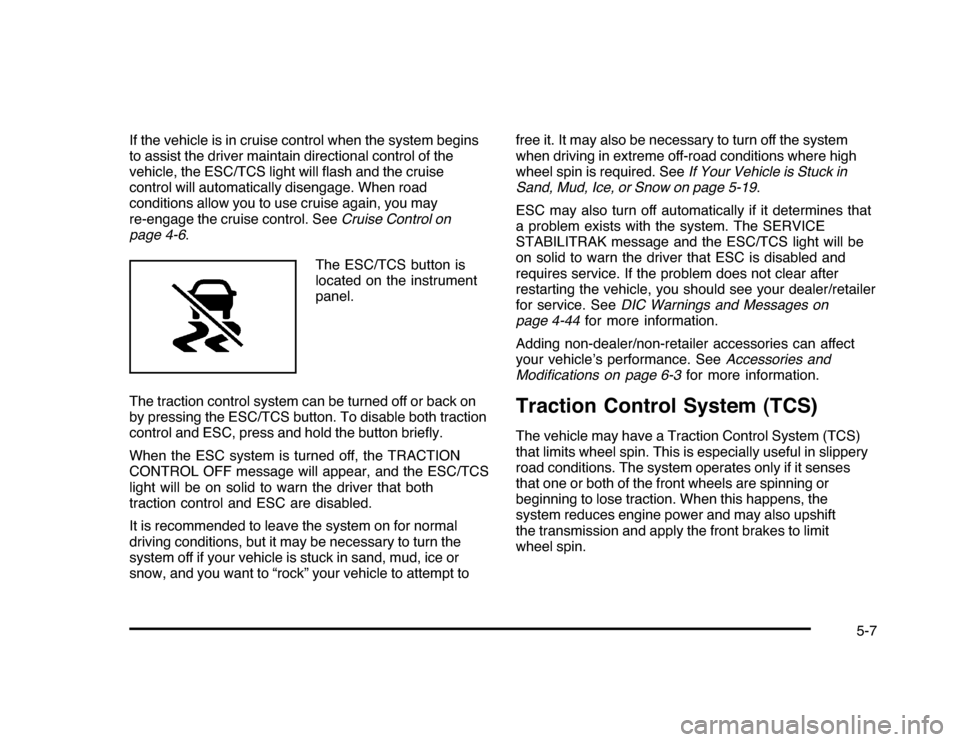
If the vehicle is in cruise control when the system begins
to assist the driver maintain directional control of the
vehicle, the ESC/TCS light will flash and the cruise
control will automatically disengage. When road
conditions allow you to use cruise again, you may
re-engage the cruise control. SeeCruise Control on
page 4-6.
The ESC/TCS button is
located on the instrument
panel.
The traction control system can be turned off or back on
by pressing the ESC/TCS button. To disable both traction
control and ESC, press and hold the button briefly.
When the ESC system is turned off, the TRACTION
CONTROL OFF message will appear, and the ESC/TCS
light will be on solid to warn the driver that both
traction control and ESC are disabled.
It is recommended to leave the system on for normal
driving conditions, but it may be necessary to turn the
system off if your vehicle is stuck in sand, mud, ice or
snow, and you want to “rock” your vehicle to attempt tofree it. It may also be necessary to turn off the system
when driving in extreme off-road conditions where high
wheel spin is required. SeeIf Your Vehicle is Stuck in
Sand, Mud, Ice, or Snow on page 5-19.
ESC may also turn off automatically if it determines that
a problem exists with the system. The SERVICE
STABILITRAK message and the ESC/TCS light will be
on solid to warn the driver that ESC is disabled and
requires service. If the problem does not clear after
restarting the vehicle, you should see your dealer/retailer
for service. SeeDIC Warnings and Messages on
page 4-44for more information.
Adding non-dealer/non-retailer accessories can affect
your vehicle’s performance. SeeAccessories and
Modifications on page 6-3for more information.
Traction Control System (TCS)The vehicle may have a Traction Control System (TCS)
that limits wheel spin. This is especially useful in slippery
road conditions. The system operates only if it senses
that one or both of the front wheels are spinning or
beginning to lose traction. When this happens, the
system reduces engine power and may also upshift
the transmission and apply the front brakes to limit
wheel spin.
5-7
Page 244 of 432

This light will flash when
the TCS is limiting
wheel spin.
The system may be heard or felt while it is working, but
this is normal.
If cruise control is being used when TCS begins to limit
wheel spin, the cruise control will automatically
disengage. Cruise control may be reengaged when road
conditions allow. SeeCruise Control on page 4-6.
The TCS operates in all transmission shift lever
positions. But the system can upshift the transmission
only as high as the shift lever position chosen, so
use the lower gears only when necessary. See
Automatic Transmission Operation on page 3-24.When the system is on,
this warning light comes
on and stays on if there is
a problem.
A SERVICE TRACTION CONTROL message also
appears on the DIC. When this warning light is on, the
system will not limit wheel spin. Adjust your driving
accordingly. SeeDIC Warnings and Messages
on page 4-44for more information.
To limit wheel spin, especially in slippery road
conditions, TCS should always be left on. But the
system can be turned off if needed. Turn the system off
if the vehicle gets stuck in sand, mud or snow and
rocking the vehicle is required. SeeRocking Your
Vehicle to Get It Out on page 5-20andIf Your Vehicle
is Stuck in Sand, Mud, Ice, or Snow on page 5-19
for more information.
5-8