2010 CHEVROLET HHR instrument panel
[x] Cancel search: instrument panelPage 184 of 480
Ashtray(s) and Cigarette Lighter
The vehicle may have an ashtray and cigarette lighter.
To use the lighter, located on the instrument panel
below the climate controls, push it in all the way and
let go. When it is ready, it will pop back out by itself.
Notice:Holding a cigarette lighter in while it is
heating will not allow the lighter to back away from
the heating element when it is hot. Damage from
overheating may occur to the lighter or heating
element, or a fuse could be blown. Do not hold a
cigarette lighter in while it is heating. Do not use
equipment exceeding maximum amperage rating
of 15 amperes.
To clean the center console ashtray, remove the entire
ashtray and empty it.
Notice: If papers, pins, or other flammable items are
put in the ashtray, hot cigarettes or other smoking
materials could ignite them and possibly damage
the vehicle. Never put flammable items in the
ashtray.
Climate Controls
Climate Control System
The heating, cooling, and ventilation for the vehicle can
be controlled with this system.
For vehicles with remote start, the climate control
system comes on and uses the prior temperature
settings selected before exiting the vehicle.
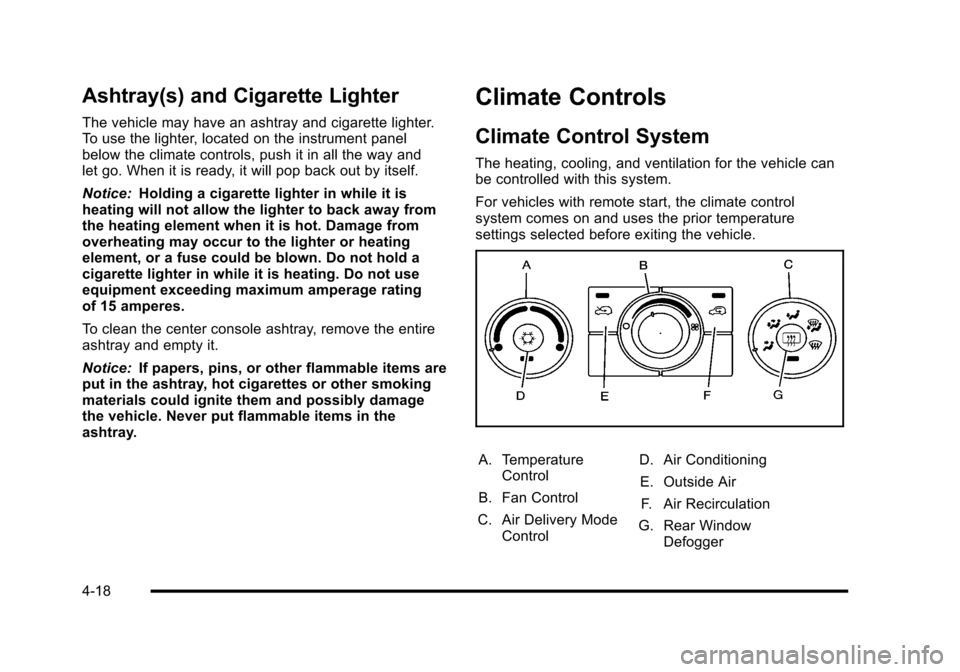
A. Temperature Control
B. Fan Control
C. Air Delivery Mode Control D. Air Conditioning
E. Outside Air F. Air Recirculation
G. Rear Window Defogger
4-18
Page 185 of 480
9(Off):Turn the fan control to this position to turn
the fan off.
Temperature Control: Turn clockwise or
counterclockwise to increase or decrease the
temperature.
9(Fan): Turn clockwise or counterclockwise to
increase or decrease the fan speed. In any setting other
than off, the fan runs continuously while the ignition is in
ON/RUN. The fan must be turned on to run the air
conditioning (AC) compressor.
Air Delivery Mode Control: Turn clockwise or
counterclockwise to change the direction of the airflow
inside the vehicle.
To change the current mode, select:
H(Vent): Air is directed to the instrument panel
outlets.
)(Bi-Level): Air is divided between the instrument
panel outlets and the floor outlets.
6(Floor): Air is directed to the floor outlets, with some
air directed to the windshield and side windows.
-(Defog): This mode clears the windows of fog or
moisture. Air is directed to the windshield, side window,
and floor outlets. In this mode, the system runs the air
conditioning compressor. To defog the windows faster,
turn the temperature control knob clockwise to the
warmest setting.
0(Defrost): This mode removes fog or frost from
the windshield more quickly. Air is directed to the
windshield, with some air directed to the side window
and floor outlets. In this mode, the system runs the air
conditioning compressor. To defrost the windows faster,
turn the temperature control knob clockwise to the
warmest setting.
#(Air Conditioning): Press to turn the air
conditioning system on or off. An indicator light comes
on to show that the air conditioning is on.
On hot days, open the windows to let hot inside air
escape; then close them. This helps to reduce the time
it takes for your vehicle to cool down. It also helps the
system to operate more efficiently.
4-19
Page 190 of 480
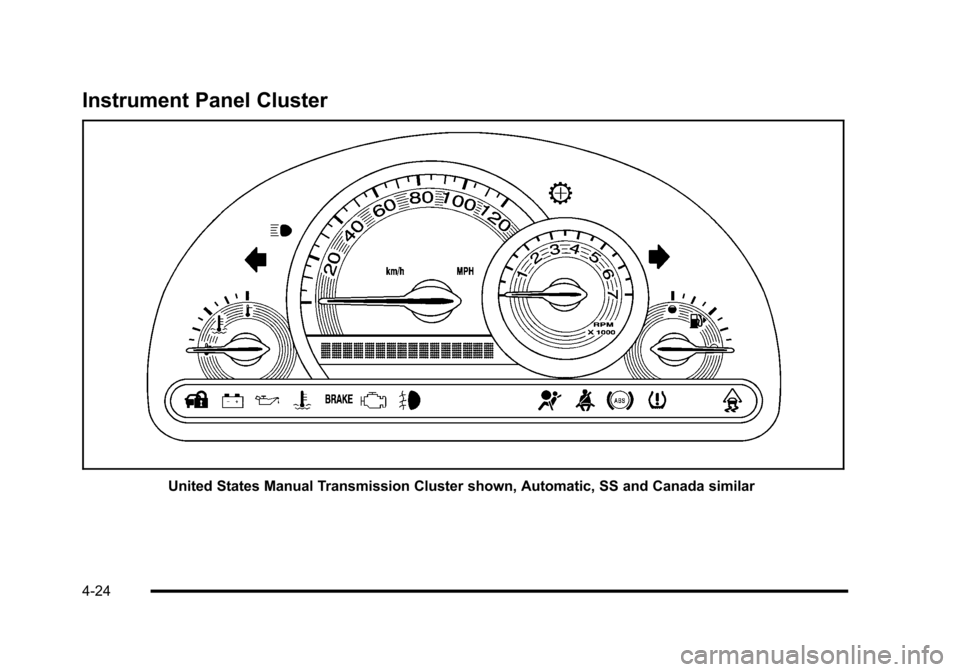
Instrument Panel Cluster
United States Manual Transmission Cluster shown, Automatic, SS and Canada similar
4-24
Page 192 of 480
Safety Belt Reminders
Driver Safety Belt Reminder Light
When the engine is started, a chime sounds for several
seconds to remind a driver to fasten the safety belt,
unless the driver safety belt is already buckled.
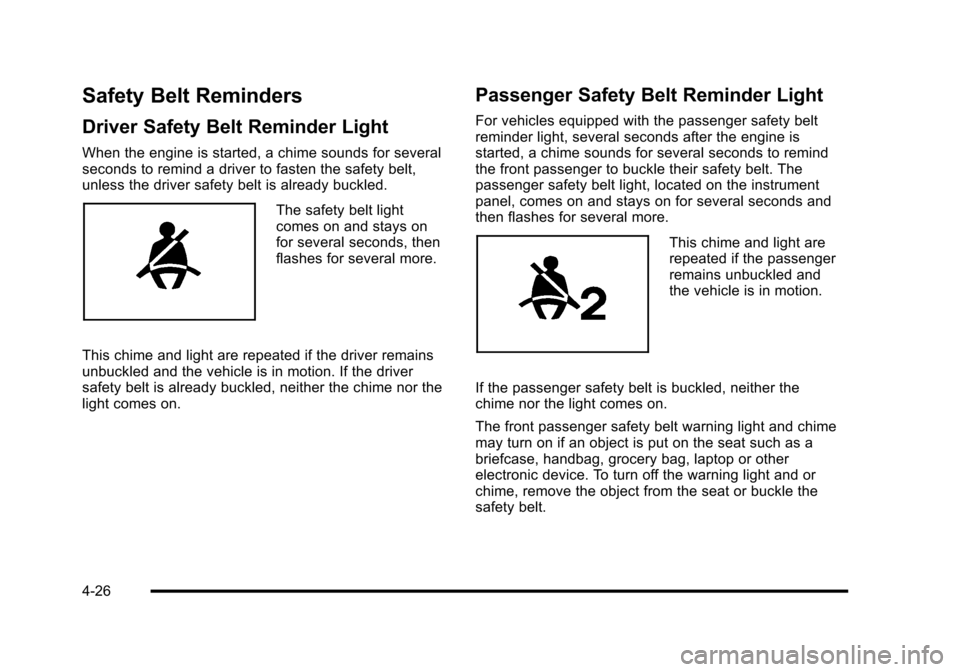
The safety belt light
comes on and stays on
for several seconds, then
flashes for several more.
This chime and light are repeated if the driver remains
unbuckled and the vehicle is in motion. If the driver
safety belt is already buckled, neither the chime nor the
light comes on.
Passenger Safety Belt Reminder Light
For vehicles equipped with the passenger safety belt
reminder light, several seconds after the engine is
started, a chime sounds for several seconds to remind
the front passenger to buckle their safety belt. The
passenger safety belt light, located on the instrument
panel, comes on and stays on for several seconds and
then flashes for several more.
This chime and light are
repeated if the passenger
remains unbuckled and
the vehicle is in motion.
If the passenger safety belt is buckled, neither the
chime nor the light comes on.
The front passenger safety belt warning light and chime
may turn on if an object is put on the seat such as a
briefcase, handbag, grocery bag, laptop or other
electronic device. To turn off the warning light and or
chime, remove the object from the seat or buckle the
safety belt.
4-26
Page 194 of 480
Passenger Airbag Status Indicator
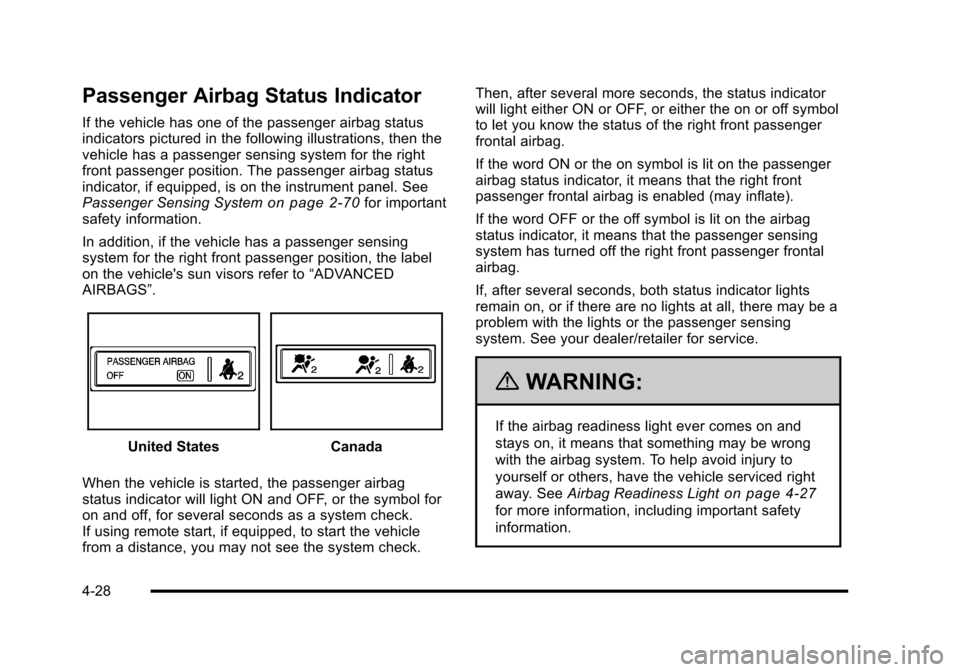
If the vehicle has one of the passenger airbag status
indicators pictured in the following illustrations, then the
vehicle has a passenger sensing system for the right
front passenger position. The passenger airbag status
indicator, if equipped, is on the instrument panel. See
Passenger Sensing System
on page 2‑70for important
safety information.
In addition, if the vehicle has a passenger sensing
system for the right front passenger position, the label
on the vehicle's sun visors refer to “ADVANCED
AIRBAGS”.
United StatesCanada
When the vehicle is started, the passenger airbag
status indicator will light ON and OFF, or the symbol for
on and off, for several seconds as a system check.
If using remote start, if equipped, to start the vehicle
from a distance, you may not see the system check. Then, after several more seconds, the status indicator
will light either ON or OFF, or either the on or off symbol
to let you know the status of the right front passenger
frontal airbag.
If the word ON or the on symbol is lit on the passenger
airbag status indicator, it means that the right front
passenger frontal airbag is enabled (may inflate).
If the word OFF or the off symbol is lit on the airbag
status indicator, it means that the passenger sensing
system has turned off the right front passenger frontal
airbag.
If, after several seconds, both status indicator lights
remain on, or if there are no lights at all, there may be a
problem with the lights or the passenger sensing
system. See your dealer/retailer for service.
{WARNING:
If the airbag readiness light ever comes on and
stays on, it means that something may be wrong
with the airbag system. To help avoid injury to
yourself or others, have the vehicle serviced right
away. See
Airbag Readiness Light
on page 4‑27
for more information, including important safety
information.
4-28
Page 209 of 480
Readouts #2
TIRE PRESSURES:Displays the last gauge tire
pressures recorded from each of the wheel mounted tire
pressure sensors.
Readouts #3
BAROMETER: Displays ambient air pressure as
measured by the engine’s ambient pressure sensor.
OUTSIDE TEMPERATURE: Displays ambient
temperature as measured by an outside air temperature
sensor.
BATTERY VOLTAGE: Displays the vehicle’s battery
voltage.
Readouts #4
COOLANT TEMPERATURE: Displays engine coolant
temperature as measured by a coolant temperature
sensor.
INLET AIR TEMPERATURE: Displays the
instantaneous temperature of the air at the inlet to the
induction system. FUEL PRESSURE:
Displays fuel pressure as
measured by a sensor on the output of the
high-pressure fuel pump.
INDICATORS
The indicators come on when the corresponding
function is actively working to stabilize or control the
vehicle. Each indicator light on the RPD display can be
turned on and off using the SETUP MENU. These
indicators work independently of the telltales on the
instrument panel cluster. Turning the indicator on the
RPD display on or off does not enable or disable the
functions on the vehicle.
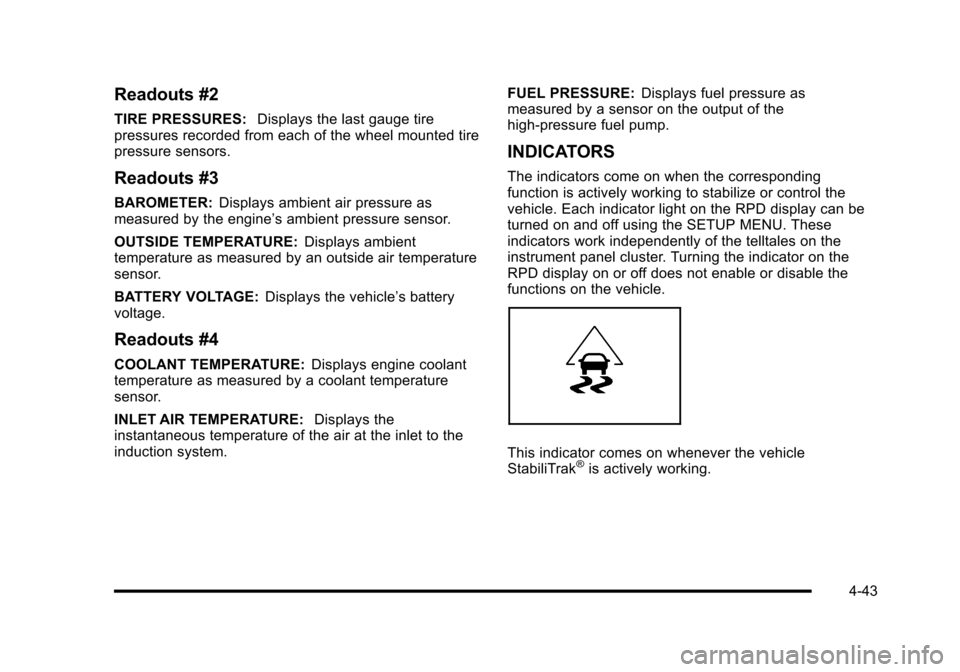
This indicator comes on whenever the vehicle
StabiliTrak®is actively working.
4-43
Page 211 of 480
SETUP MENU Options
GAUGE APPEARANCE:While the gauge is
highlighted, press the RPD knob. Then turn the
knob to choose the background color for a gauge.
Press the knob again when gauge color is chosen.
SHIFT LIGHT SETUP: This screen establishes a RPM
range where the shift light comes on for each gear. Turn
the RPD knob to highlight a shift light setting. Press the
knob to allow adjustment of the highlighted setting. Turn
the knob to adjust the value up or down, then press the
knob again to allow the selection of another item. The
number above each gear shows the highest RPM the
light comes on for a gear range. The number below
each gear indicates the lowest RPM the light comes on
for a gear range.
INDICATORS ON/OFF: Select on or off for each
indicator by turning the RPD knob to highlight ON or
OFF. Press and Release the RPD knob to apply the
choice. The actual Traction Control, StabiliTrak
®,
Competitive Mode, Launch Control functions and
instrument panel cluster telltales are not enabled or
disabled by these indicators.
SCREEN ORDER: While the screen order is
highlighted, press the knob to allow adjustment. Turn
the knob to reverse the displayed order of Region A and
Region B. Press the knob again once the screen is
chosen. CONTRAST:
While the contrast slider is highlighted,
press the knob to allow adjustment. Turn the knob to
adjust the contrast of the screen. Press the knob again
when the desired contrast is reached.
RESTORE DEFAULTS: Restores the original factory
screen defaults.
Applying a SETUP MENU Option
After each screen is customized, use this procedure to
apply the change and return to the SETUP MENU.
SET: Applies the changes to the display.
1. Turn until SET is highlighted.
2. Press and release while SET is highlighted to lock in the setting and return to the previous screen.
RETURN /RET: Returns the display to the previous
screen without saving changes.
1. Turn to highlight the RETURN/RET option.
2. Press and release knob to return to the previous menu.
4-45
Page 212 of 480
Driver Information Center (DIC)
Your vehicle has a Driver Information Center (DIC). The
DIC display gives you the status of many of your
vehicle's systems. The DIC is also used to display
driver personalization menu modes and warning/status
messages. All messages will appear in the DIC display,
located at the bottom of the instrument panel cluster.
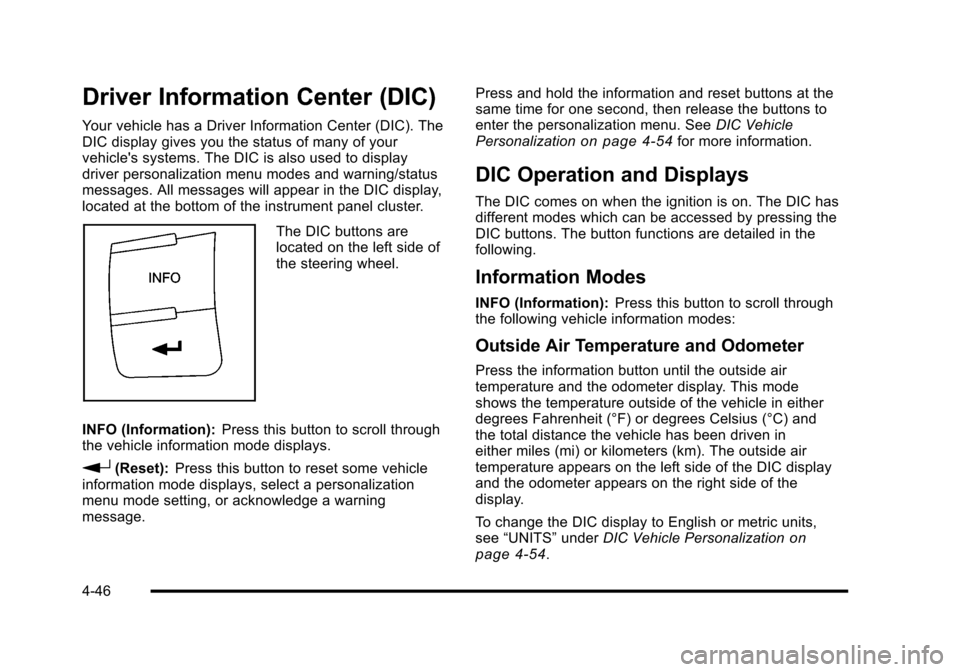
The DIC buttons are
located on the left side of
the steering wheel.
INFO (Information): Press this button to scroll through
the vehicle information mode displays.
r(Reset): Press this button to reset some vehicle
information mode displays, select a personalization
menu mode setting, or acknowledge a warning
message. Press and hold the information and reset buttons at the
same time for one second, then release the buttons to
enter the personalization menu. See
DIC Vehicle
Personalization
on page 4‑54for more information.
DIC Operation and Displays
The DIC comes on when the ignition is on. The DIC has
different modes which can be accessed by pressing the
DIC buttons. The button functions are detailed in the
following.
Information Modes
INFO (Information): Press this button to scroll through
the following vehicle information modes:
Outside Air Temperature and Odometer
Press the information button until the outside air
temperature and the odometer display. This mode
shows the temperature outside of the vehicle in either
degrees Fahrenheit (°F) or degrees Celsius (°C) and
the total distance the vehicle has been driven in
either miles (mi) or kilometers (km). The outside air
temperature appears on the left side of the DIC display
and the odometer appears on the right side of the
display.
To change the DIC display to English or metric units,
see “UNITS” underDIC Vehicle Personalization
on
page 4‑54.
4-46