Page 39 of 472

To recall a memory position:
.On vehicles with an automatic transmission, press
and release the desired button.
If the vehicle is in P (Park), a single beep sounds
and the memory position is recalled after a brief
delay.
If the vehicle is not in P (Park), three beeps sound
and the memory position is not recalled.
.On vehicles with a manual transmission, when the
vehicle is on, the parking brake needs to be set to
recall the memory position. Press and release the
desired button.
A single beep sounds and the memory position is
recalled after a brief delay.
If the vehicle is on and the parking brake is not set,
three beeps sound and the memory position is not
recalled.
For vehicles with the Auto Memory Recall, see “Auto
Memory Recall” underDIC Vehicle Personalization
on
page 4‑71for more information.
To stop recall movement of the memory feature, press
one of the power seat controls, power mirror or memory
buttons, or the telescopic steering column switch.
Easy Exit Seat
B (Easy Exit Seat) : This button is used to program
and recall the desired driver's seat exit position.
To program an exit position:
1. Recall the desired driving position by pressing button 1.
2. Adjust the seat and the telescopic steering column position to a comfortable exit position.
3. Press and hold the exit button until two beeps sound to let you know that the exit position is
now programmed.
A second exit position can be programmed by repeating
the above steps and pressing button 2.
To recall an exit position:
.On vehicles with an automatic transmission, the
vehicle needs to be in P (Park).
.On vehicles with a manual transmission, the
parking brake must be set.
B: Press to recall an exit position.
One beep will sound and the exit position for the
currently identified driver will be recalled.
For vehicles with the Auto Exit Recall, see “Auto Exit
Recall” underDIC Vehicle Personalization
on
page 4‑71for more information.
2-5
Page 103 of 472
Programming Transmitters to the
Vehicle
Only keyless access transmitters programmed to
this vehicle will work. If a transmitter is lost or stolen,
a replacement can be purchased and programmed
through your dealer/retailer. The vehicle can be
reprogrammed so that lost or stolen transmitters
no longer work. Each vehicle can have up to
four transmitters programmed to it.
Programming with a Recognized
Transmitter
A new transmitter can be programmed to the vehicle
when there is one recognized transmitter. For vehicles
sold in Canada, two recognized transmitters are
required to program a new transmitter. 1. The vehicle must be off.
2. Both the recognized and new transmitters must be with you.
3. Insert the vehicle key into the key cylinder located above the license plate.
4. Open the hatch/trunk.
5. Turn the key five times within five seconds.
6. The DIC displays READY FOR FOB #2, 3 or 4.
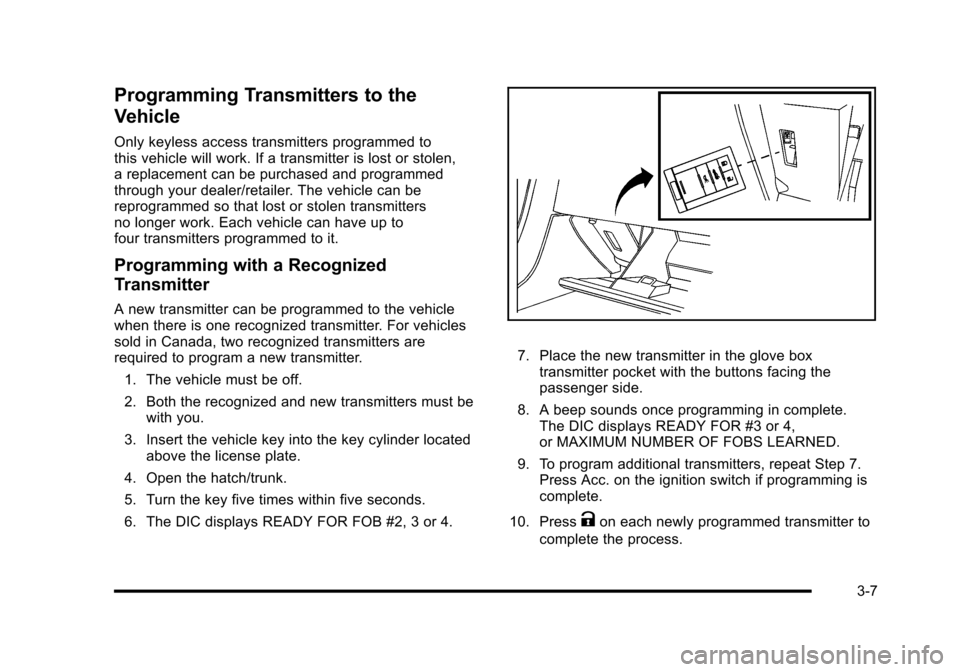
7. Place the new transmitter in the glove box transmitter pocket with the buttons facing the
passenger side.
8. A beep sounds once programming in complete. The DIC displays READY FOR #3 or 4,
or MAXIMUM NUMBER OF FOBS LEARNED.
9. To program additional transmitters, repeat Step 7. Press Acc. on the ignition switch if programming is
complete.
10. Press
Kon each newly programmed transmitter to
complete the process.
3-7
Page 104 of 472
Programming without a Recognized
Transmitter
This procedure requires three ten minutes cycles to
complete the programming process. United States
owners are permitted to program a new transmitter
to their vehicle when a recognized transmitter is not
available. The Canadian immobilizer standard requires
that Canadian owners see their dealer/retailer for
programming new transmitters when two recognized
transmitters are not available. 1. The vehicle must be off.
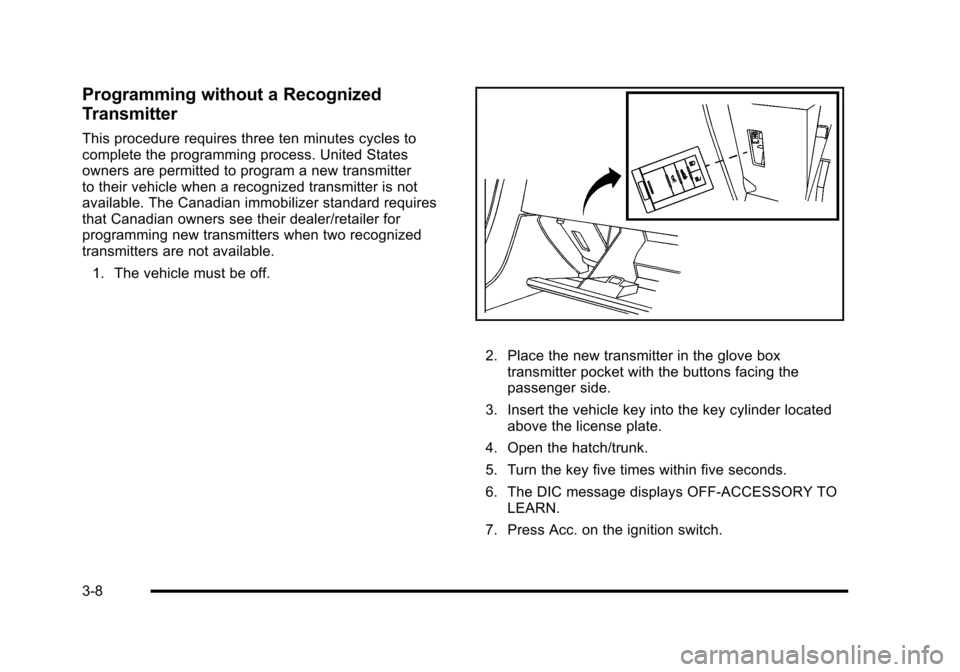
2. Place the new transmitter in the glove box transmitter pocket with the buttons facing the
passenger side.
3. Insert the vehicle key into the key cylinder located above the license plate.
4. Open the hatch/trunk.
5. Turn the key five times within five seconds.
6. The DIC message displays OFF-ACCESSORY TO LEARN.
7. Press Acc. on the ignition switch.
3-8
Page 105 of 472
8. The DIC reads WAIT 10 MINUTES and counts down to zero.
9. The DIC displays OFF-ACCESSORY TO LEARN again.
10. Press Acc. on the ignition switch. 11. Steps 8, 9 and 10 will be repeated two more times.
12. A beep sounds and the DIC reads READY FOR FOB #1. All previously known transmitter
programming has been erased.
13. A beep sounds once programming in complete. The DIC displays READY FOR FOB #2.
To program additional transmitters, take transmitter
1 out of the transmitter pocket and place
transmitter 2 in the pocket. Up to four transmitters
can be programmed. The DIC then displays
MAXIMUM NUMBER OF FOBS LEARNED
and exits the programming mode.
Press Acc. on the ignition switch to complete the
process. 14. Press Acc. on the ignition switch if programming is
complete.
15. Press
Kon each newly programmed transmitter to
complete the process.
Starting the Vehicle with a Low
Transmitter Battery
If the transmitter battery is weak, the DIC may display
NO FOBS DETECTED when trying to start the vehicle.
To start the vehicle, place the transmitter in the glove
box transmitter pocket with the buttons facing the
passenger side. Then, with the vehicle in P (Park)
for an automatic transmission, press the brake pedal
and
/. If the vehicle has a manual transmission, press
the clutch and
/. Replace the transmitter battery as
soon as possible. Change the transmitter battery if the
DIC displays FOB BATTERY LOW.
3-9
Page 135 of 472

Mirrors
Automatic Dimming Rearview Mirror
The vehicle may have an automatic dimming inside
rearview mirror with a compass display and/or map
lamps, and OnStar
®. The mirror automatically changes
to reduce glare from headlamps behind you. A time
delay feature prevents rapid changing from the day to
night positions while driving under lights and through
traffic.
If the vehicle has OnStar, there are three control buttons
located at the bottom of the mirror. See the OnStar
®
owner's guide for more information on the services
OnStar®provides.
P(On/Off): The automatic dimming feature is
activated when the vehicle is started. Press and hold
this button for up to six seconds to turn this feature on
or off.
T(Indicator Light): This light turns on when the
automatic dimming feature is active.
Map Lamps
If the mirror has map lamps, they are located at the
bottom of the mirror. To manually turn the lamps on
or off, press the button next to each lamp.
Cleaning the Mirror
Do not spray glass cleaner directly on the mirror.
Use a soft towel dampened with water.
Compass
Compass Operation
With the compass feature on, each time the vehicle is
started, the compass will take a few seconds to adjust
and display the current compass heading. For example,
NE is displayed for north-east.
3-39
Page 139 of 472
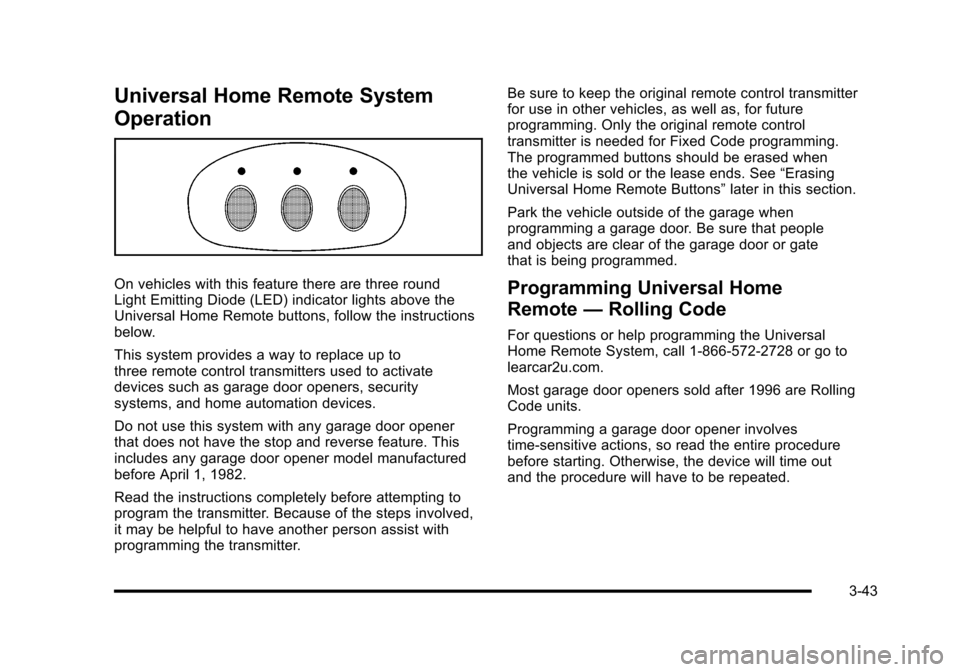
Universal Home Remote System
Operation
On vehicles with this feature there are three round
Light Emitting Diode (LED) indicator lights above the
Universal Home Remote buttons, follow the instructions
below.
This system provides a way to replace up to
three remote control transmitters used to activate
devices such as garage door openers, security
systems, and home automation devices.
Do not use this system with any garage door opener
that does not have the stop and reverse feature. This
includes any garage door opener model manufactured
before April 1, 1982.
Read the instructions completely before attempting to
program the transmitter. Because of the steps involved,
it may be helpful to have another person assist with
programming the transmitter. Be sure to keep the original remote control transmitter
for use in other vehicles, as well as, for future
programming. Only the original remote control
transmitter is needed for Fixed Code programming.
The programmed buttons should be erased when
the vehicle is sold or the lease ends. See
“Erasing
Universal Home Remote Buttons” later in this section.
Park the vehicle outside of the garage when
programming a garage door. Be sure that people
and objects are clear of the garage door or gate
that is being programmed.Programming Universal Home
Remote —Rolling Code
For questions or help programming the Universal
Home Remote System, call 1-866-572-2728 or go to
learcar2u.com.
Most garage door openers sold after 1996 are Rolling
Code units.
Programming a garage door opener involves
time-sensitive actions, so read the entire procedure
before starting. Otherwise, the device will time out
and the procedure will have to be repeated.
3-43
Page 140 of 472
To program up to three devices: 1. Press START or put the vehicle in accessory mode. See Ignition Positions
on page 3‑23for
additional information.
Programming can only occur when the vehicle is
running or in accessory mode.
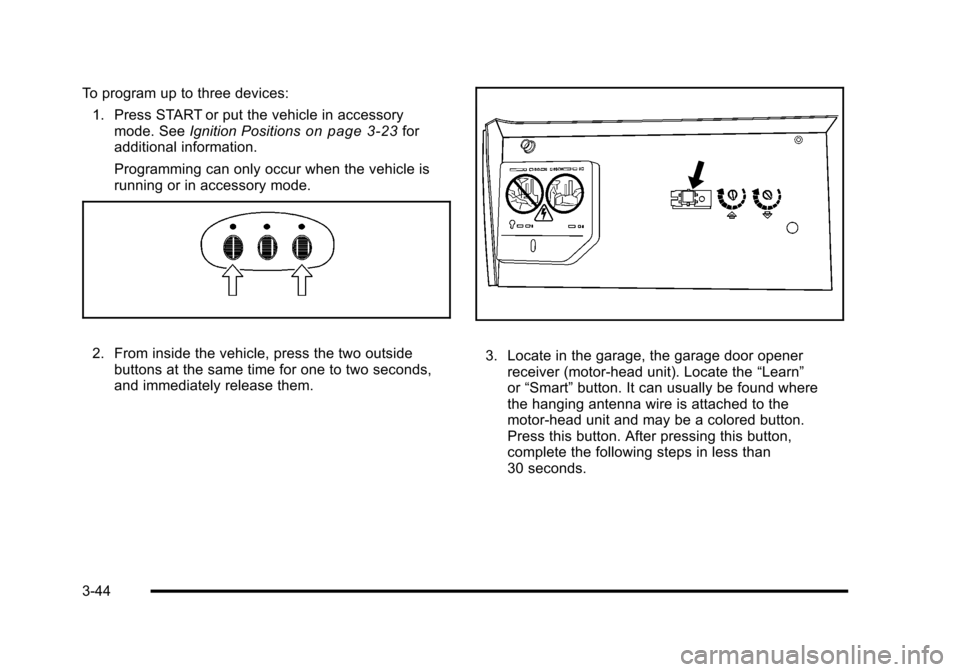
2. From inside the vehicle, press the two outside buttons at the same time for one to two seconds,
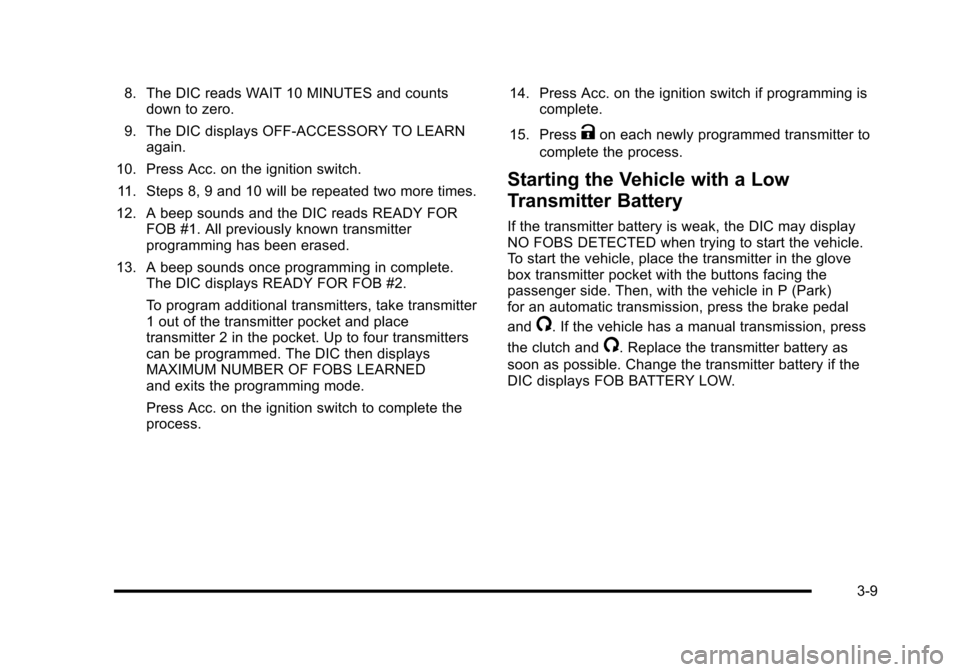
and immediately release them. 3. Locate in the garage, the garage door opener receiver (motor-head unit). Locate the “Learn”
or “Smart” button. It can usually be found where
the hanging antenna wire is attached to the
motor-head unit and may be a colored button.
Press this button. After pressing this button,
complete the following steps in less than
30 seconds.
3-44
Page 143 of 472
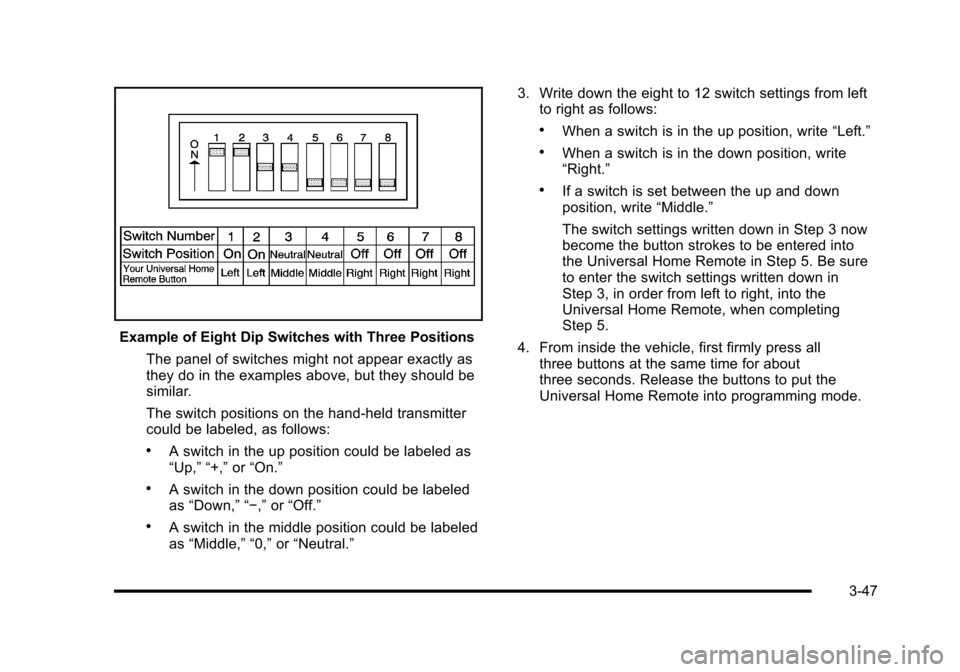
Example of Eight Dip Switches with Three Positions The panel of switches might not appear exactly as
they do in the examples above, but they should be
similar.
The switch positions on the hand-held transmitter
could be labeled, as follows:
.A switch in the up position could be labeled as
“Up,” “+,” or“On.”
.A switch in the down position could be labeled
as “Down,” “−,” or“Off.”
.A switch in the middle position could be labeled
as “Middle,” “0,” or“Neutral.” 3. Write down the eight to 12 switch settings from left
to right as follows:
.When a switch is in the up position, write “Left.”
.When a switch is in the down position, write
“Right.”
.If a switch is set between the up and down
position, write “Middle.”
The switch settings written down in Step 3 now
become the button strokes to be entered into
the Universal Home Remote in Step 5. Be sure
to enter the switch settings written down in
Step 3, in order from left to right, into the
Universal Home Remote, when completing
Step 5.
4. From inside the vehicle, first firmly press all three buttons at the same time for about
three seconds. Release the buttons to put the
Universal Home Remote into programming mode.
3-47