2010 BMW X5 idrive
[x] Cancel search: idrivePage 86 of 300

Technology for comfort, convenience and safety
84 The image of the rear view camera is displayed.
The setting is stored for the remote control cur-
rently in use.
Malfunction
A Check Control message appears in the
instrument panel, refer to page77.
The areas in front of and behind the vehicle
appear in shaded form on the Control Display.
PDC is malfunctioning. Have the system
checked.
In order to assure full functionality:
>Keep sensors clean and free of ice.
>Do not spray the sensors with high-pres-
sure cleaners for long periods and keep the
spray nozzle at least 12 in/30 cm away from
them.
Top View*
The concept
Top View assists you when parking and maneu-
vering. To accomplish this, the door region and
road surface region are shown on the Control
Display.
Detection
Detection is carried out by two cameras inte-
grated into the exterior mirror and the rear view
camera.
The range is:
>approx. 7 ft/2 m to the side
>approx. 7 ft/2 m to the rear
Obstacles up to the height of the exterior mir-
rors are thus detected in a timely fashion.
System limitations
In the following situations, the function of
Top View is limited:
>when a door is open
>when the liftgate is open
>when the exterior mirrors are folded in
>under poor lighting conditions
The arrows next to the vehicle are displayed in a
shaded form on the Control Display and a sym-
bol appears at the corresponding location on
the vehicle.
Also make a direct visual check of the
traffic situation around the vehicle. Other-
wise, there could be a risk of accident, for exam-
ple due to other road users or objects outside
the image range of the camera.<
Automatic activation
With the engine running or the ignition switched
on, shift the selector lever into position R.
The images from Top View and PDC are dis-
played when the system has been switched on
using iDrive.
Automatic deactivation
The system switches off and the LED goes out:
>after approx. 165 ft/50 m when driving for-
ward
>at speeds over approx. 25 mph/35 km/h
when driving forward
Switch the system back on as needed.
Switching on/off manually
Press the button.
>On: LED lights up.
ba8_e70ag.book Seite 84 Freitag, 5. Juni 2009 11:42 11
Page 87 of 300

Controls
85Reference
At a glance
Driving tips
Communications
Navigation
Entertainment
Mobility
>Off: LED goes out.
If Top View is displayed, switch o n the rea r vie w
camera using iDrive, refer to page87.
Optical warning
The approach to an object can be shown on the
Control Display.
When the distance to an object is small, the
PDC display correspondingly shows a red bar in
front of the vehicle.
The display appears as soon as Top View is
activated.
If the last image selected was the rear view
camera, this is displayed again. To switch to
Top View:
1.Select the "Switch off rear view camera"
on the Control Display.
2.Press the controller.
The setting is stored for the remote control cur-
rently in use.
Image on the Control Display
Switching on the rear view camera
using iDrive
With Top View activated:
1.Select the "Switch on rear view camera"
symbol .
2.Press the controller.
The image of the rear view camera is displayed.
The setting is stored for the remote control cur-
rently in use.
Brightness
With Top View switched on:
1.Select the symbol.
2.Turn the controller until the desired setting
is displayed and then press the controller.
Contrast
With Top View switched on:
1.Select the symbol.
2.Turn the controller until the desired setting
is displayed and then press the controller.
Displaying turning lines and pathway
lines
>The static, red turning line shows the lateral
space required when the wheel is fully
turned.
>The variable, green pathway lines assist you
in estimating the amount of lateral space
actually required.
The pathway lines depend on the current
steering angle and are continuously
adapted to movements of the steering
wheel.
1.Select the symbol.
2.Press the controller.
Turning lines and pathway lines are displayed.
Cameras
The lenses of the Top View cameras are on the
undersides of the exterior mirror housings.
The presence of dirt can impair image quality.
Clean the lens with a moist, nonabrasive cloth.
ba8_e70ag.book Seite 85 Freitag, 5. Juni 2009 11:42 11
Page 88 of 300

Technology for comfort, convenience and safety
86
Rear view camera*
The concept
The rear view camera assists you when parking
and maneuvering in reverse. To accomplish
this, the region behind your vehicle is shown on
the Control Display.
System limitations
Also make a direct visual check of the
traffic situation around the vehicle. Other-
wise, there could be a risk of accident, for exam-
ple due to other road users or objects outside
the image range of the rear view camera.<
The rear view camera is not able to detect
objects at greater heights or protruding
objects such as projections from walls.<
Automatic activation
With the engine running or the ignition switched
on, shift the selector lever into position R.
The image of the rear view camera is displayed
when the system has been switched on using
iDrive.
Automatic deactivation
The system switches off and the LED goes out:
>after approx. 33 ft/10 m when driving for-
ward
>at speeds over approx. 9 mph/15 km/h
when driving forward
Switch the system back on as needed.
Switching on/off manually
Press the button.
>On: LED lights up.>Off: LED goes out.
If PDC is displayed, switch on the rear view
camera using iDrive, refer to page83.
Assistance functions
Function requirements
>Rear view camera is switched on.
>Liftgate is completely closed.
Pathway lines
>Can be displayed in the image of the rear
view camera when the transmission is in
reverse.
>Help estimate the required amount of space
when parking and maneuvering on a flat
road surface.
>Depend on the current steering angle and
are continuously adapted to movements of
the steering wheel.
To display parking aid lines using iDrive, refer to
page87.
Turning lines
>Can be displayed in the image of the rear
view camera.
ba8_e70ag.book Seite 86 Freitag, 5. Juni 2009 11:42 11
Page 89 of 300

Controls
87Reference
At a glance
Driving tips
Communications
Navigation
Entertainment
Mobility
>Show the path of the smallest turning circle
on a flat road surface.
>When the steering wheel is turned, only one
turning line is displayed.
To display parking aid lines using iDrive, refer to
page87.
Parking using pathway and turning
lines
1.Position the vehicle so that the turning lines
lead into the margins of the parking space.
2.Turn the steering wheel so that the pathway
lines coincide with the corresponding turn-
ing line.
Obstacle marking
>Three-dimensionally shaped markings can
be displayed in the image of the rear view
camera.Their color gradation corresponds to the mark-
ings in PDC. This helps estimate the distance to
the object pictured.
To display obstacle marking using iDrive, refer
to page87.
Activating assistance functions
Several assistance functions can be active at
the same time.
Displaying parking aid lines
1.Select the "Parking aid lines" symbol.
2.Press the controller.
Pathway and turning lines are displayed.
Displaying obstacle marking
1.Select the "Display obstacle marking"
symbol.
2.Press the controller.
Three-dimensionally-shaped markings are dis-
played.
Image on the Control Display
Switching on the rear view camera
using iDrive
With PDC activated:
1.Select the "Switch on rear view camera"
symbol.
2.Press the controller.
The image of the rear view camera is displayed.
The setting is stored for the remote control cur-
rently in use.
Brightness
With the rear view camera switched on:
1.Select the symbol.
2.Turn the controller until the desired setting
is displayed and then press the controller.
ba8_e70ag.book Seite 87 Freitag, 5. Juni 2009 11:42 11
Page 107 of 300

Controls
105Reference
At a glance
Driving tips
Communications
Navigation
Entertainment
Mobility
>Use the headlamp flasher as usual when the
low beams are on.
System limits
The high-beam assistant cannot replace
personal judgment about the use of high
beams. In situations that require it, you should
therefore switch to low beams manually; failure
to do so can constitute a safety hazard.<
In the following sample situations, the system
will not function or will only function to a limited
degree, possibly requiring the driver to react
personally:
>in extremely unfavorable weather condi-
tions such as fog or heavy precipitation
>when you perceive poorly illuminated road
users such as pedestrians, cyclists, horse-
back riders, carriages, when rail or shipping
traffic is close to the road, or at deer cross-
ings
>in sharp curves, on steep hilltops or dips,
when there cross-traffic, or in the presence
of half-concealed oncoming traffic on the
highway
>in poorly lit areas and in the presence of
highly reflective signs
>in the low speed range
>when the windshield in the region of the
interior rearview mirror is fogged, dirty, or
covered by stickers, decals, etc.
>when the sensor is dirty. Clean the sensor
on the front side of the interior rearview mir-
ror with a cloth moistened with a little glass
cleaner.
Switching off using iDrive
1."Settings"
2."Lighting"
3."High beam assistant" High-beam assistant is activated and is
stored for the remote control currently in use.
Fog lamps*
First, switch on the parking lamps or the low
beams. The green indicator lamp in the instru-
ment panel lights up whenever the fog lamps
are on.
If the automatic headlamp control is acti-
vated, the low beams will come on auto-
matically when you switch on the fog lamps.<
Instrument lighting
You can control the lighting intensity by using
the thumbwheel.
ba8_e70ag.book Seite 105 Freitag, 5. Juni 2009 11:42 11
Page 111 of 300

Controls
109Reference
At a glance
Driving tips
Communications
Navigation
Entertainment
Mobility
Intensity of AUTO program
You can adjust the intensity of the AUTO pro-
gram by repeatedly pressing the AUTO button.
When you press the button on the display of the
automatic climate control, the current setting
appears on the Control Display.
Select the intensity of the AUTO program:
>–Low
>–Medium
>–High
Temperature
Set the desired temperature indi-
vidually on the driver's and front
passenger side.
The automatic climate control
adjusts this temperature as quickly as possible
at any time of year, if necessary with the maxi-
mum cooling or heating capacity, and then
keeps it constant.
In the highest setting you activate the maximum
heating capacity, regardless of the outside tem-
perature. And in the lowest setting, the maxi-
mum cooling capacity.
When switching between different tem-
perature settings in rapid succession, the
automatic climate control does not have suffi-
cient time to adjust the set temperature.<
Adapting Ventilation temperature
This function allows you to adapt the interior
temperature separately for the driver and pas-
senger when the automatic climate control is
switched off.
Use the controller on the Control Display to
adjust the ventilation temperature.To accomplish this, the access the Ventilation
temperature setting manually via the buttons
for air distribution, refer to page108, or via
iDrive.
1."Settings"
2."Climate"
3.Select "Driver ventilation" or "Front pas-
senger ventilation".
4.Turn the controller to adjust the tempera-
ture.
>Turn toward blue: colder
>Turn toward red: warmer
Defrosting windows and removing
condensation
Quickly remove ice and condensa-
tion from the windshield and front
side windows.
To do this, also switch on the cooling function.
Rear window defroster
The rear window defroster
switches off automatically after a
while. Depending on the vehicle
equipment, upper wires are used
as an antenna and are not part of the rear win-
dow defroster.
Air volume, manual
You can vary the air volume by
pressing on the corresponding
side. You can reactivate the auto-
matic mode for the air volume with the AUTO
button.
ba8_e70ag.book Seite 109 Freitag, 5. Juni 2009 11:42 11
Page 115 of 300
Controls
113Reference
At a glance
Driving tips
Communications
Navigation
Entertainment
Mobility
4.Select the desired settings and press the
controller.
Function is activated.
The rear automatic climate control
cannot be operated if the front auto-
matic climate control is switched off. With
the defrost windows and eliminate conden-
sation function activated, the rear automatic
climate control is also not ready for opera-
tion.<
AUTO program
The AUTO program assumes the
adjustment of the air distribution
toward the upper body and in the
footwell, as well as the air volume
for you. It also adapts your instruc-
tions for the temperature to outside influences
throughout the year.
Temperature
Set the desired temperature indi-
vidually on the left and right side.
The automatic climate control
adjusts this temperature as quickly
as possible at any time of year, if necessary with
the maximum cooling or heating capacity, and
then keeps it constant.
When switching between different tem-
perature settings in rapid succession, the
automatic climate control does not have suffi-
cient time to adjust the set temperature.<
Air volume, manual
You can vary the air volume by
pressing on the corresponding
side. You can reactivate the auto-
matic mode for the air volume with the AUTO
button.
Switching off rear automatic climate
control
You can select the lowest blower
speed by pressing and holding the
left side. Pressing again switches
off the automatic climate control.The automatic climate control can also be
switched off with iDrive. To switch on the
automatic climate control again, the system
must first be reactivated, refer to Activating/
deactivating.<
You switch on the system again by pressing any
button of the rear automatic climate control.
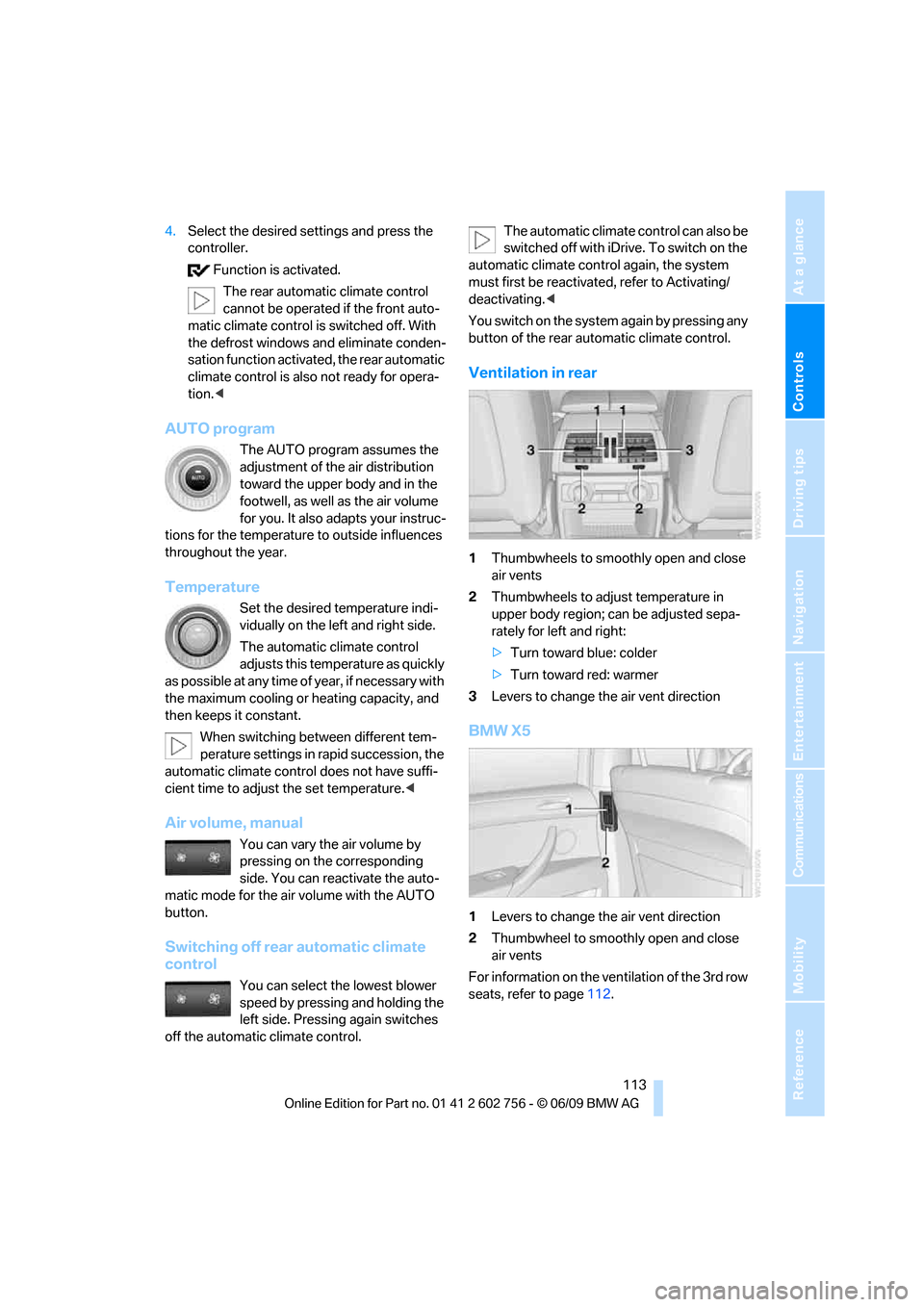
Ventilation in rear
1Thumbwheels to smoothly open and close
air vents
2Thumbwheels to adjust temperature in
upper body region; can be adjusted sepa-
rately for left and right:
>Turn toward blue: colder
>Turn toward red: warmer
3Levers to change the air vent direction
BMW X5
1Levers to change the air vent direction
2Thumbwheel to smoothly open and close
air vents
For information on the ventilation of the 3rd row
seats, refer to page112.
ba8_e70ag.book Seite 113 Freitag, 5. Juni 2009 11:42 11
Page 116 of 300
Climate
114
Parked-car ventilation*
The concept
The parked-car ventilation blows air into the
passenger compartment to lower interior tem-
peratures.
It is ready to use in the parked car mode at any
outside temperature.
You can set two different times for the system
to start. The parked-car ventilation can also be
switched on and off directly. It remains
switched on for 30 minutes.
Since the system uses a substantial amount of
electrical current, you should refrain from acti-
vating it twice in succession without allowing
the battery to be recharged in normal operation
between use.
The air emerges through the upper body region
air vents in the instrument cluster. Therefore,
please open the air vents.
The parked-car ventilation is operated via
iDrive.
Switching on and off directly
1."Settings"
2."Climate"
3."Activate parked-car vent."
The parked-car ventilation is switched on.
The symbol on the display of the automatic
climate control flashes.
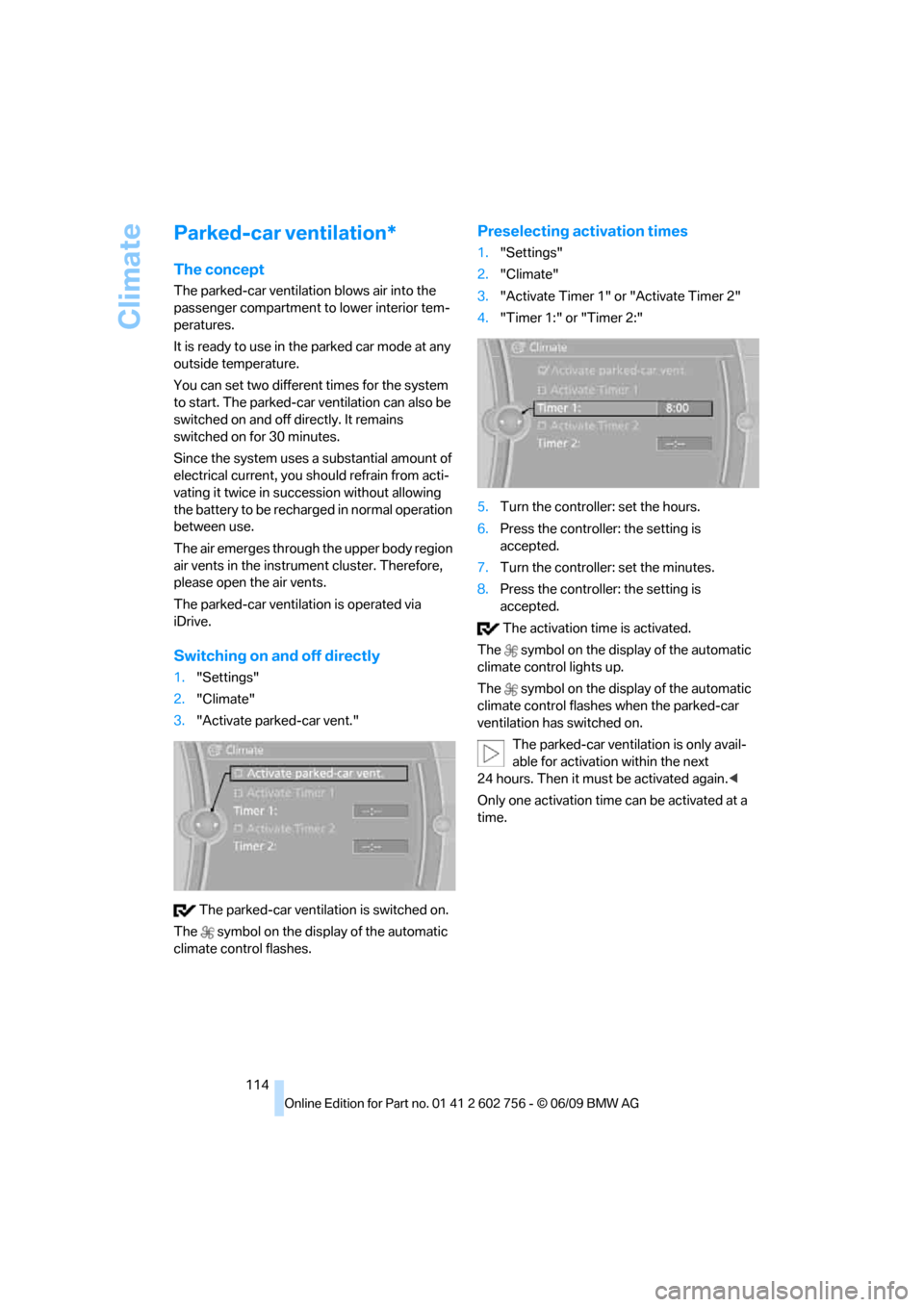
Preselecting activation times
1."Settings"
2."Climate"
3."Activate Timer 1" or "Activate Timer 2"
4."Timer 1:" or "Timer 2:"
5.Turn the controller: set the hours.
6.Press the controller: the setting is
accepted.
7.Turn the controller: set the minutes.
8.Press the controller: the setting is
accepted.
The activation time is activated.
The symbol on the display of the automatic
climate control lights up.
The symbol on the display of the automatic
climate control flashes when the parked-car
ventilation has switched on.
The parked-car ventilation is only avail-
able for activation within the next
24 hours. Then it must be activated again.<
Only one activation time can be activated at a
time.
ba8_e70ag.book Seite 114 Freitag, 5. Juni 2009 11:42 11