2009 VOLVO XC70 lock
[x] Cancel search: lockPage 141 of 286

04 Comfort and driving pleasure
Audio system
04``141
Skip optionsThis function is used to remove a channel from
the list of available channels.Skipping a channel1.
Select
CHANNEL SKIP LIST
and press
ENTER.
2. Select a category in the list and press
ENTER.
3. Skip channels in the list presented by
pressingENTER or right arrow key.
Unskip all channelsThis permanently removes all channels from
the skip list and makes them available for
selection.Temp. unskip all ch.This function will temporarily unskip all chan-
nels and make them available for selection. The
channels remain on the skip list and will again
be skipped the next time the ignition is
switched on.Channel lockAccess to specific channels can be restricted
(locked). A locked channel will not provide
audio, song titles, or artist information.
NOTE
All channels are initially unlocked.Locking a channel:1.
Select
Sirius ID
in the menu and select
LOCK OPTIONS
and press ENTER.
2.
Select
CHANNEL LOCK LIST
and press
ENTER
3.
Enter the channel access code6 and press
ENTER.
4. Select a category in the list and press
ENTER.
5. Lock channels in the list presented by
pressingENTER or right arrow.
The channel is now locked and a checked box
will be displayed to indicate this. It will be nec-
essary to enter the channel access code
6 in
order to listen to a locked channel.
Unlocking a channelA channel's access code
6 is required to unlock
a channel.
Unlock all channelsThis permanently removes all channels from
the locked list and makes them available for
selection.
Temp. unlock all ch.This function will temporarily unlock all chan-
nels and make them available for selection. The
channels remain on the locked list and will
again be locked the next time the ignition is
switched on.CHANGE CODEThis function makes it possible to change the
channel access code. The default code is
0000.
To change the code:
1.
Select
CHANGE CODE
and press
ENTER.
2.
Enter the current code and press ENTER.
3.
Enter the new code and press ENTER.
4.
Confirm the new code and press ENTER.
If an incorrect code is entered, the text
WRONG CODE!
is displayed.
If you have forgotten the access code:1.
Select
SIRIUS ID
in the Sirius settings
menu and press ENTER.
2.
Press and hold the ENTER button for
2 seconds.
3. The current code will be displayed.
6The default code is 0000. If you have changed the code and forgotten it, see the section "If you have forgotten the access code."
Page 149 of 286
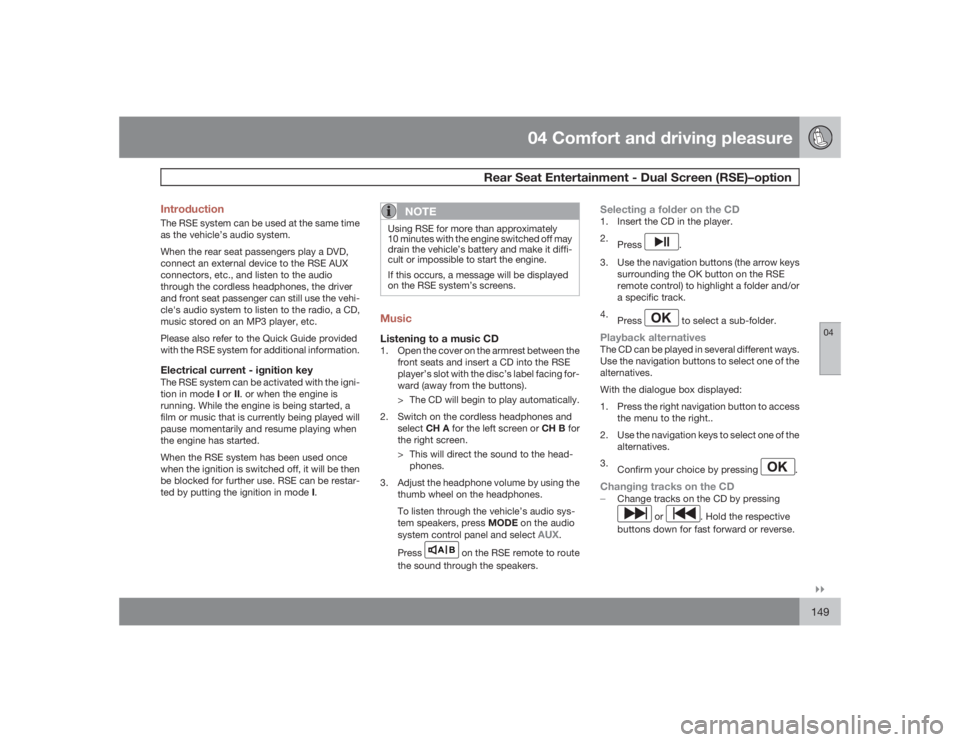
04 Comfort and driving pleasure
Rear Seat Entertainment - Dual Screen (RSE)–option
04``149 Introduction
The RSE system can be used at the same time
as the vehicle’s audio system.
When the rear seat passengers play a DVD,
connect an external device to the RSE AUX
connectors, etc., and listen to the audio
through the cordless headphones, the driver
and front seat passenger can still use the vehi-
cle's audio system to listen to the radio, a CD,
music stored on an MP3 player, etc.
Please also refer to the Quick Guide provided
with the RSE system for additional information.Electrical current - ignition keyThe RSE system can be activated with the igni-
tion in mode I or II. or when the engine is
running. While the engine is being started, a
film or music that is currently being played will
pause momentarily and resume playing when
the engine has started.
When the RSE system has been used once
when the ignition is switched off, it will be then
be blocked for further use. RSE can be restar-
ted by putting the ignition in mode I.
NOTE
Using RSE for more than approximately
10 minutes with the engine switched off may
drain the vehicle’s battery and make it diffi-
cult or impossible to start the engine.
If this occurs, a message will be displayed
on the RSE system’s screens.MusicListening to a music CD1. Open the cover on the armrest between the
front seats and insert a CD into the RSE
player’s slot with the disc’s label facing for-
ward (away from the buttons).
> The CD will begin to play automatically.
2. Switch on the cordless headphones and
selectCH A for the left screen or CH B for
the right screen.
> This will direct the sound to the head-
phones.
3. Adjust the headphone volume by using the
thumb wheel on the headphones.
To listen through the vehicle’s audio sys-
tem speakers, press MODE on the audio
system control panel and select
AUX
.
Press
A B
on the RSE remote to route
the sound through the speakers.
Selecting a folder on the CD1. Insert the CD in the player.
2.
Press
.
3. Use the navigation buttons (the arrow keys
surrounding the OK button on the RSE
remote control) to highlight a folder and/or
a specific track.
4.
Press to select a sub-folder.
Playback alternativesThe CD can be played in several different ways.
Use the navigation buttons to select one of the
alternatives.
With the dialogue box displayed:
1. Press the right navigation button to access
the menu to the right..
2. Use the navigation keys to select one of the
alternatives.
3.
Confirm your choice by pressing
.
Changing tracks on the CD±
Change tracks on the CD by pressing
or
. Hold the respective
buttons down for fast forward or reverse.
Page 158 of 286

04 Comfort and driving pleasureCruise control
04158
Operation
G022910
Steering wheel-mounted controls and display
Standby modeResume set speedDeactivatingActivate/set speedSet speed indicator (parentheses indicate
standby mode)
Engaging the cruise control functionBefore a speed can be set, the cruise control
system must be engaged (put in standby
mode).
±
Press the CRUISE button (1).>
The symbol
illuminates and the text
(---) mph
(5) indicates that cruise con-
trol is in standby mode.
NOTE
This does not set the vehicle's speed.Setting a speedUse the
or
buttons set the vehicle's cur-
rent speed. The set speed is shown in the
display.
NOTE
Cruise control cannot be engaged at
speeds below 20 mph (30 km/h).Adjusting the set speedAfter a speed has been set, it can be increased
or decreased by using the
or
buttons.
1.
Press and hold down
or
until the
vehicle reaches the desired speed.
> This will become the set speed when the
button is released.
2.
Press
or
for approximately a half
second and release the button to increase
or decrease vehicle speed by approxi-
mately 1 mph (1.6 km/h).
NOTE
•
A temporary increase in speed by
pressing the accelerator pedal, for less
than 1 minute (e.g. when passing
another car), does not affect the current
cruise control setting. The vehicle will
automatically return to the previously
set speed when the accelerator pedal is
released.
•
If one of the cruise control buttons is
kept depressed for more than approx.
1 minute cruise control is disengaged.
The engine must then be switched off in
order to reset cruise control.
Automatic deactivationCruise control is automatically deactivated
temporarily if one of the following occurs:•
If the speed drops below approximately
20 mph (30 km/h).
•
When the brake pedal is depressed.
•
If the gear selector is moved to position N.
•
During wheel spin or wheel lock-up.
•
If the vehicle's speed is increased by using
the accelerator pedal for more than 1
minute.
The currently set speed will be saved in the
system's memory.
Page 163 of 286

04 Comfort and driving pleasure
Collision warning with Auto-brake (option)
04``163
WARNING
•
The camera has the same limitations as
the human eye. In other words, its
“vision is impaired” by adverse weather
conditions such as heavy snowfall,
dense fog, etc. These conditions may
reduce the function of systems that
depend on the camera or cause these
systems to temporarily stop function-
ing.
•
Never place any objects, decals, etc.,
on the windshield in front of the camera.
This could reduce or block the camera’s
function, and could cause one or more
of the systems that utilize the camera to
stop functioning.
•
Strong sunlight, reflections from the
road surface, ice or snow covering the
road, a dirty road surface, or unclear
lane marker lines may drastically reduce
the camera’s capacity to detect the side
of a lane or another vehicle.
Fault tracing and actionsIf the message
Windshield sensors
blocked
is displayed, this means that the cam-
era is obscured and cannot detect vehicle or
road marker lines in front of the vehicle.
This, in turn, means that Collision Warning with
Auto-brake, Lane Departure Warning, and
Driver Alert Control will not have full function-
ality.
The table lists possible causes for this mes-
sage being displayed, and suitable actions.
Cause
Action
The surface of the windshield in front of the camera is dirty or covered
with ice or snow.
Clean or clear the section of the windshield in front of the camera.
Fog, heavy rain or snow is interfering with the function of the camera.
No action possible. Heavy precipitation may affect the function of the
camera.
Page 164 of 286

04 Comfort and driving pleasureCollision warning with Auto-brake (option)
04164
Cause
Action
The surface of the windshield is clean but the message remains in the
display.
Wait a short time. It may take several minutes for the camera to register
visibility.
The surface between the inside of the windshield and the camera is dirty.
Contact an authorized Volvo retailer or service technician to have this
surface cleaned.
Symbols and messages in the displaySymbol
Message
Description
Collision warn.
OFF
Collision Warning is switched off. This message is displayed when the engine is started and will dis-
appear after approx. 5 seconds. It can also be erased by pressing the READ button.
Collision warn.
Unavailable
Collision Warning cannot be activated. This message is displayed when the driver attempts to activate
the function. It will disappear after approx. 5 seconds or can be erased by pressing the READ button.
Auto braking
was activated
Auto-braking has been active.
Camera blocked
See manual
The camera is temporarily not functioning. This message is displayed if the camera is obstructed by
snow, ice, dirt, etc., on the windshield. Clean the area of the windshield in front of the camera, see
page 162 for more information on the camera’s limitations.
Page 165 of 286

04 Comfort and driving pleasure
Collision warning with Auto-brake (option)
04
165
Symbol
Message
Description
Radar blocked
See manual
Collision Warning and Auto-brake are temporarily not functioning. The radar sensor is blocked, for
example by heavy rain or snow that has accumulated in front of the sensor, and cannot detect other
vehicles, see page 169 for more information on the radar sensor’s limitations.
Collision warn.
Service required
Collision Warning and Auto-brake are partially or completely not functioning.
Contact a trained and qualified Volvo service technician if the message remains in the display.
Page 169 of 286

04 Comfort and driving pleasure
Adaptive Cruise Control–ACC (option)
04``169
WARNING
•
Only use a time interval that is suitable
in current traffic conditions.
•
A short time interval gives the driver lim-
ited reaction time if an unexpected sit-
uation occurs in traffic.
The number of bars indicating the selected
time interval are shown while the setting is
being made and for several seconds afterward.
A smaller version of the symbol is then shown
to the right in the display. The same symbol is
also displayed when Distance Alert is acti-
vated, see page 173 .Deactivating and resuming settingsCruise control is deactivated, either with a
short press on
, or by action taken by the
driver, such as braking, etc. The set speed, for
example 55 mph, is then shown in parenthe-
ses. Speed and time interval are resumed by
pressing
.
WARNING
There may be a significant increase in speed
after the
button has been pressed.
A short press on
in standby mode or a long
press in active mode deactivates cruise con-trol. The set speed is then cleared and cannot
be resumed.
When ACC is activated, the vehicle’s speed
increases by approximately 1 mph (1 km/h)
each additional time
is pressed.
Deactivation due to action by the driverACC is deactivated:•
when the brakes are applied
•
if the gear selector is moved to N
•
if the accelerator pedal is depressed for an
extended period.NOTE
If the accelerator pedal is only depressed for
a short time, such as when passing another
vehicle, ACC is deactivated temporarily and
is reactivated when the pedal is released.Automatic deactivationAdaptive cruise control is linked to other sys-
tems such as ABS, the stability and traction
control system (DSTC), and the Distance Alert
System. If any of these systems are not func-
tioning properly, adaptive cruise control is
automatically deactivated.
In the event of automatic deactivation a signal
will sound and the message
Cruise Control
Canceled
is shown in the display. The drivermust then intervene and adapt the vehicle's
speed to the surrounding traffic.
Automatic deactivation may be caused if:
•
the vehicle's speed falls below 20 mph
(30 km/h)
•
the wheels lose traction or if the anti-lock
brake system (ABS) is activated
•
brake temperature is high
•
engine speed (rpm) is too low
•
the radar sensor is obstructed by, for
example, wet snow or rain.
The radar sensor and its limitationsThe radar sensor is used by both Adaptive
Cruise Control and the Collision Warning Sys-
tem with Auto-brake. It is designed to detect
cars or larger vehicles driving in the same
direction as your vehicle.
WARNING
Accessories or other objects, such as extra
headlights, must not be installed in front of
the grille.
Modification of the radar sensor could make
its use illegal.The radar sensor's capacity to detect vehicles
ahead is impeded:
Page 170 of 286

04 Comfort and driving pleasureAdaptive Cruise Control–ACC (option)
04170
•
if the radar sensor is obstructed and can-
not detect other vehicles, for example in
heavy rain, or if snow or other objects are
obscuring the radar sensor.NOTE
Keep the area in front of the radar sensor
clean.•
if the speed of vehicles ahead is signifi-
cantly different from your own speed.WARNING
The radar sensor has a limited field of vision.
In some situations it may detect a vehicle
later than expected or not detect vehicles at
all.
G021414
Radar sensor field of vision (gray)
In certain situations, the radar sensor can-
not detect vehicles at close quarters, for
example a vehicle that suddenly enters thelanes between your vehicle and the one
that the system has already detected.
Small vehicles, such as motorcycles, or
vehicles not driving in the center of the lane
may remain undetected.In curves, the radar sensor may detect the
wrong vehicle or lose a detected vehicle
from view.
Fault tracing and actionsIf the message
Radar blocked See manual
is
displayed, this means that the radar signals
from the sensor have been obstructed and that
a vehicle ahead cannot be detected.
This, in turn, means that the functions of the
ACC, Distance Alert, and Collision Warning
System with Auto-brake will not function.
The table lists possible causes for this mes-
sage being displayed, and suitable actions.
Cause
Action
The surface of the radar in the grille is dirty or obstructed in some way.
Clean the radar surface, or remove the object causing the obstruction.
Heavy rain or snow is interfering with the radar signals.
No action possible. Heavy precipitation may affect the function of the
radar.