2009 VOLVO S40 service
[x] Cancel search: servicePage 92 of 286

03 ClimateGeneral information
0392
Air conditioning – A/CYour car is equipped with a climate control
system that includes either manually adjusta-
ble air conditioning or optional Electronic Cli-
mate Control (ECC).
The air conditioning system can be switched
off, but for optimal air quality in the passenger
compartment and to prevent the windows from
fogging, the air conditioning should be left on
– even in cool weather.
NOTE
In warm weather, a small amount of water
may accumulate under the car when it has
been parked. This water is condensation
from the A/C system and is normal.Ice and snowAlways keep the air intake grille at the base of
the windshield free of snow.
Fog on the inside of the windowsThe defroster function should be used to
remove fog or mist from the inside of the win-
dows. Keeping the windows clean with a com-
mercially available window washing spray will
also help prevent fogging or mistingClimate control maintenanceSpecial tools and equipment are required to
maintain and carry out repairs on the climate
system. Work of this type should only be done
by a trained and qualified Volvo service tech-
nician.RefrigerantVolvo cares about the environment. The air
conditioning system in your car contains a
CFC-free refrigerant – R134a. This substance
will not deplete the ozone layer. The system
contains 1.2 lbs (530 g) R134a (HFC 134a), and
uses PAG oil.
Passenger compartment filterReplace the cabin air filter with a new one at
the recommended intervals. Please refer to
your Warranty and Service Records Informa-
tion booklet, or consult a trained and qualified
Volvo service technician for these intervals.
The filter should be replaced more often when
driving under dirty and dusty conditions. The
filter cannot be cleaned and therefore should
always be replaced with a new one.
NOTE
There are different types of cabin air filters.
Ensure that the correct type is installed.DisplayThe display above the climate control panel
shows the climate settings that have been
made.Personal settingsThere are two functions in the climate system
that can be set to your preferences:•
Blower speed to Auto mode (models with
ECC only).
•
Timer controlled recirculation of the air in
the passenger compartment.
Page 120 of 286

05 Locks and alarmRemote control and key blade
05120
NOTE
This button will NOT unlock the car.Weak battery in the remote control
G019406
When the battery begins to lose its charge, the
Information symbol in the instrument panel
(see page 55) lights up and
KEY BATTERY
LOW VOLTAGE
is shown in the information
display.
Replacing the battery in the remote
controlIf the range of the transmitter is noticeably
reduced, this indicates that the battery (type
CR 2450, 3V) is weak and should be replaced.
To replace the battery:
1. Place the remote control with the keypad
downward. Pry open the cover with a small
slotted screwdriver.
2. Remove the cover.
CAUTION
When replacing the battery, avoid touching
the electrical circuitry in the other half of the
remote control.3. Note how the + and – sides of the battery
are positioned on the inside of the cover
(see the underside of the cover).
4. Pry out and replace the battery. Avoid
touching the battery and its contact surfa-
ces with your fingers.
5. Press the cover back into place.
The old battery should be disposed of properly
at a recycling center or by a trained and quali-
fied Volvo service technician.
Key blade
G019403
Removing the key bladeThe key blade can be removed from the remote
control. When removed, it can be used as fol-
lows:•
To lock/unlock the driver’s door
•
To lock/unlock the glove compartment,
see page 128
•
For valet locking (see page 122)
Removing the key blade
Slide the spring loaded catch to the side.While holding the catch, pull the key blade
out of the remote control.
Page 122 of 286

05 Locks and alarmValet locking
05122
Locking points
G000000
Remote control: Normal locking/unlocking pointsBy utilizing the remote control without the key
blade, the valet locking feature enables you to
block access to the trunk and glove compart-
ment for e.g., valet parking or when the car is
brought to the retailer for service.
To use the valet locking function, begin by
removing the key blade from the remote con-
trol (see page 120).
Activating valet locking: Insert the key blade in the glove compart-
ment lock.
Turn the key blade 180° clockwise to lock
the glove compartment and disconnect the
trunk from the central locking system (a mes-
sage appears in the information display)
G020032
Activating/deactivating the valet locking function Remove the key blade from the glove com-
partment lock.
The rear seat backrests must also be locked in
the upright position.
Driver’s side: Turn the key clockwise in the
lock on the upper outboard edge of the back-
rest.
Passenger’s side: Turn the key counterclock-
wise in the lock on the upper outboard edge of
the backrest.
G033839
Remote control: Locking/unlocking points with
key blade removed (with valet locking activated)Give the parking attendant or service person-
nel only the remote control (with the key blade
removed).
Deactivating valet locking:
Turn the key blade 180° counterclockwise in
the glove compartment lock to deactivate valet
locking (the trunk can then be unlocked using
the remote control). Then use the key blade to
unlock the rear seat backrests.
Page 137 of 286

06 Starting and driving
General information
06``137 Handling, roadholding
Vehicle load, tire design and inflation pressure
all affect vehicle handling. Therefore, check
that the tires are inflated to the recommended
pressure according to the vehicle load. See the
"Tire pressure" section. Loads should be dis-
tributed so that capacity weight or maximum
permissible axle loads are not exceeded.Driving through waterThe vehicle can be driven through water up to
a depth of approximately 9 in. (25 cm), at a
maximum speed of 6 mph (10 km/h).•
Take particular care when driving through
flowing water.
•
Clean the electrical connections for trailer
wiring after driving in mud or water
•
When driving through water, maintain low
speed and do not stop in the water.WARNING
After driving through water, press lightly on
the brake pedal to ensure that the brakes
are functioning normally. Water or mud can
make the brake linings slippery, resulting in
delayed braking effect.
CAUTION
•
Engine damage will occur if water is
drawn into the air cleaner.
•
If the vehicle is driven through water
deeper than 9 in (25 cm), water may
enter the differential and the transmis-
sion. This reduces the oil's lubricating
capacity and may shorten the service
life of these components.
•
Do not allow the vehicle to stand in
water up to the door sills longer than
absolutely necessary. This could result
in electrical malfunctions.
•
If the engine has been stopped while the
car is in water, do not attempt to restart
the engine. Have the car towed out of
the water.
Cold weather precautionsIf you wish to check your vehicle before the
approach of cold weather, the following advice
is worth noting:•
Make sure that the engine coolant contains
50 percent antifreeze. Any other mixture
will reduce freeze protection. This gives
protection against freezing down to –31 °F
(–35 °C). See section "Coolant". The use of
"recycled" antifreeze is not approved byVolvo. Different types of antifreeze must
not be mixed.
•
Volvo recommends using only genuine
Volvo antifreeze in your vehicle's radiator.
Your Volvo retailer stocks plenty of Volvo
engine coolant to help protect your vehicle
during cold weather.
•
Try to keep the fuel tank well filled – this
prevents the formation of condensation in
the tank. In addition, in extremely cold
weather conditions it is worthwhile to add
fuel line de-icer before refueling.
•
The viscosity of the engine oil is important.
Oil with low viscosity (thinner oil) improves
cold-weather starting as well as decreas-
ing fuel consumption while the engine is
warming up. For winter use, 5W-30 oil, par-
ticularly the synthetic type
1, is recom-
mended. Be sure to use good quality oil but
do not use cold-weather oil for hard driving
or in warm weather, see page 269 for more
information.
•
The load placed on the battery is greater
during the winter since the windshield wip-
ers, lighting, etc. are used more often.
Moreover, the capacity of the battery
decreases as the temperature drops. In
very cold weather, a poorly charged bat-
tery can freeze and be damaged. It is there-
fore advisable to check the state of charge
1Synthetic oil is not used when the oil is changed at the normal maintenance intervals except at owner request and at additional charge. Please consult your Volvo retailer.
Page 138 of 286

06 Starting and drivingGeneral information
06138
more frequently and spray an anti-rust oil
on the battery posts.
•
Volvo recommends the use of snow tires
on all four wheels for winter driving – see
the chapter "Wheels and tires."
•
To prevent the washer fluid reservoir from
freezing, add washer solvents containing
antifreeze (see page 215 for the location of
the washer fluid reservoir). This is impor-
tant since dirt is often splashed on the
windshield during winter driving, requiring
the frequent use of the washers and wip-
ers. Volvo Washer Solvent should be dilu-
ted as follows: Down to 14 °F (–10 °C): 1
part washer solvent and 4 parts water
Down to 5° F (–15° C): 1 part washer sol-
vent and 3 parts water Down to 0° F
(–18° C): 1 part washer solvent and 2 parts
water Down to –18° F (–28° C): 1 part
washer solvent and 1 part water.
•
Use Volvo Teflon Lock Spray in the locks.NOTE
Avoid using de-icing sprays as they can
cause damage to the locks.
Conserving electrical currentKeep the following in mind to help minimize
battery drain:•
When the engine is not running, avoid turn-
ing the ignition key to position II. Many
electrical systems (the audio system, the
optional navigation system, power win-
dows, etc) will function with the ignition key
in position I. This position reduces drain on
the battery.
•
Please keep in mind that using systems,
accessories, etc that consume a great deal
of current when the engine is not running
could result in the battery being completely
drained.
•
The optional 12 volt socket in the trunk
(certain models only) provides electrical
current even with the ignition switched off,
which drains the battery.
NOTE
•
If the ignition is switched on, a warning
message will be displayed in the text
window in the instrument panel when
the battery charge is low.
•
An energy conserving function
designed into the vehicle's electrical
system will switch off certain functions
or reduce the load on the battery by,
e.g., reducing the audio system's vol-
ume.
Before a long distance tripIt is always worthwhile to have your vehicle
checked at a trained and qualified Volvo serv-
ice technician before driving long distances.
Your trained and qualified Volvo service tech-
nician will also be able to supply you with
bulbs, fuses, spark plugs and wiper blades for
your use in the event that problems occur.
As a minimum, the following items should be
checked before any long trip:•
Check that engine runs smoothly and that
fuel consumption is normal.
•
Check for fuel, oil, and fluid leakage
•
Have the transmission oil level checked
2.
•
Check condition of drive belts.
2To prevent injury from contact with hot surfaces, do not inspect your vehicle's transmission fluid yourself. Have your vehicle's transmission fluid level inspected by a qualified Volvo service technician.
Page 140 of 286
06 Starting and drivingFuel requirements
06140
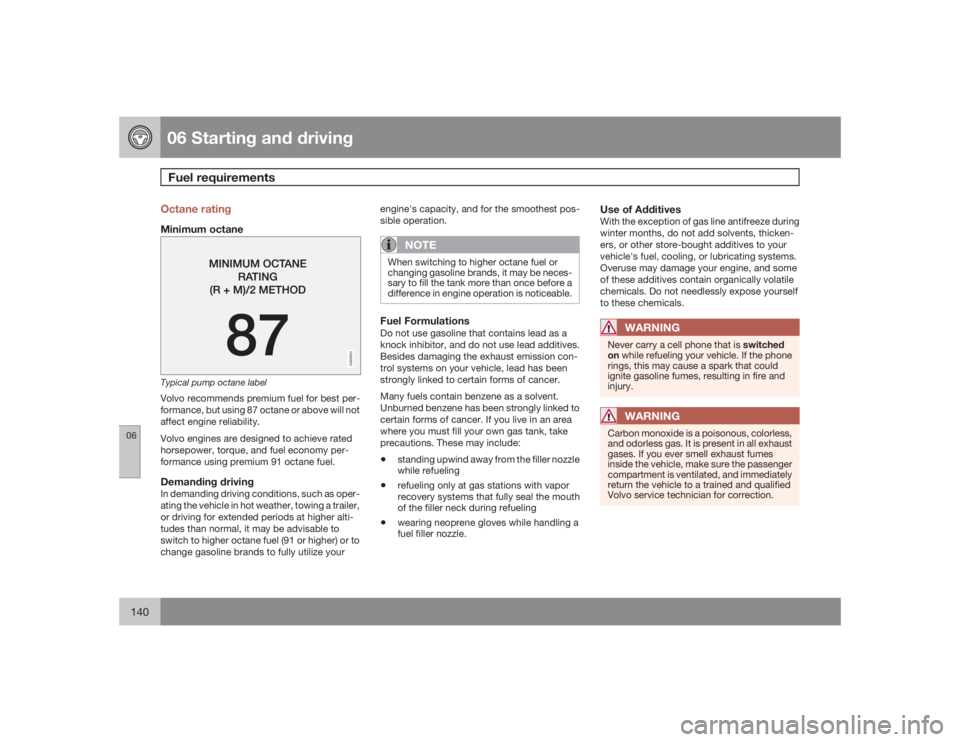
Octane ratingMinimum octane
G028920
Typical pump octane labelVolvo recommends premium fuel for best per-
formance, but using 87 octane or above will not
affect engine reliability.
Volvo engines are designed to achieve rated
horsepower, torque, and fuel economy per-
formance using premium 91 octane fuel.Demanding drivingIn demanding driving conditions, such as oper-
ating the vehicle in hot weather, towing a trailer,
or driving for extended periods at higher alti-
tudes than normal, it may be advisable to
switch to higher octane fuel (91 or higher) or to
change gasoline brands to fully utilize yourengine's capacity, and for the smoothest pos-
sible operation.
NOTE
When switching to higher octane fuel or
changing gasoline brands, it may be neces-
sary to fill the tank more than once before a
difference in engine operation is noticeable.Fuel FormulationsDo not use gasoline that contains lead as a
knock inhibitor, and do not use lead additives.
Besides damaging the exhaust emission con-
trol systems on your vehicle, lead has been
strongly linked to certain forms of cancer.
Many fuels contain benzene as a solvent.
Unburned benzene has been strongly linked to
certain forms of cancer. If you live in an area
where you must fill your own gas tank, take
precautions. These may include:•
standing upwind away from the filler nozzle
while refueling
•
refueling only at gas stations with vapor
recovery systems that fully seal the mouth
of the filler neck during refueling
•
wearing neoprene gloves while handling a
fuel filler nozzle.
Use of AdditivesWith the exception of gas line antifreeze during
winter months, do not add solvents, thicken-
ers, or other store-bought additives to your
vehicle's fuel, cooling, or lubricating systems.
Overuse may damage your engine, and some
of these additives contain organically volatile
chemicals. Do not needlessly expose yourself
to these chemicals.
WARNING
Never carry a cell phone that is switched
on while refueling your vehicle. If the phone
rings, this may cause a spark that could
ignite gasoline fumes, resulting in fire and
injury.
WARNING
Carbon monoxide is a poisonous, colorless,
and odorless gas. It is present in all exhaust
gases. If you ever smell exhaust fumes
inside the vehicle, make sure the passenger
compartment is ventilated, and immediately
return the vehicle to a trained and qualified
Volvo service technician for correction.
Page 141 of 286

06 Starting and driving
Fuel requirements
06``141 Deposit control gasoline (detergent
additives)
Volvo recommends the use of detergent gas-
oline to control engine deposits. Detergent
gasoline is effective in keeping injectors and
intake valves clean. Consistent use of deposit
control gasolines will help ensure good driva-
bility and fuel economy. If you are not sure
whether the gasoline contains deposit control
additives, check with the service station oper-
ator.
NOTE
Volvo does not recommend the use of
store-bought fuel injector cleaning addi-
tives.Unleaded fuelEach Volvo has a three-way catalytic converter
and must use only unleaded gasoline. U.S. and
Canadian regulations require that pumps deliv-
ering unleaded gasoline be labelled "UNLEA-
DED". Only these pumps have nozzles which
fit your vehicle's filler inlet. It is unlawful to dis-
pense leaded fuel into a vehicle labelled
"unleaded gasoline only". Leaded gasoline
damages the three-way catalytic converter and
the heated oxygen sensor system. Repeated
use of leaded gasoline will lessen the effec-tiveness of the emission control system and
could result in loss of emission warranty cov-
erage. State and local vehicle inspection pro-
grams will make detection of misfueling easier,
possibly resulting in emission test failure for
misfueled vehicles.
NOTE
Some U.S. and Canadian gasolines contain
an octane enhancing additive called methyl-
cyclopentadienyl manganese tricarbonyl
(MMT). If such fuels are used, your Emission
Control System performance may be affec-
ted, and the Check Engine Light (malfunc-
tion indicator lamp) located on your instru-
ment panel may light. If this occurs, please
return your vehicle to a trained and qualified
Volvo service technician for maintenance.Gasoline containing alcohol and ethersSome fuel suppliers sell gasoline containing
"oxygenates" which are usually alcohols or
ethers. In some areas, state or local laws
require that the service pump be marked indi-
cating use of alcohols or ethers. However,
there are areas in which the pumps are
unmarked. If you are not sure whether there is
alcohol or ethers in the gasoline you buy, check
with the service station operator. To meet sea-
sonal air quality standards, some areas require
the use of "oxygenated" fuel. Volvo allows theuse of the following "oxygenated" fuels; how-
ever, the octane ratings listed on this page
must still be met. Alcohol – Ethanol: Fuels
containing up to 10% ethanol by volume may
be used. Ethanol may also be referred to as
Ethyl alcohol, or "Gasohol". Ethers – MTBE:
Fuels containing up to 15% MTBE may be
used.
Fuel filler doorPress the button on the light switch panel (see
the illustration on page 63) with the ignition
switched off to unlock the fuel filler door.
Please note that the fuel filler door will remain
unlocked until the vehicle begins to move for-
ward. An audible click will be heard when the
fuel filler door relocks.
If you intend to leave your vehicle while it is
being refueled, this feature enables you to lock
the doors/trunk while leaving the fuel filler door
unlocked.
You can also keep the vehicle locked if you
remain inside it during refueling. The central
locking button does not lock the fuel filler door.
Be sure the fuel filler door is not obstructed and
is completely closed after refueling. Open the
fuel filler cap slowly during hot weather.
Page 154 of 286

06 Starting and drivingBrake system
06154
For optimal ABS braking effect:1. Press down on the brake pedal with full
force. The pedal will pulsate.
2. Steer the vehicle in the direction of travel
and keep the brake pedal depressed.Electronic Brake Force Distribution
(EBD)EBD is an integrated part of the ABS system.
EBD regulates the hydraulic pressure to the
rear brakes to help provide optimal braking
capacity.
The switching of the ABS modulator will be
audible and the brake pedal will pulsate during
braking. Please be aware that ABS does not
increase the absolute braking potential of the
vehicle. While control will be enhanced, ABS
will not shorten stopping distances on slippery
surfaces.
If the warning lamp lights up there is a mal-
function of the ABS system (the standard brak-
ing system will still function) and the vehicle
should be driven cautiously to a trained and
qualified Volvo service technicianfor inspec-
tion.
WARNING
If the BRAKES and ABS warning symbols
light at the same time, there may be a prob-
lem in the brake system. If the brake fluid
level is normal in these circumstances, drive
carefully to a trained and qualified Volvo
service technician to have the brake system
checked.Emergency Brake Assistance – EBAEBA is designed to provide full brake effect
immediately in the event of sudden, hard brak-
ing. The system is activated by the speed with
which the brake pedal is depressed.
When the EBA system is activated, the brake
pedal will go down and pressure in the brake
system immediately increases to the maximum
level. Maintain full pressure on the brake pedal
in order to utilize the system completely. EBA
is automatically deactivated when the brake
pedal is released.
NOTE
•
When the EBA system is activated, the
brake pedal will go down and pressure
in the brake system immediately increa-
ses to the maximum level. You must
maintain full pressure on the brake
pedal in order to utilize the system com-
pletely. There will be no braking effect if
the pedal is released. EBA is automati-
cally deactivated when the brake pedal
is released.
•
When the vehicle has been parked for
some time, the brake pedal may sink
more than usual when the engine is
started. This is normal and the pedal will
return to its usual position when it is
released.