2009 VOLVO S40 ignition
[x] Cancel search: ignitionPage 86 of 286
02 Instruments and controlsHomeLink® Wireless Control System (option)
0286
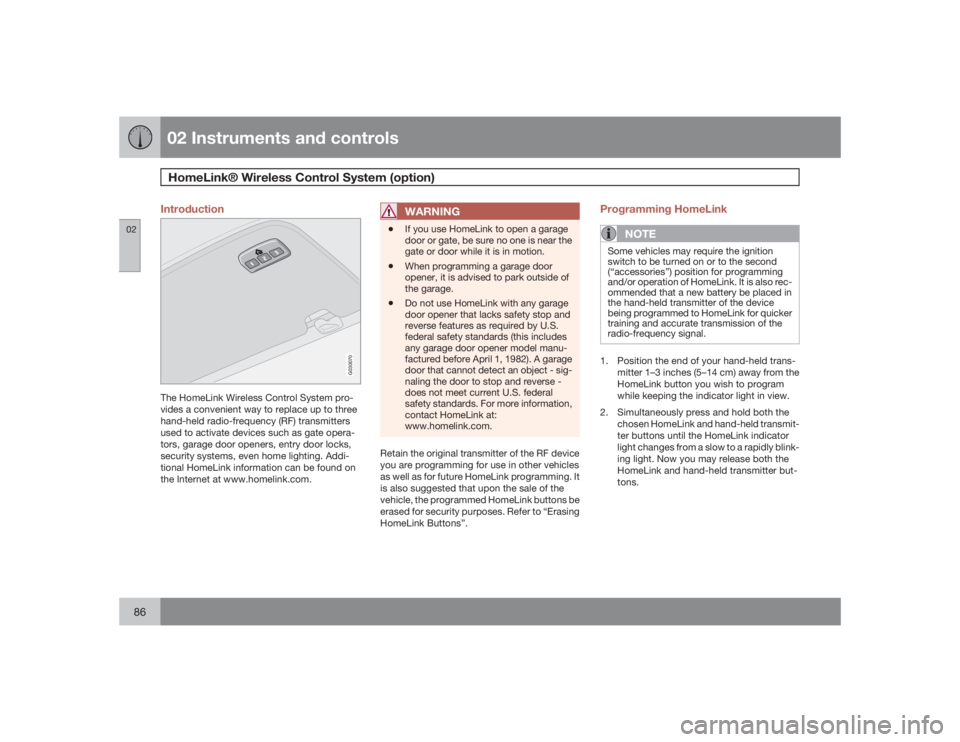
Introduction
G030070
The HomeLink Wireless Control System pro-
vides a convenient way to replace up to three
hand-held radio-frequency (RF) transmitters
used to activate devices such as gate opera-
tors, garage door openers, entry door locks,
security systems, even home lighting. Addi-
tional HomeLink information can be found on
the Internet at www.homelink.com.
WARNING
•
If you use HomeLink to open a garage
door or gate, be sure no one is near the
gate or door while it is in motion.
•
When programming a garage door
opener, it is advised to park outside of
the garage.
•
Do not use HomeLink with any garage
door opener that lacks safety stop and
reverse features as required by U.S.
federal safety standards (this includes
any garage door opener model manu-
factured before April 1, 1982). A garage
door that cannot detect an object - sig-
naling the door to stop and reverse -
does not meet current U.S. federal
safety standards. For more information,
contact HomeLink at:
www.homelink.com.
Retain the original transmitter of the RF device
you are programming for use in other vehicles
as well as for future HomeLink programming. It
is also suggested that upon the sale of the
vehicle, the programmed HomeLink buttons be
erased for security purposes. Refer to “Erasing
HomeLink Buttons”.
Programming HomeLink
NOTE
Some vehicles may require the ignition
switch to be turned on or to the second
(“accessories”) position for programming
and/or operation of HomeLink. It is also rec-
ommended that a new battery be placed in
the hand-held transmitter of the device
being programmed to HomeLink for quicker
training and accurate transmission of the
radio-frequency signal.1. Position the end of your hand-held trans-
mitter 1–3 inches (5–14 cm) away from the
HomeLink button you wish to program
while keeping the indicator light in view.
2. Simultaneously press and hold both the
chosen HomeLink and hand-held transmit-
ter buttons until the HomeLink indicator
light changes from a slow to a rapidly blink-
ing light. Now you may release both the
HomeLink and hand-held transmitter but-
tons.
Page 100 of 286
03 ClimateElectronic Climate Control (ECC) – option
03100
9. Rear window and door mirror
defrosters
Press to defrost the rear win-
dow and door mirrors.
The rear window and door
mirrors are defrosted simulta-
neously if the switch is
pressed once. The defrost
function is active if the LED in the switch is illu-
minated.
•
The function can be switched off manually
by pressing the button.
•
The defrost function switches off automat-
ically after 12–20 minutes, depending on
the outside temperature.NOTE
•
On certain markets, the defrost function
may remain on longer than 20 minutes
in cold weather to help keep the rear
window free from ice or condensation.
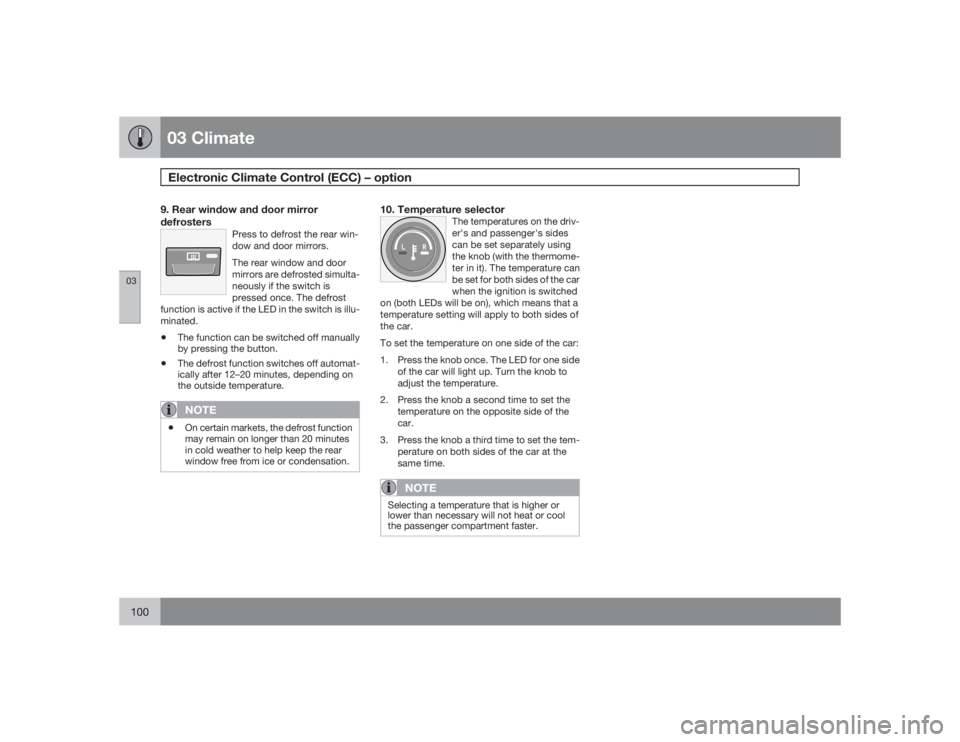
10. Temperature selector
The temperatures on the driv-
er's and passenger's sides
can be set separately using
the knob (with the thermome-
ter in it). The temperature can
be set for both sides of the car
when the ignition is switched
on (both LEDs will be on), which means that a
temperature setting will apply to both sides of
the car.
To set the temperature on one side of the car:
1. Press the knob once. The LED for one side
of the car will light up. Turn the knob to
adjust the temperature.
2. Press the knob a second time to set the
temperature on the opposite side of the
car.
3. Press the knob a third time to set the tem-
perature on both sides of the car at the
same time.
NOTE
Selecting a temperature that is higher or
lower than necessary will not heat or cool
the passenger compartment faster.
Page 105 of 286

04 Interior
Front seats
04``105
WARNING
Cover sharp edges on the load to help pre-
vent injury to occupants. Secure the load to
help prevent shifting during sudden stops.Power seats (option)The power driver's seat can be adjusted:•
If the ignition key is in position I or II.
•
During a 10 minute period after the doors
have been unlocked if the door remains
open.
•
If the door is closed and the ignition key is
not yet in the ignition, or if the key is in
position0, the seat can be adjusted or dur-
ing a period of 40 seconds. The power
passenger's seat can only be adjusted if
the ignition key is in position I or II, or if the
engine is running.
Adjusting the seat
G020199
Seat adjustment controlsSeat adjustment controls 1, 2, 3, and 4 on the
side of the seat can be used to move the seat
to the position of your choice.
Move this section of the control up or down
to raise/lower the front section of the seat
cushion.Move the control forward/rearward to
move the seat forward or rearward.Move this section of the control up or down
to raise/lower the rear section of the seat
cushion.Backrest tilt.
NOTE
The power seats have an overload protector
that activates if a seat is blocked by any
object. If this occurs, switch off the ignition
(key in position 0) and wait for approxi-
mately 20 seconds before operating the
seat again.Emergency stopIf the seat inadvertently begins to move, press
any of the buttons to stop the seat.Programming the seat memory, driver's
seat only (option)
G020200
Power seat memory buttons
Page 106 of 286
04 InteriorFront seats
04106
Three different seating positions can be stored
in the seat's memory. The memory buttons are
located on the outboard side of the driver's
seat (see the illustration above). The following
example explains how memory button 1 can be
programmed. Buttons 2 and 3 can be pro-
grammed in the same way.
To program (store) a seat position in memory
button1:
1. Adjust the seat to the desired position.
2.
Press and hold down the "M" (Memory)
button.
3.
With the "M" button depressed, press
memory button 1 to store the seat's current
position.
To move the seat to the position that it was in
when memory button 1 was programmed,
press and hold down button 1 until the seat
stops moving.
As a safety precaution, the seat will stop auto-
matically if the button is released before the
seat has reached the preset position.Central locking system remote control
and driver's seat memoryThe remote control transmitter can also be
equipped with an optional function that con-
trols the electrically operated driver's seat in
the following way:1. Adjust the seat to the desired position.
2. When you leave the car, lock it using the
remote control.
3. The next time the driver's door is unlocked
with the same remote control and that door
is opened within 2 minutes, the driver's
seat and side door mirrors will automati-
cally move to the position that they were in
when the doors were most recently locked
with the same remote control.
NOTE
The memory function in the remote control
operates independently the memory func-
tion in the seat.
WARNING
•
Because the driver's seat can be
adjusted with the ignition off, children
should never be left unattended in the
car.
•
Movement of the seat can be STOPPED
at any time by pressing any button on
the power seat control panel.
•
Do not adjust the seat while driving. The
seat should be adjusted so that the
brake pedal can be depressed fully. In
addition, position the seat as far rear-
ward as comfort and control allow.
•
The seat rails on the floor must not be
obstructed in any way when the seat is
in motion.
Page 107 of 286

04 InteriorInterior lighting
04``107 Interior lighting
G020201
Front courtesy lights and reading lights
Front driver's side reading light, on/offCourtesy lightingFront passenger's side reading light, on/off
The front and rear reading lights can be acti-
vated when the ignition key is position I or II, or
when the engine is running. The front reading
lights are switched on and off by pressing but-
tons (1) or (3).
The courtesy lighting (2) can be set to three
positions:
•
Press the left side of the button: the interior
courtesy lighting turns on.
•
Neutral position: the interior courtesy light-
ing comes on when a door is opened, and
is switched off 10 seconds after the door is
closed.
•
Press the right side of the button: the inte-
rior courtesy lighting stays off.
Courtesy lighting – automatic functionThe interior lighting has a built-in automatic
function that switches on the courtesy lighting
for 30 seconds when:•
the car is unlocked from the outside using
the key or remote control
•
the engine is switched off and the ignition
key is turned to the 0 position.
The courtesy lighting lights up or remains on
for 5 minutes when:
•
one of the doors is opened and left open.
•
the courtesy lighting has not been
switched off (the right side of button 2
depressed).
The automatic lighting goes out when:
•
the engine is started
•
the car is locked from the outside using the
key or remote control.If the courtesy lighting is not switched off man-
ually, it will be turned off automatically
5 minutes after the engine has been switched
off.
Footwell lightingThe footwell (and courtesy lighting) comes on
or goes off when one of the side doors is
opened or closed.Rear reading lights
G020763
Rear reading lights (in ceiling)
Rear driver's side reading light, on/offRear passenger's side reading light, on/off
Page 108 of 286

04 InteriorInterior lighting
04108
The rear reading lights can be switched on or
off by pressing the respective buttons, and
function if the ignition key is in positions I,II, or
if the engine is running.
The courtesy lighting can be switched on or off
within 30 minutes after the engine has been
switched off, or after a door has been opened
or closed.
These lights switch off automatically 5 minutes
after the engine has been switched off.Vanity mirror
G020210
Raise the cover to switch on the light.
Page 118 of 286

05 Locks and alarmRemote control and key blade
05118
Remote controlsTwo remote controls that also function as igni-
tion keys are provided with your car. The
remote controls contain detachable metal key
blades for manually locking or unlocking the
driver's door and the glove compartment.
USA – FCC ID: LTQVO315TX
This device complies with part 15 of the FCC
rules. Operation is subject to the following con-
ditions: (1) This device may not cause harmful
interference, and (2) this device must accept
any interference received, including interfer-
ence that may cause undesired operation.
Canada – IC: 3659AVO315TX
Operation is subject to the following condi-
tions: (1) this device may not cause interfer-
ence, and (2) this device must accept any
interference, including interference that may
cause undesired operation of the device.Loss of a remote controlIf either of the remote controls is lost, the other
must be taken with the car to a Volvo retailer.
As an anti-theft measure, the code of the lost
remote control must be erased from the sys-
tem.
Each key blade has a unique code, which is
used if new key blades are required. A maxi-mum of six remote controls/key blades can be
programmed and used for one car.
Immobilizer (start inhibitor)Each of the keys supplied with your car con-
tains a coded transponder. The code in the key
is transmitted to an antenna in the ignition
switch where it is compared to the code stored
in the start inhibitor module. The car will start
only with a properly coded key. If you misplace
a key, take the other keys to an authorized
Volvo retailer for reprogramming as an antitheft
measure.
USA – FCC ID: LTQWFS 125VO
This device complies with part 15 of the FCC
rules. Operation is subject to the following con-
dition: (1) This device may not cause harmful
interference, and (2) this device must accept
any interference received, including interfer-
ence that may cause undesired operation.
Canada – IC: 3659A-WFS125VO
Operation is subject to the following condi-
tions: (1) this device may not cause interfer-
ence, and (2) this device must accept any
interference, including interference that may
cause undesired operation of the device.
CAUTION
Never use force on the narrow section of the
remote control – this is where the trans-
ponder is located. The car cannot be started
if the transponder is damaged.Remote control functions
G019402
Lock – Press the Lock button on the
remote once to lock all doors and the trunk.
The turn signals will flash once to confirm
locking.
Page 121 of 286

05 Locks and alarm
Remote control and key blade
05
121
Reinserting the key blade in the remote
control1. Hold the remote control with the pointed
end down.
2. Carefully slide the key blade into its groove.
3. Gently press the key blade in the groove
until it clicks into place.Unlocking the doors with the detached
key blade±
Insert the key blade as far as possible in the
driver's door lock. Turn the key blade
clockwise approximately one-quarter turn
to unlock the driver's door only.
NOTE
After unlocking the driver's door with the
key blade, opening the door will trigger the
alarm.To disable the alarmPress the Unlock button on the remote control,
or insert the key in the ignition switch.Locking the doors with the detached key
blade1. Lock the other door(s) by pressing the lock
button on each door. Please note that this
does not arm the alarm or lock the trunk.2. Turn the key blade one-quarter turn coun-
ter-clockwise to lock the driver's door.