2009 VOLKSWAGEN SCIROCCO Page 105
[x] Cancel search: Page 105Page 62 of 138
Downloaded from www.Manualslib.com manuals search engine f!l In cool or damp wea her, the mtenor of the
L!J headltgh s. rear lights and turn stgnals may
m1st up bm.:fly Thts 1s normal and does not affect
the serv•ce life of the hghts on your vehicle
l'('n First read and observo the Introductory
L-..kJ.J Information and safety warnings.&. on
page 105 .
Main beam assist (Light Assist)
W•thtn the limit s of th e sy s te m , th e main b eam as
sis t au t
omatically swi tc h es the main bea m on at
speeds o f o ve r approxim ate ly 60 km/h (3 7 m ph) ,
depending on environm ent al a nd traffic condttions,
and swi tc hes it off again at spee ds und er appr oxi
mately 30 km /h (18 mph) ~&.The fun ction is
controlled by a came ra lo ca te d nea r the int erior
mirro r.
Main beam ass is t n ormall y recog nises illumin ate d
areas such as to wn s and deac tivates
the main
beam while driving throug h th em .
Automatic main beam assist (Dynamic Light
Assist)
W ithin the limits of the sys tem , the aut omatic main
beam assist (Dynamic Light A ssist) ca n minimi se
or even prevent dazzling of other road use rs ~ &.
The system detects other road users and their dis
tan ce from your vehic le and covers part o f th e
he adlights appropriately .
If dazz ling other road u
so rs canno t be
pre vented , th e ligh t dtstnbution rs
automa ticall y se t to d1pped beam headlights . The
func tion is controlled by a camera located on the
in side of th e wind screen above the mterior m~rror
The automatic m am beam assist automati cally
s w it c hes the main beam on at speeds
of more than
approximately 60 km /h (37 m ph) and off again at
speeds under approxima te ly 30 km /h (18 mph ) de
pending on whether there a re vehicles ahead.
wh eth er t here is oncoming traffic, and also on
oth
e r g eneral factors and traffic conditions .
Th e
automat1c main beam assist does no t work
w hen
travel mode is ac tt v ated ~page 111.
If the dynamt c bend llgh ttng is deac tivate d
~page 109 , or t he headltgh t switc h -ove r is acti va
t ed
~page 111, the f ull beam lights are only
s w it ched on and off automa ttcall y. This occurs i n
r esponse to
the v ehtcles ahead, oncoming traffic
a nd
the road lighting
Aut oma t
1c main beam assist normally dete cts illu
min ate d areas such as to wns and deac tiv a tes the
mai n beam wh ile dnving throug h them .
Switching main beam assist or automatic main beam assist on and off
Function Action
- Switch on the ignition and turn the light switch to positio n AUTO.
Switching on -Push the turn signal and main be am le ve r forwards out of the basic position ~page 106.
Wh en the m ain beam assis t or the au tom atic main beam assist is activ ated, the indica tor
la mp W in the instrument clu ste r display ligh ts up .
- Swi tc h off
the ignition .
-
OR : turn the light swit ch to a position other than AUTO ~page 107.
S wit ching off -OR : when the main bea m is swi tc h ed on, pull back the turn signal a nd main beam lever.
- OR : push the turn signa l and main beam le ver forwards in order to switch on manual
main bea m. The main beam assist is then switched off. -
Fault
1t may not be pos sibl e to switch off the main beam
qui ckly e nou gh or at all using main bea m assist
due to
the follo win g:
• In poo rly lit
str ee ts whe re the re are highly -re
flec tiv e sig ns.
• Wh en enco unt ering other road u sers with insuf
ficie nt lighting , su ch as p ed es trian s or cyc lis ts .
• In tigh t bends, brows of hills or dep ressions in
the land or h alf-h idde n oncomi ng traffic.
• W ith oncoming traff ic on str eets with a central
barrier where the driver can see clearly over the
central barrier e .g . lo rry drivers .
• If the came ra is broken or the pow er supply is
interrupt ed .
• In fog , sno w or hea vy rain.
... ~.==~~~~~~------1•1•0.i .. B .. ef•o •re .. th •e• j•o •u •rn•e•y._ .................. __________________ .............. ~ -.,
Page 63 of 138

Downloaded from www.Manualslib.com manuals search engine • In dusty or sandy a re a s.
• If thore is s to ne damage in the cam era's field of
V IO W .
• If the viewing fie ld of the camera is mis te d up,
d
irty, cov e re d by a sticke r, snow or ice.
I '~A WARNING ~
~ .
Do not le t the extra convenience afforded by
main b
eam assist or automatic main beam
ass is t tempt you Into taking any risks when
driving . The system is not a substitute
for the
full concentration of the driver.
• Always check the lights yourself and ad
just them to the prevailing conditions for
lights, vision and road traffic .
• The main beam assist or automatic main
beam assist may not
be able to detect all
driving situations correctly and may not work
properly in certain situations.
A WARNING (Continued)
• If the camera's field of view is dirty, cov
ered or damaged, the function of the main
beam assist and automatic main beam assist
may
be impaired. This also applies if changes
are made
to the vehicle's lighting system, for
example if additional headlights are fitted.
(Dt
Please observe the following points in order to
avoid impairing the proper function of the sys
tem:
• Regularly clean the camera's field of view,
and keep it free from snow and ice.
• Do not cover the camera's field of view.
• Check the area of the windscreen that is in
the camera's field
of view for damage.
r::l The headlight flasher and the main beam can
L!:J be switched on and off manually at any time
with the turn signal and main beam lever
~page 106.
r-l'n First read and observe the introductory
L-W.I information and safety warnings£ on
page 105.
If you have to drive a right -hand drive vehicle in a
l e ft-h a nd drive country , or vice versa , the asymmet
ric dipped beam headlights may dazzle oncoming
traffic . Th erefo re, the headl
ights must be masked
or switched over
if you are driving abroad.
Th e headlight orientation can be adjusted using
the@) button and the 0 and (L ight ] function but
t o ns in the infotai nment system
~page 31.
In vehicles in which the headl ights cannot be ad
just ed via a
menu , stickers should be applied to
certain parts
of the headlight lenses, or the head
lights should be adjusted by a qualified workshop.
A qualified workshop can provide you with further
information . Volkswagen recom mends using a
Volkswagen dea lership for this purpose .
r::l The use of travel mode and stickers on the
L!J headlights is only permitted for limited peri
ods .
Please contact a qualified workshop for a per
manent alteration . Volkswagen recommends using
a Volkswag en dealership for this purpose.
r-('n First read and observe the i~troductory
L-W.I information and safety warnmgs • on
page 105.
The Coming Home function is switched on manual
ly. However, the Leaving Home function is cotltrol-
led automatically
by a twilight sensor . ..,.
Lights and vision 111
Page 64 of 138
Downloaded from www.Manualslib.com manuals search engine "Coming Home"
Switching on
Switching off
"Leaving Home"
Switch ing on
Switc h ing off
I Action
------Swit c h off the ignit io n .
- Operate the headlight flashe r for approximately one second ~page 106.
The Coming Home lights are switched on when the driver door is opened . The
swi tc h-off de lay starts when the last vehicle door or the tailgate has been closed
-Occurs automatica lly once the set switch-off delay has elapsed .
-Occurs automatica lly if another ve h icle door or the tailgate is opened within ap-
proximately 30 seco nds of it being swit ched on.
- Turn the
ligh t switc h to positio n 0.
- Swit ch o n the ignition .
Action
-Unl ock the vehicle when the ligh t senso r is in position AUTO and the twilight sen
sor that it is d ar k.
- Occ urs autom atically once the switch-off delay has elapsed .
- Lo ck
the vehicle.
-Turn the light switc h to positi on 0.
-Switch on the ignition .
Surround lighting in the exterior mirrors m The length of the switch-off delay can be ad
L!:J justed , o r the function can be switched on
and off, u sing the
(ill) button and the~ and (Light)
functio n buttons in the infota inment system
=:.page 31.
Th e surround lighting in the exterior mirrors ligh ts
up the area directly around
the doors while you are
ente ring or ex iting the vehicle . lt is sw itc h ed on
when th e ve hi cle is unlo cked, when opening the
driver door or wh en
the Coming Home or Leav ing
Hom e lighting function is ac tiv e .
If the veh icle is
eq uipp ed with a ligh t sensor , the surround lighting
i n th e exterior mirrors
will only be switched on
wh en it is dark.
m When the Com ing Home function is switched .
L!:J on, no acoustic warning will sound when the t
driver d oor is opened to remind you that a light is
still switched on.
Headlight range control, instrument and switch lighting
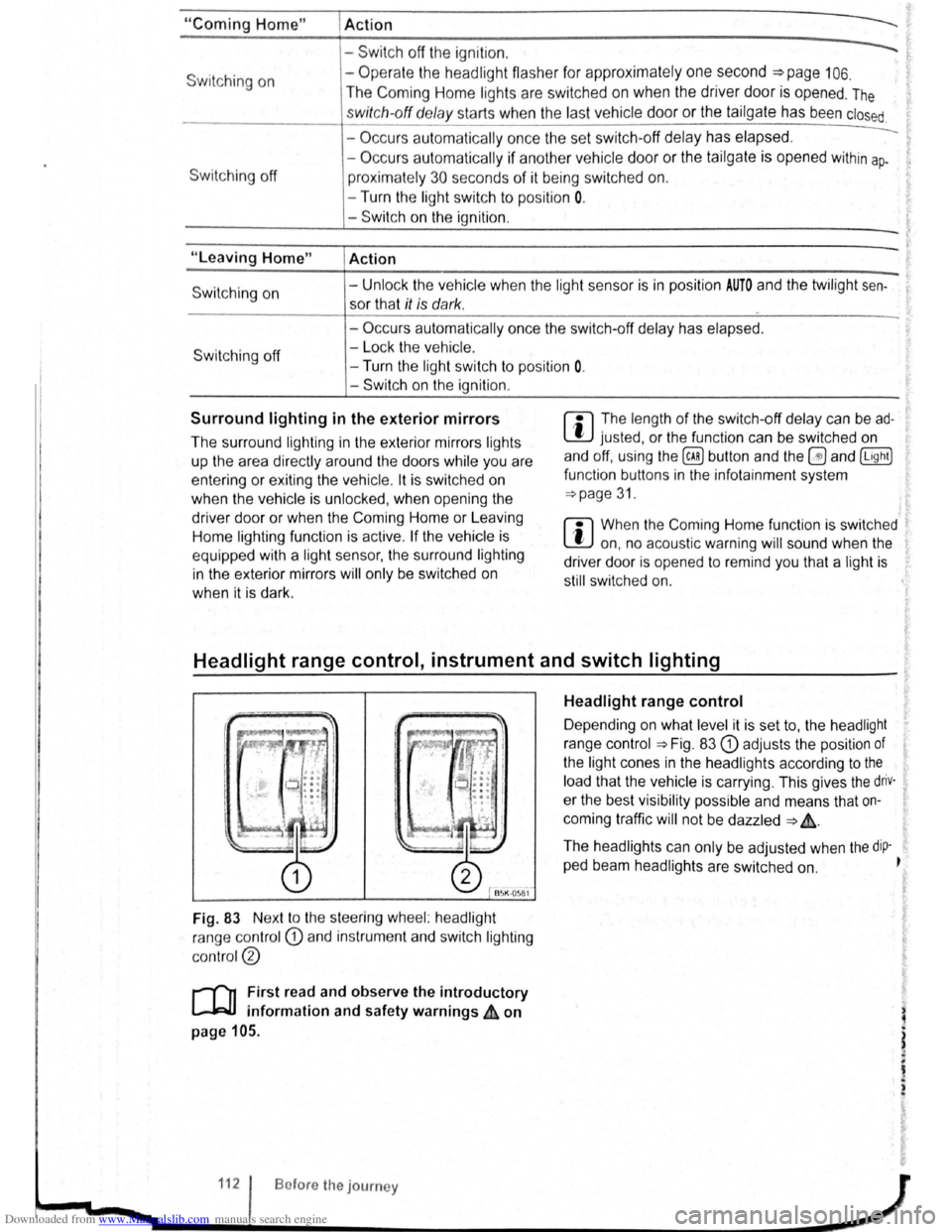
Fig. 83 Nex t to the stee ring wheel: head light
ra nge contr ol
CD and in strum ent and swit ch lighting
co ntr ol@
r-('n First read and observe the introductory
~ information and safety warnings ~ on
page 105.
112 Bofore the journey
Headlight range control
D epending on what level it is se t to, the head light
rang e co ntrol
:::.Fig . 83 CD adjusts the position of
the light cones in the head lights according to the
load that the vehi cle is carrying. This gives the driv·
er the best visibilit y possible and means that on
coming traffic
will not be dazzle d :::. &.
The hea dlights ca n on ly be adjust ed when the dip-
ped beam headlights are switched on. ~
t
Page 65 of 138

Downloaded from www.Manualslib.com manuals search engine To adjust, turn the control CD to:
-Set~ng I Vehicle load lev~la) -------
1
2
3
Fron t seats occupied and luggage
compa rtment
empty.
All seats occupied and luggage com
partment empty.
All sea ts occ upi ed and luggage com
partm ent fully loaded . Towing a trai le r
wit h a
lo w drawbar load .
Only the driver sea t occupi ed and lug
ga ge compartm ent fully load ed . Tow
ing a trai le r w ith maximum drawbar
l
oad.
a) If you have diff ere nt loads. you can select a positi on be
tween th e settings.
Dynamic headlight range control
Th ere is no control CD for headlight range if the ve
hicle
has dynamic headli ght control. The head light
r ange is
automatically adapted to suit the ve hicle
load level as soon as the headli ghts are switched
on~&.
Instrument and switch lighting
The brightness of the in strument and switch li gh t
ing can be adjusted using the @ill button and the
~and !Ltght] function buttons in the infot ainm ent
system
~page 31 .
Depending on the vehicle equipment level, it may
be possible to adjust the brightness of the instru
ment and switch lighting to suit your requirements
by turning control® when the headlights are
switched on.
Interior and reading lights
Instrument cluster lighting
The instrumen t cl uste r ligh ting sw it c hes off auto
mati cally
in darkness and at other times, e.g . when
driving through a tunnel. This is in tended to prompt
the driver to switch on the dipped beam so that the
v e hi cle' s rea r l
ights are swit c hed on ~page 109.
.A WARNING
-
Heavy objects in the vehicle can cause the
headlights to dazzle and distract other road
users. This can lead to accidents and serious
injuries.
• The light cone should always be adjusted
to the load level of the vehicle to ensure that
other road users are not dazzled.
A WARNING
A failure or malfunction in the dynamic head
light range control can cause the headlights
to dazzle or distract other road users. This
can lead to accidents and serious injuries.
• Proceed to a qualified workshop to have
the headlight range control checked immedi
I
ately. ~--------------- --------------------~
ClJ] First read and observe the introductory information and safety warnings & on page 105.
Button
~REAR
Function
Switches the front interior lights on or off.
Switches the rear interior lights on or off.
Switches the door contact switch on or off.
The interior lights are switche d on automatically when the vehicle is unlocked , a door
is opened, or the ve hicle key is removed from the ignition lock.
The light will go out a few seconds after all doors are closed, the vehicle is locked, or
the ignition is switched on.
/q'j/
---------j Switches the reading lights on or off.
Lights and vision 113
Page 127 of 138
Downloaded from www.Manualslib.com manuals search engine J DFW«Z
Driving Mode Selection
o:n Introduction
This chapte r con ta in s inform ation on the following
subje cts :
Function an d ope ratio n . . . . . . . . . . . . . . . . . . .
248
Adjusting the driving mode to suit yo ur
r equir em ents . . . . . . . . . . . . . . . . . . . . . . . . . . .
250
Th e driver can use Driving Mode Selection to acti
vate a variety
of vehicle settings as required .
Additional information and warnings:
• Lights ~page 105
•
lnfo ta in ment system ~page 31
• Changing gear ~page 169
Function and operation
Fig. 177 In the lo we r sect1o n of the centre con
sole : Driving Mode Selectio n button
• Steeri ng =>page 193
• Start/stop system =>page 196
• Cruise Con trol System (CCS) =>page 218
• Adaptive Cruise Control (ACC) =>page 226
• Air conditioning system =>page 256
A WARNING
Selecting a driving mode while the vehicle is
in motion can distract you from the road and
cause accidents. ~
r-f"n First read and observe the introductory
L-lr:JJ information and safety warnings & on
page 248.
The driver can choose from up to 5 different dnving
modes with a variety of characteris ti cs :
Driving mode Recommended driving situations
Creates a comfort-ba se d h 1 . Comforta) r f ve ICe setup and is suited to poo r-qualit y sec-Ions o road or long motorway journeys.
Normal
Sport
B~lanced setting , e g . fo r everyday use.
G1ves the vehicle a sport d .. style. Y rtvlng feel and is suited to a sporty driv1ng
Eco Swi tches the vehicle into . .
t he vehicle in a fuel-effi . economica l mode and he lp s the drive r to dnve 1c1ent m ann er
Individual Indi vidua l systems can be ad ·u · . ~page 250. J sted to SUit your personal requir ement s
a) Wh en the veh1c le I S equipp ed w1th ad apti ve chassis co ntro l (D
C C) , Comfort mode I I T~e ef fec t o n th e vehicle se ttin gs in the individual Th . . 5 a 50 ava1lable .
dnv1ng m od es depends on the vehi cle equipment ~ dnvlng mode can be chang ed whil e the vehl-
l eve
l. c le ~~.stationary or when in motion . After select ing a dnv1ng m od th en· i . e, e ve h icle se tt ings (excludmg
~~~ s~ttmgs) are switched to the new driving ~ e Immediately.
248 W h1le driv ing