2009 VOLKSWAGEN JETTA set up menu
[x] Cancel search: set up menuPage 222 of 477
Booklet 3.1 Controls and Equipm ent
Calibrat ing the compas s
-Ma rk the m enu ent ry Calibra tion and
pr ess
butt on. The fo llow ing m es
sage will be di sp layed To calib rate drive
round a comp lete circle.
- Drive t he ve hicle in circl es a t 5 mph (10
km/h) or less until th e disp lay indica tes
th at th e ca libra tio n process has bee n com
pl eted. • Durin g th e ca libration process or the cali
b ra tio n process is not su ccess rully accom
pli sh ed th e word "CA I."
will ap pear in the dis
p la y in stead or the directio n.
• 1r "CAL" ap pea rs in the dis p lay instead of the trave l di rectio n th e co mpa ss mu st be ca librat ed.
• While calib ratin g th e co mpass do no t drive
w ith the rea r lid ope n or the rea r seatback un
l o ck ed to avoid ina ccurate
Adjusting the compass variance zone
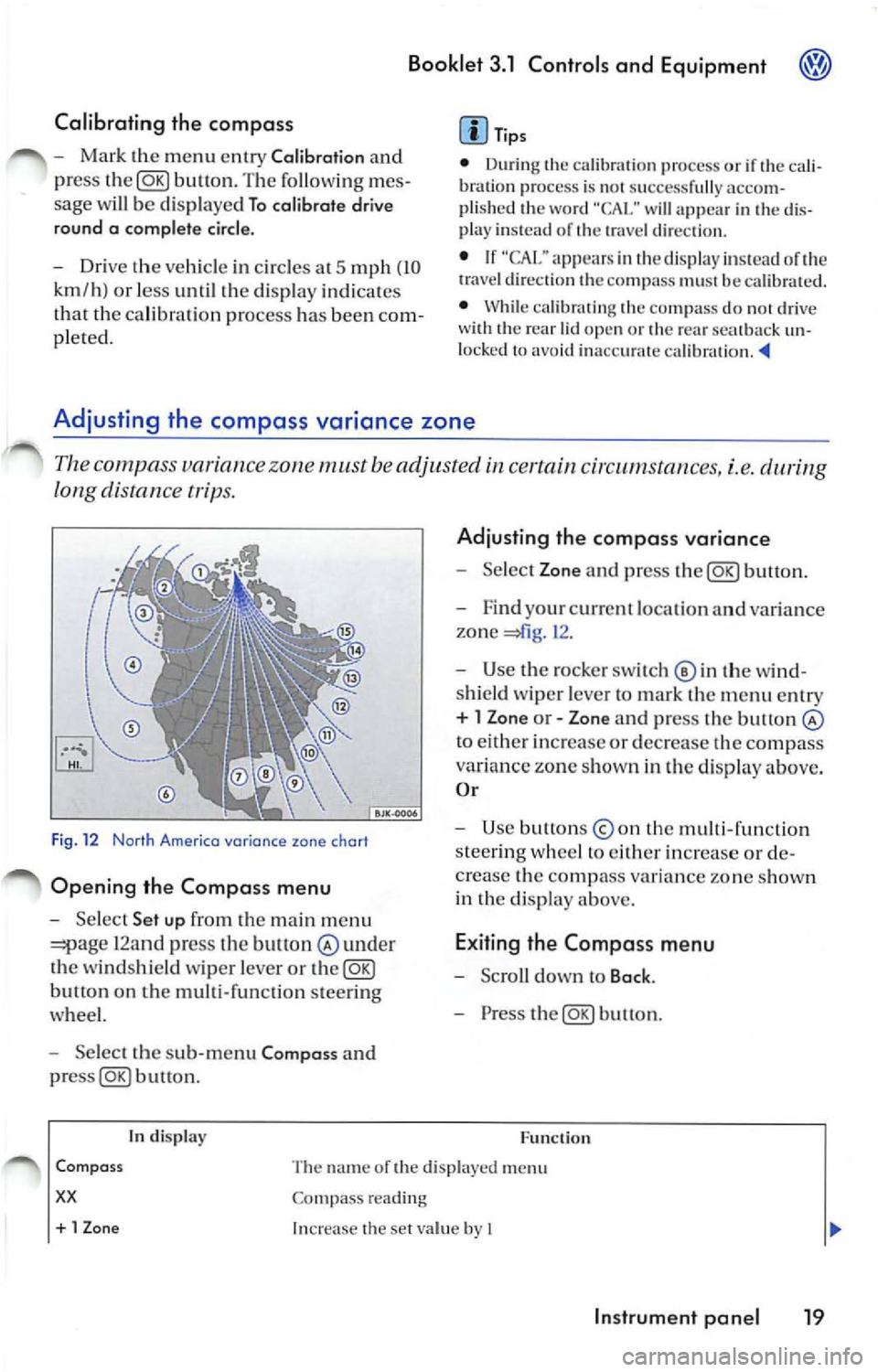
Th e c ompa ss variance zone must be adjusted certain cir cums tances, i.e.
long distance tr ips.
F ig . 12 Norlh Americo variance zone chort
Opening the Compa ss menu
- Se lec t Set up fr om the main m enu
12and press the bult on under
th e winds hield wiper leve r or the@g)
butt on on the multi-function steer ing
whee l.
- Select the sub -m enu Compa ss and
buu on .
tn disp lay
Adju sting th e compass variance
- Select Zone and press button.
- F ind your cur rent loca tio n an d varia nce
zone
1 2 .
- Use the rock er switch© in th e wi nd
s hi eld wiper leve r to ma rk th e m enu entr y
+ l Zon e or - Zone and press the button
to eith er in crease or decrease the compass
variance zone sh own in th e d isplay above.
O r
- Use button s
the multi -fun ction
s tee rin g w hee l to eith er increase o r de
c rea se the comp ass va ria n ce zone s how n
in th e di sp lay above.
E xiting the Compa ss menu
- Scro ll down to Back .
- Press the@g)button.
F u nc tion
Com pass
xx
The name or the di sp layed menu
Co mpass reading
+ 1 Zon e Increase the se t va lue by I
In strument pan el 19
Page 235 of 477
Booklet 3.1 Controls and Equipment
Remote control key
Locking and unlocking the vehicle
The remote control key can be used to lock and unlock the vehicle from a distance.
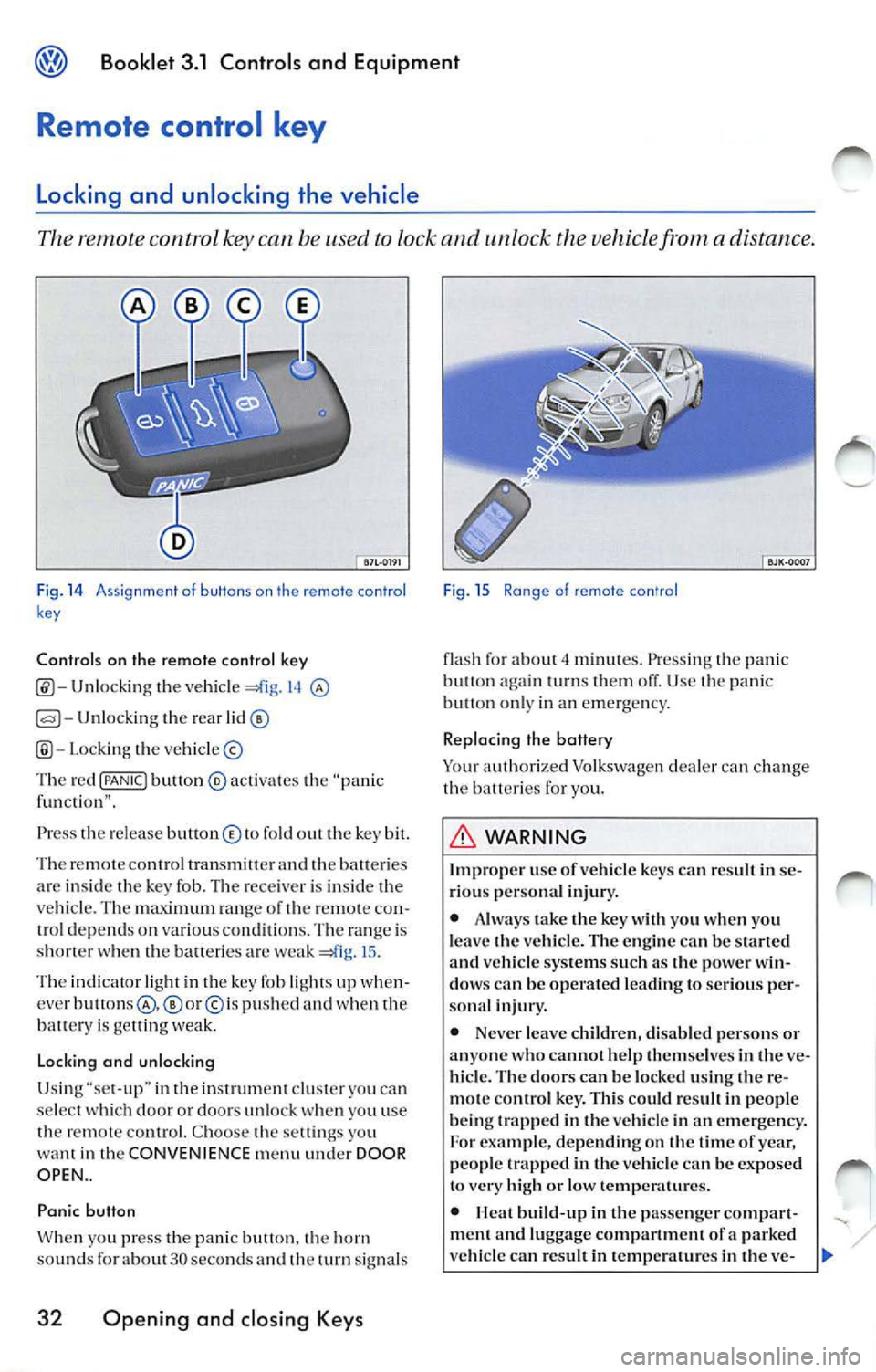
Fig. 14 A ssi gnme nt o f buttons on th e remote con tro l
k ey
Controls on the remote control key
Unlocking the vehicl e 14
Unlocking the rear
Lo cki ng the vehicle ©
Th e red
{PANIC! button ® activa tes the "pa nic
f un cti on" .
Press th e re le ase button © to fold out the key bit.
Th e re m ote contro l tran smitter and
batte ri es
ar e insid e th e key fob. The rece iver is in side the
ve hicle . T he maximum ran ge of th e remo te con
trol dep end s on various conditions. The range is
s h o rter when the balteric s are weak
15 .
The indicator light in th e key fob li ght s up when
cver
p u sh ed and when the
batt ery is ge llin g we ak.
Lo cking and unlocking
Usi ng "se t-up" in the inst rument clu ster you ca n
se lect doo r or doors un loc k you u se
th e remot e control. C hoo se th e sett ings yo u
want in the CONVENIENCE menu under DOOR
OPEN ..
Panic button
W hen yo u press t he panic butt on. horn
sou nds fo r about 30 seco nds an d th e turn signal s
32 Opening and closing Keys
Fig . 15 Ra nge of remote con'ro l
flash fo r about minut es. Press ing the pani c
butt on turn s them off. Use panic on ly in an emerge ncy.
Replacing the battery
Yo ur auth orized Volkswagen dealer can ch ange
the b atteri es for you.
WARNING
Improp er use of vehicl e key s ca n resu lt in se
ri ous per sona l injury.
• Alwa ys take the key with you when you
l e ave the vehicle. The en gine
be start ed vehicle systems such a s the power win
dow s can be operated le ading to seriou s per
sona l injur y.
• Never leave childr en, disab le d pe rsons or
anyone who cannot help them se lves in
ve
hicl e. The door s can be locked using the re
m ote con tro l ke y. This could r esult in peop le
b eing trapp ed in the vehicle in an emergency.
For exam ple, depending on the tim e of yea r,
people trapped in the vehicle can be exposed
to very high or low temp eratures.
•
build -up in the passenge r compar t
ment a nd luggage compartment of a parked
ve hicle can re sult in temp erature s in the ve-
Page 237 of 477
Booklet 3.1 Controls and Equipment
Central locking system
Description of the central locking system
The central locking system allows you to lock and unlock all the doors from one
poin t.
Ce ntral l ocking ca n be opera ted usin g any of the
fo llow ing options:
• man ually usin g yo ur key in th e dri ver's door,
• using th e re mot e control key.
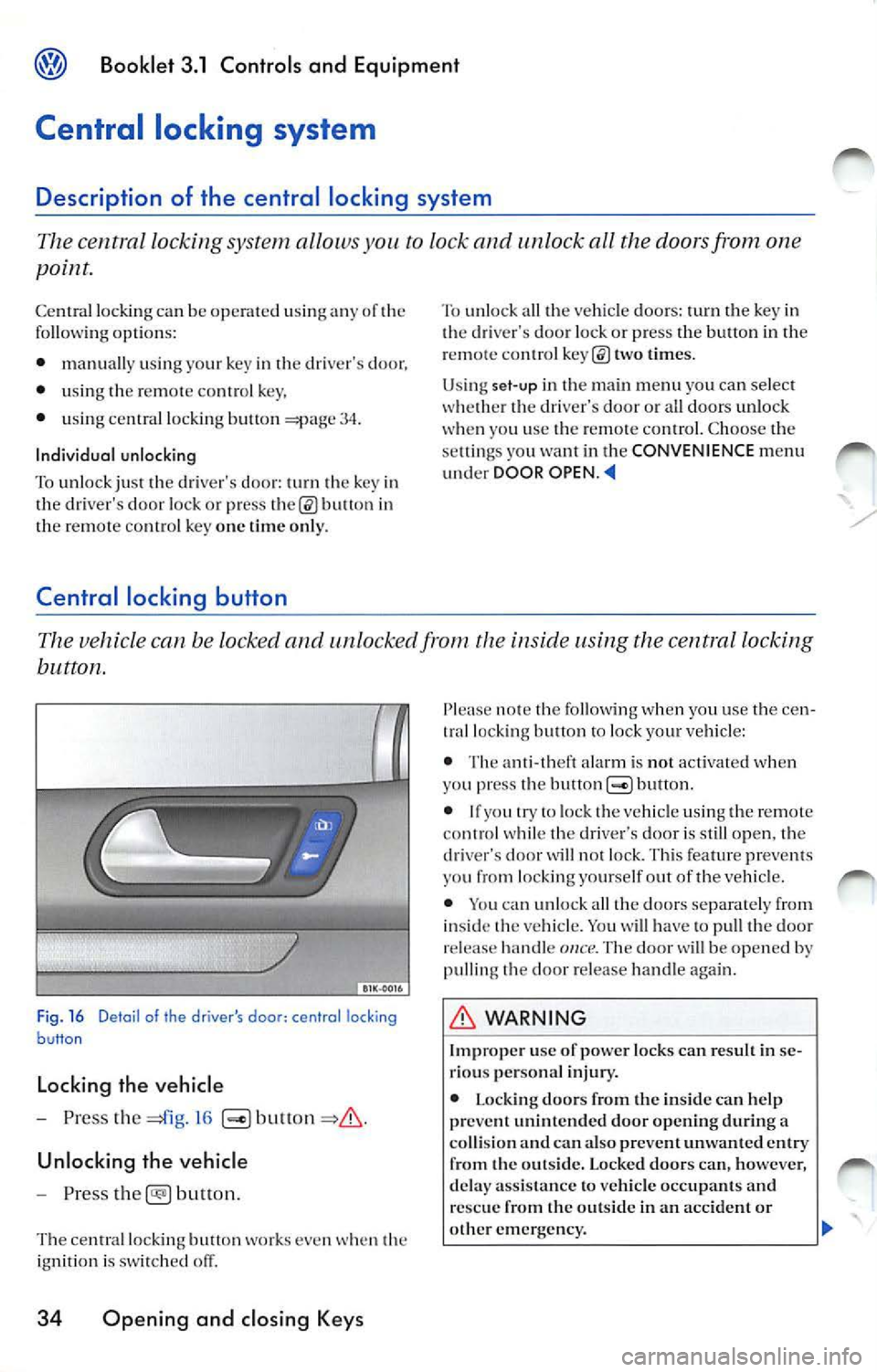
• usin g centra l locki ng b utton
34.
Individual unlocking
To unlock just the drive r's doo r: turn t he key in
the driver's door lock or p ress
bu tton in
th e remote contro l k ey one time only.
Central locking button
To unlo ck all th e ve hicl e doors: turn the key in
the driver's door loc k or press the button in the
remote contro l
times.
Us ing set-u p in the main menu you can select
whe ther the driver's door or a ll door s unlo ck
whe n yo u use th e remo te con tro l. Choose the
se lling s you want in the CONVENIENCE menu
und er DOOR OPEN .
button .
Fig. 16 Deta il of the drive r's door : central locking
button
Locking the vehicle
- Press the
16
Unlocking the vehicle
- Pr ess
button.
The ce ntral lock ing button works even when th e
i gn ition is sw itched off.
34 Opening and closing Keys
note the followi ng w hen yo u use the cen
tral locking button lock yo ur vehicle :
• The ant i- th eft ala rm is not activated when
yo u press the but ton
bullon.
• If yo u try lo lock the vehicle usin g the remote
co ntrol while the drive r·s door is still open, the
d river's door
w ill not lock. Thi s fe atur e pr eve nts
you from locking yourse lf out of the vehicl e.
• You can un loc k all th e doo rs separate ly from
i nside the vehicle. You
ha ve to pu ll the door
re lease hand le once. Th e door w ill be opened by
pulling the doo r re lease han dle again .
WARNING
I mp roper use of powe r lock s ca n res ult in se
ri ou s pe rso nal inju ry.
• L ockin g do ors from the in side can help
pr eve nt unint end ed door opening durin g a
co llision and can a lso preve nt un wanted e ntry
from the outsid e. Locked doo rs c an, ho wev er,
d ela y ass is tan ce to vehicle occupant s and
re sc ue from the o utsid e in an accident or
ot her eme rge ncy. ...
Page 244 of 477
Booklet 3.1 Controls and Equipment
Pinch protection
The wind ows have a pinch protection feature. This helps re du ce the risk of inju
ries when the windows are closing.
• lfa w indow is obst ructe d w hen closing, the
w ind ow will sto p and open (go down) aga in
If this happe ns, see why the window could
n ot clo se befo re att emp ting to close aga in. If
yo u tr y to close the wind ow again wit hi n 10 sec
o nd s, th e w ind ow's closing force is a utomati
ca lly incr ease d.
• If th e wi ndow is st ill obst ructed, the wi ndow
w ill stop at this po int.
• If th ere is no obvio us reason why the w indow
ca nn ot be closed, try to close it agai n wit hin 5
seconds. T he pin ch protection is now off. The
window clo ses with maximum force.
If you wa it lo n ge r th an the lO or 5 seco nds de
sc ribed above, the w in dow will open f ully whe n
you ope rate o ne of the buttons. One-touch
closi ng is on aga in.
Th e one- tou ch functio n and pinch prot ection do
not wurk if ther e is a m alf un ction in th e power
windows. Contact yo ur authoriz ed Vo lkswage n
deal er co have the m alfunc tion corrected.
Convenience opening and closing
You can ope n or clo se the windo ws from
outside the vehicl e.
Convenience closing
-Hold th e key in th e close pos ition in th e
l oc k of the driver's door, until all windo ws
a re clo sed.
- Turn th e key the other way to interrupt
th e fun ction.
Convenience opening
-Hold th e key in the ope n position in the
l oc k of the driver' s door, until the windows
are ope n.
WARNING
Improper use of the pow er windows can result
in serious personal injury .
• Never let anyone ge t in th e way of a power
window when closing it.
• Always make sure that no one i s in th e w ay
while overriding the pinch protection to close
a w indo w!
• When locking the vehicle from the out side ,
make sur e that no one especially c hildr en re
mains in the vehicle. Th e windows will not
open in case of an emergency.
• Always take the key with you wh en you
leav e the vehicle. Unsupervised use of keys
can result in use of vehicle s ystem s such as
power windows leading to serious personal
inju ry.
• The power windows will continue to op
crntc until the igniti on ke y has bee n re mo ved
and one of the front door s ha s bee n opened.
• When children are in the b ack sea t, use the
safety switch to disable the rear power win
dows and prevent them from b eing opened
and closed.
<4
-Turn the key the oth er way to interrupt
t h e function.
Using set-up in the main menu , you can select if
yo u want the driver 's doo r w in dow. all w indows
o r n o window a t all to open whe n you unlock
your vehicle using the ma ste r key in th e driver's
doo r lock. C hoose the se ttings yo u want in the
CONVENIENCE menu.
WARNING
Improp er use of the power windows can result
in seriou s per sonal injury.
• Neve r let anyon e get in the way of a power
window when clo sing
Opening and closing Keys 41
Page 250 of 477
Booklet 3.1 Controls and Equipment @
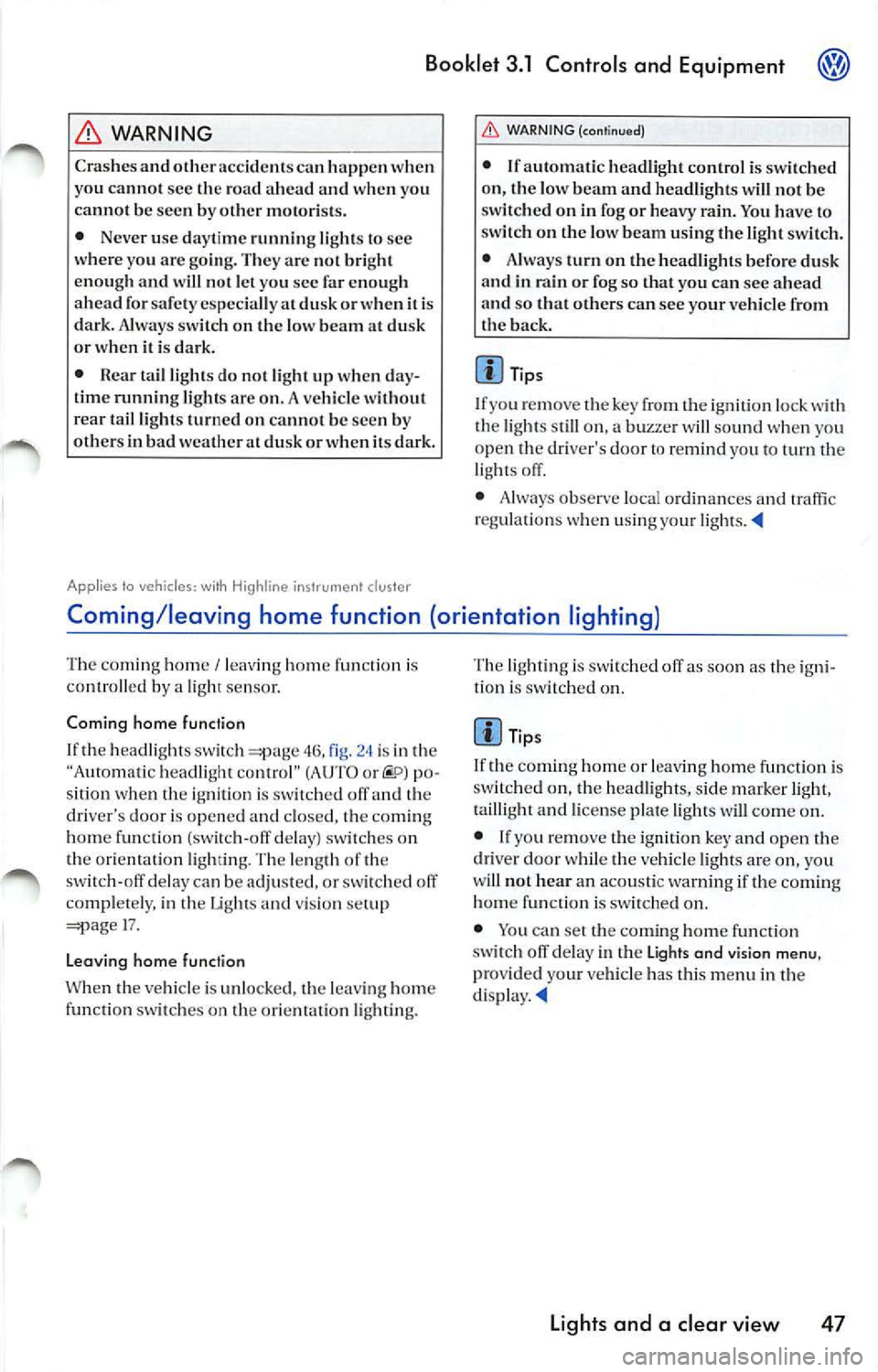
WARNING
Cras hes a nd oth er acci dcn t s ca n hap pen w hen
yo u cann ot sec the road a head a nd when yo u
ca nn ot b e see n by other m otor is ts.
• Never use day time runn ing ligh ts to sec
w here yo u are goi ng. Th ey a rc no t b right
eno ugh an d w ill n ot let y ou sec fa r eno ugh
a h ea d for safety especia lly a l dusk or w hen it i s
dark. Always sw itch on the low bea m at du sk
or w hen it is dark .
•
t a il li ght s do not ligh t u p w hen da y
tim e runnin g lig ht s arc o n. A ve hicle w ithout
r ear ta il li gh ts turne d on ca nn ot b e see n by
ot hers in b ad wea the r at dusk o r w hen it s d ark .
Applies to ve hicles: with Highline instrument clus ter
WARN ING (continued)
• If aut oma tic head light cont rol is sw itch ed
o n, th e low bea m and w ill n ot be
switc hed on in fog or heavy You have to
sw itc h on t he low bea m using t he light sw itch .
• J\lways tu rn on th e he adli ght s befo re d usk
a n d in ra in or fo g so th at yo u ca n see a head
and so that oth ers can see your vehicl e from
t h e bac k.
Tip s
I f yo u re m ove the key from t he ig n ition lock w ith
t he ligh ls s till on, a b uzze r w iU sou nd when you
o pen
dri ver's door re mi nd yo u turn light s off .
• Always observe loca l o rdin an ces a nd traffi c
regu la tion s w hen using yo ur lights. •
Coming /leaving home function (orientation lighting)
T he comi ng hom e/ leav ing home functio n is ro lled by ligh t sensor.
Coming h om e function
If th e hea dlight s sw itc h
46, is in th e
"Au to ma tic headligh t co ntrol" (AUTO or po
sition whe n the ig n it ion is sw itc hed off an d th e
driver's door is opened and closed,
co ming
h o m e fun ction (sw itc h-off delay) switch es on
th e orientat ion ligh ti n g. The le ngth of
sw itch-o ff delay ca n be adju sted, o r sw itch ed off
co mple te ly, in Lights a nd vis io n 17.
L e a vi ng h om e fu ncl ion
th e ve hicl e is un locked, the leav ing hom e
func tion switch es on orie nt atio n li gh tin g. The lig
htin g is switched off as soo n as t he ign i
t ion is s witched on.
Tips
I f th e co min g home or le aving hom e fu nct ion is
sw itched on, the head ligh ts, s ide mar ke r ligh t,
t ai lli g h t a nd lice nse pla te ligh ts w ill come on.
• If yo u r em ove t he ignitio n key and open t he
dr iver door while the vehicle ligh ts are on , you
w ill not h ear an acoust ic warning if the comi ng
home funct io n is sw itched on.
• You can set th e com ing hom e fu ncti on
s wit ch off delay in th e Lights and vis io n
menu , provid ed yo ur ve hicl e has th is m en u in t he
di spla y.•
Lights and a clear view 47
Page 316 of 477
Set up menu 1 6
Se tting the cl ock 16
Me nu 1 6
Sho ppin g bag hook 78
Socket 73 Speed wa rning 9
S tar tin g th e di ese l e ngine
W ith the ig nition key 96
Sta rtin g th e gaso lin e e ngine
W ith the ig niti on key 95
S tee rin g 90
Stee ring lock 93
S teer ing w hee l h eig h t adju stme nt 90
S toppin g th e eng in e 97
S to rag e ar ea
Oth er storage areas 7 1
Roof 71
co mpartm ent 69
Front cen te r a rm res t 70
R ear a rmr est 70
S to rage fo r th e ve hicl e lite ral ure 69
Sto rin g seat positi ons 64
Su n sha de 79
Su n viso r 52
S unr oof 4 2
S un shade
powe r roof 42
S wit ch lig h ting 3
Sw itches
E mer gency
48
Li ght sw i tch cs 46
Powe r outsid e mir rors 56
Power roof 42
Po we r w ind ows 39
Sw itchi ng off the e ngine
W it h th e ig niti on key 97
T
Ta cho mete r 6
Ta nk
F uel g au ge 7
T ic -cl ow n hook s 78
Bookl et 3.1 Control s and Equipment
Ti re press ure m on itorin g sys tem
Wa rnin g lig ht 30
Trail er tu rn sig nal s
Wa rnin g light 49
Tran sp o rtin g lo ng ite m s 61, 68
Trunk l id 37
Turn sig n al and high bea m leve r 49
T urn sig n als 49
Warnin g lig ht 24, 49
u
U np leasa nt odo r 89
V
Veh. sta tu s 15
Ve hicle e lec tric syste m 24
Ve hicl e stat us 15
w
Wa rnin g lig ht
E lec troni c Power Con trol (E PC) 23
Warn ing ligh ts 20
E m erge ncy fla sh er 48
Turn sig nals 49
Warn ing tex ts in th e disp lay ll
Wa rnin g tri angle 74
W hen parkin g on slo pes 105
W hen should I ref uel th e ta nk of th e
ve hic le ? 7
W indows 39, 40
Wind shi eld was her fl uid
Warn in g light 26
w in dsh ie ld wash er flui d
Warning message 11
Wind shi eld wip er an d was her sys tem 53
Wind shi eld wip ers 53
R ain se n so r
Service pos iti on 53
W int er ope ration 54, 55
W int er tire s
Speed wa rning 16
Alphabetical ind ex 113