2009 VOLKSWAGEN BEETLE wheels
[x] Cancel search: wheelsPage 27 of 138

Downloaded from www.Manualslib.com manuals search engine lnfotainment system
Menu and system settings (SETUP)
o:n Introduction
This chapte r con ta in s info rm ation on th e fo llo w in g
su bjects :
V ehi cle se ttin
gs menu . . . . . . . . . . . . . . . . . . . . 31
Additional information and warnings:
• Instrum ents ~page 20
•
V olks wage n informa tion syst em ~page 26
• C entral locking system ~page 46
• Electric windows ~page 60
•
Lights ~page 105
• Windscreen wiper/ wa she r ~page 117
• Mirrors ~page 122
• Brake assist systems ~page 179
• Driver assist systems ~page 196
• Tyre monitoring system ~page 253
• Wheels and tyres ~page 308
•
~Booklet Radio or ~Booklet Navigation sys
tem
General information on operating the unit
The following section contains information on the
settings that can be adjusted in the
Vehicle set
tings menu . Basic information on operating the
i nfotainment system and on warning and safety in
structions are contained in a separate manual
~Booklet Radio or ~Booklet Navigation system.
Systems settings and display of vehicle
information
After pressing the (ill] infotainment button you can
t
ouch the corresponding function button to displ ay
information
or adjust settings , e .g . you can check
the current status
of the start/stop system
~page 196 in the Vehicle status menu .
Vehicle settings menu
r-f"'n First read and observe the i~troductory
L-1=J.1 information and safety warnmgs A on
page 31.
Opening the Vehicle settings menu
• Switch on the ignition .
• If necessary, switch on the infotainment system.
• Vehi cle se ttings (setup) ~page 31.
• Auxili ary hea te r sett ings ~page 256.
• Radio sta tio n selection .
• Vehicle status .
• Driving da ta .
• Conv enien ce consumers .
A WARNING
Accidents and injuries can occur if the driver
is distracted. Operating the lnfotainment sy s
tem can distract you from the road.
• Always drive carefully and responsibly.
r::l Aft er sta rt ing the engine with a disc harged
L!J ve hi cle battery , or after the battery has been
chang ed,
system settings (time, da te , personal
conveni ence settings and program ming)
may have
be en chang ed or de leted . Ch eck and correc t
the
s e ttin gs as necessa ry once the ve hi cle ba tte ry has
been sufficiently charged .
• Touch the 0 function button to open the Vehi
cl e settings menu.
• Touc h the corresponding function button to
open additional menus in the
Vehicle settings
menu, or to adjust settings in the menu points. ...,.
lnfotainment system 31
..
Page 75 of 138
Downloaded from www.Manualslib.com manuals search engine CD
Please note the following to help avoid damag o
and premature wear:
• Do not rest your hand on the g ear le ve r
when
driving. The pressure from your hand is
passed onto the selector forks in the gearbox.
Automatic gearbox: selecting a gear
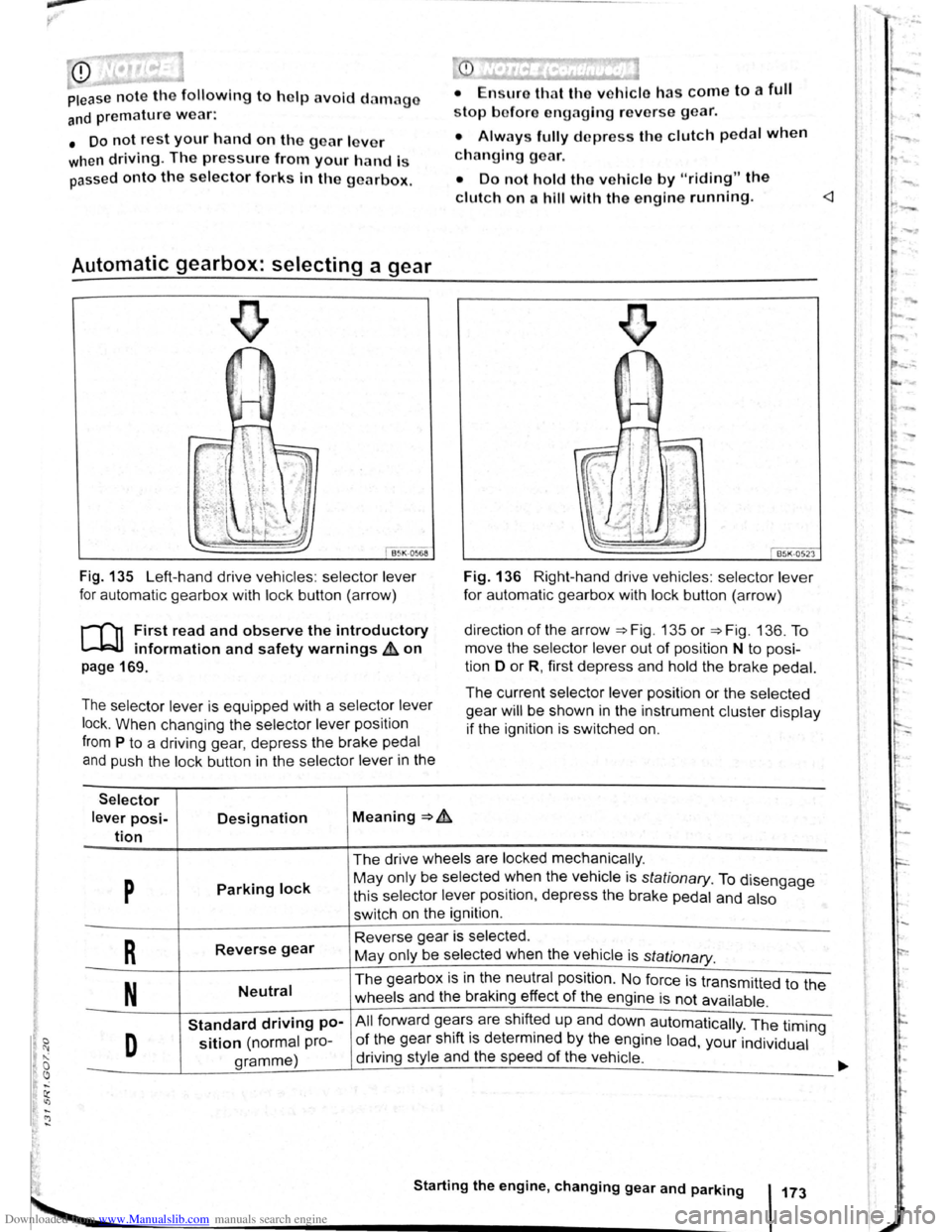
Fig . 135 Left-hand drive vehicles : selector lever
for automatic gearbox with lock button (arrow)
r-('n First read and observe the introductory
~ information and safety warnings & on
page 169.
The selector lever is equipped with a selector lever
lock .
When changing the selector lever position
from P to a driving gear, depress the brake pedal
and push the lock button in the selector lever in the
Selector
lever posi-Designation Meaning ~ .&.
tion
stop bofore engaging re verse gear.
• Always fully d epress the clutch pedal when
changing gear.
• Do not hold the vehicle by "riding" the
clutch on a hill with the engine running.
Fig. 136 Right-hand drive vehicles : selector lever
for automatic gearbox with lock button (arrow)
direction
of the arrow ~Fig. 135 or ~Fig. 136. To
move the selector
lever out of position N to posi
tion D
or R, first depress and hold the brake pedal.
The current selector lever position or the selected
gear
will be shown in the instrument cluster display
if the ignition is switched on.
The drive wheels are locked mechanically .
p Parking lock May only be selected ~hen the vehicle is stationary. To disengage
this selector lever pos1t1on, depress the brake pedal and also
switch on the ignition .
R Reverse gear Reverse gear is selected.
May only be selected when the vehicle is
stationary.
N Neutral The gearbox is in the neutral position . No force is transmitted to the
wheels and the braking effect
of the engine is not available .
Standard driving po-All forward ge~r~ are shift~d up and down automatically . The timing
D sition (normal pro-of the gear sh1ft 1s determmed by the engine load, your individual
gramme) driving
style and the speed
of the vehicle . -
Starting the engine, changing gear and parking 173
Page 79 of 138
Downloaded from www.Manualslib.com manuals search engine • Please note that the driven wheels can
\start to spin and the vehicle can skid If the
lCS i w1tched off, especially If the road Is
slippery.
•
Switch the TCS back on after acceleration.
attempt to stop it from rolling back by depress·
lng the accelerator while a position is still se
lected. The automatic gearbox could overheat
and be damage d .
• Never allow the vehicle to roll In posi tion N ,
particularly If the Ignition is s w itched off. The
automatic gearbox w ill not be lubricated and
could be damaged .
r-'('n F irst read and observe the introductory
L-Wl Information and safety warnings .&. on
page 169 .
Emergency programme
There is a fault in the system if all the displays on
the mstrument clu ste r for the se lector le ve r posi
tions have a light background. The automatic gear
box is running in an emergency programme. The
vehicle can still be driven in the eme rg ency pro
gramme, but only at reduced speed and not in all
gear s.
In vehicles with a dual clutch gearbox DSG®, y o u
may
no longer be able to select reverse gear.
In all cases the automatic gearbox should be
checke d
by a qualified workshop immediately.
Overheating of the dual clutch gearbox
DSG®
The dual clutch gearbox can overheat when th e
vehicle pulls off re
gularly, travels at a crawl for long
penods, or in s
top and go traffic . Gearbox over- .
heating
is i ndi cate d by the w arning lamp 0 and tn
some cases by a text m essage in the instrument
cluste r d1splay . An acoustic warni ng may also be
heard . Stop the ve hi cle and allow th e gea rbox to
cool down
~CD.
The vehicle will not move forwards or
backwards even though a gear has been
selected
If the veh1cle w11l not move in the requi red direc
tio n, the system may have selected the pos1tion m
correctly Depress the bra e pedal and reselect the
pOSitiOn
If th e vehicle st1ll does not move tn the requ1red di
re ction , th ere IS a system fault. Seek expert assis
tance and have the system checked
• If the display indicates that the gearbox is
overheating for the first time, the vehicle will
have to be parked safely or driven faster than
20 km/h (12 mph) .
• If the text message and acoustic warning
are repeated approximately every 10 seconds,
the vehicle must be parked safely immediately
and the engine switched off. Allow the gearbox
to cool down.
•
In order to prevent damage to the gearbox,
you should not drive on unti l the acousti c
warning stops. You should not pull away or
drive the vehicle at very low speeds while the
gearbox is overheated.
' 177
~
l
I
i
t
Page 81 of 138
Downloaded from www.Manualslib.com manuals search engine • o;;--"cc A WAR'I'G (Contmued)
tf the brake warning lamp 0 does not go
'Jt or if it lights up when driving, the brake Ol , . • fluid level in the reservoir IS too low or there
is a fault in the brake system. Stop the vehi
c le immediately and seek expert assistance
=>page 188 , Brake fluid.
, tf the brake warning lamp ID lights up to
gether with the ABS indicator lamp 8, the
control function of the ABS may have failed.
This can cause the rear wheels to lock quick
ly when you brake. Locked rear wheels can
lead to a loss of control of the vehicle. If pos
s ible, reduce your speed and drive carefully
at low speed to the nearest qualified work
shop in order to have the brake system tes
ted . Avoid sudden braking and driving ma
noeuvres on the way.
• The ABS is not functioning correctly if the
ABS indicator lamp Et does not go out or
com es on while the vehicle is in motion. The
Electronic parking brake
BSIV)•~9
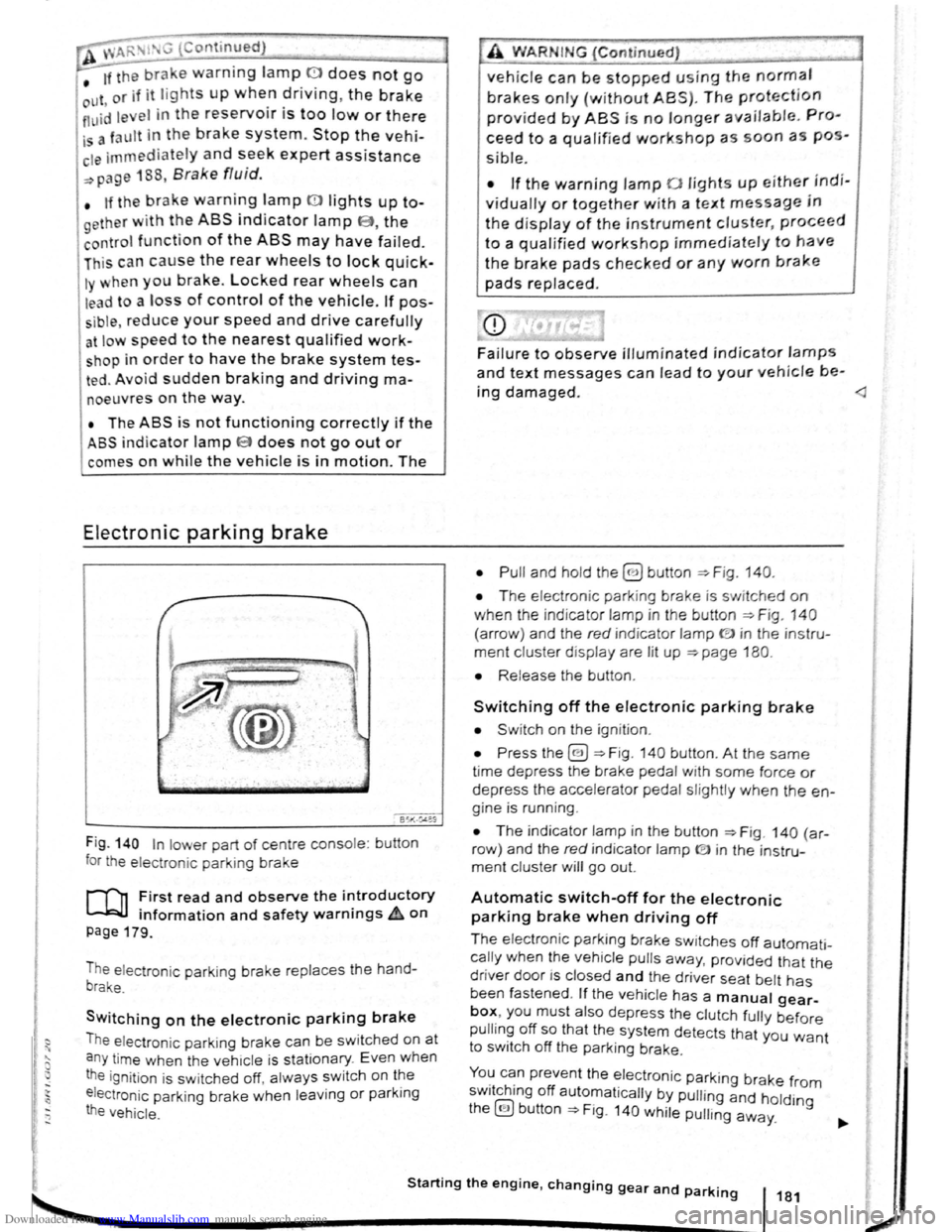
Fig . 140 In lower part of centre console : bu tton
for the electron ic parkin g brake
rf'n First read and observe the i~troductory
~ information and safety warnmgs A on
page 179.
The electronic parking brake replaces the hand
brake.
Switching on the electronic parking brake
The elec tron ic park ing brake can be swit ched on at
a n y time when the vehic le
is stationary . Even when
the ignition is sw itched off, always switch on the
e lectroni c parking brake when leaving
or parking
the vehicle .
_,
A WARN IN.G (Continued) .,~ ,1
vehicle can be stopped using the normal
brakes only {without ABS). The protection
provided by ABS is no longer available. Pro
ceed to a qualified workshop as soon a s pos
s ible.
• If the warning lamp 0 lights up either indi
vidually or together with a text message in
the d isplay of the instrument cluster, proceed
to a qualified workshop immediately to have
the brake pads checked or any worn brake
pads replaced.
Fa i
lure to observe illuminated indicator lamps
and text messages can lead to your vehicle be-
ing damaged.
• T he electron ic park ing brake is switched on
when the indicato r lamp in the button ::;;. Fig. 140
(a rro w) and the red indicator lamp ID in the instru
ment cluster displ ay are lit up ::;;. page 180.
• Release the button .
Switching off the electronic parking brake
• Swit ch on the ignition .
• Press the@) ::;;. Fig . 140 button . At the same
time depress the brake pedal with some force or
depress the accele rator pedal slightly when the en
gine is run ning .
• The indicator lamp in the button =:;.Fig . 140 (a r
row ) and the red indicator lamp ® in the instru
ment cluster will go out.
Automatic switch-off for the electronic
parking brake when driving off
The elec tronic parking brake switches off automati
cally when the vehi cle pulls away, prov ided that the
driver door is closed and the drive r sea t belt has
been fastened . If the vehicle has a manual gear
box, you must also depress the clutch fully before
pulling off so that the system detects that you want
to switch off the parking brake.
You can prevent the electronic parking brake f 0 . h. ff r m sw1tc 1ng o automat ically by pulling and hold.
the@) button::;;. Fig. 140 while pulling away. lng
Starting the engine, changing gear and parking 181
2
Page 82 of 138
Downloaded from www.Manualslib.com manuals search engine Aut mall wit h-o n of the electronic
p ar kin IJr ke If n o t activated properly whe n
th drlv r I av s the v ehicle
I h e .lec,lr uni park ing br ake s wit ch es itsel f on au
lortmlh ,RIIy In the fu llowlng Insta nces wh en the
JrivP-r I . avqs Ill v hlt,le :
• Wlr
t1 tile v hicl Is in gea r posi trons 0, S or R ,
ur If ll r lo t.! o r I v r Is I n t11e T ip tro nic posi tion
• Wl r c n tl re lgr rlll un is s wit ch d o n
• Wi 1 rt tire V l li c le Is s tatio na ry
• If ll re driv r uoor Is o pe n .
rn rge ncy braking function
1 11 n 1 rg on y br kin g fun ction sho uld only be
u s
d In those sit u atio ns wh ere the vehicle cannot
be slurped u ln g the foot br ake ~ &!
• Pull and hold the 8 butt on ~Fig. 14 0 to br ake
tir e ve hl
le sharply. An aco ustic sig na l ca n b e
hoa rd at the sa me lime.
•
T o sto p the br ak ing proced ure, re lease the§
b utt on or d epress th e acce le ra to r pedal.
The Incorrect use of the electronic parking
brake can cause accidents and serious inju
ries.
P arking
r-f11 First read and observe the introductory
l-J,.:JJ Information and safety warnings A on
page 179.
P lea e adhere to re leva nt legisla tion when stop
p in g
a nd pa rk in g your ve h icle .
S
topping the vehicle
Th e ta p s ho uld only be carr ied out in t he speci
flo d o rd or.
• Sto p the ve hi cle o n a sui tab le s urface ~ &,
• Depress a nd ho ld th e br ake ped al u ntil th e e n
gi ne ha
stoppe d .
• Swit ch o n the electr onic pa rking brake
. ~ pnye 18 1.
• With a n auto m atic gea rbox, move the selecto r
lo ve r to pos ition P .... #..
• Swit ch off th e engi ne a nd take your foo t off the
br ake pedal.
• Rem ove th a ve hi cle k e y from t he ignit ion lock .
• rurn the stee ring wheel s lig htly if necessa ry to
engage th e vtee ring lo ck mec h anism .
While driving
• The electronic parking brake should ne
be used to brake the vehicle, except in em '>'er
gencies. The braking distance is considerae.r .
bly longer as only the rear wheels are braked.
Always use the foot brake.
• Never activate the accelerator from the en.
gine compartment if a position or gear has
been selected and the engine is running. The
vehicle could move, even if the electronic
parking brake is applied.
m In veh rcles with a manual gea rbox: v. hen the
l..!J clu tch peda l is released a nd t he accelera
pedal depr essed at th e sa me time , th e e lectron
parkin g bra ke will be re leased autom aticall y
m If th e ve hicl e ba ttery is flat it w ill not be po~<:
L!J ble to re lease th e e lectro nic parking bra e.
U se
jump lead s =:>page 370 .
m Some norses ma y be hea rd wh en the elec·
W Iron ic p ark in g b ra ke is sw itch ed on or ff.
r::l If th e e le ctron ic park in g b ra ke has not been
W used fo r a long period , th e s ys te m will carry
out occa siona l automa tic a nd acou stic check s
when the ve hicl e is pa rk ed .
• With a m anu al gearbox , se lect 1st gea r for f.at
groun d and u phill incl in es , or re ve rse ge ar ()(
downh ill incl ines , a nd then r elease e dutch.
• Ple a se ensur e t hat all o ccup an s. i n pa
ch ildren , lea ve th e ve h icl e.
laf
• Take a ll ve hicl e ke ys with yo u w en you tea 'e
th e ve h icl e.
• lock the ve h icle .
Additional points for ascending and
descending inclines
Be fore SVIitchin g off th e e ng in e , turn e s eeriP:1
wheel so that th e fron t wheels w ill roll aga i st me
kerb if the parked ve icle start s to mo e.
• Whe n fa cing downhill , turn tl e ~s SO tf'\3!
they fa ce e ke rb.
•
Whe n fa cing up ill , turn e omeels so IP8t tt
<
1821
---------------------- ------~~
Page 84 of 138
Downloaded from www.Manualslib.com manuals search engine ~S~ta~~~st~o~p~s~y~s~te~m~--------------------------------------
BSG-0005
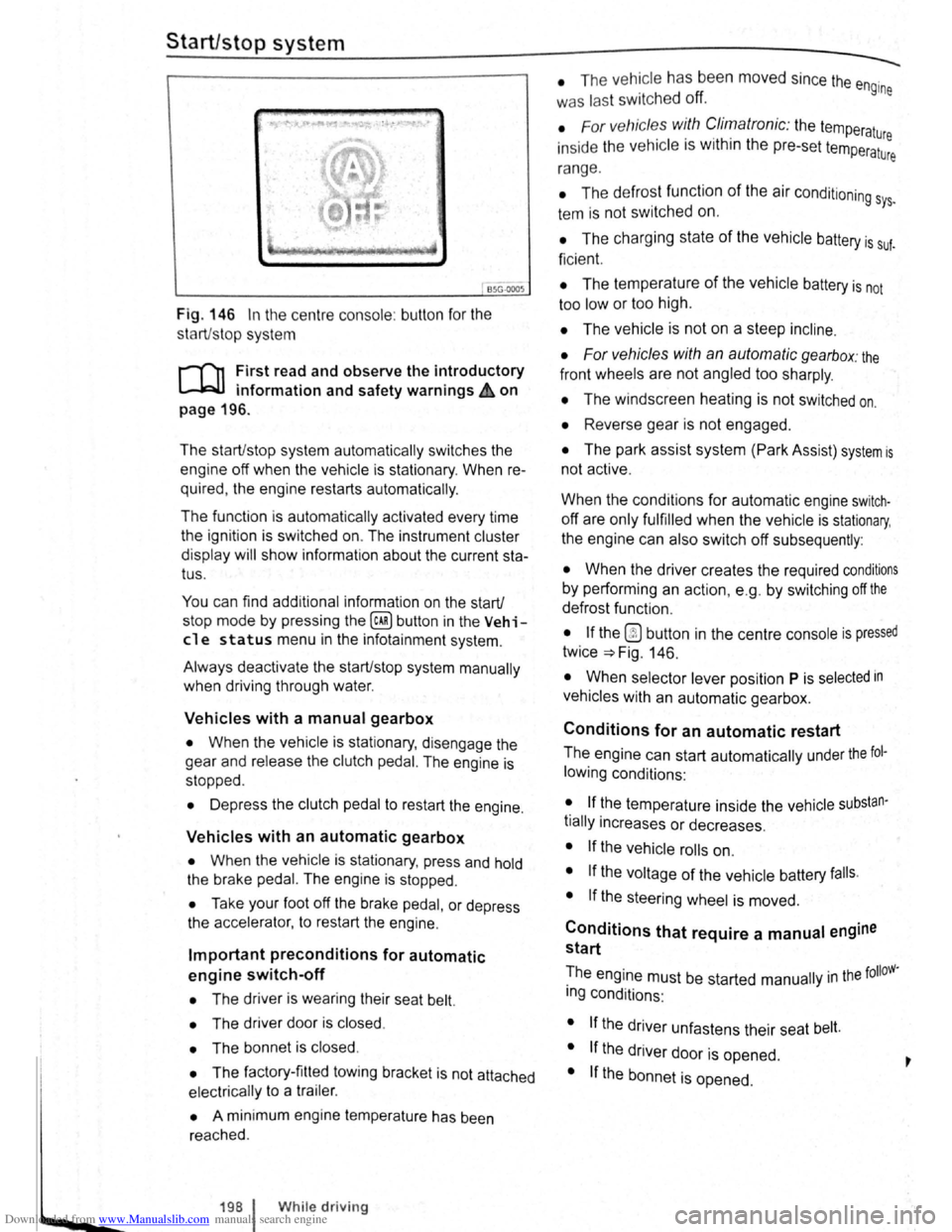
Fig. 146 In the centre consol e: butt on for the
s tart/s top syst em
r-T'n First read and observe the introductory
L-lcJJ information and safety warnings .&. on
page
196.
The start/stop system automatically switches the
engine off when the vehicle is stationary . When re
quired , the engine restarts automatically .
The function is automatically activated every time
the ignit ion is switched on. The instrument cluster
display will show information about the current sta
tus .
You can find additional information on the start/
stop mode by pressing
the~ button in the Vehi
cl e status menu in the infota inment system .
Always deactivate the start/stop system manually
when driving through water.
Vehicles with a manual gearbox
• When the vehicle is stat ionary , d isengage the
g e
ar and release the clutch pedal. The engine is
stopped .
• Depress the clutch pedal to restart the engine .
Vehicles with an automatic gearbox
• When the vehicle is stationary , press and hold
the brake pedal. The engine
is stopped.
• Ta ke your foot off the brake pedal, or depress
the acce lerator, to restart the engine .
Important preconditions for automatic
engine switch-off
• The driv er is wearing their seat belt.
• The driver door is closed .
• The bonnet is closed .
• The factory-fitted towing bracket is not attached
ele ctrically to a trailer .
• A minimum engine temperature has been
rea ched .
198 I While driving
• The ve hicle has been moved since the engine
was las t switc he d off.
• F or v ehicle s with Climatronic: the temperatu
inside the ve hicle is within the pre-set temperat~~e
ra nge .
• The de frost function of the air conditioning sys.
tem is not switched on.
• The charging state of the vehicle battery is suf.
ficient.
• The temperature of the vehicle battery is not
too
low or too high .
• The vehicle is not on a steep incline.
• For vehicles with an automatic gearbox: the
front wheels are not angled too sharply .
• The windscreen heating is not switched on.
• Reverse gear is not engaged .
• The park assist system (Park Assist) system is
not active .
When the condit ions
for automatic engine swit ch
off are only fulfilled when the vehicle is stationary,
the engine can also switch off subsequently :
• When the driver creates the required conditions
by performing an action , e .g . by switching off the
defrost function .
• If the @ button in the centre console is pressed
twice ~Fig. 146.
• When selector lever position P is selected in
vehicles with an automatic gearbox.
Conditions for an automatic restart
The engine can start automatically under the fol
lowing conditions :
• If the temperature inside the vehicle substan
tially increases or decreases .
• If the vehicle rolls on.
• If the voltage of the vehicle battery falls.
• If the steering wheel is moved.
Conditions that require a manual engine
start
The engine must be started manually in the folloW·
ing conditions :
• If the driver unfastens their seat belt.
• If the driver door is opened .
• If the bonnet is opened.
Page 98 of 138

Downloaded from www.Manualslib.com manuals search engine park Assist system
WJl Introduction
is c ha pt er contain s information on th e following
5 bJects :
par in g using the Park Assist system . . . . . . . 214
Driv in g out of a parkin g space with the Park
Assist s y stem (only parking spaces paralle l to
s id e of
road) . . . . . . . . . . . . . . . . . . . . . . . . . . . . 216
A
toma ti c brak e intervention . . . . . . . . . . . . . . 216
; e Park As sist s y stem helps the driver in findi ng
su·table park in g spaces, when parking in suitable
p a ra
lle l or perpend icu lar parking spaces and whe n
get ·n g o ut of para lle l parking spaces.
T
e Park Ass ist system has certa in system-rela ted
limitations and th e driver should be particularly
carefully when using the Park Assist system => 4::,..
One element of the Park Assi st system is the Park
Pilo~ which is des igned to provide assist an ce
when parkin g.
In vehicles w ith ParkP ilot optical display the scan
ned area to the front , rear and to the sides of the
vehicle will be shown on the screen of the radio or
the navigat ion sys tem. W ith in the scope permitted
by the sys tem , the pos it ion of obstacles w ill be
s
hown in rel at ion to the vehicle .
T he
Park Ass is t system cannot be sw itched on if
the factory -fitted towing bracket is e lectrically co n
n e
cted to the trailer.
Additional information and warnings:
• Exterior views =>page 6
• Braking , stopp ing and parking =>page 179
• ParkPilo t =>page 201
•
C leaning and caring for the vehicle exterior
~page 294
• Accessor ies, mod ificatio ns, repairs and renew al
of Parts =>page 320
..._A W ARN ING
D o not le t the extra convenience afforded by
the Park Assist system tempt you into taking
any risks when driving-this can cause acci
dents. The system is not a substitute for the
full concentration of the driver.
• Un intentional vehicle movements can
cause serious injury.
A WARNING (Continuec;f) -
• Always adapt your speed and driving style
to suit visibility, weather, road and traffic con
ditions.
• The surface of certain objects, including
clothing, as well as external noise sources do
not reflect the signals from the Park Assist
system or the parking distance warning sen
sors or can cause the system to fail to detect
objects or persons.
• Sensors have blind spots in which obsta
cles and people cannot be detected.
• Always monitor the area around the vehi
cle as the sensors will not always detect in
fants, animals and objects.
..
A WARNING .. p k
When driving into or out of a parking space
using the Park Assist system, the steering
wheel will automatically make quick turning
movements. You could be injured if you at
tempt to touch the steering wheel spokes.
• The Park Assist system uses parked vehi
cles, the kerb and other objects as guidance.
Please ensure that the wheels and tyres are not
damaged when parking the vehicle. If necessa
ry, stop the parking procedure in good time to
prevent damage to the vehicle.
• The sensors may not always be able to de
tect objects such as trailer drawbars, thin rails,
fences, posts, trees and open or opening tail
gates. This can result in damage to your vehi
cle.
•
If the ParkPilot has detected an obstacle
and issued a warning, the obstacle may move
out of the detection range of the sensors as the
vehicle approaches it, particularly if the object
is very high or very low. These objects are no
longer registered. The vehicle can sustain con
siderable damage if the warning given by the
ParkPilot is ignored. The same applies to the
Park Assist system, for example when parking
behind a lorry o r a motorbike. Therefore, al
ways check the space in front of and behind
the vehicle and stop the vehicle in good time if
necessary.
I D•ive• assist systems 12t3
~~------------------~-~! ----------------~~@~-~· ~---J~-
Page 130 of 138
Downloaded from www.Manualslib.com manuals search engine Tyre monitoring system
Introduction
Th1s ct1,1pt r contnin s inform ation on th e follow1ng
SlllliN~ts.
Tymmomto r in d1ca to r lamp . . . . . . . . . . . . . . 253
T
ro m onito r disp l y . . . . . . . . . . . . . . . . . . . 254
Additional information and warnings:
• Voll-.s w age n Inf orm ation sys te m ~p ag e 26
• lnfotainment sys te m ~page 3 1
• Tmnspo rting c:> page 126
• Brak1ng. stopp rng and parking ~page 179
• C leani ng a nd ca rin g for th e vehicle ex terio r
::-page 294
• Wheels and tyres ~page 308
•
A ccessones, modrficatrons, re parr s and renewal
or parts ~page 320
•
Consumer i nfor mation ~pag e 328
A WARNING ~~-~ ,c_. ""]
Incor rec t handling of the wheels and tyres
can lead to a sudden loss of pressure in the
tyres , trea d separation and even tyre blowout.
• Check tyre pressures regularly and always
keep to the specified tyre pressure value. If
the tyre pressure is too low, the tyre could
warm up to such an extent that the tread may
separate and the tyre could burst
~e monitor indicator lamp
• Always maintain correct cold tyre inflation
pressure as listed on the tyre pressure label
=>page 308 .
• Check tyre inflation pressure regularly
when the tyres are cold. Adjust tyre pressure
in the cold tyre to the recommended tyre
pressure for the tyres installed on your vehi
cle as necessary.
• Check your tyres regularly for signs of
w ea r or damage.
• Never exceed the top speed and load per
mitted for the fitted tyres.
CQ"' Und er-in nated tyres w111 increase fuel con
(Jtf sumption and tyre wear.
m When new tyres are dnven at high speeds for
W the firs t time, they can expand slightly and
trigger a one-off pressure
warn1ng.
m O ld tyres should o nly be re placed by tyres
W tha t have bee n app roved by Vo lkswagen fo r
the vehrcle type.
m Do not rely solely on the Tyr e Pressure Moni
L!J to nng System . Check your tyres regularly to
ensure that th
ey are properly inflated and have no
srgns of damage, such as punc tures, cuts, cracks ,
and bliste rs Remove an y
Objects th at become em
bedded 1n the tyre tread but have not penetrated
into the body
of the tyre itself
r--~~L~it_u_p _____ P_o_s_s_ib_l_e_c_a_u_s_e_~--.----------------T,S--o-lu-t-io_n __________________________ __
(I
The tyre pressure of one tyre or several • ir; Do not drive on! Reduce speed lmmedi
tyres has decreased considerably in com- 1 ately St op the vehic le as soon as possrble
panson to the tyre
pressure set by the I and when safe to do so. Avo1d swerv1ng me-
driver . or the structure of the tyre is dam-1 noeuvres and heavy brakrng'
aged .
An acoustic wamrng wrll also be Check all tyres and the tyre pressures The
sounded ,
and a correspondrng message damaged tyre should be replaced
will appear 1n the mstrument cluster and
infotainment system displays
Driver assi
st systems 253