Page 3 of 392
1
2
3
4
5
6
7
3
2-4. Using other driving systems
Cruise control ...................... 152
Driving assist systems ........ 155
2-5. Driving information Cargo and luggage ............. 157
Vehicle load limits ............... 160
Winter driving tips ............... 161
Trailer towing (except Canada) ............................ 164
Trailer towing (Canada) ...... 165
Dinghy towing (vehicles with an automatic
transmission) .................... 173
Dinghy towing (vehicles with a manual
transmission) .................... 174
3-1. Using the air conditioning system and defogger
Air conditioning system ....... 178
Rear window and outside rear view mirror
defoggers .......................... 185
3-2. Using the audio system Audio system type............... 187
Using the radio .................... 189
Using the CD player ............ 195
Playing back MP3 and WMA discs ........................ 200
Optimal use of the audio system .............................. 207
Using the AUX adapter ....... 209 3-3. Using the interior lights
Interior lights list ................. 210
• Interior light ...................... 211
• Personal lights................... 211
3-4. Using the storage features List of storage features ....... 212
• Glove boxes ..................... 212
• Cup holders ...................... 214
• Bottle holders ................... 215
• Auxiliary boxes ................. 217
3-5. Other interior features Sun visors........................... 219
Vanity mirrors ..................... 220
Clock .................................. 221
Power outlet ....................... 223
Floor mat ............................ 224
Luggage compartment features ............................ 225
4-1. Maintenance and care Cleaning and protecting the vehicle exterior ........... 228
Cleaning and protecting the vehicle interior ............ 230
4-2. Maintenance Maintenance requirements .................... 233
General maintenance ......... 235
Emission inspection and maintenance (I/M)
programs .......................... 238
3Interior features
4Maintenance and care
Page 18 of 392
18
: If equipped
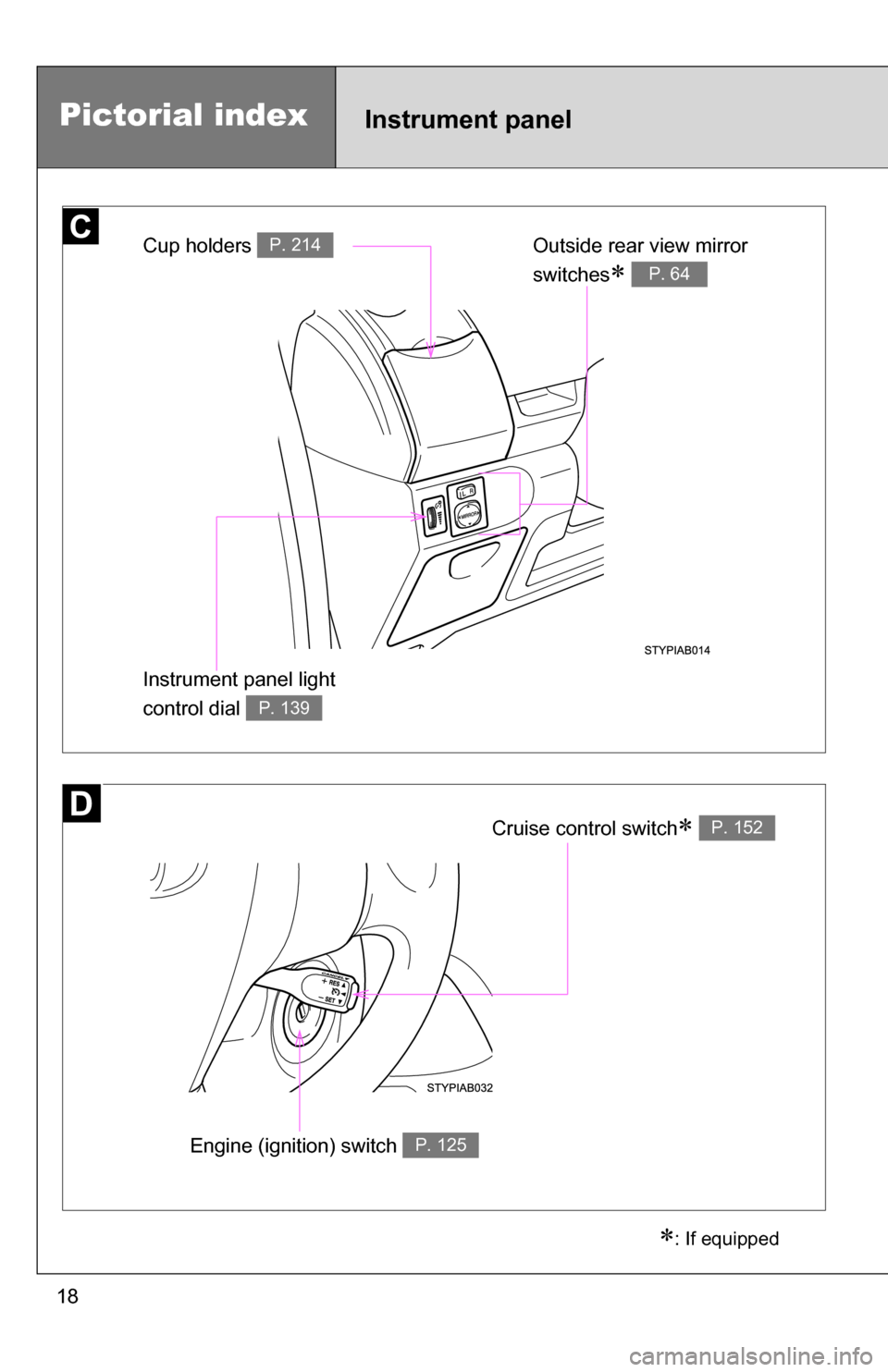
Cup holders P. 214Outside rear view mirror
switches
P. 64
Instrument panel light
control dial
P. 139
Pictorial indexInstrument panel
Cruise control switch P. 152
Engine (ignition) switch P. 125
Page 115 of 392
When driving2
115
2-1. Driving proceduresDriving the vehicle............ 116
Engine (ignition) switch .... 125
Automatic
Transmission.... 128
Manual Transmission ....... 130
Turn signal lever .............. 131
Parking brake ................... 132
Horn ................................. 134
2-2. Instrument cluster Gauges and meters ......... 135
Indicators and warning lights .............................. 141
2-3. Operating the lights and wipers
Headlight switch ............... 145
Fog light switch ................ 147
Windshield wipers and washer ........................... 148
Rear window wiper and washer ........................... 151
2-4. Using other driving systems Cruise control ................... 152
Driving assist systems ..... 155 2-5. Driving information
Cargo and luggage .......... 157
Vehicle load limits ............ 160
Winter driving tips ............ 161
Trailer towing (except Canada) ............ 164
Trailer towing (Canada) ... 165
Dinghy towing (vehicles with an automatic
transmission) ................. 173
Dinghy towing (vehicles with a manual
transmission) ................. 174
Page 143 of 392
143
2-2. Instrument cluster
2
When driving
■
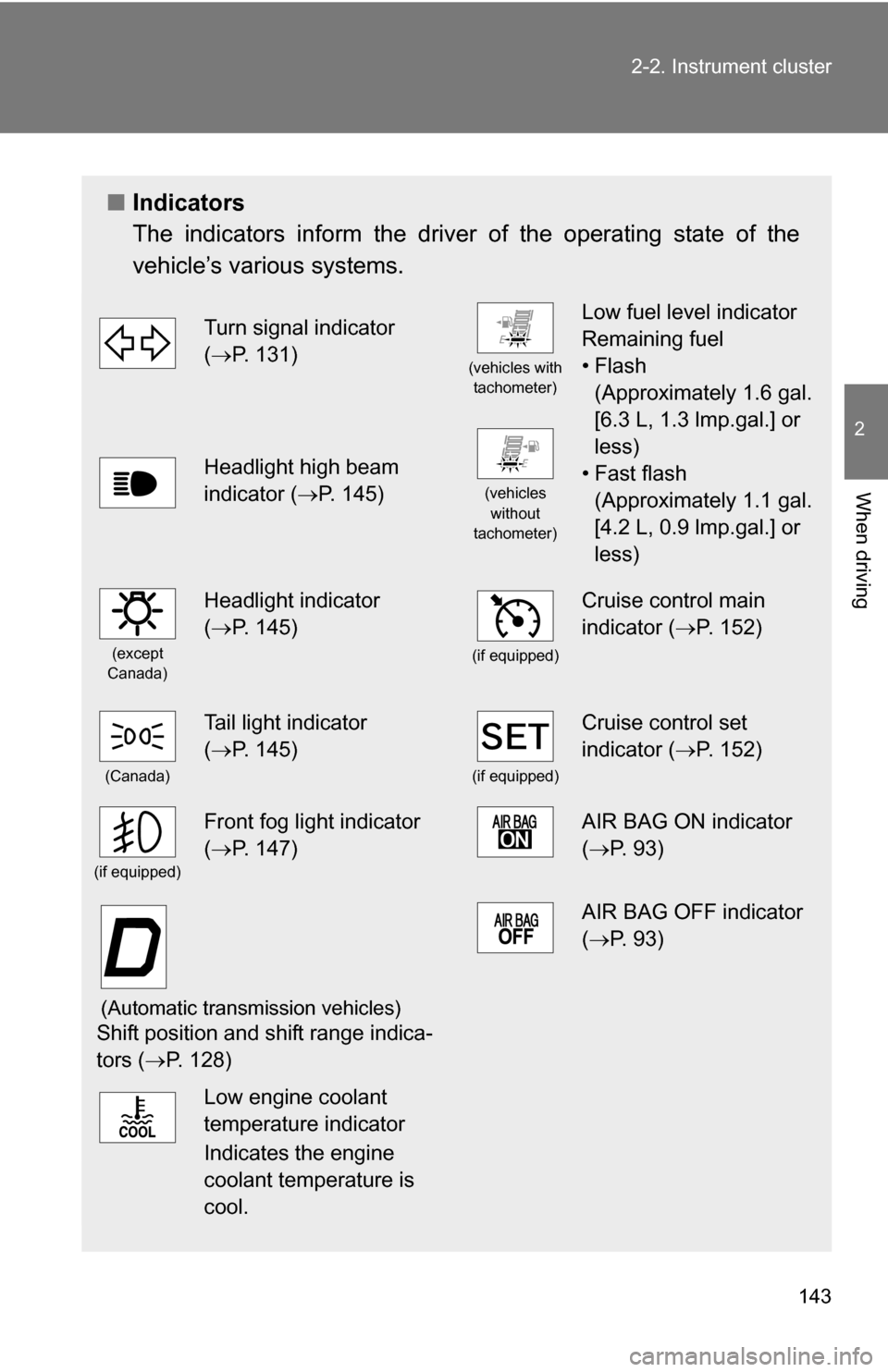
Indicators
The indicators inform the driver of the operating state of the
vehicle’s various systems.
Turn signal indicator
(P. 131)
(vehicles with
tachometer)
Low fuel level indicator
Remaining fuel
•Flash (Approximately 1.6 gal.
[6.3 L, 1.3 lmp.gal.] or
less)
• Fast flash (Approximately 1.1 gal.
[4.2 L, 0.9 lmp.gal.] or
less)
Headlight high beam
indicator ( P. 145)
(vehicles
without
tachometer)
(except
Canada)
Headlight indicator
( P. 145)
(if equipped)
Cruise control main
indicator ( P. 152)
(Canada)
Tail light indicator
(P. 145)
(if equipped)
Cruise control set
indicator ( P. 152)
(if equipped)
Front fog light indicator
(P. 147)AIR BAG ON indicator
( P. 93)
(Automatic transmission vehicles)
Shift position and shift range indica-
tors ( P. 128)
AIR BAG OFF indicator
(P. 93)
Low engine coolant
temperature indicator
Indicates the engine
coolant temperature is
cool.
Page 152 of 392
152
2-4. Using other driving systems
Cruise control (if equipped)
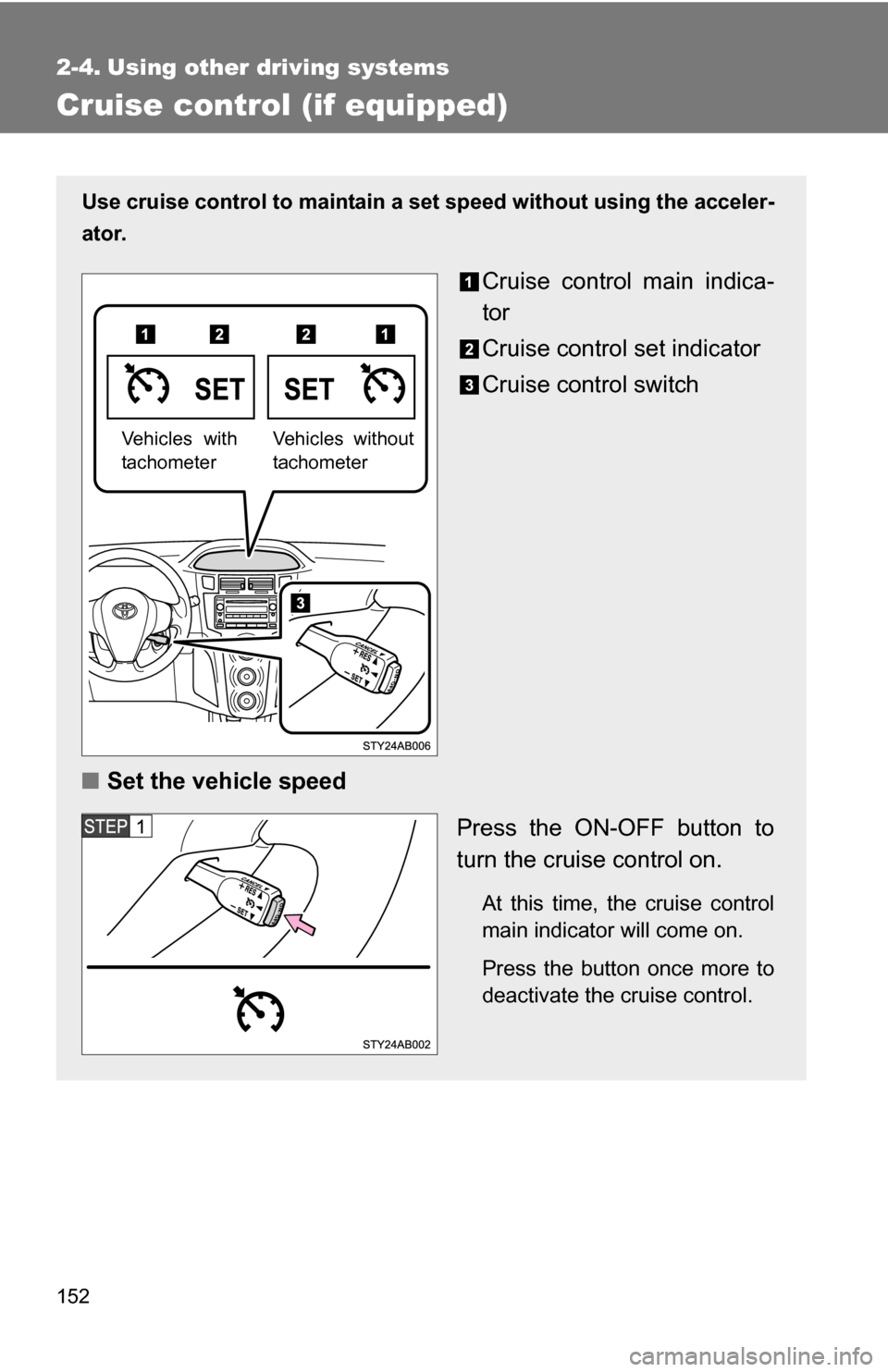
Use cruise control to maintain a set speed without using the acceler-
ator.
Cruise control main indica-
tor
Cruise control set indicator
Cruise control switch
■ Set the vehicle speed
Press the ON-OFF button to
turn the cruise control on.
At this time, the cruise control
main indicator will come on.
Press the button once more to
deactivate the cruise control.
Vehicles without
tachometerVehicles with
tachometer
Page 153 of 392
153
2-4. Using other
driving systems
2
When driving
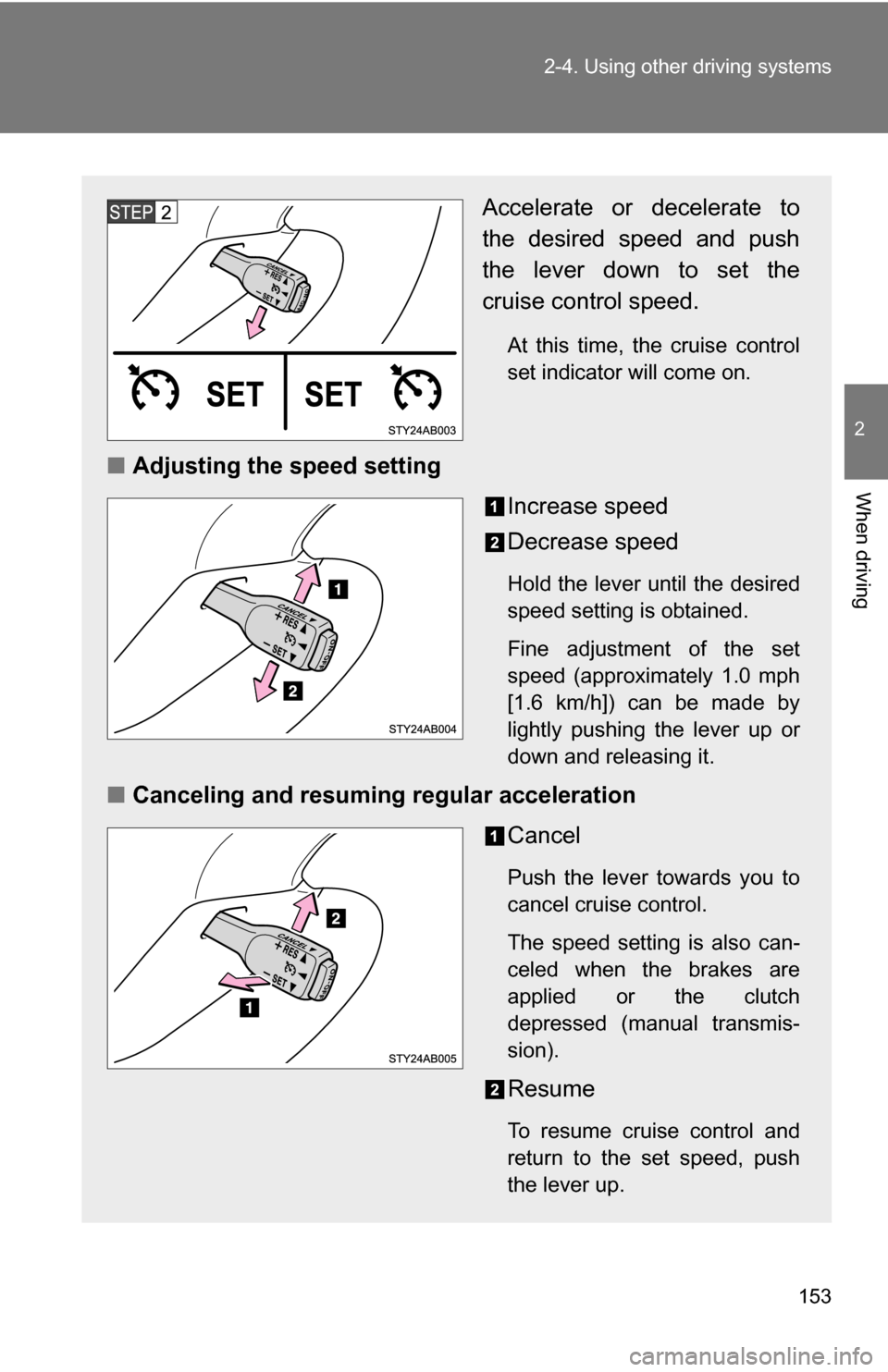
Accelerate or decelerate to
the desired speed and push
the lever down to set the
cruise control speed.
At this time, the cruise control
set indicator will come on.
■Adjusting the speed setting
Increase speed
Decrease speed
Hold the lever until the desired
speed setting is obtained.
Fine adjustment of the set
speed (approximately 1.0 mph
[1.6 km/h]) can be made by
lightly pushing the lever up or
down and releasing it.
■Canceling and resuming regular acceleration
Cancel
Push the lever towards you to
cancel cruise control.
The speed setting is also can-
celed when the brakes are
applied or the clutch
depressed (manual transmis-
sion).
Resume
To resume cruise control and
return to the set speed, push
the lever up.
Page 154 of 392
154 2-4. Using other driving systems
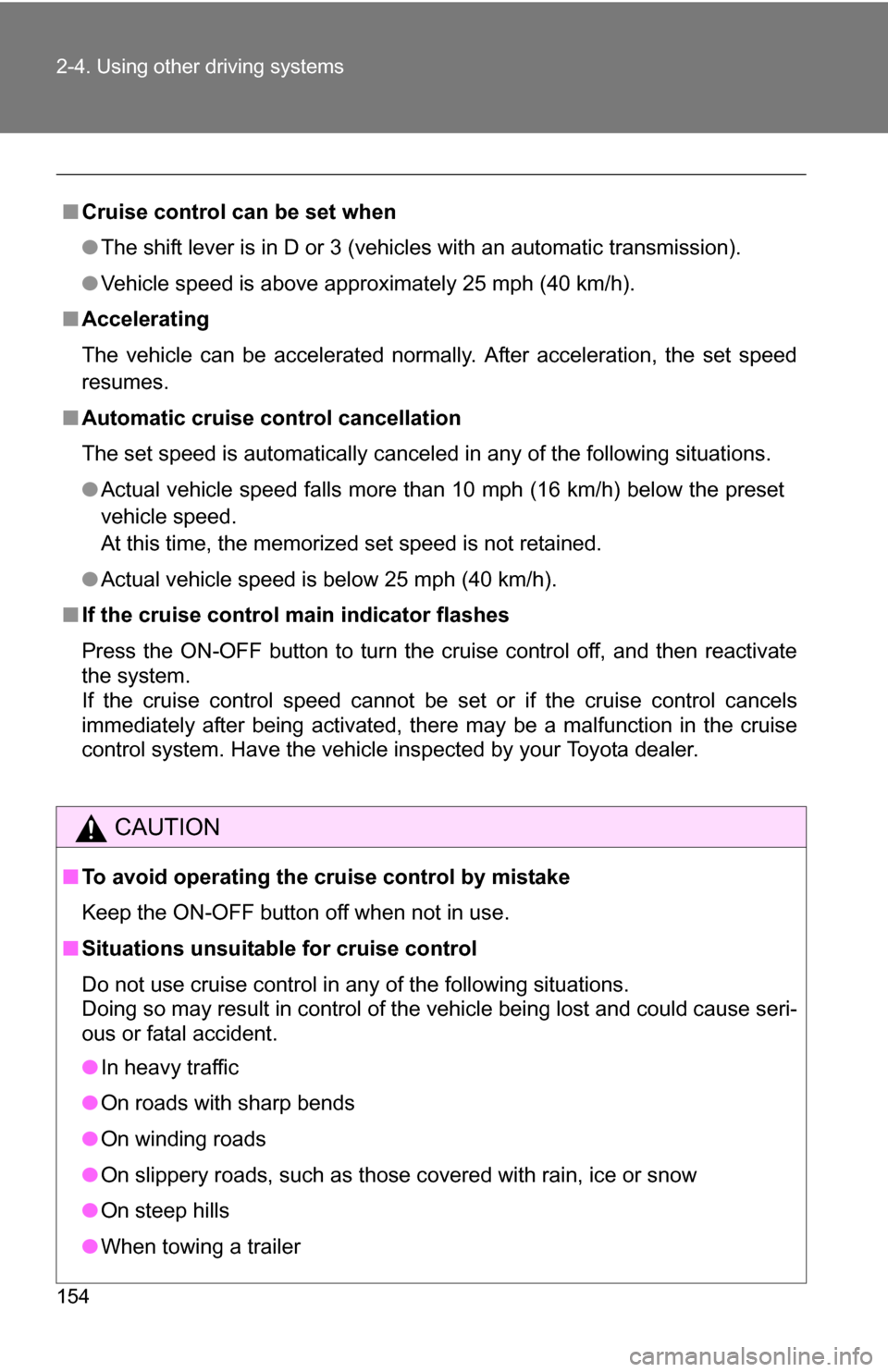
■Cruise control can be set when
●The shift lever is in D or 3 (vehicles with an automatic transmission).
● Vehicle speed is above approximately 25 mph (40 km/h).
■ Accelerating
The vehicle can be accelerated normally. After acceleration, the set speed
resumes.
■ Automatic cruise control cancellation
The set speed is automatically canceled in any of the following situations.
●Actual vehicle speed falls more than 10 mph (16 km/h) below the preset
vehicle speed.
At this time, the memorized set speed is not retained.
● Actual vehicle speed is below 25 mph (40 km/h).
■ If the cruise control main indicator flashes
Press the ON-OFF button to turn the cruise control off, and then reactivate
the system.
If the cruise control speed cannot be set or if the cruise control cancels
immediately after being activated, there may be a malfunction in the cruise
control system. Have the vehicle inspected by your Toyota dealer.
CAUTION
■To avoid operating the cruise control by mistake
Keep the ON-OFF button off when not in use.
■ Situations unsuitable for cruise control
Do not use cruise control in any of the following situations.
Doing so may result in control of the vehicle being lost and could cause seri-
ous or fatal accident.
●In heavy traffic
● On roads with sharp bends
● On winding roads
● On slippery roads, such as those covered with rain, ice or snow
● On steep hills
● When towing a trailer
Page 327 of 392
5
When trouble arises
327
5-2. Steps to take in an emergency
CAUTION
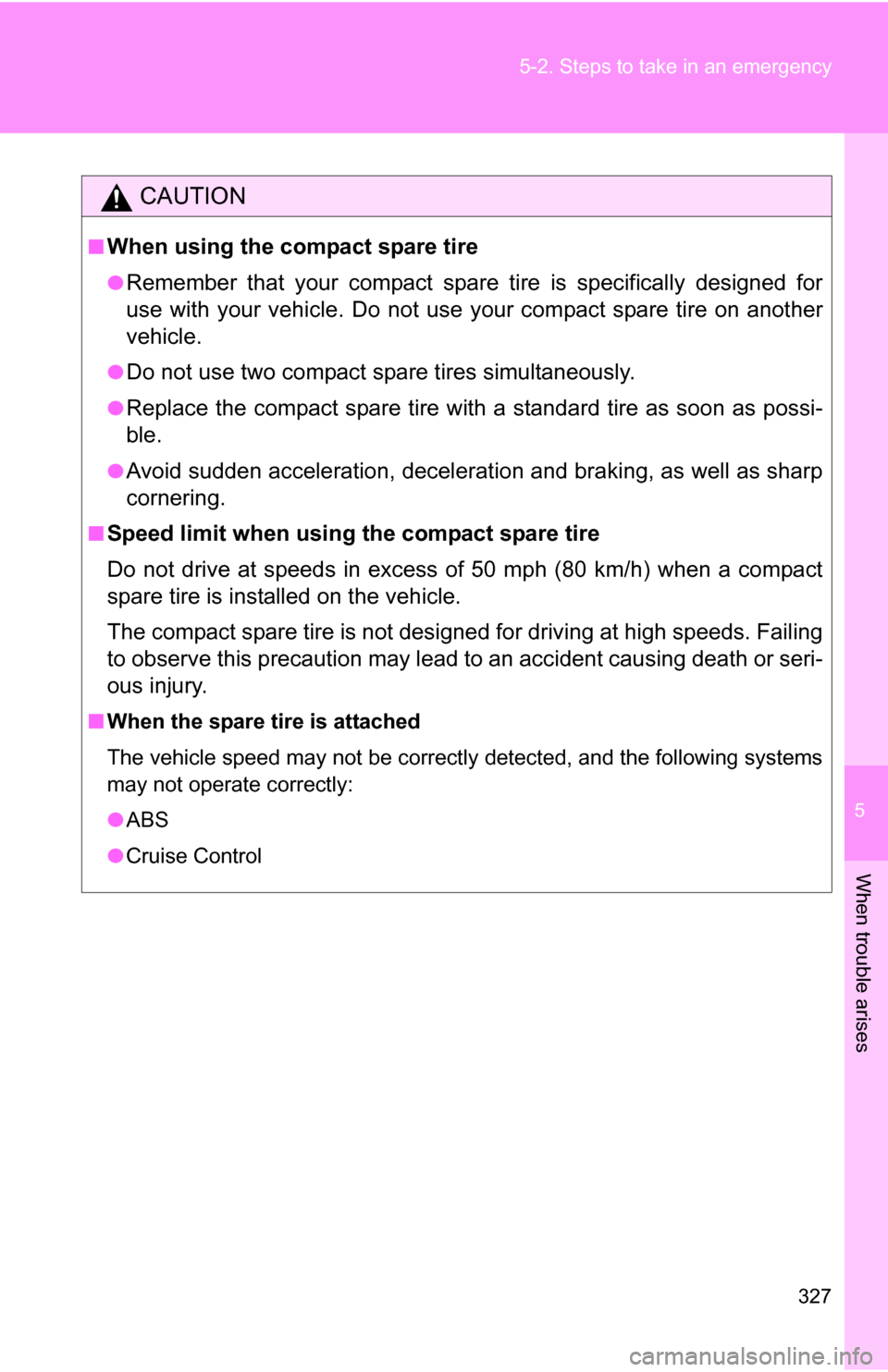
■When using the compact spare tire
●Remember that your compact spare
tire is specifically designed for
use with your vehicle. Do not use your compact spare tire on another
vehicle.
●Do not use two compact spare tires simultaneously.
●Replace the compact spare tire with a standard tire as soon as possi-
ble.
●Avoid sudden acceleration, deceleration and braking, as well as sharp
cornering.
■Speed limit when using the compact spare tire
Do not drive at speeds in excess of 50 mph (80 km/h) when a compact
spare tire is installed on the vehicle.
The compact spare tire is not designed for driving at high speeds. Failing
to observe this precaution may lead to an accident causing death or seri-
ous injury.
■ When the spare tire is attached
The vehicle speed may not be correctly detected, and the following systems
may not operate correctly:
●ABS
● Cruise Control