Page 16 of 402
14
FEATURES/OPERATIONS
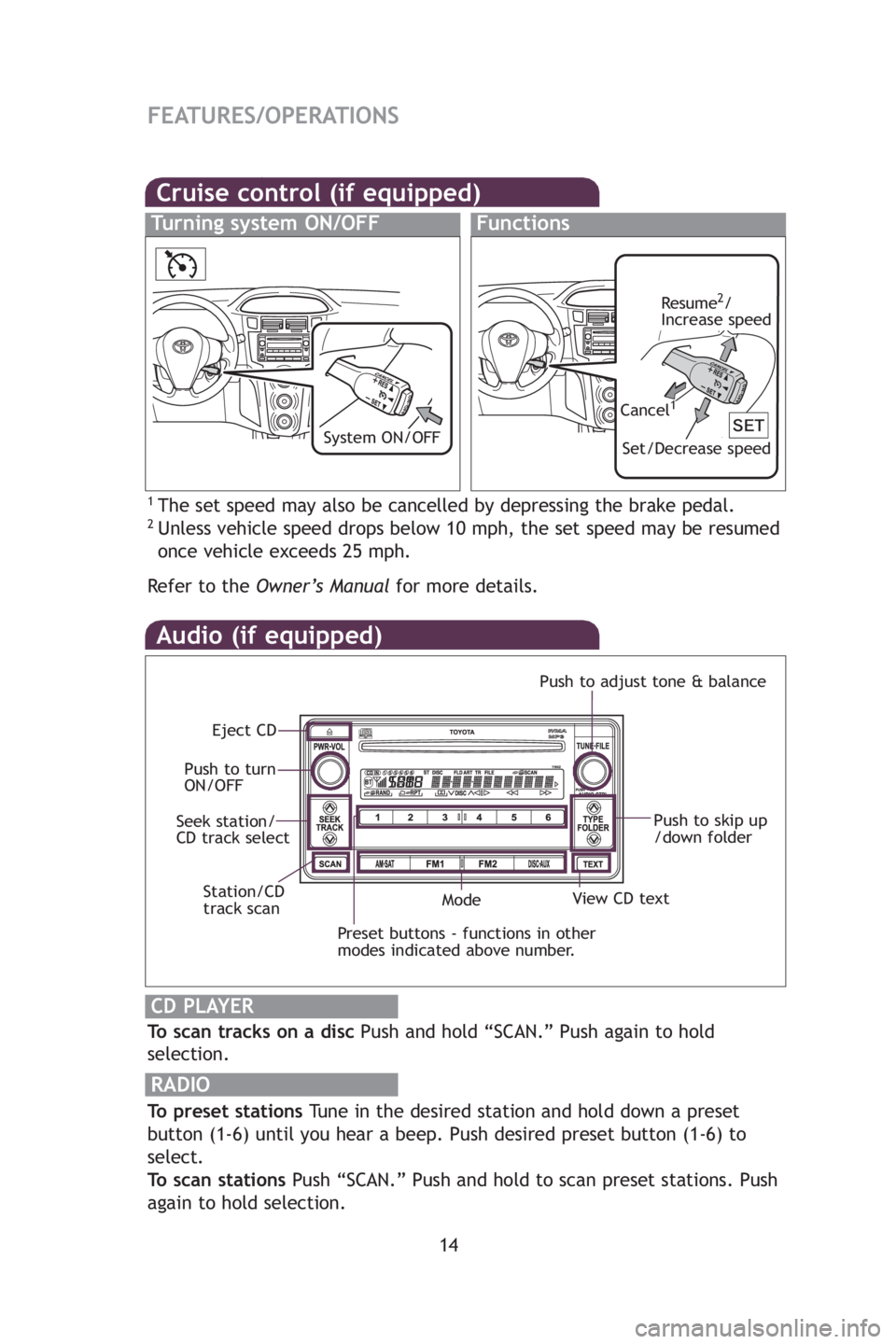
Audio (if equipped)
To scan tracks on a discPush and hold “SCAN.” Push again to hold
selection.
RADIO
To preset stations Tune in the desired station and hold down a preset
button (1-6) until you hear a beep. Push desired preset button (1-6) to
select.
To scan stations Push “SCAN.” Push and hold to scan preset stations. Push
again to hold selection.
CD PLAYER
Preset buttons - functions in other
modes indicated above number.
View CD text
Push to skip up
/down folder
Eject CD
Push to turn
ON/OFF Push to adjust tone & balance
Mode
Seek station/
CD track select
Station/CD
track scan
By in
AUX
thro
u
AUX
Lu
Ope
Cruise control (if equipped)
1The set speed may also be cancelled by depressing the brake pedal.2Unless vehicle speed drops below 10 mph, the set speed may be resumed
once vehicle exceeds 25 mph.
Refertothe Owner’s Manual for more details.
Turning system ON/OFFFunctions
Resume2/
Increase speed
Set/Decrease speed
Cancel1
System ON/OFFClo
Press
adju
Refe
Pow
Desig
posit
412782M2.qxd:_412782M2 8/18/08 2:08 PM Page 14
Page 17 of 402
15
OVERVIEW
FEATURES/OPERATIONS
SAFETY AND EMERGENCY FEATURES
Push
up
r
nce
By inserting a mini plug of a commercially available component into the
AUX audio jack, you can listen to music from a portable audio device
through the vehicle’s speaker system while in AUX mode.
AUX audio jack (if equipped)
Luggage storage box
Open
Right side:
Turn to unlock
Left side:
Turn to unlock
med
eed
eedClock
Press and hold clock reset button for adjustment mode. Press again to
adjust minutes and hours, waiting 5 seconds after each.
Refer to the Owner’s Manual for adjustment instructions.
Power outlet
Designed for 12V car accessories. Key must be in the “ACC” or “ON”
position to be used.
Clock adjustment knob
Without tachometerWith tachometer
412782M2.qxd:_412782M2 8/18/08 2:08 PM Page 15
Page 34 of 402
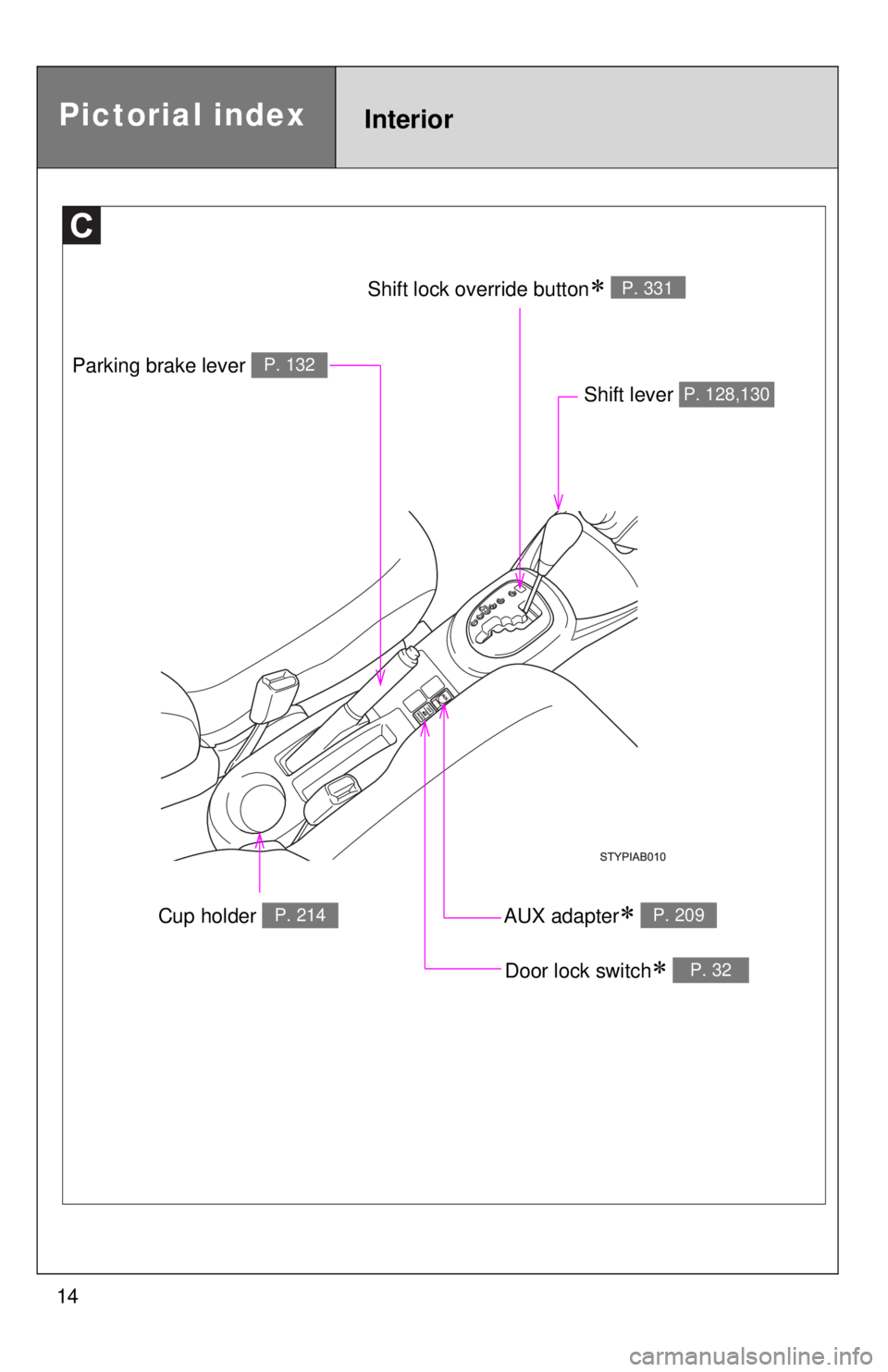
14
Cup holder P. 214
Parking brake lever P. 132
Shift lever P. 128,130
Door lock switch∗ P. 32
AUX adapter∗ P. 209
Shift lock override button∗ P. 331
Pictorial indexInterior
Page 35 of 402
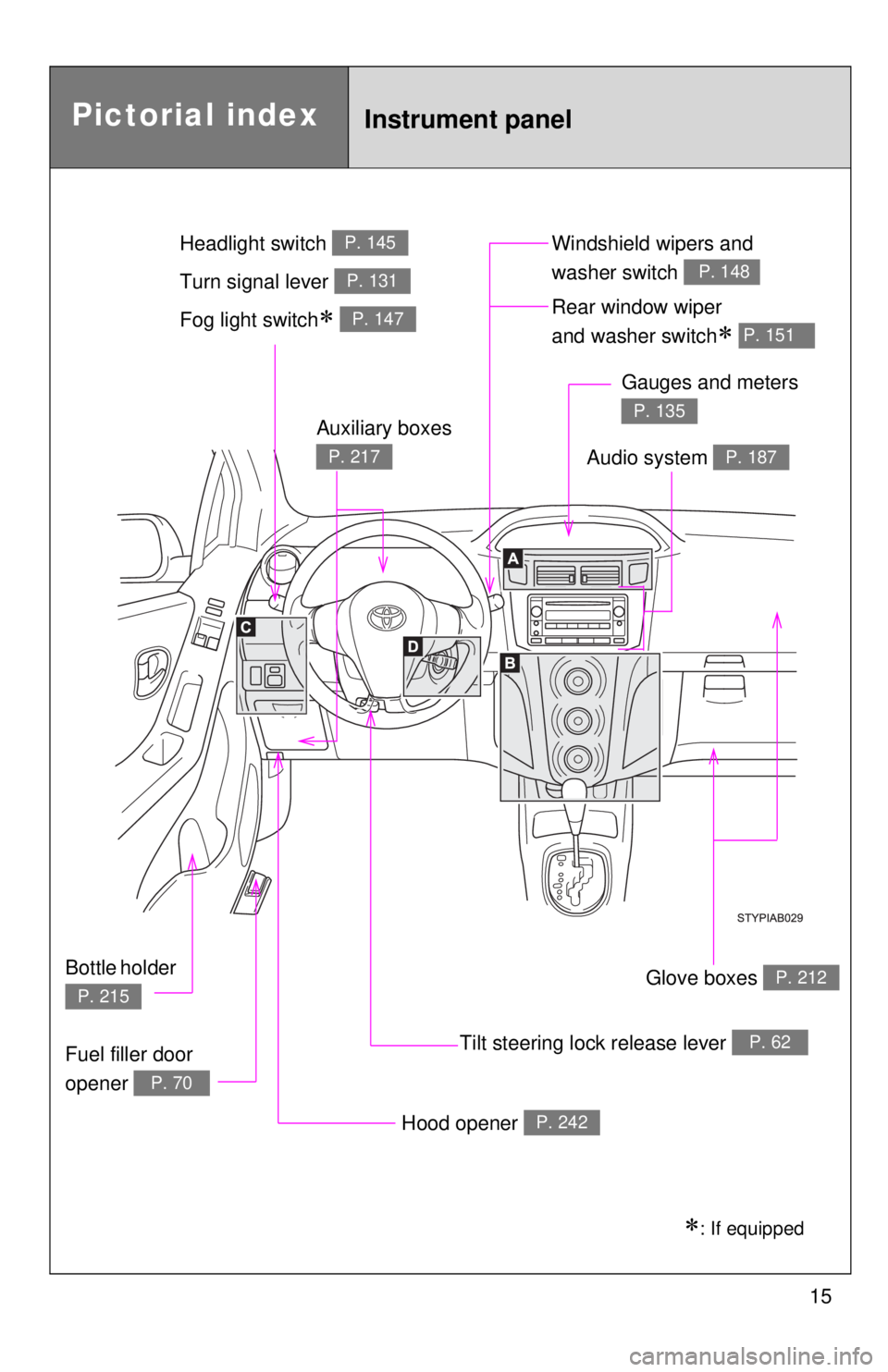
15
Pictorial indexInstrument panel
Fog light switch∗ P. 147Rear window wiper
and washer switch
∗ P. 151
Tilt steering lock release lever P. 62
Hood opener P. 242
Gauges and meters
P. 135
Audio system P. 187
Glove boxes P. 212
Fuel filler door
opener
P. 70
Auxiliary boxes
P. 217
Bottle holder
P. 215
Windshield wipers and
washer switch
P. 148Turn signal lever P. 131
Headlight switch P. 145
∗: If equipped
Page 123 of 402
109
1-7. Safety information
1
Before driving
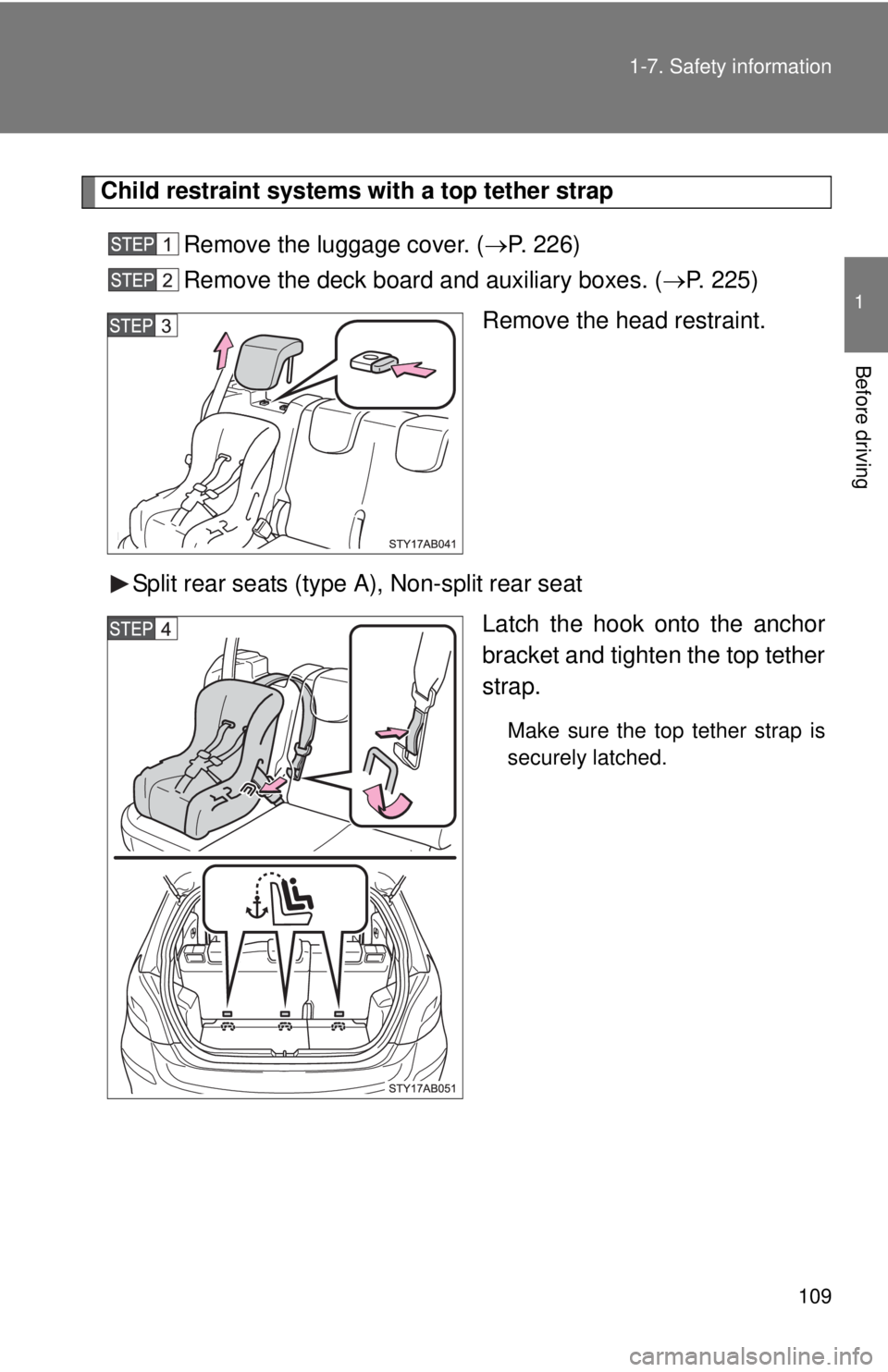
Child restraint systems with a top tether strap
Remove the luggage cover. (
→P. 226 )
Remove the deck board and auxiliary boxes. ( →P. 2 2 5 )
Remove the head restraint.
Split rear seats (type A), Non-split rear seat Latch the hook onto the anchor
b
racket and tighten the top tether
strap.
Make sure the top tether strap is
securely latched.
Page 124 of 402
110 1-7. Safety information
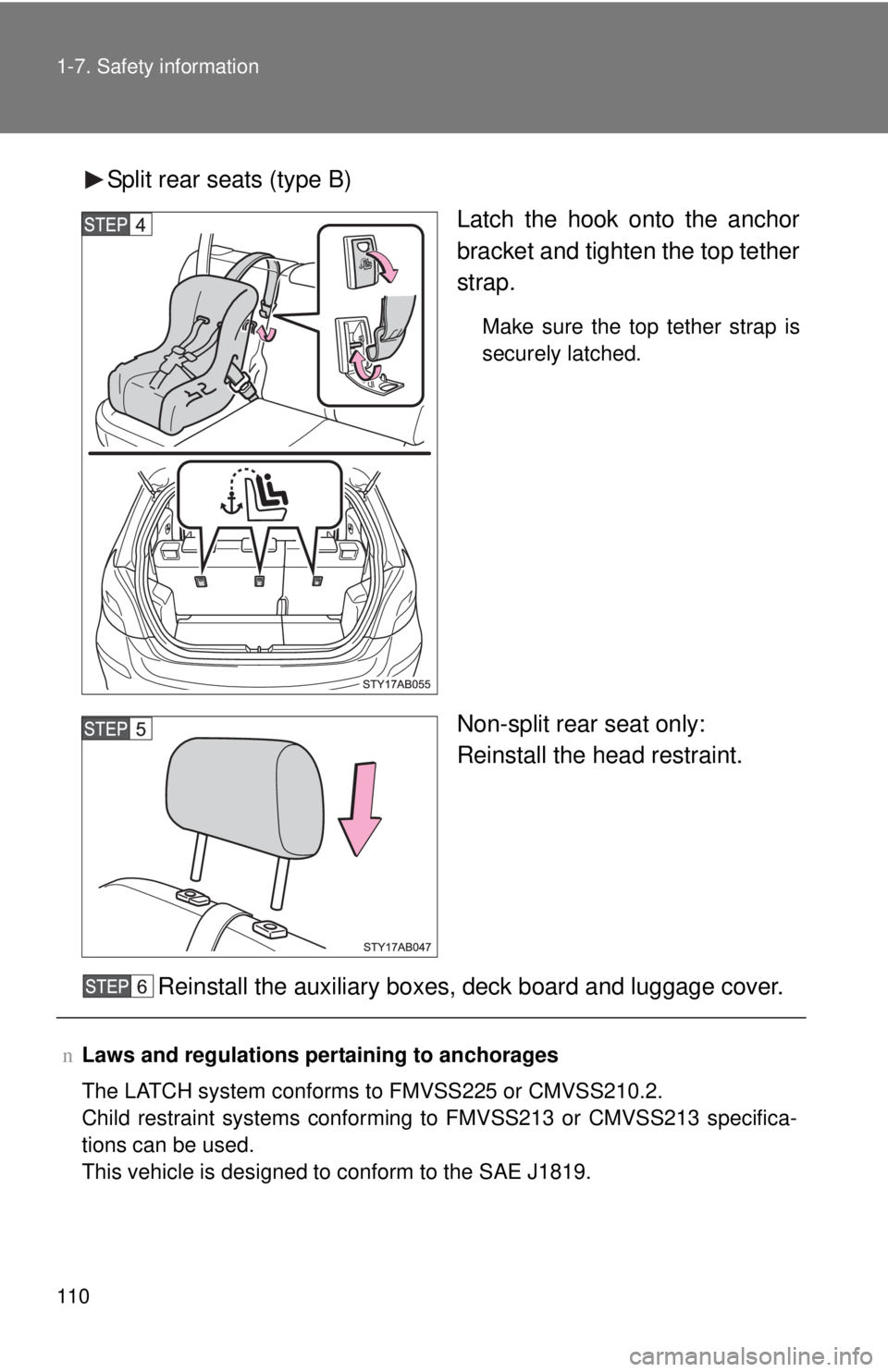
Split rear seats (type B)Latch the hook onto the anchor
b
racket and tighten the top tether
strap.
Make sure the top tether strap is
securely latched.
Non-split rear seat only:
Reinstall the head restraint.
Reinstall the auxiliary boxes, deck board and luggage cover.
n Laws and regulations pertaining to anchorages
The LATCH system conforms to FMVSS225 or CMVSS210.2.
Child restraint systems conforming to FMVSS213 or CMVSS213 specifica -
tions can be used.
This vehicle is designed to conform to the SAE J1819.
Page 199 of 402
187
3
Interior features
3-2. Using the audio system
Audio system type
nUsing cellular phones
Interference may be heard through the audio system's speakers if a cellular
phone is being used inside or close to the vehicle while the audio syste\
m is
operatin
g.
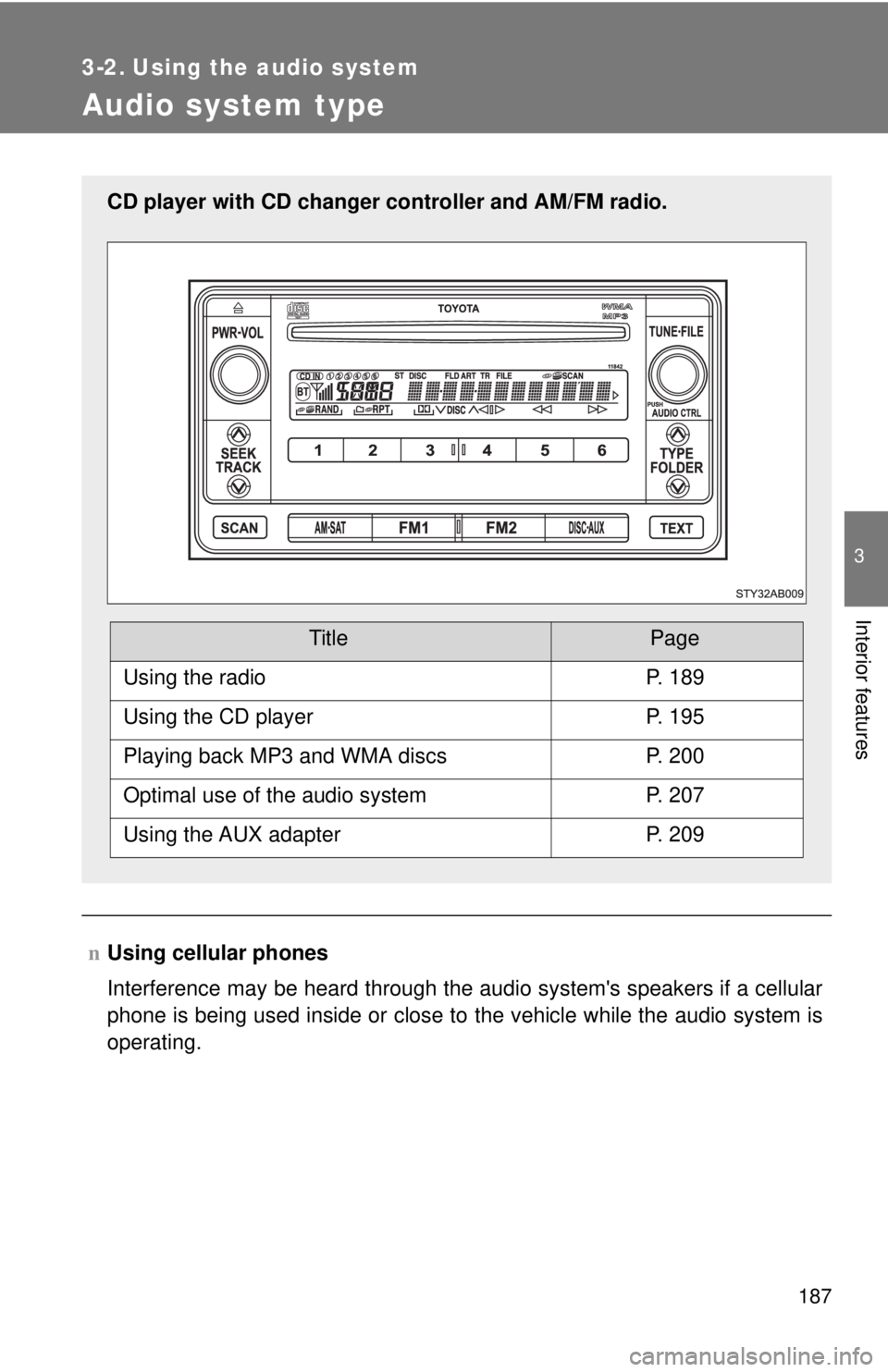
CD player with CD changer controller and AM/FM radio.
TitlePage
Using the radioP. 189
Using the CD playerP. 195
Playing back MP3 and WMA discsP. 200
Optimal use of the audio systemP. 207
Using the AUX adapterP. 209
Page 221 of 402
209
3-2. Using the audio system
3
Interior features
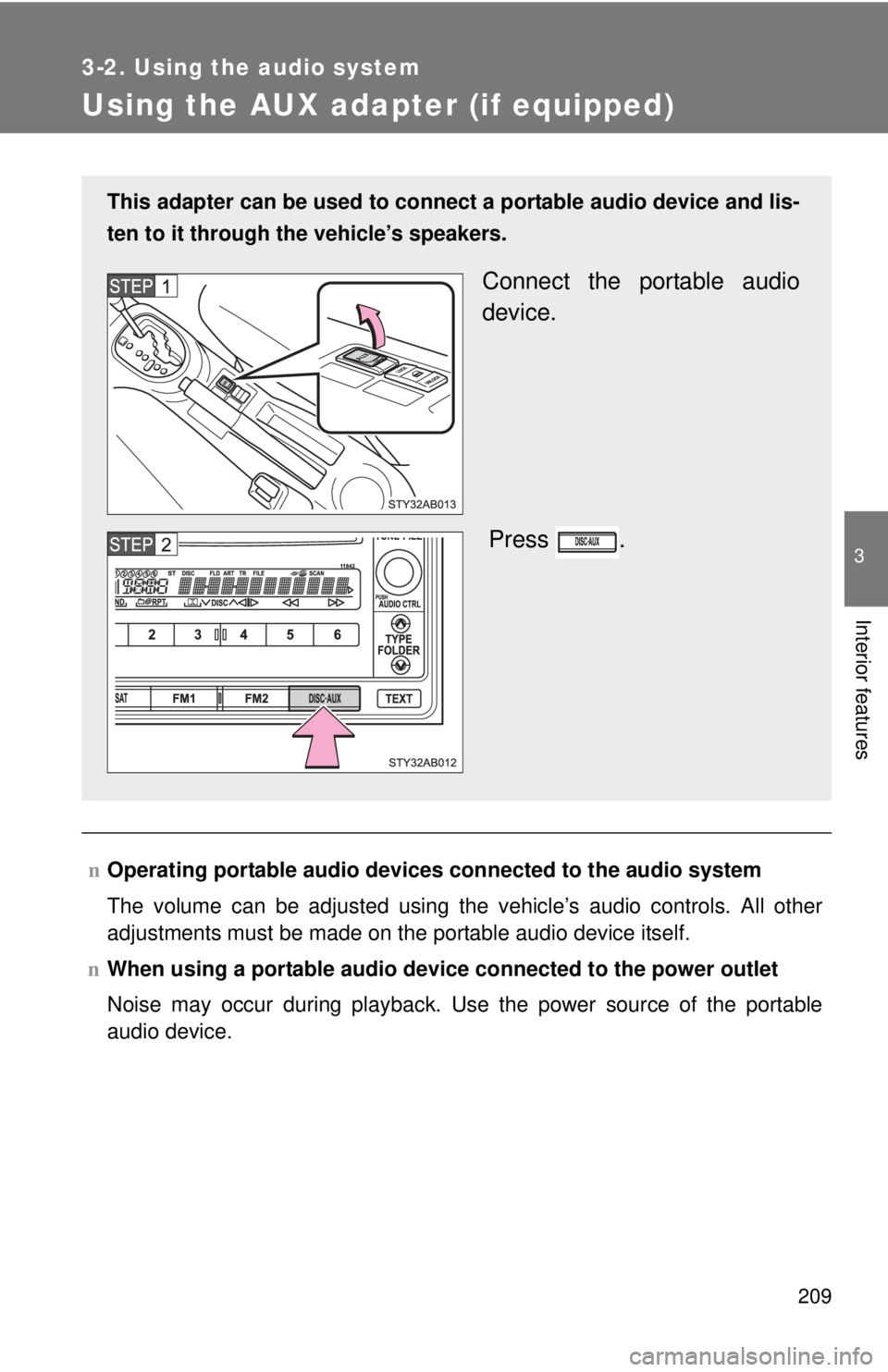
Using the AUX adapter (if equipped)
nOperating portable audio devices connected to the audio system
The volume can be adjusted using the vehicle’s audio controls. All other
adjustment
s must be made on the portable audio device itself.
n When
using a portable audio devi ce connected to the power outlet
Noise may occur during playback. Use the power source of the portable
audio device.
This adapter can be used to connect a portable audio device and lis-
ten to it through the vehicle’
s speakers.
Connect the portable audio
device.
Press .