Page 157 of 592
When driving2
157
2-1. Driving procedures ........ 158Driving the vehicle............ 158
Engine (ignition) switch .... 167
Automatic transmission .... 170
Turn signal lever .............. 172
Parking brake ................... 173
2-2. Instrument cluster and information display...... 174
Gauges and meters ......... 174
Indicators and warning lights .............................. 177
Trip information display .... 181 2-3. Operating the lights and
wipers ........................... 185
Headlight switch ............... 185
Fog light switch ................ 190
Windshield wipers and washer ........................... 191
Rear window wiper and washer ........................... 193
2-4. Using other driving systems ........................ 194
Cruise control ................... 194
Dynamic laser cruise control ............................ 197
Intuitive parking assist...... 209
Driving assist systems ..... 215
2-5. Driving information ........ 219 Cargo and luggage .......... 219
Vehicle load limits ............ 225
Winter driving tips ............ 226
Trailer towing ................... 229
Dinghy towing .................. 237
Page 174 of 592
174
2-2. Instrument cluster and information display
Gauges and meters
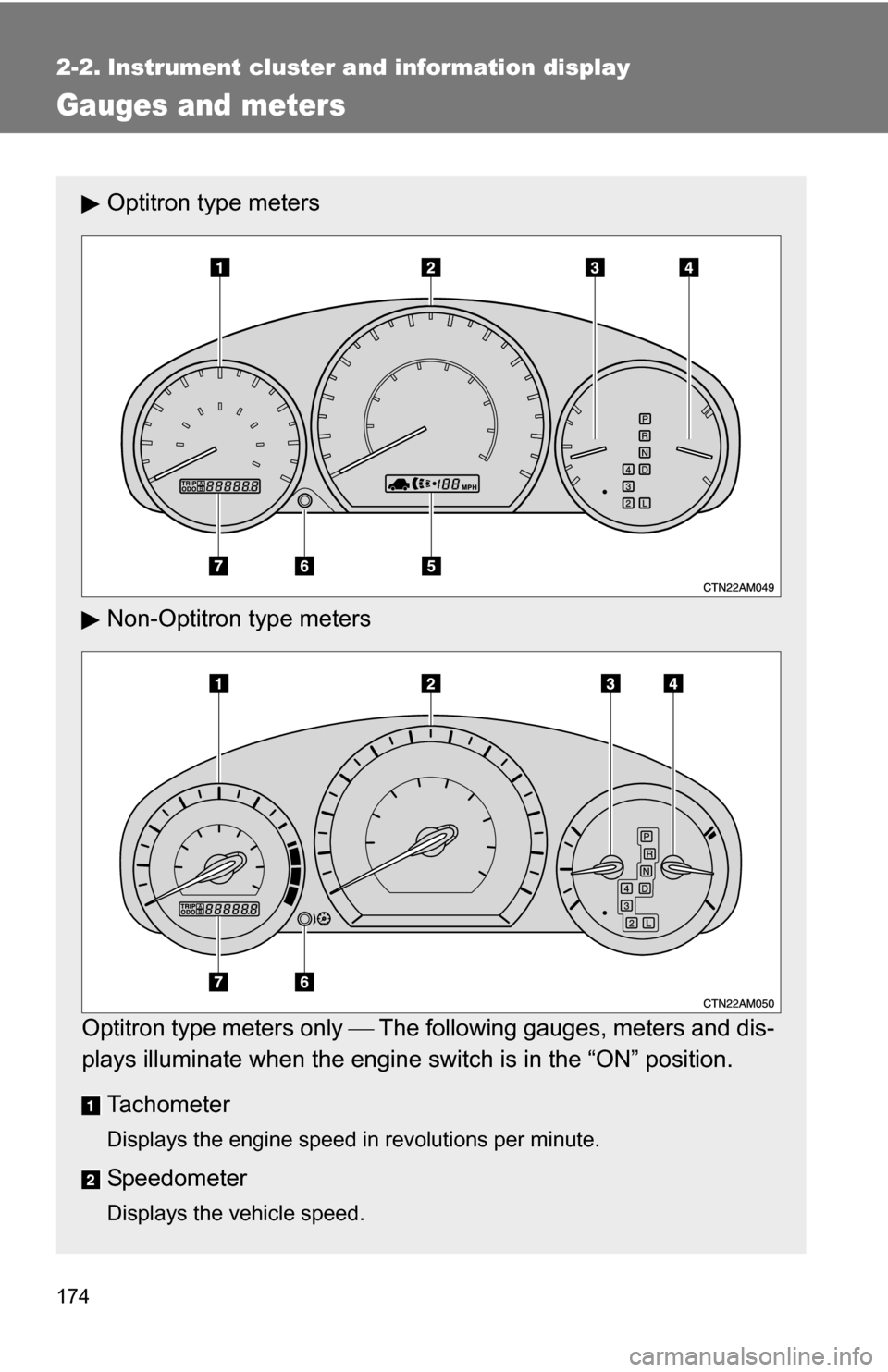
Optitron type meters
Non-Optitron type meters
Optitron type meters only The following gauges, meters and dis-
plays illuminate when the engine switch is in the “ON” position.
Tachometer
Displays the engine speed in revolutions per minute.
Speedometer
Displays the vehicle speed.
Page 175 of 592
175
2-2. Instrument cluster and information display
2
When driving
Fuel gauge
Displays the quantity of fuel remaining in the tank.
Engine coolant temperature gauge
Displays the engine coolant temperature.
Dynamic laser cruise control display (if equipped)
P. 197
Odometer/trip meter/instrument p
anel light control and trip meter
reset button
Switches between odometer and trip meter displays. Pressing and
holding the button will reset the trip meter when the trip meter is being
displayed.
To adjust the brightness of the instrument panel light, turn the button.
( P. 176)
Odometer and trip meter
Odometer: Displays the total distance the vehicle has been driven.
Trip meter: Displays the distance the vehicle has been driven since the
meter was last reset. Trip meters “A” and “B” can be used to record and
display different distances independently.
Page 176 of 592
176 2-2. Instrument cluster and information display
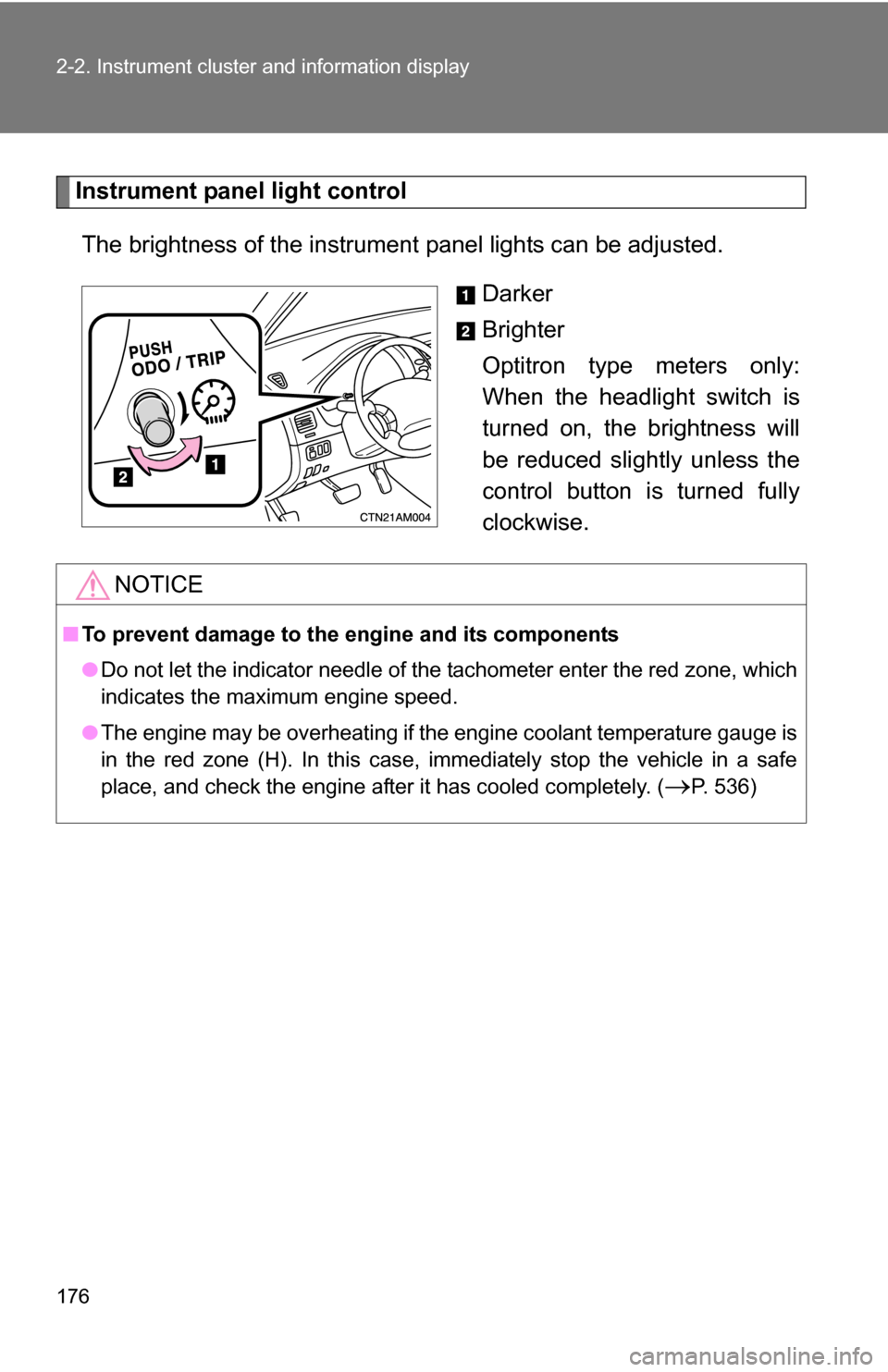
Instrument panel light controlThe brightness of the instrument panel lights can be adjusted.
Darker
Brighter
Optitron type meters only:
When the headlight switch is
turned on, the brightness will
be reduced slightly unless the
control button is turned fully
clockwise.
NOTICE
■To prevent damage to the engine and its components
●Do not let the indicator needle of the tachometer enter the red zone, which
indicates the maximum engine speed.
● The engine may be overheating if the engine coolant temperature gauge is
in the red zone (H). In this case, immediately stop the vehicle in a safe
place, and check the engine after it has cooled completely. (
P. 536)
Page 177 of 592
177
2-2. Instrument cluster and information display
2
When driving
Indicators and warning lights
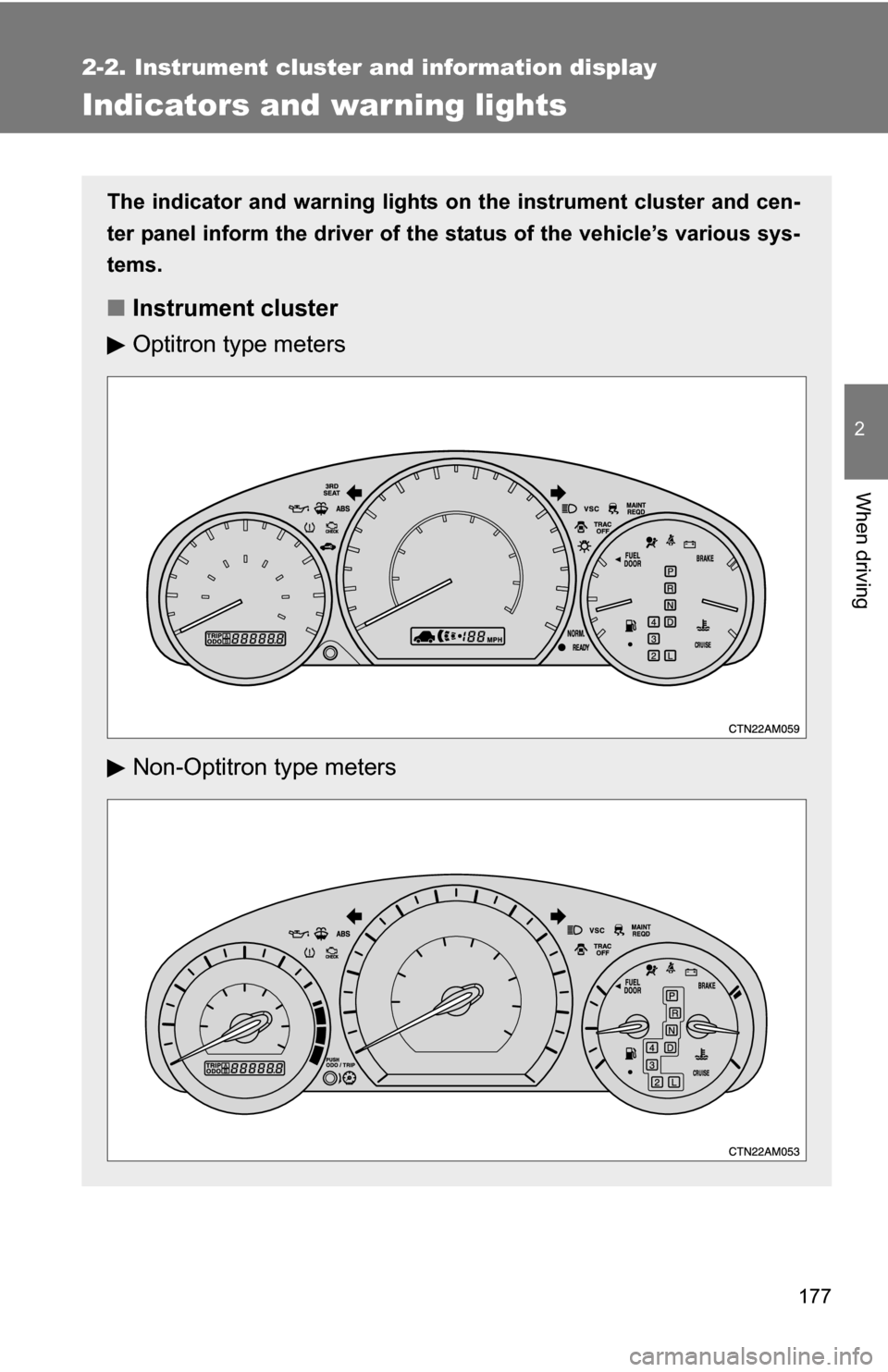
The indicator and warning lights on the instrument cluster and cen-
ter panel inform the driver of the status of the vehicle’s various sys-
tems.
■ Instrument cluster
Optitron type meters
Non-Optitron type meters
Page 178 of 592
178 2-2. Instrument cluster and information display
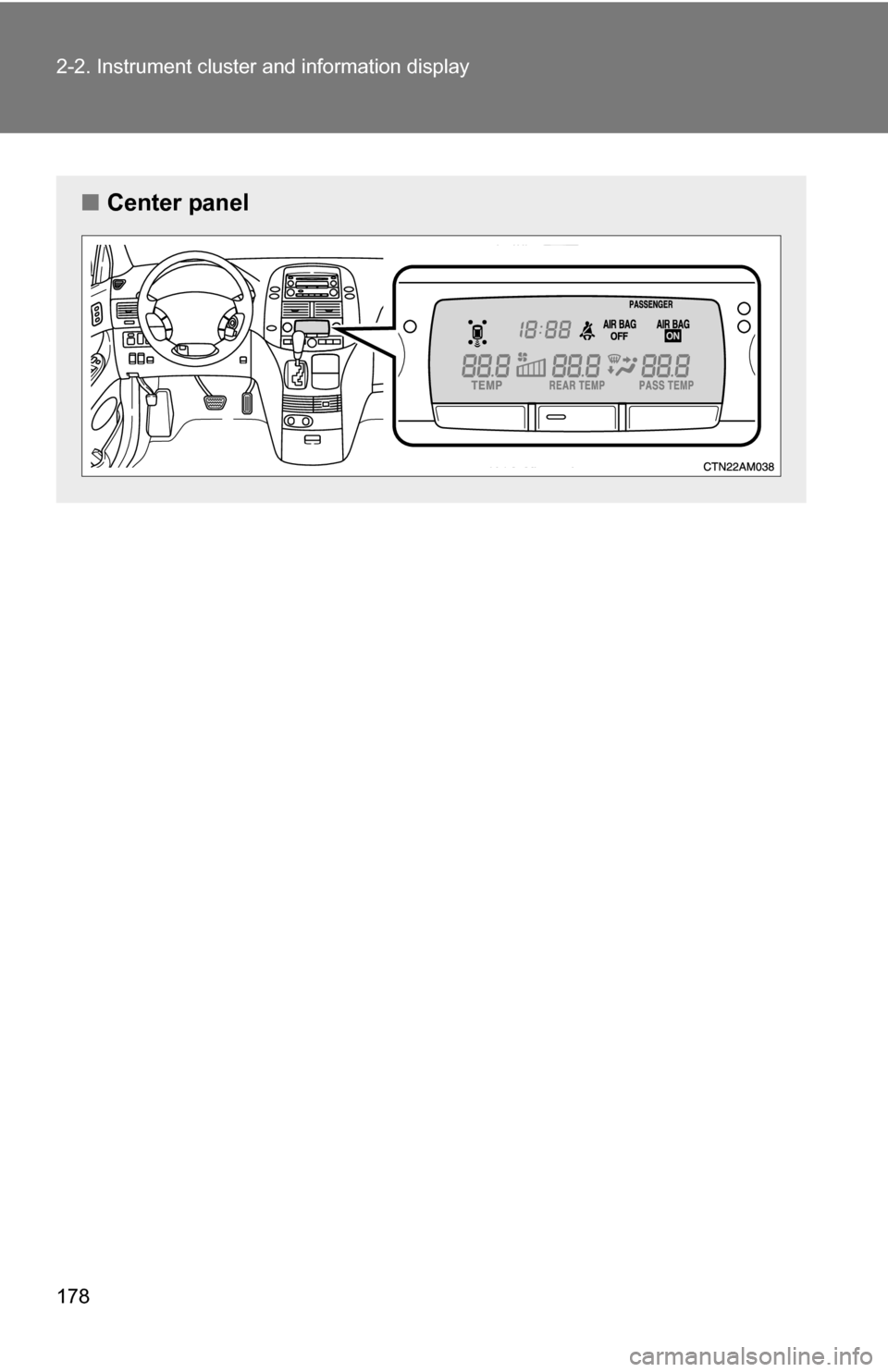
■Center panel
Page 179 of 592

179
2-2. Instrument cluster and information display
2
When driving
■
Indicators
The indicators inform the driver of the operating state of the
vehicle’s various systems.
*1: These lights turn on when the engine switch is turned to the “ON”
position to indicate that a system check is being performed. They
will turn off after the engine is started, or after a few seconds. There
may be a malfunction in a system if a light does not come on, or if
the lights do not turn off. Have the vehicle inspected by your Toyota
dealer for details.
*2: For vehicles sold in U.S.A. *3:For vehicles sold in Canada
Turn signal indicator
(P. 172)
(if equipped)
Headlight indicator
( P. 185)
Headlight high beam
indicator ( P. 186)
(if equipped)
Tail light indicator
(P. 185)
Slip indicator
(P. 215)
(if equipped)
Engine immobilizer/theft
deterrent system
indicator ( P. 110, 112)
Cruise control indicator/
dynamic laser cruise
control indicator
(P. 194, 197)
Shift position indicators ( P. 170)
(if equipped)
Conventional cruise
control mode indicator
(P. 197)
(if equipped)
Intuitive parking assist
indicator ( P. 209)
(if equipped)
Dynamic laser cruise
control ready mode
indicator (P. 197)
(if equipped)
“TRAC OFF” indicator
(P. 216)
“AIR BAG ON” and “AIR
BAG OFF” indicator
(P. 129)
*2
*3
*1
*1*1
*1
Page 180 of 592
180 2-2. Instrument cluster and information display
CAUTION
■If a safety system warning light does not come on
Should a safety system light such as the ABS or SRS airbag warning light
not come on when you start the engine, this could mean that these systems
are not available to help protect you in an accident, which could result in
death or serious injury. Have the vehicle inspected by your Toyota dealer
immediately if this occurs.
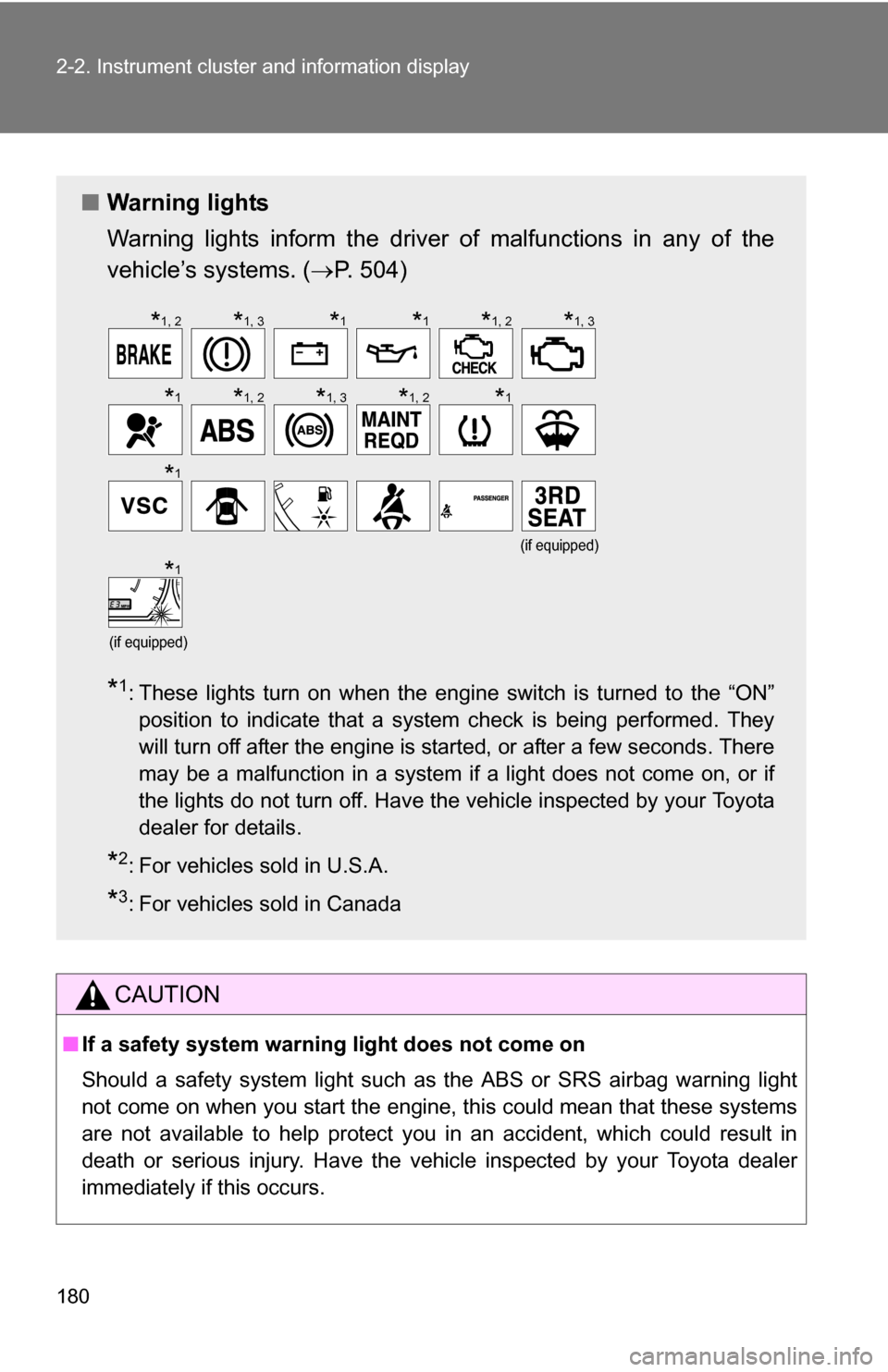
■ Warning lights
Warning lights inform the driver of malfunctions in any of the
vehicle’s systems. ( P. 504)
*1: These lights turn on when the engine switch is turned to the “ON”
position to indicate that a system check is being performed. They
will turn off after the engine is started, or after a few seconds. There
may be a malfunction in a system if a light does not come on, or if
the lights do not turn off. Have the vehicle inspected by your Toyota
dealer for details.
*2: For vehicles sold in U.S.A.
*3: For vehicles sold in Canada
(if equipped)
(if equipped)
*1, 2*1, 3*1*1*1, 2*1, 3
*1*1, 2*1, 3*1, 2*1
*1
*1