Page 225 of 592

225
2-5. Driving information
2
When driving
Vehicle load limits
■Total load capacity and seating capacity
These details are also described on the tire and loading information
label. (P. 463)
CAUTION
■Overloading the vehicle
Do not overload the vehicle.
It may not only cause damage to the ti res, but also degrade steering and
braking ability, resulting in an accident.
Vehicle load limits include total load capacity, seating capacity,
towing capacity and cargo capacity.
■ Total load capacity: ( P. 542)
Total load capacity means the combined weight of occupants, cargo
and luggage.
■ Seating capacity:
7-passenger models
Total 7 (Front 2, Rear 5)
8-passenger models
Total 8 (Front 2, Rear 6)
Seating capacity means the maxi mum number of occupants whose
estimated average weight is 150 lb. (68 kg) per person.
■ Towing capacity
Without towing package: 1200 lb. (544 kg)
With towing package: 3500 lb. (1585 kg)
Towing capacity means the maximu m gross trailer weight (trailer
weight plus its cargo weight) that your vehicle is able to tow.
■Cargo capacity
Cargo capacity may increase or decrease depending on the weight
and the number of occupants.
Page 234 of 592
234 2-5. Driving information
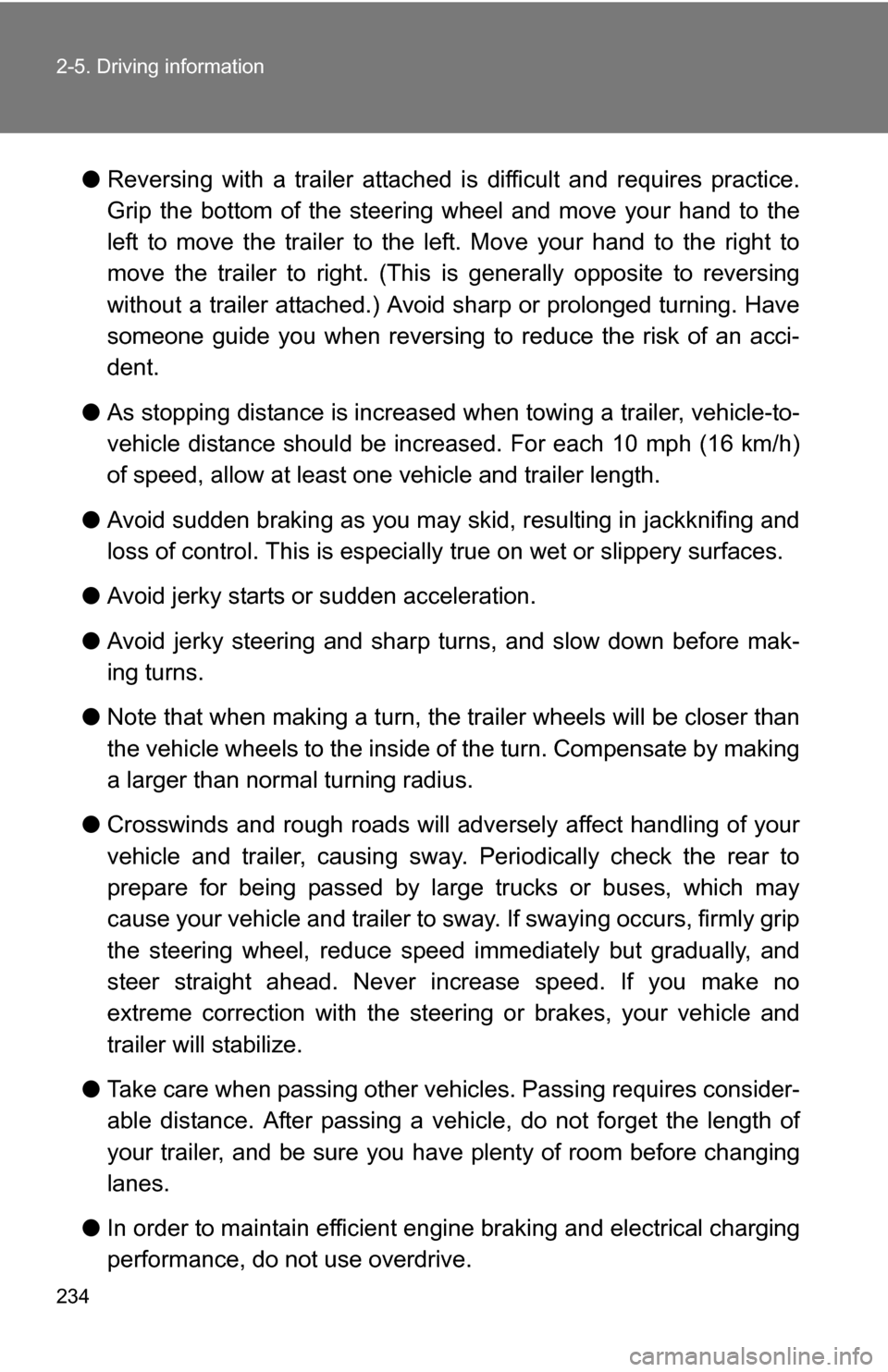
●Reversing with a trailer attached is difficult and requires practice.
Grip the bottom of the steering wheel and move your hand to the
left to move the trailer to the left. Move your hand to the right to
move the trailer to right. (This is generally opposite to reversing
without a trailer attached.) Avoid sharp or prolonged turning. Have
someone guide you when reversing to reduce the risk of an acci-
dent.
● As stopping distance is increased when towing a trailer, vehicle-to-
vehicle distance should be increased. For each 10 mph (16 km/h)
of speed, allow at least o ne vehicle and trailer length.
● Avoid sudden braking as you may skid, resulting in jackknifing and
loss of control. This is especiall y true on wet or slippery surfaces.
● Avoid jerky starts or sudden acceleration.
● Avoid jerky steering and sharp turns, and slow down before mak-
ing turns.
● Note that when making a turn, th e trailer wheels will be closer than
the vehicle wheels to the inside of the turn. Compensate by making
a larger than normal turning radius.
● Crosswinds and rough roads will adversely affect handling of your
vehicle and trailer, causing sway . Periodically check the rear to
prepare for being passed by large trucks or buses, which may
cause your vehicle and trailer to sway. If swaying occurs, firmly grip
the steering wheel, reduce speed immediately but gradually, and
steer straight ahead. Never increase speed. If you make no
extreme correction with the stee ring or brakes, your vehicle and
trailer will stabilize.
● Take care when passing other v ehicles. Passing requires consider-
able distance. After passing a vehi cle, do not forget the length of
your trailer, and be sure you hav e plenty of room before changing
lanes.
● In order to maintain efficient engine braking and electrical charging
performance, do not use overdrive.
Page 238 of 592
238
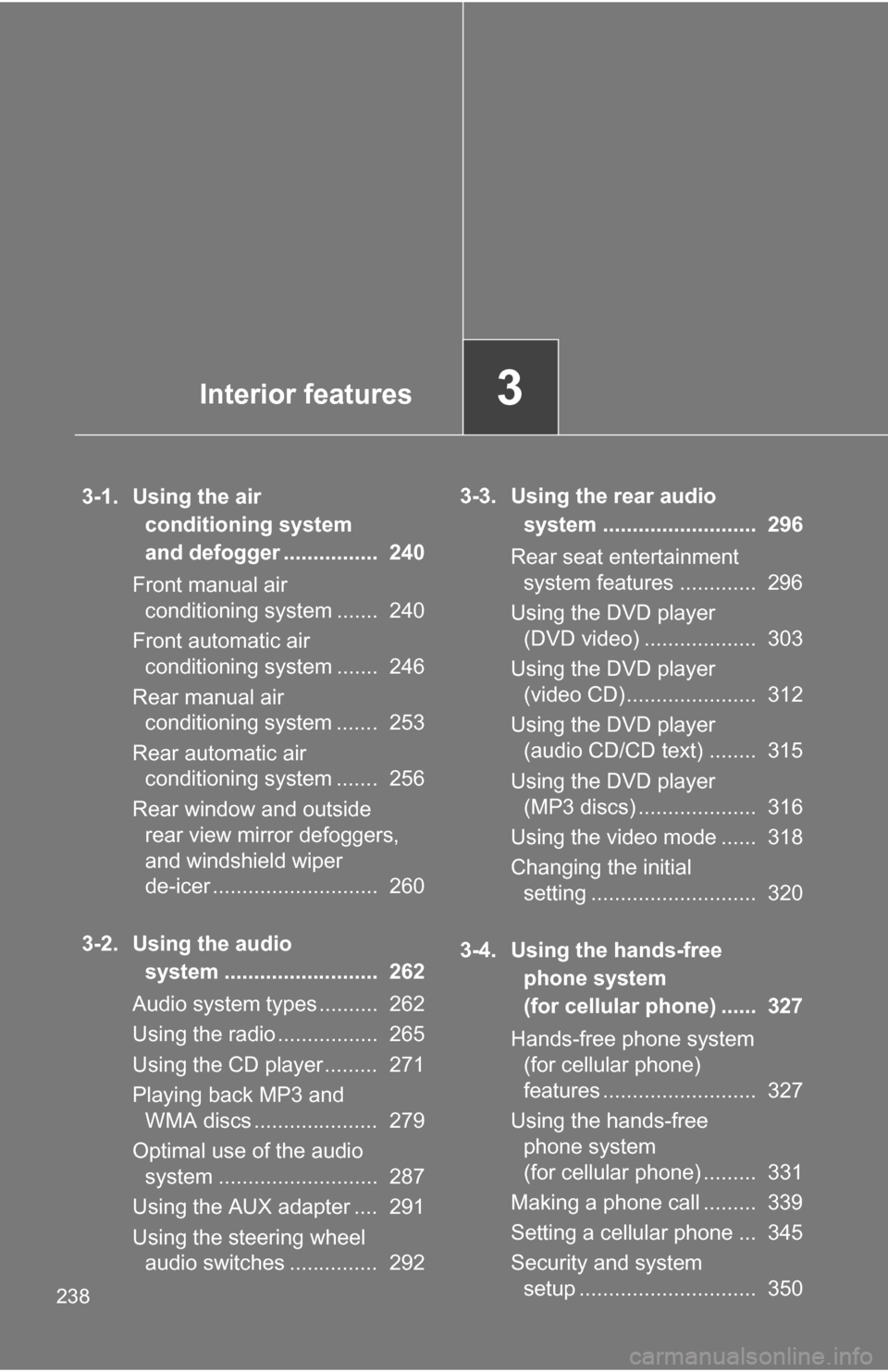
3-1. Using the air conditioning system
and defogger ................ 240
Front manual air conditioning system ....... 240
Front automatic air conditioning system ....... 246
Rear manual air conditioning system ....... 253
Rear automatic air conditioning system ....... 256
Rear window and outside rear view mirror defoggers,
and windshield wiper
de-icer ............................ 260
3-2. Using the audio system .......................... 262
Audio system types .......... 262
Using the radio ................. 265
Using the CD player ......... 271
Playing back MP3 and WMA discs ..................... 279
Optimal use of the audio system ........................... 287
Using the AUX adapter .... 291
Using the steering wheel audio switches ............... 292 3-3. Using the rear audio
system .......................... 296
Rear seat entertainment system features ............. 296
Using the DVD player (DVD video) ................... 303
Using the DVD player (video CD)...................... 312
Using the DVD player (audio CD/CD text) ........ 315
Using the DVD player (MP3 discs) .................... 316
Using the video mode ...... 318
Changing the initial setting ............................ 320
3-4. Using the hands-free phone system
(for cellular phone) ...... 327
Hands-free phone system (for cellular phone)
features .......................... 327
Using the hands-free phone system
(for cellular phone) ......... 331
Making a phone call ......... 339
Setting a cellular phone ... 345
Security and system setup .............................. 350
Interior features3
Page 263 of 592
263
3-2. Using the audio system
3
Interior features
■
Using cellular phones
Interference may be heard through the audio system's speakers if a cellular
phone is being used inside or close to the vehicle while the audio syste\
m is
operating.
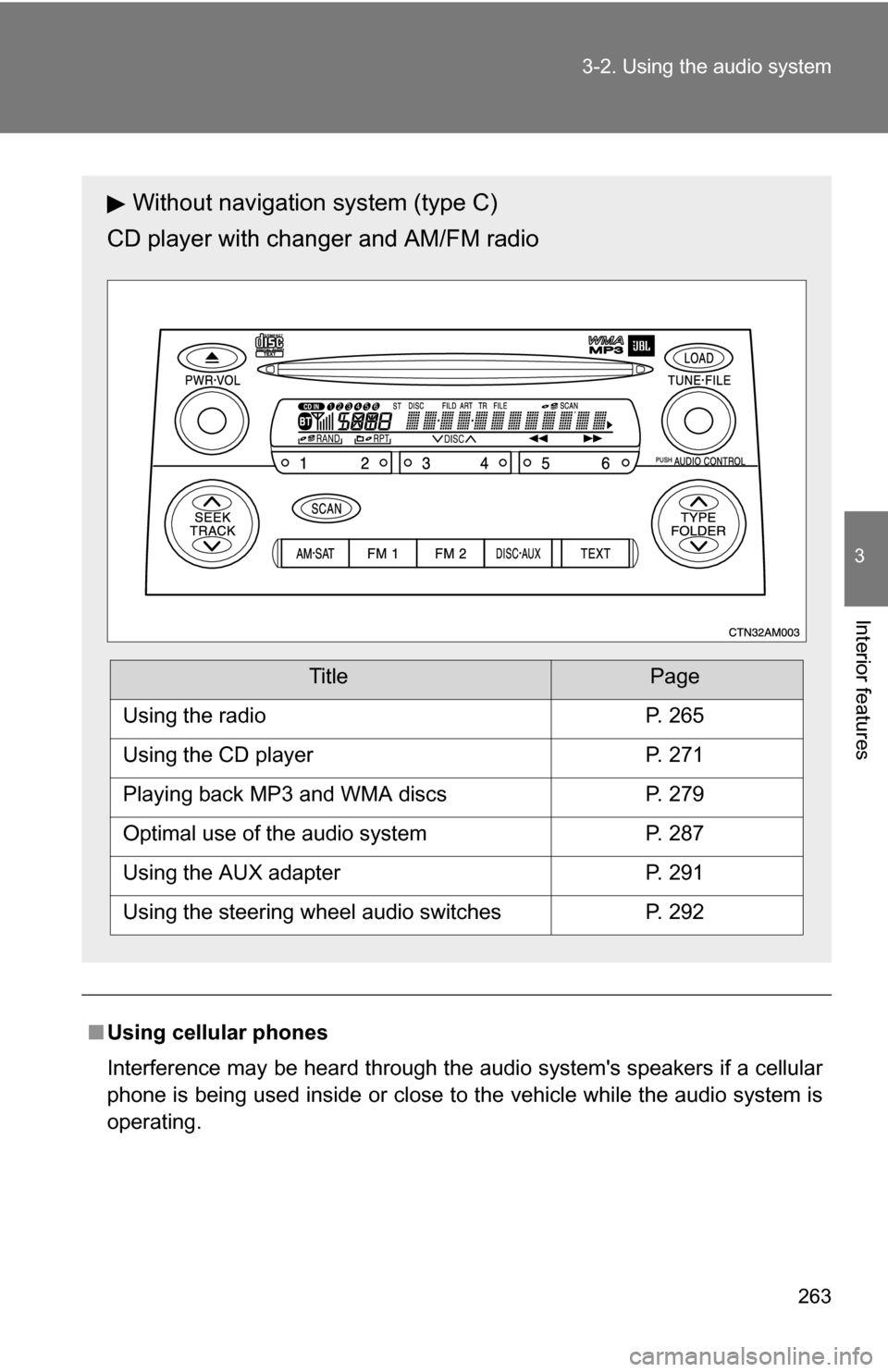
Without navigation system (type C)
CD player with changer and AM/FM radio
TitlePage
Using the radioP. 265
Using the CD playerP. 271
Playing back MP3 and WMA discsP. 279
Optimal use of the audio systemP. 287
Using the AUX adapterP. 291
Using the steering wheel audio switchesP. 292
Page 292 of 592
292
3-2. Using the audio system
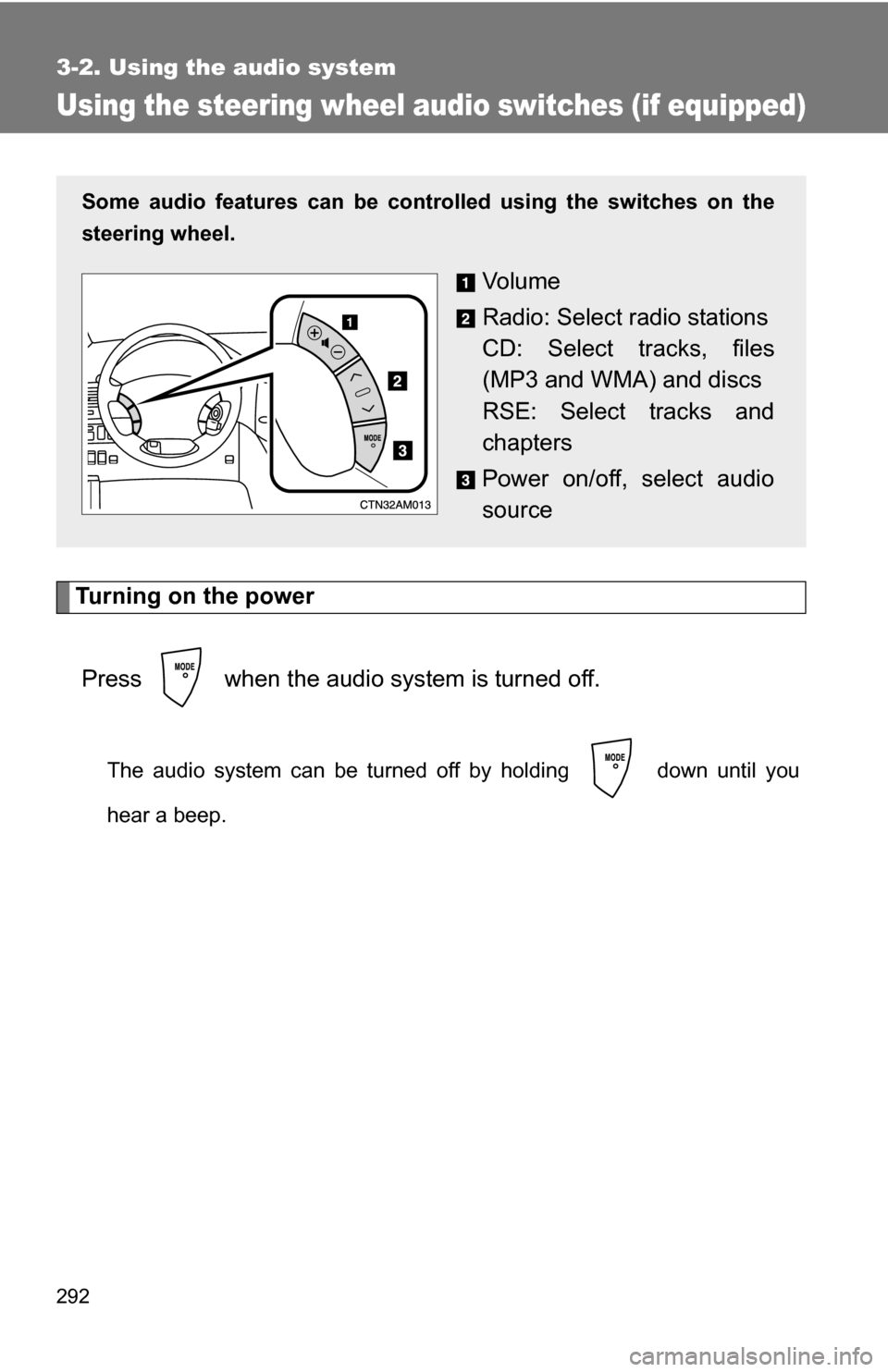
Using the steering wheel audio switches (if equipped)
Turning on the powerPress when the audio system is turned off.
The audio system can be turned off by holding down until you
hear a beep.
Some audio features can be cont rolled using the switches on the
steering wheel.
Vo l u m e
Radio: Select radio stations
CD: Select tracks, files
(MP3 and WMA) and discs
RSE: Select tracks and
chapters
Power on/off, select audio
source
Page 295 of 592
295
3-2. Using the audio system
3
Interior features
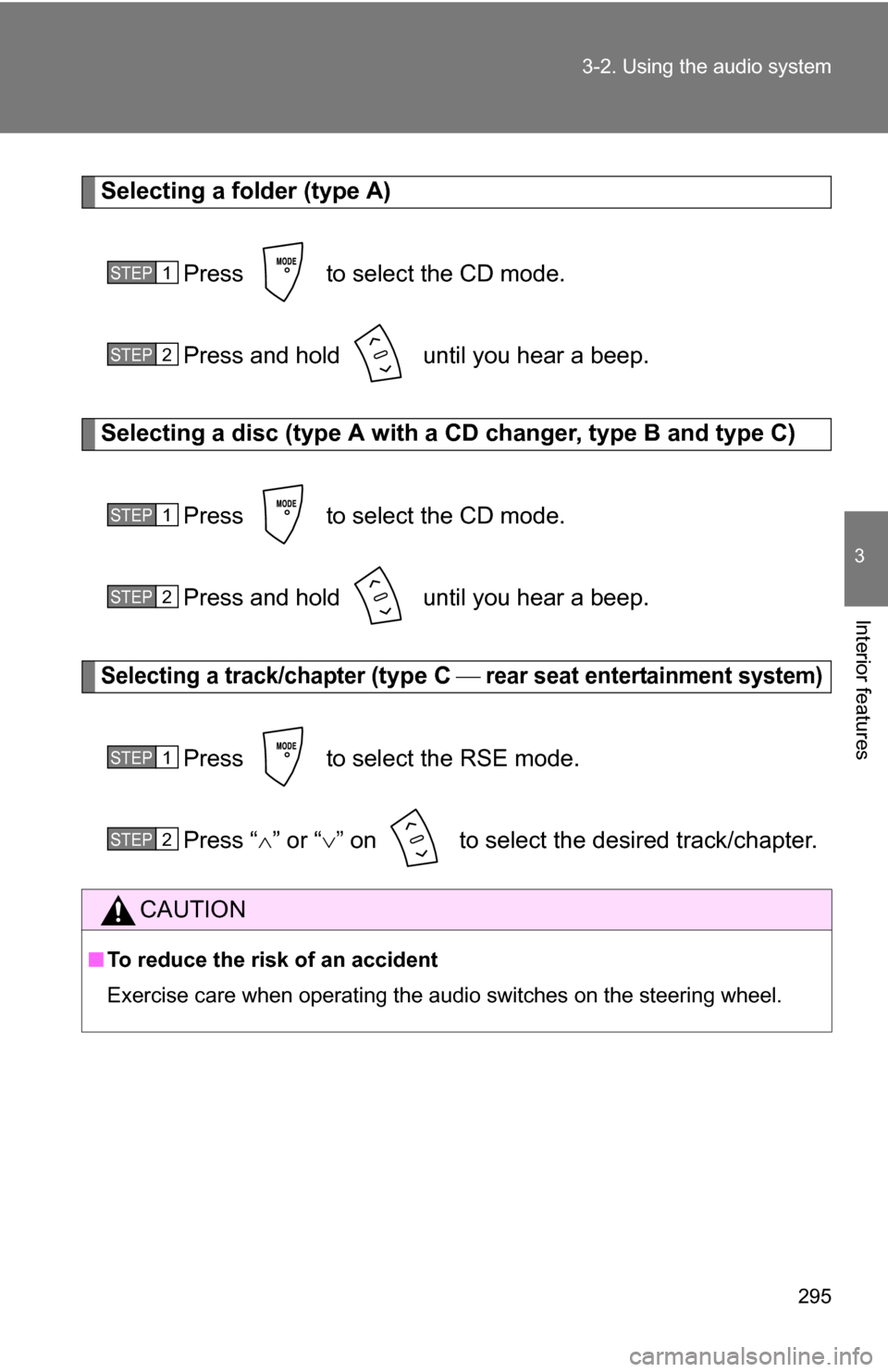
Selecting a folder (type A)
Press to select the CD mode.
Press and hold until you hear a beep.
Selecting a disc (type A with a CD changer, type B and type C)
Press to select the CD mode.
Press and hold until you hear a beep.
Selecting a track/chapter (type C rear seat entertainment system)
Press to select the RSE mode.
Press “ ” or “ ” on to select the desired track/chapter.
CAUTION
■ To reduce the risk of an accident
Exercise care when operating the audio switches on the steering wheel.
STEP1
STEP2
STEP1
STEP2
STEP1
STEP2
Page 332 of 592
332 3-4. Using the hands-free phone system (for cellular phone)
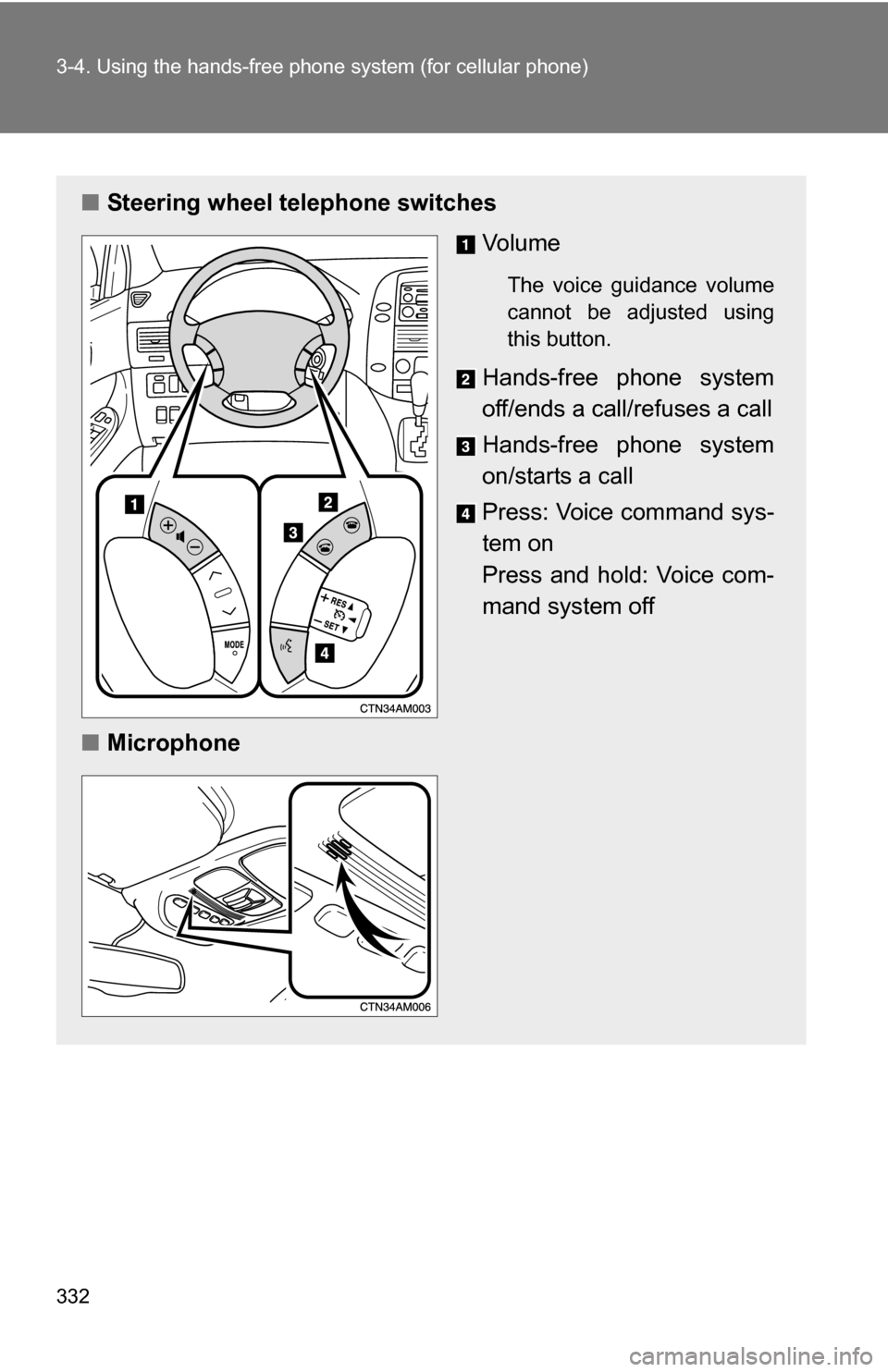
■Steering wheel telephone switches
Vo l u m e
The voice guidance volume
cannot be adjusted using
this button.
Hands-free phone system
off/ends a call/refuses a call
Hands-free phone system
on/starts a call
Press: Voice command sys-
tem on
Press and hold: Voice com-
mand system off
■ Microphone
Page 426 of 592
426
4-2. Maintenance
General maintenance
Engine compartment
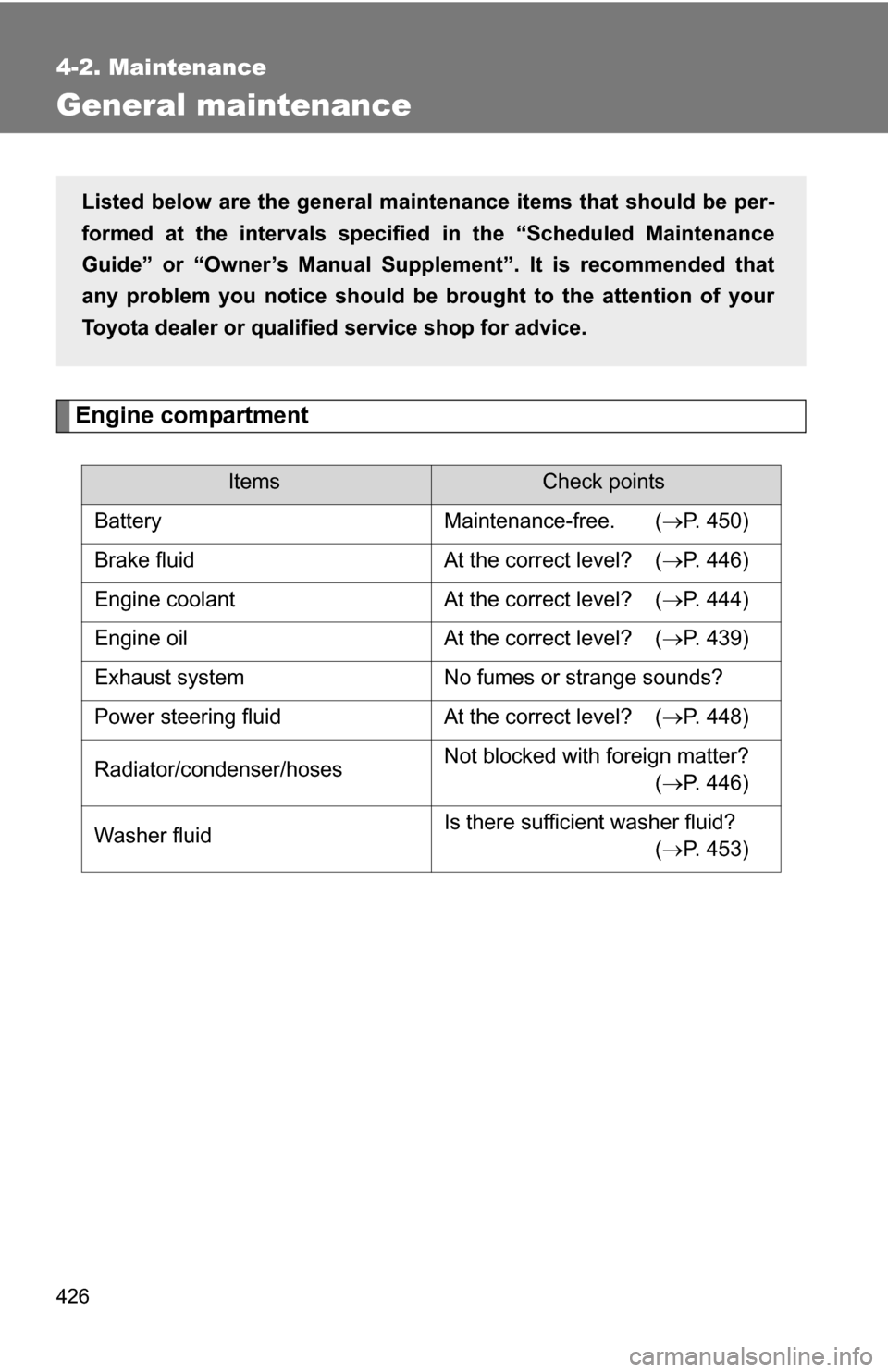
ItemsCheck points
Battery Maintenance-free. ( P. 450)
Brake fluid At the correct level? ( P. 446)
Engine coolant At the correct level? ( P. 444)
Engine oil At the correct level? ( P. 439)
Exhaust system No fumes or strange sounds?
Power steering fluid At the correct level? ( P. 448)
Radiator/condenser/hoses Not blocked with foreign matter?
(P. 446)
Washer fluid Is there sufficient washer fluid?
(P. 453)
Listed below are the general maintenance items that should be per-
formed at the intervals specified in the “Scheduled Maintenance
Guide” or “Owner’s Manual Supp lement”. It is recommended that
any problem you notice should be brought to the attention of your
Toyota dealer or qualified service shop for advice.