Page 185 of 592
185
2
When driving
2-3. Operating the lights and wipers
Headlight switch
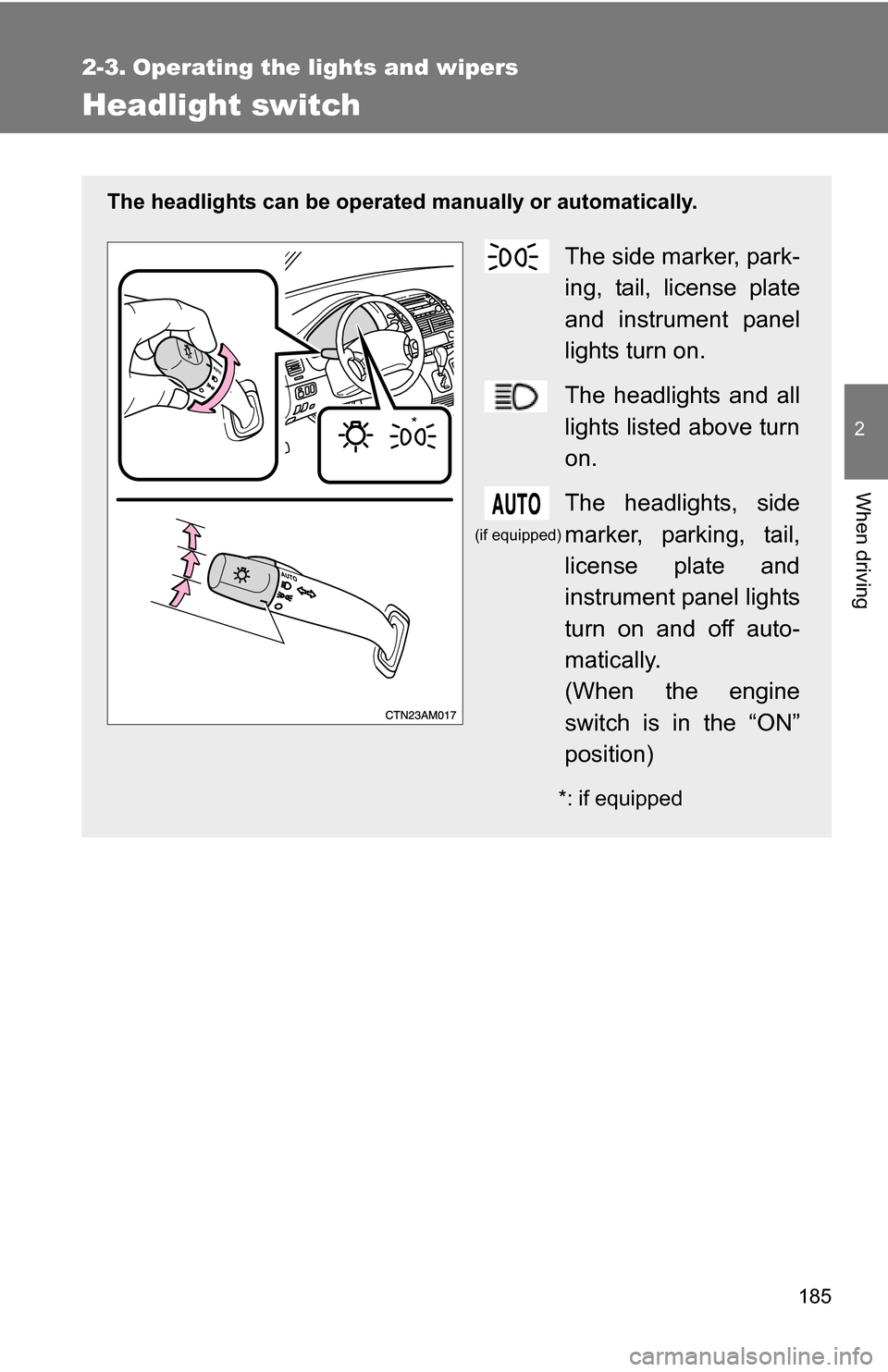
The headlights can be operated manually or automatically.
The side marker, park-
ing, tail, license plate
and instrument panel
lights turn on.
The headlights and all
lights listed above turn
on.
The headlights, side
marker, parking, tail,
license plate and
instrument panel lights
turn on and off auto-
matically.
(When the engine
switch is in the “ON”
position)
*: if equipped
*
(if equipped)
Page 188 of 592
188 2-3. Operating the lights and wipers
■Daytime running light system (if equipped)
To make your vehicle more visible to other drivers, the headlights turn on
automatically (at a reduced intensity) whenever the engine is started and the
parking brake is released. Daytime running lights are not designed for use at
night.
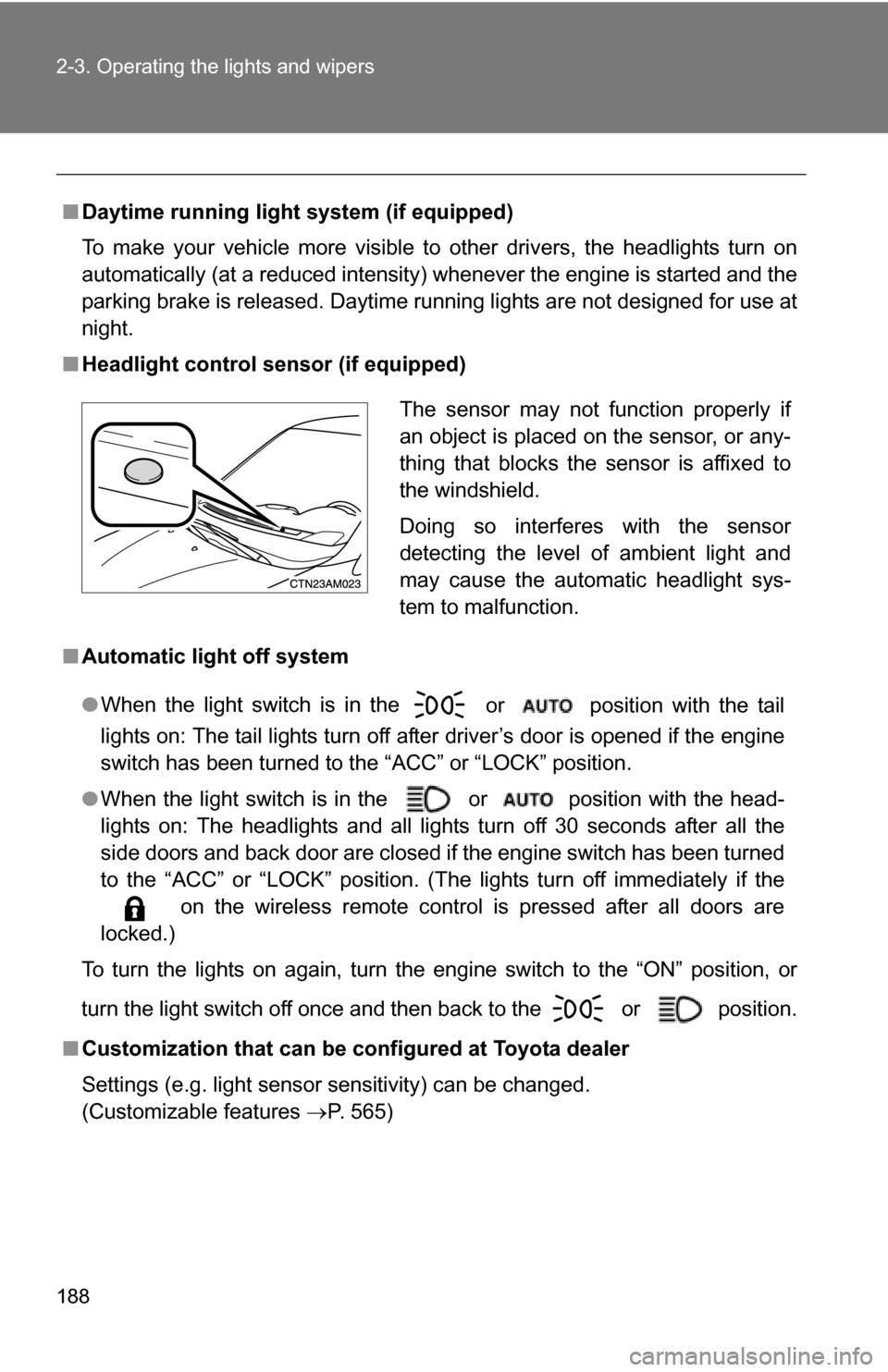
■ Headlight control sensor (if equipped)
■ Automatic light off system
●When the light switch is in the
or position with the tail
lights on: The tail lights turn off after driver’s door is opened if the engine
switch has been turned to the “ACC” or “LOCK” position.
● When the light switch is in the or position with the head-
lights on: The headlights and all lights turn off 30 seconds after all the
side doors and back door are closed if the engine switch has been turned
to the “ACC” or “LOCK” position. (The lights turn off immediately if the
on the wireless remote control is pressed after all doors are
locked.)
To turn the lights on again, turn the engine switch to the “ON” position, or
turn the light switch off once and then back to the
or position.
■ Customization that can be co nfigured at Toyota dealer
Settings (e.g. light sensor sensitivity) can be changed.
(Customizable features P. 565)
The sensor may not function properly if
an object is placed on the sensor, or any-
thing that blocks the sensor is affixed to
the windshield.
Doing so interferes with the sensor
detecting the level of ambient light and
may cause the automatic headlight sys-
tem to malfunction.
Page 189 of 592
189
2-3. Operating the lights and wipers
2
When driving
NOTICE
■
To prevent battery discharge
Do not leave the lights on longer than necessary when the engine is not run-
ning.
Page 192 of 592
192 2-3. Operating the lights and wipers
■The windshield wipers and washer can be operated when
The engine switch is in the “ON” position.
■ If no windshield washer fluid sprays
Check that the washer nozzles are not blocked if there is washer fluid in the
windshield washer fluid reservoir.
NOTICE
■When the windshield is dry
Do not use the wipers, as they may damage the windshield.
■ When there is no washer fluid spray from the nozzle
Damage to the washer fluid pump may be caused if the lever is pulled
toward you and held continually.
■ When a nozzle is blocked
Do not try to clear it with a pin or other object. The nozzle will be damaged.
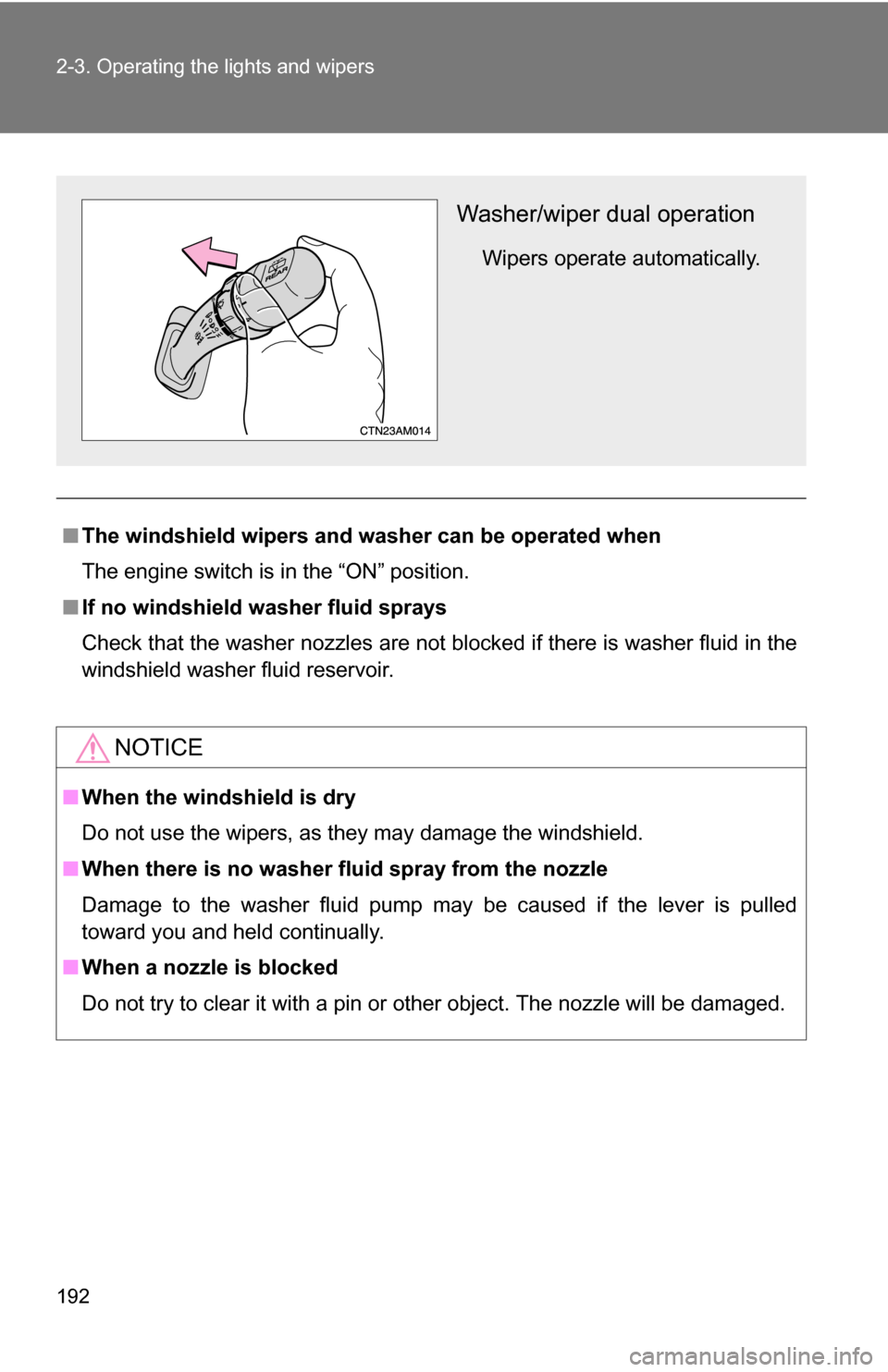
Washer/wiper dual operation
Wipers operate automatically.
Page 193 of 592
193
2-3. Operating the lights and wipers
2
When driving
Rear window wiper and washer
■The rear window wiper and washer can be operated when
The engine switch is in the “ON” position.
NOTICE
■When the rear window is dry
Do not use the wipers, as they may damage the rear window.
■ When there is no washer fluid spray from the nozzle
Damage to the washer fluid pump may be caused if the lever is pulled
toward you and held continually.
■ When a nozzle is blocked
Do not try to clear it with a pin or other object. The nozzle will be damaged.
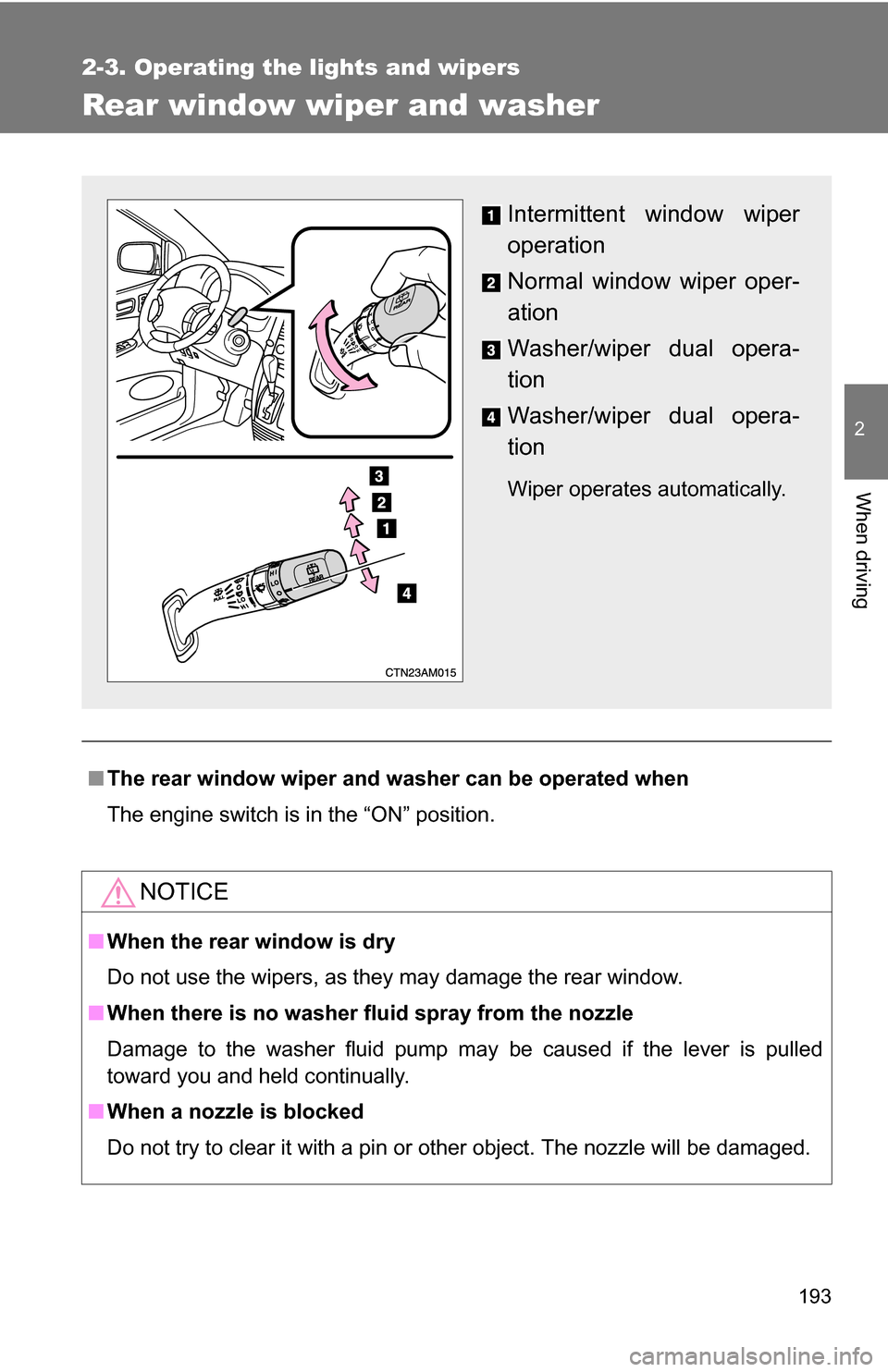
Intermittent window wiper
operation
Normal window wiper oper-
ation
Washer/wiper dual opera-
tion
Washer/wiper dual opera-
tion
Wiper operates automatically.
Page 199 of 592
199
2-4. Using other
driving systems
2
When driving
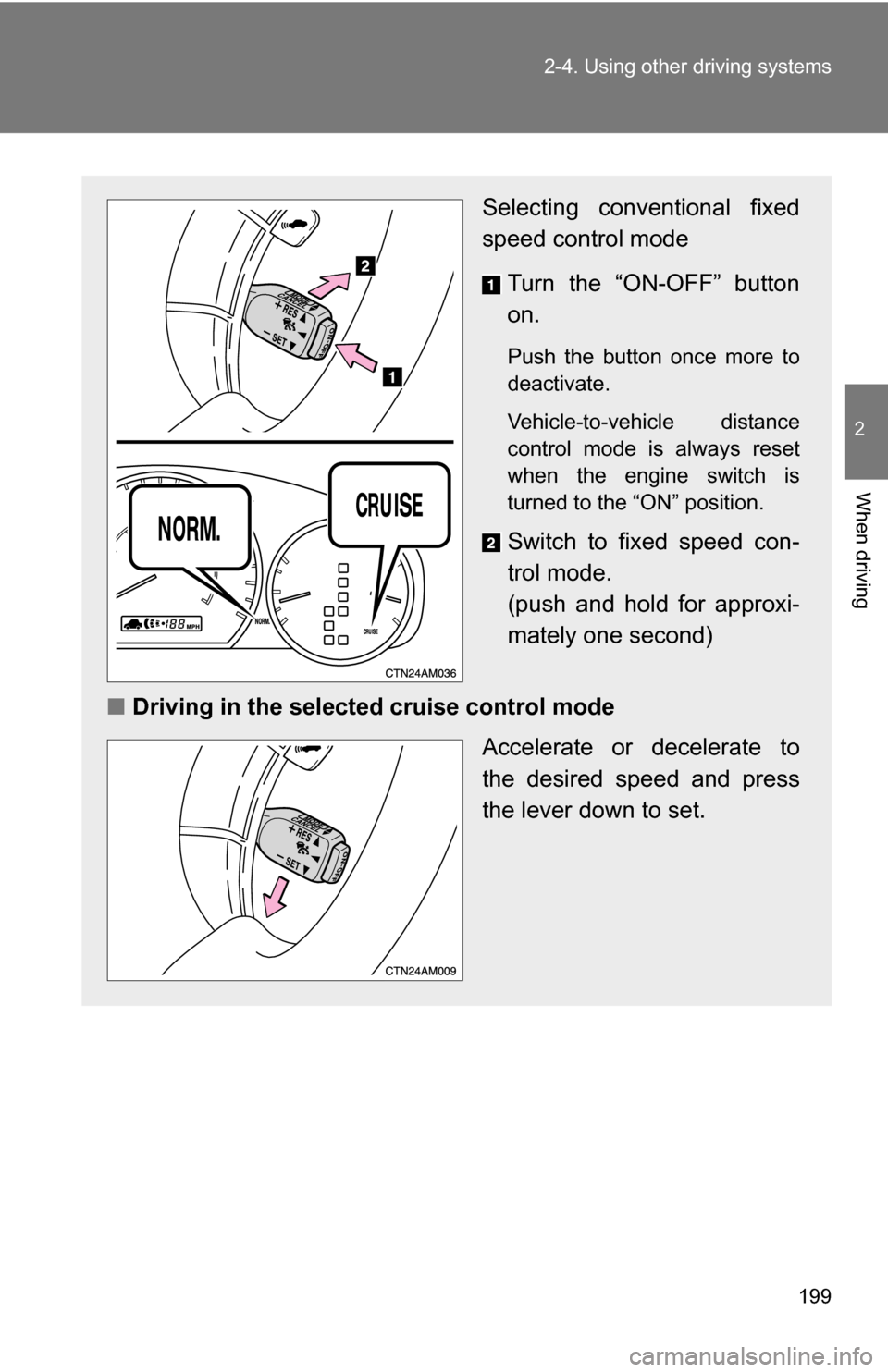
Selecting conventional fixed
speed control mode
Turn the “ON-OFF” button
on.
Push the button once more to
deactivate.
Vehicle-to-vehicle distance
control mode is always reset
when the engine switch is
turned to the “ON” position.
Switch to fixed speed con-
trol mode.
(push and hold for approxi-
mately one second)
■ Driving in the selected cruise control mode
Accelerate or decelerate to
the desired speed and press
the lever down to set.
Page 201 of 592
201
2-4. Using other
driving systems
2
When driving
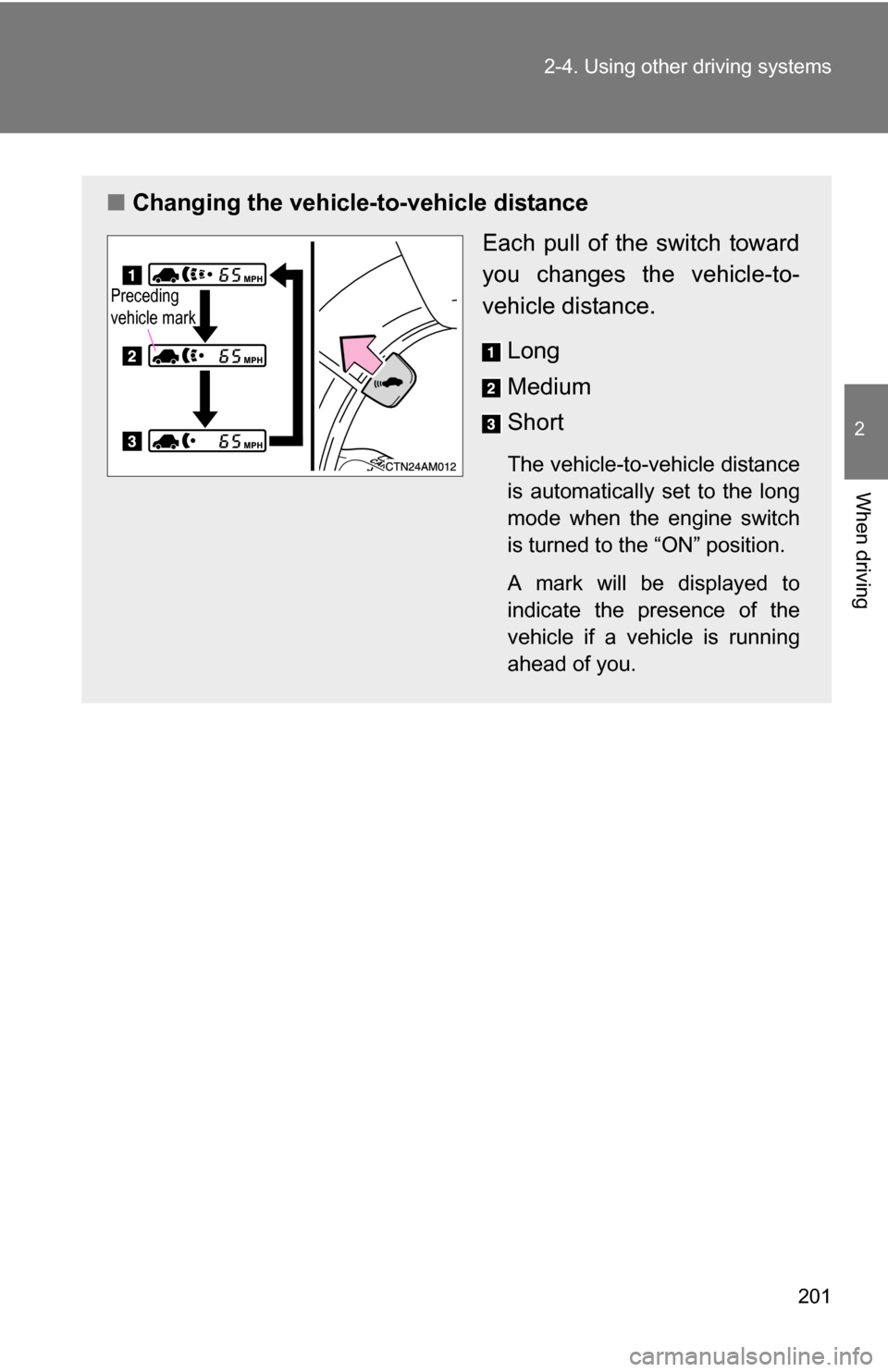
■Changing the vehicle -to-vehicle distance
Each pull of the switch toward
you changes the vehicle-to-
vehicle distance.
Long
Medium
Short
The vehicle-to-vehicle distance
is automatically set to the long
mode when the engine switch
is turned to the “ON” position.
A mark will be displayed to
indicate the presence of the
vehicle if a vehicle is running
ahead of you.
Preceding
vehicle mark
Page 204 of 592
204 2-4. Using other driving systems
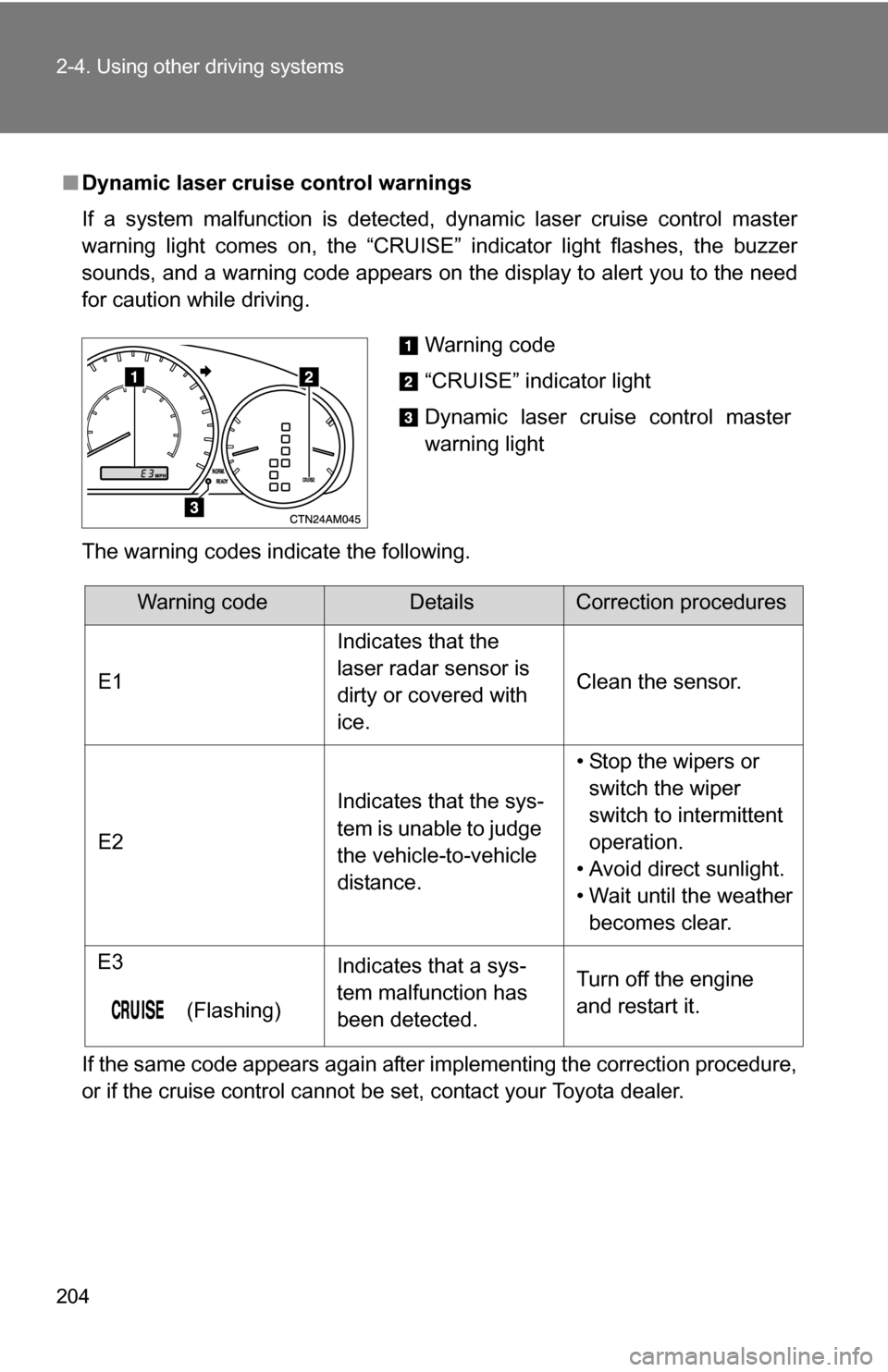
■Dynamic laser cruise control warnings
If a system malfunction is detected, dynamic laser cruise control master
warning light comes on, the “CRUISE” indicator light flashes, the buzzer
sounds, and a warning code appears on the display to alert you to the need
for caution while driving.
The warning codes indicate the following.
If the same code appears again after implementing the correction procedure,
or if the cruise control cannot be set, contact your Toyota dealer.
Warning code
“CRUISE” indicator light
Dynamic laser cruise control master
warning light
Warning codeDetailsCorrection procedures
E1 Indicates that the
laser radar sensor is
dirty or covered with
ice.Clean the sensor.
E2 Indicates that the sys-
tem is unable to judge
the vehicle-to-vehicle
distance.• Stop the wipers or
switch the wiper
switch to intermittent
operation.
• Avoid direct sunlight.
• Wait until the weather becomes clear.
E3
(Flashing) Indicates that a sys-
tem malfunction has
been detected.
Turn off the engine
and restart it.