Page 231 of 592
231
2-5. Driving information
2
When driving
Hitch
Trailer hitch assemblies have different weight capacities established
by the hitch manufacturer. Even th ough the vehicle may be rated for
towing a higher weight, the operat or must never exceed the maxi-
mum weight rating specified for the trailer hitch.
■ Before towing
●Ensure that your vehicle’s tires are properly inflated. ( P. 463)
● Trailer tires should be inflated according to the trailer manufacturer's rec-
ommendation.
● All trailer lights must work in order to be legal.
● Confirm all lights work each time you connect them.
● Check that your vehicle remains level when a loaded or unloaded trailer
is hitched. Do not drive if the vehicle is not level, and check for improper
tongue load, overloading, worn suspension, or other possible causes.
● Make sure the trailer cargo is securely loaded.
● Check that your rear view mirrors c onform to any federal, state/provincial
or local regulations. If they do not, inst all rear view mirrors appropriate for
towing purposes.
■ Break-in schedule
Toyota recommends that you do not use a new vehicle or a vehicle with any
new power train components (engine, transmission, differential, wheel bear-
ings, etc.) to tow a trailer for the first 500 miles (800 km) of driving.
■ Maintenance
●If you tow a trailer, your vehicle will require more frequent maintenance
due to the additional load. (See “Scheduled Maintenance Guide” or
“Owner's Manual Supplement”.)
● Retighten the fixing bolts of the towing ball and bracket after approxi-
mately 600 miles (1000 km) of trailer towing.
Page 234 of 592
234 2-5. Driving information
●Reversing with a trailer attached is difficult and requires practice.
Grip the bottom of the steering wheel and move your hand to the
left to move the trailer to the left. Move your hand to the right to
move the trailer to right. (This is generally opposite to reversing
without a trailer attached.) Avoid sharp or prolonged turning. Have
someone guide you when reversing to reduce the risk of an acci-
dent.
● As stopping distance is increased when towing a trailer, vehicle-to-
vehicle distance should be increased. For each 10 mph (16 km/h)
of speed, allow at least o ne vehicle and trailer length.
● Avoid sudden braking as you may skid, resulting in jackknifing and
loss of control. This is especiall y true on wet or slippery surfaces.
● Avoid jerky starts or sudden acceleration.
● Avoid jerky steering and sharp turns, and slow down before mak-
ing turns.
● Note that when making a turn, th e trailer wheels will be closer than
the vehicle wheels to the inside of the turn. Compensate by making
a larger than normal turning radius.
● Crosswinds and rough roads will adversely affect handling of your
vehicle and trailer, causing sway . Periodically check the rear to
prepare for being passed by large trucks or buses, which may
cause your vehicle and trailer to sway. If swaying occurs, firmly grip
the steering wheel, reduce speed immediately but gradually, and
steer straight ahead. Never increase speed. If you make no
extreme correction with the stee ring or brakes, your vehicle and
trailer will stabilize.
● Take care when passing other v ehicles. Passing requires consider-
able distance. After passing a vehi cle, do not forget the length of
your trailer, and be sure you hav e plenty of room before changing
lanes.
● In order to maintain efficient engine braking and electrical charging
performance, do not use overdrive.
Page 299 of 592
299
3-3. Using the rear audio system
3
Interior features
■
The rear seat entertainmen t system can be used when
The engine switch is in the “ACC” or “ON” position.
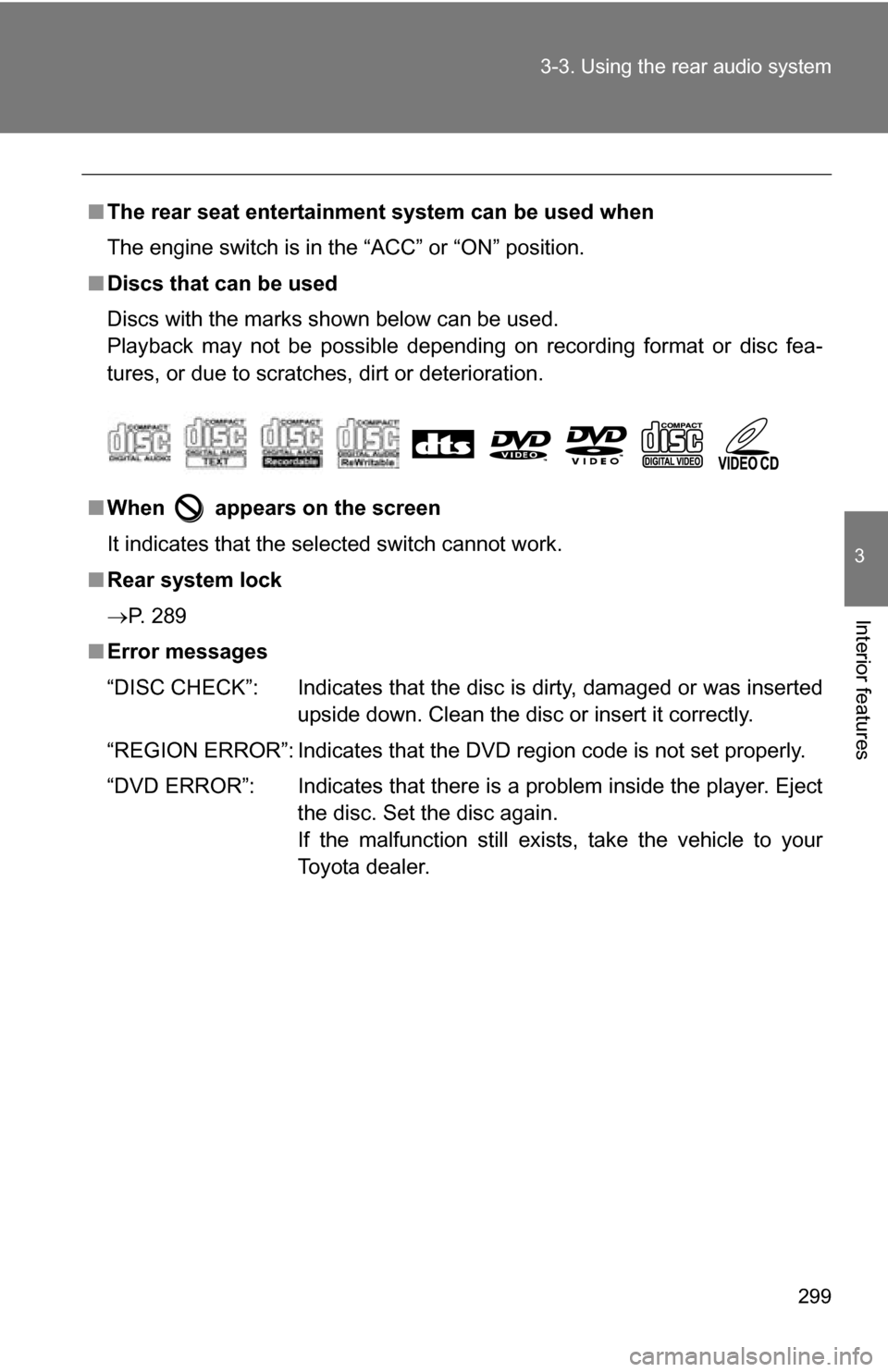
■ Discs that can be used
Discs with the marks shown below can be used.
Playback may not be possible depending on recording format or disc fea-
tures, or due to scratches, dirt or deterioration.
■ When appears on the screen
It indicates that the selected switch cannot work.
■ Rear system lock
P. 289
■ Error messages
“DISC CHECK”: Indicates that the disc is dirty, damaged or was inserted
upside down. Clean the disc or insert it correctly.
“REGION ERROR”: Indicates that the DVD region code is not set properly.
“DVD ERROR”: Indicates that there is a problem inside the player. Eject the disc. Set the disc again.
If the malfunction still exists, take the vehicle to your
Toyota dealer.
Page 417 of 592
Maintenance and care4
417
4-1. Maintenance and care ... 418Cleaning and protecting the vehicle exterior......... 418
Cleaning and protecting the vehicle interior.......... 421
4-2. Maintenance ................... 424 Maintenance requirements .................. 424
General maintenance....... 426
Emission inspection and maintenance (I/M)
programs........................ 429 4-3. Do-it-yourself
maintenance ................. 430
Do-it-yourself service precautions .................... 430
Hood ................................ 434
Positioning a floor jack ..... 436
Engine compartment ........ 438
Tires ................................. 454
Tire inflation pressure ...... 463
Wheels ............................. 467
Air conditioning filter......... 469
Wireless remote control battery ............................ 472
Checking and replacing fuses .............................. 474
Light bulbs........................ 486
Page 426 of 592
426
4-2. Maintenance
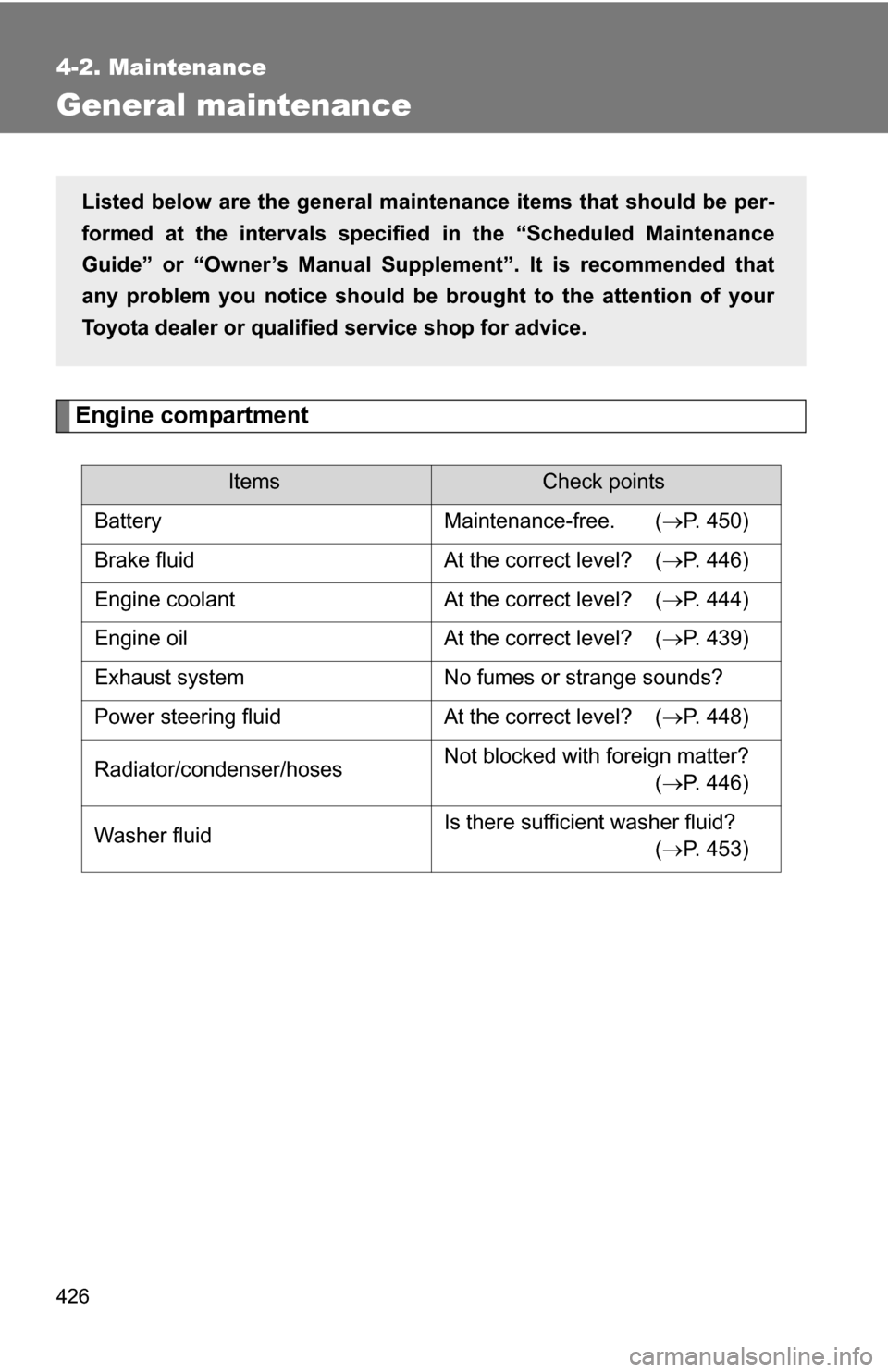
General maintenance
Engine compartment
ItemsCheck points
Battery Maintenance-free. ( P. 450)
Brake fluid At the correct level? ( P. 446)
Engine coolant At the correct level? ( P. 444)
Engine oil At the correct level? ( P. 439)
Exhaust system No fumes or strange sounds?
Power steering fluid At the correct level? ( P. 448)
Radiator/condenser/hoses Not blocked with foreign matter?
(P. 446)
Washer fluid Is there sufficient washer fluid?
(P. 453)
Listed below are the general maintenance items that should be per-
formed at the intervals specified in the “Scheduled Maintenance
Guide” or “Owner’s Manual Supp lement”. It is recommended that
any problem you notice should be brought to the attention of your
Toyota dealer or qualified service shop for advice.
Page 428 of 592
428 4-2. Maintenance
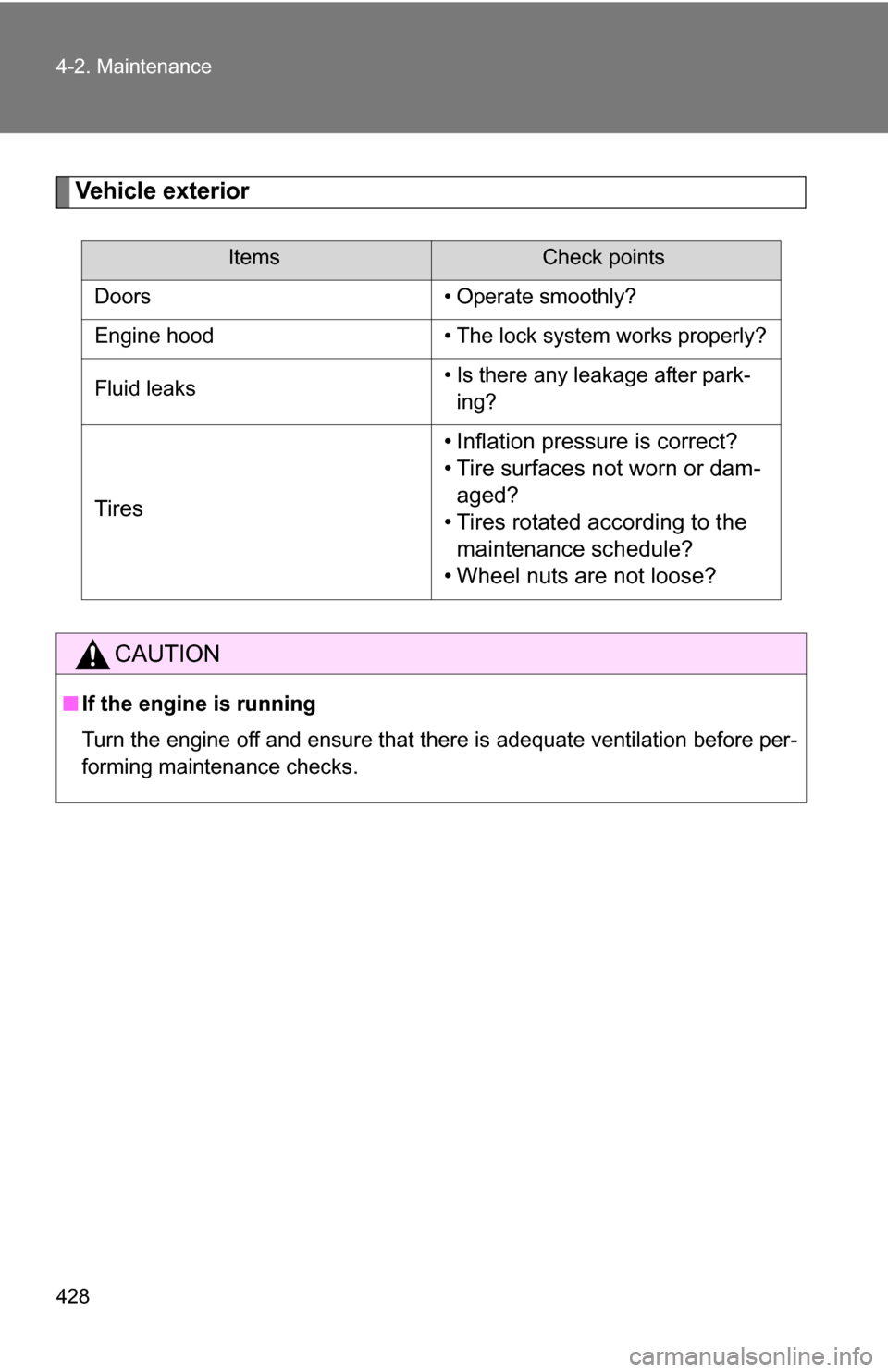
Vehicle exterior
ItemsCheck points
Doors • Operate smoothly?
Engine hood • The lock system works properly?
Fluid leaks • Is there any leakage after park-
ing?
Tires • Inflation pressure is correct?
• Tire surfaces not worn or dam-
aged?
• Tires rotated according to the maintenance schedule?
• Wheel nuts are not loose?
CAUTION
■ If the engine is running
Turn the engine off and ensure that there is adequate ventilation before per-
forming maintenance checks.
Page 439 of 592
439
4-3. Do-it-yourself maintenance
4
Maintenance and care
Engine oil
With the engine at operating temperature and turned off, check the oil
level on the dipstick.
■ Checking the engine oil
Park the vehicle on level gro und. After turning off the engine,
wait a few minutes for the oil to drain back into the bottom of
the engine.
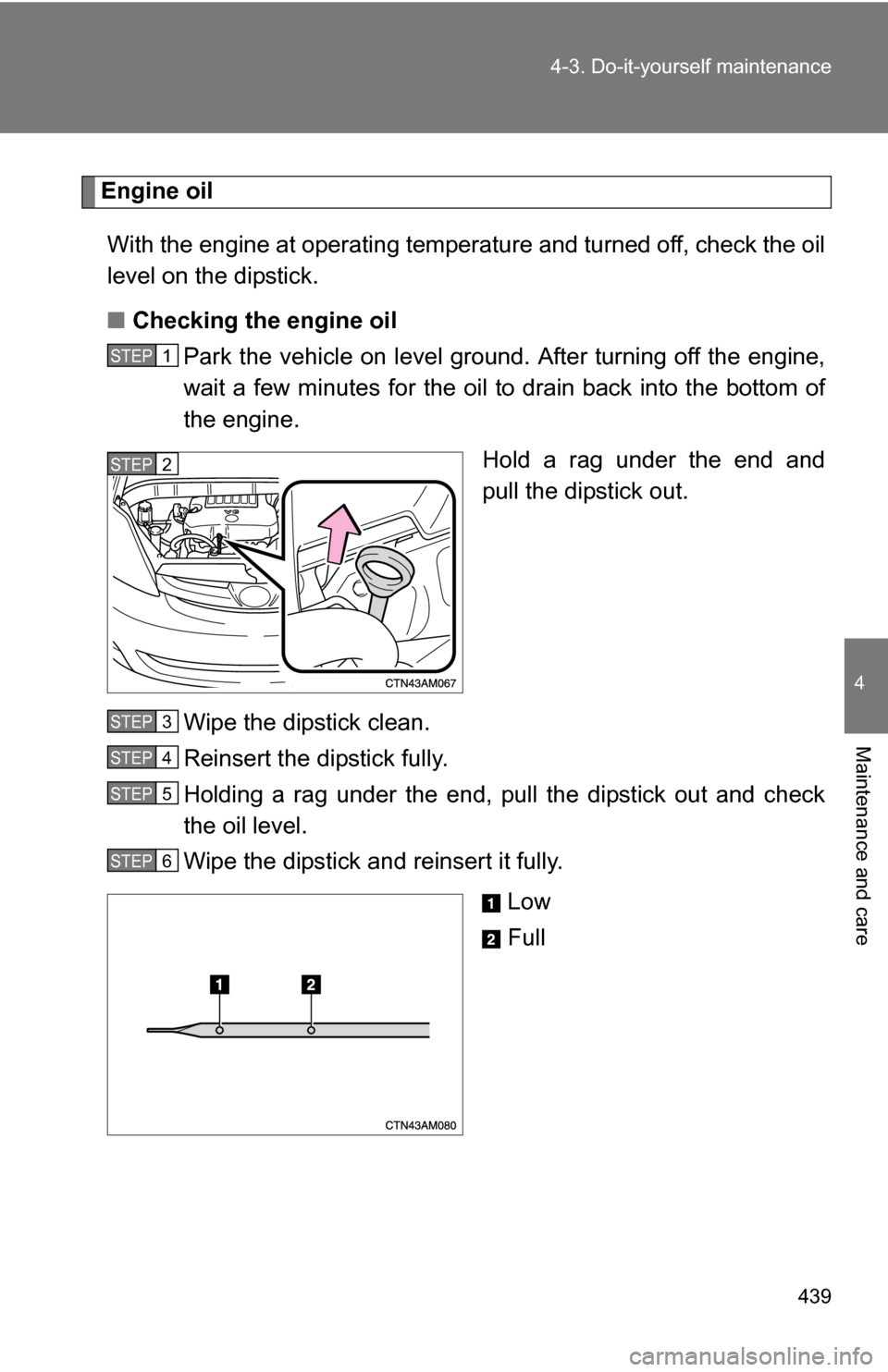
Hold a rag under the end and
pull the dipstick out.
Wipe the dipstick clean.
Reinsert the dipstick fully.
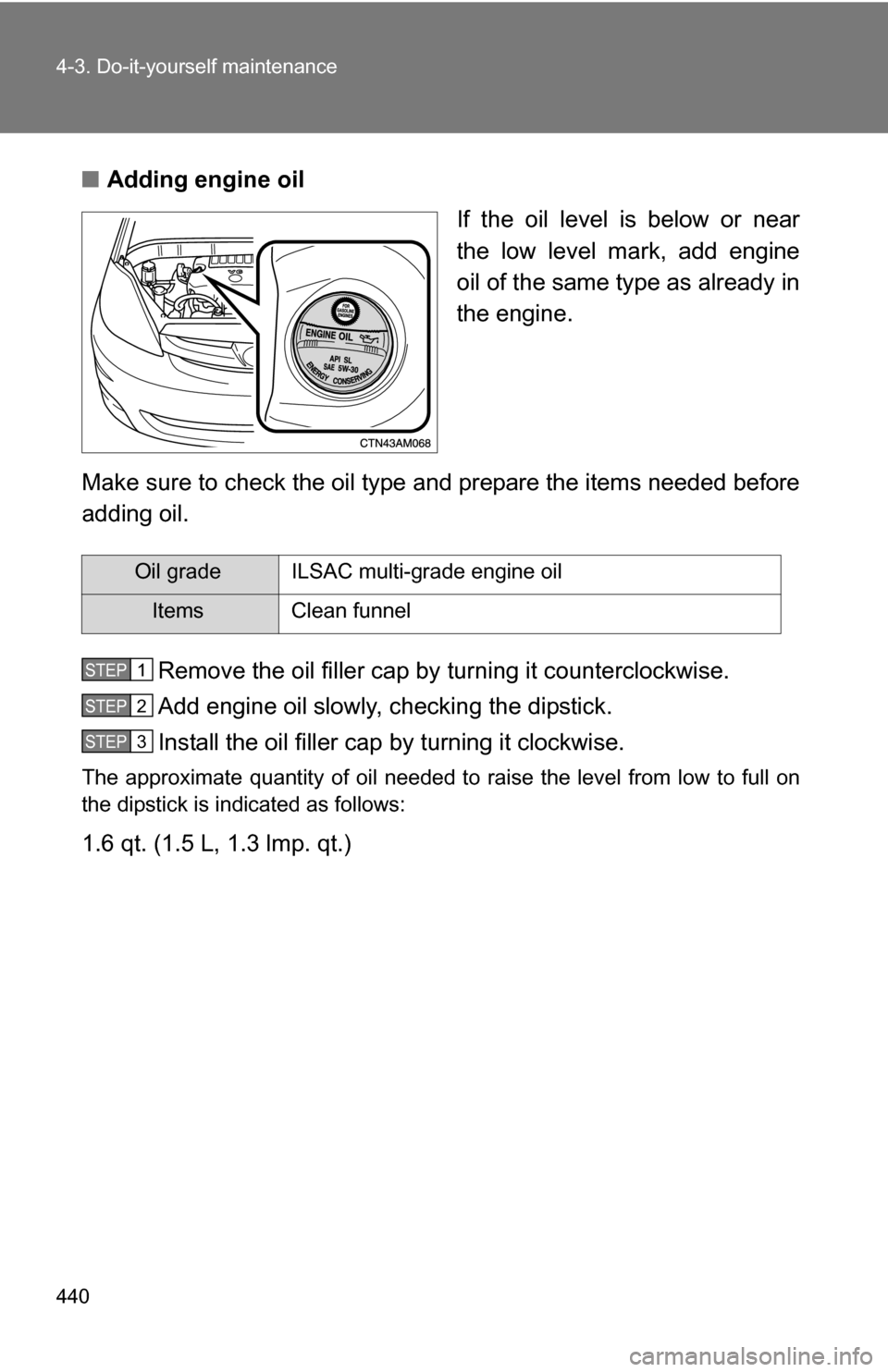
Holding a rag under the end, pull the dipstick out and check
the oil level.
Wipe the dipstick and reinsert it fully. Low
Full
STEP1
STEP2
STEP3
STEP4
STEP5
STEP6
Page 440 of 592
440 4-3. Do-it-yourself maintenance
■Adding engine oil
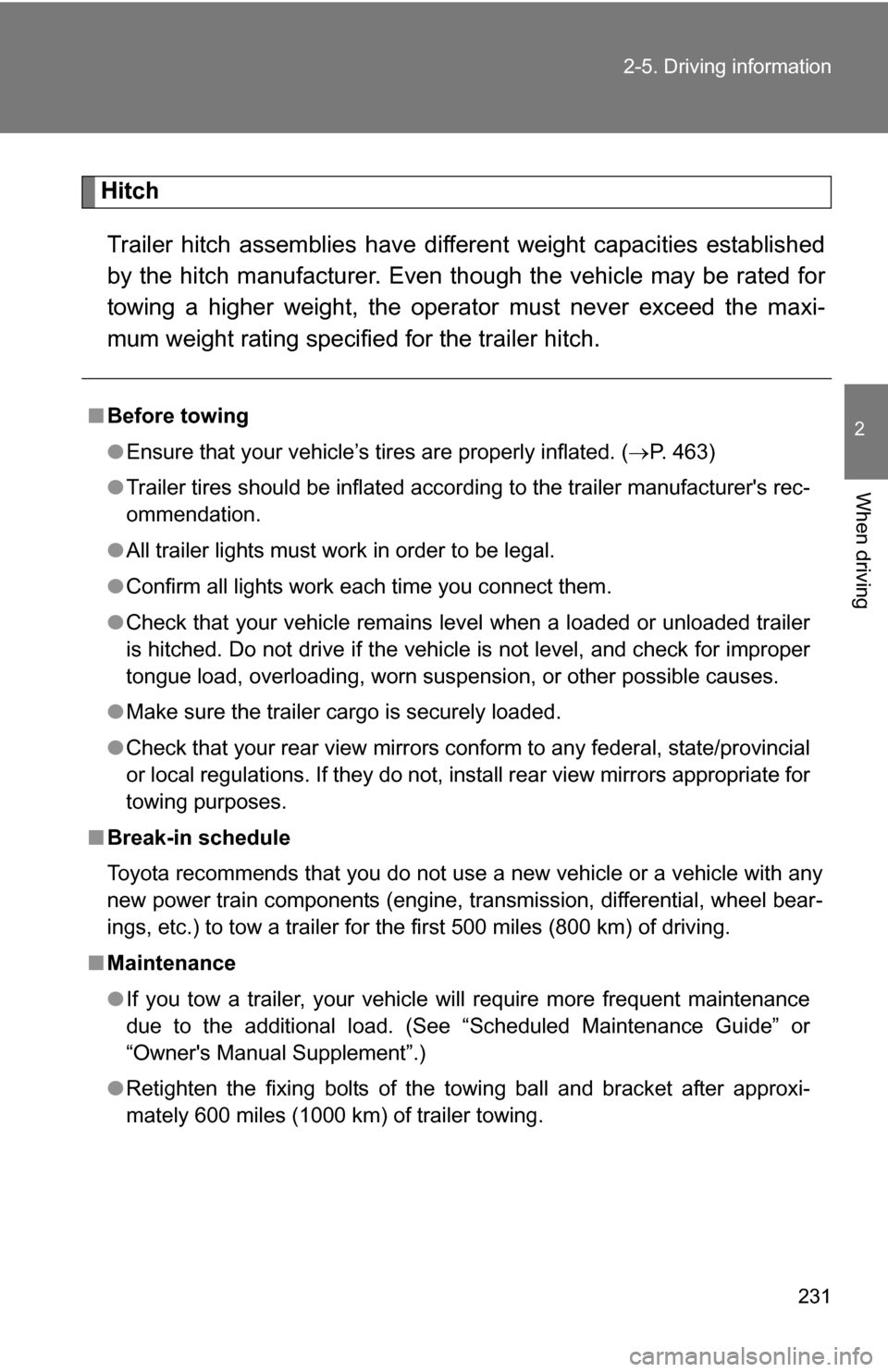
If the oil level is below or near
the low level mark, add engine
oil of the same type as already in
the engine.
Make sure to check the oil type and prepare the items needed before
adding oil. Remove the oil filler cap by turning it counterclockwise.
Add engine oil slowly, checking the dipstick.
Install the oil filler cap by turning it clockwise.
The approximate quantity of oil needed to raise the level from low to full on
the dipstick is indicated as follows:
1.6 qt. (1.5 L, 1.3 lmp. qt.)
Oil grade ILSAC multi-grade engine oil
Items Clean funnel
STEP1
STEP2
STEP3