Page 182 of 592
182 2-2. Instrument cluster and information display
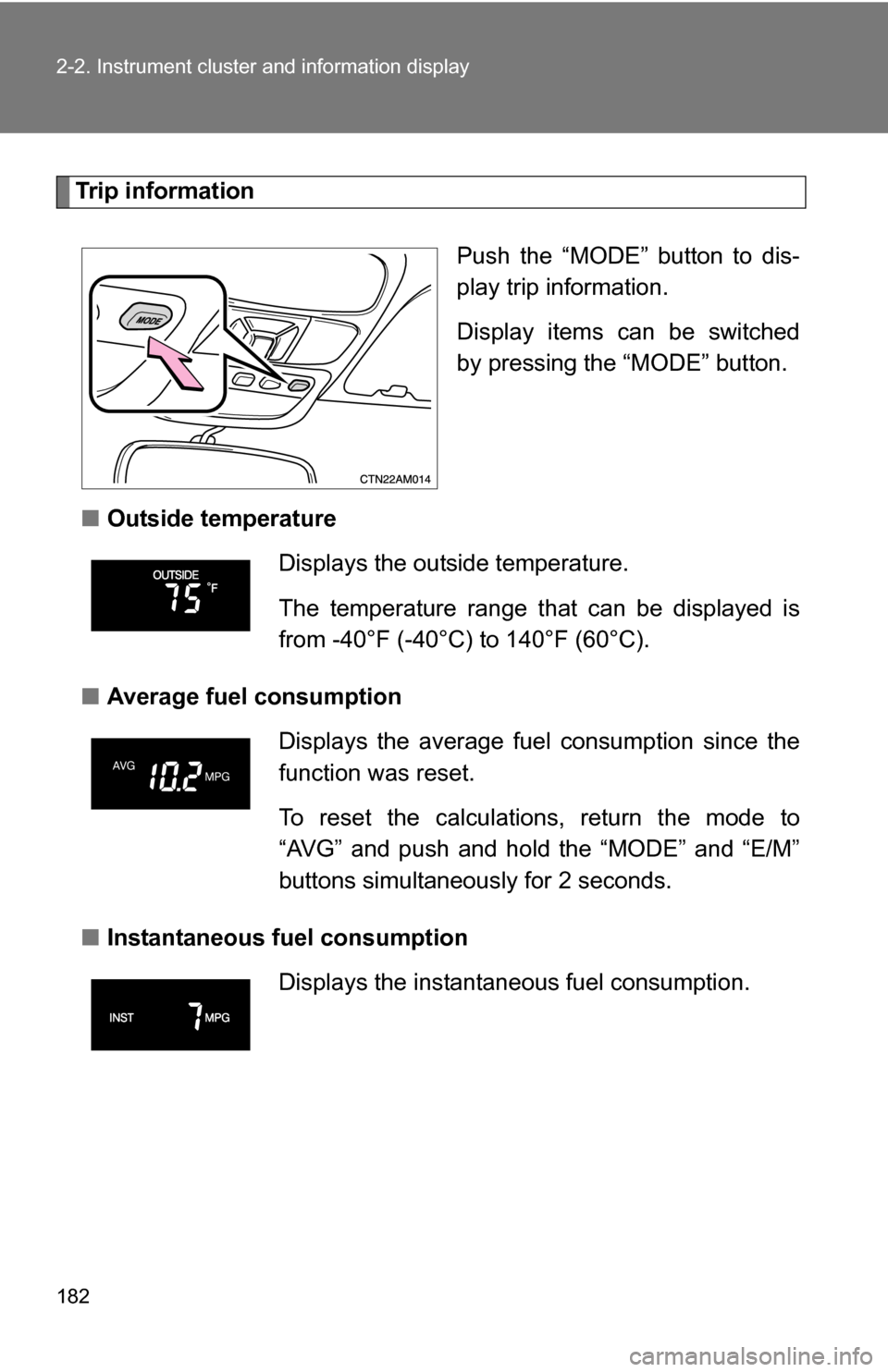
Trip informationPush the “MODE” button to dis-
play trip information.
Display items can be switched
by pressing the “MODE” button.
■ Outside temperature
■ Average fuel consumption
■ Instantaneous fuel consumption
Displays the outside temperature.
The temperature range that can be displayed is
from -40°F (-40°C) to 140°F (60°C).
Displays the average fuel consumption since the
function was reset.
To reset the calculations, return the mode to
“AVG” and push and hold the “MODE” and “E/M”
buttons simultaneously for 2 seconds.
Displays the instantane ous fuel consumption.
Page 187 of 592
187
2-3. Operating the lights and wipers
2
When driving
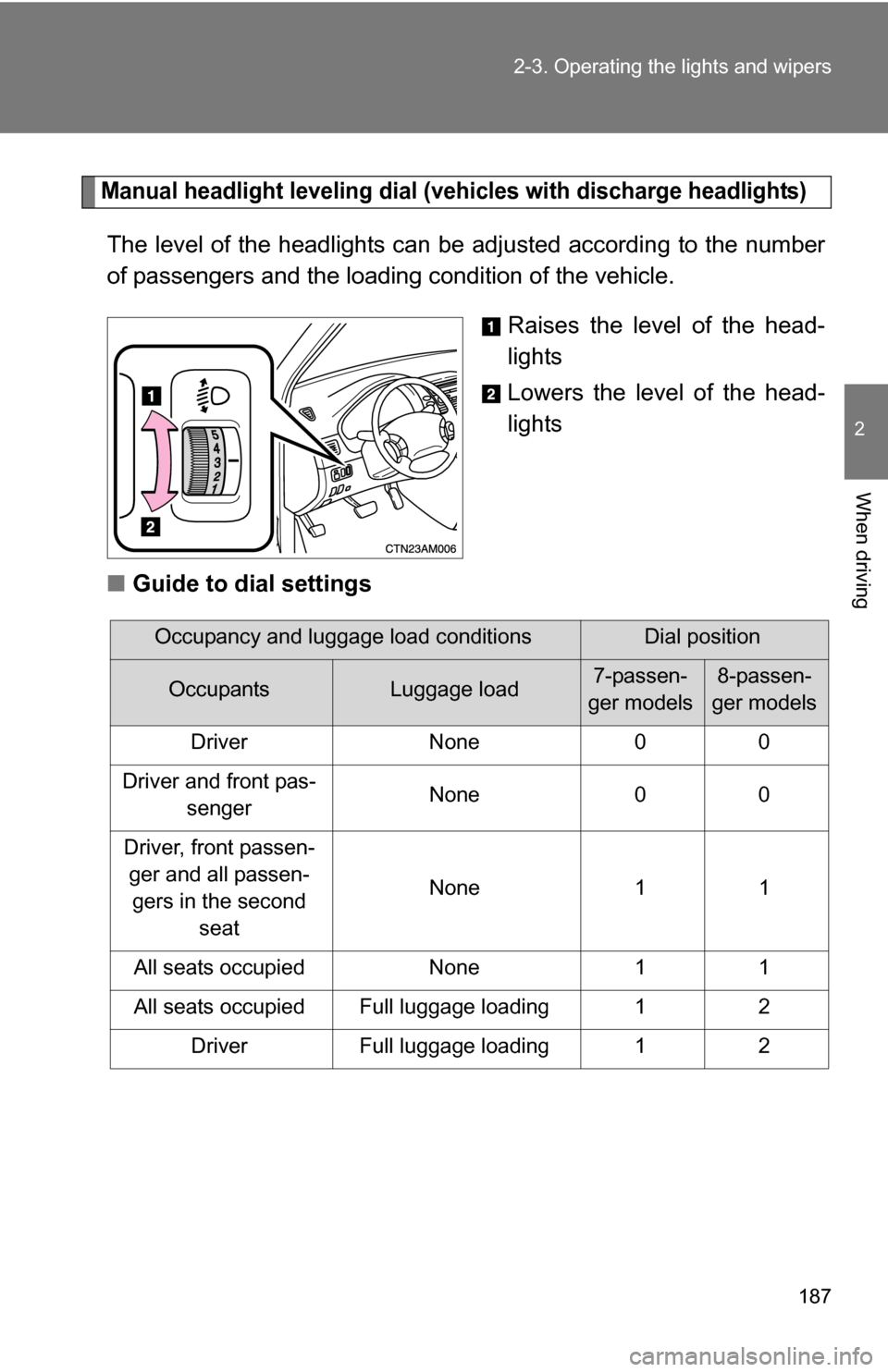
Manual headlight leveling dial (vehicles with discharge headlights)
The level of the headlights can be adjusted according to the number
of passengers and the loading
condition of the vehicle.
Raises the level of the head-
lights
Lowers the level of the head-
lights
■ Guide to dial settings
Occupancy and luggage load conditionsDial position
OccupantsLuggage load7-passen-
ger models8-passen-
ger models
Driver None 0 0
Driver and front pas- senger None 0 0
Driver, front passen- ger and all passen-gers in the second seat None 1 1
All seats occupied None 1 1
All seats occupied Full luggage loading 1 2 Driver Full luggage loading 1 2
Page 199 of 592
199
2-4. Using other
driving systems
2
When driving
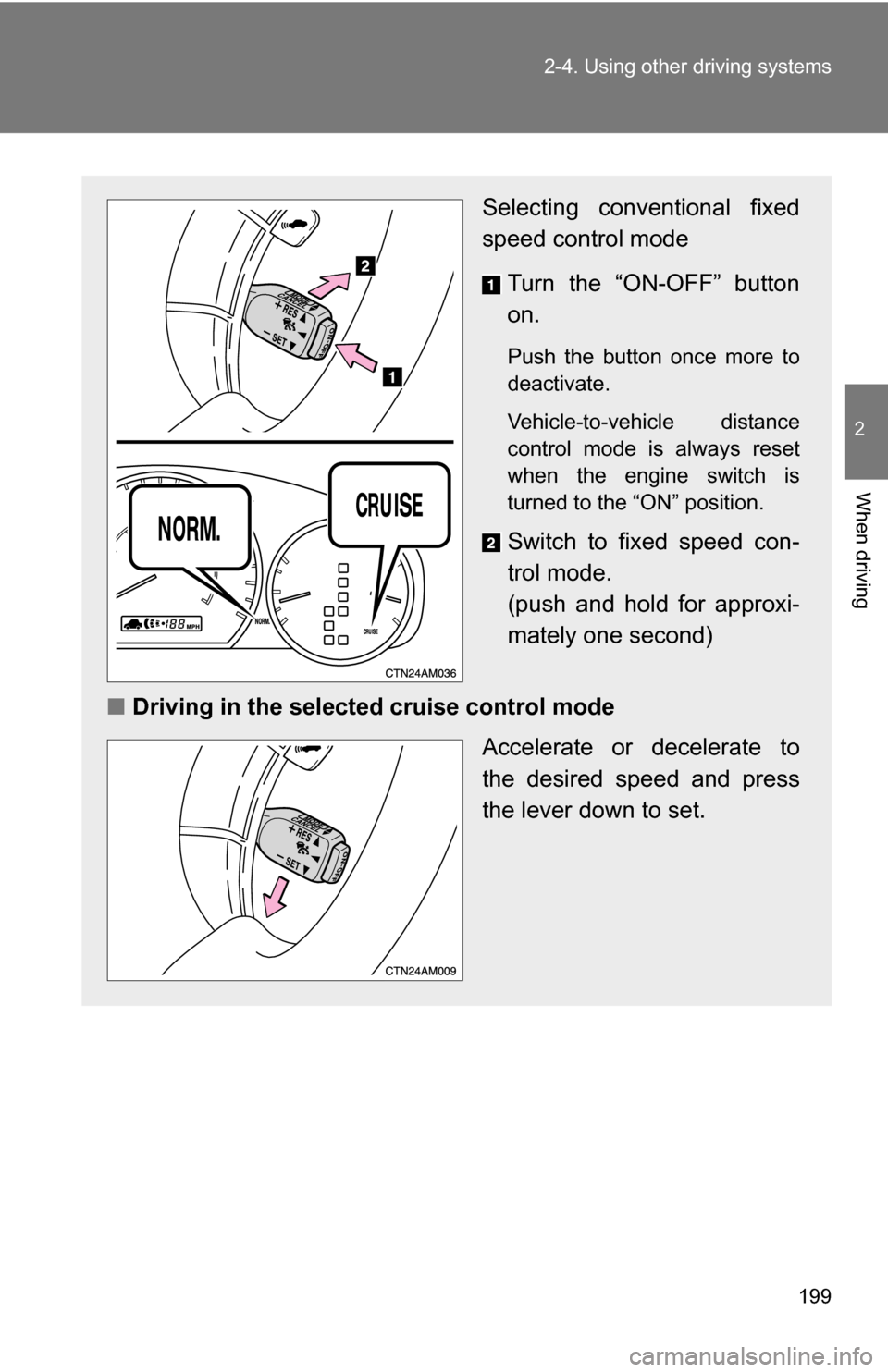
Selecting conventional fixed
speed control mode
Turn the “ON-OFF” button
on.
Push the button once more to
deactivate.
Vehicle-to-vehicle distance
control mode is always reset
when the engine switch is
turned to the “ON” position.
Switch to fixed speed con-
trol mode.
(push and hold for approxi-
mately one second)
■ Driving in the selected cruise control mode
Accelerate or decelerate to
the desired speed and press
the lever down to set.
Page 218 of 592

218 2-4. Using other driving systems
CAUTION
■When VSC is activated
The slip indicator light flashes and a warning buzzer sounds. Always drive
carefully. Reckless driving may cause an accident. Exercise particular care
when the indicator light flashes and a buzzer sounds.
■ When TRAC is off (2WD models only)
Be especially careful and drive at a speed appropriate to the road condi-
tions. As this is a system to ensure vehicle stability and driving force, do not
turn off TRAC unless necessary.
■ Replacing tires
Make sure that all tires are of the same size, brand, tread pattern and total
load capacity. In addition, make sure that the tires are inflated to the recom-
mended tire pressure level.
The ABS and VSC systems will not function correctly if different tires are fit-
ted on the vehicle.
Contact your Toyota dealer for further information when replacing tires or
wheels.
■ Handling of tires and suspension
Using tires with any kind of problem or modifying the suspension will affect
the driving assist systems, and may cause the system to malfunction.
Page 222 of 592
222 2-5. Driving information
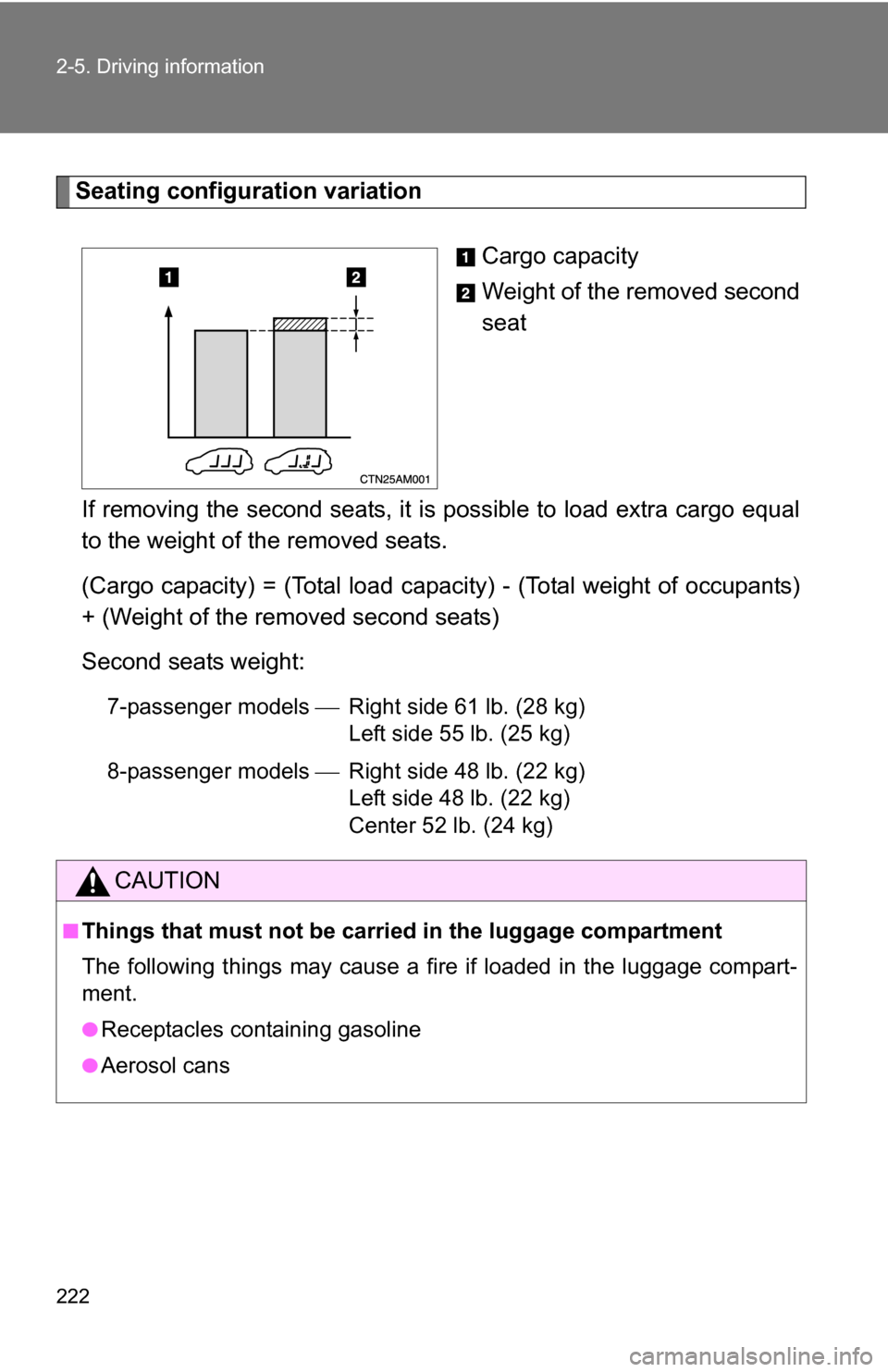
Seating configuration variationCargo capacity
Weight of the removed second
seat
If removing the second seats, it is possible to load extra cargo equal
to the weight of the removed seats.
(Cargo capacity) = (Total load capacity) - (Total weight of occupants)
+ (Weight of the removed second seats)
Second seats weight:
7-passenger models Right side 61 lb. (28 kg)
Left side 55 lb. (25 kg)
8-passenger models Right side 48 lb. (22 kg)
Left side 48 lb. (22 kg)
Center 52 lb. (24 kg)
CAUTION
■Things that must not be carried in the luggage compartment
The following things may cause a fire if loaded in the luggage compart-
ment.
●Receptacles containing gasoline
●Aerosol cans
Page 244 of 592
244 3-1. Using the air conditioning system and defogger
■Using the system in recirculated air mode
The windows will fog up more easily if the recirculated air mode is used for
an extended period.
■ Window defogger feature
In order to prevent the windows from fogging up, recirculated air mode may
automatically switch to outside air mode if the ambient temperature drops.
This feature can be cancelled by pushing and holding the air circulation
mode switch for longer than 2 seconds. The feature will be reactivated when
the engine switch is turned to the “ACC” or “LOCK” position.
■ When outside air temperat ure approaches 32°F (0°C)
The air conditioning system may not operate even when is pressed.
■ When
is selected for the air outlets used
For your driving comfort, air flowing to the feet may be warmer than air flow-
ing to the upper body depending on the temperature setting.
■ When the indicator light on
flashes
Press
and turn off the air conditioning system before turning it on
once more. There may be a problem in the air conditioning system if the indi-
cator light continues to flash. Turn the air conditioning system off and have it
inspected by your Toyota dealer.
Page 283 of 592
283
3-2. Using the audio system
3
Interior features
■
MP3 and WMA files
MP3 (MPEG Audio LAYER3) is a standard audio compression format.
Files can be compressed to approximately 1/10 of their original size using
MP3 compression.
WMA (Windows Media
TM Audio) is a Microsoft audio compression format.
This format compresses audio data to a size smaller than that of the MP3
format.
There is a limit to the MP3 and WMA file standards and to the media/formats
recorded by them that can be used.
● MP3 file compatibility
• Compatible standards
MP3 (MPEG1 LAYER3, MPEG2 LSF LAYER3)
• Compatible sampling frequencies MPEG1 LAYER3: 32, 44.1, 48 (kHz)
MPEG2 LSF LAYER3: 16, 22.05, 24 (kHz)
• Compatible bit rates (compatible with VBR) MPEG1 LAYER3: 64, 80, 96, 112, 128, 160, 192, 224, 256, 320 (kbps)
MPEG2 LSF LAYER3: 64, 80, 96, 112, 128, 144, 160 (kbps)
• Compatible channel modes: stereo, joint stereo, dual channel and monaural
● WMA file compatibility
• Compatible standards
WMA Ver. 7, 8, 9
• Compatible sampling frequencies 32, 44.1, 48 (kHz)
• Compatible bit rates (only compatible with 2-channel playback) Ver. 7, 8: CBR 48, 64, 80, 96, 128, 160, 192 (kbps)
Ver. 9: CBR 48, 64, 80, 96, 128, 160, 192, 256, 320 (kbps)
Page 284 of 592
284 3-2. Using the audio system
●Compatible media
Media that can be used for MP3 and WMA playback are CD-Rs and CD-
RWs.
Playback in some instances may not be possible, depending on the status
of the CD-R or CD-RW. Playback may not be possible or the audio may
jump if the disc is scratched or marked with fingerprints.
● Compatible disc formats
The following disc formats can be used.
• Disc formats: CD-ROM Mode 1 and Mode 2
CD-ROM XA Mode 2, Form 1 and Form 2
• File formats: ISO9660 Level 1, Level 2, (Romeo, Joliet) MP3 and WMA files written in any format other than those listed above
may not play correctly, and their file names and folder names may not
be displayed correctly.
Items related to standards and limitations are as follows.
• Maximum directory hierarchy: 8 levels
• Maximum length of folder names/file names: 32 characters
• Maximum number of folders: 192 (including the root)
• Maximum number of files per disc: 255
● File names
The only files that can be recognized as MP3/WMA and played are those
with the extension .mp3 or .wma.
● Multi-sessions
As the audio system is compatible with multi-sessions, it is possible to play
discs that contain MP3 and WMA files. However, only the first session can
be played.