Page 284 of 508
284 3-4. Using the hands-free system (for cellular phone)
PRIUS_U_(OM47614U)
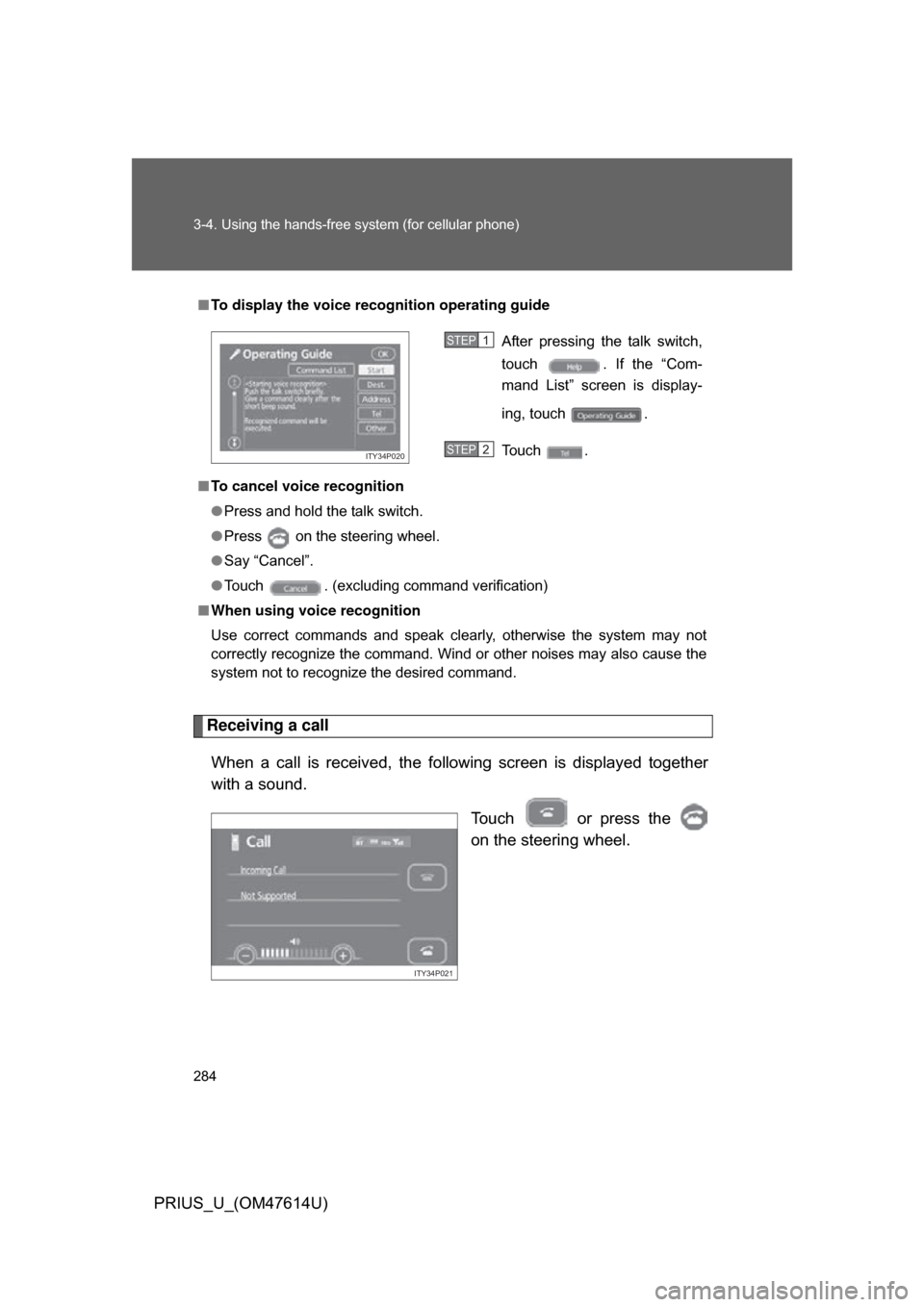
Receiving a callWhen a call is received, the following screen is displayed together
with a sound. Touch or press the
on the steering wheel.
■To display the voice recognition operating guide
■ To cancel voice recognition
● Press and hold the talk switch.
● Press on the steering wheel.
● Say “Cancel”.
● Touch . (excluding command verification)
■ When using voice recognition
Use correct commands and speak clearly, otherwise the system may not
correctly recognize the command. Wind or other noises may also cause the
system not to recognize the desired command.
After pressing the talk switch,
touch . If the “Com-
mand List” screen is display-
ing, touch .
Touch .
ITY34P020
STEP1
STEP2
ITY34P021
Page 285 of 508
285
3-4. Using the hands-free
system (for cellular phone)
3
Interior features
PRIUS_U_(OM47614U)■
To refuse a call
Touch and hold .
■ To adjust the received call volume
Touch the or . You can also adjust the volume using the
steering switches.
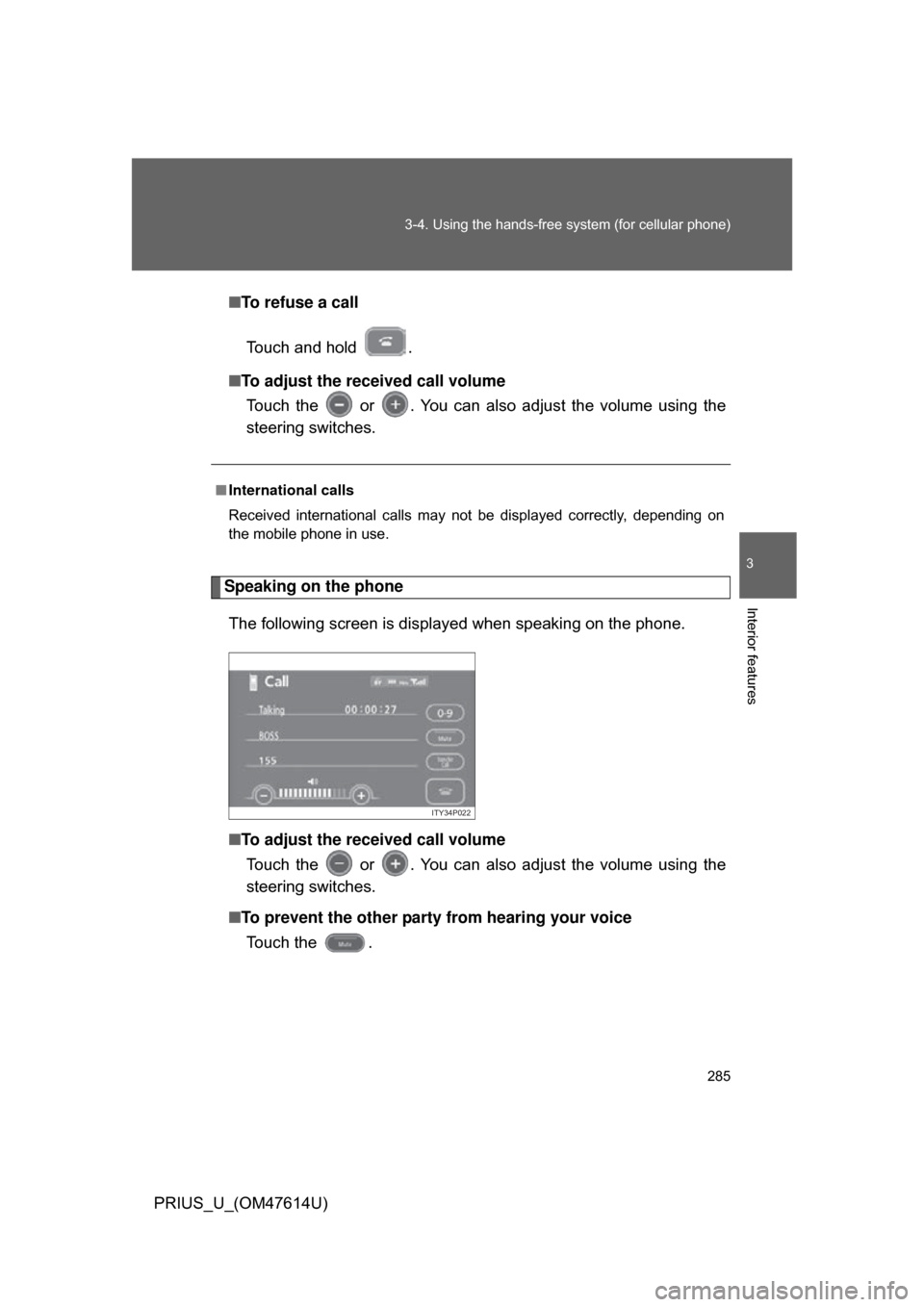
Speaking on the phone
The following screen is displayed when speaking on the phone.
■ To adjust the received call volume
Touch the or . You can also adjust the volume using the
steering switches.
■ To prevent the other party from hearing your voice
Touch the .
■ International calls
Received international calls may not be displayed correctly, depending on
the mobile phone in use.
ITY34P022
Page 286 of 508
286 3-4. Using the hands-free system (for cellular phone)
PRIUS_U_(OM47614U)■
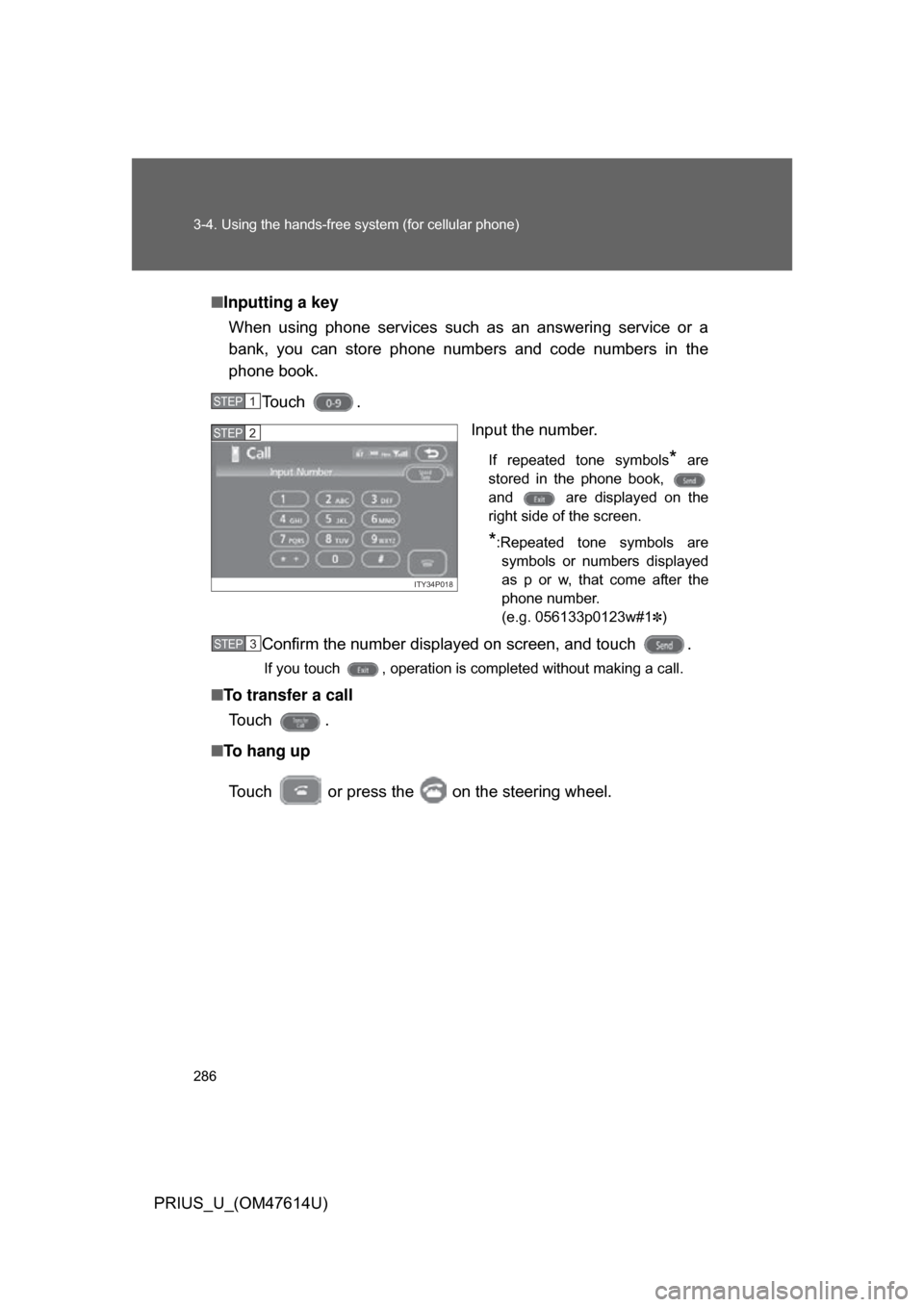
Inputting a key
When using phone services such as an answering service or a
bank, you can store phone numbers and code numbers in the
phone book.
Touch . Input the number.
If repeated tone symbols* are
stored in the phone book,
and are displayed on the
right side of the screen.
*:Repeated tone symbols are symbols or numbers displayed
as p or w, that come after the
phone number.
(e.g. 056133p0123w#1
✽)
Confirm the number displayed on screen, and touch .
If you touch , operation is completed without making a call.
■ To transfer a call
To u c h .
■ To hang up
Touch or press the on the steering wheel.
STEP1
ITY34P018
STEP2
STEP3
Page 296 of 508
296 3-4. Using the hands-free system (for cellular phone)
PRIUS_U_(OM47614U)■
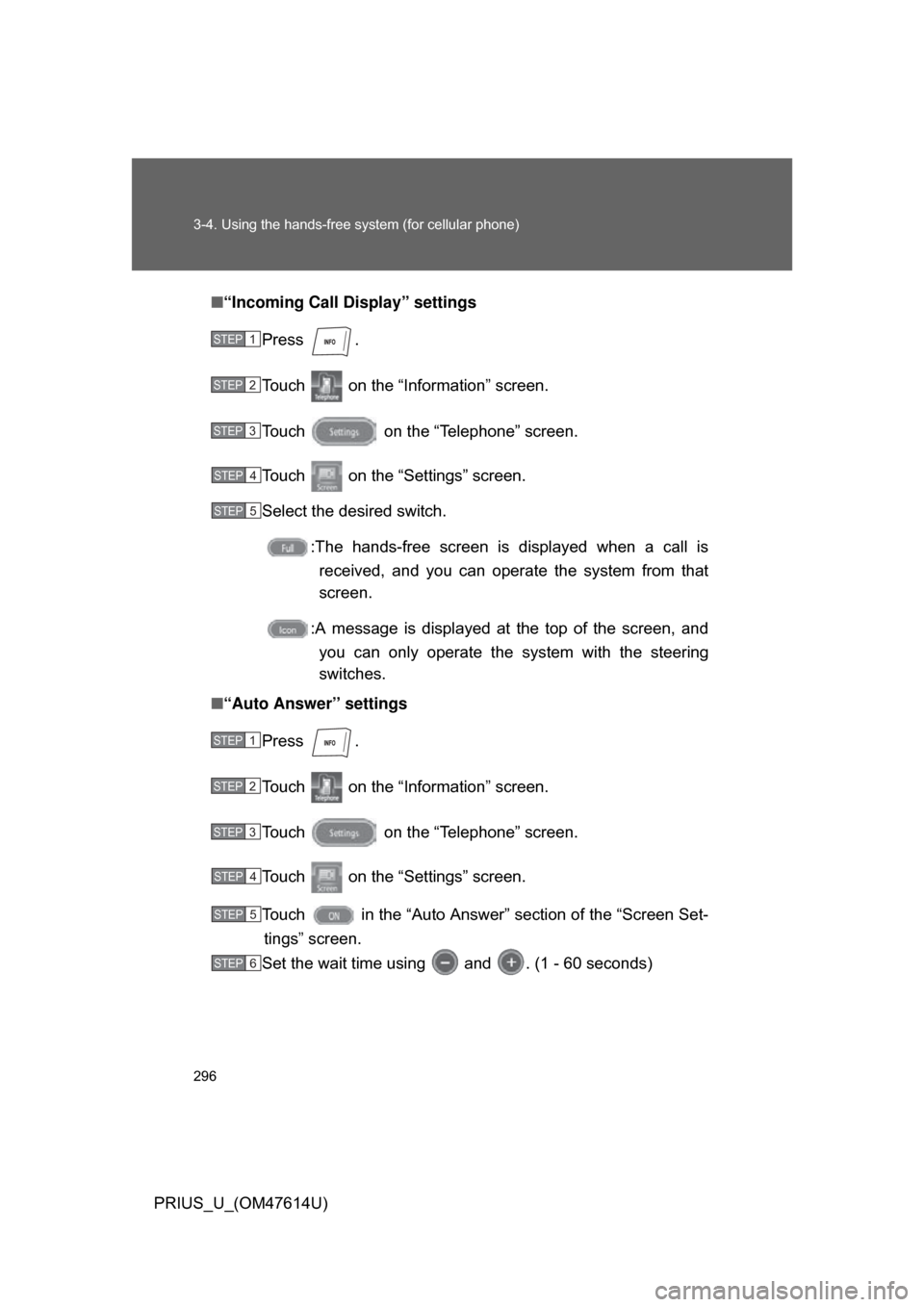
“Incoming Call Display” settings
Press .
Touch on the “Inf ormation” screen.
Touch on the “Telephone” screen.
Touch on the “Settings” screen.
Select the desired switch. :The hands-free screen is displayed when a call isreceived, and you can operate the system from that
screen.
:A message is displayed at the top of the screen, and
you can only operate the system with the steering
switches.
■ “Auto Answer” settings
Press .
Touch on the “Inf ormation” screen.
Touch on the “Telephone” screen.
Touch on the “Settings” screen.
Touch in the “Auto Answer” section of the “Screen Set- tings” screen.
Set the wait time using and . (1 - 60 seconds)
STEP1
STEP2
STEP3
STEP4
STEP5
STEP1
STEP2
STEP3
STEP4
STEP5
STEP6
Page 350 of 508
350 4-2. Maintenance
PRIUS_U_(OM47614U)
Vehicle interior
ItemsCheck points
Accelerator pedal • Moves smoothly (without uneven pedal
effort or catching)?
Automatic transmission
“Park” mechanism • Can the vehicle be hold securely on an
incline with the shift lever in “P”?
Brake pedal • Moves smoothly?
• Does it have appropriate clearance and
correct amount of free play?
Brakes • Pulls to one side when applied?
• Loss of brake effectiveness?
• Spongy feeling brake pedal?
• Pedal almost touches floor?
Head restraints • Move smoothly and lock securely?
Indicators/buzzers • Function properly?
Lights • Do all the lights come on?
Parking brake • Moves smoothly?
• Can hold the vehicle securely on an
incline?
Seat belts • Does the seat belt system operate
smoothly?
• Are the belts undamaged?
Seats • Do the seat controls operate properly?
Steering wheel • Moves smoothly?
• Has correct free play?
• No strange noises?
Page 397 of 508
397
4-3. Do-it-yourself maintenance
4
Maintenance and care
PRIUS_U_(OM47614U)
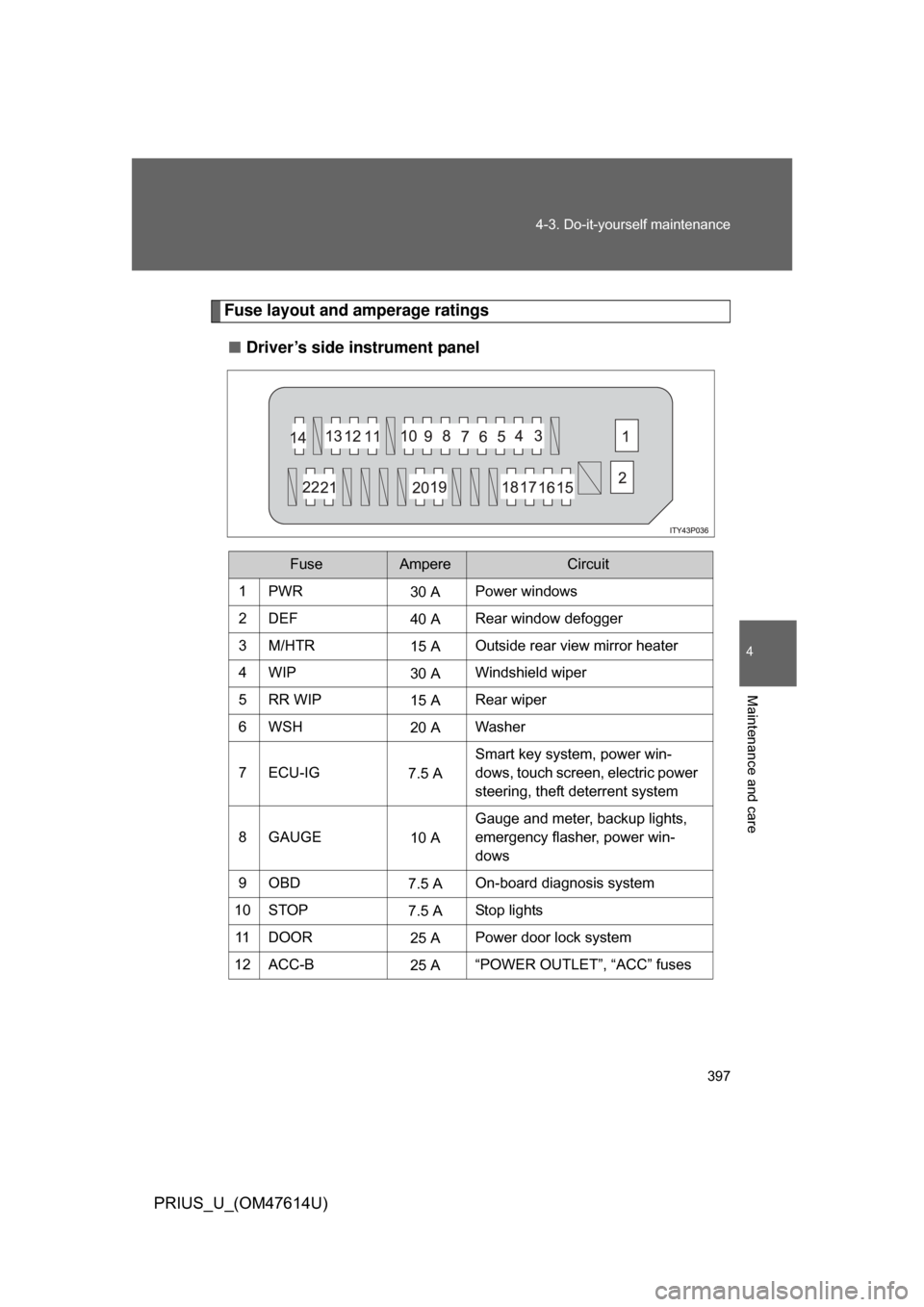
Fuse layout and amperage ratings
■ Driver’s side instrument panel
FuseAmpereCircuit
1PWR30 APower windows
2DEF 40 ARear window defogger
3M/HTR 15 AOutside rear view mirror heater
4WIP 30 AWindshield wiper
5RR WIP 15 ARear wiper
6WSH 20 AWasher
7 ECU-IG 7.5 ASmart key system, power win-
dows, touch screen, electric power
steering, theft deterrent system
8GAUGE 10 AGauge and meter, backup lights,
emergency flasher, power win-
dows
9OBD 7.5 AOn-board diagnosis system
10 STOP 7.5 AStop lights
11 D O O R 25 APower door lock system
12 ACC-B 25 A“POWER OUTLET”, “ACC” fuses
Page 413 of 508
5
When trouble arises
413
5-1. Essential information
PRIUS_U_(OM47614U)
If your vehicle needs to be towed
Before towingThe following may indicate a problem with your transmission. Contact
your Toyota dealer before towing.
● The hybrid system is operating, but the vehicle will not move.
● The vehicle makes an abnormal sound.
Emergency towing
If a tow truck is not available, in an emergency your vehicle may be
temporarily towed using a cable or chain secured to the emergency
towing eyelet. This should only attempted on hard, surfaced roads for
short distances below 18 mph (30km/h).
A driver must be in the vehicle to steer and operate the brakes. The
vehicle’s wheels, drive train, axles, steering and brakes must be in
good condition.
If towing is necessary, we recommend having your vehicle towed by
your Toyota dealer or a commerci al towing service, using a lift-type
truck or a flat bed truck.
Use a safety chain system for all to wing, and abide by all state/pro-
vincial and local laws.
If towing from the front, the vehicle ’s rear wheel and axles must be in
good condition. ( P. 417)
If they are damaged, use a towing dolly or flat bed truck.
Page 414 of 508
414 5-1. Essential information
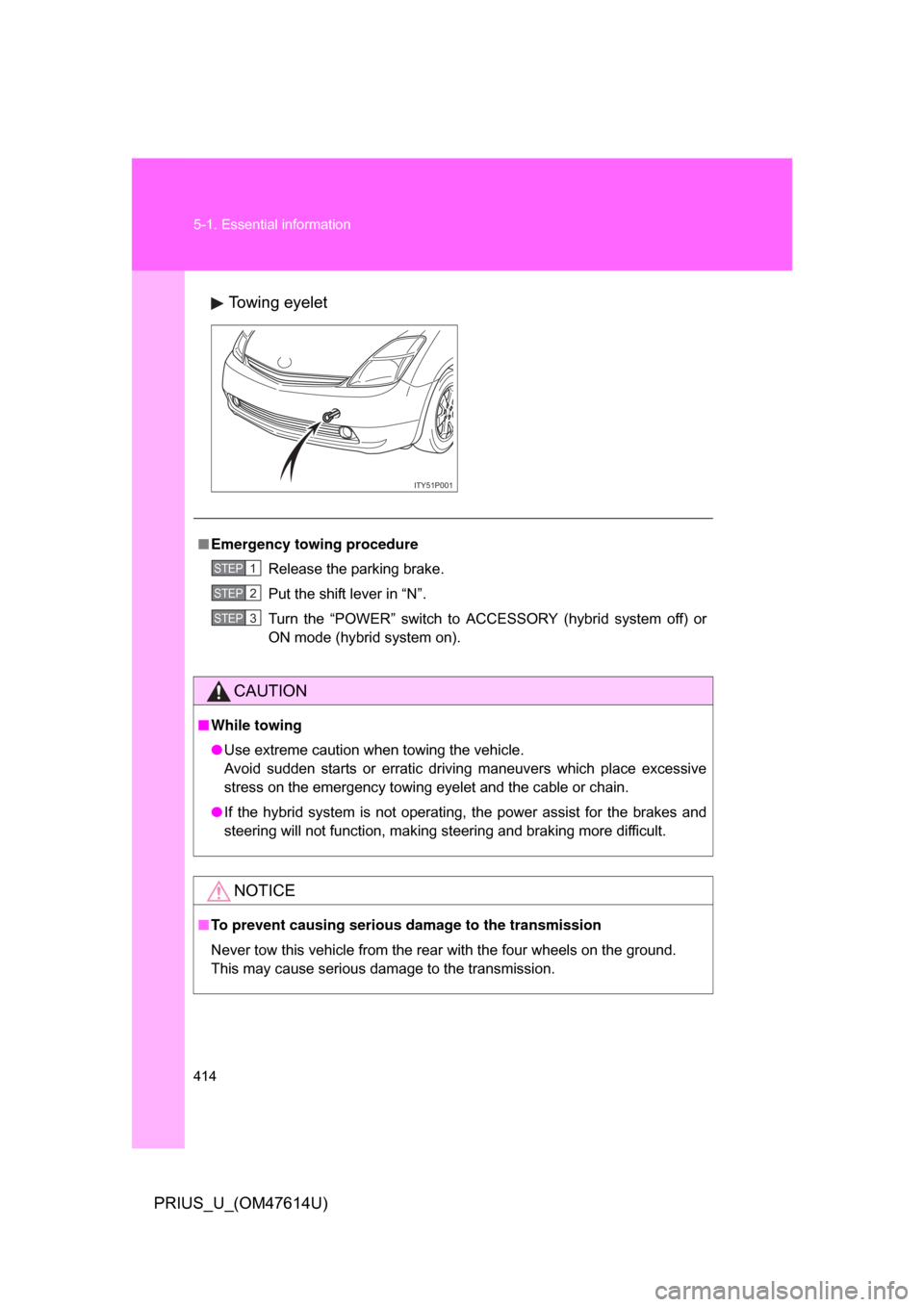
PRIUS_U_(OM47614U)Towing eyelet
ITY51P001
■
Emergency towing procedure
Release the parking brake.
Put the shift lever in “N”.
Turn the “POWER” switch to ACCESSORY (hybrid system off) or
ON mode (hybrid system on).
CAUTION
■While towing
● Use extreme caution when towing the vehicle.
Avoid sudden starts or erratic driving maneuvers which place excessive
stress on the emergency towing eyelet and the cable or chain.
● If the hybrid system is not operating, the power assist for the brakes and
steering will not function, making steering and braking more difficult.
NOTICE
■To prevent causing serious dama ge to the transmission
Never tow this vehicle from the rear with the four wheels on the ground.
This may cause serious damage to the transmission.
STEP1
STEP2
STEP3