Page 259 of 508
259
3-3. Using the audio system
3
Interior features
PRIUS_U_(OM47614U)
Optimal use of the audio (Vehicle with AUX adapter)
Press on the panel to display the audio/video control screen.
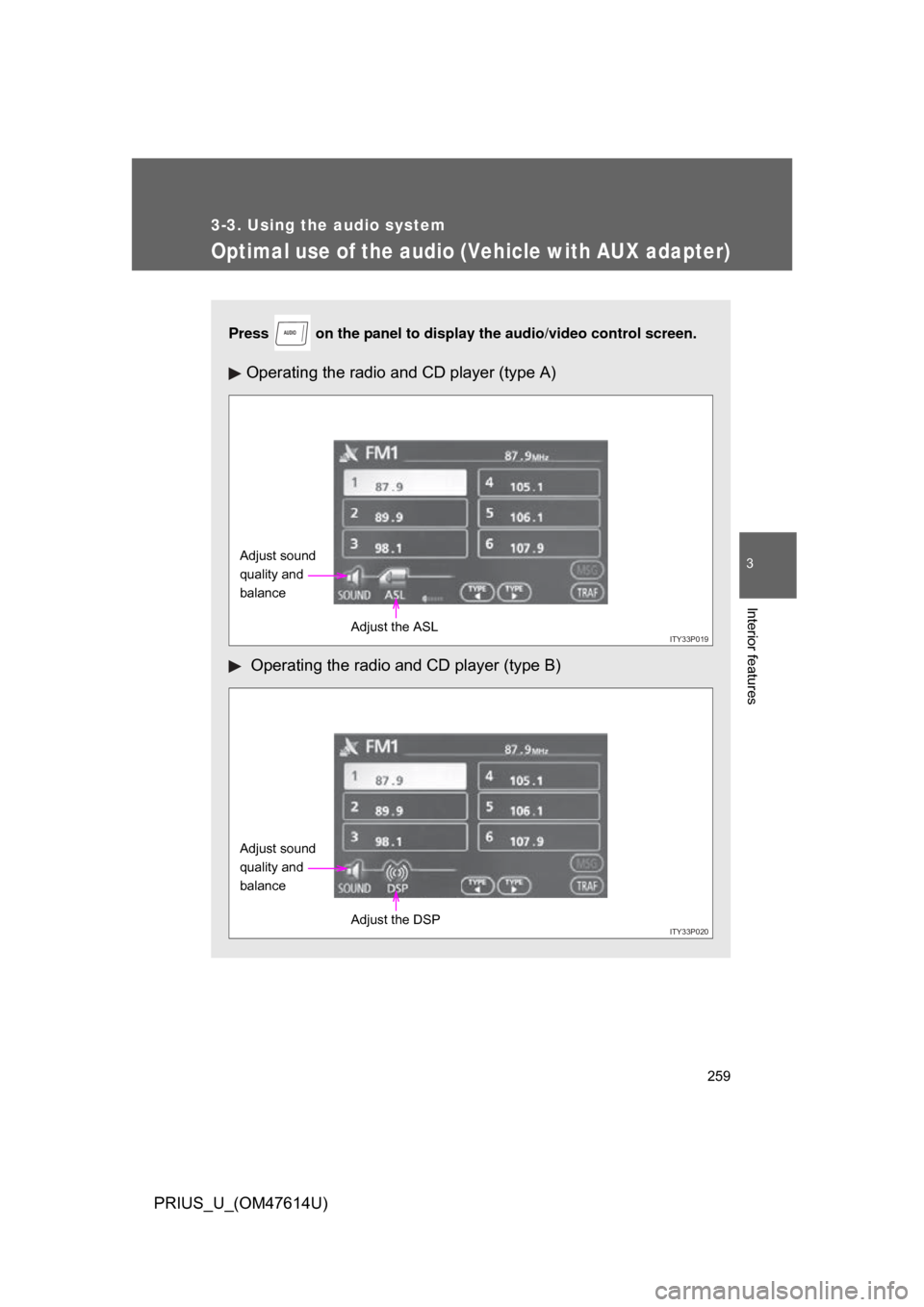
Operating the radio and CD player (type A)
Operating the radio and CD player (type B)
AUDIO
ITY33P019
Adjust sound
quality and
balance
Adjust the ASL
ITY33P020
Adjust sound
quality and
balanceAdjust the DSP
Page 260 of 508
260 3-3. Using the audio system
PRIUS_U_(OM47614U)
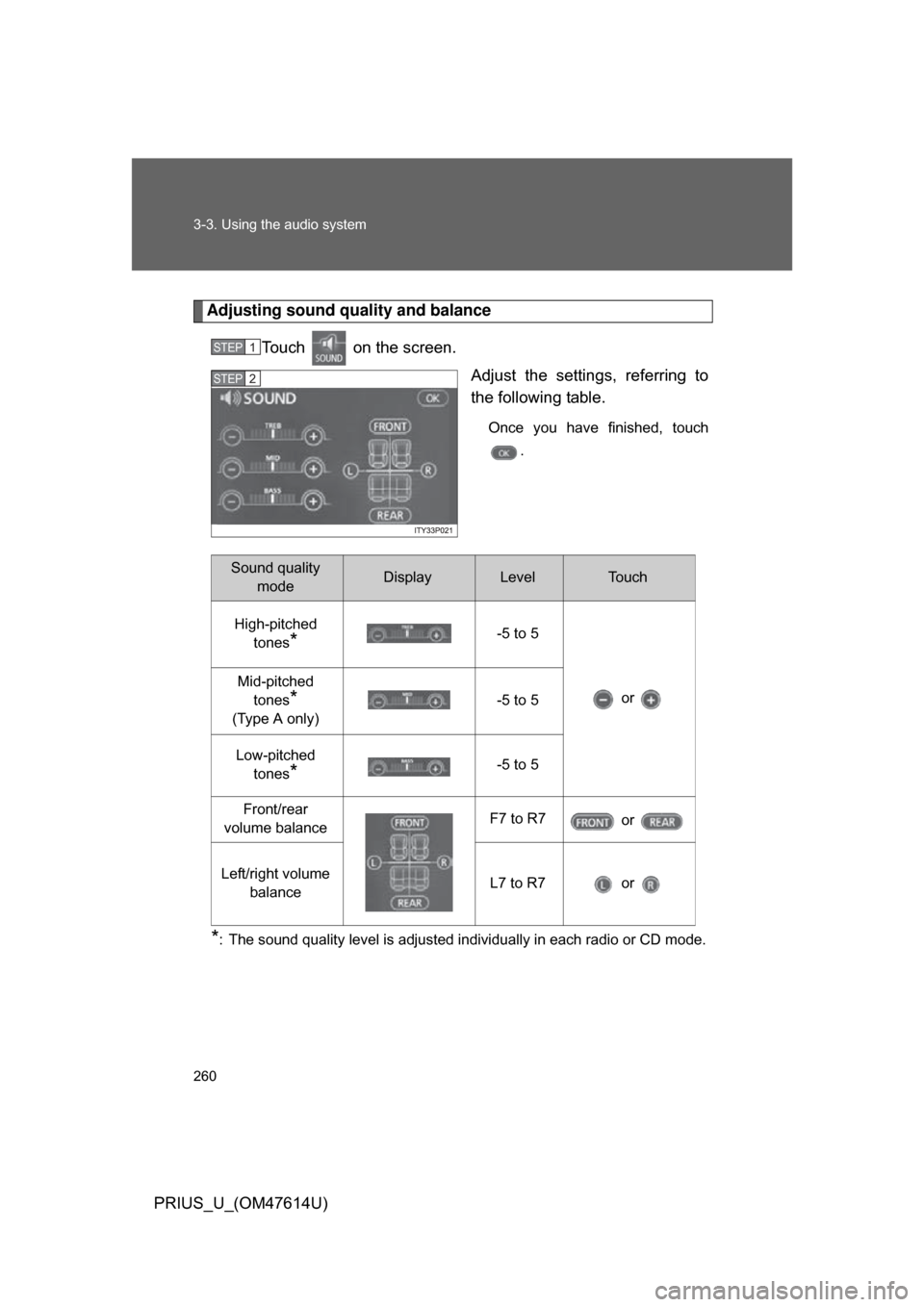
Adjusting sound quality and balanceTouch on the screen. Adjust the settings, referring to
the following table.
Once you have finished, touch.
*: The sound quality level is adjusted individually in each radio or CD mode.
STEP1
STEP2
Sound quality modeDisplayLevelTo u c h
High-pitched tones
*-5 to 5
or
Mid-pitched
tones
*
(Type A only) -5 to 5
Low-pitched tones
*-5 to 5
Front/rear
volume balance F7 to R7
or
Left/right volume balance L7 to R7 or
Page 261 of 508
261
3-3. Using the audio system
3
Interior features
PRIUS_U_(OM47614U)
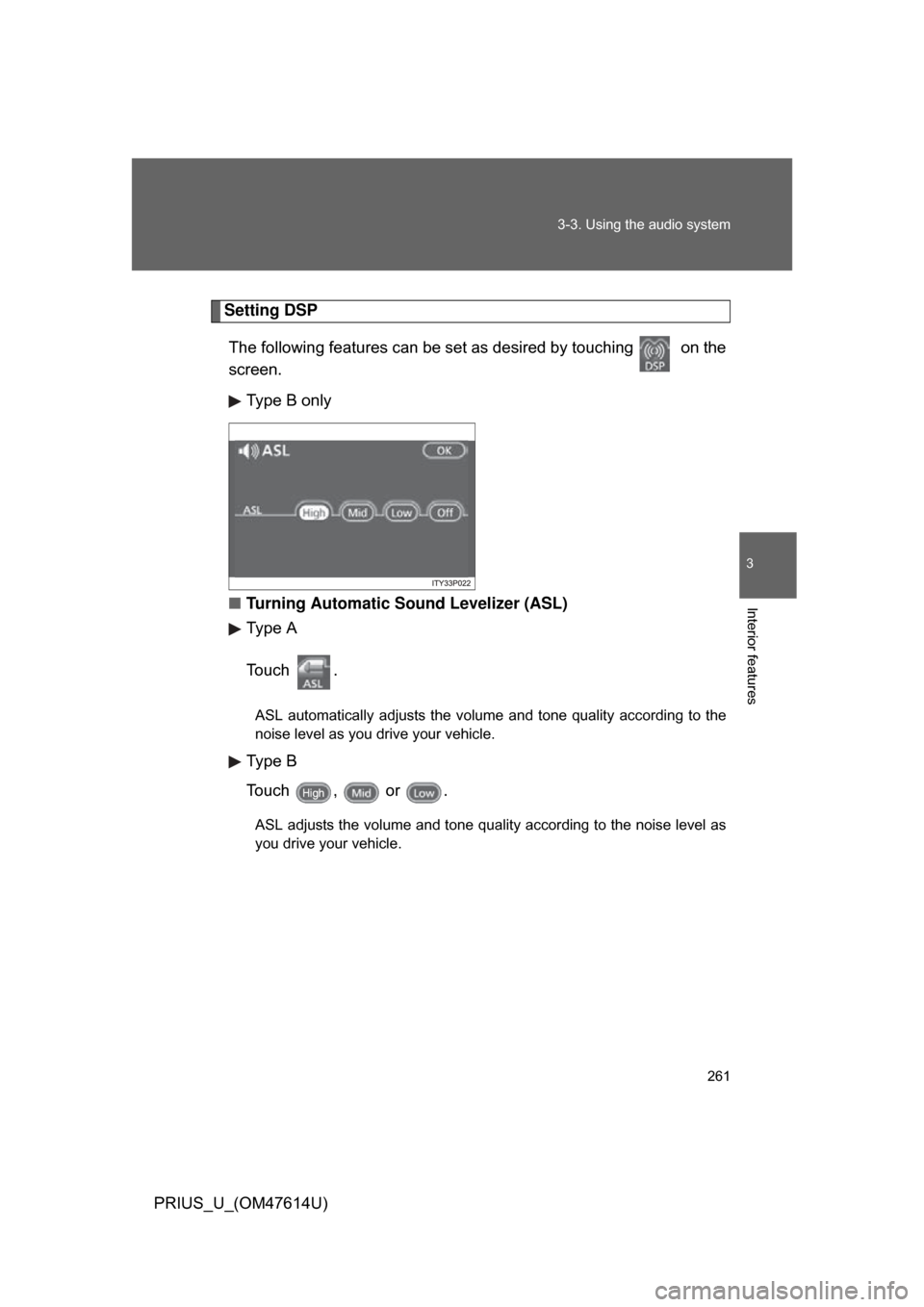
Setting DSP
The following features can be se t as desired by touching on the
screen.
Type B only
■ Turning Automatic Sound Levelizer (ASL)
Type A
To u c h .
ASL automatically adjusts the volume and tone quality according to the
noise level as you drive your vehicle.
Type B
Touch , or .
ASL adjusts the volume and tone quality according to the noise level as
you drive your vehicle.
Page 262 of 508
262 3-3. Using the audio system
PRIUS_U_(OM47614U)
■Trademark owned by SRS Labs, Inc.
The audio systems utilize SRS FOCUS
and SRS TruBass audio
enhancement technologies, under license from SRS Labs, Inc., in all mode
except AM radio mode.
FOCUS, TruBass, SRS and
symbols are trademarks of SRS
Labs, Inc.
FOCUS and TruBass technologies are incorporated under license from
SRS Labs, Inc.
Page 263 of 508
263
3-3. Using the audio system
3
Interior features
PRIUS_U_(OM47614U)
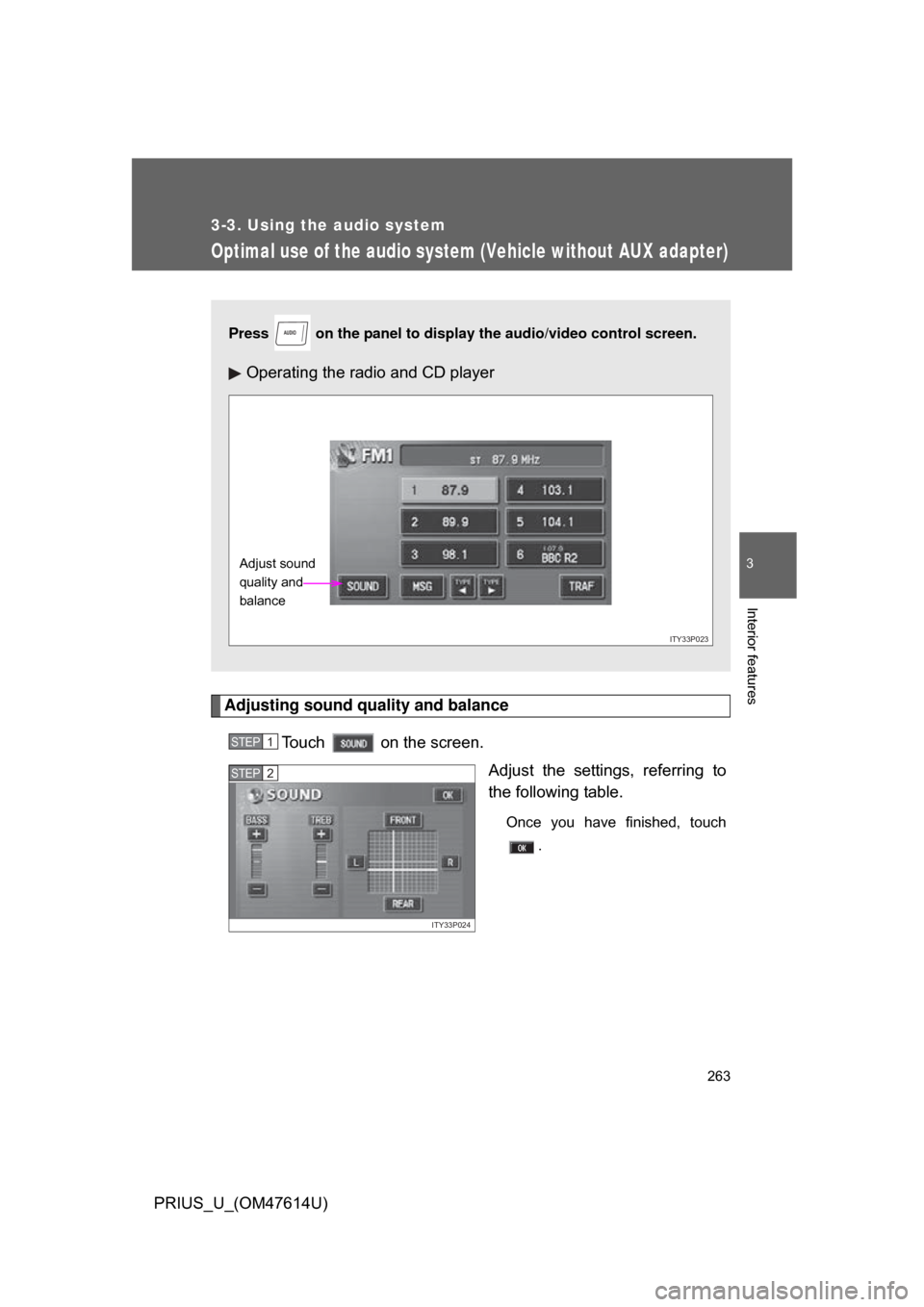
Optimal use of the audio system (Vehicle without AUX adapter)
Adjusting sound quality and balanceTouch on the screen. Adjust the settings, referring to
the following table.
Once you have finished, touch.
Press on the panel to display the audio/video control screen.
Operating the radio and CD player
AUDIO
ITY33P023
Adjust sound
quality and
balance
STEP1
ITY33P024
STEP2
Page 264 of 508
264 3-3. Using the audio system
PRIUS_U_(OM47614U)
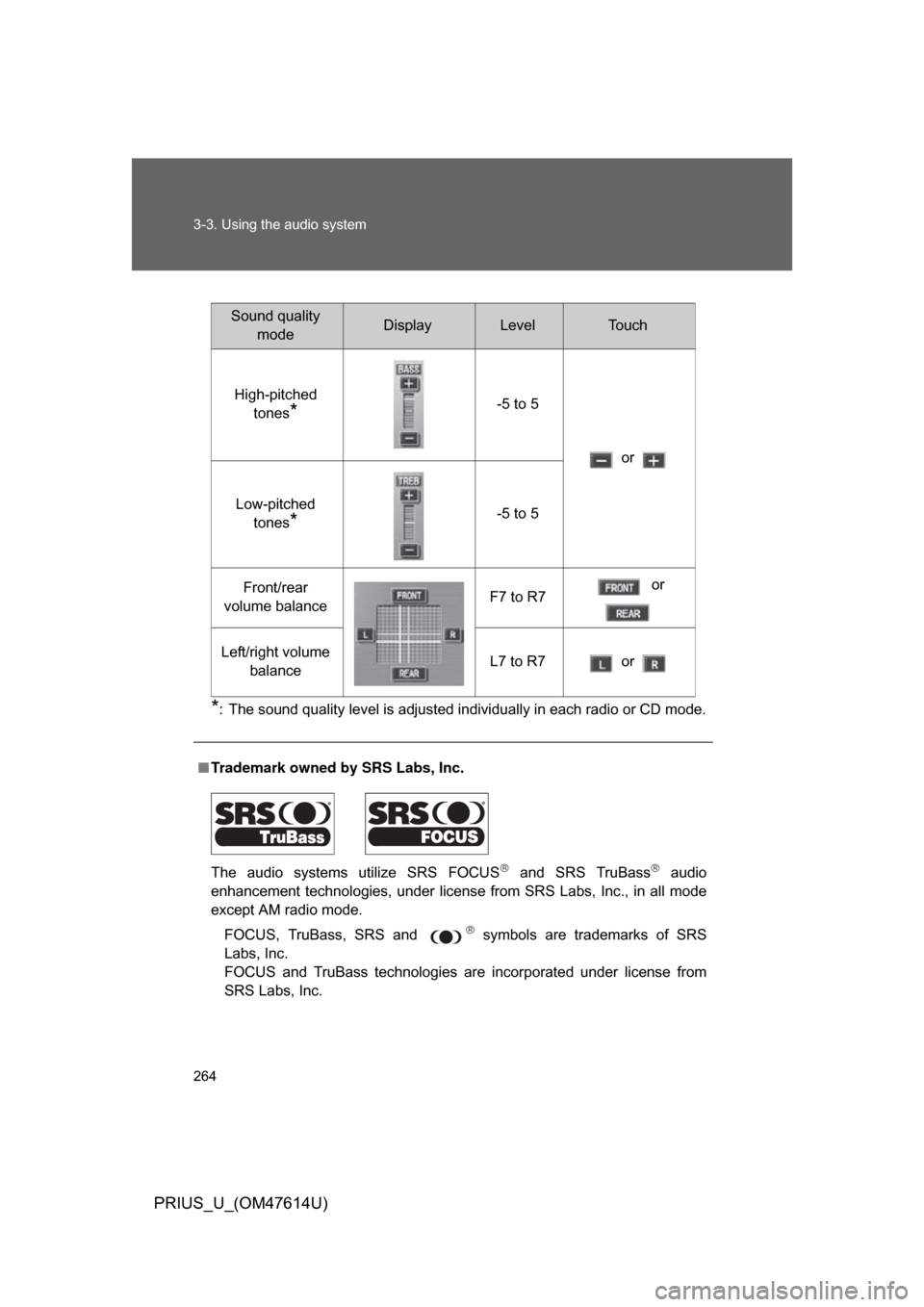
*: The sound quality level is adjusted individually in each radio or CD mode.
■Trademark owned by SRS Labs, Inc.
The audio systems utilize SRS FOCUS
and SRS TruBass audio
enhancement technologies, under license from SRS Labs, Inc., in all mode
except AM radio mode.
FOCUS, TruBass, SRS and
symbols are trademarks of SRS
Labs, Inc.
FOCUS and TruBass technologies are incorporated under license from
SRS Labs, Inc.
Sound quality modeDisplayLevelTo u c h
High-pitched tones
*-5 to 5
or
Low-pitched tones
*-5 to 5
Front/rear
volume balance F7 to R7 or
Left/right volume balance L7 to R7 or
Page 265 of 508
265
3-3. Using the audio system
3
Interior features
PRIUS_U_(OM47614U)
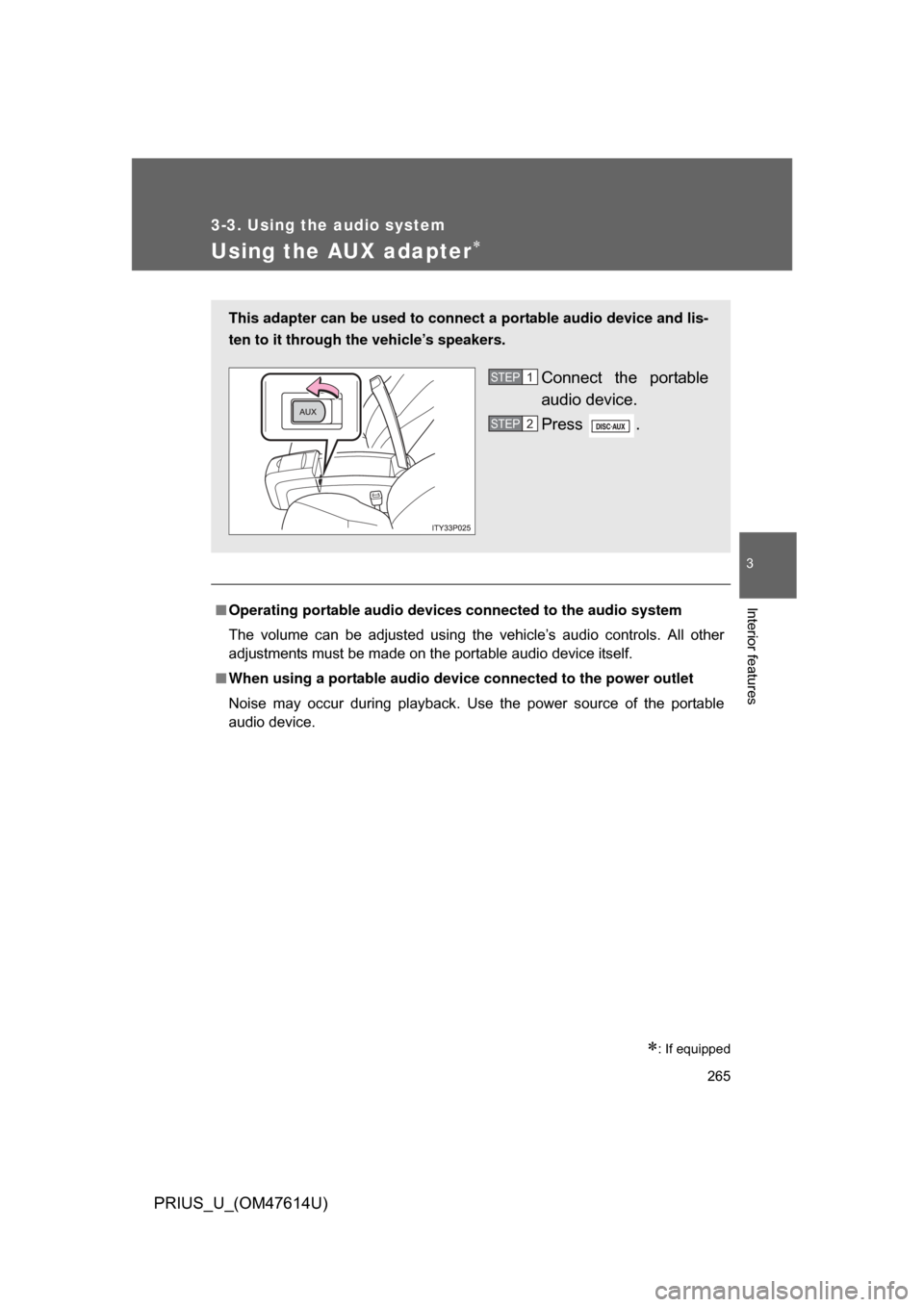
Using the AUX adapter
: If equipped
■Operating portable audio devices connected to the audio system
The volume can be adjusted using the vehicle’s audio controls. All other
adjustments must be made on the portable audio device itself.
■ When using a portable audio devi ce connected to the power outlet
Noise may occur during playback. Use the power source of the portable
audio device.
This adapter can be used to connect a portable audio device and lis-
ten to it through the vehicle’s speakers.
Connect the portable
audio device.
Press .STEP1
STEP2
Page 266 of 508
266
3-3. Using the audio system
PRIUS_U_(OM47614U)
Using the steering switches
Turning on the powerPress when the audio system is turned OFF.
The audio system can be turned OFF by holding the switch down for 1
second or more.
Changing the audio sourcePress when the audio system is turned ON. The audio source
changes as follows each time the bu tton is pressed. If a CD is not
inserted, that mode will be skipped.
FM (1, 2) CD player AM SAT (1, 2, 3)
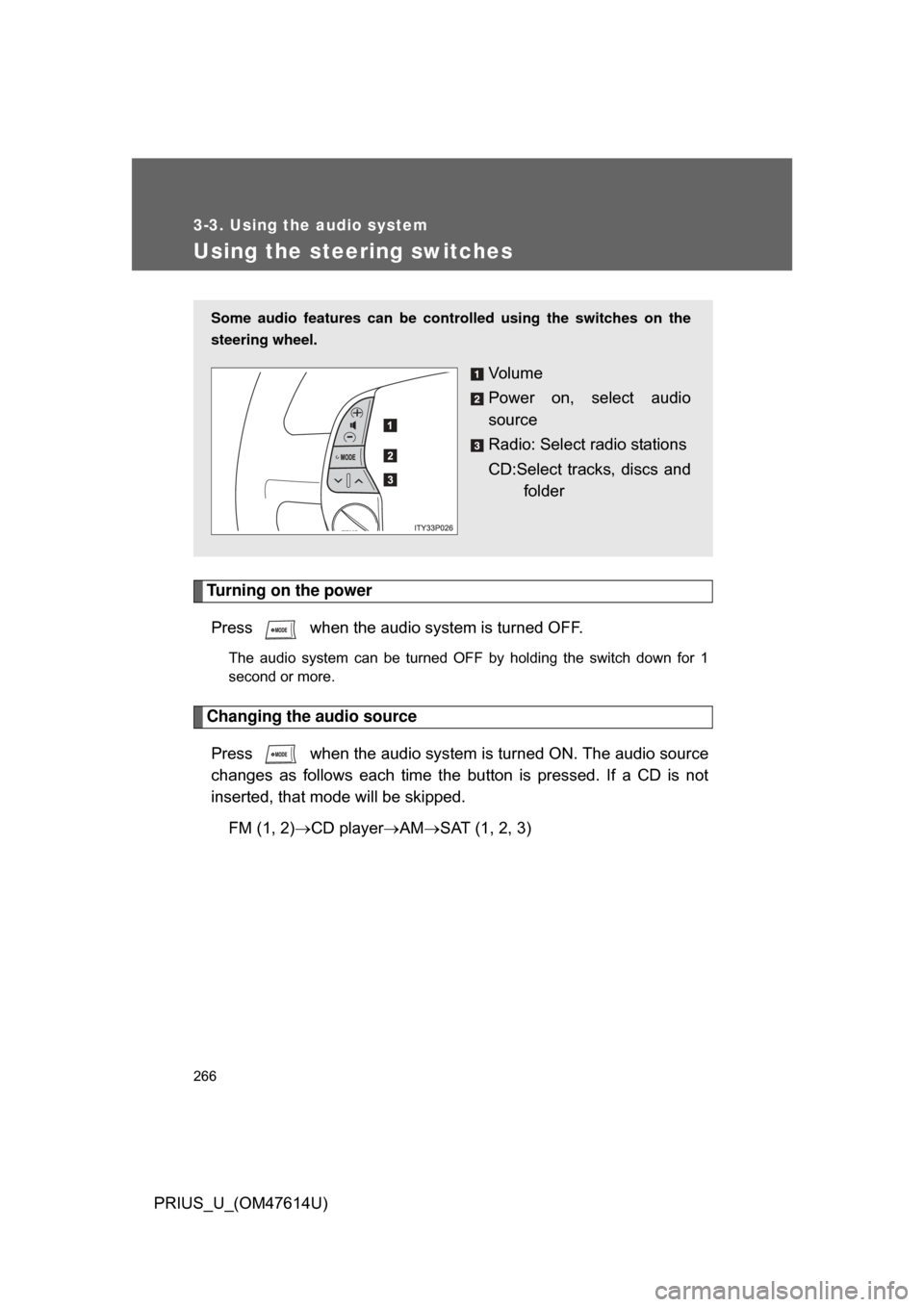
Some audio features can be controlled using the switches on the
steering wheel.
Vo l u m e
Power on, select audio
source
Radio: Select radio stations
CD:Select tracks, discs and
folder