Page 156 of 508
156
2-3. Operating the lights and windshield wipers
PRIUS_U_(OM47614U)
Windshield wipers and washer
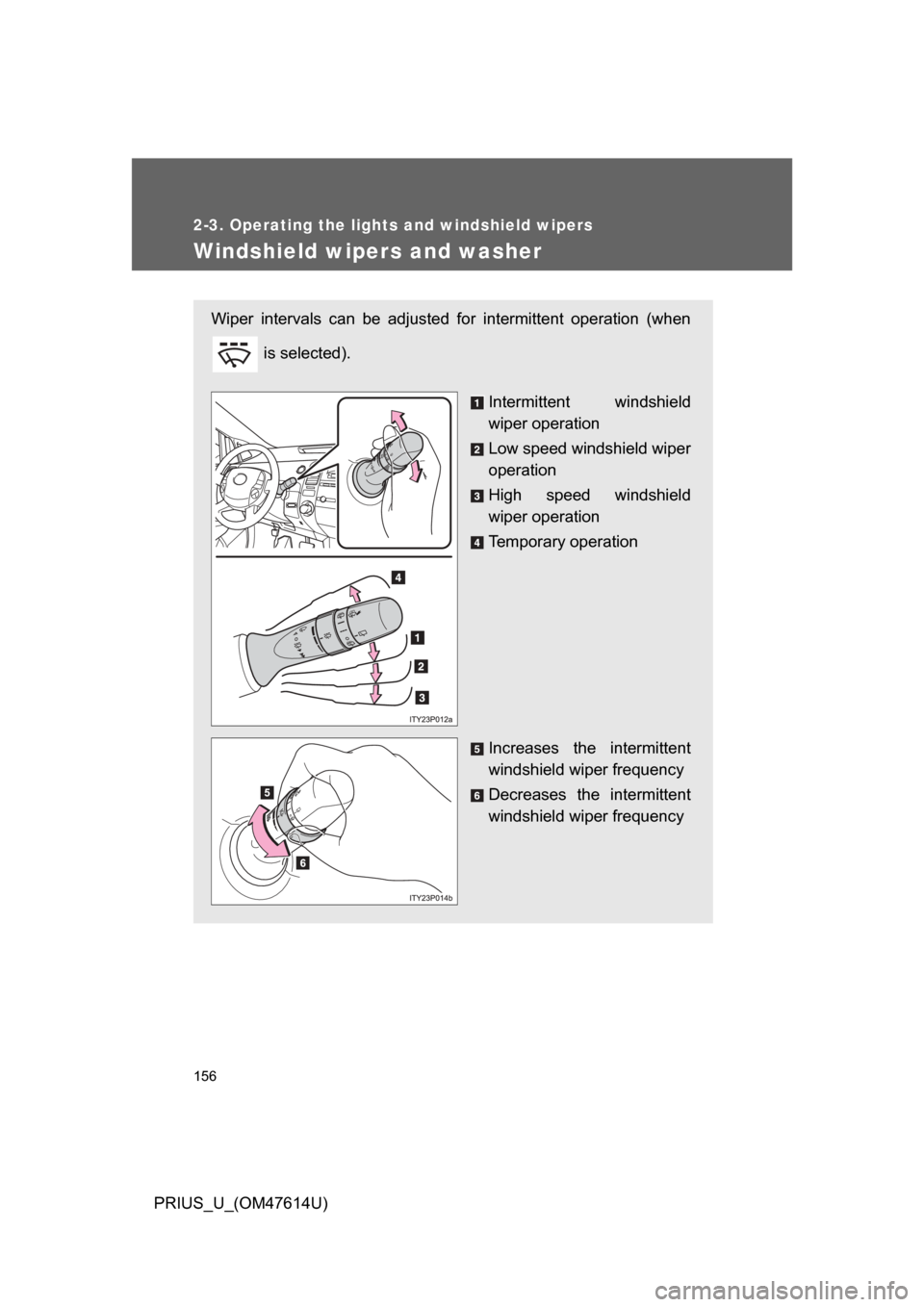
Wiper intervals can be adjusted for intermittent operation (when is selected).
Intermittent windshield
wiper operation
Low speed windshield wiper
operation
High speed windshield
wiper operation
Temporary operation
Increases the intermittent
windshield wiper frequency
Decreases the intermittent
windshield wiper frequency
Page 157 of 508
157
2-3. Operating the lights and windshield wipers
2
When driving
PRIUS_U_(OM47614U)
■
The windshield wiper and washer can be operated when
The “POWER” switch is in ON mode.
■ If no windshield washer fluid sprays
Check that the washer nozzles are not blocked and if there is washer fluid in
the windshield washer fluid reservoir.
NOTICE
■When the windshield is dry
Do not use the wipers, as they may damage the windshield.
■ When there is no washer fluid spray from the nozzle
Damage to the washer fluid pump may be caused if the lever is pulled
toward you and held continually.
■ When a nozzle becomes block
Do not try to clear it with a pin or other object. The nozzle will be damaged.
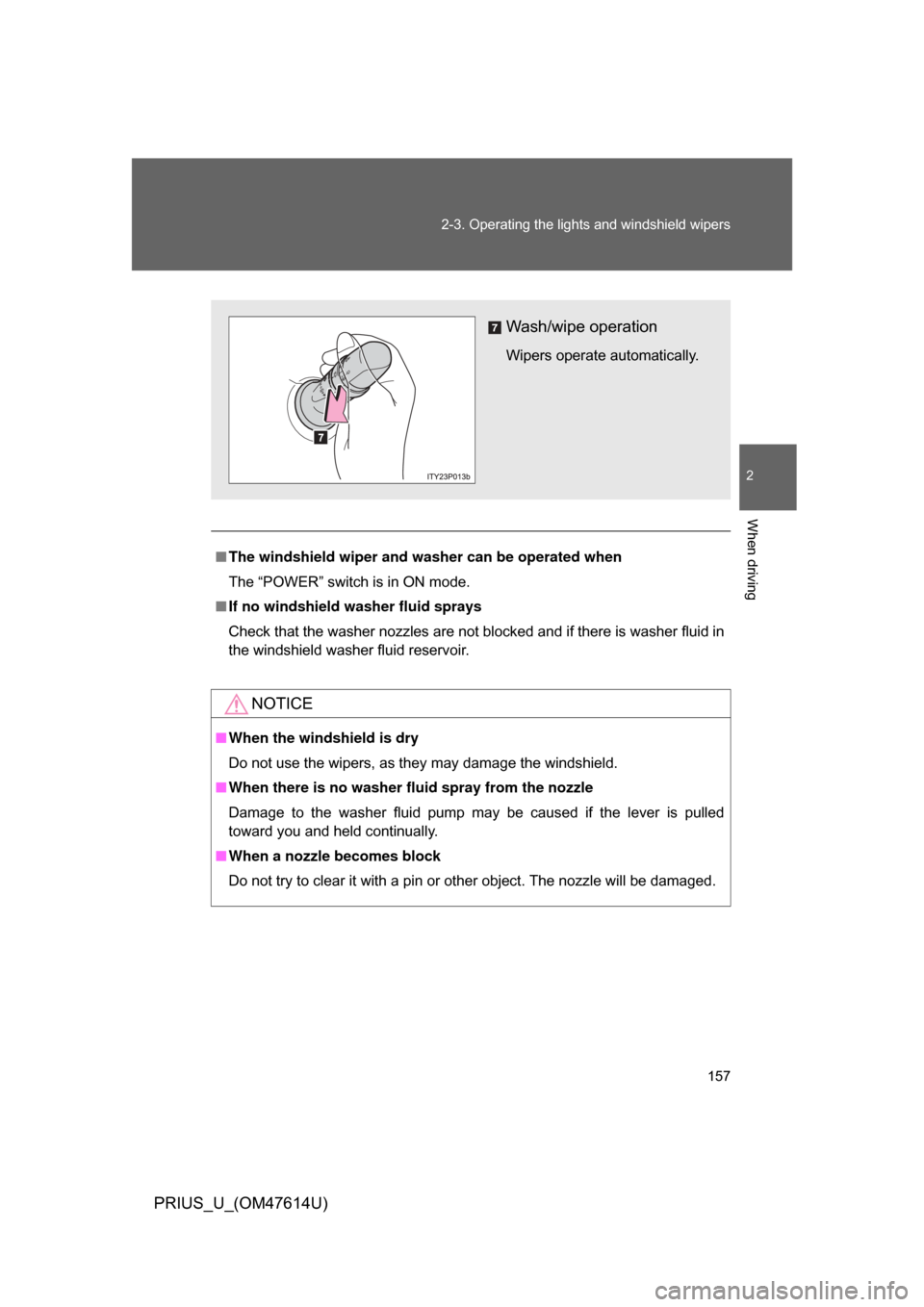
Wash/wipe operation
Wipers operate automatically.
Page 158 of 508
158
2-3. Operating the lights and windshield wipers
PRIUS_U_(OM47614U)
Rear window wiper and washer
■The rear window wiper and w asher can be operated when
The “POWER” switch is in ON mode.
NOTICE
■ When the rear window is dry
Do not use the wipers, as they may damage the rear window.
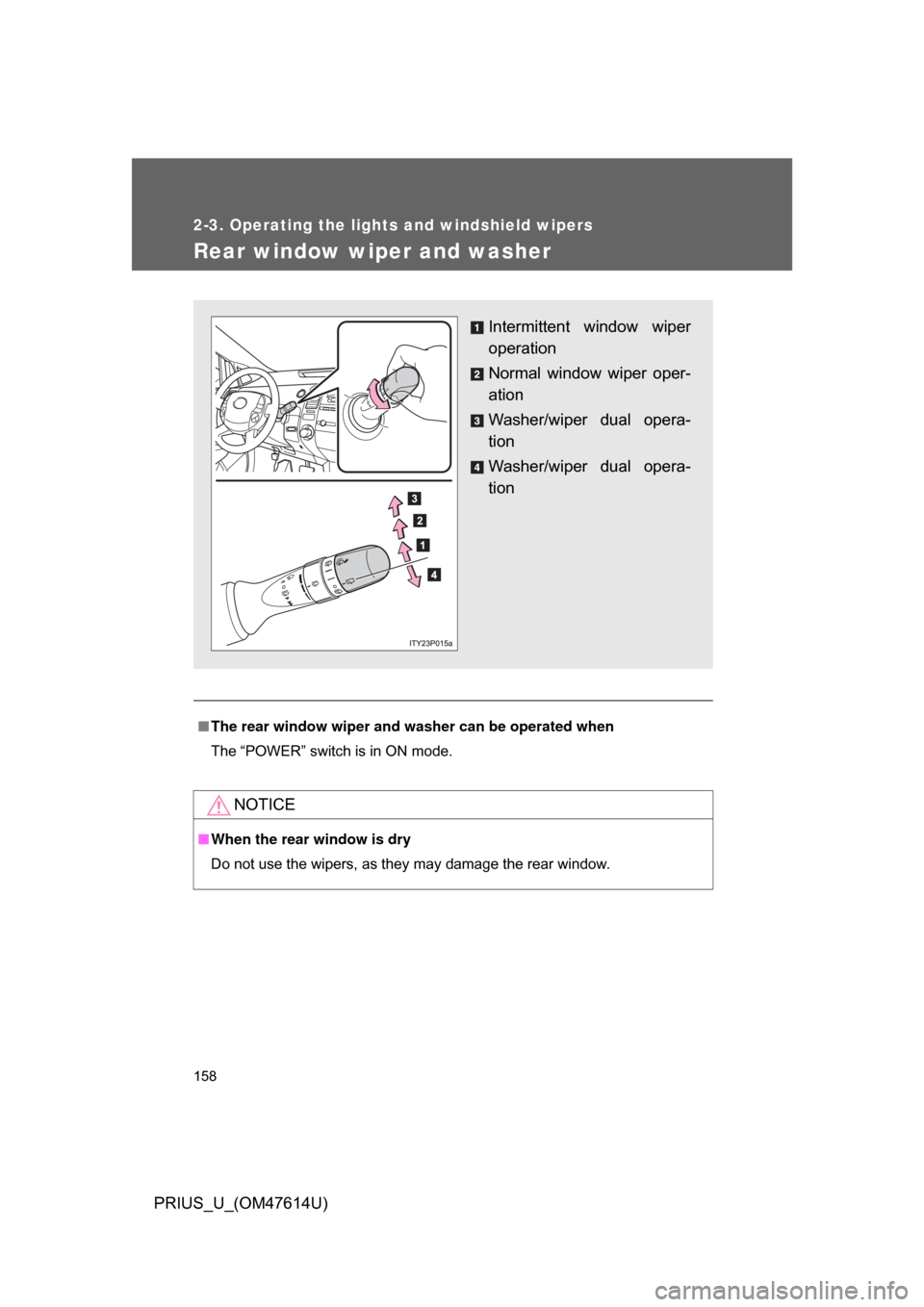
Intermittent window wiper
operation
Normal window wiper oper-
ation
Washer/wiper dual opera-
tion
Washer/wiper dual opera-
tion
Page 164 of 508
164 2-4. Using other driving systems
PRIUS_U_(OM47614U)
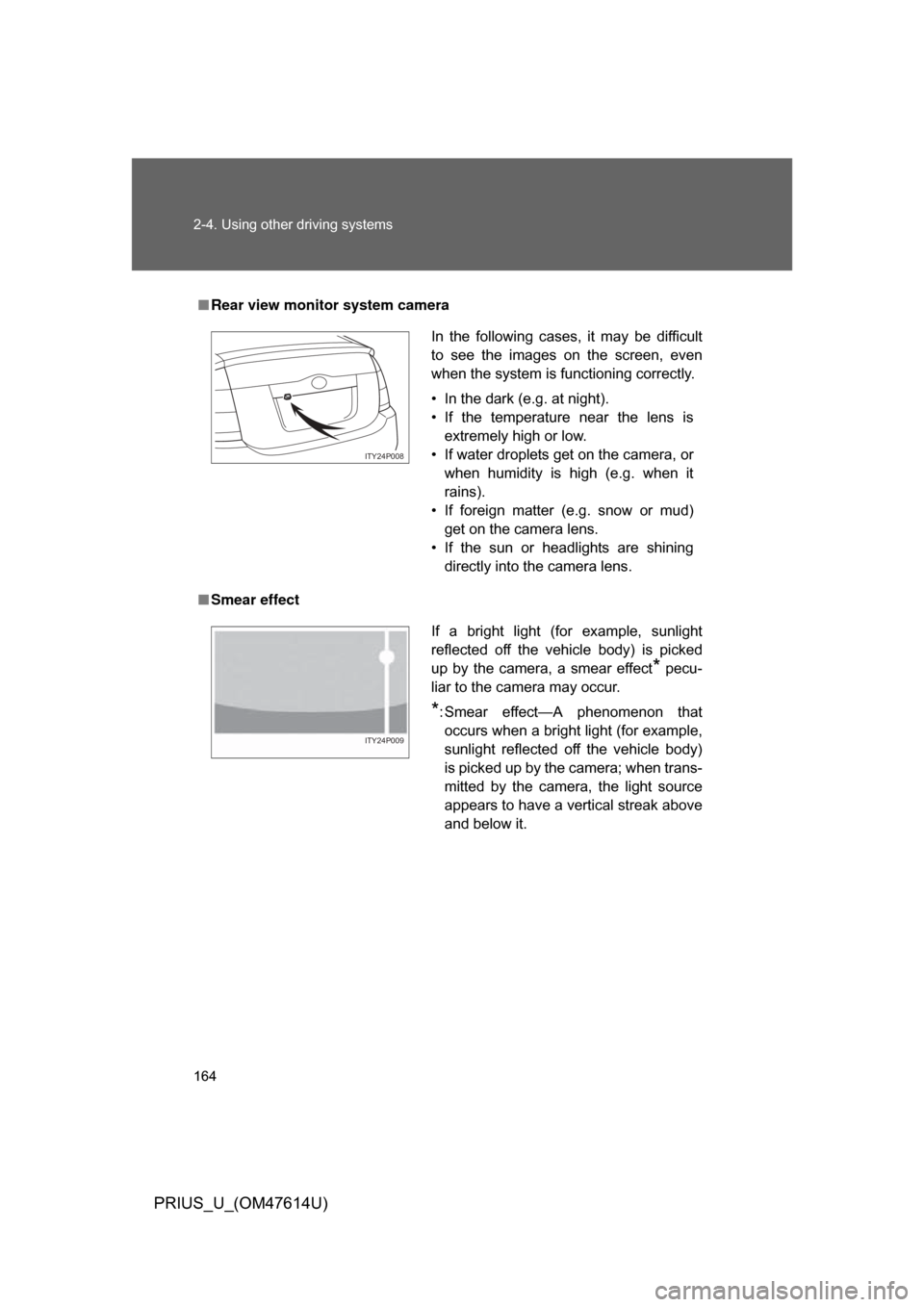
■Rear view monitor system camera
■ Smear effect
In the following cases, it may be difficult
to see the images on the screen, even
when the system is functioning correctly.
• In the dark (e.g. at night).
• If the temperature near the lens is
extremely high or low.
• If water droplets get on the camera, or when humidity is high (e.g. when it
rains).
• If foreign matter (e.g. snow or mud) get on the camera lens.
• If the sun or headlights are shining directly into the camera lens.
ITY24P008
If a bright light (for example, sunlight
reflected off the vehicle body) is picked
up by the camera, a smear effect
* pecu-
liar to the camera may occur.
*: Smear effect—A phenomenon that occurs when a bright light (for example,
sunlight reflected off the vehicle body)
is picked up by the camera; when trans-
mitted by the camera, the light source
appears to have a vertical streak above
and below it.
ITY24P009
Page 181 of 508
Interior features3
181
PRIUS_U_(OM47614U)
3-3. Using the audio systemAudio system type (Vehicle with AUX adapter).......... 215
Audio system type (Vehicle without AUX adapter)..... 218
Using the radio (Vehicle with AUX adapter).......... 221
Using the radio (Vehicle without AUX adapter)..... 230
Using the CD player (Vehicle with AUX
adapter) ......................... 235
Using the CD player (Vehicle without AUX
adapter) ......................... 243
Playing MP3 and WMA discs............................... 250
Optimal use of the audio (Vehicle with AUX
adapter) ......................... 259
Optimal use of the audio system (Vehicle without
AUX adapter) ................. 263
Using the AUX adapter .... 265
Using the steering switches ......................... 266 3-4. Using the hands-free system
(for cellular phone)
Hands-free system (for cellular phone) ......... 269
Using the Bluetooth
®
phone ............................. 274
Setting the hands-free system (for cellular
phone) ............................ 288
3-5. Using the interior lights Interior lights list ............... 315
3-6. Using the storage features List of storage features .... 319
3-7. Other interior features Sun visors ........................ 326
Vanity mirror..................... 327
Clock ................................ 328
Power outlet ..................... 329
Armrest ............................ 331
Floor mats ........................ 332
Luggage compartment features .......................... 333
Garage door opener......... 336
Page 189 of 508
189
3-1. Using the touch screen
3
Interior features
PRIUS_U_(OM47614U)
■
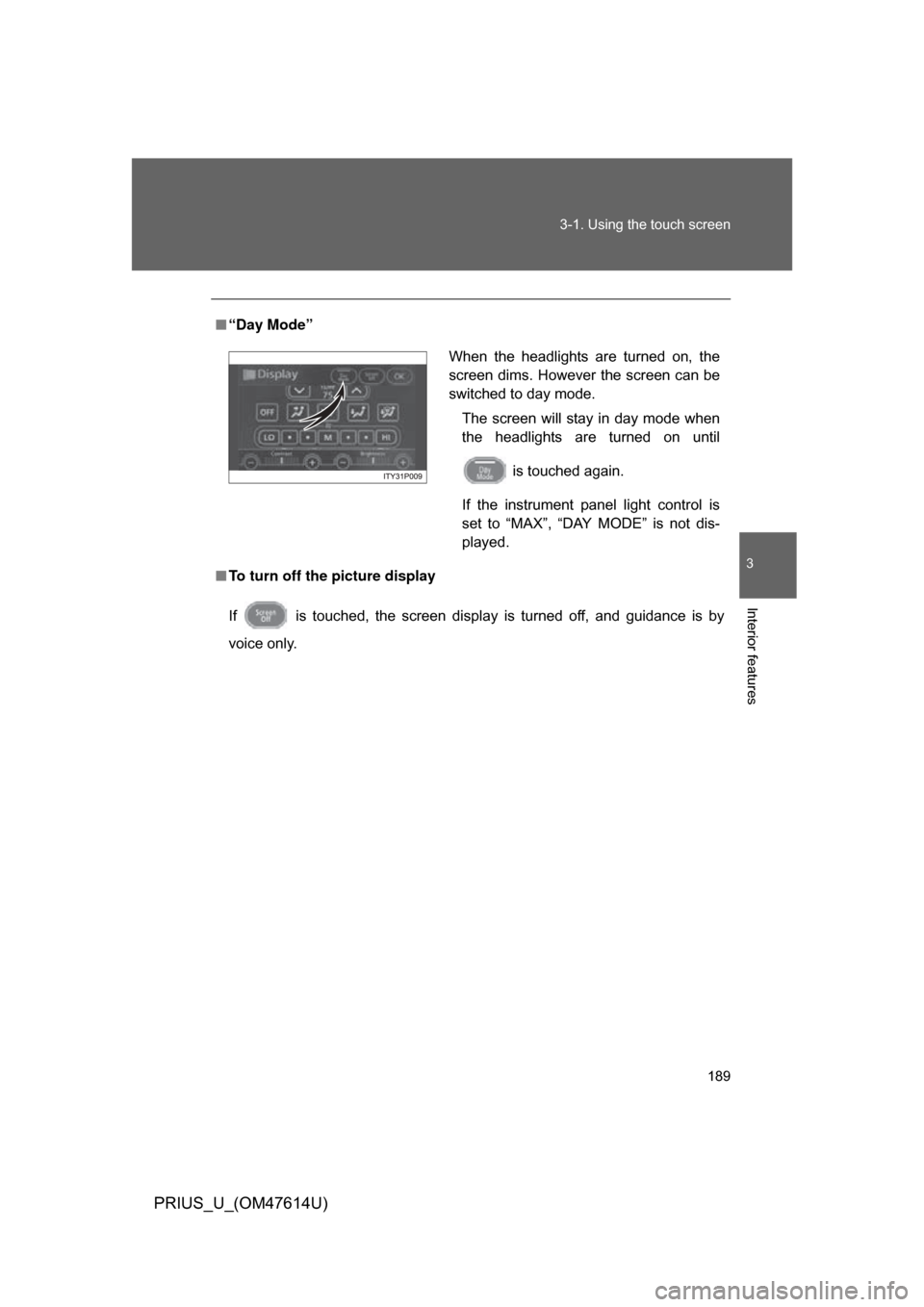
“Day Mode”
■ To turn off the picture display
If is touched, the screen display is turned off, and guidance is by
voice only.
When the headlights are turned on, the
screen dims. However the screen can be
switched to day mode.
The screen will stay in day mode when
the headlights are turned on until
is touched again.
If the instrument panel light control is
set to “MAX”, “DAY MODE” is not dis-
played.
Page 194 of 508
194 3-1. Using the touch screen
PRIUS_U_(OM47614U)
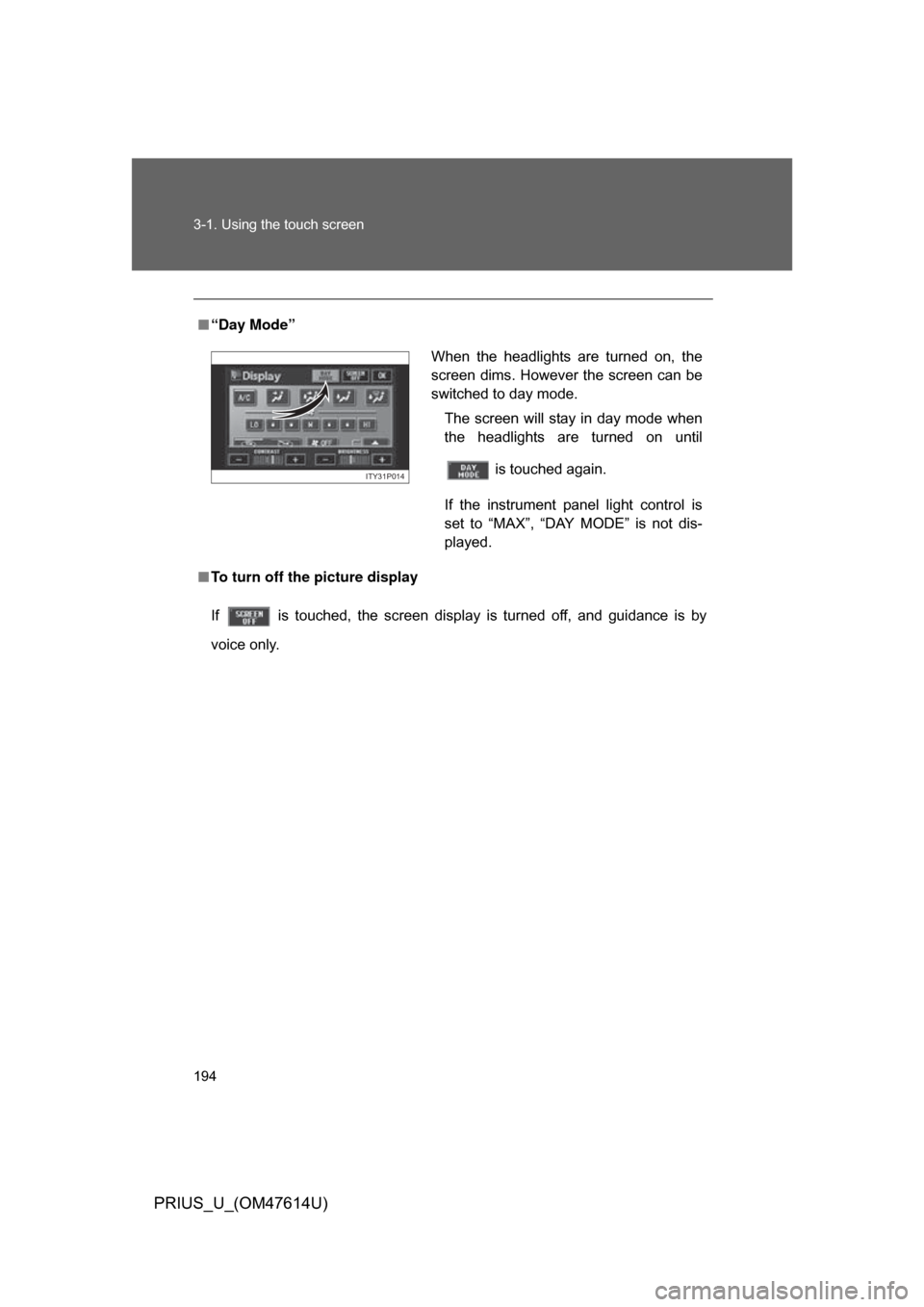
■“Day Mode”
■ To turn off the picture display
If is touched, the screen display is turned off, and guidance is by
voice only.
When the headlights are turned on, the
screen dims. However the screen can be
switched to day mode.
The screen will stay in day mode when
the headlights are turned on until
is touched again.
If the instrument panel light control is
set to “MAX”, “DAY MODE” is not dis-
played.
ITY31P014
Page 315 of 508
315
3
Interior features
PRIUS_U_(OM47614U)
3-5. Using the interior lights
Interior lights list
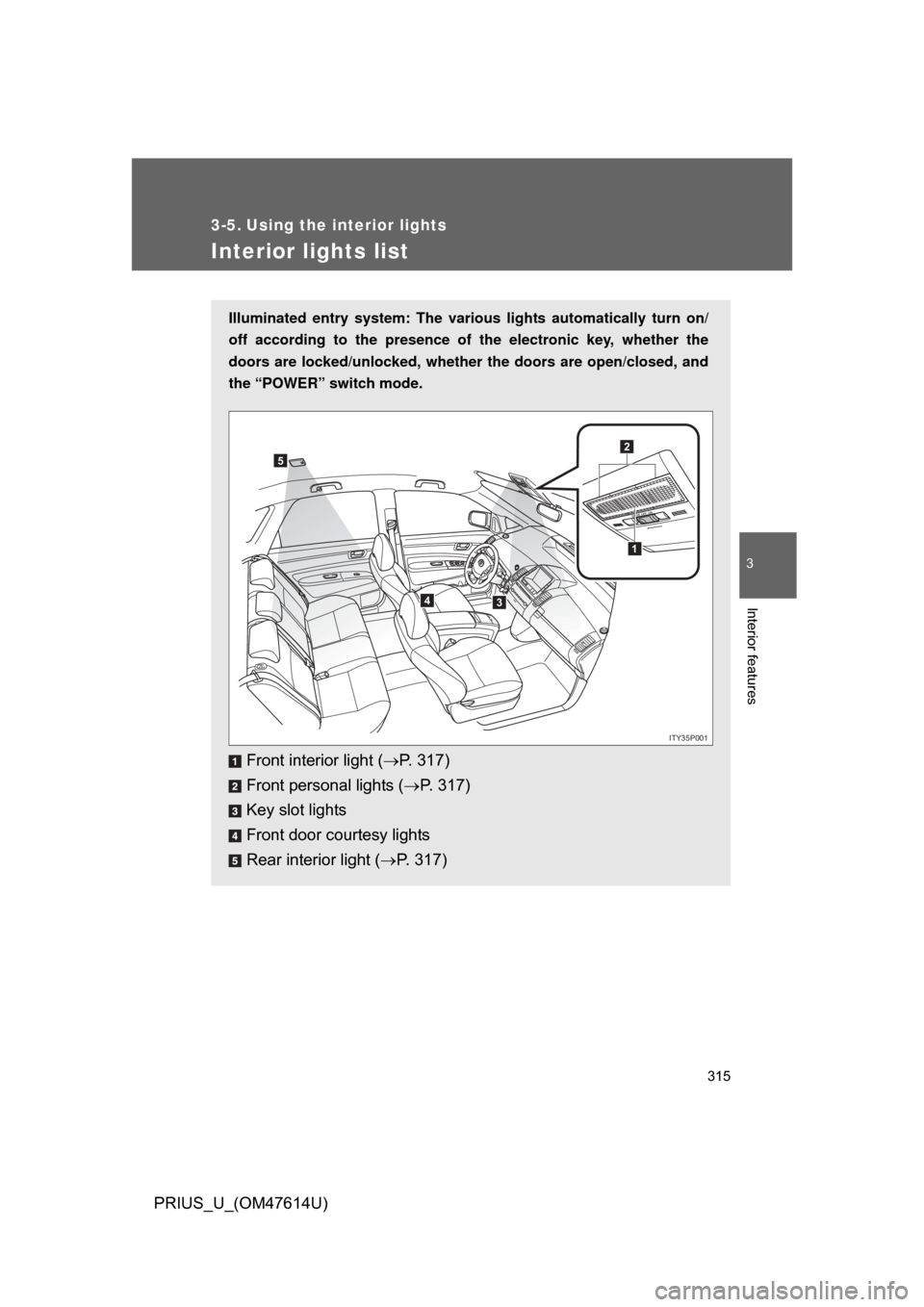
Illuminated entry system: The various lights automatically turn on/
off according to the presence of the electronic key, whether the
doors are locked/unlocked , whether the doors are open/closed, and
the “POWER” switch mode.
Front interior light ( P. 317)
Front personal lights ( P. 317)
Key slot lights
Front door courtesy lights
Rear interior light ( P. 317)
1
2
34
5
ITY35P001