Page 142 of 508
142
2-1. Driving procedures
PRIUS_U_(OM47614U)
Tur n signal lever
■Turn signals can be operated when
The “POWER” switch is in ON mode.
■ If the indicators flash faster than usual
Check that a light bulb in the front or rear turn signal lights has not burned
out.
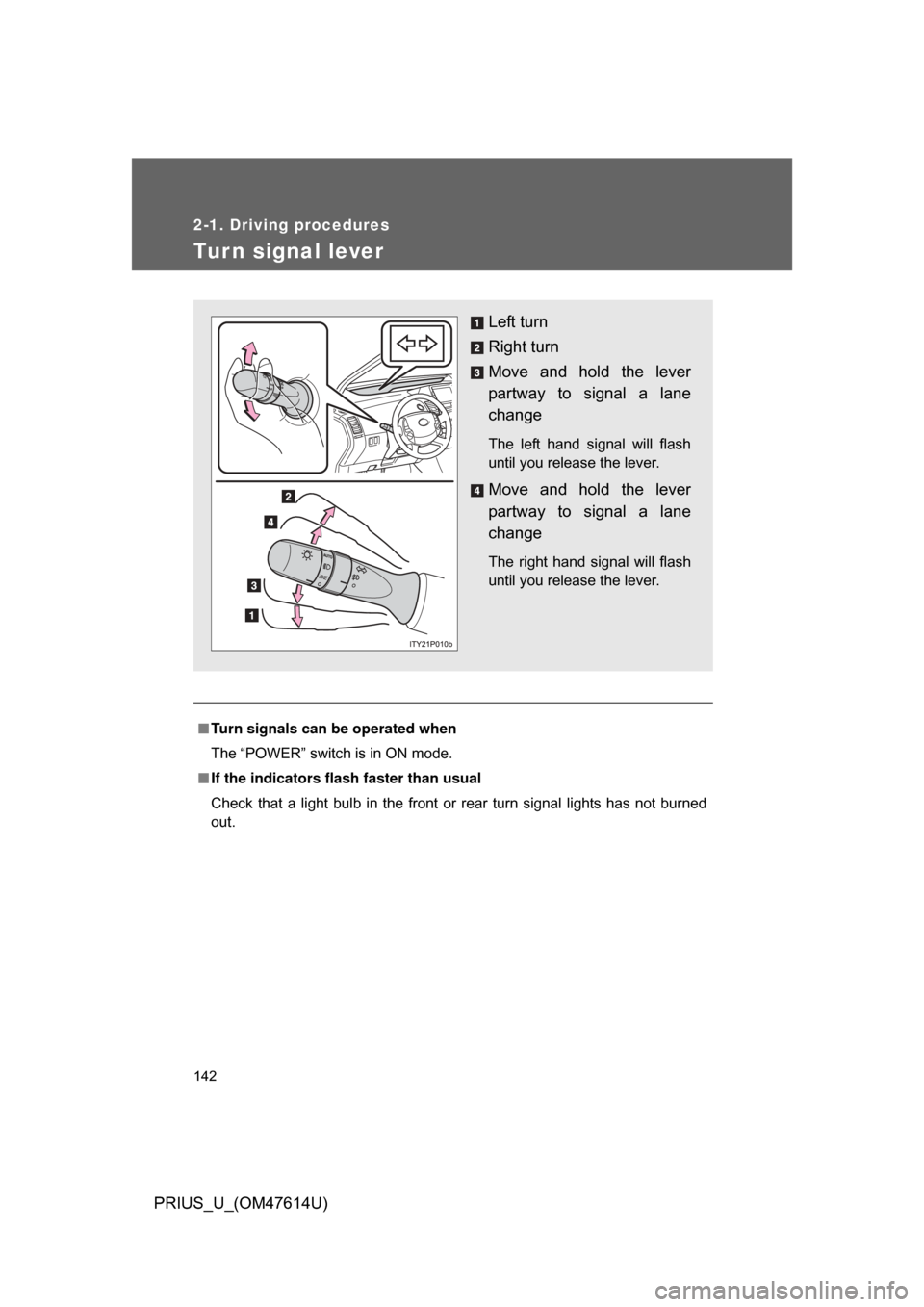
Left turn
Right turn
Move and hold the lever
partway to signal a lane
change
The left hand signal will flash
until you release the lever.
Move and hold the lever
partway to signal a lane
change
The right hand signal will flash
until you release the lever.
Page 146 of 508
146 2-2. Instrument cluster
PRIUS_U_(OM47614U)
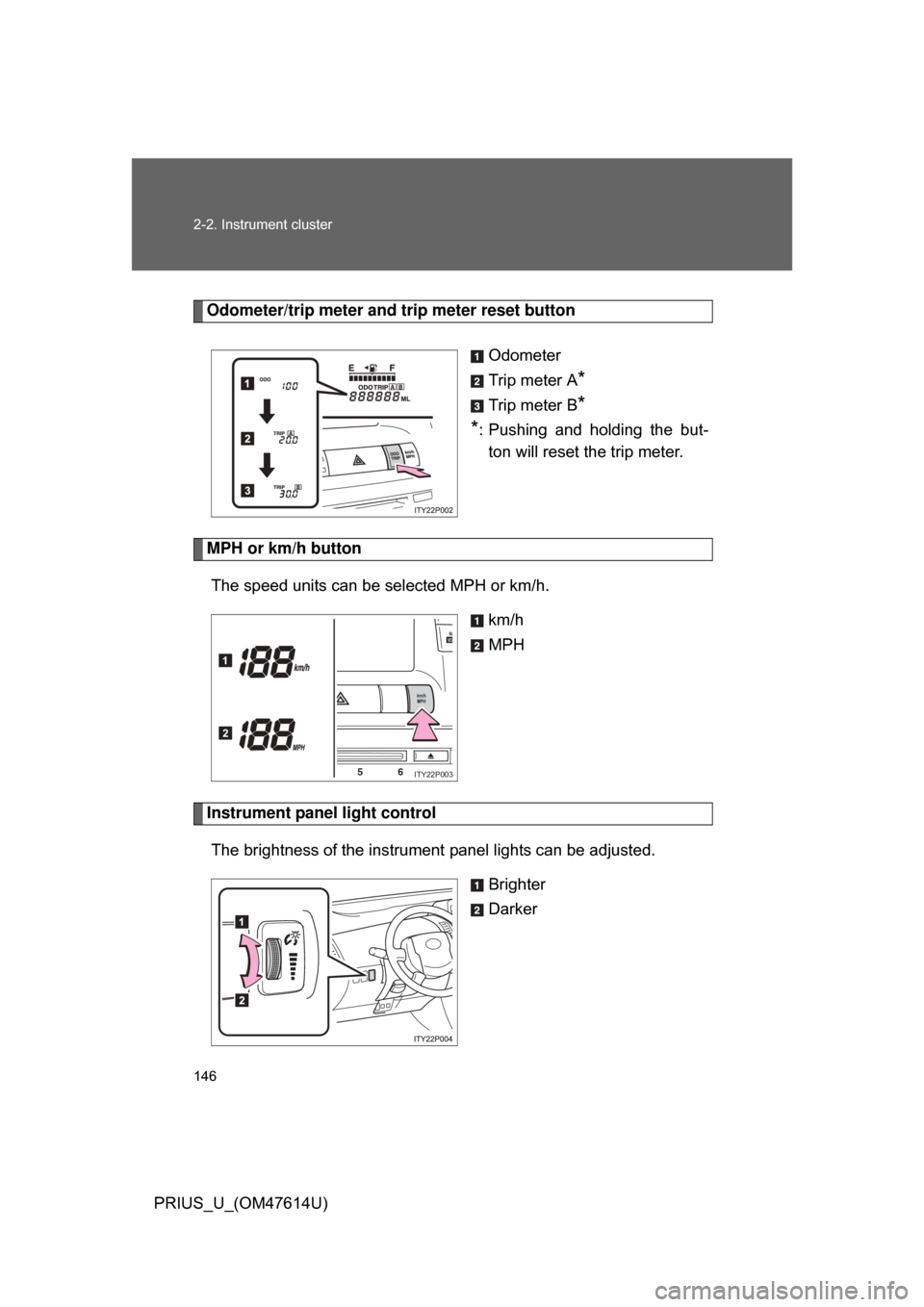
Odometer/trip meter and trip meter reset buttonOdometer
Trip meter A
*
Trip meter B*
*
: Pushing and holding the but-
ton will reset th e trip meter.
MPH or km/h button
The speed units can be selected MPH or km/h. km/h
MPH
Instrument panel light control
The brightness of the instrument panel lights can be adjusted.
Brighter
Darker
km/hMPH
56
MAVO
1
2
ITY22P003
Page 148 of 508
148
2-2. Instrument cluster
PRIUS_U_(OM47614U)
Indicators and warning lights
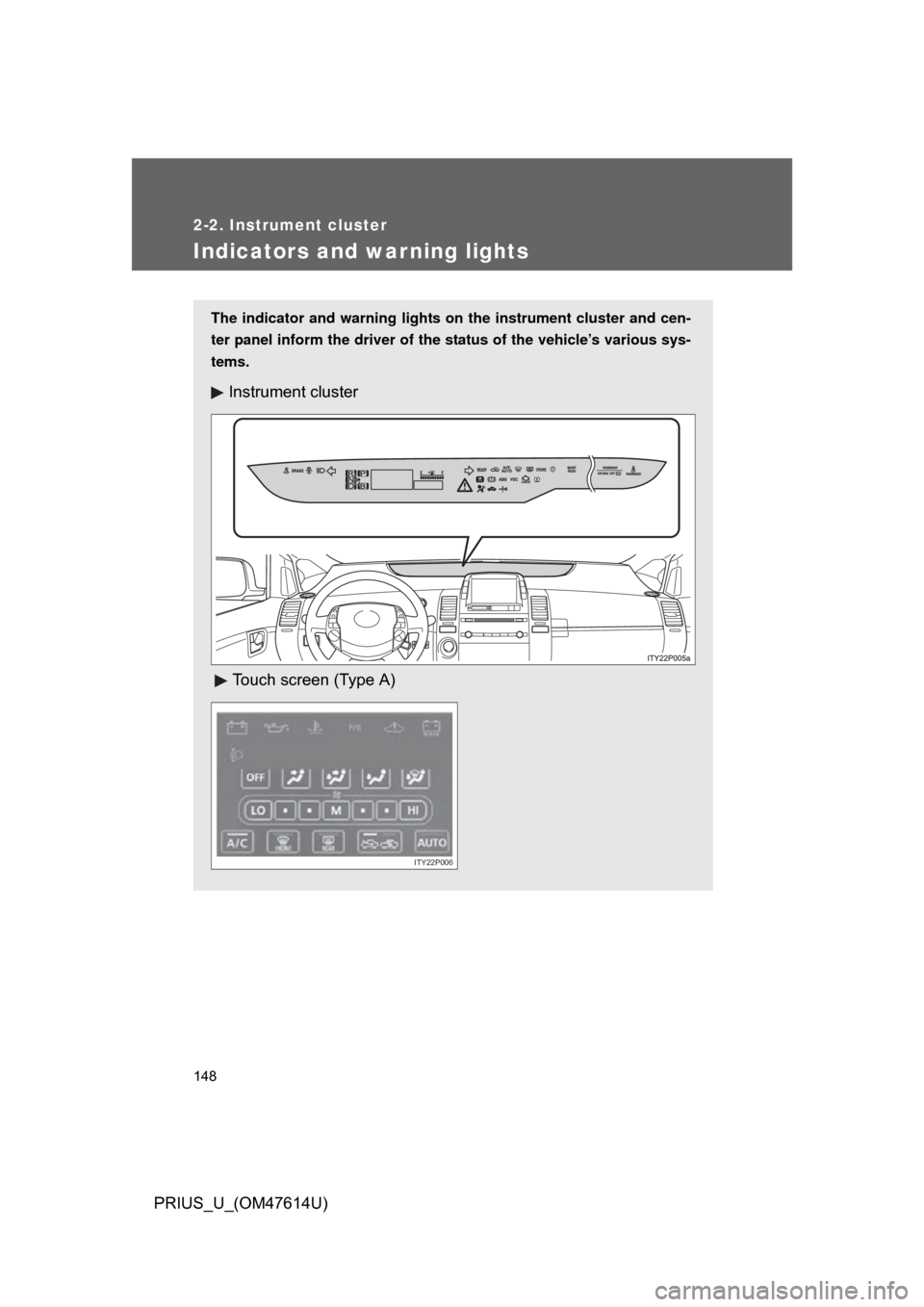
The indicator and warning lights on the instrument cluster and cen-
ter panel inform the driver of the status of the vehicle’s various sys-
tems.
Instrument cluster
Touch screen (Type A)
ITY22P006
Page 151 of 508
151
2-2. Instrument cluster
2
When driving
PRIUS_U_(OM47614U)
CAUTION
■
If a safety system warning light does not come on
Should a safety system light such as ABS and the SRS airbag warning light
not come on when you start the hybrid system, this could mean that these
systems are not available to help protect you in an accident, which could
result in death or serious injury. Have the vehicle inspected by your Toyota
dealer immediately if this occurs.
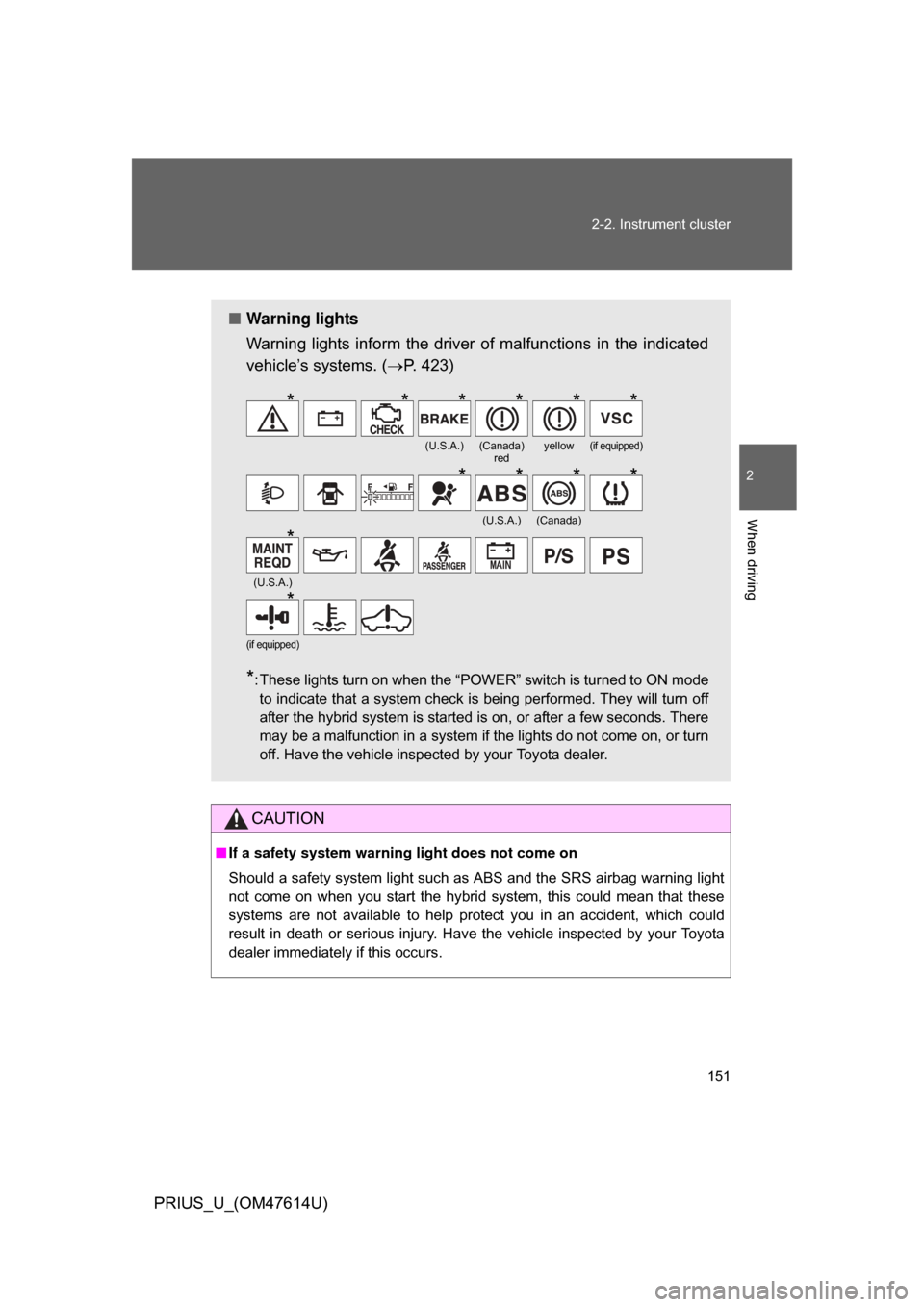
■ Warning lights
Warning lights inform the driver of malfunctions in the indicated
vehicle’s systems. ( P. 423)
*: These lights turn on when the “POWER” switch is turned to ON mode
to indicate that a system check is being performed. They will turn off
after the hybrid system is started is on, or after a few seconds. There
may be a malfunction in a system if the lights do not come on, or turn
off. Have the vehicle inspected by your Toyota dealer.
(U.S.A.)(Canada) redyellow(if equipped)
(U.S.A.)(Canada)
(U.S.A.)
(if equipped)
******
****
*
*
Page 152 of 508
152
PRIUS_U_(OM47614U)
2-3. Operating the lights and windshield wipers
Headlight switch
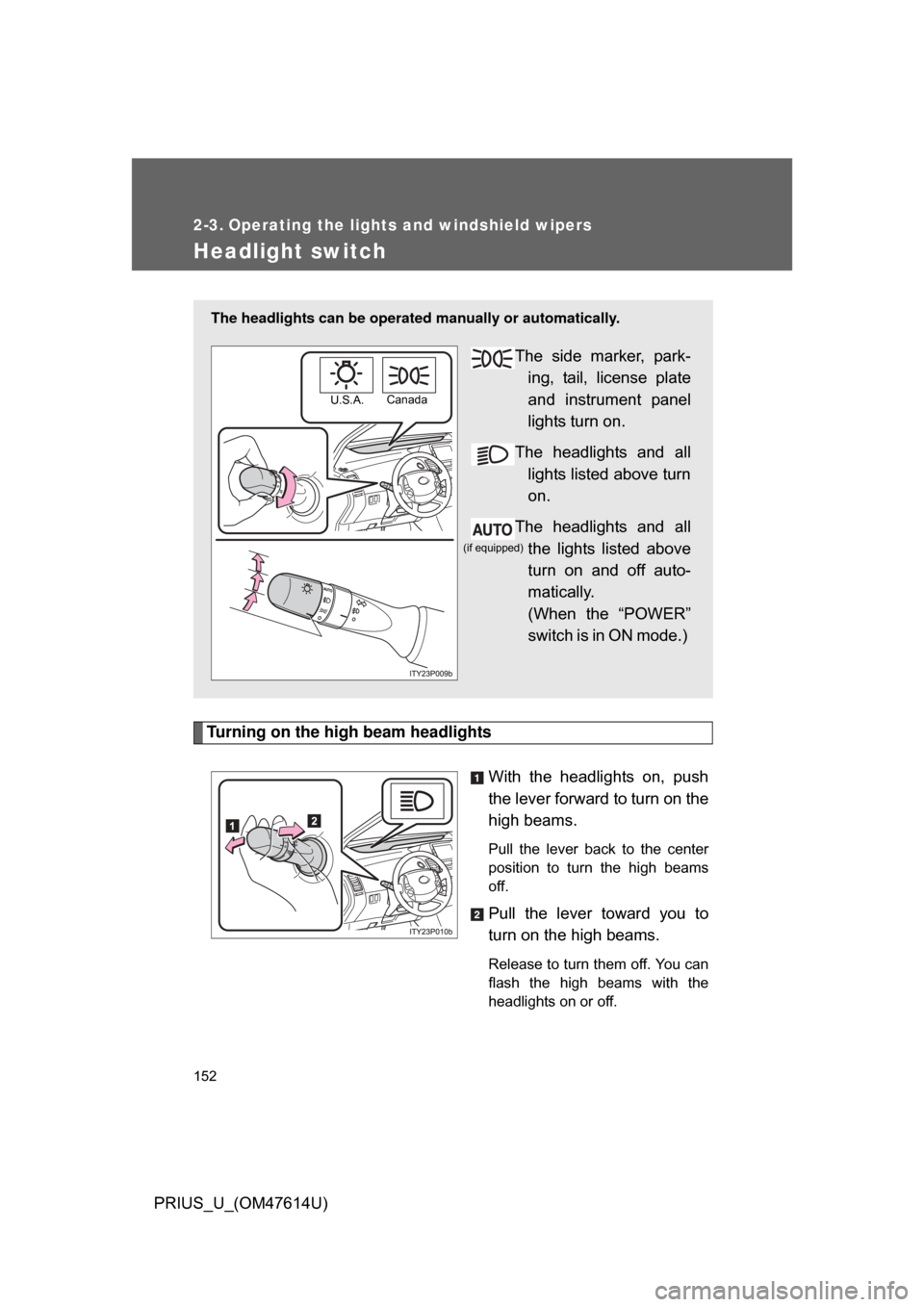
Turning on the high beam headlightsWith the headlights on, push
the lever forward to turn on the
high beams.
Pull the lever back to the center
position to turn the high beams
off.
Pull the lever toward you to
turn on the high beams.
Release to turn them off. You can
flash the high beams with the
headlights on or off.
The headlights can be operated manually or automatically.
The side marker, park-
ing, tail, license plate
and instrument panel
lights turn on.
The headlights and all lights listed above turn
on.
The headlights and all the lights listed above
turn on and off auto-
matically.
(When the “POWER”
switch is in ON mode.)
U.S.A. Canada
(if equipped)
Page 153 of 508
153
2-3. Operating the lights and windshield wipers
2
When driving
PRIUS_U_(OM47614U)
■
Daytime running light system (if equipped)
To make your vehicle more visible to other drivers, the headlights turn on
automatically (at a reduced intensity) whenever the hybrid system is started
and the parking brake is released. Daytime running lights are not designed
for use at night.
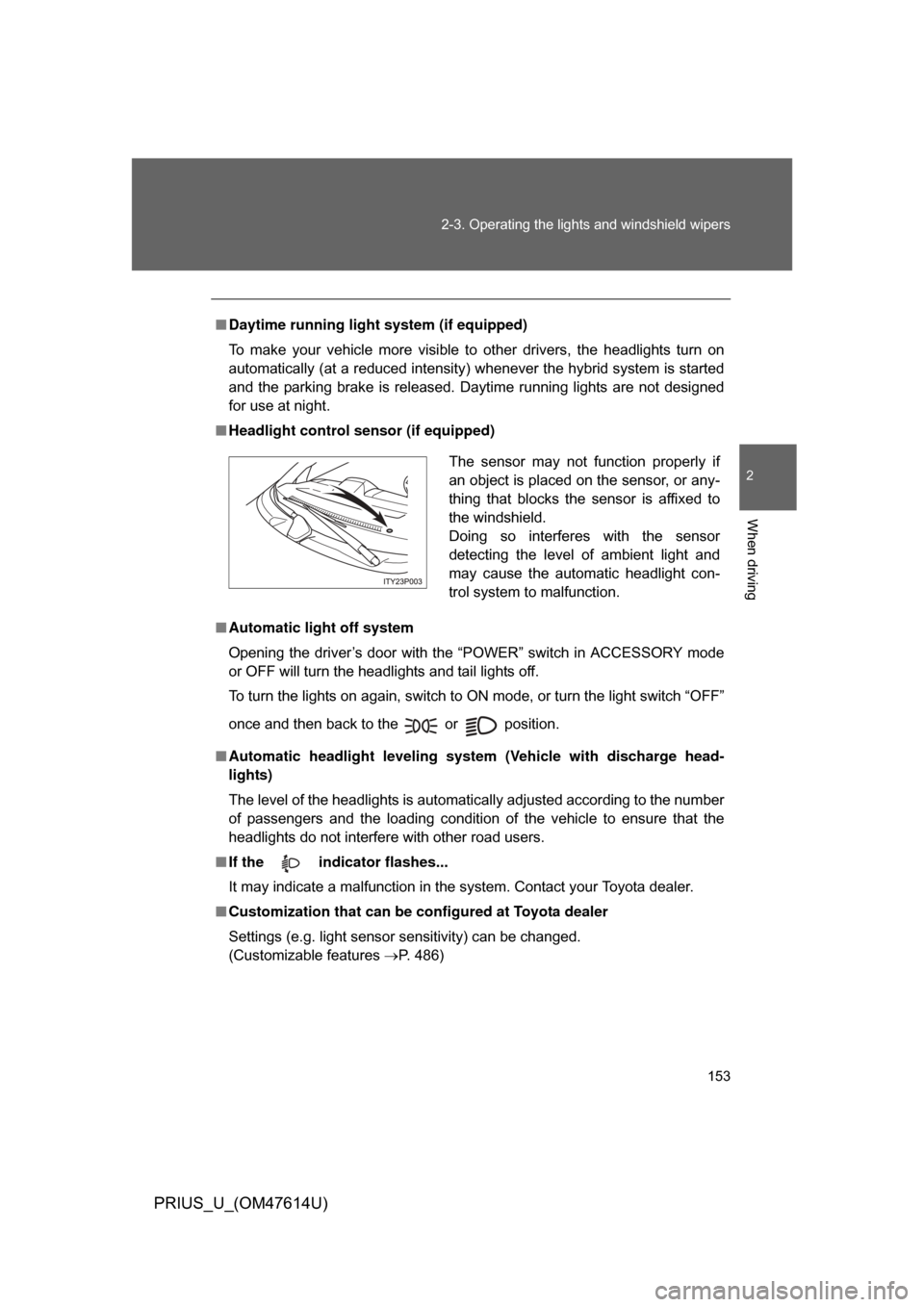
■ Headlight control sensor (if equipped)
■ Automatic light off system
Opening the driver’s door with the “POWER” switch in ACCESSORY mode
or OFF will turn the headlights and tail lights off.
To turn the lights on again, switch to ON mode, or turn the light switch “OFF”
once and then back to the or position.
■ Automatic headlight leveling system (Vehicle with discharge head-
lights)
The level of the headlights is automatically adjusted according to the number
of passengers and the loading condition of the vehicle to ensure that the
headlights do not interfere with other road users.
■ If the indicator flashes...
It may indicate a malfunction in the system. Contact your Toyota dealer.
■ Customization that can be co nfigured at Toyota dealer
Settings (e.g. light sensor sensitivity) can be changed.
(Customizable features P. 486)
The sensor may not function properly if
an object is placed on the sensor, or any-
thing that blocks the sensor is affixed to
the windshield.
Doing so interferes with the sensor
detecting the level of ambient light and
may cause the automatic headlight con-
trol system to malfunction.
Page 154 of 508
154 2-3. Operating the lights and windshield wipers
PRIUS_U_(OM47614U)
NOTICE
■To prevent 12 volt battery discharge
Do not leave the lights on longer than necessary if the hybrid system is not
operating.
Page 155 of 508
155
2-3. Operating the lights and windshield wipers
2
When driving
PRIUS_U_(OM47614U)
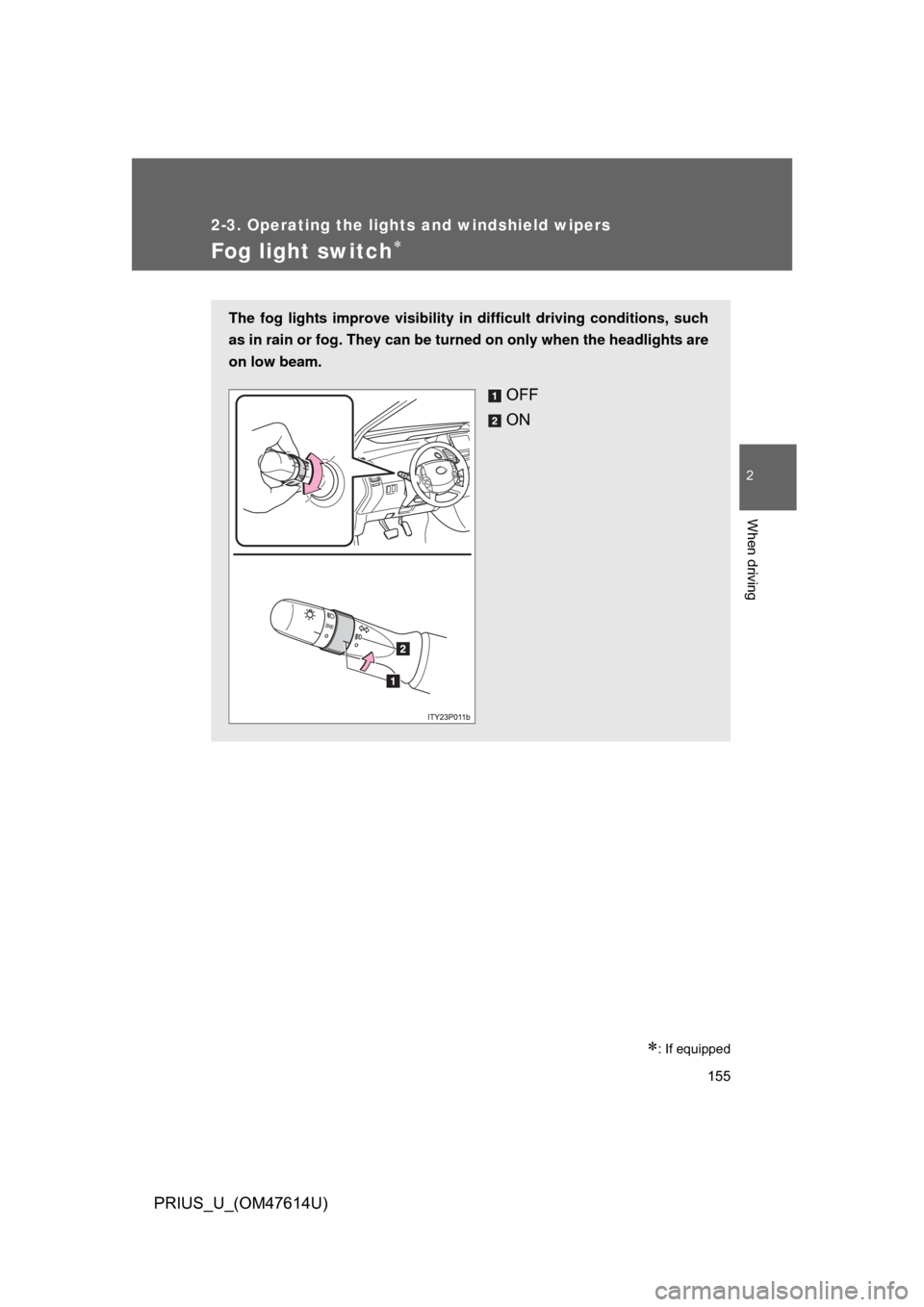
Fog light switch
: If equipped
The fog lights improve visibility in difficult driving conditions, such
as in rain or fog. They can be turned on only when the headlights are
on low beam.
OFF
ON