Page 136 of 508

136 2-1. Driving procedures
PRIUS_U_(OM47614U)
■If the hybrid system does not start
The hybrid system immobilizer system may not have been deactivated.
(P. 82)
■ If the “READY” light does not come on
If the “READY” light does not come on when you press the power switch with
the shift lever in “P” and the brake pedal pressed, contact your Toyota dealer
immediately.
■ When the “POWER” switch in dicator flashes in amber
The system may be malfunctioning. Have the vehicle inspected by your Toy-
ota dealer immediately.
■ Auto power OFF function
The “POWER” switch will automatically turn OFF when left in ACCESSORY
mode for 1 hour or more.
■ Electronic key battery depletion
P. 4 4
■ When the electronic key battery is discharged
P. 392
■ Conditions affecting operation
P. 4 2
■ Leak detection pump
Several hours after the engine is turned off, you may hear a sound coming
from underneath the luggage compartment for several minutes.
This is normal operation and does not indicate a malfunction.
Page 153 of 508
153
2-3. Operating the lights and windshield wipers
2
When driving
PRIUS_U_(OM47614U)
■
Daytime running light system (if equipped)
To make your vehicle more visible to other drivers, the headlights turn on
automatically (at a reduced intensity) whenever the hybrid system is started
and the parking brake is released. Daytime running lights are not designed
for use at night.
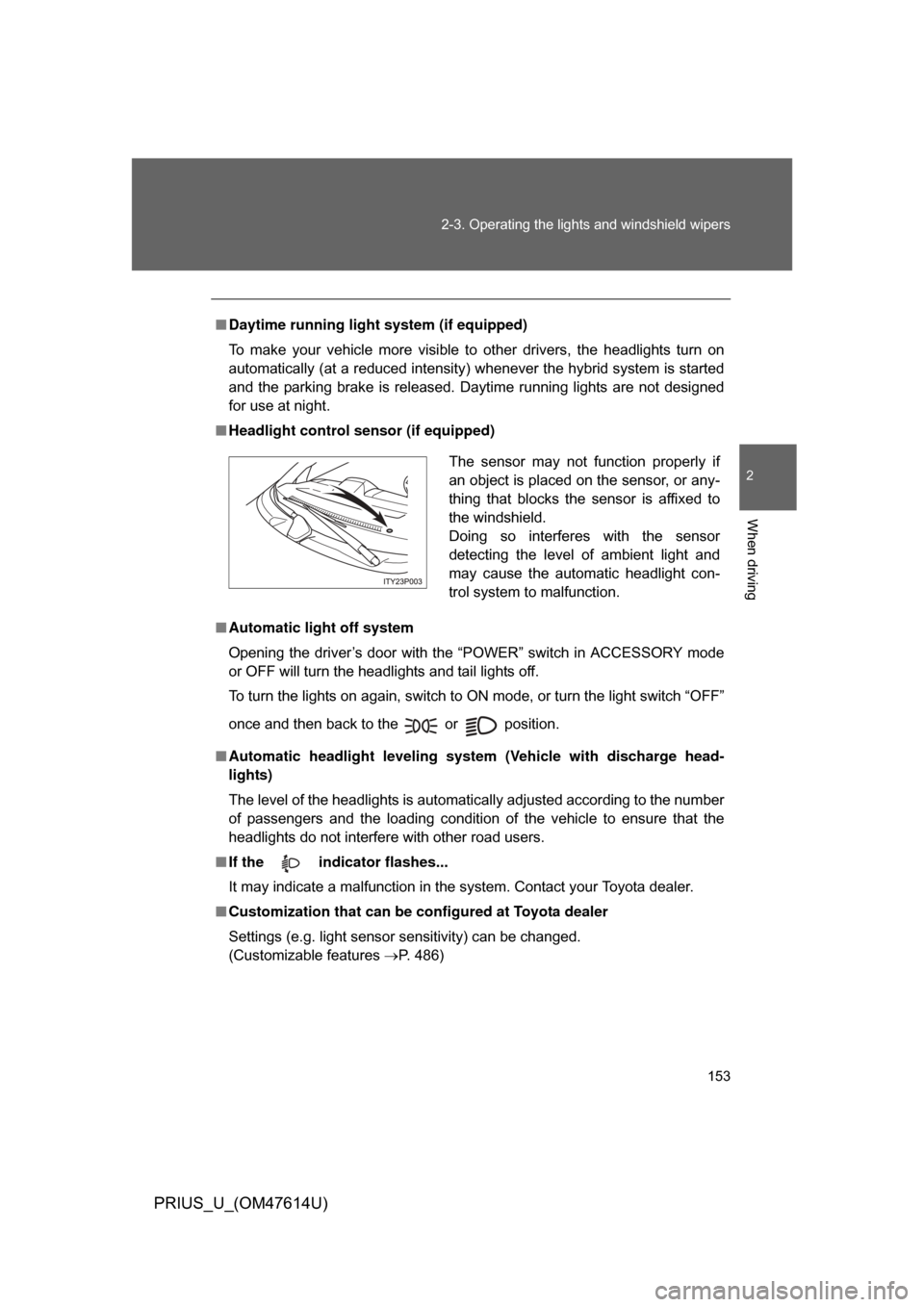
■ Headlight control sensor (if equipped)
■ Automatic light off system
Opening the driver’s door with the “POWER” switch in ACCESSORY mode
or OFF will turn the headlights and tail lights off.
To turn the lights on again, switch to ON mode, or turn the light switch “OFF”
once and then back to the or position.
■ Automatic headlight leveling system (Vehicle with discharge head-
lights)
The level of the headlights is automatically adjusted according to the number
of passengers and the loading condition of the vehicle to ensure that the
headlights do not interfere with other road users.
■ If the indicator flashes...
It may indicate a malfunction in the system. Contact your Toyota dealer.
■ Customization that can be co nfigured at Toyota dealer
Settings (e.g. light sensor sensitivity) can be changed.
(Customizable features P. 486)
The sensor may not function properly if
an object is placed on the sensor, or any-
thing that blocks the sensor is affixed to
the windshield.
Doing so interferes with the sensor
detecting the level of ambient light and
may cause the automatic headlight con-
trol system to malfunction.
Page 160 of 508
160 2-4. Using other driving systems
PRIUS_U_(OM47614U)
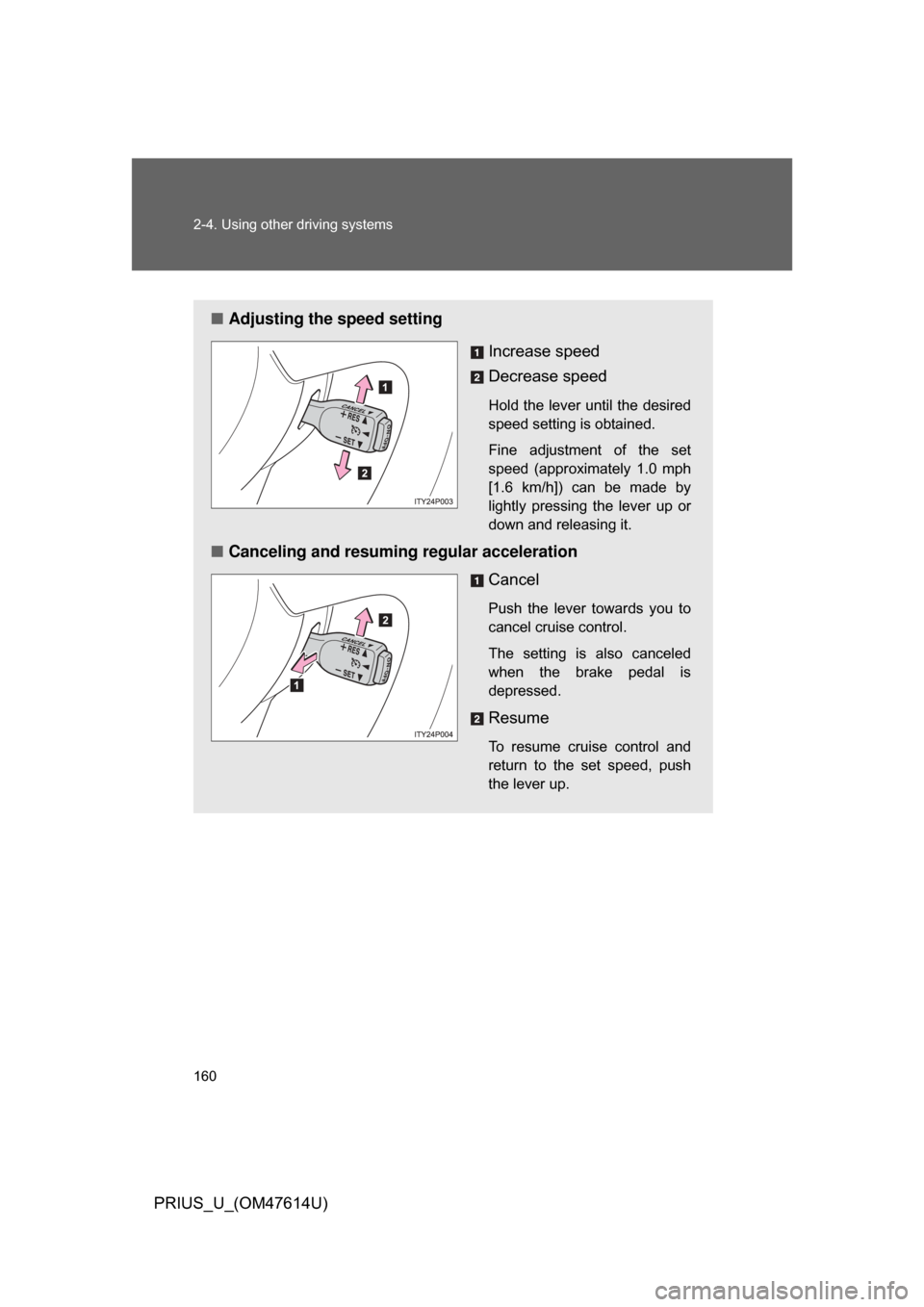
■Adjusting the speed setting
Increase speed
Decrease speed
Hold the lever until the desired
speed setting is obtained.
Fine adjustment of the set
speed (approximately 1.0 mph
[1.6 km/h]) can be made by
lightly pressing the lever up or
down and releasing it.
■Canceling and resuming regular acceleration
Cancel
Push the lever towards you to
cancel cruise control.
The setting is also canceled
when the brake pedal is
depressed.
Resume
To resume cruise control and
return to the set speed, push
the lever up.
Page 166 of 508
166
2-4. Using other driving systems
PRIUS_U_(OM47614U)
Driving assist systems
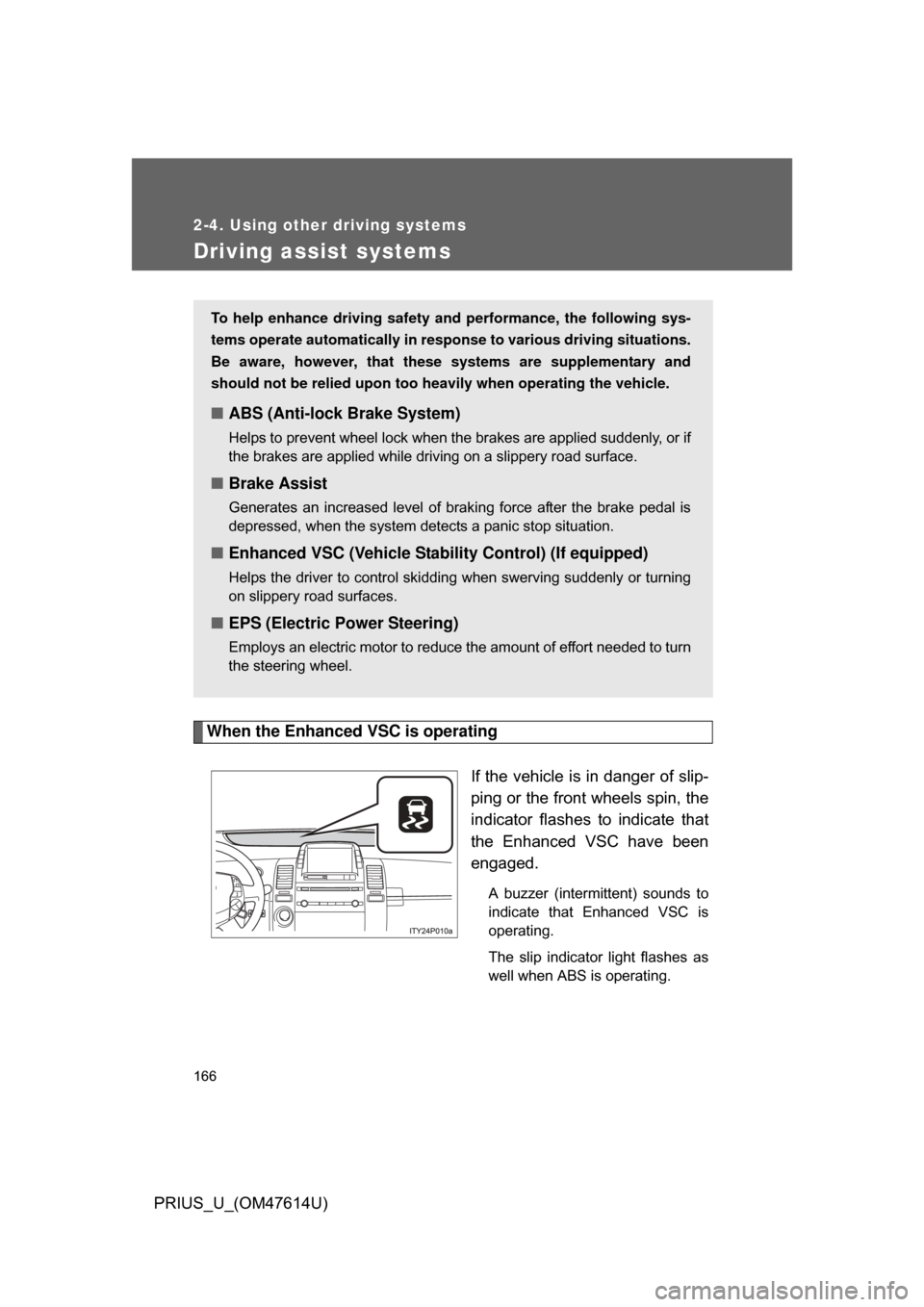
When the Enhanced VSC is operatingIf the vehicle is in danger of slip-
ping or the front wheels spin, the
indicator flashes to indicate that
the Enhanced VSC have been
engaged.
A buzzer (intermittent) sounds to
indicate that Enhanced VSC is
operating.
The slip indicator light flashes as
well when ABS is operating.
To help enhance driving safety and performance, the following sys-
tems operate automatically in res ponse to various driving situations.
Be aware, however, that these systems are supplementary and
should not be relied upon too h eavily when operating the vehicle.
■ABS (Anti-lock Brake System)
Helps to prevent wheel lock when the brakes are applied suddenly, or if
the brakes are applied while driving on a slippery road surface.
■Brake Assist
Generates an increased level of braking force after the brake pedal is
depressed, when the system detects a panic stop situation.
■Enhanced VSC (Vehicle Stab ility Control) (If equipped)
Helps the driver to control skidding when swerving suddenly or turning
on slippery road surfaces.
■EPS (Electric Power Steering)
Employs an electric motor to reduce the amount of effort needed to turn
the steering wheel.
Page 167 of 508
167
2-4. Using other
driving systems
2
When driving
PRIUS_U_(OM47614U)
■Sounds and vibrations caused by the ABS, brake assist and Enhanced
VSC
● A sound may be heard from the hybrid system compartment when the
hybrid system is started or just after the vehicle begins to move. This
sound does not indicate that a malfunction has occurred in any of these
systems.
● Any of the following conditions may occur when the above systems are
operating. None of these indicates that a malfunction has occurred.
• Vibrations may be felt through the vehicle body and steering.
• A motor sound may be heard after the vehicle comes to a stop.
• The brake pedal may pulsate slightly after the ABS is activated.
• The brake pedal may move down slightly after the ABS is activated.
■ Reduced effectiveness of EPS
The effectiveness of EPS is reduced to prevent the system from overheating
when there is frequent steering input over an extended period of time. The
steering wheel may feel heavy as a result. Should this occur, refrain from
excessive steering input or stop the vehicle and turn the hybrid system OFF.
The system should return to normal within 10 minutes.
Page 350 of 508
350 4-2. Maintenance
PRIUS_U_(OM47614U)
Vehicle interior
ItemsCheck points
Accelerator pedal • Moves smoothly (without uneven pedal
effort or catching)?
Automatic transmission
“Park” mechanism • Can the vehicle be hold securely on an
incline with the shift lever in “P”?
Brake pedal • Moves smoothly?
• Does it have appropriate clearance and
correct amount of free play?
Brakes • Pulls to one side when applied?
• Loss of brake effectiveness?
• Spongy feeling brake pedal?
• Pedal almost touches floor?
Head restraints • Move smoothly and lock securely?
Indicators/buzzers • Function properly?
Lights • Do all the lights come on?
Parking brake • Moves smoothly?
• Can hold the vehicle securely on an
incline?
Seat belts • Does the seat belt system operate
smoothly?
• Are the belts undamaged?
Seats • Do the seat controls operate properly?
Steering wheel • Moves smoothly?
• Has correct free play?
• No strange noises?
Page 370 of 508
370 4-3. Do-it-yourself maintenance
PRIUS_U_(OM47614U)
■Brake fluid can absorb moisture from the air
Excess moisture in the fluid can cause a dangerous loss of braking effi-
ciency. Use only newly opened brake fluid.
CAUTION
■When filling the reservoir
Take care because brake fluid can harm your hands or eyes and damage
painted surfaces.
If fluid gets in your eyes, flush your eyes with clean water immediately.
If you still experience discomfort, see a doctor.
NOTICE
■If the fluid level is low
It is normal for the brake fluid level to go down slightly as the brake pads
wear or when the fluid level in the accumulator is high.
If the reservoir needs frequent refilling, it may indicate a serious problem.
Page 400 of 508
400 4-3. Do-it-yourself maintenance
PRIUS_U_(OM47614U)
*1: Vehicles with halogen headlights (low beam)
*2: Vehicles with discharge headlights (low beam)35 ABS-1 25 A Anti-lock brake system
36 ETCS 10 A Electronic throttle control system
37 BATT FAN 10 A Battery cooling fan
38 HAZ 10 A
Turn signal lights, emergency
flasher
39 DOME 15 A Audio system, interior lights, smart
key system, gauge and meter, turn
signal lights, luggage room light,
clock
40 ABS MAIN3 15 A Anti-lock brake system
41 ABS MAIN2 10 A Anti-lock brake system
42 ABS MAIN1 10 A Anti-lock brake system
43 FR FOG 15 A Fog lights
44 CHS W/P 10 A CHS W/P
45 AMP 30 A Audio system
46 PTC HTR2 30 A PTC heater
47 PTC HTR1 30 A PTC heater
48 CDS FAN 30 A Electric cooling fan
FuseAmpereCircuit